Smart Plug Coffee Maker Guide for Effortless Brewing
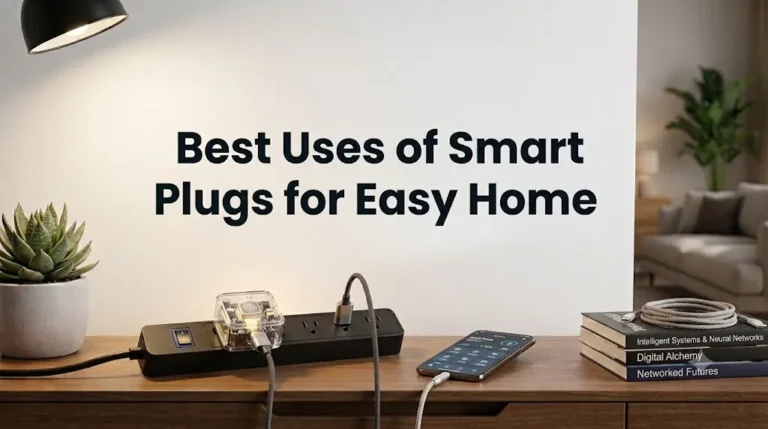
A smart plug coffee maker setup lets you control a basic drip coffee maker with an app, a schedule, or a voice assistant. It is a practical way to add automation to a regular brewer, but it only works well when the coffee maker, plug, and outlet setup are all compatible and safely rated.
- Compatibility first: Confirm the coffee maker’s wattage and whether it starts brewing after power is restored.
- Safety matters: Avoid damaged cords, loose outlets, overloaded strips, and any setup that runs hot.
- App quality counts: A stable app and reliable Wi-Fi are more important than extra smart features.
- Best fit: This is ideal for simple scheduling in homes, dorms, offices, and small kitchens.
- Know the limit: A smart plug controls power, not brew intelligence or water-level awareness.
Smart Plug Coffee Maker: What It Is and Whether It’s Worth It
At its simplest, this setup uses a smart plug to switch power to a coffee maker on and off. That means you can often schedule brewing before you wake up, turn the machine off remotely if you forgot, or tie it into a broader smart home routine.
Quick answer: how a smart plug turns a regular coffee maker into a scheduled brewer
The smart plug acts like a remote power switch. When the plug turns on, the coffee maker receives power and may begin brewing automatically if it has a mechanical switch or a power-restoring start behavior.
That last part matters: not every coffee maker will start brewing just because power is restored. Some models require you to press a button each time, so the smart plug only helps with power control, not true brewing intelligence.
Who should consider this setup in 2026
This is a strong fit for people who want low-cost automation without replacing a perfectly good coffee maker. It can also work well for renters, students, remote workers, and anyone building a simple smart kitchen around an existing outlet and Wi-Fi network.
If you already use smart home routines, the setup can be even more useful. For example, readers who are also organizing other home automations may want to look at related guides like smart light switches and Alexa-compatible smart lights to keep the same app ecosystem consistent.
How a Smart Plug Coffee Maker Setup Works
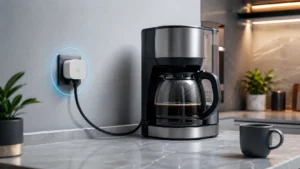
The idea is straightforward, but the details matter. A smart plug must be able to handle the coffee maker’s electrical load, stay connected to your network, and work with the way your coffee maker behaves when power is restored.
Power flow, scheduling, and remote on/off control
In a typical setup, the coffee maker stays plugged into the smart plug, and the smart plug stays in the wall outlet. You then use the app to schedule power on/off times or manually toggle the outlet from your phone.
Some users also create automations, such as turning the coffee maker on at a certain time or after another event in the smart home. The coffee maker itself still determines how it responds once power is supplied, so the plug is only one part of the system.
App requirements, Wi-Fi compatibility, and voice assistant support
Most smart plugs require a companion app for setup, scheduling, and firmware updates. Some support Alexa, Google Home, Apple Home, or other platforms, but compatibility varies by model and sometimes by region or firmware.
Note
Before buying, check the official app listing, platform compatibility page, and manual. A plug that works with one voice assistant may not support every feature in another ecosystem.
Rated wattage limits and why they matter for coffee makers
Every smart plug has a maximum wattage or current rating, and the coffee maker must stay within that limit. Coffee makers can draw more power during heating or startup, so the safe choice is to verify the plug rating against the coffee maker’s label and the manufacturer’s instructions.
Key Buying Criteria for Safe, Reliable Use
When shopping for a smart plug coffee maker setup, safety and compatibility matter more than app gimmicks. The best choice is usually the one that matches your appliance, fits your outlet space, and has a stable app and update history.
Check the coffee maker’s wattage, plug type, and startup draw
Start with the coffee maker’s nameplate or manual. Look for wattage, voltage, and any notes about automatic restart after power loss. If the machine has an electronic control panel that must be pressed to begin brewing, a smart plug may only give you remote power, not scheduled brewing.
- Check the coffee maker model number, wattage, plug type, and whether it restarts after power is restored
- Confirm the smart plug’s current limit, app requirements, and platform compatibility before setting up automation
- Verify warranty terms, return policy, and any safety notices or recall updates from the manufacturer
Smart plug dimensions, outlet clearance, and cable quality
Smart plugs are not all the same size. A bulky plug can block the second outlet on a duplex receptacle or press awkwardly against nearby cords, especially in compact kitchens and dorm rooms.
Also check the coffee maker cord for wear and ensure the wall outlet is firm. Loose connections can create heat buildup, which is especially undesirable around appliances that already generate warmth during brewing.
Connectivity standards, app stability, and automation features
Reliable Wi-Fi and a stable app matter because the plug is only useful if it responds when scheduled. Look for clear support for your phone’s operating system, a straightforward pairing process, and basic automation options like timers, schedules, and away modes.
For many buyers, app quality is more important than extra features. A simple plug with dependable scheduling is often better than a feature-heavy model with confusing setup or inconsistent notifications.
Warranty details, brand support, and replacement guidance
Because smart plugs are safety-relevant electronics, warranty and support should be part of the purchase decision. Review how long the warranty lasts, how replacements are handled, and whether the manufacturer provides firmware updates and troubleshooting help.
If support pages are hard to find or the app has poor reviews for stability, that is a warning sign. For smart home products, long-term app support can matter as much as the hardware itself.
Best Use Cases and Who This Setup Fits
A smart plug coffee maker setup is most useful when convenience matters more than advanced brewing control. It is a simple automation upgrade, not a replacement for a dedicated smart coffee machine with built-in timers and sensors.
Busy mornings, office desks, dorm rooms, and small kitchens
This setup works well in homes where people want coffee ready on a schedule without learning a new appliance. It can also be useful in office break areas, dorms, and small kitchens where space is limited and the existing coffee maker is still in good condition.
Practical Tip
If you share the space with roommates, coworkers, or family members, name the plug clearly in the app, such as “Kitchen Coffee Maker,” so everyone knows what the automation controls.
When a smart plug is a good fit versus a built-in smart coffee maker
A smart plug makes sense if you already own a compatible coffee maker and mainly want scheduling or remote off control. A built-in smart coffee maker is better if you want features like brew strength settings, water-level awareness, or more appliance-specific automation.
If you are still deciding whether to expand your smart home setup, it can help to compare the plug-based approach with other platform options, such as Google Home-compatible devices or home automation lighting ideas, to see whether one app ecosystem can cover more of your routine.
Who should avoid it: safety-sensitive users and unattended brewing concerns
People who are uncomfortable with any unattended appliance operation should skip this setup. The same is true for users with damaged equipment, uncertain wiring, unreliable outlets, or coffee makers that do not clearly support power-restoring start behavior.
Setup Guide: How to Use a Smart Plug with a Coffee Maker
The setup process is usually easy, but a careful first run helps avoid surprises. The goal is to confirm that the coffee maker behaves the way you expect when power is restored.
Step-by-step pairing, naming, and scheduling in the app
Testing the brew cycle before relying on automation
Before using any daily schedule, test the full sequence manually. Turn the plug off, then back on, and see whether the coffee maker resumes brewing, stays idle, or requires a button press.
That test tells you whether the setup is suitable for automation or whether you need a different coffee maker model. Do not rely on assumptions, because power-restoration behavior varies widely.
Placement tips for stable Wi-Fi and easy manual override
Place the plug where the Wi-Fi signal is steady and where you can still reach the coffee maker if you need to override the automation. Avoid tucking it behind heavy metal appliances or in cramped spaces that make it hard to inspect.
- Keep the plug accessible so you can turn it off quickly if the appliance behaves unexpectedly.
- Leave enough space for airflow around the coffee maker and the outlet area.
- Use the app’s firmware update prompts when available, especially after setup or troubleshooting.
Safety Guide: Limits, Mistakes, and Best Practices
Smart plugs are convenient, but they still control real household power. Treat the setup like any other appliance connection: verify ratings, inspect cords, and avoid shortcuts.
Never exceed the plug’s rated wattage or current limit
The most important rule is simple: the coffee maker must stay within the smart plug’s rated load. If the appliance rating is unclear, choose a different plug or confirm the details with the manufacturer rather than guessing.
Avoid damaged cords, loose outlets, overloaded strips, and heat buildup
Do not use a smart plug with a cracked outlet, loose receptacle, damaged extension cord, or overloaded power strip. These problems can create heat and instability, which are poor combinations for a kitchen appliance.
If the outlet area feels warm, the plug does not sit securely, or the coffee maker cord is damaged, stop using the setup until it is inspected or replaced.
Use only coffee makers with mechanical or power-restoring start behavior when appropriate
Some coffee makers begin brewing when power returns, while others stay in standby until a button is pressed. A smart plug is most useful with models that can resume operation safely and predictably after power is restored.
Many smart plugs can only switch power; they cannot interpret appliance state. That is why the coffee maker’s own behavior matters so much in this setup.
Safe use while away from home and why unattended operation needs caution
Even if the schedule works, unattended brewing deserves caution. If you are away from home, make sure the coffee maker is designed for that kind of operation, the water reservoir is filled correctly, and the area around the appliance is clear.
For peace of mind, many people prefer to use this setup only when they are awake or nearby. That way, if something behaves unexpectedly, you can respond quickly.
Maintenance, Cleaning, and Storage Tips
Ongoing care keeps the coffee maker and smart plug working more reliably over time. The maintenance routine is simple but important, especially in kitchens where moisture, dust, and oils can build up.
Inspecting the plug, outlet, and coffee maker cord for wear
Check the plug body, outlet, and appliance cord regularly for discoloration, looseness, or damage. If the connection no longer feels snug or the cord jacket is compromised, replace the damaged part according to the manufacturer’s instructions.
Descaling and cleaning the coffee maker for consistent performance
A smart plug cannot fix a neglected coffee maker. Mineral buildup, stale residue, and clogged water paths can affect brew performance, so follow the coffee maker’s cleaning and descaling instructions on the schedule recommended by the manufacturer.
Keeping the smart plug dry, dust-free, and firmware updated
Keep the plug away from splashes, steam, and sink overspray. Wipe dust from the outlet area when the device is unplugged and dry, and check the app occasionally for firmware updates or connection notices.
Storage guidance for seasonal or backup use
If you only use the setup occasionally, store the plug in a dry, cool place with the manual and any packaging inserts. Before reusing it, inspect the prongs, case, and cable path again rather than assuming it is ready to go.
Value, Limitations, and Final Verdict
A smart plug coffee maker setup offers real convenience at relatively low complexity, but it is not the right answer for every kitchen. The best decision depends on whether you want simple scheduling or more advanced brewing control.
Real-world benefits: convenience, consistency, and energy control
The biggest advantage is convenience. You can automate morning coffee, reduce the chance of leaving the machine on, and keep using a coffee maker you already own instead of replacing it.
Common trade-offs: no true brew intelligence, dependency on power state, and app reliability
The downside is that the plug does not understand water level, brew status, or safety context. The setup also depends on Wi-Fi, app stability, and the coffee maker’s response to restored power, so it is less elegant than a purpose-built smart brewer.
Alternatives to consider and transparent recommendation for 2026 buyers
Choose a smart plug coffee maker setup if you want affordable automation, already own a compatible brewer, and are comfortable verifying load ratings and power-restoration behavior. Choose a built-in smart coffee maker if you want deeper control, better appliance integration, or fewer compatibility questions.
Final Verdict
For many households, a smart plug is the most practical way to add scheduling to a regular coffee maker, as long as the appliance and plug are compatible and safely rated. If you want a simple upgrade with clear limits, it is worth considering; if you want advanced brewing features or maximum peace of mind, a dedicated smart coffee maker is the better path.
Frequently Asked Questions
No. The coffee maker needs to be compatible with power switching and stay within the smart plug’s rated load. Some models also need a button press after power is restored, which limits automation.
Check the coffee maker’s wattage, the plug’s current limit, outlet clearance, app compatibility, and whether the brewer restarts after a power outage. Also review warranty terms and the manufacturer’s safety guidance.
It can be, but only if the coffee maker is designed for that kind of use and the setup is in good condition. Unattended operation still deserves caution, so verify the manual, inspect the cords, and avoid damaged outlets or overloaded strips.
Many coffee makers do not brew automatically when power returns. They may need a manual button press or a different power state, so the smart plug is only controlling electricity, not the brew logic.
Use a stable Wi-Fi connection, keep the app and firmware updated, and place the plug where it has good ventilation and easy access. Regularly inspect the plug, outlet, and coffee maker cord for wear or heat damage.
Choose a smart plug if you want low-cost scheduling for an existing compatible brewer. Choose a smart coffee maker if you want more advanced brewing features, better appliance integration, or fewer compatibility concerns.