Matter Over Thread Smart Lock Guide for Smart Homes
A Matter over Thread smart lock is a strong choice if you want fast, local-friendly control and broad smart-home compatibility. It is worth buying only if your door fits the hardware and your home already has the right Matter and Thread support.
A matter over thread smart lock is a good choice if you want a door lock that can respond quickly, work across major smart-home platforms, and keep more of its basic functions running locally instead of depending on the cloud. It is not the right answer for every door or every household, so the best choice depends on your door hardware, your smart-home ecosystem, and how reliable your Thread coverage is.
- Compatibility first: Door measurements and ecosystem support matter more than feature lists.
- Thread helps: It can improve responsiveness and battery efficiency versus many Wi‑Fi locks.
- Verify the hub: You need a Matter controller and Thread border router for the full experience.
- Check backups: Emergency access, battery alerts, and warranty terms are essential.
- Best for modern smart homes: It fits households that want cross-platform control and automations.
Matter Over Thread Smart Lock: What It Is and Whether It’s Worth Buying in 2026
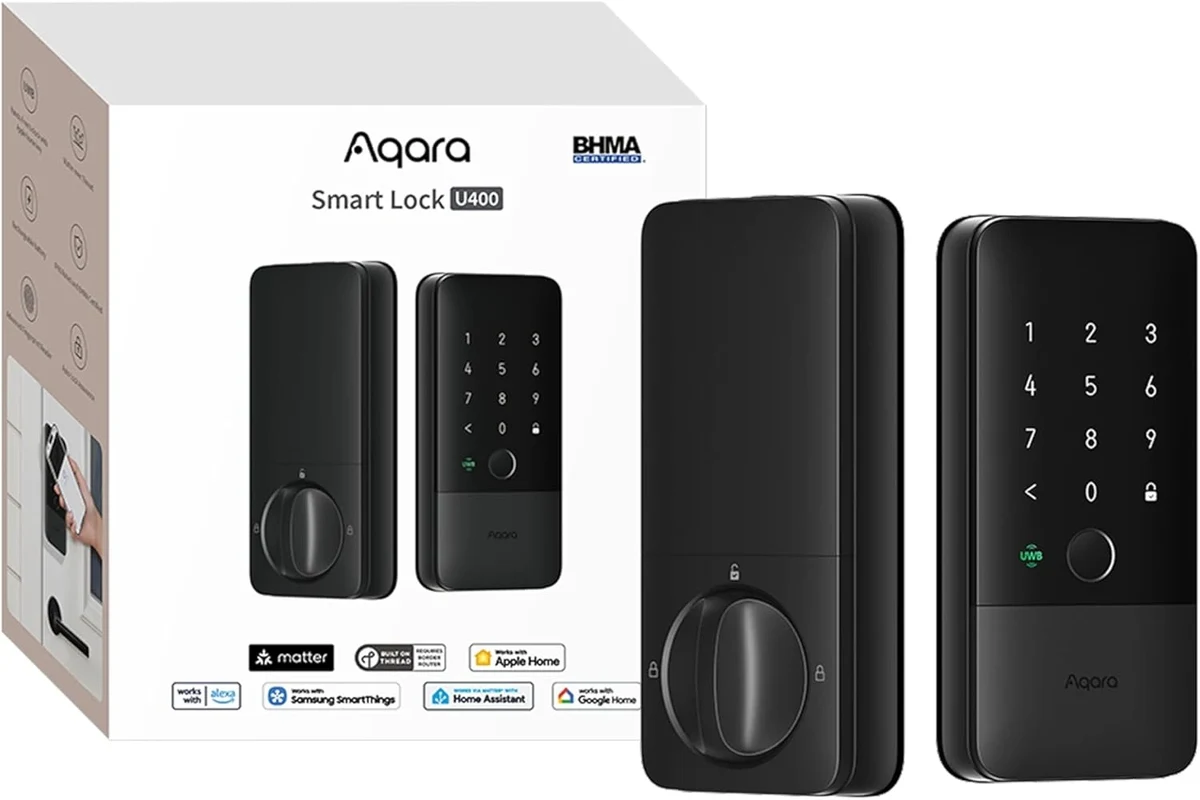
In plain terms, this is a smart deadbolt or smart lock that uses the Matter standard for compatibility and Thread for the wireless connection. That combination is attractive for homeowners who want fewer platform headaches and a cleaner setup than older Wi‑Fi-only locks often provide.
Quick answer: when a Matter over Thread smart lock makes sense for smart homes
It makes the most sense if you already use Apple Home, Google Home, Alexa, or another Matter-compatible platform and want a lock that can fit into a mixed smart-home setup. It is especially appealing if you care about faster local response, better battery efficiency than many Wi‑Fi locks, and easier cross-platform control.
If your home has weak mesh coverage, unusual door hardware, or access-control needs beyond normal residential use, a different lock may be the safer buy. In those cases, compatibility and installation fit matter more than the wireless standard.
Why this standard matters now: interoperability, speed, and local control
Matter is important because it reduces the old “works with one app, maybe works with another” problem. Thread adds a low-power mesh network designed for smart-home devices, which can improve responsiveness and help battery-powered gear last longer than many direct Wi‑Fi designs.
For everyday homeowners, the biggest benefit is less friction. A lock that can join your preferred ecosystem without a separate bridge or a cloud-dependent workflow is easier to manage, easier to automate, and usually easier to share with family members.
How Matter Over Thread Smart Locks Work
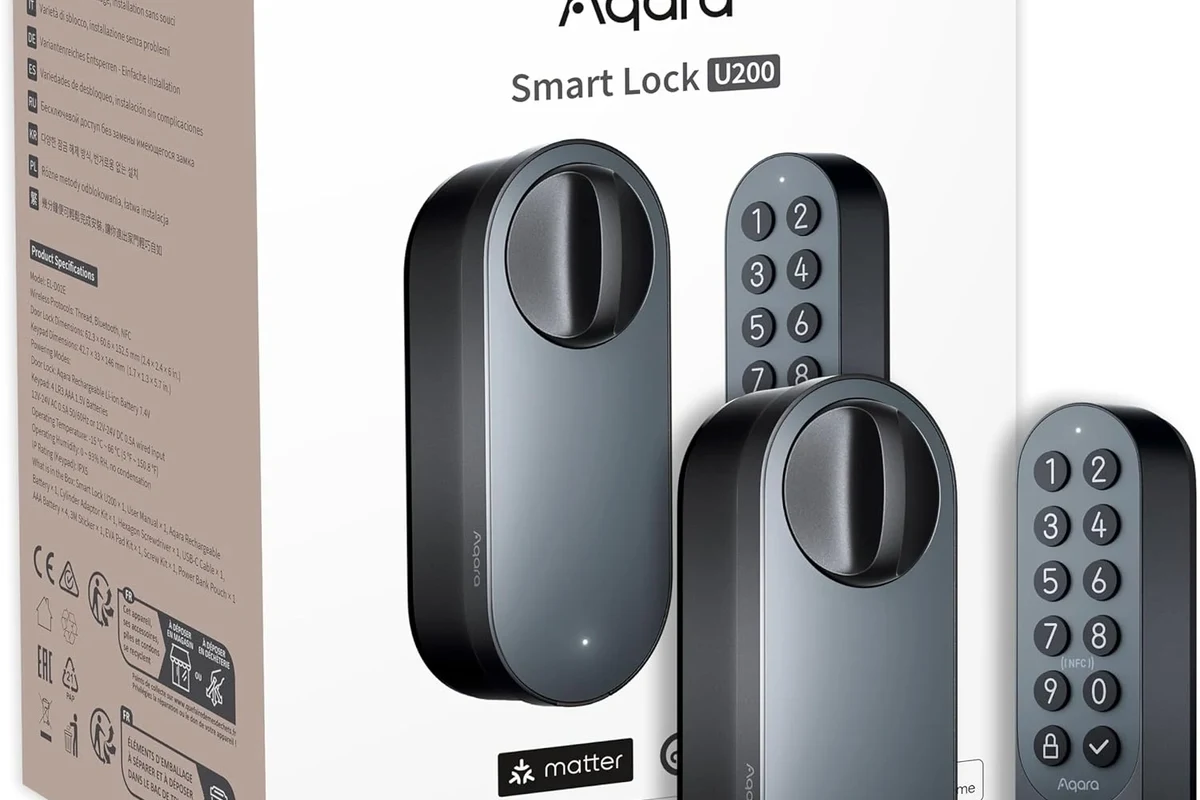
These locks are not “just app locks.” They are part of a layered system: the lock itself, a Thread network, a Matter controller, and a smart-home app that can send commands and receive status updates. If any one of those pieces is missing or misconfigured, the experience can be less reliable.
Thread vs. Wi‑Fi vs. Bluetooth: what changes for reliability and battery life
Wi‑Fi locks can be convenient because they connect directly to your router, but that convenience often comes with higher power use and more dependence on a strong home network. Bluetooth locks can be simple for local phone control, but they are usually less flexible for remote access and automations.
Thread sits in the middle in a useful way. It is designed for low-power devices and mesh networking, so a lock can communicate through nearby Thread nodes instead of trying to shout directly to your router from the front door. That usually helps with battery life and responsiveness, though the real-world result still depends on your home layout and the quality of the surrounding mesh.
What you need in the ecosystem: Matter controller, Thread border router, and compatible app
To use a Matter over Thread smart lock, you typically need three things: a Matter controller, a Thread border router, and an app or platform that supports the lock. Many households already have some of this hardware in a smart speaker, streaming device, or home hub, but you should verify exact compatibility before buying.
The lock may also require a manufacturer app for initial setup, firmware updates, or advanced settings. That is normal, but it is worth checking whether you can still control the lock through your preferred platform after setup or whether some functions stay in the brand’s app.
Platform support can vary by model, firmware version, and region. Always confirm the official compatibility list before you assume a lock will work with your current hub or smart speaker.
How lock commands, status updates, and automations typically travel through the system
When you tap “lock” in an app, the command usually goes from the app to your Matter controller, then across the Thread network to the lock. Status updates travel back the same general way, so the app can show whether the door is locked, unlocked, or reporting a low battery.
Automations follow the same pattern. For example, you might create a routine that locks the door when everyone leaves home, or unlocks it for a trusted guest during a scheduled window. The faster and more stable your Thread coverage is, the more seamless those automations tend to feel.
Thread devices can extend a mesh network, which means powered devices placed around the home may help improve coverage for other compatible smart-home products.
Who a Matter Over Thread Smart Lock Fits Best
These locks are most useful for people who want everyday convenience without giving up platform flexibility. They are less compelling for buyers who need specialized access control, unusually rugged hardware, or guaranteed compatibility with older smart-home gear.
Ideal users: renters, families, Apple Home, Google Home, and Alexa smart-home households
Renters often like smart locks because they can simplify key sharing and reduce the chance of being locked out, as long as the landlord allows replacement hardware. Families benefit from guest codes, activity logs, and the ability to grant temporary access without handing out physical keys.
These locks also fit households already centered on Apple Home, Google Home, or Alexa, especially when the goal is to keep one lock accessible from multiple devices and routines. If you are building a broader smart home, pairing the lock with smart light switches or automation-friendly smart lighting can make entry routines feel more polished.
When it may not be the best fit: older doors, strict enterprise access needs, or weak mesh coverage
Older doors can be tricky if the deadbolt alignment is poor, the bore hole is nonstandard, or the interior clearance is tight. In those cases, even a well-reviewed smart lock can feel unreliable because the mechanical fit is the real problem.
It may also be the wrong category for offices, short-term rental operations with complex permissions, or properties that need audit-grade access control. And if your home has poor Thread coverage, the lock may still work, but the experience can be less responsive than you expect.
Practical use cases: keyless entry, guest access, delivery access, and routine automations
Common uses include keyless family entry, one-time guest access, and scheduled codes for cleaners or pet sitters. Some people also use automations to lock the door at bedtime, after a set time, or when their phone leaves the geofence.
For package delivery, the safest approach is usually not to grant broad access. Instead, use temporary access only when absolutely necessary and only if the lock’s permission controls are clear and reliable.
- Choose a lock that matches your door type before comparing app features.
- Check whether your home already has a Thread border router in a hub, speaker, or streaming device.
- Plan guest access rules before installation so you are not learning the app during a lockout.
Key Specs and Buying Criteria to Check Before You Choose
Because smart locks are both mechanical and connected devices, buyers need to verify two sets of details: door fit and digital compatibility. Skipping either one can turn a promising product into an expensive return.
Door and hardware fit: backset, bore hole, deadbolt type, thickness, and interior clearance
Measure your door carefully before buying. Confirm the backset, bore hole size, door thickness, and whether the current deadbolt style matches the smart lock’s requirements. Also check the interior side of the door for trim, handles, or nearby walls that could block the lock body or battery compartment.
If your door has unusual spacing or older hardware, compare the manufacturer’s fit guide line by line. This is one of the most important checks because no app feature can fix a bad mechanical fit.
Power and battery details: battery type, expected life, low-battery alerts, and emergency access options
Battery type and battery life vary by model, usage pattern, and climate, so avoid assuming all Thread locks last the same amount of time. Check whether the lock uses replaceable batteries or a rechargeable pack, and confirm how the app warns you about low power.
Also verify the emergency access method. Some locks provide a physical key override, while others rely on an external battery contact or another backup procedure. For safety and convenience, you want a backup that is simple enough to use during a power or battery issue.
Do not keep using a lock that shows battery corrosion, physical damage, or repeated failure to latch correctly. Follow the manufacturer’s instructions for battery replacement and emergency access instead of forcing the mechanism.
Connectivity and app requirements: Matter version, Thread support, platform compatibility, and setup steps
Check whether the lock supports the Matter version you need and whether your chosen platform supports the lock’s features. Some functions may appear in the manufacturer app but not in third-party apps, and that difference can matter if you want PIN management, logs, or advanced automations.
Also review the setup process. A lock that requires several app transfers or account steps is not necessarily bad, but it is worth knowing in advance if the onboarding process is more involved than a standard Bluetooth device.
Security features to verify: encryption, auto-lock, activity logs, PIN support, and tamper alerts
Look for standard smart-lock protections such as encrypted communication, auto-lock settings, access logs, and tamper notifications. If the model supports keypad PINs, verify whether codes can be temporary, scheduled, or user-specific.
These features are useful, but they should be treated as convenience and accountability tools, not as a substitute for a solid deadbolt and proper installation. A secure smart lock still depends on strong door hardware and correct alignment.
Warranty, support, and replacement parts: what to confirm before purchase
Before buying, check the warranty terms, the availability of replacement parts, and how the company handles support requests. Smart locks are long-term household hardware, so replacement keypads, battery covers, or mounting parts can matter more than you expect.
It is also smart to confirm whether the manufacturer offers firmware updates and how long it typically supports the model. That information can affect long-term value even if the lock looks similar to another model on paper.
- Measure door thickness, backset, and interior clearance.
- Confirm Matter, Thread, and platform compatibility.
- Review battery type, backup access, warranty, and support options.
Real-World Benefits and Trade-Offs of Matter Over Thread Smart Locks
There is a reason these locks are getting more attention: they solve several common smart-home frustrations at once. But the same product category also introduces new dependency points, so the trade-offs deserve a close look.
Benefits: faster response, better interoperability, and reduced dependence on cloud services
The biggest benefit is interoperability. Matter is designed to make it easier for the same device to work across multiple ecosystems, which is helpful if your household uses different phones or smart-home apps.
Thread can also improve responsiveness and reduce dependence on the cloud for basic commands. That does not mean the lock never touches the internet, but it does mean some everyday actions may stay local, which is often better for speed and resilience.
Trade-offs: hub dependence, setup complexity, and compatibility gaps with older systems
The main drawback is that you still need the right supporting hardware. If you do not already have a Matter controller and Thread border router, the lock may require additional setup before it is useful.
There is also a compatibility gap with older ecosystems and older routers, plus the usual smart-home reality that app versions and firmware can change behavior over time. That means the experience can be excellent in one home and frustrating in another, even with the same lock model.
- Broad ecosystem support through Matter
- Thread can improve responsiveness and battery efficiency
- Useful for automations, guest access, and family sharing
- Requires the right hub and Thread coverage
- Door fit and alignment still matter a lot
- Some features may vary by app, firmware, or platform
Evidence limits: why feature claims can vary by brand, firmware, and home network setup
Manufacturer claims are helpful, but they are not the whole story. Battery life, latency, and even app behavior can vary by firmware version, router placement, mesh strength, and how often the lock is used.
That is why it is better to verify the latest manual, compatibility list, and update notes before purchase. For broader smart-home planning, readers who are comparing entry devices may also want to review Apple Home-compatible smart lights or Alexa-compatible smart lights to make sure the rest of the home stays consistent with the lock’s ecosystem.
Setup Guide: Installing and Pairing a Matter Over Thread Smart Lock
Smart-lock setup is usually straightforward if the door fits properly and the app ecosystem is ready. Most problems come from skipped measurements, weak mesh coverage, or rushed calibration.
Pre-install checklist: measurements, tools, batteries, and app accounts
Before opening the box, confirm the door measurements, gather the tools listed in the manual, and install fresh batteries if the model requires them. Make sure you can access the correct app account and that your phone or tablet is compatible with the setup flow.
It also helps to update your smart-home app and operating system first. Small version mismatches can cause pairing problems that look like hardware failures but are really setup issues.
Physical installation basics: alignment, strike plate fit, and calibration
Install the lock carefully and check that the deadbolt moves smoothly before tightening everything fully. If the bolt scrapes, sticks, or binds, the smart features will not fix that mechanical friction.
After mounting, follow the calibration process in the app or manual so the lock understands the open and closed positions. This step is important because incorrect calibration can lead to false status reports or auto-lock problems.
Check the deadbolt, thickness, and clearance before attaching the smart hardware.
Align the interior and exterior parts exactly as the manual shows.
Run the lock’s setup routine and test several lock and unlock cycles.
Pairing steps: adding the lock to a Matter app and linking it to your smart-home platform
Most setups begin in the manufacturer app or a Matter-compatible app, where you scan a code or follow a pairing prompt. After that, you usually link the lock to your preferred smart-home platform so you can control it from the ecosystem you actually use.
Once paired, test the lock locally and remotely if the platform supports both. Confirm that status updates appear correctly and that family members or guests have the access level you intended.
Common setup mistakes: weak Thread coverage, incorrect door alignment, and skipped firmware updates
One of the most common mistakes is assuming the lock will work well anywhere in the home. If the front door is far from your Thread border router or mesh nodes, performance may be less stable than expected.
Another issue is skipping firmware updates. Update prompts are easy to ignore, but they can affect compatibility, security fixes, and reliability. If the manual recommends an update before normal use, follow it.
Stop and review the manual if the bolt does not extend cleanly, the lock reports repeated calibration errors, or the door binds after installation. Forcing the mechanism can damage the lock or the door hardware.
Safety, Maintenance, and Long-Term Care
A smart lock is only useful if it stays dependable over time. That means paying attention to battery health, mechanical wear, and access planning for everyone in the household.
Safe use: emergency key access, guest permissions, and lockout prevention
Keep a reliable backup access method and make sure trusted household members know it. If the lock supports guest codes or temporary permissions, review them periodically so old access does not remain active longer than intended.
It is also wise to store your recovery information and app credentials securely. A smart lock is much easier to live with when you have a clear plan for battery failure, app changes, or phone replacement.
Maintenance routine: battery checks, cleaning, lubrication guidance, and seasonal inspection
Check battery status regularly in the app or on the lock itself, especially during seasons with heavy use or temperature swings. Clean the exterior with a soft cloth and avoid harsh chemicals that could damage finishes or seals.
For the mechanical side, follow the manufacturer’s lubrication guidance only. Some locks and deadbolts should not be treated with the same products, so do not guess if the manual is specific.
Storage and replacement: when to change batteries, update firmware, or replace worn hardware
Replace batteries at the first clear warning, not after the lock becomes unreliable. If the app offers firmware updates, install them when the manufacturer recommends them and after checking that the update is current and compatible.
Over time, worn strike plates, loose screws, or a sagging door can create problems that look like smart-lock failures. If the hardware no longer latches smoothly, it may be time to repair or replace the underlying door components rather than only the smart lock.
Warranty and support considerations to verify for long-term ownership
Before you buy, read the warranty terms carefully and check whether support covers app setup, replacement parts, or only the core lock body. That distinction matters because smart locks often fail in small components first, not in the main deadbolt.
Also confirm how the company handles software support. A lock with good hardware but weak long-term app support can become frustrating even if the mechanical parts are still fine.
Best Alternatives and Final Recommendation
Not every home needs Matter over Thread. The right choice depends on whether you value interoperability and local control more than simplicity or legacy compatibility.
When to choose a Wi‑Fi smart lock, a Bluetooth lock, or a non-smart deadbolt instead
Choose a Wi‑Fi smart lock if you want direct internet connectivity and are comfortable with the battery and network trade-offs. Choose Bluetooth if you mainly want short-range phone control and do not need deep automations or always-available remote access.
A non-smart deadbolt still makes sense if your top priority is simplicity, maximum mechanical reliability, or avoiding app dependence altogether. For some homes, that is the most practical choice.
Best-value buyer profile versus premium buyer profile
The best-value buyer is someone who already has Matter and Thread support in the home and wants a lock that plays nicely with existing devices. The premium buyer is usually someone who wants better ecosystem flexibility, richer access features, and a more polished smart-home experience.
If you are still building out the rest of the home, it can help to think of the lock as part of a bigger entry routine rather than a standalone gadget. That is why smart-home buyers often pair door access with lighting or scene automation for a smoother arrival experience.
Households that already use a Matter-capable smart home and want a responsive, cross-platform lock with local-friendly behavior. Skip it if your door fit is unusual, your Thread coverage is weak, or you need enterprise-style access control.
Transparent verdict: who should buy a Matter over Thread smart lock in 2026 and who should skip it
Buy one if you want a modern smart lock for a mainstream home, you can verify door compatibility, and your smart-home platform already supports Matter and Thread. Skip it if you cannot confirm the supporting hardware, if your door needs special mechanical work, or if you need access management beyond normal residential use.
For most smart-home households, this is a forward-looking category with real advantages, but only when the ecosystem and the door itself are ready for it. The best purchase is the one that fits your hardware, your platform, and your daily routine without extra workarounds.
Frequently Asked Questions
It is a smart lock that uses Matter for cross-platform compatibility and Thread for its wireless connection. That combination can improve responsiveness and make the lock easier to use across supported smart-home systems.
Usually yes, in the form of a Matter controller and a Thread border router. Some devices already provide those functions, but you should verify compatibility before buying.
It can be better for battery life, local response, and ecosystem flexibility. Wi‑Fi may still be simpler for some homes if you already have strong coverage and want direct internet access.
Measure door thickness, backset, bore hole, and interior clearance, then confirm Matter, Thread, and platform support. Also review battery type, backup access, warranty, and support details.
Many Matter-compatible models can work with those platforms, but support can vary by model, firmware, and region. Always check the manufacturer’s compatibility list and the app requirements first.
Check batteries regularly, keep the lock and strike plate clean, follow the manufacturer’s lubrication guidance, and install firmware updates when recommended. Replace worn hardware if the door no longer latches smoothly.