What Are Those Old Fashion Bank Security Cameras Called
They are usually called CCTV cameras, especially analog box, dome, bullet, or PTZ cameras. In modern setups, the same old bank-camera look can also be a newer IP camera housed in a retro-style design.
If you’re asking what those old fashion bank security cameras are called, the short answer is usually analog CCTV cameras, often in box, dome, bullet, or PTZ form. In older bank branches, you may also hear them described as closed-circuit television cameras or simply surveillance cameras.
- Common names: Old bank cameras are usually called CCTV, box, dome, bullet, or PTZ cameras.
- Technology matters: The housing can look vintage even when the camera is analog, HD-over-coax, or IP.
- Best fit: Banks, retail stores, offices, and retro-style home security setups can all use this look.
- Check before buying: Verify recorder compatibility, power type, storage, app support, and mounting style.
- Main trade-off: Classic style and deterrence are strong, but older systems can be harder to maintain.
What Are Those Old Fashion Bank Security Cameras Called? A Quick Answer for 2026
The classic “bank camera” look usually comes from older CCTV systems that were designed to be visible, reliable, and easy to monitor from a central recorder. In 2026, the same style still shows up in some banks, retail spaces, offices, and retro-inspired home security setups, though the underlying technology may be analog, HD-over-coax, or network-based depending on the model.
That matters because the appearance alone does not tell you how sharp the image is, how it records, or whether it works with modern apps and storage. If you want the vintage look for a smart home or business space, focus on the camera type and system compatibility instead of the era it resembles.
How These Classic Bank Cameras Work: From Analog CCTV to PTZ Systems
Traditional bank camera systems were built around a closed loop: the camera captured video, cabling carried the signal, and a recorder or monitor handled viewing and storage. Many older systems used analog signals, while newer versions can use HD-over-coax or IP networking, which changes how the footage is transmitted and managed.
Core components: lens, recorder, monitor, and cabling
A classic setup typically includes a camera body, a lens, a recorder such as a DVR or NVR depending on the system, a monitor for live viewing, and cabling to connect everything. Older analog systems often relied on coaxial cable and separate power lines, while network cameras may use Ethernet and sometimes Power over Ethernet, depending on the model.
Exact wiring, storage format, and app support vary by camera generation, recorder model, and firmware. Always check the manufacturer’s manual before mixing older and newer equipment.
For homeowners comparing these systems to modern smart devices, the biggest difference is simplicity versus flexibility. Analog systems can be straightforward and durable, but app-based viewing, motion alerts, and remote access are usually stronger on newer IP cameras.
Why banks used them: deterrence, evidence, and live monitoring
Banks favored visible cameras because they can discourage theft and make people aware that activity is being recorded. They also help staff review incidents, support investigations, and monitor high-value areas like teller lines, entrances, safes, and ATM zones.
PTZ stands for pan, tilt, and zoom, which lets a camera move its view or zoom in on a scene without physically relocating the device.
That visible presence is part of why the old bank-camera aesthetic is still popular in retail and office design. It signals security even when the actual system behind the camera may be much more modern than it looks.
Common Types You’ll Still See in Old Banks and Retro-Inspired Setups
When people picture old bank security cameras, they usually imagine a few recognizable shapes. The housing style often says more about the installation than the brand, so it helps to know the common categories before shopping or replacing parts.
Dome cameras, bullet cameras, and box cameras
Dome cameras have a rounded cover that makes the direction of the lens less obvious. Bullet cameras are long and cylindrical, often mounted where they can visibly point toward a doorway or hallway. Box cameras are the more old-school, rectangular style many people associate with classic bank interiors.
- Easy to recognize and often useful as a visual deterrent
- Different shapes fit different mounting locations
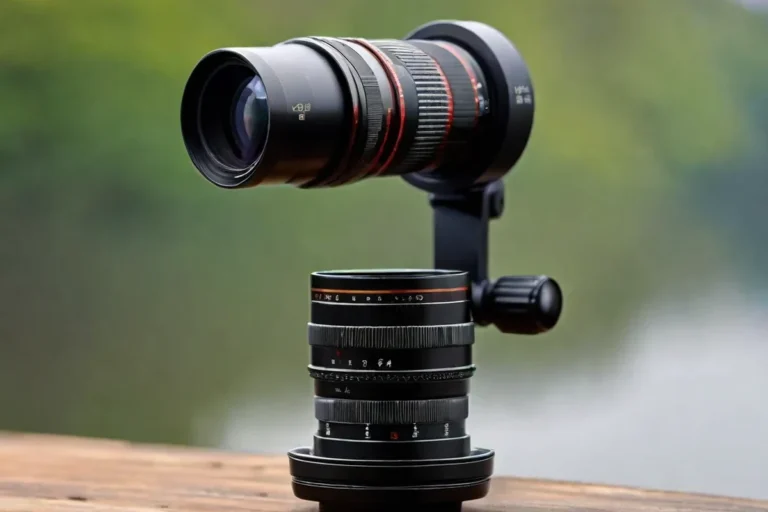
- Some box-style cameras can accept interchangeable lenses
- Older models may have lower resolution
- Some styles are more exposed to dust or weather
- Replacement parts may be harder to find for legacy systems
For a retro look in a home office or storefront, a box camera or a dome with a visible mounting bracket usually looks the most “bank-like.” For a cleaner modern install, many buyers prefer compact domes or network cameras that blend into the room more easily.
PTZ cameras and hidden “discreet” surveillance units
PTZ cameras were common in larger commercial spaces because one camera could cover more area than a fixed lens. Some banks also used discreet or hidden units in areas where a visible camera might interfere with the layout or where a less obvious angle was needed.
For ordinary buyers, PTZ can be useful if you need to inspect a wide area, but it also brings more complexity. Moving parts, control settings, and compatibility with your recorder or app all need to be verified before you buy.
If you want the old bank-camera look without committing to legacy wiring, look for modern cameras sold in box or dome housings and verify that they support your recorder, app, and power setup.
Who These Cameras Fit Best in 2026: Banks, Retail, Offices, and Home Security Enthusiasts
Old-style bank cameras still make sense in some environments, especially where a visible security presence matters more than a sleek design. They can also appeal to people who like the industrial, retro, or “institutional” look for a workspace or smart home project.
When the vintage look is useful vs. when modern IP cameras are better
The vintage look is useful when you want a clear deterrent, a familiar layout for staff, or a design that fits an older building. Modern IP cameras are usually better when you want easier app access, higher resolution, cloud or local smart features, and simpler integration with current smart home gear.
If your goal is to monitor a front door, garage, or package area, an IP camera often provides more practical value than a legacy analog unit. If your goal is visual style or a replacement in an older system, the classic form factor may be the better fit.
Ideal users, use cases, and practical trade-offs
These cameras fit best for business owners updating an older security system, homeowners building a retro-inspired office, and property managers who want a visible deterrent. They are less ideal for users who want plug-and-play installation, wireless convenience, or advanced AI alerts.
For readers comparing broader smart-home security options, it can help to think in terms of system goals. If you want the camera to blend into a connected home, a modern platform is often easier, just as choosing the right device matters when comparing smart lights that work with Google Home or deciding whether smart light bulbs are worth it for your setup.
Key Specs and Buying Criteria: Resolution, Night Vision, Storage, and Connectivity
Before buying an old-fashioned bank camera style, look past the housing and check the actual imaging and system specs. The same camera shape can hide very different capabilities, from basic analog video to sharper digital output with app support.
Analog vs. HD-over-coax vs. IP camera options
Analog cameras are the most traditional, but they are usually the least flexible for modern upgrades. HD-over-coax systems can offer better image quality while still using coaxial cable, which is helpful if you are replacing an older installation. IP cameras send video over a network and often offer the strongest feature set for remote viewing, alerts, and software updates.
If you are replacing one camera in a legacy system, compatibility with the recorder often matters more than the camera’s appearance. If you are starting fresh, an IP camera is usually the more future-friendly choice unless you specifically need the old bank-camera aesthetic.
Field of view, low-light performance, recording storage, and app compatibility
Field of view determines how much of the room the camera can see, while low-light performance affects how useful it is after dark or in dim lobbies. Storage can be local on a recorder, on a memory card when supported, or in the cloud if the brand offers it, and app compatibility varies by manufacturer and platform.
- Check whether the camera needs a recorder, a memory card, or both.
- Confirm whether remote viewing works on your phone and operating system.
- Review motion detection settings before assuming alerts will be accurate.
For smart-home users, app quality can matter as much as image quality. A camera with decent video but poor software may be frustrating to manage, especially if you want notifications, multi-camera views, or easy playback.
Dimensions, mounting style, power needs, and warranty details to verify
Physical size affects where the camera can be mounted, and mounting style affects whether it works on a wall, ceiling, or corner bracket. Power needs should be checked carefully, especially if you are reusing old wiring or adding the camera to an existing security cabinet.
- Check model number, video format, and recorder compatibility.
- Confirm mounting hardware, cable type, and power requirements.
- Review warranty terms, app support, and update policy before installation.
Warranty and support details matter more than many buyers expect, because older-looking cameras are sometimes sold in niche product lines with limited long-term software support. Before committing, verify the current manual and compatibility list from the manufacturer.
Real-World Benefits and Limitations of Old-Style Bank Security Cameras
The classic bank-camera style has real strengths, but it also comes with trade-offs that matter in daily use. The right choice depends on whether you value durability and visibility more than modern convenience and image quality.
Strengths: durability, familiar operation, and visible deterrence
Many legacy camera systems were built for long service lives and straightforward operation. Staff often found them easy to understand because the controls, monitors, and recorders followed a familiar pattern, which can still be useful in commercial settings.
The visible design can also discourage casual wrongdoing. A camera that looks obvious may be more effective as a deterrent than a tiny hidden unit, especially in a lobby, retail aisle, or reception area.
Limitations: lower resolution, complex wiring, and outdated maintenance needs
Older systems may produce softer video, especially when compared with current high-resolution IP cameras. They may also require more wiring, more hardware in a closet or rack, and more effort to maintain if parts become difficult to source.
Maintenance can be another challenge. Aging cables, connectors, recorders, and power supplies may need inspection over time, and software support may be limited on older platforms. If you are planning a long-term install, that support gap is worth factoring in before you buy.
Stop using damaged cables, overheating power supplies, unstable mounts, or visibly worn camera hardware and follow the manufacturer’s guidance for replacement.
Evidence limits: what retro camera appearance can and cannot prove
A camera that looks old-fashioned does not prove it is outdated, and a modern-looking camera does not guarantee better performance. The housing may be retro, but the sensor, recorder, and software can still be current or hybrid.
That is why buyers should verify the actual specs instead of judging by appearance. For security equipment, the manual, compatibility list, and support policy tell you far more than the shape of the shell.
Setup, Maintenance, and Safe Use: What to Check Before Installation
Whether you are adding a camera to a home office or updating a business entryway, setup details can make or break the experience. The most common problems are not exotic; they are usually cable routing, power mismatches, mounting mistakes, or app setup errors.
Installation basics: cable runs, power supply, recorder placement, and app setup
Plan cable runs before mounting anything, especially if the camera must reach a recorder, network switch, or power source. Keep the recorder in a ventilated, secure location, and make sure the app setup process matches the camera’s supported operating system and account requirements.
Confirm where the camera, power source, recorder, and monitor will sit before drilling or routing cable.
Match analog, HD-over-coax, or IP requirements so the camera and recorder can communicate properly.
Use the official app, review alert permissions, and enable strong account security before relying on remote access.
If you are also building a broader smart-home system, think about how the camera fits with your other devices. A security camera may be separate from lighting or automation, but the same principle applies: verify compatibility before you depend on it, just as you would when choosing smart lights compatible with Google Home.
Maintenance checklist: cleaning lenses, checking connections, inspecting wear, and replacing aging parts
Routine maintenance is usually simple but important. Clean the lens gently, check cable connections, look for corrosion or looseness, and inspect any mounts or brackets for wear.
For older systems, replacement parts may become the deciding factor. If a recorder, adapter, or camera module is aging out, it may be smarter to upgrade the whole system than to keep chasing legacy components.
Safe use, privacy considerations, and common mistakes to avoid
Security cameras should be used responsibly. Avoid placing them where they violate privacy expectations, and follow local laws, workplace policies, and building rules for recording and notice requirements.
Common mistakes include weak passwords, skipping firmware updates, ignoring default account settings, and assuming motion alerts are always accurate. Use the official app, enable two-factor authentication if available, and review permissions periodically.
Do not modify power supplies, bypass safety features, or ignore damaged cables and overheating hardware. If a device shows signs of electrical damage, stop using it and follow the manufacturer’s replacement guidance.
Final Recommendation: Should You Choose an Old-Fashioned Bank Camera Style in 2026?
The old bank-camera style is still a good choice when you want a visible deterrent, a classic commercial look, or a replacement for an existing legacy system. It is less compelling if you want the simplest setup, the sharpest video, or the best app experience for a modern smart home.
Best-value recommendation for smart home buyers and security-conscious users
For most buyers, the best value comes from a modern camera with a classic box or dome housing, because you get the look without giving up current connectivity and storage options. That approach usually offers the best balance of style, support, and long-term usability.
When to choose a modern alternative instead
Choose a modern alternative if you need easy remote access, better night performance, simpler installation, or stronger integration with your current devices. If you are comparing security gear the same way you compare other connected products, the practical question is not “what does it look like?” but “will it still fit my system a year from now?”
Buyers who want the classic bank-camera look but still need reliable compatibility, app support, and easier maintenance. If you are starting from scratch, a modern IP camera in a retro-style housing is usually the smartest compromise.
Frequently Asked Questions
They are usually called CCTV cameras, especially box, dome, bullet, or PTZ cameras. The exact name depends on the housing and system type.
CCTV often refers to a closed video system, while IP cameras send video over a network. IP models usually offer easier app access and more modern features.
Visible cameras help deter crime and support incident review. They also allow staff to monitor entrances and other sensitive areas.
Yes, but compatibility depends on the camera, recorder, and app support. A modern camera in a retro housing is often easier to integrate.
Check the video format, power method, recorder compatibility, field of view, low-light performance, and storage options. Also verify app support and mounting style.
Older systems can have lower resolution and more complicated wiring. Replacement parts and software support may also be limited.