CalDigit TS4 vs TS5 Plus: Which Dock Should You Buy?
Affiliate disclosure: As an Amazon Associate I earn from qualifying purchases. We may also earn commissions from Walmart links, at no extra cost to you.
Quick choice: Shortlist TS4 for an existing compatible desk when its complete price is meaningfully lower. Choose TS5 Plus when you have a specific use for Thunderbolt 5, higher host charging or faster wired networking. Keep a working TS4 unless you can name the limitation you need to remove.
This CalDigit TS4 vs TS5 Plus comparison is for buyers choosing between two premium desk docks, and TS4 owners considering an upgrade. Start with your laptop and the devices you use together. A newer dock earns its price when it fixes something you encounter every week.
How we assessed them: This is a research-based comparison of CalDigit’s published documentation, checked October 31, 2026. We have not tested either dock or measured speed, charging, heat or reliability. The recommendations are our interpretation of the specifications. Current checkout prices have not been verified.
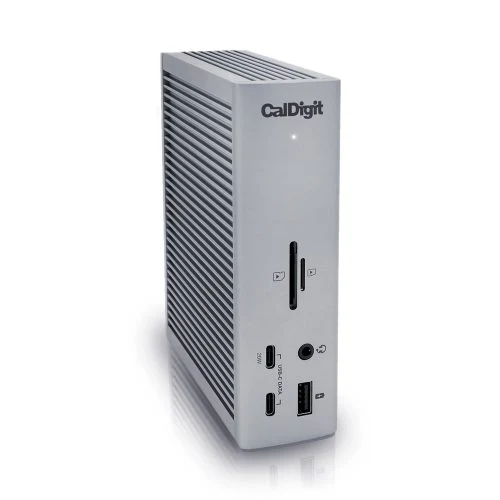
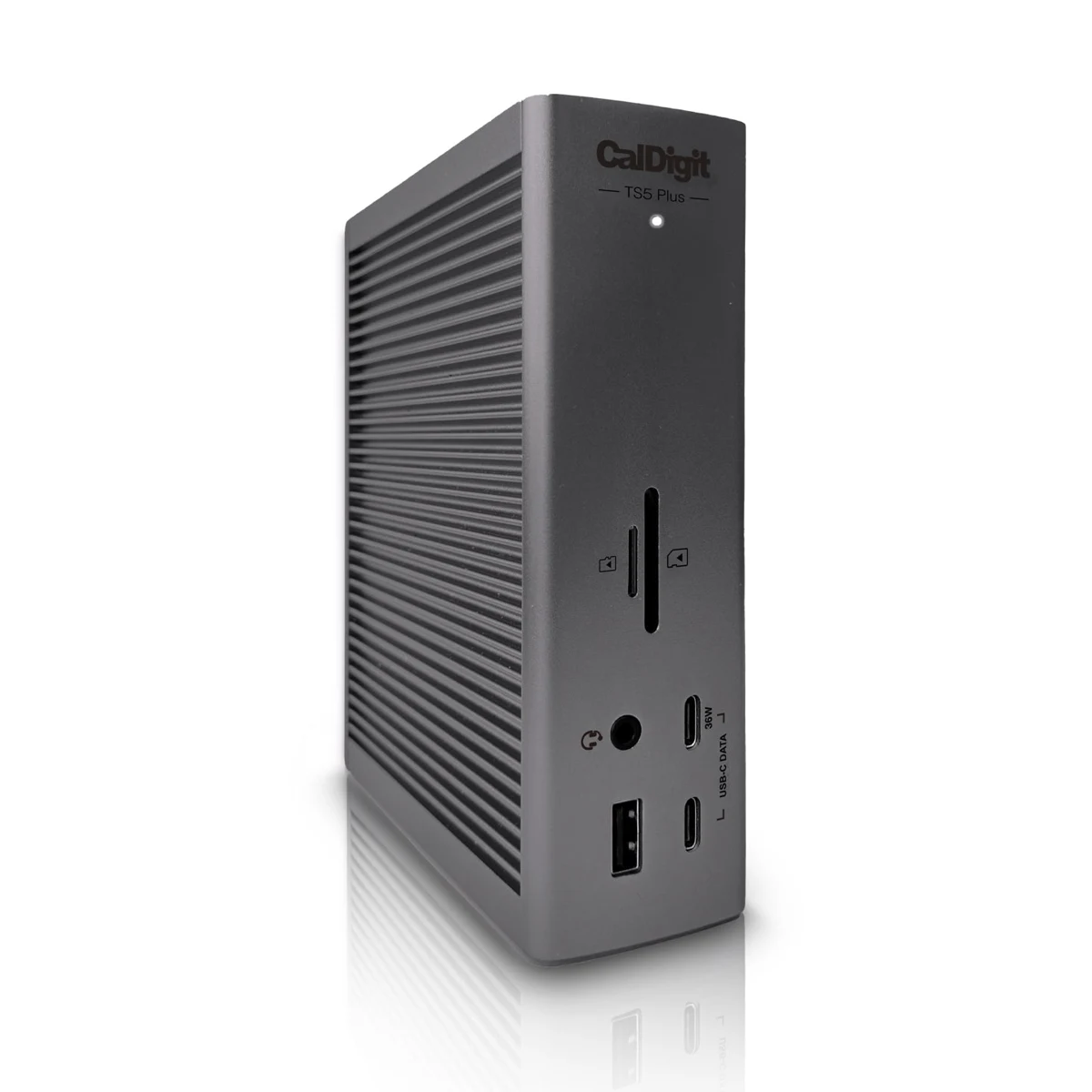
CalDigit TS4 vs TS5 Plus: key differences
| Feature | CalDigit TS4 | CalDigit TS5 Plus |
|---|---|---|
| Host connection | Thunderbolt 4; up to 40Gb/s | Thunderbolt 5; up to 80Gb/s bidirectional, 120Gb/s display Bandwidth Boost |
| Host charging | Up to 98W | Up to 140W |
| Wired networking | 2.5Gb Ethernet | 10Gb Ethernet |
| Connections | 18 | 20 |
| Dedicated display connector | DisplayPort 1.4 | DisplayPort 2.1 |
| Downstream Thunderbolt ports | Two, up to 15W each | Two, up to 36W each |
| Separate USB data ports | Five USB-A and three USB-C | Five USB-A and five USB-C |
| Best buying question | Does this cover my present desk at a lower complete cost? | Which added capability will I actually use? |
Manufacturer ratings: TS4 specifications and TS5 Plus specifications. Maximum connection rates are not guaranteed file-transfer speeds. Bandwidth Boost is intended for demanding display traffic; it does not mean 120Gb/s storage transfers.
Who should choose the TS4?
Our recommendation is to compare the TS4 first when you already have a compatible laptop and a settled desk layout. Write down the exact screens, storage devices and accessories that will stay connected. If the TS4 meets that list, a lower complete purchase price could be more useful than capabilities you will leave unused.
This is especially relevant when you plan to keep your current computer for several years. Buying an expensive dock around an unspecified future laptop can create a second round of compatibility questions later. Price the setup you can confirm today, then decide how much you are willing to spend on future flexibility.
The TS4 also deserves a place on a shared-desk shortlist because CalDigit lists broader host types, including ordinary USB-C. However, supported functions change with the host: CalDigit says its Ethernet is unavailable on ordinary USB-C connections. Check every computer that must use the desk rather than treating a matching socket as proof.
For a closer look at the older model, read our CalDigit TS4 buying guide.
Who should pay for the TS5 Plus?
Shortlist the TS5 Plus when your planned workflow can use its additional capabilities now. A buyer moving large projects through a fast wired network has a clearer reason to investigate it than someone who mainly connects a keyboard and checks email.
Build a simple inventory before comparing offers. Beside each accessory, record its connection type and whether it needs a dedicated power supply. Count the ports needed at the same time, including those occupied by display adapters. This often reveals whether the newer dock solves a practical problem or simply looks more impressive.
Compatibility comes first. CalDigit lists Thunderbolt 4/5 Windows systems, Thunderbolt 3-or-newer Macs and suitable USB4 hosts, with further operating-system, firmware and platform requirements. USB4 needs PCIe tunneling. Ordinary USB-C and Thunderbolt 3 Windows laptops should not be assumed compatible. Ask support about your exact model when the documentation is unclear.
Our TS5 Plus buying guide covers the flagship model separately.
Charging: will the upgrade remove a cable?
The useful question is whether the proposed dock can power your laptop through its host port during your normal work. Compare the notebook’s documented USB-C input with each dock’s host rating. Higher output does not force a laptop to accept more power or guarantee that a demanding workstation can retire its original adapter.
If one-cable convenience is your goal, map the exact arrangement you expect to use. A dock that still requires a separate laptop charger may remain useful for accessories, but you should know that before paying. Keep the original adapter available while checking the setup.
For an existing TS4 owner, charging is a reason to investigate an upgrade only when power is an actual limitation. A newer dock is hard to justify on charging alone if the current setup already powers the computer reliably through the working day.
Monitors: verify the full connection plan
Start with the exact laptop configuration, including its chip or GPU. Then list each display’s model, resolution, refresh rate and available inputs. Check that complete combination against the dock and computer documentation. Do not turn a retailer’s maximum screen count into a promise for every host.
A dock does not remove a computer’s native display restrictions. This matters when two machines share a family name but have different chips. It also matters when a setup works only with a particular lid position, adapter or operating-system version.
Include display adapters in the price comparison. A cheaper dock plus several new adapters can cost more than the alternative that fits your existing cables. Keep the shopping list specific enough that a support agent can confirm the whole route.
Storage and networking: find the bottleneck first
Before spending on faster connections, identify where you currently wait. For network transfers, inspect the path through the switch, destination device and storage drives. A faster dock cannot make every other part of that route faster.
For external storage, consider the drive, enclosure, cable and host together. If you have several demanding devices, think about simultaneous use rather than one headline port speed. Ask which recurring task should improve and how you will check the result during the return window.
Our buying rule is to prioritize a demonstrated limitation. If the present desk already handles your work comfortably, keep using it. If a particular transfer or display requirement is holding up work, confirm that the complete proposed setup addresses it before choosing a dock.
Amazon vs Walmart: compare the complete purchase
The buttons below let you compare current offers. We have not verified matching checkout totals and are not naming a cheaper retailer. The TS4 Walmart button opens search results, which can include accessories or other models; the TS5 Plus button opens a product listing. Neither guarantees stock or a particular seller.
| Model | Amazon | Walmart | Before paying |
|---|---|---|---|
| TS4 | Product listing; check current offer | Search results; exact stock unconfirmed | Match model, condition and included power supply/cable |
| TS5 Plus | Product listing; check current offer | Product listing; selected offer may vary | Check seller, shipping, return terms and complete kit |
Compare the delivered total for the same condition and package. Include shipping, tax and any adapters your plan requires. Review the selected seller’s return terms, particularly for marketplace and open-box offers. The storefront name alone does not identify who supplies the selected item.
Avoid comparing a bare replacement dock with a complete retail package. Confirm the correct power supply, power cord and host cable on the chosen listing. Missing accessories can change the value of an apparently attractive price.
Already own a TS4? Use this upgrade test
Keep it if your screens, charging and accessories already work as needed. A generation change alone does not create a useful improvement.
Investigate the TS5 Plus if you can identify a specific constraint, confirm support on your laptop, and explain how the new connection plan removes that constraint. Write those three points down before ordering.
Wait if the computer you plan to buy is still undecided. Choose the laptop configuration first, then verify the desk around it. This reduces the chance of paying for capabilities that the eventual computer cannot use.
Check the setup during the return window
Connect the dock with the recommended power supply and host cable. Add one monitor first and confirm the selected resolution and refresh rate. Then add storage, networking and remaining peripherals one at a time so that any problem is easier to isolate.
Try your actual routine: reconnect the laptop, wake it from sleep, transfer a typical project and use your normal applications. Follow the manufacturer’s current driver and firmware instructions for the exact system. Record unresolved issues while you can still use the seller’s return process.
Frequently asked questions
Is the TS5 Plus always the better buy?
No. Our recommendation depends on a confirmed need for its extras and the complete purchase cost. An adequately specified TS4 can be the more sensible choice for an existing setup.
Will a TS5 Plus turn a Thunderbolt 4 laptop into Thunderbolt 5?
No. The host still limits the connection. Check the features available on your exact computer before paying for a newer dock.
Can either dock charge two laptops at the host rating?
No. Each has one designated computer connection. For powering two notebooks, see our two-laptop charger guide.
Which store is cheaper?
We have not verified comparable live checkout totals. Open both offers, match the product package and condition, then compare the delivered cost and return terms.
Our buying recommendation
For a compatible existing desk, buy on the requirements you can confirm and the complete price you can see today. Shortlist the TS4 when it covers those needs at a worthwhile saving. Shortlist the TS5 Plus when one of its added capabilities solves a specific limitation. If your TS4 already does the job, keep it.
Still uncertain about the laptop port? Read our Thunderbolt dock and USB-C laptop compatibility guide before ordering.