

Are Multi-Port Chargers Faster? The Truth About Charging Speed
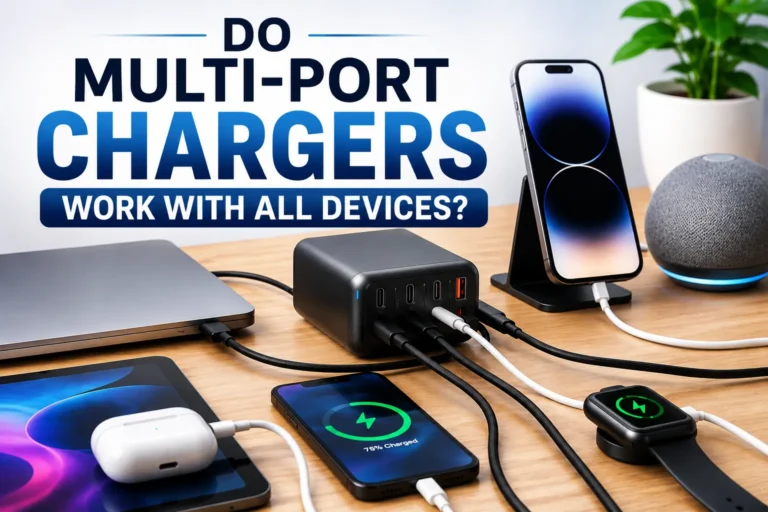
Multi-port chargers can be faster overall because they let you charge multiple devices at the same time. However, charging speed depends on the charger’s total power output, the number of connected devices, and the charging technology it supports.
Yes, multi-port chargers can save time by charging several devices at once. A high-power charger can maintain fast speeds across multiple ports, while a lower-power model may slow down when several devices are connected.
As Ethan Walker, I test chargers, smartphones, laptops, power banks, and USB-C accessories regularly. In my experience, a quality multi-port charger is usually the best choice for people who charge several devices every day. The key is choosing one with enough total wattage.

Anker Prime 250W 6-Port GaN Charging Station
A premium charging station for users who want to power several USB-C devices from one desktop setup. Its high total output and six-port design make it especially useful for phones, tablets, laptops, power banks, and accessories.
Introduction
Many people wonder if a charger with multiple ports charges devices faster than a standard charger.
The answer is both yes and no.
A multi-port charger does not magically increase charging speed. Instead, it gives you the ability to charge several devices from one power adapter. If the charger has enough power, all connected devices can charge efficiently at the same time.
How Multi-Port Chargers Work
A multi-port charger shares its available power between connected devices.
For example, a charger rated at 100 watts can distribute that power across several ports. If only one device is connected, it may receive most of the available power. When more devices connect, the charger divides power based on its design.
Many modern chargers use smart power management to automatically adjust power delivery for each connected device.
Are Multi-Port Chargers Faster Than Single-Port Chargers?
If you charge only one device, a single-port charger and a multi-port charger with the same power rating often perform similarly.
The real benefit appears when you need to charge several devices at once.
| Charging Setup | Typical Performance |
|---|---|
| One device on a single-port charger | Maximum dedicated power |
| One device on a multi-port charger | Usually similar speed |
| Two or more devices on a multi-port charger | Convenient simultaneous charging |
| Low-power multi-port charger | May reduce charging speed |
3 High-Power Multi-Port Chargers to Consider
Need one charging station for several devices? These premium GaN chargers are built for higher total power and multi-device setups. Choose based on your laptop needs, port count, and total wattage.
What Determines Charging Speed?
Total Wattage
The total power output is one of the most important factors.
A higher-watt charger generally has more power available to distribute across connected devices. However, actual charging speed still depends on each device and the charger’s power allocation rules.
Fast Charging Standards
Technologies such as USB Power Delivery and other compatible fast-charging standards help devices receive higher charging power when both the charger and device support them.
Cable Quality
A cable that does not support the required charging power can reduce performance even when the charger itself is powerful.
Device Limits
Every device has its own charging limit. A device will normally draw only the amount of power it is designed to accept.
Always check total wattage and per-port power allocation before buying a multi-port charger. More ports do not automatically mean faster charging.

UGREEN Nexode 300W GaN Charging Station
The UGREEN Nexode is the highest-total-output option in this group. Its 300W rating makes it especially interesting for users building a charging setup around several power-hungry USB-C devices.
Charging Speed Comparison
| Charger Type | Best Use Case | Speed Potential |
|---|---|---|
| Single-Port Charger | One device | Very High |
| Multi-Port Charger | Multiple devices | High |
| Low-Watt Multi-Port Charger | Light daily use | Moderate |
| High-Watt Multi-Port Charger | Phones, tablets, laptops | Very High |
Very low-quality chargers without appropriate protections can create reliability and heat-management problems. Choose reputable products and follow the manufacturer’s instructions.
Checklist Before Using a Multi-Port Charger
- Verify the charger’s total wattage
- Check per-port power allocation
- Use suitable charging cables
- Check USB-PD support if needed
- Keep the charger in a ventilated area
- Match charger power to your devices
Device Compatibility

Satechi 200W 6-Port GaN Charging Station
For a desktop where several USB-C devices need a central charging location, the Satechi 200W station provides six ports in one unit. It is a strong alternative for readers who prioritize port count and a clean desk setup.
Pros and Cons
- Charge several devices at once
- Reduce cable clutter
- Save outlet space
- Useful for desktop setups
- Can improve overall charging convenience
- Power may be shared between devices
- Low-watt models may charge slowly
- Different ports may provide different outputs
- High-output models can cost more
How to Get Faster Charging Speeds
Select a charger with enough total output for the devices you normally charge together.
Use cables designed to support the charging power required by your devices.
Some multi-port chargers provide different maximum outputs from different ports.
Disconnect devices you do not need to charge if your charger shares limited total power.
Troubleshooting Slow Charging
| Problem | Possible Solution |
|---|---|
| Slow charging speed | Check total output and per-port power allocation |
| Fast charging not working | Check charger, cable, and device compatibility |
| Charger becomes warm | Keep airflow around the charger and follow manufacturer guidance |
| Charging disconnects | Inspect the cable, connector, and charging port |
Safety Tips
| Safety Practice | Why It Matters |
|---|---|
| Use reputable chargers | Improves reliability and support |
| Avoid damaged cables | Reduces connection problems |
| Keep airflow around the charger | Supports normal heat dissipation |
| Follow manufacturer instructions | Helps ensure proper use |
From my testing, charger wattage and power distribution matter far more than port count alone. A well-designed high-output charger can be very convenient when several devices are connected at the same time.
Frequently Asked Questions
They can be faster overall because they let several devices charge at the same time. Charging speed for each individual device still depends on available wattage, port allocation, cable capability, and device limits.
No. Port count alone does not determine charging speed. Total wattage and how the charger distributes power are more important.
Yes, if the charger provides enough total power and the appropriate ports support the charging requirements of both devices.
It can. Some chargers reduce the available power per port when several devices are connected simultaneously.
USB-C commonly supports modern charging standards and higher power levels, but actual performance depends on the charger, cable, and device.
Quality chargers designed with suitable safety protections are generally appropriate for daily use when used according to the manufacturer’s instructions.
Compare total wattage, per-port output, supported charging standards, port count, device requirements, and the manufacturer’s safety information.
Related Guides
- How USB-C Power Delivery Works
- Why Charging Cables Affect Charging Speed
- How to Choose the Right Charger Wattage
- USB-C vs USB-A Explained
Conclusion
Are multi-port chargers faster? In many situations, they can make the overall charging process more efficient because several devices can charge simultaneously. They are not automatically faster for one individual device.
The most important factors are total power output, per-port allocation, supported charging standards, cable capability, and the charging limits of your devices.
For the best results, choose a charger that matches the devices you normally charge together and use suitable cables for the required power level.
- Multi-port chargers can charge several devices simultaneously
- Total wattage matters more than port count alone
- Power distribution can change when several devices are connected
- Cable capability and charging standards affect performance
- Choose a charger based on the devices you actually need to power
Multi-port chargers are not automatically faster for a single device, but a sufficiently powerful model can dramatically improve convenience and overall charging efficiency when several devices need power at the same time.





One Comment