5 Best Video Doorbells for Google Home: Top Smart Home Picks
Affiliate disclosure: As an Amazon Associate, Gadget Makers Blog may earn from qualifying purchases. This does not change the price you pay.
If you want a video doorbell that fits neatly into Google Home, the main challenge is sorting out what matters most: wired or battery power, what kind of alerts you want, and how much video history you need. Some shoppers want the simplest setup, while others want the clearest image and the strongest smart notifications.
This guide compares five current Google Home-friendly options from Google Nest, with a focus on smart home and security use. It highlights the differences in installation, video quality, subscription-related features, and day-to-day practicality so you can choose the best video doorbell for Google Home for your home.
The best video doorbell for Google Home for most buyers is the Google Nest Battery Doorbell because it offers Google Home alerts, built-in person/package/animal/vehicle detection, and flexible wired or wire-free installation.
Quick Product Comparison
| Product | Image | Best For | Check Price |
|---|---|---|---|
| 1. Google Nest Battery Doorbell | 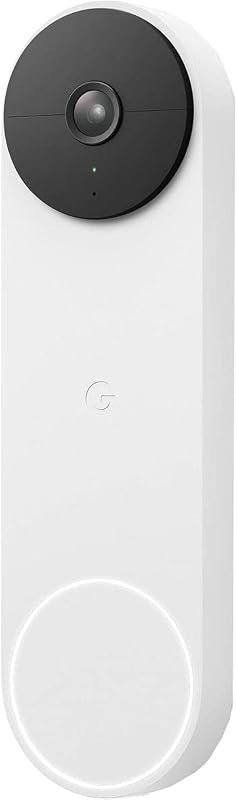 | Flexible installation and Google Home alerts | Check Price |
| 2. Google Nest Wired Doorbell 3rd Gen | 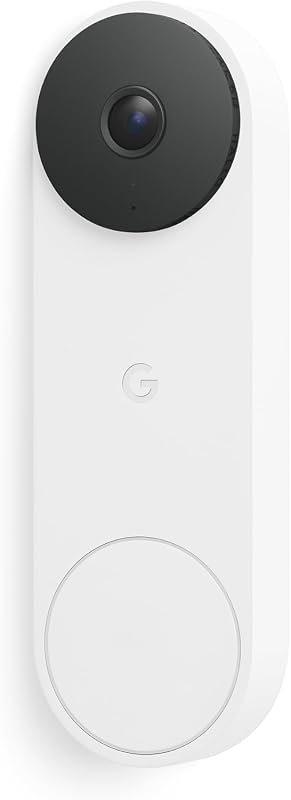 | Wired setups with 2K HDR and Gemini features | Check Price |
| 3. Google Nest Wired Doorbell 3rd Gen Hazel | 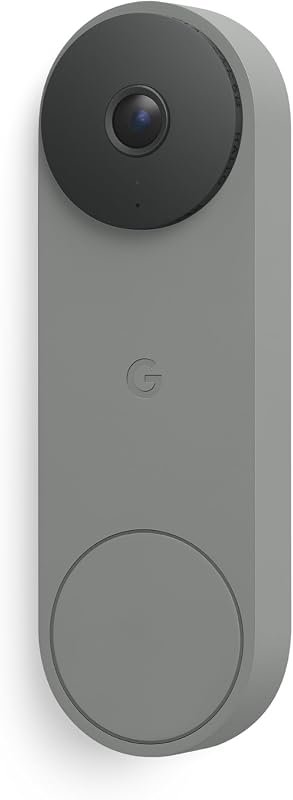 | Style-focused buyers who still want wired 2K video | Check Price |
| 4. Google Nest Wired Doorbell 3rd Gen Linen | 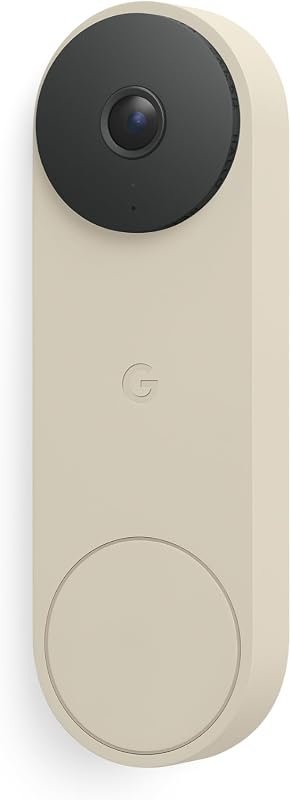 | Wired homes that want a light finish | Check Price |
| 5. Google Nest Battery Doorbell Ash | 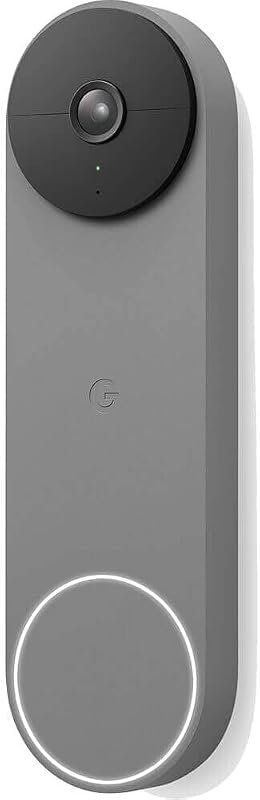 | Battery-first homes that want the Ash finish | Check Price |
What to Look for in best video doorbell for Google Home
Google Home app integration and alerts
For a Google Home setup, the most important question is whether the doorbell sends useful alerts into the Google Home app. Look for clear event notifications and any mention of smart detection labels that help you tell what triggered the alert.
Wired versus battery installation
Choose wired if you want continuous power and fewer charging concerns. Choose battery if your home does not already have compatible wiring or if you want a simpler install path.
Video quality and field of view
Resolution matters, but so does how much of the doorway the camera can actually see. A wider field of view can help you monitor packages and visitors more effectively, while night vision is important for low-light entryways.
Subscription features and video history
Some doorbells include free event history, while deeper video history or smarter notification summaries may require a paid plan. Check the current Amazon listing and Google Home subscription details before you buy.
Privacy, security, and account controls
Doorbells handle sensitive video data, so it is worth checking encrypted video, two-step verification, and account security options. Also review app permissions and cloud storage terms before enabling advanced features.
Weather, power, and home fit
Make sure the doorbell matches your existing doorbell wiring or battery preference, and confirm any installation notes on the product page. If your home has an unusual door frame, verify fit and mounting requirements before ordering.
- Before you buy, confirm whether the doorbell needs a wired transformer, a battery charge routine, or a Google Home premium plan for certain AI features.
Our Top 5 Best Video Doorbell For Google Home Picks and Reviews
1. Google Nest Battery Doorbell – Wireless Smart Video Doorbell, Snow Finish
This battery Nest doorbell is the most flexible option in the roundup, especially if you want Google Home alerts without committing to a fully wired setup. It combines built-in intelligence, live HD video, and a straightforward installation path.
Key Features That Stand Out
- Built-in intelligence can distinguish between a person, package, animal, and vehicle and send alerts in the Google Home app, with no subscription required.
- Live HD video with HDR and night vision helps you check in from anywhere.
- Includes 3 hours of free event video history, with optional Nest Aware support for longer history.
- Stores up to 1 hour of recorded events during Wi-Fi outages or power outages.
- Can be installed wired or wire-free using the built-in battery or existing doorbell wires.
Why It Stands Out
For many Google Home households, this is the most balanced pick because it covers the basics well: smart alerts, app-based viewing, flexible installation, and backup recording when home power or Wi-Fi is interrupted.
Best For
Pros and Cons
- No-subscription smart alerts for people, packages, animals, and vehicles.
- Works wired or wire-free, which broadens installation options.
- Includes free event history and backup recording during outages.
- Battery-powered operation cannot continuously record 24/7 video history.
- Longer event history requires a separate Nest Aware subscription.
2. Google Nest Wired Doorbell 3rd Gen – 2K Video, Live View, Snow
This wired Nest model is a strong choice if you prefer always-on power and want the newer 2K HDR video experience. It also adds Gemini-related features, though those require a Google Home premium subscription.
Key Features That Stand Out
- 2K HDR video provides a higher-resolution view of the doorway.
- Gemini features can help it know what is at your door and what to do next, with a Google Home premium subscription.
- No batteries to recharge or replace.
- Encrypted video, two-step verification, and enhanced Google Account security support privacy-minded buyers.
- Expanded 166° field of view, night vision, and detailed notification summaries with an Advanced Google Home Premium subscription.
Why It Stands Out
If your home already has compatible wiring, this model is appealing because it removes battery upkeep and adds Google’s newer AI-driven notification features. It is a practical fit for users who want a more permanent security device.
Best For
Pros and Cons
- Wired power means no recharging routine.
- 2K HDR and 166° field of view support detailed doorway coverage.
- Security features include encrypted video and two-step verification.
- Gemini-related features require a Google Home premium subscription.
- Wired installation may not suit every home without existing doorbell wiring.
3. Google Nest Wired Doorbell 3rd Gen – 2K Video, Live View, Hazel
The Hazel version uses the same core wired Nest 3rd Gen feature set as the Snow model, but the finish gives it a different look for homes where style matters as much as function. It is a sensible option if you want the wired experience at the listed lower price.
Key Features That Stand Out
- 2K HDR video with Gemini support for smarter door activity awareness.
- Wired power means no battery charging or replacement.
- Encrypted video and two-step verification support account security.
- Advanced Google Home Premium can unlock more detailed notifications and summaries.
- Expanded 166° field of view, night vision, and crisp detail for the front door.
Why It Stands Out
This is the most price-conscious wired option in the group while still keeping the same core video and smart-home feature set as the other 3rd Gen wired finishes. For buyers who already have doorbell wiring, it offers a straightforward path into Google Home security.
Best For
Pros and Cons
- Same 2K wired Nest feature set as the other 3rd Gen wired models.
- No battery maintenance required.
- Lower listed price than the other Hazel and Linen variants here.
- Requires existing wired doorbell compatibility.
- Gemini features still depend on a Google Home premium subscription.
4. Google Nest Wired Doorbell 3rd Gen – 2K Video, Live View, Linen
The Linen finish is another wired 3rd Gen option with the same core feature set, but it may suit homes that want a lighter visual match near the entryway. The value here is in the familiar wired Nest experience rather than a different spec sheet.
Key Features That Stand Out
- 2K HDR video and Gemini support for smart door notifications.
- Wired power avoids recharging or battery replacement.
- Encrypted video and two-step verification add account security.
- Advanced Google Home Premium can provide more detailed alerts and summaries.
- 166° field of view, night vision, and crisp video for the front door.
Why It Stands Out
This model makes sense when you want the same wired Nest 3rd Gen capability but prefer the Linen finish. Since the feature set matches the other wired variants, the decision is mostly about price, appearance, and installation fit.
Best For
Pros and Cons
- Same wired 2K HDR platform as the other 3rd Gen options.
- Good fit for homes that want a lighter finish.
- No battery charging required.
- Listed higher than the Hazel wired variant here.
- Still depends on wired compatibility and may need premium features for Gemini extras.
5. Google Nest Battery Doorbell – Wireless Smart Video Doorbell, Ash Finish
This Ash-finish battery model gives you the same core Nest battery experience as the Snow version, including Google Home alerts and flexible installation. It is mainly for shoppers who want the battery design in a different look.
Key Features That Stand Out
- Built-in intelligence can identify people, packages, animals, and vehicles with no subscription required.
- Live HD video with HDR and night vision supports remote checking.
- 3 hours of free event video history, plus optional Nest Aware for longer history.
- Stores up to 1 hour of recorded events during Wi-Fi or power outages.
- Can be installed wired or wire-free with the built-in battery.
Why It Stands Out
Functionally, this is the same family as the Snow battery model, so the main appeal is the Ash finish and the flexibility that comes with a battery-powered Nest doorbell. It suits buyers who want that design choice without changing the feature set.
Best For
Pros and Cons
- Flexible wired or wire-free installation.
- No-subscription smart alerts for common motion categories.
- Backup event recording during outages.
- Battery-powered models cannot continuously record 24/7 video history.
- It is priced higher than the Snow battery model listed above.
Before ordering, verify whether your home has compatible doorbell wiring or whether you need a battery model. Google Home premium features, cloud history length, and some AI alerts can depend on subscription terms that may change.
Complete Roundup for Best Video Doorbell For Google Home
Best for buyers who want core Google Home alerts and flexible installation without paying for premium AI extras or wired-only hardware.
Best for wired homes that want 2K HDR, night vision, and stronger security features while avoiding battery charging.
Best for shoppers who want more detailed smart notifications, Gemini features, and the highest-end Google Home experience.
Compatibility and intended use
These picks are built around Google Home use, so the main compatibility check is your preferred installation style and your comfort with the Google ecosystem. If you already use Google Home for smart lighting, security routines, or voice control, these doorbells fit naturally into that setup; for broader smart-home planning, our best video doorbell guide for 2026 can help you compare the bigger market.
Battery models suit homes without existing wiring or renters who need a simpler path. Wired models make more sense if you want continuous power and do not want to manage charging. If you are also comparing privacy-focused options, our most private video doorbell home security guide is worth a look.
Dos and Don’ts
- Match the doorbell to your wiring, power setup, and Google Home subscription comfort level.
- Check the current listing for video history terms, AI notifications, and app requirements.
- Confirm your home-entry privacy and security settings before enabling cloud features.
- Do not assume every feature is included without a subscription.
- Do not buy a wired-only model if your home lacks compatible doorbell wiring.
- Do not skip account security settings for a device that records your front entry.
Practical tips
- Check the mounting area, Wi-Fi coverage, and power source before you order.
- Read the current Amazon listing for any subscription-dependent features and storage limits.
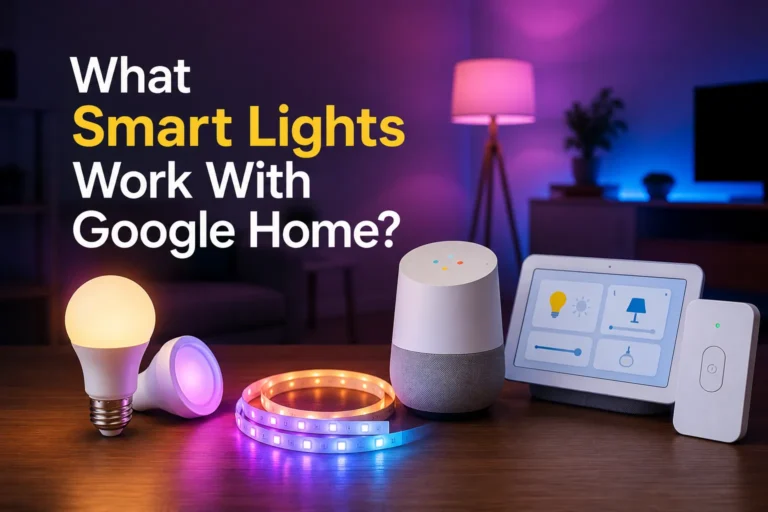
- If you want a broader smart-home setup, compare this choice with other Google Home accessories such as smart light bulbs for Google Home.
Before buying, confirm whether your doorbell wiring, transformer, and home Wi-Fi setup match the installation style you want. Also verify Google Home app and subscription requirements for the features you expect.
Safety and privacy note
Because these are front-door security devices, review local recording laws, app permissions, and cloud storage terms before enabling advanced features. If you choose a wired model, follow the manufacturer’s installation instructions and make sure the power setup is appropriate for your home.
- Google Nest Battery Doorbell Snow is the most flexible all-around choice for Google Home users.
- Google Nest Wired Doorbell 3rd Gen Snow is the strongest wired pick if you want 2K video and no charging.
- Google Nest Wired Doorbell 3rd Gen Hazel gives you the same wired feature set at the lower listed price.
- Google Nest Wired Doorbell 3rd Gen Linen is best if you want the lighter finish and the same core wired experience.
- Google Nest Battery Doorbell Ash is for buyers who want the battery model in a different finish.
- Always confirm wiring compatibility and any subscription-based feature limits before you buy.
Frequently Asked Questions About Best Video Doorbell For Google Home
The Google Nest Battery Doorbell is the most flexible pick for most homes because it supports wired or wire-free installation. It also includes smart alerts for people, packages, animals, and vehicles without requiring a subscription.
Some features do work without a subscription, including certain smart alerts and limited event history on the battery model. Advanced notification summaries and longer history may require Google Home Premium or Nest Aware, depending on the model.
Choose wired if your home already has compatible doorbell wiring and you want to avoid charging. Choose battery if you want easier installation or do not have the right wiring in place.
2K video can be useful if you want more detail at the front door and a clearer view of visitors. It is especially helpful in wired models that stay powered all day and night.
Check your wiring, Wi-Fi strength, and whether the features you want require a subscription. You should also review the current listing for installation notes and privacy settings.
They can be, but privacy depends on the settings you choose and the account protections you enable. Review encrypted video, two-step verification, app permissions, and local recording rules before setup.
If you want the easiest Google Home fit, the battery Nest doorbell is the most forgiving starting point. If your home already has wiring and you want a more permanent install, the wired 3rd Gen models are the stronger direction.
Either way, the right choice comes down to installation, alert style, and how much smart detection you want to pay for over time. Check the current Amazon listing and Google Home subscription details before you place your order.
This roundup is based only on the supplied product records: title, price, rating, review count, feature bullets, image filename, and affiliate link. Because no verified first-hand testing evidence is available, the recommendations use evidence-based editorial language and focus on documented differences such as wired versus battery power, video resolution, Google Home features, privacy/security notes, and subscription-dependent functions. When a technical detail was not provided, readers are advised to verify it on the current Amazon listing, manufacturer page, app listing, or product manual.