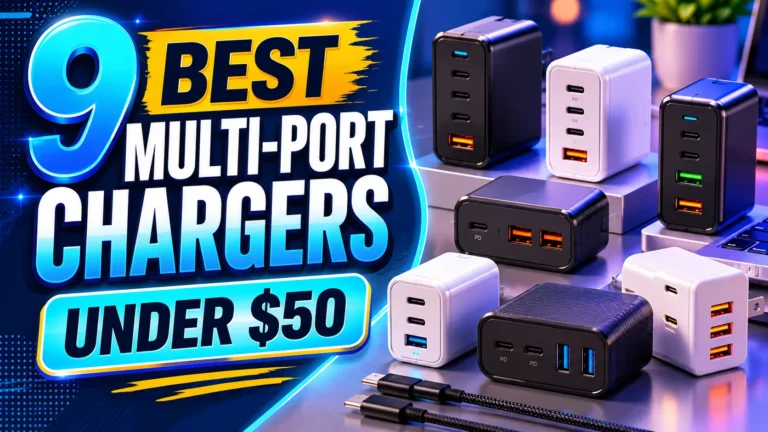
9 Best Multi-Port USB‑C Chargers for Powering Multiple Devices Efficiently
Affiliate disclosure: As an Amazon Associate, Gadget Makers Blog may earn from qualifying purchases. This does not change the price you pay.
Many devices now use USB‑C for power, and multi‑port USB‑C chargers let people charge phones, tablets, laptops, and accessories from a single wall outlet. These chargers save space, cut cable clutter, and speed up charging by sharing power intelligently between ports. They range from compact travel bricks to larger desktop hubs with enough wattage to run a laptop and several devices at once.
Choosing the right multi‑port USB‑C charger comes down to three things: total power output (watts), how that power is split across ports, and safety features like overcurrent and temperature protection. Fast charging standards (USB Power Delivery, PPS) and port mix (how many USB‑C vs USB‑A) matter depending on which devices someone owns. Buyers should match a charger’s wattage and port allocation to their devices to ensure all gadgets charge quickly and safely.
This guide tests and compares multi‑port USB‑C chargers to find the best options for travel, desks, and power‑hungry laptops, and then explains what to look for when buying.
9 Best Multi-Port USB‑C Chargers
They tested and compared the fastest, safest, and most reliable multi-port USB‑C chargers for phones, tablets, and laptops. The list highlights power output, port count, size, and safety features to help readers pick the right charger.
MEKIOJEO 12-Port 380W Charging Station
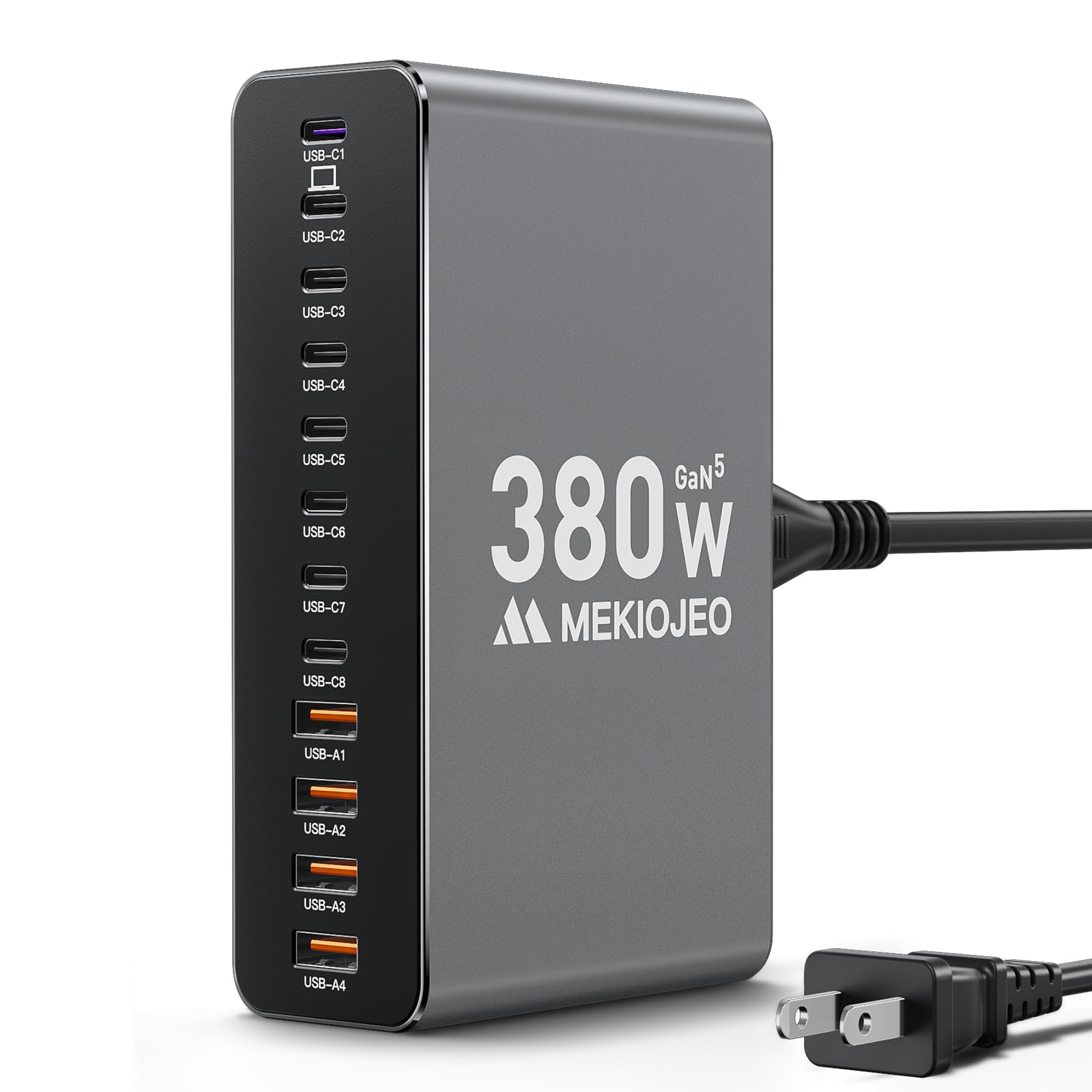
This charger is a good pick for someone who needs many ports and strong laptop output in one compact unit.
Pros
- Lots of ports for many devices at once.
- Strong dedicated laptop port rated up to 65W.
- Aluminum body that helps with heat and looks tidy on a desk.
Cons
- Large power draw may need a dedicated outlet or surge protection.
- Heavier than small single-port chargers for travel.
- Some devices may not always hit top speeds when many ports are used.
The station offers 12 ports and a mix of USB-C and USB-A so it can replace several chargers at once. It aims to keep laptops, phones, and tablets charging together without swapping plugs.
Its aluminum case and GaN design focus on heat control and compactness, which helps during long charging sessions. The maker also highlights safety features like overcharge and temperature monitoring.
Buyers who want a single hub for a home office or a family charging center will find the port count appealing. Those who mostly travel light or need the absolute smallest charger might prefer a simpler, lighter option.
Anker 6-Port Desktop Charger

It is a solid choice for someone who wants one compact charger to power multiple devices at once.
Pros
- Charges many devices simultaneously.
- Compact size for travel or small desks.
- Includes a cable organizer to reduce clutter.
Cons
- Highest single-port speed is limited to one USB‑C port.
- Charging cables are not included.
- Can be heavier than tiny travel chargers.
This charger aims to replace several power bricks with one unit that fits on a desk or in a travel bag. It offers three USB‑C and three USB‑A ports so multiple gadgets can charge at once.
It delivers a strong combined output that supports laptops, phones, and tablets, but the fastest 30W rate only applies to one USB‑C port. Buyers should plan which device needs the quickest charge and plug that into the right port.
The compact footprint and cable organizer help keep surfaces tidy. Some may find it a bit heavier than the smallest travel chargers, and users must bring their own cables.
Anker 140W 4‑Port GaN Charger
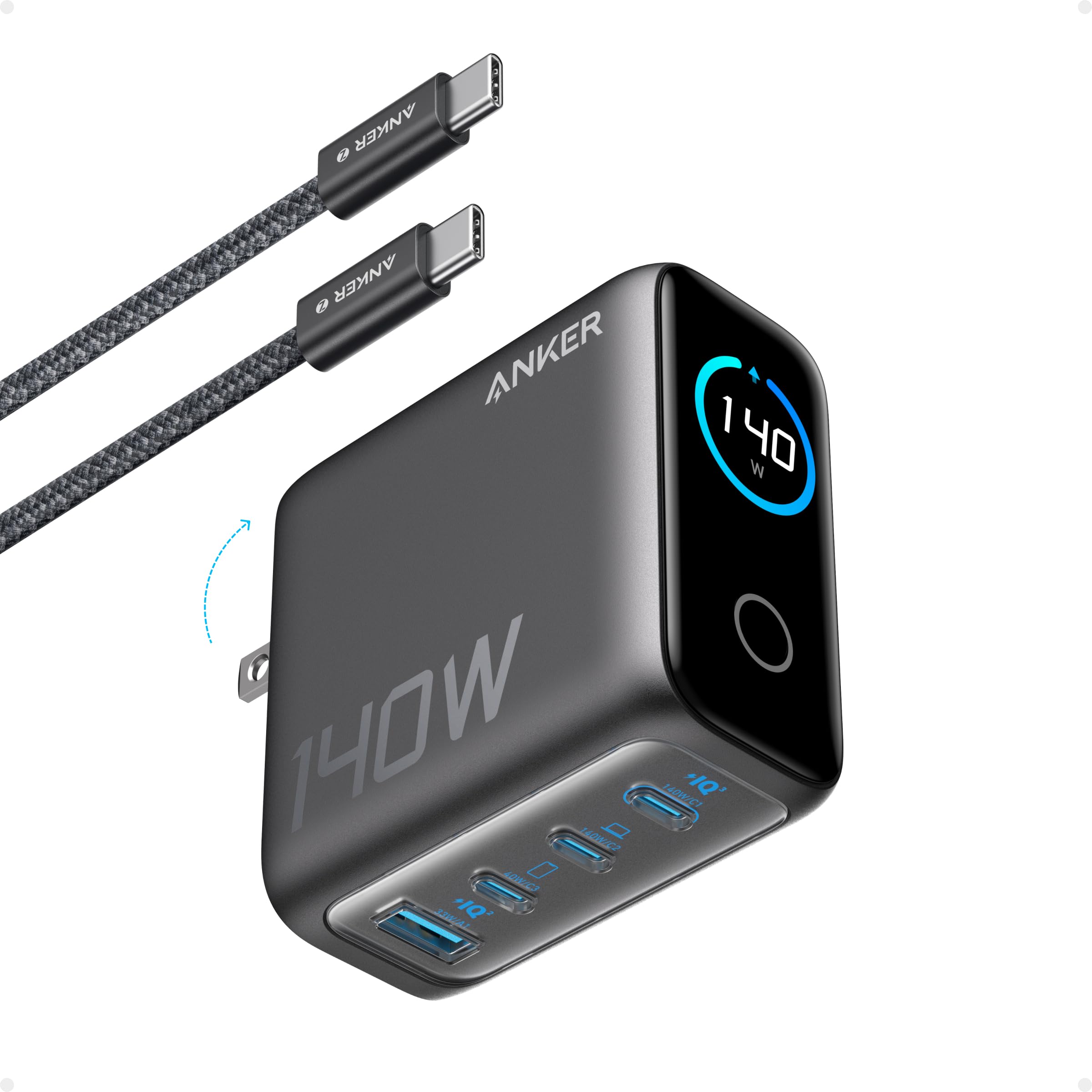
This charger makes sense for someone who wants to power multiple laptops and phones fast from one compact block.
Pros
- Charges several devices at once with high total power.
- Two USB‑C ports can deliver strong laptop speeds.
- Built‑in display shows charge and temperature details.
Cons
- More expensive than basic multi‑port chargers.
- Touch controls and display add small complexity.
- May run warm under heavy simultaneous loads.
It supports up to four devices and uses GaN tech to keep the size small for the power it delivers. The color display reports port outputs and temperature so users can watch what draws power.
Two high‑speed USB‑C ports can push enough current for larger laptops, making it useful for a work bag or a travel kit. It ships with a 5 ft USB‑C cable and includes an 18‑month warranty.
Some buyers might prefer a simpler, cheaper charger if they only need phone charging. Others will value the monitoring screen and the ability to power a laptop and several smaller devices at once.
GKUTW 8‑Port GaN Charger

This charger is worth considering for buyers who need to charge many devices at once without slowdowns because it offers eight independent ports and GaN III efficiency.
Pros
- Charges many devices at full speed at the same time.
- Smaller, cooler design thanks to GaN III tech.
- Includes a long power cord and fits well on a desk or in travel bags.
Cons
- Big power block may still feel bulky compared with single-port chargers.
- Some users may not need all eight ports and could pay for unused capacity.
- Manufacturer claims may vary depending on device power needs.
The unit aims to keep multiple phones, tablets, and a laptop topped up simultaneously. It highlights independent outputs so one device should not throttle the others.
It uses newer GaN III chips to shrink size and cut heat compared with older silicon chargers. That makes it more suitable for a crowded bedside or office surface.
Packed for travel and home use, it promises broad compatibility with many laptops, phones, and tablets. Visit the product page to check fit and pricing: GKUTW 8‑Port GaN Charger.
hibiker 65W 6-Port Charger
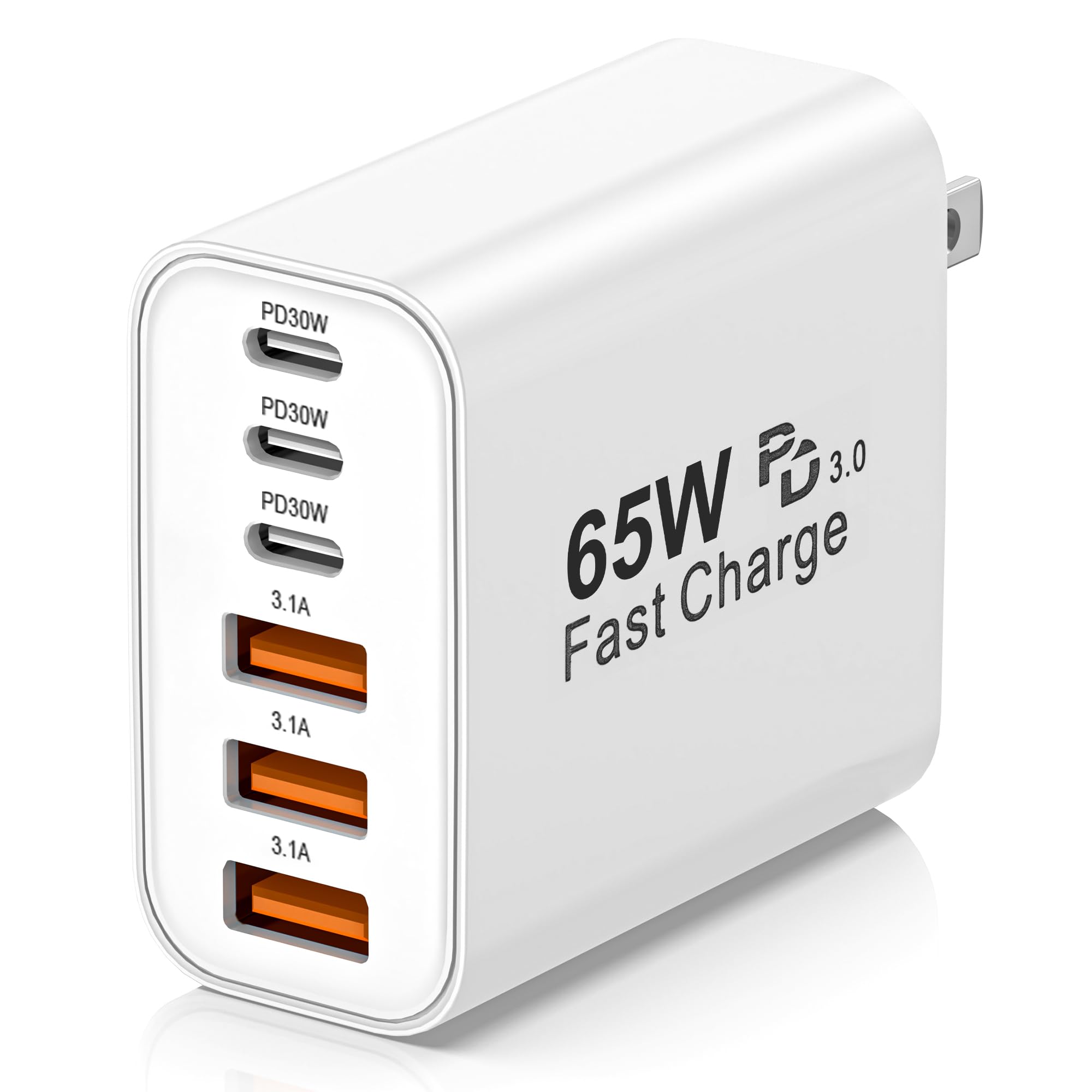
It is a solid pick for someone who needs to charge many devices at once without taking up much space.
Pros
- Charges up to six devices at the same time.
- Uses GaN tech for lower heat and smaller size.
- Supports fast charging on USB-C and USB-A ports.
Cons
- Total power shared across ports may reduce top speeds when many devices connect.
- Some users need special fast-charge cables to get the maximum speed.
- A few reports say ports briefly stop when unplugging a device.
This charger works well for families or travelers who carry many phones, tablets, and small gadgets. It keeps cords down by letting multiple devices share one wall outlet.
It uses Power Delivery and Quick Charge features, so compatible devices get faster top-up times. The GaN chip helps it run cooler and stay compact for luggage or a desk.
They should watch that the 65W limit splits across six ports, which can slow charging when every port is in use. Still, the convenience of fewer adapters and a light design makes it handy for daily use.
BREEKET 100W 6‑Port Charger

It is a solid choice for families or travelers who need to charge several phones and accessories at once because it offers six ports and a compact design.
Pros
- Charges many devices at the same time.
- Fast charging on supported phones.
- Small size and long power cord for flexible placement.
Cons
- Not designed for charging laptops.
- Power splits across ports, so top speeds depend on load.
- Plastic body may feel less durable than metal chargers.
This charger packs three USB-C and three USB-A ports into a small cube. It aims to give quick top-ups and keep several gadgets ready without a tangle of adapters.
The included five‑foot cord helps place the unit where it fits best in a room. Buyers should note that the charger shares its 100W total output among active ports, so multiple power-hungry devices will charge slower than a single device.
Safety features and heat controls are built in to reduce risk during normal use. People who need to charge a laptop or high-wattage device should look for a dedicated high‑watt USB‑C charger instead.
LMSEP 500W Multi-Port Charger

It is a strong choice for someone who needs to charge many devices fast because it offers high power and many ports in a compact design.
Pros
- Very fast charging across multiple high-power USB‑C ports
- Can charge up to eight devices at once with intelligent power distribution
- Compact GaN design keeps the unit small and cooler than older chargers
Cons
- May run warm under heavy simultaneous loads
- Large overall wattage might be more than casual users need
- Some users may prefer a built-in cord rather than a separate 5 ft cable
This charger targets users who own laptops, tablets, and many USB devices and want a single station to power them all. It emphasizes fast PD/PPS ports that aim to refill large batteries quickly.
The station uses GaN III Pro technology and safety features to limit heat and protect devices. It claims smart port distribution so each device gets the best available power without manual juggling.
Portability is a selling point because it stays small for the power it delivers and includes a detachable cord for flexible placement. It may be best for desks, bedside tables, or shared charging spots where many gadgets need power at once.
Anker Zolo 50W 2-Pack
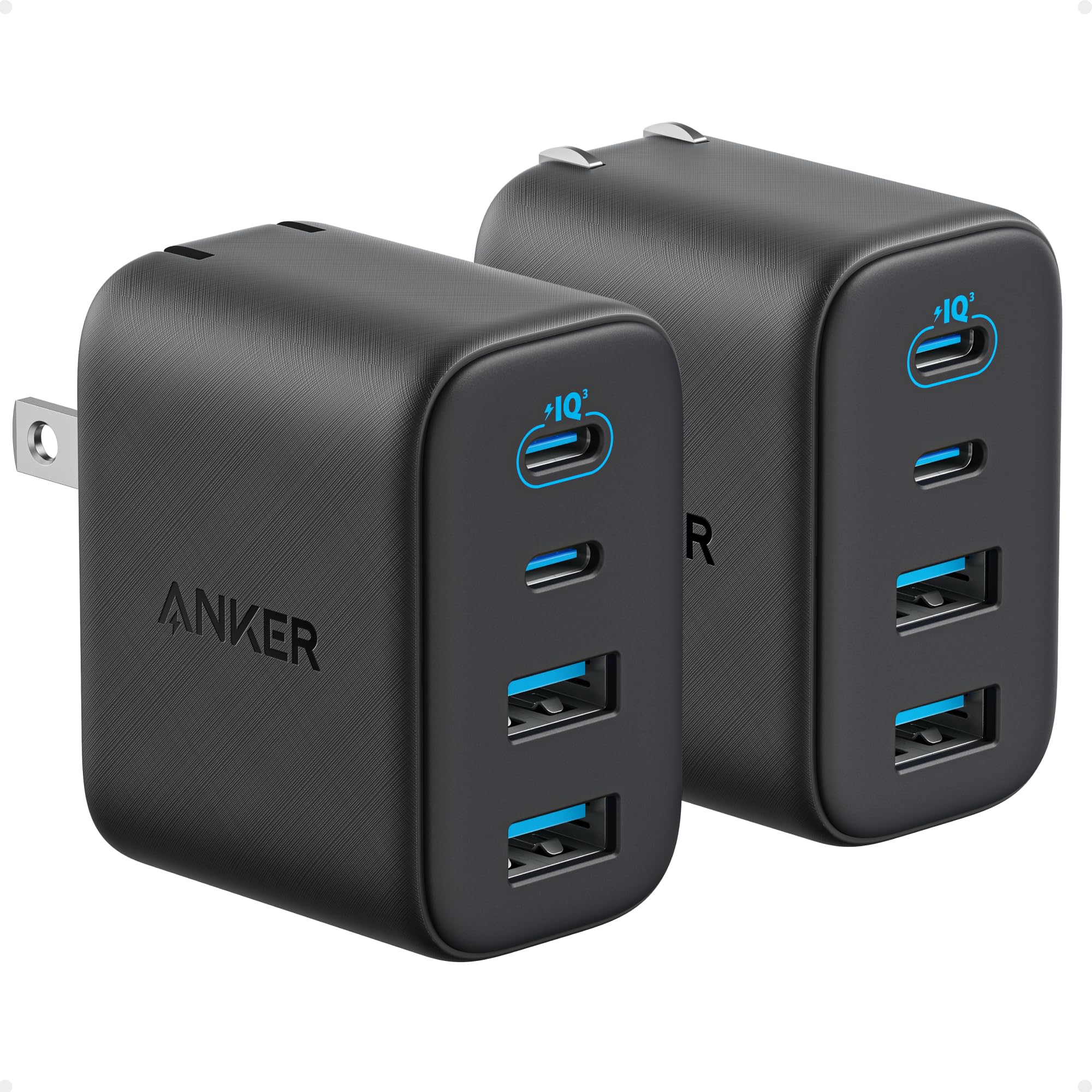
It is a strong buy for people who need compact, multi-device charging with reliable fast output.
Pros
- Charges several devices at once without big slowdowns.
- Compact, pocket-friendly design with foldable plugs.
- Includes safety features and a two-pack for extra value.
Cons
- Two-pack may be more than one person needs.
- Plastic finish may show wear over time.
- No bundled high-end cable for every port.
This charger gives two USB-C and two USB-A ports, so it suits a family or someone with many gadgets. It keeps one USB-C delivering up to 30W even when multiple ports are in use, which helps power a phone or small tablet quickly.
The unit is small and folds flat for travel, making it easy to toss in a bag. Built-in protections and modern GaN-style design aim to keep charging steady and safe.
Buyers who want one compact brick that can handle phones, earbuds, and tablets will find this useful. Those needing only a single charger or a premium metal finish might look elsewhere.
Lcssio 200W 6‑Port Charger (2-Pack)
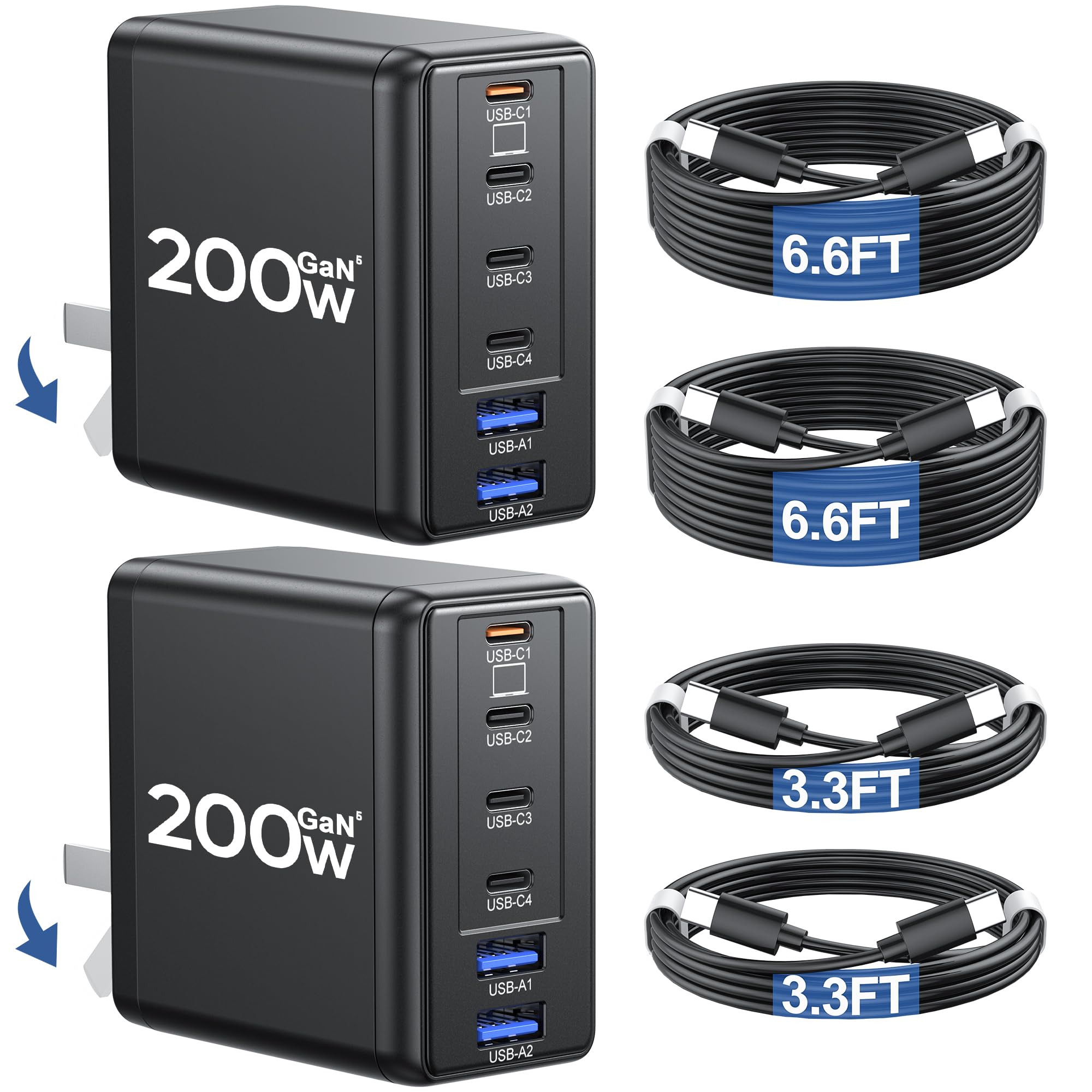
This charger pack is a good buy for someone who needs many ports and fast charging for laptops and phones at once.
Pros
- Lots of ports to power several devices at once.
- High wattage claims for fast laptop charging.
- Comes with two chargers and four USB‑C cables.
Cons
- Real-world power per port may be lower than the 200W claim.
- Bulky compared with single-port chargers despite being smaller than older models.
- Some users report mixed long-term reliability.
It offers four USB‑C and two USB‑A ports so a household or traveler can plug in laptops, tablets, and phones without extra adapters. The included cables make it ready to use out of the box.
The charger uses newer GaN tech and PD 3.1 signaling, which aims to speed up charging and manage heat. Buyers should note that actual output depends on cable quality and device limits.
Two units in the box help when outlets are scarce, but the unit still takes space in a bag and weighs more than tiny single chargers. People wanting minimal gear might prefer one high‑power port instead.
Buying Guide
Choosing a multi-port USB‑C charger means matching power needs, device types, and safety features. They should deliver enough wattage for all devices at once and use smart power distribution so each port gets the right amount.
Look for these key features:
- Total wattage: Higher total watts charge laptops and tablets. Lower wattage suits phones and earbuds.
- Per-port output: Check per-port limits, not just the total. Some ports may share power.
- Power Delivery (PD): PD enables fast charging for many laptops and phones. Make sure the charger lists PD profiles or voltages.
- Number and types of ports: More ports mean more devices, but confirm there are enough USB‑C ports if those are needed.
- Cable support: Some chargers include cables; others don’t. For high-watt charging, use USB‑C cables rated for the amperage.
Safety and convenience matter. Choose chargers with overcurrent, overvoltage, and temperature protection. A compact design and good heat management reduce noise and keep ports usable.
Consider travel needs and workspace layout. For travel, prioritize size, foldable plugs, and universal voltage. For a desk, consider a stand or charging hub layout that keeps cables tidy.
Compare warranties and certifications. Look for safety certifications and a clear warranty to protect the purchase.
Editor’s Choice
They pick the Anker 737 (GaNPrime) as the top multi-port USB-C charger for most people. It balances power, size, and safety features in a compact body that fits most travel and home needs.
| Feature | Details |
|---|---|
| Output | Up to 120W total; can supply 100W on a single port |
| Ports | 2 x USB-C, 1 x USB-A |
| Size | Small for its power class; fits a travel bag |
| Safety | Overheat and overcurrent protection; trusted brand testing |
It supports fast charging for laptops, tablets, and phones at the same time. The charger adjusts output by device need, so it keeps each gadget safe while charging quickly.
They like the build quality and the clear power distribution. Users report reliable performance over months of daily use, and the manufacturer offers good support.
Pros:
- High total output and strong single-port charge.
- Small footprint for travel.
- Simple port layout and smart power sharing.
Cons:
- Slightly higher cost than basic chargers.
- One user may need more USB-A ports without adapters.
Where to Buy – Best Amazon Deals
Amazon often lists many top-rated multi-port USB‑C chargers from trusted brands. It shows real customer reviews, fast shipping, and frequent price drops during sales events like Prime Day and Black Friday.
Look for these buying tips on Amazon:
- Check seller and warranty: Prefer items sold by the brand or fulfilled by Amazon. Warranties and easy returns matter.
- Read recent reviews: Focus on reviews that mention charging speed and heat. Newer firmware or models can change performance.
- Compare specs: Confirm total wattage and per-port limits. Some chargers advertise total power but split it across ports.
Recommended search tactics:
- Use filters for “USB‑C” and “multi-port” to narrow results quickly.
- Sort by “Featured” or “Avg. Customer Review” to find well-rated options.
- Add items to the cart and watch for lightning deals or coupon checkboxes.
Quick checklist before buying:
- Brand reputation and warranty length.
- Total wattage, per-port limits, and PD support.
- Customer feedback on durability and safety.
Amazon listing pages often include Q&A and spec sheets. They help confirm compatibility with laptops, phones, and tablets before purchase.
Conclusion
Readers can pick a charger that fits their needs and devices. The best choice depends on how many ports they need, the total wattage, and device compatibility.
A high-watt single-port option works well for powerful laptops, while multi-port chargers serve families and travelers. Compact chargers suit people who prioritize size and weight.
Look for chargers with proper safety features like overheat and overcurrent protection. Certified PD (Power Delivery) and USB-IF compliance reduce the chance of device damage.
Budget and brand matter. Well-known brands often offer better warranties and customer support, but some lesser-known models give good value.
Quick checklist:
- Port count and wattage match device needs
- PD support and USB-C power profiles
- Safety certifications and durable design
- Size and travel convenience
- Warranty and brand reputation
They should balance power, price, and portability. A charger that fits daily habits will save time and reduce cable clutter.
FAQs
What does “multi-port” mean for USB‑C chargers?
It means the charger has more than one output port, often a mix of USB‑C and USB‑A. This lets multiple devices charge at the same time from one outlet.
How does power get shared between ports?
Many chargers use dynamic power distribution. They split the total wattage based on which ports are in use and the devices’ needs.
Is USB Power Delivery (PD) important?
Yes. PD allows faster and safer charging for laptops, tablets, and phones. Devices and chargers must both support PD to get the full benefit.
Can a phone damage a laptop if plugged into the wrong port?
No. Modern chargers and devices negotiate power levels before delivering high voltage. This prevents overcharging and protects devices.
What should someone look for when buying?
Look for total wattage, number of high‑power USB‑C ports, PD support, and safety certifications like UL or ETL. Port layout, size, and brand reputation matter too.
Are smaller chargers less safe?
Not necessarily. Size does not determine safety. Safety depends on internal components and certifications, not just form factor.
How many devices can one charger handle?
It depends on total output wattage. A 100W charger can run a laptop and charge a phone at the same time. A 65W unit may struggle with two power‑hungry devices.
Does cable quality matter?
Yes. Use certified cables rated for the charger’s power level. Poor cables can limit speed or cause heat issues.
Can firmware updates improve a charger?
Some smart chargers get firmware updates for better performance and safety. Check the manufacturer for update options.