Does iPhone X Have Wireless Charging A Complete Guide
Yes, the iPhone X does have wireless charging, and it uses the Qi standard for easy cable-free charging. This guide explains how it works, what to buy, and how it compares with wired charging so you can decide if it still fits your daily setup.
- Point 1: The iPhone X supports wireless charging through the Qi standard.
- Point 2: It works with most Qi-certified charging pads and stands.
- Point 3: Wireless charging is slower than fast wired charging, but it is more convenient.
- Point 4: Case thickness, phone placement, and charger quality can affect charging speed.
- Point 5: A good wireless charger should be Qi-certified and have solid alignment support.
- Point 6: The iPhone X is still useful for wireless charging in home, office, and bedside setups.
- Point 7: If you want the best mix of speed and convenience, keep both a wireless pad and a wired charger on hand.
📑 Table of Contents
- Does iPhone X Have Wireless Charging A Complete Guide
- Does iPhone X Have Wireless Charging?
- iPhone X Wireless Charging Specs and Features
- How iPhone X Wireless Charging Works in Real Life
- Wireless Charging vs Wired Charging on iPhone X
- What to Look for When Buying a Wireless Charger for iPhone X
- Best Situations to Use iPhone X Wireless Charging
- Common Problems and Simple Fixes
- Should You Still Buy a Wireless Charger for iPhone X?
- Conclusion
Does iPhone X Have Wireless Charging A Complete Guide
If you have an iPhone X and you are wondering, “Does iPhone X have wireless charging?” the short answer is yes. Apple added wireless charging to the iPhone X, and it was a big deal at the time. It made daily charging easier, cleaner, and a lot less annoying for people who were tired of plugging in a cable every night.
But there is more to it than a simple yes or no. Wireless charging on the iPhone X has limits, and the charger you buy matters a lot. Some pads work great. Others feel slow, hot, or picky about phone placement. If you want to get the most out of your iPhone X, it helps to know how the feature works and what to look for before you buy.
In this guide, we will break it down in plain language. We will cover the specs, charging speed, best use cases, and smart buying tips. If you are also comparing other charging setups, you may want to read what fast charging power banks work with iPhone and what budget chargers work with iPhone for more options that fit Apple devices well.
Does iPhone X Have Wireless Charging?
Yes, it does
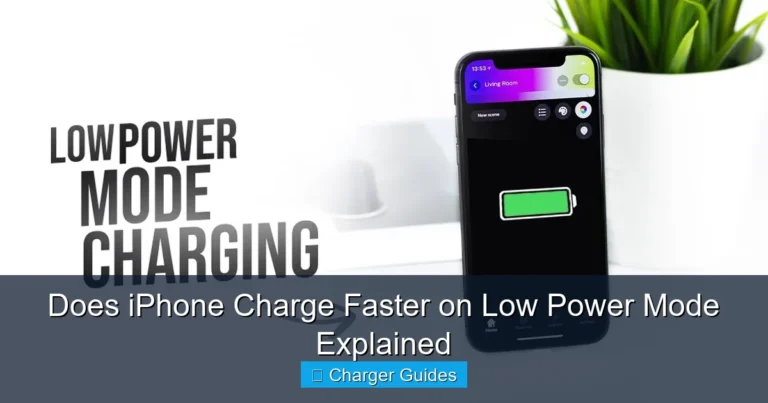
The iPhone X supports wireless charging. It uses the Qi wireless charging standard, which is the most common wireless charging system used by many phones and accessories. That means you can place the iPhone X on a Qi-compatible pad or stand and it will start charging without a cable plugged into the phone.
Why this mattered
When the iPhone X launched, wireless charging was still a newer feature for many iPhone users. It gave people a simple way to charge at a desk, on a nightstand, or in a car mount setup. It also helped reduce wear on the Lightning port, which some users liked because it meant fewer cable insertions over time.
What wireless charging is not
Wireless charging is not magic, and it is not faster than every wired option. It is mostly about ease. You trade a little speed for a lot of convenience. For many people, that is a fair deal, especially for overnight charging or light top-ups during the day.
iPhone X Wireless Charging Specs and Features
Qi compatibility
The iPhone X works with Qi-certified chargers. That is the key spec to remember. If a charger says it supports Qi, it should work with the iPhone X. Still, not every charger is equal. Build quality, coil alignment, and power output all affect the real experience.
Charging speed
The iPhone X supports wireless charging at up to 7.5W with compatible chargers. That is fine for daily use, but it is slower than many wired charging setups. If you are in a hurry, a cable will usually be the faster choice. If you are charging overnight or while working, wireless is often more comfortable.
Design and placement
The phone must sit correctly on the charging pad. If the coils do not line up well, charging can start and stop or slow down. This is why flat pads and well-made stands usually perform better than very cheap models. A stable surface also helps prevent accidental misalignment.
Case support
Most thin cases work fine with the iPhone X wireless charging feature. Very thick cases, metal plates, or accessories with magnets not designed for Qi charging can cause problems. If your phone does not charge well, test it without the case first. That is the fastest way to see if the case is the issue.
How iPhone X Wireless Charging Works in Real Life
Best everyday use cases
Wireless charging is best when you want simple, low-effort power. A bedside pad is a great example. You can set the phone down at night and pick it up in the morning without dealing with a cable. It also works well on a desk if you want quick top-ups while checking messages or watching videos.
Office and travel use
At work, a wireless charging stand can keep your iPhone X visible and charged at the same time. That is useful if you want to glance at notifications during the day. On the road, wireless charging can be handy in a car mount or hotel setup, as long as you have the right Qi charger and a good power source.
Performance notes
Wireless charging can warm the phone more than wired charging. That is normal to a point. But if the phone gets very hot, the charger may be low quality or the alignment may be poor. Heat can also slow charging. For better results, keep the charger on a hard, open surface and avoid stacking items around it.
Battery habits
Using wireless charging often does not ruin the battery by itself. What matters more is heat and charge habits. If you want to protect battery health over time, avoid very hot environments and do not leave the phone baking under pillows or blankets while charging. For more practical advice, see best charging habits for iPhone.
Wireless Charging vs Wired Charging on iPhone X
Speed comparison
Wired charging is usually faster. Even though the iPhone X supports wireless charging, a cable can still deliver power more efficiently. If your battery is very low and you need a quick boost before leaving the house, wired charging is usually the better pick.
Convenience comparison
Wireless charging wins on convenience. You do not need to fumble with a cable, and you can drop the phone on the pad in one motion. That makes it great for repetitive daily use. It is especially nice for people who charge in the same place every day.
Port wear and desk clutter
Wireless charging can help reduce wear on the Lightning port, since you are not plugging in as often. It also keeps your desk cleaner. No cable hanging over the edge. No connector to line up. Just place and go. That small change can make a big difference in how neat your space feels.
When wired is still better
If you are gaming, using GPS, or need the fastest possible refill, wired charging is still the practical choice. It is also better if your wireless charger is not reliable or if your case interferes with charging. The best setup for many users is not one or the other. It is both.
What to Look for When Buying a Wireless Charger for iPhone X
Qi certification
Always start with Qi certification. That is the safest way to know the charger should work with the iPhone X. It also reduces the risk of poor performance or inconsistent charging. If a product does not clearly mention Qi, skip it.
Power output
Look for a charger that supports the iPhone X’s wireless charging range well. A 7.5W-capable Qi charger is a strong match. Some chargers advertise higher wattage, but the phone will only take what it supports. More watts on the box does not always mean faster charging on the phone.
Pad or stand
Choose the style that fits your routine. A flat pad is great for a nightstand. A stand is better for a desk because it keeps the screen visible. If you use your phone while it charges, a stand may feel more useful. If you want a simple drop zone, a pad is enough.
Safety features
Good chargers should include overheat protection, foreign object detection, and stable power control. These features help prevent problems and make charging safer. This matters more if you charge every day or leave the phone on the pad for long periods.
Build quality
Cheap chargers often have weak coils, bad alignment, and poor heat management. That can lead to slow charging or a bad user experience. Spending a little more usually pays off. A better charger often lasts longer and works more consistently.
Best Situations to Use iPhone X Wireless Charging
Bedside charging
This is the most natural use case. Place the phone on the charger before sleep and pick it up in the morning. No cable. No stress. It is one of the easiest ways to keep the iPhone X ready every day.
Desk charging
If you spend a lot of time at a desk, wireless charging can keep your iPhone X topped up without interrupting your workflow. A stand is especially useful here because you can see notifications and keep the phone charged at the same time.
Shared spaces
Wireless charging is also handy in shared homes or offices. Anyone with a Qi-compatible phone can use the pad. That makes it a flexible option for families, roommates, or coworkers who need a simple charging spot.
Travel and backup use
Wireless charging is nice for travel if you already carry a compact charger. It is not always the fastest setup, but it can be a convenient backup. If you travel often, you may also want to check are fast charging power banks worth it and what fast charging power banks are the best for portable options.
Common Problems and Simple Fixes
Phone not charging
If your iPhone X is not charging wirelessly, first check the charger connection and power source. Then remove the case and place the phone carefully in the center of the pad. Small alignment issues are very common.
Slow charging
Slow charging can happen if the charger is weak, the case is too thick, or the phone is getting warm. Try a better Qi-certified charger and keep the phone cool. If you want to understand slow charging in more detail, read why is my iPhone charging slow.
Intermittent charging
If charging starts and stops, the phone may be moving slightly on the pad. This is common with flat chargers on soft surfaces. A charging stand or a pad with better grip can solve the issue.
Overheating
Some heat is normal, but too much heat is not. Remove heavy cases, avoid direct sunlight, and do not charge under blankets or pillows. If a charger feels too hot often, stop using it and replace it with a better model.
Should You Still Buy a Wireless Charger for iPhone X?
Yes, if convenience matters to you
If you use your iPhone X every day and want a cleaner, easier charging routine, wireless charging is still worth it. It is especially useful for overnight charging, desk use, and shared charging spots.
Maybe not, if speed is your top goal
If you always want the fastest charge possible, a cable is the better choice. Wireless charging is comfortable, but it is not the speed king. For many users, the best answer is a mix: wireless for routine use and wired for quick top-ups.
Best recommendation
For most iPhone X owners, a Qi-certified wireless charger is a smart buy. Pick a reliable model with good reviews, solid heat control, and the right shape for your space. If you want a balanced setup, keep a good wired charger nearby too. That way you get both speed and convenience without compromise.
Conclusion
So, does iPhone X have wireless charging? Yes, it does, and it still works well for everyday use. The iPhone X supports Qi wireless charging, which makes it easy to charge without plugging in a cable every time. That alone makes it a useful feature, even years after the phone first launched.
If you want the simplest answer, here it is: wireless charging on the iPhone X is great for comfort, light daily use, and overnight charging. It is not the fastest option, but it is one of the easiest. If you buy a good Qi-certified charger and keep your setup simple, the iPhone X wireless charging feature can still be a very practical part of your routine.
Frequently Asked Questions
Yes, the iPhone X has built-in wireless charging. It supports the Qi standard, so you can use many wireless pads and stands without extra accessories.
Any Qi-certified wireless charger should work with the iPhone X. For best results, choose a charger with good alignment, solid build quality, and proper heat control.
It is convenient, but not the fastest option. The iPhone X supports wireless charging up to 7.5W with compatible chargers, so wired charging is usually quicker.
Yes, most thin cases work fine. Very thick cases, metal parts, or poorly designed accessories can block or weaken the charging connection.
The phone may not be centered on the pad, or the charger may be low quality. Try removing the case, checking the power source, and using a Qi-certified charger.
Not by itself. The main things to watch are heat and poor charging habits. A good charger and a cool charging spot can help keep battery stress low.

Tech & Gadget Reviewer
Ethan Walker is a tech enthusiast and gadget reviewer with over 8 years of hands-on experience testing consumer electronics, smart home devices, and cutting-edge accessories. He helps readers make smarter buying decisions through honest, in-depth reviews.