A modern, undamaged charger from a reputable brand can usually remain connected to a properly working wall outlet. Even so, unplugging it during storms, long trips, electrical work, or whenever it becomes damaged or unusually hot is the safer habit.
A six-port GaN desktop charger with four USB-C ports, two USB-A ports, a smart control dial, and a 2.26-inch power display.
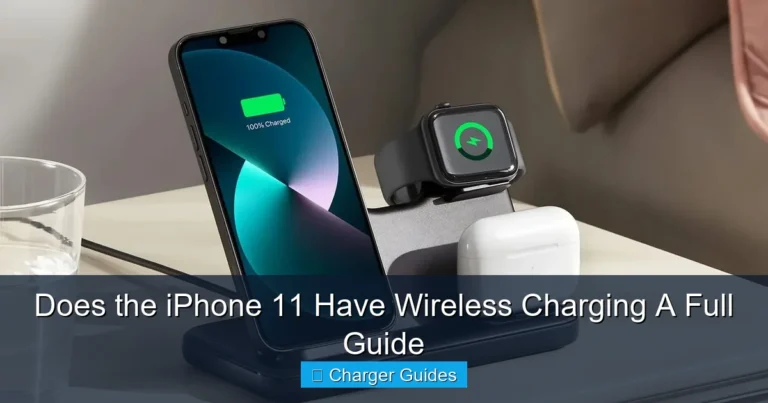
A magnetic charging dock for a compatible iPhone, Apple Watch, and wireless earbuds with active cooling and a live charging display.
Look for looseness, cracks, discoloration, burnt odor, exposed wire, excessive heat, moisture, and unstable charging.
Yes, a well-made modern phone charger can usually be left plugged into a properly functioning wall outlet. When no device is connected, it still consumes a small amount of standby power, but efficient modern designs normally use very little.
Unplugging remains the safer choice during severe thunderstorms, long vacations, electrical maintenance, flooding risk, or whenever the charger becomes damaged, loose, discolored, noisy, or unusually hot. A charger should never remain connected simply because it worked safely in the past.
A connected charger remains attached to mains electricity even when no phone is plugged into its USB port. Its internal circuitry waits for a device and maintains the low-voltage output system. This condition is often called standby mode or no-load operation.
Modern chargers are designed to minimize no-load energy use, but “very low” is not the same as zero. Leaving many chargers connected throughout a home can add a small amount of unnecessary energy consumption over time.
| Charger condition | What is happening | Recommended action |
|---|---|---|
| Unplugged | No electrical input | Best for long absences or uncertain conditions |
| Plugged in with no device | Very low standby operation | Usually acceptable with quality equipment and a sound outlet |
| Charging a phone | Normal power conversion and heat production | Keep the charger exposed to airflow |
| Plugged in and unusually hot | Possible fault, overload, poor ventilation, or connection problem | Disconnect and inspect before reuse |
| Damaged plug, casing, or cable | Higher shock, short-circuit, or fire risk | Stop using and replace it |
Yes, but the amount from one efficient modern charger is usually small. The annual cost depends on the charger’s no-load draw, electricity rate, and how many hours it remains connected without charging anything.
Energy savings alone may not justify repeatedly reaching behind furniture to disconnect one efficient charger. The more important reasons to unplug are physical damage, poor outlets, severe weather, long absences, moisture, or unusual heat.
A functioning charger from a reputable manufacturer, used in a sound outlet and kept uncovered, presents a low risk. Risk rises when any part of the charging setup is counterfeit, damaged, poorly ventilated, wet, overloaded, loosely connected, or used with faulty household wiring.
| Situation | Relative concern | What to do |
|---|---|---|
| Reputable charger in good condition | Low | Inspect periodically and keep ventilated |
| Loose wall outlet | High | Stop using it and contact a qualified electrician |
| Cracked charger or bent plug | High | Replace immediately |
| Burnt smell or visible discoloration | High | Disconnect power safely and do not reuse |
| Charger under bedding | Elevated | Move to a hard, open surface |
| Severe thunderstorm | Surge exposure | Unplug when it is safe to do so |
A central desktop station can replace several separate wall adapters and reduce cable clutter. It also makes it easier to see which devices are connected and to keep charging equipment on a hard, ventilated surface.
The Anker Prime 250W is not safer merely because it is expensive. Its value comes from organized multi-device charging, detailed power feedback, multiple ports, and published output specifications from an established manufacturer.

The Anker Prime Charger provides up to 250W total output across four USB-C and two USB-A ports. USB-C1 supports up to 140W when used alone, USB-C2 through USB-C4 support up to 100W each, and the two USB-A ports support up to 22.5W each. A 2.26-inch display and control dial provide real-time charging feedback and power controls.
- Up to 250W total shared output
- Four USB-C and two USB-A ports
- Up to 140W from USB-C1
- Real-time 2.26-inch charging display
- Smart control dial and power management
- 100–240V input for international use
- Can replace several separate desk adapters
- High price for users charging only one phone
- 250W is shared—not available from every port
- High-power laptops require suitable USB-C cables
- It does not provide AC surge protection
- The station remains connected to mains power when left plugged in
- Desktop design is less portable than a compact wall charger
The 250W number is the maximum combined output. The charger dynamically divides its available power according to the connected devices, selected mode, cable capability, and each device’s charging request.
| Connection | Maximum listed capability | Important limitation |
|---|---|---|
| USB-C1 alone | Up to 140W | Laptop and cable must support the required USB PD profile |
| USB-C2, C3, or C4 alone | Up to 100W each | Actual device intake may be lower |
| USB-A1 or A2 alone | Up to 22.5W each | Charging protocol and device compatibility vary |
| Several ports together | Up to 250W total | Power is redistributed between devices |
A charger connected to the outlet without a phone attached cannot affect the phone battery. When a phone is connected, battery aging depends more on heat, time spent at high charge levels, charging rate, usage while charging, and the phone’s battery-management system.
Leaving a phone charging overnight is generally managed by modern devices, but heat should still be controlled. Do not charge under pillows, bedding, clothing, or inside an enclosed bag.

This premium three-device dock charges a compatible iPhone magnetically, an Apple Watch, and Qi-compatible wireless earbuds. Anker lists up to 25W phone output, up to 5W for Apple Watch, and up to 5W for earbuds. It also includes active TEC cooling, a live display, adjustable charging modes, and a 65W USB-C adapter.
- Charges three Apple devices from one station
- Phone output up to 25W on supported models
- Active TEC cooling
- Live power and temperature display
- Apple Watch fast-charging support
- Adjustable phone viewing angle
- 65W USB-C adapter included
- Best suited to the Apple ecosystem
- Not compatible with iPhone 16e
- iPhone 12 through iPhone 15 are generally limited to 15W
- 25W requires a supported iPhone and current compatible software
- Magnetic alignment requires a compatible phone or case
- More expensive than separate basic chargers
Wireless charging naturally creates more heat than an ideal wired connection because energy crosses an air gap between coils. Active cooling can help move heat away and support steadier charging, but it does not remove every source of temperature rise.
Room temperature, case thickness, alignment, background phone use, battery condition, and charging mode all affect heat. Stop charging and inspect the setup if the phone or charger becomes abnormally hot, produces a burnt odor, or repeatedly disconnects.
| Product | Best location | Primary advantage | Main limitation |
|---|---|---|---|
| Anker Prime 250W | Office or family charging desk | Six wired ports and high shared output | No wireless charging or surge protection |
| Anker Prime 3-in-1 | Nightstand or Apple-focused desk | Phone, Watch, and earbuds with active cooling | Narrower ecosystem and model-specific wireless speeds |
- Before leaving home for several days or longer
- During a severe thunderstorm, when it is safe to disconnect equipment
- Before electrical work or outlet repair
- When the charger, cable, or plug is cracked, bent, frayed, or discolored
- When a charger produces a burnt smell, buzzing, sparking, or unusual heat
- When the outlet is loose, damaged, wet, or exposed to flooding risk
- When the charger is covered by bedding, clothing, or another insulating material
- When children or pets can pull on exposed cables
- Use reputable equipment. Avoid unknown chargers with unclear specifications or safety information.
- Inspect the charger monthly. Look at the casing, prongs, cable, connectors, and outlet.
- Use a hard, open surface. Keep heat-producing chargers away from bedding and soft furniture.
- Connect the correct cable. High-power laptops need cables rated for the requested wattage.
- Avoid overloaded outlets. Do not stack multiple questionable adapters or daisy-chain power strips.
- Watch the first charging session. Check for unusual heat, odor, disconnects, or error messages.
- Unplug before long absences. This removes standby use and reduces exposure to unexpected electrical events.
- Replace damaged equipment. Tape is not a proper repair for a failed mains charger or frayed cable.
| Problem | Possible reason | Action |
|---|---|---|
| Charger is warm | Normal conversion heat during active charging | Keep ventilated and monitor for excessive heat |
| Charger is very hot with no device | Possible internal fault | Disconnect and replace or seek manufacturer support |
| Burning smell or discoloration | Overheating, arcing, or component failure | Stop using immediately |
| Plug feels loose in the outlet | Worn outlet contacts | Use another outlet and call a qualified electrician |
| Phone charges slowly | Wrong port, cable, protocol, or shared output | Check the product’s port allocation and device requirements |
| Wireless charger repeatedly stops | Misalignment, incompatible case, heat, or foreign object | Remove the case if necessary, realign, and inspect the charging surface |
| Your setup | Best choice | Reason |
|---|---|---|
| Several laptops, tablets, and phones | Anker Prime 250W | Six ports, high shared output, and visible power feedback |
| One iPhone, Apple Watch, and AirPods | Anker Prime 3-in-1 | One organized magnetic nightstand station with cooling |
| Only one basic phone | A smaller reputable charger | Both premium products may be unnecessary |
| Frequent travel | A compact travel charger | The two recommended products are designed mainly for a fixed desk or nightstand |
| Loose, damaged, or sparking outlet | No charger until the outlet is repaired | A premium product cannot correct household wiring problems |
Should a phone charger be left plugged in all the time?
A modern quality charger can usually remain plugged in, but unplugging during storms, long trips, electrical work, or signs of damage is safer.
Does a plugged-in charger use electricity?
Yes. It normally uses a small amount of standby power even when no phone is connected.
Can leaving a charger plugged in cause a fire?
A functioning reputable charger has a low risk, but damaged chargers, loose outlets, counterfeit equipment, poor ventilation, and faulty wiring raise the risk.
Should I unplug chargers during thunderstorms?
Yes, when it is safe to do so. Disconnecting equipment reduces its exposure to surge events, but it does not replace proper surge protection.
Does leaving a charger plugged in damage the phone battery?
Not when the phone is disconnected. When charging, battery aging is affected more by heat, charge level, charging rate, usage, and battery condition.
Is the Anker Prime 250W a surge protector?
No. It is a multi-port USB charging station and should not be treated as an AC surge-protection device.
Does the Anker Prime 3-in-1 charge every iPhone at 25W?
No. Anker lists up to 25W for supported newer models, while iPhone 12 through iPhone 15 are generally listed at up to 15W. It is not compatible with iPhone 16e.
Is wireless charging safe overnight?
Modern compatible devices manage charging, but the station should remain uncovered, properly aligned, ventilated, and free from damage or foreign objects.
What should I do if a charger feels very hot?
Disconnect it, let it cool, inspect the cable and outlet, and do not reuse it if the heat is abnormal or accompanied by odor, noise, discoloration, or unstable charging.
What is the safest charging habit?
Use reputable equipment, inspect it regularly, keep it ventilated, avoid damaged outlets and cables, and unplug it during long absences or unusual electrical conditions.
Keep a quality charger connected when daily convenience matters, but never ignore heat, damage, a loose outlet, severe weather, or a long absence.