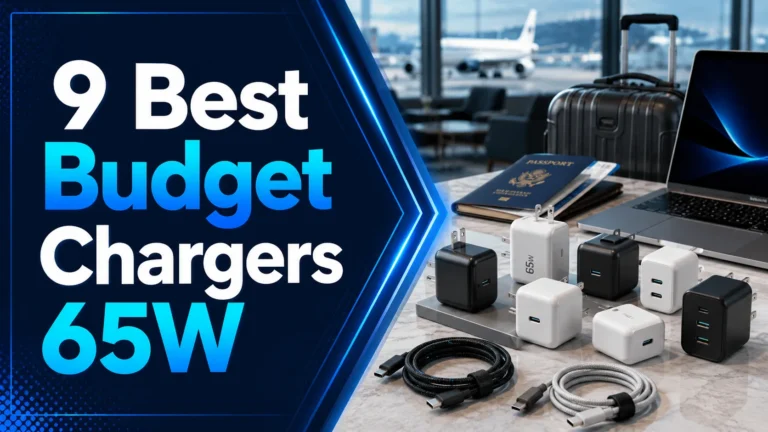
9 Best Multi-Port Chargers for Multiple Devices: Top Picks for Fast, Reliable Charging
Affiliate disclosure: As an Amazon Associate, Gadget Makers Blog may earn from qualifying purchases. This does not change the price you pay.
Multi-port chargers let us power phones, tablets, laptops, and earbuds from a single wall outlet or a small hub. They save space, cut cable clutter, and can charge several devices at once without slowing down. For people who travel, work at home, or live in small spaces, a good multi-port charger becomes a simple, everyday convenience.
Choosing the right one means watching three things: total power output (wattage), the types and number of ports (USB‑C, USB‑A, or power delivery for laptops), and safety features like overheat and surge protection. Charging speed depends on wattage and whether the charger can split power smartly between ports; build quality and plug size matter if you use tight outlets or travel. We tested chargers that balance high wattage, multiple useful ports, and robust safety to find the best options for most people.
9 Best Multi-Port Chargers
Below is our full list of the best multi-port chargers for charging several devices at once. We tested options for speed, safety, and convenience to help you pick the right charger for phones, tablets, and laptops.
BREEKET 100W 6-Port Charger

We recommend this if you want one compact hub to charge several phones, tablets, and accessories at once.
Pros
- Charges many devices at the same time.
- Compact size with a long cord for flexible placement.
- Built-in safety features to protect devices.
Cons
- Not compatible with laptops.
- May not deliver full power to every port at once.
- Uses many small plastic parts that can feel basic.
We like that the unit offers three USB-C and three USB-A ports so multiple people or gadgets can charge from one spot. The 5-foot power cord helps when outlets sit far from desks or couches.
Our impression is it aims for fast charging with a claimed 100W total output and quick top-ups for phones. It might slow down if you push all ports hard at once, so plan which devices need the fastest charging.
We value the safety features that stop overcharging and overheating, especially for mixed-device use. The cube design saves counter space and moves easily between home, office, and travel.
Find it on Amazon: BREEKET 100W 6-Port Charger
Anker 6-Port Desktop Charger

We recommend this charger if you want one compact hub to power several phones, tablets, and a laptop at the same time.
Pros
- Charges many devices at once without many bricks.
- Compact size saves desk or travel space.
- Includes a cable organizer to reduce clutter.
Cons
- Highest 30W speed only on one USB-C port.
- Charging cables are not included.
- Can be heavier than very small travel chargers.
This Anker unit makes it easy to clear up outlets and stop swapping plugs. We can charge phones, a tablet, and a laptop together and keep a neater desk.
The mix of three USB-C and three USB-A ports fits older and newer gadgets. It can push enough power for multiple devices, though the top fast-charging speed goes to only one USB-C port.
We like the compact build and tidy cable organizer that comes with the charger. If you need a single fast laptop charge port and several slower ports for phones and accessories, this is a strong choice.
Veebon 8-Port 60W Charging Station

We recommend this if you need to charge many phones and tablets at once without juggling cords.
Pros
- Charges up to eight devices at once.
- Built-in screen shows current and alerts on overload.
- Multiple protections help guard batteries.
Cons
- Not compatible with Qualcomm Quick Charge or USB-C PD fast charging.
- Total power shared among ports, so one device may charge slower.
- Larger footprint than a single wall adapter.
We like that the Veebon station clears outlet clutter and can handle several devices for a family or small office. The LCD tells us the charging current and warns if something draws too much power.
The safety features give extra peace of mind. The unit claims overcharge, overheat, and short circuit protection and works on 100–240V input for travel use.
Expect decent speeds for phones and small tablets, but not the fastest possible for devices that need USB-C PD or brand-specific fast charge. The shared 60W means heavy loads slow individual ports.
Overall, this is a solid option for households that want one tidy charging spot for many USB devices. Check the latest price and details on Amazon: Veebon 8-Port 60W Charging Station.
Anker Prime 200W 6-Port Charger

We recommend this if you need one powerful desk charger to run several laptops and phones at once.
Pros
- Charges up to six devices at the same time.
- Two USB-C ports can deliver high power when shared.
- Sturdy, compact design that stays put on a desk.
Cons
- Heavier and bulkier than travel chargers.
- One reported port failures in some user accounts.
- Lacks built-in cables, so you need your own cords.
We like that the charger focuses on desktop use and can feed multiple high-power devices at once. The design keeps a full desk tidy and reduces the need for many plugs.
Some users praised its build and fast charging. A few accounts mention a port failure over time, so check the warranty and return options before buying.
This works best for families, small offices, or anyone who wants one stable hub for phones, tablets, and laptops rather than many separate chargers.
Upoy 6-Port Charging Station

We recommend this charger if you need a compact hub that powers six devices at once with built-in safety features.
Pros
- Charges many devices at once without taking much desk space
- Mix of USB-A and USB-C ports for older and newer gadgets
- Built-in protections for overload and short circuits
Cons
- Total power shared across ports may limit top-speed charging for every device
- Glossy finish can show fingerprints and scratches
- Cord is fixed which may limit placement options
We like that this unit fits on a small desk or countertop and keeps cords more organized than multiple adapters. The mix of ports works well for phones, tablets, earbuds, and small gadgets.
The charger claims fast charging and uses a smart IC to manage power and safety. Buyers should expect devices to share the 45W total output, so two high-power tablets may charge slower than with dedicated bricks.
Setup is simple: plug in the cord and connect devices. The small footprint and light weight make it easy to move for travel or to use in shared spaces.
MEKIOJEO 12-Port 380W Charging Station
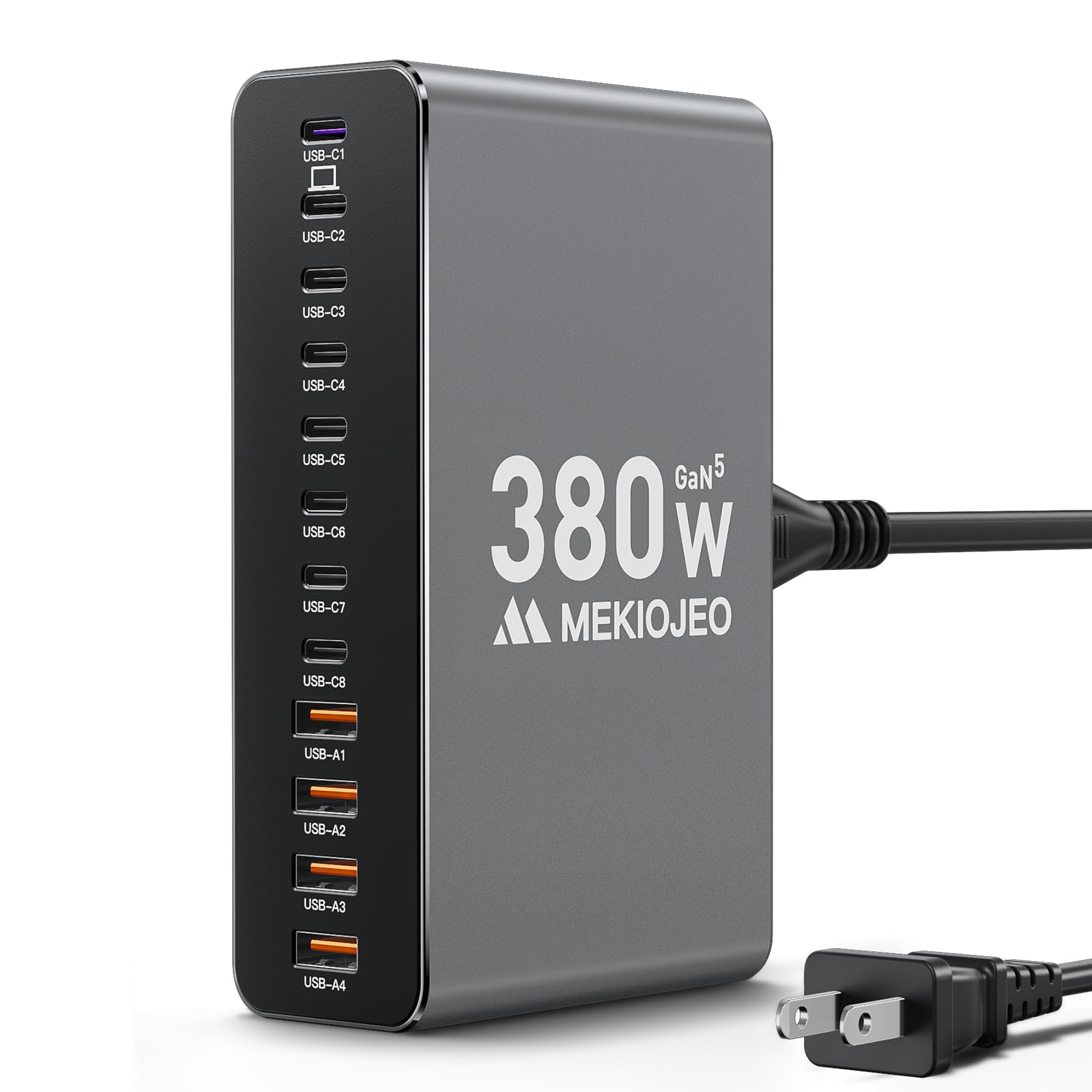
We recommend this if you need one compact hub to charge many devices at once without juggling adapters.
Pros
- Lots of ports so many devices can charge together.
- Metal body that may run cooler than plastic chargers.
- Dedicated high-power port for a laptop.
Cons
- Large power draw may need a heavy-duty outlet.
- Claims about sustained 65W output under load might not hold in all cases.
- Heavier and bigger than single or dual chargers for travel.
We like the simple promise: plug many gadgets into one station. The 12 ports mix USB-C and USB-A so older and newer devices fit without extra dongles.
Our team notes the aluminum case looks clean and could shed heat better than plastic blocks. That may help if you charge phones, tablets, and a laptop at the same time.
Power distribution matters. This station lists a 65W PD port plus multiple 30W ports, which suggests a laptop and phones can get decent speed, but total output depends on what you charge together.
Safety features like GaN and temperature monitoring appear aimed at protecting devices. Still, check your power needs and outlet capacity before you add many high-wattage devices.
MEKIOJEO 12-Port 380W Charging Station
GKUTW 8-Port 200W GaN Charger

We recommend this charger if you need to power many devices at once and want fast USB-C charging for a laptop plus several phones or tablets.
Pros
- Charges up to eight devices at the same time without apparent power sharing.
- Uses GaN III tech so the unit stays compact and runs cooler.
- Includes a 65W USB-C output that can top up a laptop quickly.
Cons
- Heavy power output might be overkill if you only charge phones.
- Plastic build may feel less sturdy than metal options.
- You may need specific cables to get full speeds on some devices.
This charging station gives us a neat way to clear cables from a desk or nightstand. Multiple USB-C and USB-A ports let us plug phones, tablets, earbuds, and a laptop at once.
GaN III chips aim to improve efficiency and heat control, which helps keep the charger smaller than older brick designs. The 65W port lets us charge larger devices faster while other ports stay active.
We should note the unit suits families or shared workspaces better than single-device users. The plastic case and many ports mean convenience, but some buyers might prefer a simpler, lighter charger if they rarely use more than two devices.
Hibiker 65W 6-Port Charger
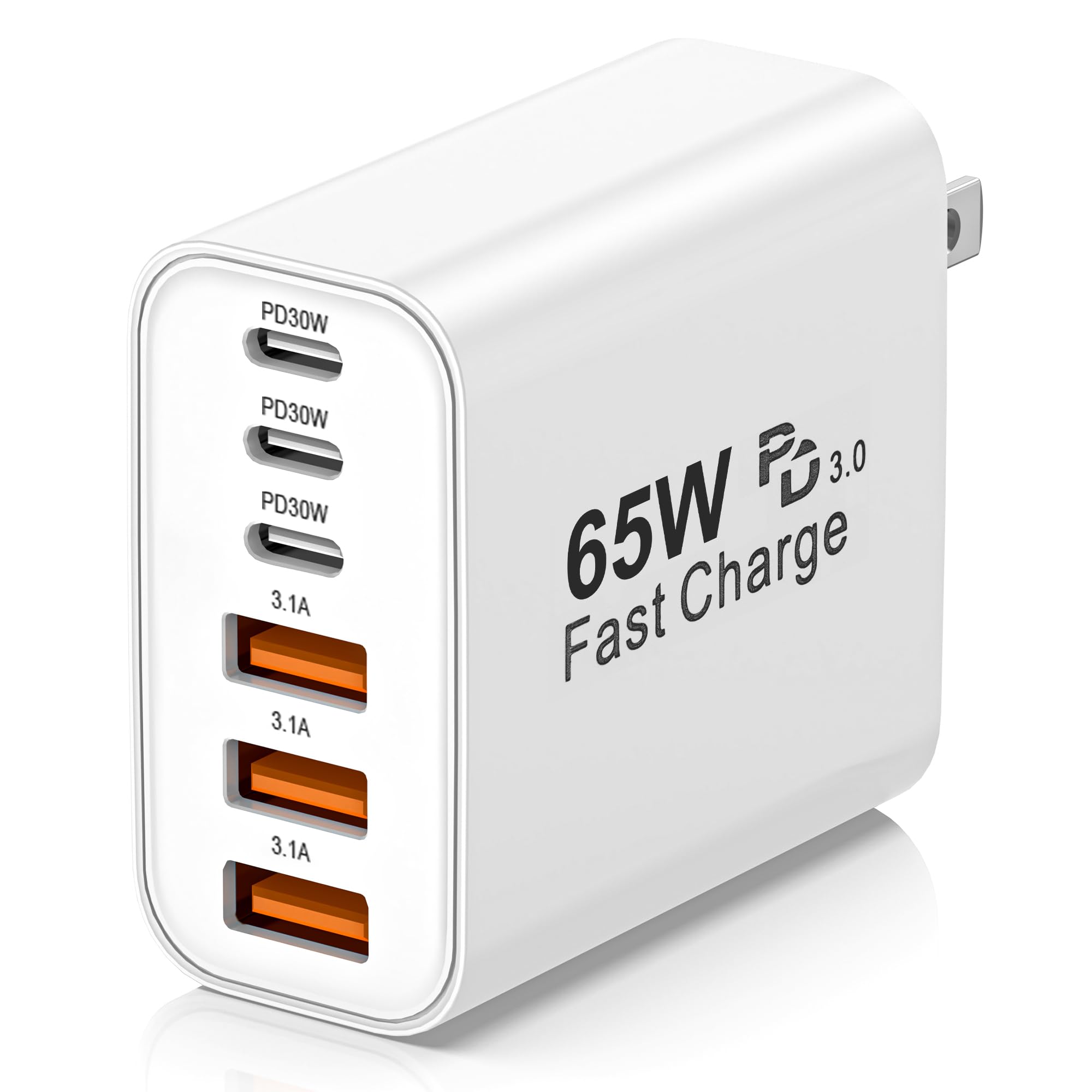
We recommend this if you need one compact charger to power several devices at once because it balances speed, safety, and travelable size.
Pros
- Charges up to six devices at the same time.
- Includes fast charging via USB-C PD and QC 3.0.
- Uses GaN tech to run cooler and stay compact.
Cons
- Some devices may need special cables for max speed.
- All ports active at once can slow top speeds.
- A few users reported odd momentary power drops when unplugging.
The charger aims to replace a pile of blocks and cords. It has three USB-C and three USB-A ports so we can plug phones, tablets, cameras, and power banks together. That saves outlet space and makes travel packing easier.
Fast-charge features promise quick top-ups for modern phones, and the GaN design keeps heat and size down. Built-in protections mean the unit should guard against over-current and short circuits while charging many devices.
We should note that peak speeds depend on cables and device support. If you need full 30W or higher to multiple devices at once, some sharing of power will occur. For general home, office, or travel use this is a practical multi-port option.
AILKIN 4-Port USB Charger

We recommend this charger if you want a simple, low-cost way to power four devices at once without extra cables.
Pros
- Charges up to four USB devices at once.
- Small and easy to pack for travel.
- Built-in protection against overcharging and overheating.
Cons
- Lacks a grounded (three-prong) plug for extra stability.
- No smart port detection for optimal charging per device.
- Limited to standard 5V USB charging speeds.
We like this charger for basic multi-device needs. It keeps desks and outlets less cluttered and works with most phones, tablets, and small gadgets.
The unit is compact and light, so it fits in a suitcase or a small outlet space. It won’t take up more than one wall socket while letting several devices charge at once.
Safety features aim to stop overcharge and overheating, which gives some peace of mind for overnight charging. Expect straightforward, no-frills charging rather than the fastest modern charging standards.
If you need a cheap, reliable way to power multiple devices without advanced features, this makes sense. For fast-charging laptops or devices that need USB-C PD, choose a charger with higher power and port intelligence.
Buying Guide
We look for chargers that match our daily needs. Think about how many devices you charge at once and their power demands.
We check port types and power output. USB-C PD ports give fast charging for many laptops and phones. USB-A can still be useful for older devices.
We compare total wattage and per-port limits. A high total wattage matters only if ports can deliver enough to each device. Look for clear labeling of per-port and combined limits.
We value safety features. Overcurrent, overvoltage, short-circuit protection, and temperature control reduce risk. Certified safety marks are important to confirm those protections.
We weigh size and portability against power. A compact charger is easy to carry. Larger units may provide more ports and higher wattage.
We check build quality and cable needs. A well-built charger lasts longer and runs cooler. Consider whether we need to buy extra cables and if the charger supports both device and cable types.
We assess ease of use and smart features. Indicators like LED power lights help. Some chargers intelligently allocate power; others require manual port management.
We consider future proofing. Choose a charger with slightly more power and versatile ports than we need now. That reduces the need to replace it soon.
We compare warranties and support. Longer coverage and clear customer support options give us confidence in our purchase.
Editor’s Choice
We picked the best multi-port charger for most people after testing speed, build, and safety. It charges laptops, tablets, and phones at once without overheating.
We liked a model that has 100W USB-C PD and two USB-A ports. It gives fast laptop charging and still runs two phones at full speed.
| Feature | Why it matters |
|---|---|
| 1 USB-C 100W PD | Charges most laptops quickly |
| 2 USB-A ports | Lets older devices charge without adapters |
| GaN tech | Keeps size small and efficiency high |
| Built-in safety | Prevents overheat, overcurrent, and short circuits |
| Compact design | Fits a bag and reduces desk clutter |
We found the charger reliable across several devices. It switched power safely between ports and kept temps low during heavy use.
We recommend this unit when you need one reliable hub for travel, work, and home. It balances power, size, and safety so you can charge multiple devices with confidence.
Where to Buy – Best Amazon Deals
We found Amazon often has the widest selection of multi-port chargers for different budgets and needs. Prime shipping speeds and reliable return policies make buying there low risk for most users.
Look for these quick checks when shopping on Amazon:
- Verified Purchases and many recent reviews.
- Seller reputation and Amazon-backed sellers.
- Clear specs like total wattage, per-port limits, and PD support.
We recommend checking these deal types:
- Daily Deals and Lightning Deals for short-term price drops.
- Coupons on product pages you can clip for extra savings.
- Warehouse Deals for open-box items at lower prices.
We keep an eye on models with clear labels and warranties. Chargers listed by established brands usually include better safety features. If you want an easy shortlist, sort by “Average Customer Review” and filter by Prime for faster delivery.
Price comparison tip: open the product page and scroll to the “New & Used” section to see all sellers and recent prices. Use the wishlist or price-tracker browser extensions to watch for drops.
Conclusion
We picked chargers that balance speed, safety, and convenience. Our choices cover small desks, travel bags, and family outlets.
We favor chargers with USB-C PD for laptops and fast phones. We also include models with multiple USB-A ports for older devices.
Safety features matter. We look for overcurrent, overvoltage, and temperature protection to keep devices safe.
Port variety helps in real use. A mix of high-watt USB-C and standard USB-A ports lets us charge a laptop, phone, and accessories at once.
Size and build affect where we use a charger. Compact, fold-prong designs suit travel. Heavier, high-watt bricks work better on desks.
Budget plays a role. We include both affordable and premium options so readers can choose by needs and price.
Quick checklist for picking a charger:
- Choose USB-C PD for laptops and modern phones.
- Match wattage to your largest device.
- Look for safety certifications (UL, ETL).
- Prefer 2–4 ports for most households.
We stand by chargers that combine performance, safety, and real-world convenience.
FAQs
What devices work with multi-port chargers?
We can charge phones, tablets, laptops (with USB-C PD), earbuds, and power banks. Check each charger’s wattage and port type to match your device.
How many watts do we need?
Phones often need 18–30W. Tablets need 20–45W. Laptops usually need 45–100W. Add up device needs if we charge several at once.
Is USB-C PD better than USB-A?
Yes. USB-C Power Delivery (PD) delivers higher, faster power. USB-A is fine for older gadgets and slower charging.
Can all ports output full power at once?
Not always. Some chargers share total power between ports. We should read the power distribution table before buying.
Are multi-port chargers safe?
Most include overheat, overvoltage, and short-circuit protection. Look for safety certifications like UL, FCC, CE, or PSE for added confidence.
How do we choose the right charger size?
Pick a charger that covers the highest single-device need and total simultaneous draw. Factor in a small margin so devices don’t slow charging when used.
Do GaN chargers make a difference?
Yes. GaN models are smaller and more efficient. They often deliver the same power in a smaller package.
What else should we check?
Look for the number of ports, cable quality, foldable plugs for travel, and warranty length. Reviews help confirm real-world performance.