10 Best Fingerprint Reader for Windows Hello Picks for GadgetMakersBlog
Affiliate disclosure: As an Amazon Associate, Gadget Makers Blog may earn from qualifying purchases. This does not change the price you pay.
Choosing the right fingerprint reader for Windows Hello can save time every day, but the details matter more than the headline. Some readers are better for desktop setups, others fit travel-friendly laptops, and a few add extra features like USB-C pass-through or support for passwordless sign-in standards beyond Windows Hello.
This guide compares 10 current options for shoppers who want a practical biometric login accessory for a Windows PC. You’ll see which models look best for office desks, shared home computers, portable setups, and users who want broader authentication support, while keeping compatibility and setup notes front and center.
If you want the most balanced option, the Kensington VeriMark Desktop USB Fingerprint Reader for Windows Hello, FIDO U2F, FIDO2 is the strongest all-around pick here for desktop users who want broad authentication support and Windows Hello compatibility. If you want a lower-cost value option, the TEC TE-FPA2 Mini USB Fingerprint Reader is the clearest budget-friendly choice.
Quick Product Comparison
| Product | Image | Best For | Check Price |
|---|---|---|---|
| 1. Kensington VeriMark Desktop 1.0 | 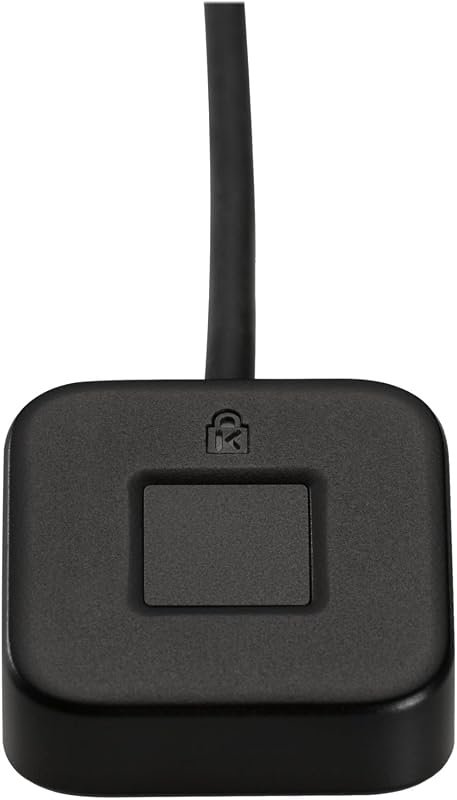 | Desktop users wanting Windows Hello plus FIDO support | Check Price |
| 2. Kensington VeriMark Desktop 2.0 | 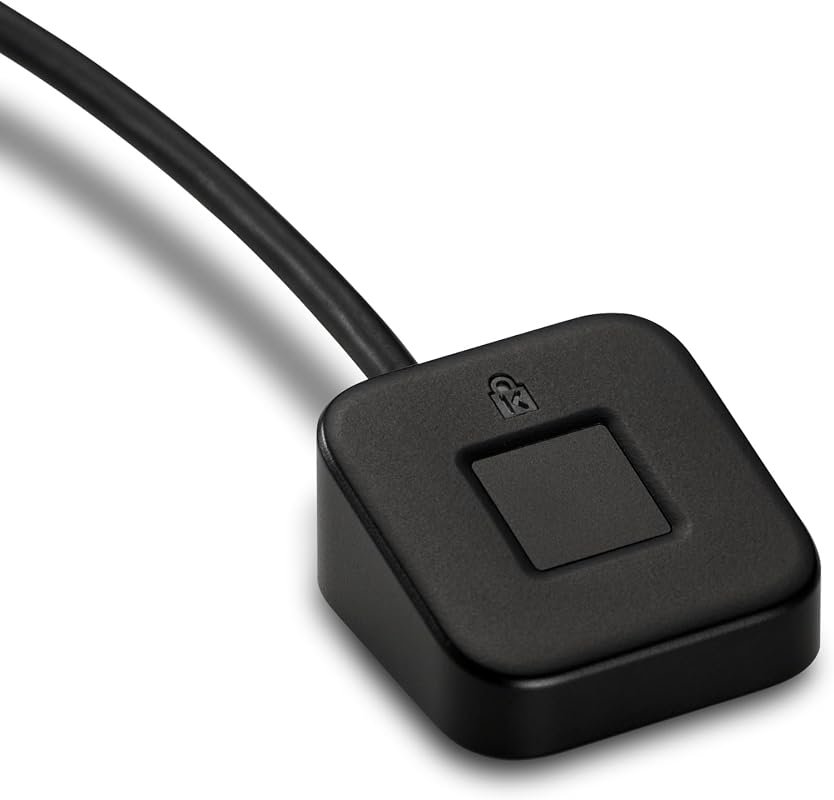 | Users wanting USB-C/A flexibility and ESS support | Check Price |
| 3. TEC TE-FPA2 Mini Fingerprint Reader | 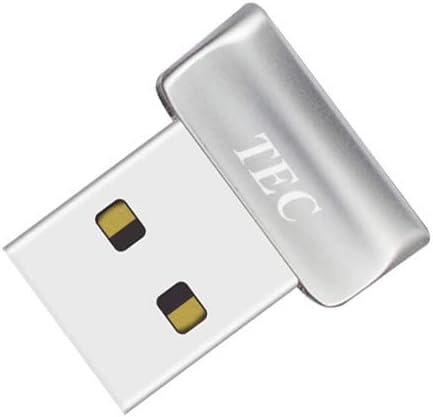 | Budget shoppers who want simple Windows Hello login | Check Price |
| 4. USB Fingerprint Reader | 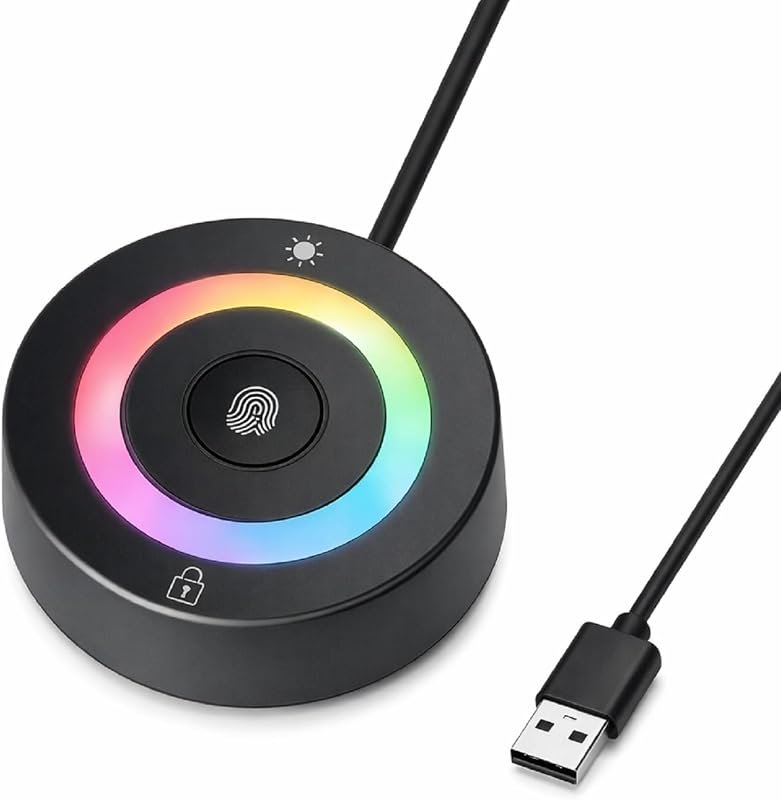 | Family PCs and shared workstations | Check Price |
| 5. ineo USB Fingerprint Reader | 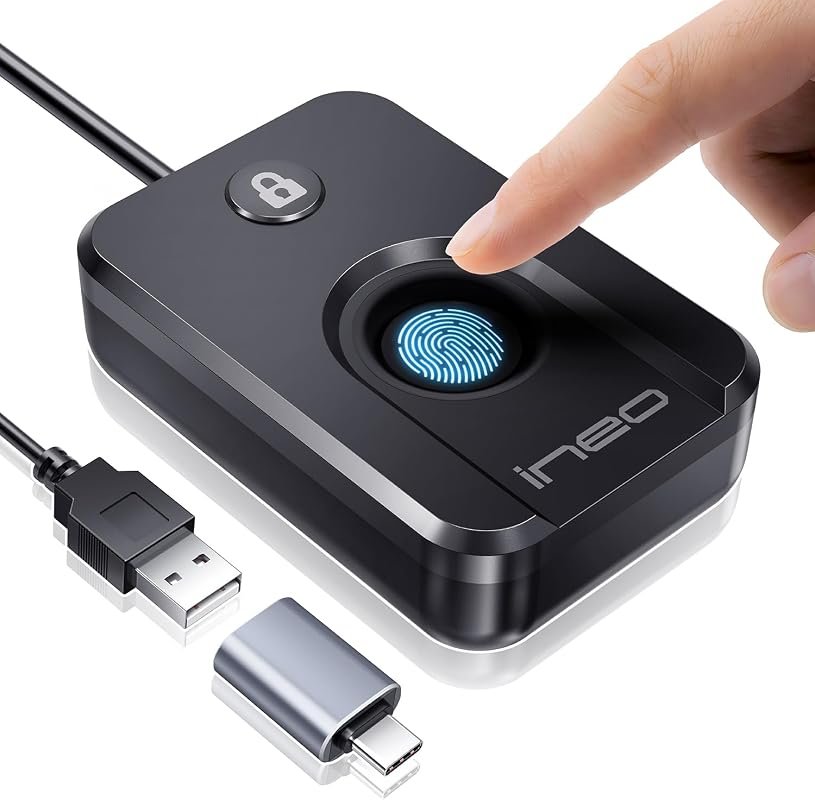 | Desk users wanting a compact plug-and-play option | Check Price |
| 6. Yoidesu USB Fingerprint Reader | 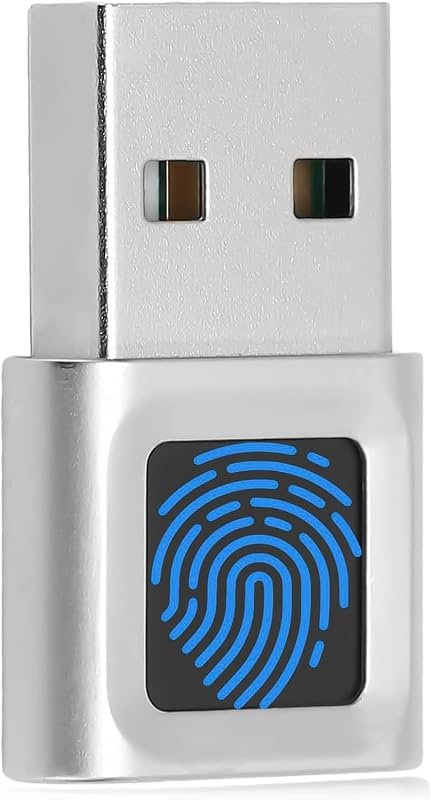 | Windows laptop and desktop users wanting quick 360° recognition | Check Price |
| 7. Kensington VeriMark Gen2 | 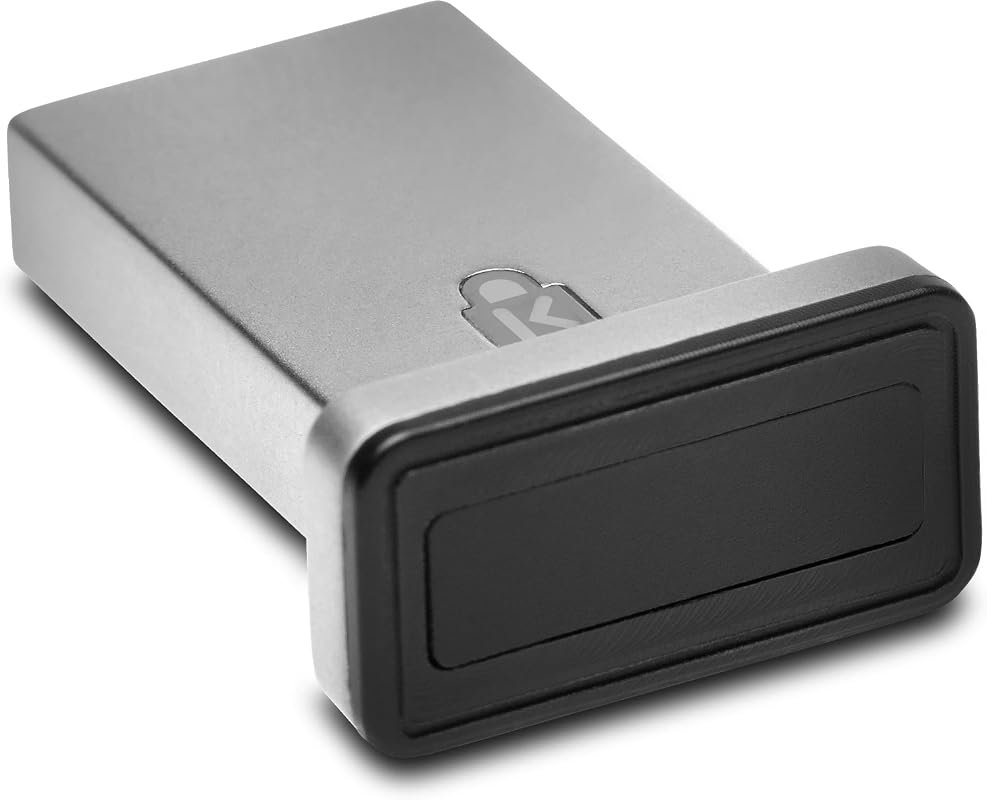 | Power users who want passkey and password manager support | Check Price |
| 8. Portable USB Fingerprint Reader | 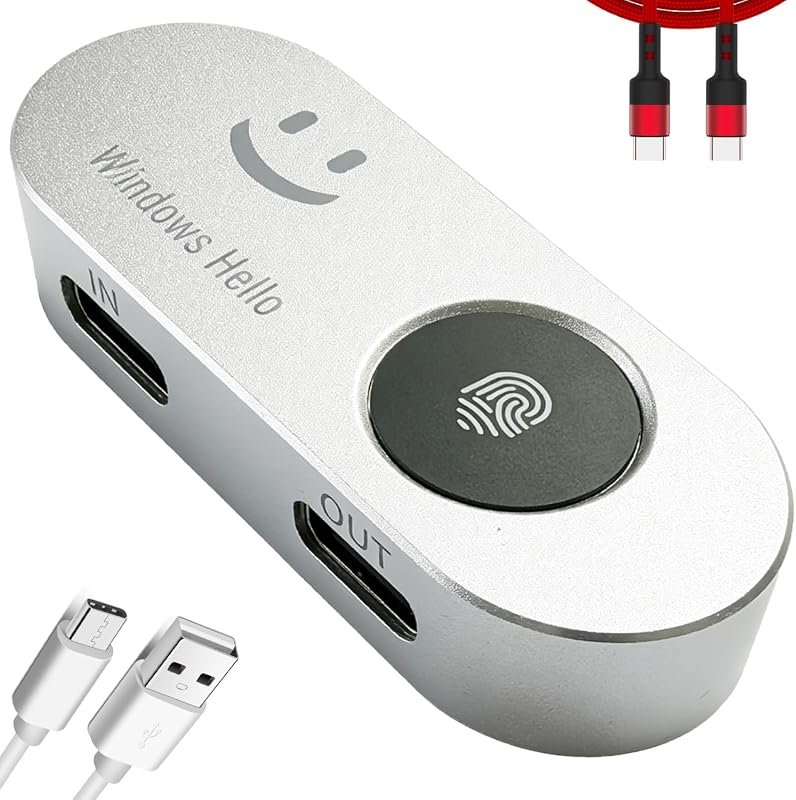 | Travelers who want USB-C pass-through convenience | Check Price |
| 9. USB Fingerprint Reader | 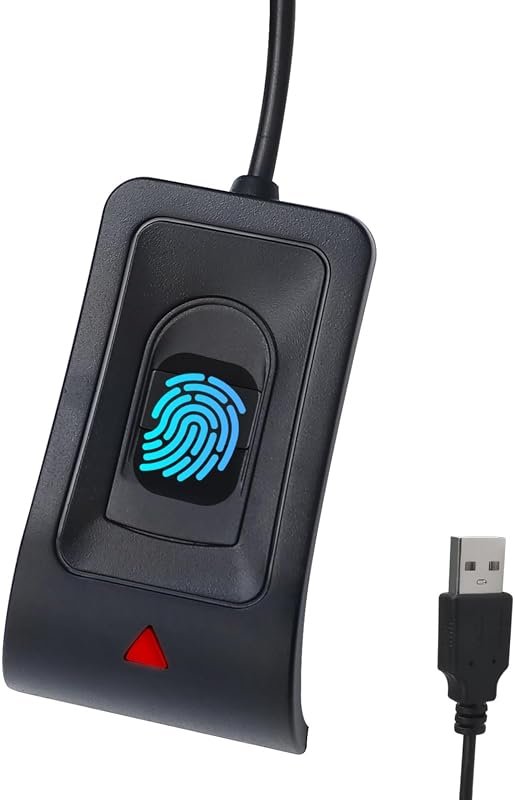 | Shared PCs needing fast multi-fingerprint access | Check Price |
| 10. ARCANITE AKFSD-07 Fingerprint Reader | 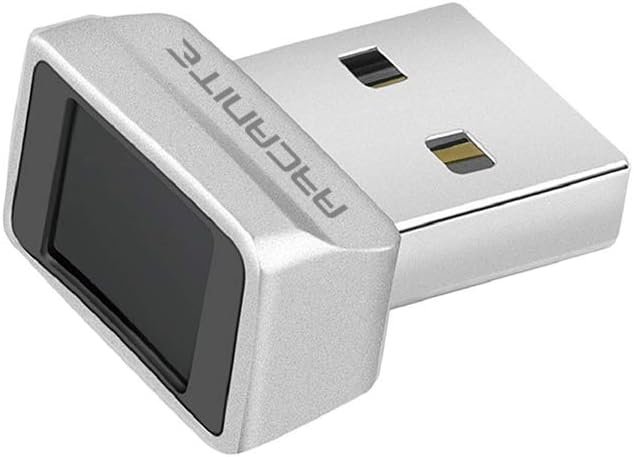 | Buyers who want a fast, widely reviewed Windows Hello option | Check Price |
What to Look for in Best Fingerprint Reader for Windows Hello
Windows version and device compatibility
Start with the basics: many of these readers are built for Windows 10 and Windows 11, and several are not compatible with macOS, Linux, or Chrome OS. If you use a custom Windows build, Windows ARM hardware, or a laptop with unusual ports, check the current listing and manual before buying.
USB-A, USB-C, and desktop placement
Port type matters more than many shoppers expect. Some readers use USB-A, some support both USB-C and USB-A, and one model here adds USB-C pass-through functionality for modern laptops with limited ports. Desktop users may prefer a longer cable, while travelers may want a compact body or adhesive mounting.
Security features and biometric handling
Look for details such as on-device fingerprint storage, anti-spoofing claims, and support for Windows Hello or FIDO standards. If privacy is a priority, verify whether the reader stores biometric data locally on the device and whether the listing mentions the specific security framework you need.
Speed and recognition behavior
Some readers emphasize 360-degree recognition, fast unlock times, or support for multiple fingerprint enrollments. For daily sign-in, smoother recognition can matter more than extra features, especially on shared computers where several people need access.
Shared use and multi-account support
If the reader will be used by family members, roommates, or coworkers, check how many fingerprints it can store and whether the product supports more than one Windows account. That can make a simple desktop accessory much easier to live with.
Extra features beyond login
A few models add one-touch lock shortcuts, support for password managers, or compatibility with passkeys and FIDO workflows. These extras are useful for productivity-focused buyers, but only if they fit your actual workflow.
- Before ordering, match the reader to your PC’s port type, your Windows version, and whether you need simple Windows Hello login or broader passkey support.
Our Top 10 Best Fingerprint Reader For Windows Hello Picks and Reviews
1. Kensington VeriMark Desktop USB Fingerprint Reader for Windows Hello, FIDO U2F, FIDO2
This desktop-focused reader stands out for shoppers who want Windows Hello plus broader authentication support. It is also positioned for Microsoft services and desktop placement, with a long USB cable that should help with flexible setup.
Key Features That Stand Out
- FIDO U2F and FIDO2 WebAuthn support for passwordless, dual, and multi-factor authentication.
- Windows Hello certified, including Windows Hello for Business compatibility.
- Match-in-Sensor fingerprint technology with anti-spoofing support and 360° readability.
- 3.9 ft. USB cable for flexible desktop placement.
- Supports privacy-focused use cases aligned with GDPR, BIPA, and CCPA mentions in the listing.
Why It Stands Out
This is the most versatile option in the roundup for desktop users who want more than basic login. The combination of Windows Hello and FIDO support makes it a strong fit for people who also care about web authentication and passwordless workflows.
Best For
Pros and Cons
- Broad support for Windows Hello, FIDO U2F, and FIDO2.
- Long cable helps with desk placement.
- Security-focused feature set with anti-spoofing claims.
- Higher price than many basic readers.
- Windows ARM-based computers are not supported according to the listing.
2. Kensington VeriMark Desktop 2.0 USB-C/A Fingerprint Reader for Windows Hello, FIDO2, ESS
Desktop buyers who want newer Microsoft security support may prefer this version. It adds USB-C and USB-A compatibility, on-device biometric storage, and support for Windows Hello features tied to ESS and SDCP in the listing.
Key Features That Stand Out
- Certified to Microsoft’s highest fingerprint security standards, including ESS and SDCP.
- Windows Hello ready for password-free login to Windows and Microsoft 365 accounts.
- On-device fingerprint storage keeps biometric data within the key.
- USB-C and USB-A compatibility for desktop PCs.
- 360° fingerprint recognition for consistent use.
Why It Stands Out
This model is a good fit if you want a more current desktop reader with flexible port compatibility. The security-first design and on-device biometric handling make it appealing for users who care about privacy and Microsoft ecosystem integration.
Best For
Pros and Cons
- USB-C and USB-A support expands setup options.
- On-device biometric storage is a useful privacy feature.
- Designed for newer Microsoft security standards.
- Pricier than basic plug-and-play options.
- Review volume is still limited compared with older models.
3. TEC TE-FPA2 Mini USB Fingerprint Reader for Windows 11/10 Hello, Password-Free Security
This is the strongest budget-oriented option in the list for straightforward Windows Hello use. It keeps the feature set focused on login, fingerprint recognition, and folder encryption without pushing into more specialized territory.
Key Features That Stand Out
- Supports Windows Hello authentication for Windows 10 and Windows 11 use.
- Fast fingerprint authentication for everyday sign-in.
- Documents and folder encryption support.
- 360° fingerprint recognition and multi-fingerprint registration.
- 24/7 customer support mentioned in the listing.
Why It Stands Out
For shoppers who mainly want a simple Windows Hello reader at a lower price, this model delivers the essentials. It is a practical fit for students, home office users, and anyone who wants biometric login without paying for extra enterprise features.
Best For
Pros and Cons
- Lower price than many branded alternatives.
- Focused on Windows Hello and simple daily use.
- Folder encryption adds a useful productivity angle.
- Feature set is more limited than premium models.
- Listing language suggests driver-installation guidance may be needed for some setups.
4. Generic USB Fingerprint Reader for Windows Hello
This model leans into shared-use convenience. It includes support for storing multiple fingerprints, a power button function, and one-click lock features that can make a family or shared workstation easier to manage.
Key Features That Stand Out
- Compatible with Windows 10 and 11, both 32-bit and 64-bit.
- Plug-and-play operation on genuine Windows systems.
- Stores up to 10 fingerprints for family or shared workstations.
- 2-in-1 reader and PC power button with Y-split cable.
- One-click lock and 1.5m extension cable included.
Why It Stands Out
The extra power-button and lock functions make this one more than a basic login accessory. It is a good match for a desktop where several people need access and you want a simple, no-drama setup.
Best For
Pros and Cons
- Multiple fingerprint storage is useful for shared use.
- Power button and lock shortcuts add convenience.
- Extension cable helps with placement.
- Not compatible with Mac or Linux according to the listing.
- Generic branding may mean buyers should double-check support details before ordering.
5. ineo USB Fingerprint Reader for Windows 10/11 Hello, One-Touch Login, Plug & Play
The ineo reader is a straightforward desk accessory for people who want easy biometric login without extra setup complexity. Its compact body and simple USB connection make it appealing for everyday office use.
Key Features That Stand Out
- Advanced biometric authentication for Windows computer security.
- One-touch computer lock using the Win + L shortcut.
- High-precision optical sensor for fast and accurate scanning.
- Plug-and-play convenience over USB.
- Compact design with a small footprint.
Why It Stands Out
This model is a solid middle-ground choice for users who want a compact reader that does the basics well. It does not try to be flashy; instead, it focuses on quick login and desktop-friendly simplicity.
Best For
Pros and Cons
- Compact shape helps reduce desk clutter.
- Simple plug-and-play setup is appealing for basic users.
- One-touch lock is convenient when stepping away.
- It does not emphasize advanced security standards in the supplied details.
- Compatibility with non-Windows systems is not listed.
6. Yoidesu USB Fingerprint Reader for Windows Hello, Plug & Play Security Key
This reader is aimed at Windows users who want quick sign-in on both laptops and desktops. The listing highlights 0.5-second recognition, multi-user support, and a compact body that should suit mixed home and office setups.
Key Features That Stand Out
- Works with Windows Hello on Windows 10 and 11 only.
- Plug-and-play fingerprint login on many genuine Windows systems.
- Fast 0.5-second 360° recognition with capacitive fingerprint technology.
- Compact scanner for PC and laptop use.
- Supports multiple Windows accounts and up to 10 fingerprints per user account.
Why It Stands Out
It combines quick recognition with a small form factor, which makes it a sensible option for users who move between a desktop and a laptop. The multi-user support also gives it a practical edge for shared environments.
Best For
Pros and Cons
- Fast recognition is useful for daily sign-in.
- Compact design fits portable and desk use.
- Multi-user support adds flexibility.
- Only supports Windows 10 and 11.
- Non-Windows compatibility is explicitly excluded.
7. Kensington VeriMark Gen2 USB-A Fingerprint Key Reader for Windows Hello, Anti-Spoofing
This reader is a strong fit for buyers who want a more security-focused accessory with passkey and password manager support mentioned in the listing. It is also positioned for Windows Hello for Business and multi-fingerprint use.
Key Features That Stand Out
- Match-in-Sensor fingerprint technology with anti-spoofing support.
- Windows Hello and Windows Hello for Business compatibility.
- Supports passkey access with Tap and Go CTAP2 protocol.
- Compatible with popular password managers through CTAP2 support.
- Can store up to 10 fingerprints.
Why It Stands Out
Compared with simpler readers, this one is better suited to users who want their fingerprint accessory to do more across login and web authentication. The security language and broader compatibility with password managers make it appealing for more advanced workflows.
Best For
Pros and Cons
- Broad authentication support beyond basic Windows login.
- Anti-spoofing and sensor-isolated fingerprint handling are useful security features.
- Works with several password managers according to the listing.
- Not compatible with macOS or ChromeOS.
- More expensive than entry-level readers.
8. Portable USB-C Fingerprint Reader for Windows 10/11, Windows Hello, Fast Login
This is the most travel-friendly pick in the roundup thanks to its USB-C focus, adhesive mounting, and pass-through port design. It is aimed at modern laptops where port availability is limited and portability matters.
Key Features That Stand Out
- Built-in USB-C pass-through charging and data port.
- Durable aluminum alloy casing.
- 3M adhesive backing for mounting to a laptop lid or desk.
- Windows Hello support with password-less login in under one second.
- 360-degree capacitive touch and data pass-through support.
Why It Stands Out
For mobile workers, the combination of USB-C compatibility and pass-through connectivity is the main attraction. It is designed to reduce port tradeoffs, which can matter on modern thin-and-light laptops.
Best For
Pros and Cons
- USB-C pass-through can help preserve a valuable port.
- Adhesive mount supports flexible placement.
- Compact design suits travel and hot-desking.
- Very limited review volume compared with older competitors.
- Buyers should confirm how the pass-through behaves with their laptop and accessories.
9. USB Fingerprint Reader for Windows Hello, Password-Free Login
This model is built for straightforward Windows Hello use with a focus on speed, multi-fingerprint storage, and a durable cable. It suits buyers who want a practical desktop accessory without extra complexity.
Key Features That Stand Out
- Microsoft-certified biometric authentication for Windows 10 and 11.
- Supports the Windows Biometric Framework and Windows Hello.
- Stores up to 10 fingerprints.
- Authentication in under 0.5 seconds.
- Includes a 5FT braided USB extension cable and aluminum-alloy sensor housing.
Why It Stands Out
The mix of quick login, multi-user support, and a braided extension cable makes this a sensible choice for office desks and shared home systems. It is especially appealing if you want a reader that feels built for frequent daily use.
Best For
Pros and Cons
- Fast unlock timing is useful for repeated sign-ins.
- Extension cable adds placement flexibility.
- Multi-fingerprint support works well for shared systems.
- Compatibility details for non-Windows systems are not supplied.
- Review count is solid, but the product is still more niche than some branded alternatives.
10. ARCANITE USB Fingerprint Reader for Windows 10 Hello, 360-Degree Sensor, Fast Unlock
The ARCANITE reader is one of the most established options in the roundup by review count. It focuses on fast unlock, 360-degree detection, and simple plug-and-play setup for Windows Hello users.
Key Features That Stand Out
- Designed for Windows 11 and 10 with Hello features.
- 360-degree fingerprint detection.
- Lightning-fast authentication in 0.05 seconds.
- Stores up to 10 fingerprints in parallel.
- Plug-and-play setup through Windows Hello.
Why It Stands Out
This is a straightforward pick for shoppers who want a widely used Windows Hello reader with strong review volume. The combination of fast authentication and broad fingerprint angle support makes it easy to recommend for everyday sign-in.
Best For
Pros and Cons
- Very high review count compared with many alternatives.
- Fast unlock timing is a highlight.
- Simple setup should appeal to basic users.
- Limited to Windows systems listed by the manufacturer.
- Does not add the broader FIDO or passkey features seen on some competitors.
Before buying, confirm your PC’s port type, Windows version, and whether the reader supports your specific device class. Several options here are Windows-only, and a few listings note limitations with ARM-based computers, macOS, Linux, or Chrome OS.
Complete Roundup for Best Fingerprint Reader For Windows Hello
Budget readers suit basic Windows Hello sign-in and shared home PCs when you want simple fingerprint login without extra authentication features.
Mid-range models balance faster recognition, better cable options, and multi-fingerprint support for everyday office or laptop use.
Premium readers add FIDO, passkey, or Microsoft security features for buyers who want broader authentication support and more careful biometric handling.
- Match the reader to your Windows version and port type before ordering.
- Use multi-fingerprint storage if the reader will serve more than one person.
- Check whether you need only Windows Hello or also FIDO/passkey support.
- Don’t assume a Windows Hello reader will work on macOS, Linux, or Chrome OS.
- Don’t skip the manual if the listing mentions driver steps for custom Windows builds.
- Don’t ignore cable length or mounting style if you plan to use it on a crowded desk.
- For desktops, favor a longer cable or extension cable; for travel, favor USB-C, compact size, and mountability.
- If you share a PC, verify how many fingerprints the reader can store and whether it supports multiple Windows accounts.
- If privacy matters, look for on-device fingerprint storage or sensor-isolated matching in the listing.
Confirm that your Windows installation is supported, especially if you use Windows ARM hardware, a custom build, or a non-Windows operating system. Also verify the reader’s connector type, since some models are USB-A only while others support USB-C or dual USB-C/A use.
- Kensington VeriMark Desktop 1.0: best overall if you want Windows Hello plus FIDO support on a desk setup.
- Kensington VeriMark Desktop 2.0: best alternative for USB-C/A flexibility and newer Microsoft security features.
- TEC TE-FPA2 Mini: best value for a low-cost Windows Hello reader with basic encryption-related features.
- Generic USB Fingerprint Reader: good for shared PCs, with 10-fingerprint storage and a power-button function.
- ineo USB Fingerprint Reader: a compact choice for everyday home office login and quick locking.
- Yoidesu USB Fingerprint Reader: a small Windows-only reader with fast 0.5-second recognition.
- Kensington VeriMark Gen2: best for passkeys, password managers, and security-minded workflows.
- Portable USB Fingerprint Reader: best for travelers who want USB-C pass-through convenience.
- USB Fingerprint Reader for Windows Hello: a practical shared-workstation option with braided cable support.
- ARCANITE AKFSD-07: a widely reviewed, fast Windows Hello reader for straightforward use.
- General reminder: verify OS, port type, and any driver notes before you buy.
- General reminder: choose the simplest model that matches your actual login and security needs.
Frequently Asked Questions About Best Fingerprint Reader For Windows Hello
Many of the readers in this guide are built for Windows 10 and 11, but not all of them support the same Windows features. Always confirm the exact listing, because some models also mention restrictions such as ARM-based PCs or custom Windows builds.
Choose the connector that matches your computer and desk setup. USB-C is usually easier for newer laptops, while USB-A can still be the simpler choice for older desktops and accessories.
It can be, if you want the reader to do more than Windows sign-in. FIDO and passkey support may be useful for passwordless workflows and compatible web services, but basic users may not need it.
Several of the listed readers support up to 10 fingerprints, which is handy for shared computers or multiple fingers per person. If that matters to you, verify the exact fingerprint limit on the current listing before buying.
Many are described as plug-and-play on genuine Windows systems, so setup is often straightforward. Still, some listings mention driver guidance for custom builds, so it is smart to read the included instructions first.
First check Windows compatibility, the USB port type, and whether the fingerprint was enrolled correctly in Windows Hello. If the listing mentions special setup steps, follow the manual or the manufacturer’s support guidance.
If you want the broadest mix of security features and desktop flexibility, the Kensington VeriMark Desktop 1.0 is the safest all-around recommendation. It makes the most sense for shoppers who want Windows Hello today and broader authentication support for the future.
If you mainly want a lower-cost way to add fingerprint sign-in to a Windows PC, the TEC TE-FPA2 Mini and the ARCANITE reader are both sensible places to start. From there, choose the model that best matches your port type, workspace, and whether you need simple login or more advanced passkey support.
This roundup is based on the supplied product titles, feature bullets, ratings, review counts, and price text only. Because no verified first-hand testing evidence is available, the recommendations use evidence-based editorial language and focus on compatibility, stated features, value, and likely use cases. When a technical detail was not provided, shoppers should verify it on the current Amazon listing, manufacturer page, app listing, or product manual.