What Will the iPhone 18 Charger Look Like in 2026
The iPhone 18 charger will most likely be a familiar USB-C setup, with Apple possibly shipping only a cable or no wall adapter in the box. Your best bet is to wait for the official specs if you want the exact wattage, but a reputable USB-C Power Delivery charger should remain the safest all-around choice.
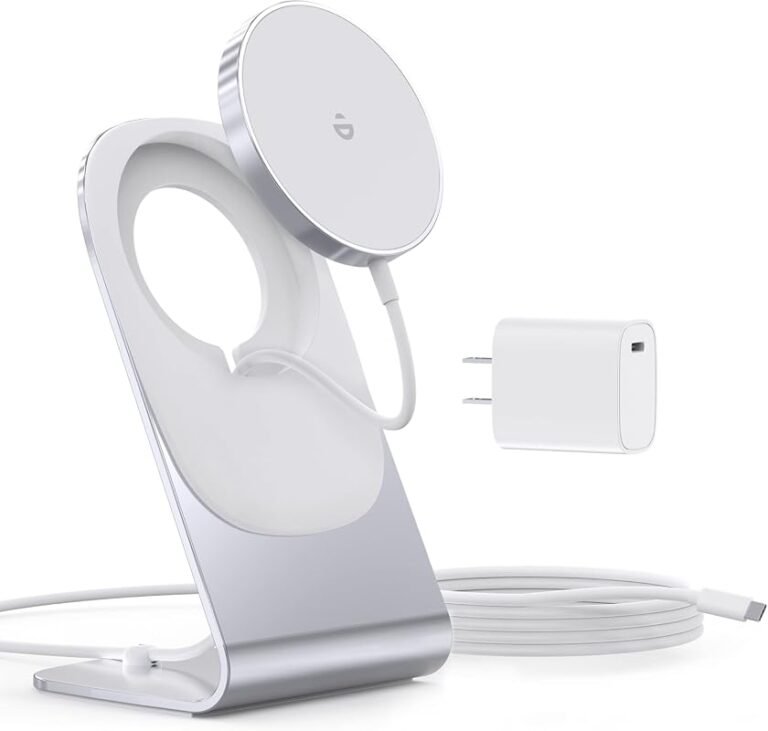
If you’re wondering what will the iPhone 18 charger look like, the most likely answer is a familiar USB-C setup: a compact wall adapter paired with a USB-C cable, with Apple possibly continuing to keep the charging brick separate from the phone box. Exact details are not official yet, so the safest way to think about iPhone 18 charging is as a refined version of today’s USB-C ecosystem rather than a dramatic redesign.
- Most likely design: A compact USB-C charger and USB-C cable, not a radical new plug.
- What matters most: Verified wattage, cable quality, and USB Power Delivery support.
- Box contents may vary: Apple could include only a cable or no charger brick at all.
- Safety first: Replace frayed, hot, or unreliable chargers instead of pushing them longer.
- Best buying move: Confirm the official iPhone 18 charging specs before upgrading accessories.
What Will the iPhone 18 Charger Look Like in 2026? The Short Answer
The iPhone 18 charger will most likely look like a small USB-C power adapter, or possibly no charger at all in the box depending on Apple’s packaging strategy. The cable is expected to remain USB-C, which means many current USB-C accessories should still work if they meet the right power and safety standards.
That said, Apple can change box contents, wattage recommendations, and accessory support by region or model. Before buying anything for the iPhone 18, it will still be important to confirm the final specs on Apple’s official product page and compatibility notes.
iPhone 18 Charging in 2026: What Apple Is Most Likely to Ship

Apple has already moved the iPhone family toward USB-C, so the iPhone 18 is expected to stay within that standard unless there is a major industry shift. For most buyers, the bigger question will not be the connector shape itself, but which charger wattage and cable quality Apple chooses to support best.
Expected connector type and cable compatibility
The safest expectation is USB-C on both ends of the cable, or at least a USB-C cable paired with a USB-C wall adapter. That means the charger should work with many existing USB-C power bricks, laptop chargers, and power banks, as long as they support USB Power Delivery and provide the right output profile.
Compatibility can vary by cable certification, adapter wattage, regional packaging, and whether Apple changes included accessories for different markets.
Likely wattage, charging speed, and power delivery behavior
Apple typically tunes charging so the phone can draw power quickly at lower battery levels and then slow down as the battery fills. That behavior helps manage heat and battery health, but it also means charging is not a flat, constant-speed process from 0% to 100%.
For the iPhone 18, the most realistic expectation is fast charging through USB Power Delivery rather than a proprietary new plug. If Apple raises the phone’s peak charging support, you may see better top-up times with a higher-wattage adapter, but the phone will still decide how much power to accept based on temperature, battery state, and system limits.
What may change in the box: cable-only vs. full charger
Apple has increasingly favored slimmer packaging, so the iPhone 18 may ship with a cable only, or with no charger brick at all. If that happens, buyers who do not already own a suitable USB-C adapter will need to purchase one separately.
If you already have a good USB-C Power Delivery charger, check its output label before buying another one. In many cases, a current charger may already be enough for normal iPhone charging.
How the iPhone 18 Charger Should Work: Power, Heat, and Safety
Fast charging is useful, but it only works well when the adapter, cable, and phone all cooperate within safe limits. The charger’s job is not just to move power quickly; it is also to keep heat, voltage, and current within a range the battery system can manage.
How fast charging typically manages heat and battery health
Phones usually charge fastest when the battery is low and the device is cool. As the battery rises in percentage, charging speed slows down to reduce heat and stress on the battery cells.
This is normal and not a sign that the charger is failing. In fact, a charger that constantly pushes maximum power without proper control would be less desirable than one that lets the phone regulate the charge curve intelligently.
Rated wattage, cable quality, and why certification matters
The charger’s rated wattage matters, but only when the cable can safely carry that power and the adapter supports the right USB-C standard. A cheap or unverified cable can become the weak link, causing slower charging, unstable connections, or excess heat.
Stop using damaged electronics, swollen batteries, frayed cables, overheating chargers, or unstable accessories and follow the manufacturer’s guidance.
Look for recognized safety marks and manufacturer documentation rather than relying on marketing language alone. If a charger claims unusually high speed without clear USB-C Power Delivery details, that is a reason to verify the specs before using it with an expensive phone.
Safe-use limits: what to avoid with high-wattage adapters
Using a higher-wattage charger than the phone needs is usually fine if the adapter is legitimate and standards-compliant, because the phone draws only what it can accept. The bigger risk comes from poor-quality accessories, blocked ventilation, damaged cords, and charging on heat-trapping surfaces like beds or couches.
Do not use a charger that becomes unusually hot, smells burnt, sparks, or cuts in and out. Unplug it, stop using it, and replace it with a verified model if the issue continues.
Who the iPhone 18 Charger Will Fit Best
The iPhone 18 charging setup should suit most people who already live in a USB-C household. It will be especially convenient for users who want one cable ecosystem across phones, tablets, earbuds, laptops, and travel gear.
Best for iPhone 18 buyers, upgraders, and accessory shoppers
If you are buying an iPhone 18 as a main phone upgrade, a new USB-C charger may be worth it only if your current adapter is old, underpowered, or missing a second port. If you are replacing an older iPhone with Lightning accessories, the new setup may simplify your desk and nightstand over time.
People who want a clean USB-C charging setup and already own other USB-C devices, with the caveat that they should still verify charger quality and output.
Compatibility with older iPhones, AirPods, and USB-C devices
USB-C accessories can often charge older compatible devices too, but the exact fit depends on the device port and cable type. AirPods cases, iPads, headphones, power banks, and many accessories already use USB-C, so one charger may cover several devices in your bag or on your desk.
| Option | Best For | Key Consideration |
|---|---|---|
| USB-C wall charger | Daily home use | Check wattage and safety certification |
| Multi-port USB-C charger | Travel and desks | Power may be shared across ports |
| Existing USB-C laptop charger | Convenience | Usually fine if it is standards-compliant |
When a current charger may already be enough
If you already own a reputable USB-C Power Delivery adapter, there is a good chance it will be sufficient for everyday iPhone 18 charging. You may only need to upgrade if your current charger is too slow, has worn ports, lacks enough outputs, or does not support the power profile you want.
Key Specs and Buying Criteria to Check Before You Upgrade
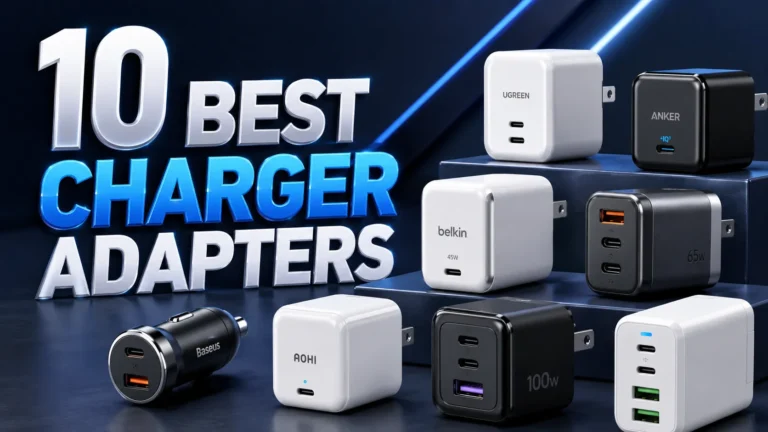
The most useful way to shop for an iPhone 18 charger is to focus on practical specs instead of brand hype. Wattage, cable quality, portability, and safety documentation matter more than flashy claims about “super fast” charging.
Wattage range to look for in 2026
Because exact iPhone 18 charging requirements are not official yet, buyers should verify Apple’s recommendation once it is published. In general, a good USB-C charger for a phone is one that supports USB Power Delivery and has enough output to charge the phone comfortably without running at its limit all the time.
USB-C cable quality, length, and durability
Cable quality affects convenience and safety more than many buyers realize. A longer cable can be useful for bedside charging or using the phone while it charges, but longer cables can also be less tidy and may wear faster if they are constantly bent or pulled.
- Choose a cable length that fits your charging spot without creating slack that gets tangled.
- Look for reinforced strain relief near the connector ends.
- Replace a cable if the outer jacket splits, the connector feels loose, or charging becomes intermittent.
Portability, travel use, and multi-device convenience
If you travel often, a compact single-port charger may be easier to pack, while a multi-port charger can reduce the number of bricks you carry. The trade-off is that multi-port models may split power across devices, so the phone may not always receive the maximum available output when other gadgets are plugged in.
Warranty, safety marks, and replacement guidance
Before buying, check the warranty terms, return policy, and any region-specific safety certifications. If a charger is physically damaged, runs excessively hot, or stops negotiating power correctly, replacement is the safer option than trying to keep using it.
- Check compatibility, model number, app requirements, dimensions, ports, wattage, and intended use
- Confirm safety guidance, warranty, return policy, privacy settings, and update support
Real-World Benefits and Trade-Offs of the iPhone 18 Charging Setup
The iPhone 18 charging experience should be appealing because it is likely to fit into the broader USB-C world more cleanly than older iPhone generations. Still, every charging setup has trade-offs, especially when speed, heat, and accessory cost are involved.
Faster top-ups, better convenience, and cleaner desk setup
The biggest benefit of a modern USB-C iPhone charger is convenience. One cable standard can serve your phone, earbuds, tablet, and sometimes even a laptop accessory, which can reduce clutter and make packing simpler.
For many users, the practical win is not just speed but consistency. A dependable charger and cable can make daily top-ups easier, whether you charge at a desk, in a car, beside a bed, or from a travel kit.
Limitations: heat, accessory cost, and charging speed ceilings
Fast charging is always limited by battery temperature and the phone’s internal charging logic. That means you may not see the same speed every time, especially if the phone is warm, the room is hot, or you are using the device while charging.
There is also a cost factor. If you need to buy a new adapter, cable, or travel charger, the total setup cost can be higher than expected, especially if you want a multi-port or premium-certified option.
Common mistakes users make with fast charging
One common mistake is assuming any USB-C cable is equally good. Another is charging from a weak or aging adapter and expecting modern performance.
Other mistakes include coiling cables tightly, charging on soft surfaces that trap heat, and ignoring early warning signs like flickering connections or warm plugs. Those habits can shorten accessory life and reduce charging reliability.
How to Use, Inspect, and Care for an iPhone 18 Charger
Good charger care is simple: keep it clean, keep it cool, and replace it when it shows damage. That approach helps preserve charging performance and lowers the risk of overheating or connection problems.
Setup steps for first-time use and best charging habits
Use a USB-C charger and cable from a reputable maker with clear output and safety information.
Make sure the plug seats fully in both the adapter and the phone without forcing it.
A flat hard surface helps the adapter and phone shed heat more effectively than a blanket or pillow.
Inspection checklist for frayed cables, loose ports, and overheating
Inspect the cable ends regularly for fraying, bent connectors, discoloration, or a loose fit. Also check the charger brick for cracks, unusual smells, buzzing, or heat that seems far above normal during basic charging.
If the cable or adapter only works at certain angles, disconnect it and replace it. Intermittent charging often gets worse over time and can point to wear or internal damage.
Storage and maintenance tips to extend charger life
Store cables loosely rather than wrapping them tightly around the adapter. Keep chargers away from water, heavy dust, and sharp edges, and avoid yanking the cable from the cord instead of the plug.
If you use the same charger at home and on the go, keep one cable dedicated to travel. That reduces wear on your primary setup and makes it easier to spot damage early.
Final Verdict: Is the iPhone 18 Charger Worth Waiting For?
For most buyers, the iPhone 18 charger will probably not be a dramatic reinvention. The value will come from a cleaner USB-C experience, better accessory compatibility, and whatever charging refinements Apple adds to balance speed and battery care.
Best-case recommendation for most buyers
If you are planning to buy an iPhone 18, the smartest move is to wait for the official charging specs before purchasing a new adapter. In the meantime, a reputable USB-C Power Delivery charger is likely the safest all-around bet for most everyday users.
The iPhone 18 charger should be a practical USB-C setup rather than a novelty, and that is good news for most people. Buy a verified charger only when you know the final wattage, box contents, and compatibility details, and keep using your current adapter if it already meets your needs safely.
When to buy now instead of waiting for 2026
Buy now if your current charger is failing, overheating, too slow, or missing the USB-C features you need for other devices. Wait if your present setup is working well and you simply want to avoid buying a charger twice before Apple finalizes the iPhone 18 details.
Frequently Asked Questions
The most likely setup is USB-C charging, since Apple has already moved iPhone models in that direction. Final support should still be confirmed on Apple’s official product page when the phone is announced.
Until Apple publishes the official recommendation, look for a reputable USB-C Power Delivery charger with clear output labeling. A charger that is too weak may charge slowly, while a standards-compliant higher-wattage charger is usually fine.
It may work if it is a good-quality USB-C to USB-C cable and supports the needed power profile. Check the cable’s certification, condition, and the adapter’s output before relying on it.
You may be able to use older USB-C chargers if they are safe and standards-compliant. Older Lightning-only accessories will not fit a USB-C iPhone without the proper cable or adapter, if applicable.
Some warmth is normal during fast charging, but a charger that becomes unusually hot, smells burnt, or charges inconsistently should be stopped immediately. Unplug it and replace it if the issue continues.
If your current charger is working well, waiting makes sense until Apple confirms the final details. If your charger is damaged, slow, or unreliable, replacing it now is the safer choice.