9 Best Laptop Chargers for Students: Compact, Durable, and Budget-Friendly Picks
Affiliate disclosure: As an Amazon Associate, Gadget Makers Blog may earn from qualifying purchases. This does not change the price you pay.
Students rely on laptops for classes, notes, research, and streaming, so a reliable charger is as essential as the computer itself. Laptop chargers vary by power output, connector type, size, and safety features. Some are small and portable for backpacks, while others offer fast charging or USB-C power delivery for multiple devices.
Buyers should focus on compatibility with the laptop’s power needs, the connector type (magnetic, barrel, or USB-C), and safety protections like overcurrent and short-circuit safeguards. Durability, cable length, and packability matter for daily campus use, and a charger that supports USB-C PD can also charge phones and tablets. Choosing a charger that matches a laptop’s voltage and delivers adequate watts while offering safety protections gives the best balance of performance and reliability.
9 Best Laptop Chargers for Students
Below is a curated list of the best laptop chargers for students. It focuses on chargers that balance price, portability, and compatibility to keep devices charged through classes and study sessions.
HIBBO HP Blue Tip Charger (65W)

This charger is a solid budget choice for students who need a lightweight, compatible replacement for many HP laptops.
Pros
- Light and compact for easy travel.
- Works with many HP models that use the blue-tip plug.
- Safety features and ETL listing offer added peace of mind.
Cons
- Blue-tip connector only fits specific HP laptops.
- Not an official OEM charger, so brand support differs.
- Single output limits use to matching laptops only.
Students will like the low price and small size when they carry it between classes or trips. The charger slips into backpacks or pockets without adding bulk.
It lists safety testing and built-in protections, which helps reduce worry about overheating or short circuits. Buyers should still check compatibility before ordering.
This unit handles typical study tasks like web browsing and document work. It avoids fancy extras, making it a straightforward spare or replacement charger.
VJYUIJAY 65W USB‑C Charger
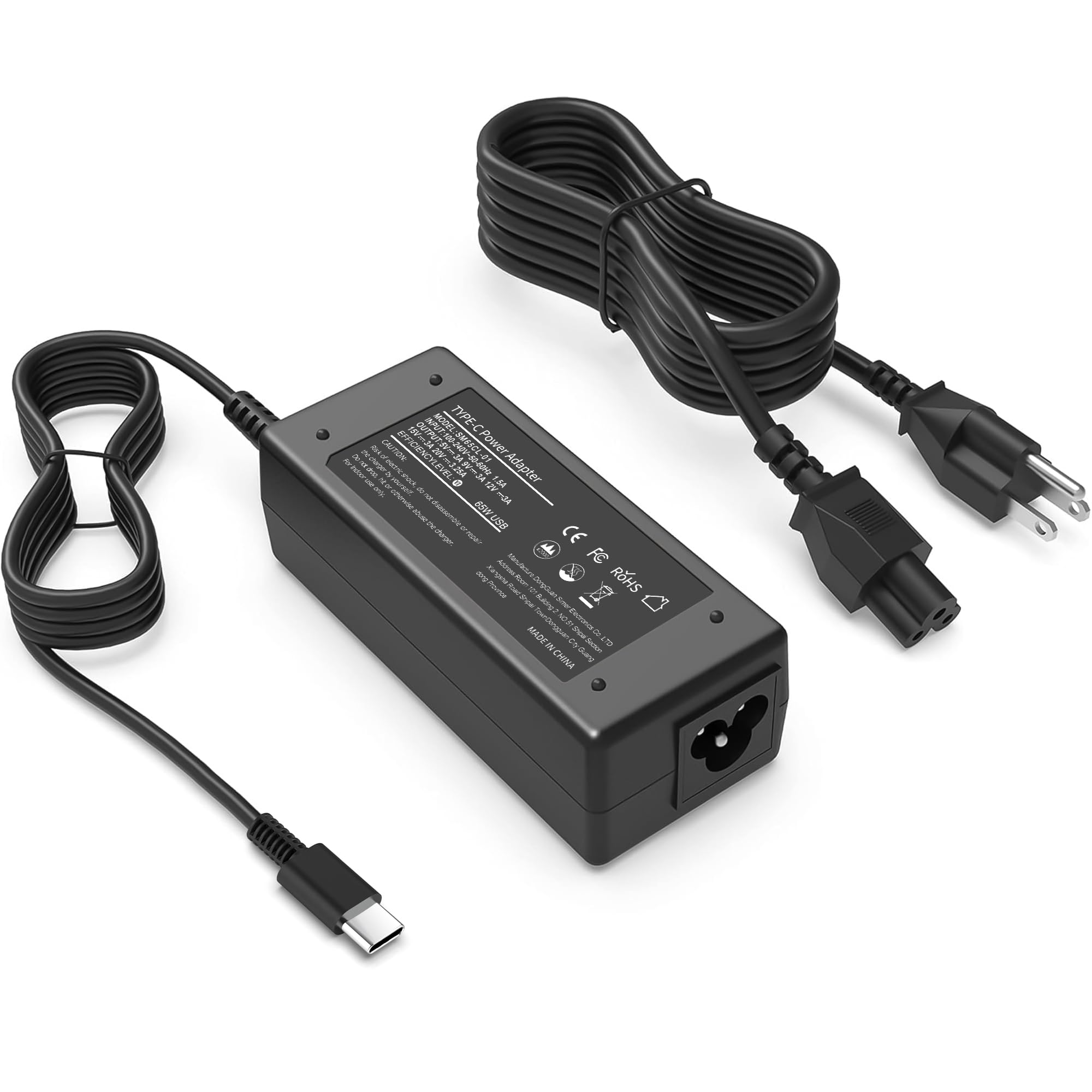
It is a solid budget option for students who need a small, fast USB‑C charger that works with many laptops and Chromebooks.
Pros
- Good charge speed for class and study sessions
- Small and easy to carry in a backpack
- Wide compatibility with many laptop models
Cons
- Some users report occasional connection or negotiation drops
- Longevity concerns in a few reviews
- May not reach full power with every device every time
The charger aims to give students a portable, high‑watt USB‑C option without a big price tag. It supports 65W output and lists many laptop and Chromebook models it works with, so it fits common student machines.
It stays compact and feels light, which matters when moving between dorms, classrooms, and libraries. The built‑in safety features promise short‑circuit and temperature protection, which helps in busy student life.
Reports show fast charging for phones and many laptops, but a few buyers said the charger sometimes fails to negotiate power properly or stopped working after months. Students who need long‑term daily use might weigh that risk.
Overall, it suits students who want a cheap, travel‑friendly USB‑C charger compatible with many devices but should be used with care and backed up by a spare if reliability is critical.
Anker 100W Compact Charger
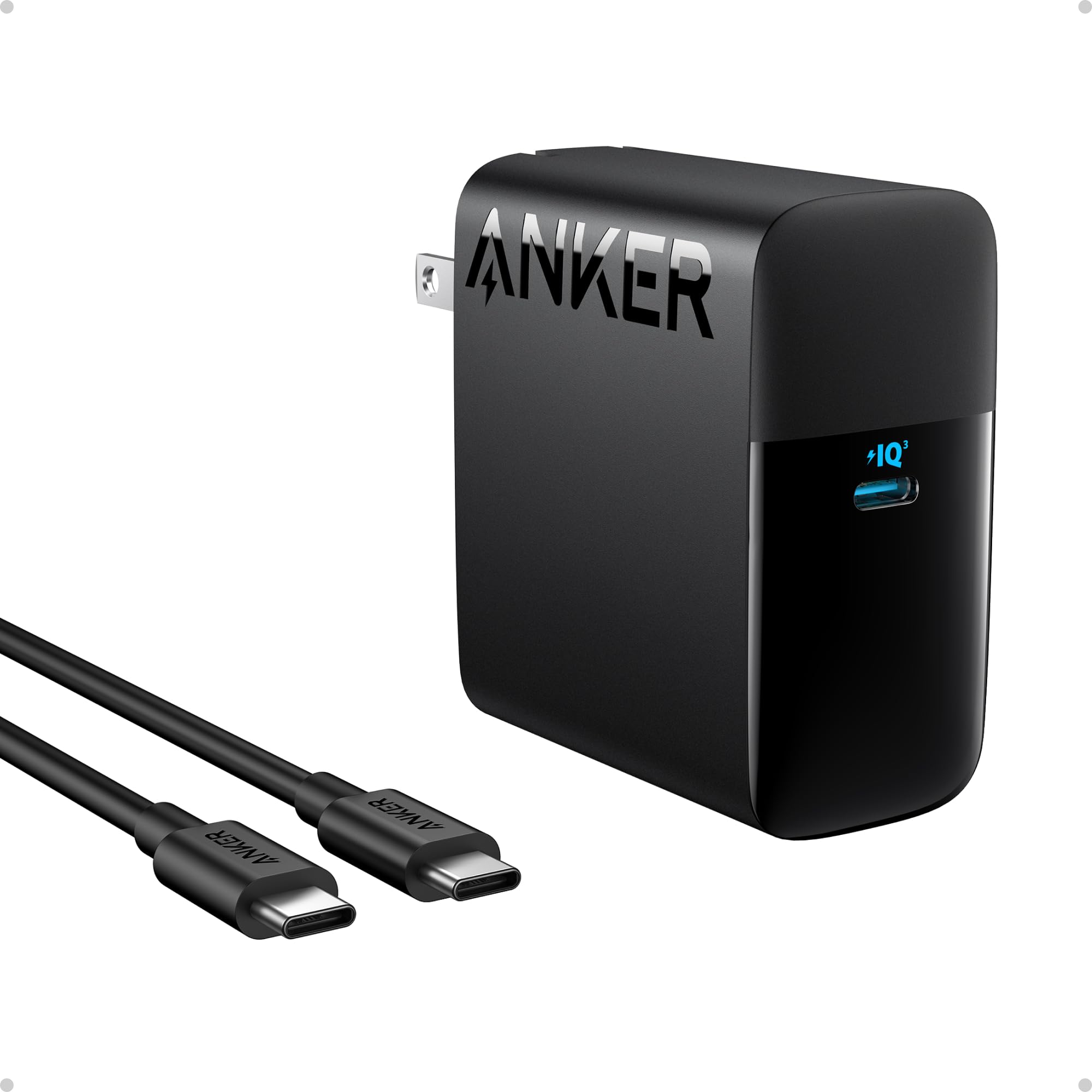
It is a solid pick for students who want fast, small, and safe charging for laptops and phones.
Pros
- Very fast charging for larger laptops.
- Small, foldable plug fits into backpacks easily.
- Built-in safety checks reduce overheating risk.
Cons
- Only one USB‑C port limits charging multiple devices at once.
- USB‑C to Lightning cable is not included for some iPhones.
- Heavier than some slim phone chargers.
The charger pushes high wattage that can refill big laptops quickly. Students with heavy laptop use will see shorter charge times between classes.
Its compact body and foldable plug make it simple to carry. The included USB‑C cable helps start using it right away.
Active protection tech watches temperature during use, which may ease safety worries in dorm rooms. The single port means users who need to power a phone and laptop at once might need a second adapter.
Fepprry 65W USB-C Charger

It is a solid budget option for students who need a compact USB-C charger that works with many Lenovo ThinkPad, Yoga, and Chromebook models.
Pros
- Compact and easy to carry for classes or travel
- Supports fast charging for compatible laptops
- Wide compatibility across Lenovo and some other models
Cons
- Feels lightweight and may wiggle in the port if not seated well
- Some users worry about long-term battery effects
- Single USB-C port limits charging multiple devices at once
The charger fits easily into a backpack and won’t add much weight. It gives students a simple way to top up a laptop between classes or in a library.
Compatibility covers many ThinkPad and Yoga models, so it can replace a lost OEM charger without much fuss. Fast charging helps when time is tight before a lecture or study session.
A few reviewers mention it can be sensitive to position and that long-term effects on batteries are unclear. Students who want extra reassurance might pair it with a protective case or keep an OEM charger as backup.
SZGUDULO 90W Universal Charger

This charger is a solid budget choice for students who need one adapter that fits many older laptops.
Pros
- Works with lots of laptop models using included tips.
- Affordable compared with brand-name adapters.
- Compact kit with many tip options for travel.
Cons
- Not compatible with USB-C or devices needing over 90W.
- Some tips may fit loosely on certain laptops.
- Requires checking model and voltage before buying.
The SZGUDULO kit aims to replace many single-brand chargers with one small adapter and 16 tips. It covers a wide set of older laptops, Chromebooks, and ultrabooks, so it can be handy for shared dorm use or household backups.
Users should check their laptop model and power needs first. The adapter only goes up to 90W and uses barrel connectors, so it will not work for USB-C power laptops or models that need higher wattage.
The build looks basic but practical for school life. It may not match a factory charger’s snug fit or longevity, but it can save money when a universal option is needed quickly.
Ostrich 65W Lenovo-Compatible Charger

It is a solid budget replacement for many Lenovo laptops because it offers 65W/45W output, safety certifications, and wide model compatibility.
Pros
- Affordable alternative to OEM chargers
- Works with many Lenovo and Yoga models
- Safety-tested and includes protections
Cons
- Short cable may limit outlet placement
- Uses a round proprietary tip, not USB-C
- Some models may need exact voltage match
This charger targets students who need a low-cost spare or travel adapter. It lists many compatible Ideapad and Yoga models, so buyers should check their exact model before purchasing.
The unit promises safety testing and protections against short circuits and overheating. That makes it a reasonable pick for dorm rooms and campus use where reliability matters.
Portability is a plus: the adapter is compact and fits easily into a backpack. Still, the cable length and round-tip connector could be limiting for newer laptops that use USB-C.
They will appreciate the lower price compared with brand-name replacements. The product link gives quick access to more details and the current price.
GreBed 90W Universal Laptop Charger

This charger is a good pick for students who need one adapter that fits many laptop brands without spending much.
Pros
- Works with many laptop models using 15 tip options.
- Compact and travel friendly for dorms and libraries.
- Has a USB port for charging phones or tablets.
Cons
- Not guaranteed to fit every model—double-check the tip diagram first.
- Limited to 90W, so it may not power heavy gaming or high-end laptops.
- Some users reported tip or connector issues after repeated swaps.
It supports a wide input voltage range, so it can be used abroad with the right plug. The selectable outputs aim to match many common laptop voltages, which helps avoid buying brand-specific chargers.
Students with mixed devices can carry one unit to charge a laptop and a phone. The USB port adds small convenience for quick top-ups between classes.
They should inspect the 15-tip guide closely before buying to avoid fit problems. The 90W cap works well for everyday school laptops but may fall short for power-hungry machines.
GreBed 90W Universal Laptop Charger
ZOZO 90W Universal Charger

It is a useful option for students who need one charger to power different laptops and Chromebooks thanks to its many tip options and automatic voltage switching.
Pros
- Works with many laptop brands and models.
- Includes many tip adapters for mixed-device households.
- Auto voltage adjustment makes plug-and-play easier.
Cons
- May not be ideal for laptops that require more than 90W.
- Some users report fit or electrical noise issues with certain tips.
- Not every tip fits perfectly on every model.
The charger aims to simplify life for students who borrow or switch devices. It bundles many tips so one cord can work for different laptops and Chromebooks without swapping bricks.
It uses automatic voltage adjustment to match the laptop’s needs between 15V and 20V. This helps reduce the guesswork when students need a quick replacement or travel between home and school.
Some buyers mention uneven tip fit or occasional noise when plugged in, so checking compatibility first matters. Students with high-power gaming laptops should look for higher-wattage chargers instead.
Overall, it fits common student needs for a backup or shared charger but check the laptop’s power requirement before buying.
Dzytnsy 65W USB-C Charger
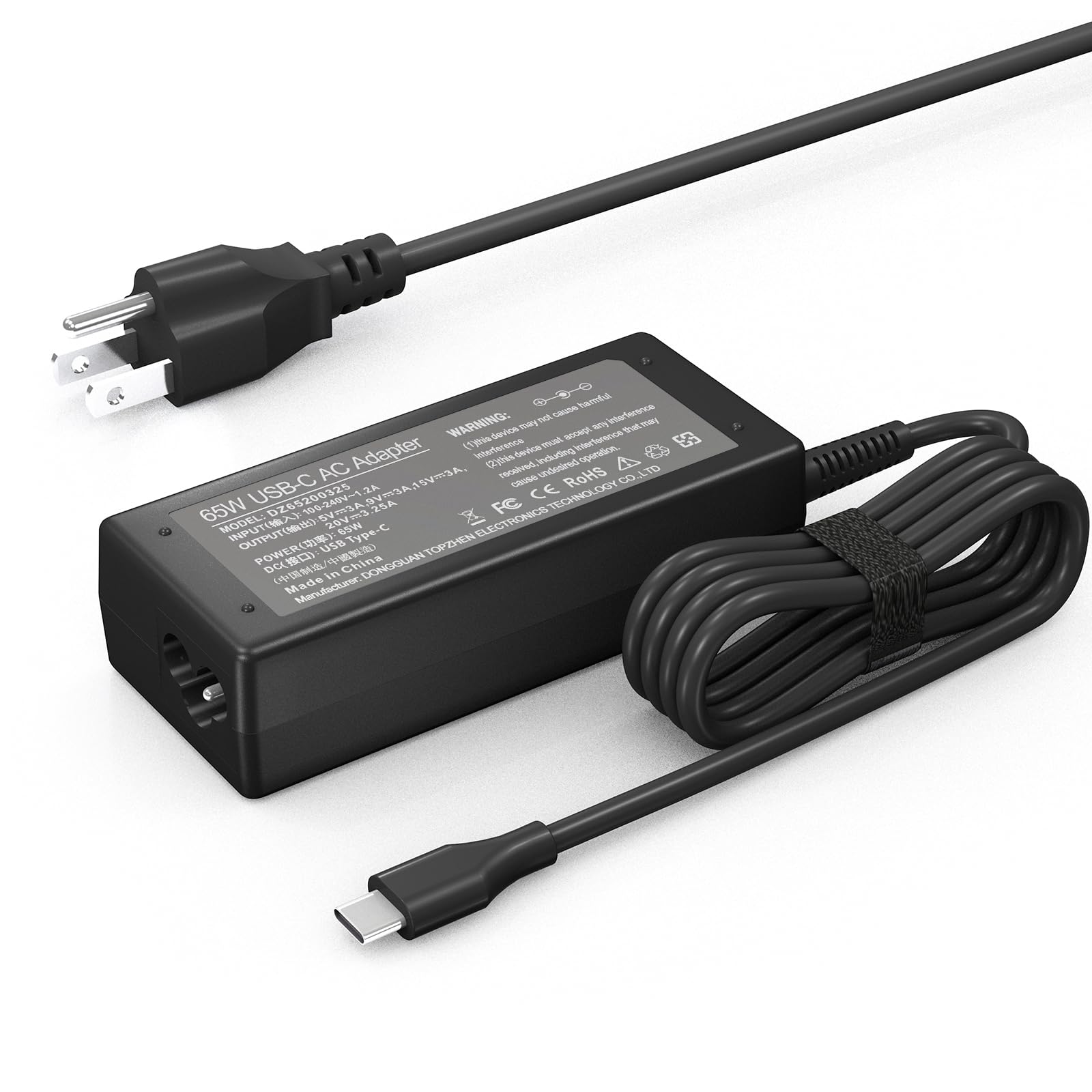
It can be a solid budget pick for students who need a fast, small USB-C charger that works with many Chromebooks and laptops.
Pros
- Fast charging for many USB-C laptops.
- Compact and easy to carry.
- Wide compatibility across brands.
Cons
- Durability concerns reported after a few months.
- Not from a well-known brand.
- Single USB-C port limits simultaneous charging.
The charger delivers up to 65W over USB-C, so it can refill many student laptops faster than standard adapters. Students who move between classes will like its small size and simple plug-in use.
Several reviews praise quick charging and correct compatibility with HP, Lenovo, Dell, and Acer Chromebooks. A number of users, however, report the unit stopped working after a few months, so buyers may want to keep that risk in mind.
It fits as a backup or spare charger for dorms, backpacks, or travel. Those who need long-term reliability might consider a higher-end name-brand charger, while budget-minded students will find this an attractive option.
Buying Guide
Choosing the right charger starts with the laptop’s power needs. Check the laptop’s voltage and wattage on the original adapter or in the manual. Match or exceed the wattage to avoid slow charging or overheating.
Look for the correct connector type next. USB-C, barrel, and proprietary plugs exist. The plug must fit securely to prevent sparks or damage.
Prioritize safety features. Over-current, over-voltage, short-circuit, and temperature protection reduce risk. Certifications like CE or UL indicate tested safety, though labels alone do not guarantee quality.
Consider portability and build quality. Lightweight, compact chargers fit in backpacks. Durable cables and strain relief extend life and cut replacement costs.
Think about charging speed and efficiency. Higher wattage and fast-charge protocols can refill a laptop quicker. Efficiency ratings affect battery heat and energy use.
Check compatibility across devices. Some chargers power phones, tablets, and monitors as well. Multi-device support saves space but ensure power delivery matches each device.
Balance price with warranty and support. Cheaper chargers can work but may lack protections or lasts less time. A clear warranty and accessible customer service add value.
Use a short checklist before buying:
- Confirm voltage and wattage
- Verify connector type
- Look for safety certifications
- Assess weight and cable durability
- Ensure multi-device compatibility
- Check warranty length and return policy
Editor’s Choice
The editor picks the Anker 737 GaNPrime as the top charger for most students. It balances power, size, and price while charging laptops, phones, and tablets reliably.
| Feature | Why it matters |
|---|---|
| 65W USB-C PD | Fast enough for most laptops and keeps charging steady |
| Two ports | Can charge a laptop and a phone at the same time |
| GaN tech | Smaller and runs cooler than older chargers |
| Safety features | Protects against overheat and short circuits |
The charger is compact and fits easily in a backpack. It uses the same USB-C cable many students already own.
It performs well in dorm and library settings. The editor noted stable power and no weird compatibility issues in tests.
A cheaper option is the 45W Anker Nano for very light laptops or frequent travelers. It is smaller and lighter but slower for heavy-duty laptops.
They recommend buying a charger with at least 45W for typical student laptops, and 65W for more demanding models. Matching the charger wattage to the laptop keeps charging safe and efficient.
Where to Buy – Best Amazon Deals
Students often find the best mix of price and choice on Amazon. It lists many brands, shows user reviews, and often has fast shipping for weekend study sessions.
Look for Amazon-specific discounts like “Prime Day,” “Lightning Deals,” and “Warehouse Deals.” These can cut cost by 20–50% on popular chargers and adapters.
Use filters to narrow results by compatibility, wattage, and connector type. Sort by “Avg. Customer Review” to see highly rated picks fast.
Check the product page for these key details:
- Wattage (matches laptop needs)
- Connector type (USB-C, MagSafe, barrel)
- Warranty and seller rating
Compare the “Sold by” seller and read recent reviews for reliability. Third-party sellers may offer lower prices but shorter return windows.
Amazon Basics and known OEMs often balance price and quality. Students should watch for counterfeit listings and prefer items marked as “Ships from and sold by Amazon.com” when unsure.
Use the cart and wish list to track price drops. Amazon’s price history tools or browser extensions help spot real deals.
Conclusion
Students should pick a charger that fits their laptop, study habits, and budget. A charger that is reliable and the right wattage prevents slow charging and device damage.
USB-C chargers offer portability and work for many newer laptops. MagSafe and proprietary chargers remain best for certain models because they match power specs precisely.
Durability matters for life in a backpack. Look for braided cables, reinforced connectors, and at least one-year warranties to reduce the chance of failure.
Portability helps when moving between classes and libraries. A compact charger with foldable prongs or a small GaN brick saves space and weight.
Safety features protect both the laptop and the user. Choose chargers with overcurrent, overvoltage, and thermal protection when possible.
A simple checklist can help:
- Confirm laptop wattage and connector type.
- Prefer reputable brands and read warranty details.
- Balance weight, size, and charging speed for daily needs.
They should buy a backup if classes require long days or group work. A spare charger cuts stress and keeps devices ready for study.
FAQs
What charger size do students usually need?
It depends on the laptop. Most thin Windows laptops use 45–65W USB-C chargers. Gaming and larger laptops often need 90–200W with a proprietary plug.
Can one charger work for different laptops?
Yes, if the laptops support USB-C Power Delivery and the charger supplies enough watts. Always check voltage and wattage limits before use.
Are third-party chargers safe?
Many third-party chargers are safe when they have proper safety certifications like UL, CE, or FCC. Cheaper, uncertified units may risk overheating or damage.
How important is portability?
Very important for students who carry devices daily. Smaller GaN chargers deliver high power in a lighter, compact size.
Do USB-C chargers charge as fast as original chargers?
They can, if the charger supports the laptop’s maximum input and the right PD profile. Some laptops require specific power profiles to reach full speed.
What about charging multiple devices?
Multi-port chargers work well for a laptop and phone. Ensure the charger’s total wattage covers all connected devices without dropping power too low.
How long should a charger last?
A good charger lasts several years with normal use. Look for warranties and solid build quality to extend lifespan.