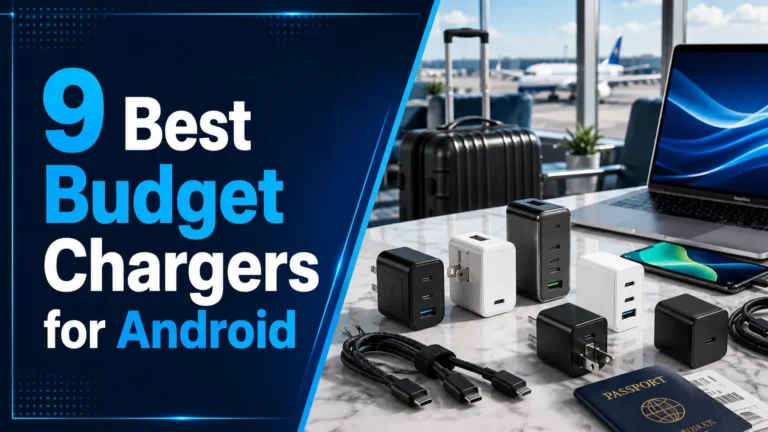
Do Laptops Have Multi-Port Chargers? A Complete Beginner’s Guide
Yes, many modern laptop chargers now come with multiple charging ports. These chargers can power a laptop and other devices at the same time when they provide enough power and support the correct charging standards.
Many people now have multi-port chargers for laptops because they reduce cable clutter and let users charge a laptop, phone, tablet, or other gadgets from one charger. The charger must provide enough wattage for all connected devices.
Multi-port laptop chargers are practical, space-saving, and easy to use. They work well when the charger delivers enough power and supports USB-C Power Delivery.
Introduction
Hello, I’m Ethan Walker. I spend a lot of time testing chargers, laptops, USB-C cables, power banks, and other tech gear.
One question I hear often is whether people can use multi-port chargers with laptops. The answer is usually yes. In fact, many users now prefer them over single-port chargers.
They make travel easier. They also help keep desks neat and organized.
What Is a Multi-Port Charger?
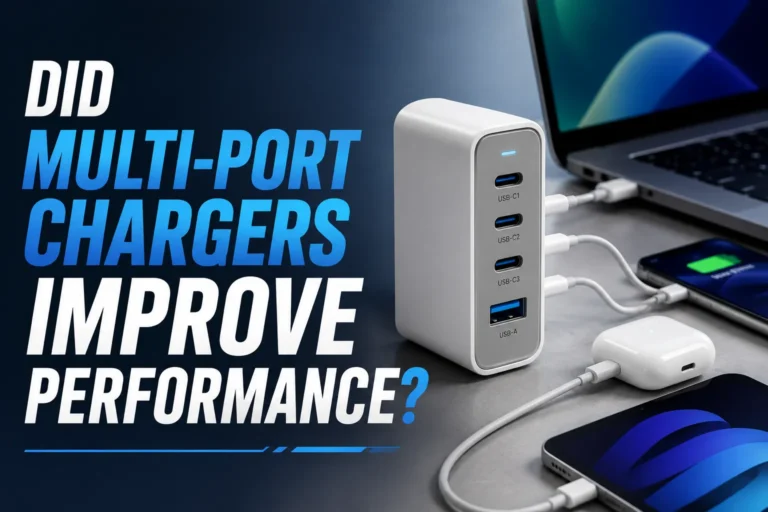
A multi-port charger has two or more charging ports. These ports may include USB-C, USB-A, or both.
You can connect several devices at once. For example, you can charge a laptop, phone, smartwatch, and earbuds from one charger.
Not every multi-port charger can power a laptop. Some only provide enough power for small devices like phones and accessories.
Do Laptops Work With Multi-Port Chargers?
Yes. Most modern laptops that support USB-C charging can use a multi-port charger.
The key factor is power output. A laptop usually needs more power than a phone.
| Device | Typical Power Need |
|---|---|
| Wireless Earbuds | Low |
| Smartphone | Low to Medium |
| Tablet | Medium |
| Laptop | Medium to High |
| Gaming Laptop | High |
Check your laptop’s original charger wattage. Choose a multi-port charger that can match or exceed that requirement.
Why Many Users Have Multi-Port Chargers for Laptops
There are several benefits.
- Fewer chargers to carry
- Cleaner workspace
- Convenient travel setup
- Charge multiple devices together
- Less outlet usage
I often use one charger for my laptop, smartphone, and wireless earbuds while working.
USB-C Power Delivery Matters
USB-C Power Delivery, often called USB-C PD, helps devices receive the correct amount of power.
Many newer laptops depend on this standard.
You can learn more through USB-IF.
If a charger lacks enough power output, your laptop may charge very slowly or may not charge at all during heavy use.
Single-Port vs Multi-Port Chargers
| Feature | Single-Port Charger | Multi-Port Charger |
|---|---|---|
| Number of Devices | One | Several |
| Travel Convenience | Basic | Excellent |
| Cable Management | Average | Better |
| Outlet Usage | More | Less |
| Desk Organization | Average | Better |
Checklist Before Using a Multi-Port Charger With a Laptop
- Confirm your laptop supports USB-C charging
- Check the laptop’s power requirement
- Use a quality USB-C cable
- Verify charger wattage
- Avoid damaged cables and adapters
Laptop Compatibility
Many newer laptops from major brands support USB-C charging. However, some older models still require their original power adapter.
Pros and Cons
- Charge multiple devices together
- Reduce cable clutter
- Great for travel
- Save outlet space
- Simple desk setup
- Power may split across ports
- Not all chargers support laptops
- Wrong cable can limit charging speed
- Some gaming laptops need more power
How to Use a Multi-Port Charger With a Laptop
Look at the charger rating or user manual.
Make sure the charger can provide enough power.
A certified cable helps maintain charging performance.
Plug in your laptop and other devices.
Check that your laptop charges properly during use.
Troubleshooting Common Charging Problems
| Problem | Possible Fix |
|---|---|
| Laptop charges slowly | Use a higher-power charger |
| Charging stops | Check cable condition |
| Device not detected | Reconnect cable |
| Charger gets warm | Allow proper airflow |
| Battery drains while plugged in | Use a charger with more output |
Charging Safety Tips
| Safety Tip | Reason |
|---|---|
| Use certified cables | Improves reliability |
| Avoid damaged chargers | Reduces electrical risk |
| Keep vents clear | Helps cooling |
| Store in dry places | Protects electronics |
| Follow manufacturer guidance | Improves device safety |
Helpful resources include Apple Support, Battery University, FTC, and ENERGY STAR.
From my testing, the biggest issue is not the charger itself. It is usually an underpowered charger or a poor-quality cable.
Frequently Asked Questions
Yes. Many multi-port chargers can charge both devices together if enough power is available.
No. The laptop must support the charging method provided by the charger, usually USB-C Power Delivery.
It can if the charger does not provide enough total power for all connected devices.
Yes. A quality charger used with compatible devices is generally safe.
Some can, but gaming laptops often need much higher power than standard laptops.
For best results, use a cable rated for laptop charging and high power delivery.
The charger may not provide enough wattage, or the cable may not support high-power charging.
Related Guides
- How USB-C Power Delivery Works
- How to Choose the Right Charging Cable
- Laptop Battery Care Tips
- Travel Charging Setup Guide
Conclusion
So, do people have multi-port chargers for laptops? Absolutely. They are common, convenient, and useful for charging several devices from one power source.
The most important thing is choosing a charger with enough power for your laptop and using quality cables. Always follow safe charging practices and check compatibility before connecting your devices.
- Many laptops work with multi-port chargers
- Power output is the most important factor
- USB-C Power Delivery improves compatibility
- Quality cables help charging performance
- Safe charging habits protect devices
If you have a modern USB-C laptop, a properly rated multi-port charger can be a simple and effective way to charge your laptop and other gadgets from a single charger.