9 Best Multi-Port Chargers for MacBook Pro: Top Picks and Buying Guide 2026
Affiliate disclosure: As an Amazon Associate, Gadget Makers Blog may earn from qualifying purchases. This does not change the price you pay.
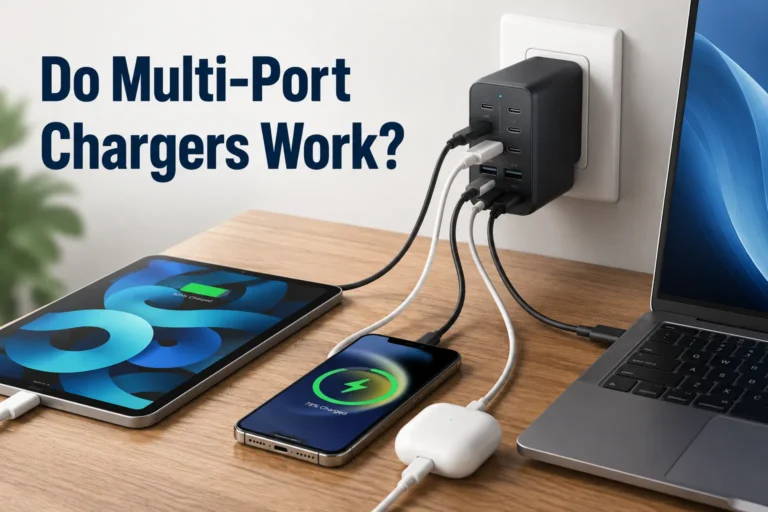
Multi-port chargers keep laptops, phones, and tablets powered from a single outlet and cut down on clutter for people who work from home or travel. For MacBook Pro users, these chargers must deliver enough wattage for fast charging while also offering reliable USB‑C Power Delivery and extra ports for accessories like phones and external drives. A good multi-port charger simplifies a desk or bag by replacing several adapters with one compact unit.
Buying the right charger means checking a few critical things: total wattage and per-port output to ensure the MacBook Pro charges at full speed, USB‑C Power Delivery support, safety features like overvoltage and temperature protection, and build quality for long-term use. The most important factor is matching the charger’s sustained USB‑C PD wattage to the MacBook Pro model so it can charge at its intended speed without overheating or throttling. This guide tests and compares multi-port chargers to find solid options, then explains what to look for and where to buy them.
9 Best Multi-Port Chargers for MacBook Pro
Below is a curated list of the best multi-port chargers for MacBook Pro. It highlights chargers that balance power delivery, port variety, and safety so readers can pick the right charger for work, travel, or home use.
Anker 140W 4-Port GaN Charger
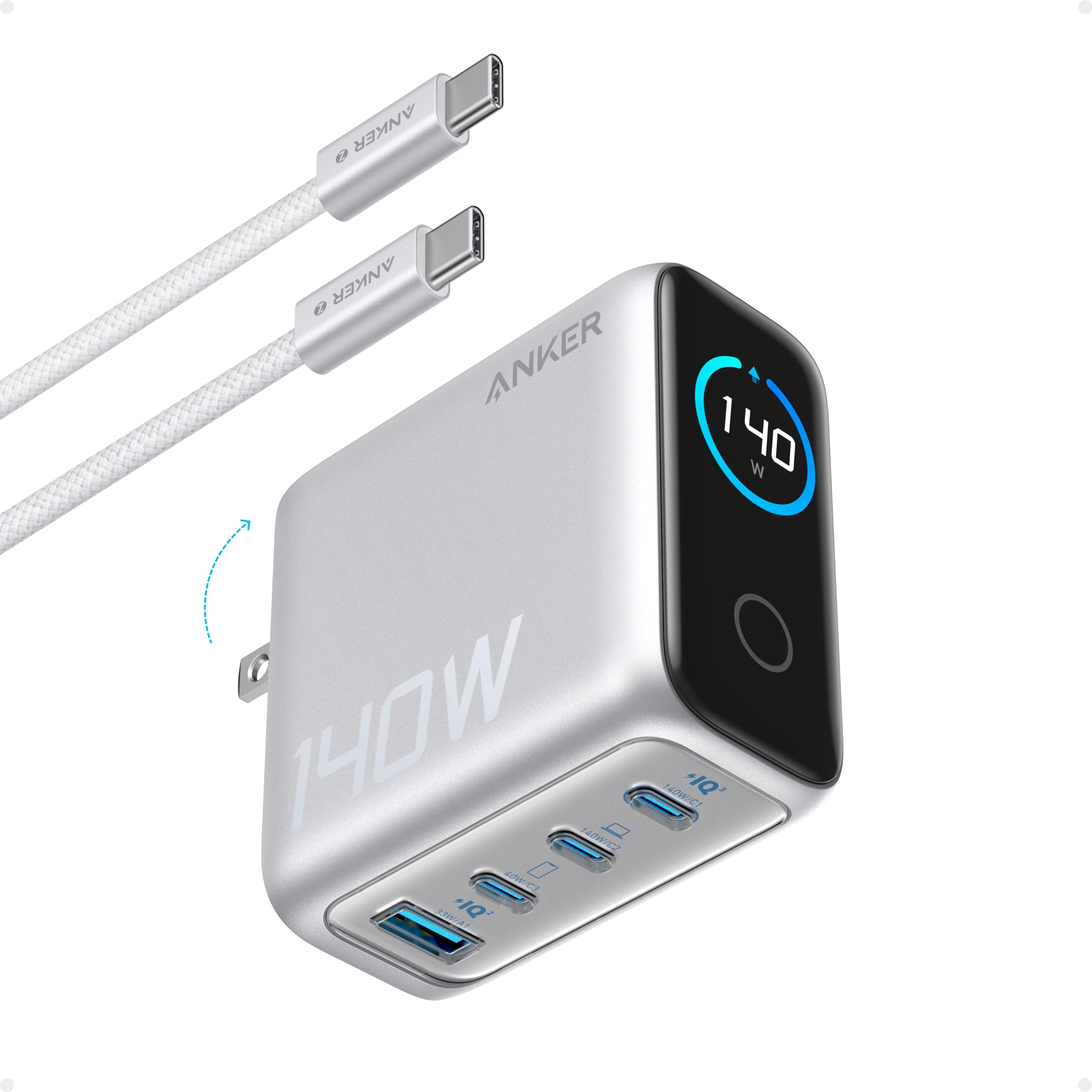
It is a strong choice for someone who wants one charger to power a MacBook Pro and several other devices at once because it offers high output, a small size, and a clear power display.
Pros
- Charges a laptop and multiple devices at once.
- High total power for fast charging across ports.
- Clear display shows port power and temps.
Cons
- May get warm under heavy use.
- Touch controls and display add cost and complexity.
- Heavier than tiny single-port chargers.
The charger gives lots of power in a compact package, which helps reduce the number of bricks to carry. The color display makes it easy to see which port is using power without guessing.
It supports two high-speed USB-C ports that can deliver large wattage for a 15-inch MacBook Pro, so charging is fast when needed. Safety features run frequent temperature checks to limit overheating.
Buyers who want a tidy setup for a MacBook Pro plus phone and tablet will like this. Those who only need one simple charger or want a lighter travel option might prefer a smaller unit.
MEKIOJEO 12-Port 380W Charging Station
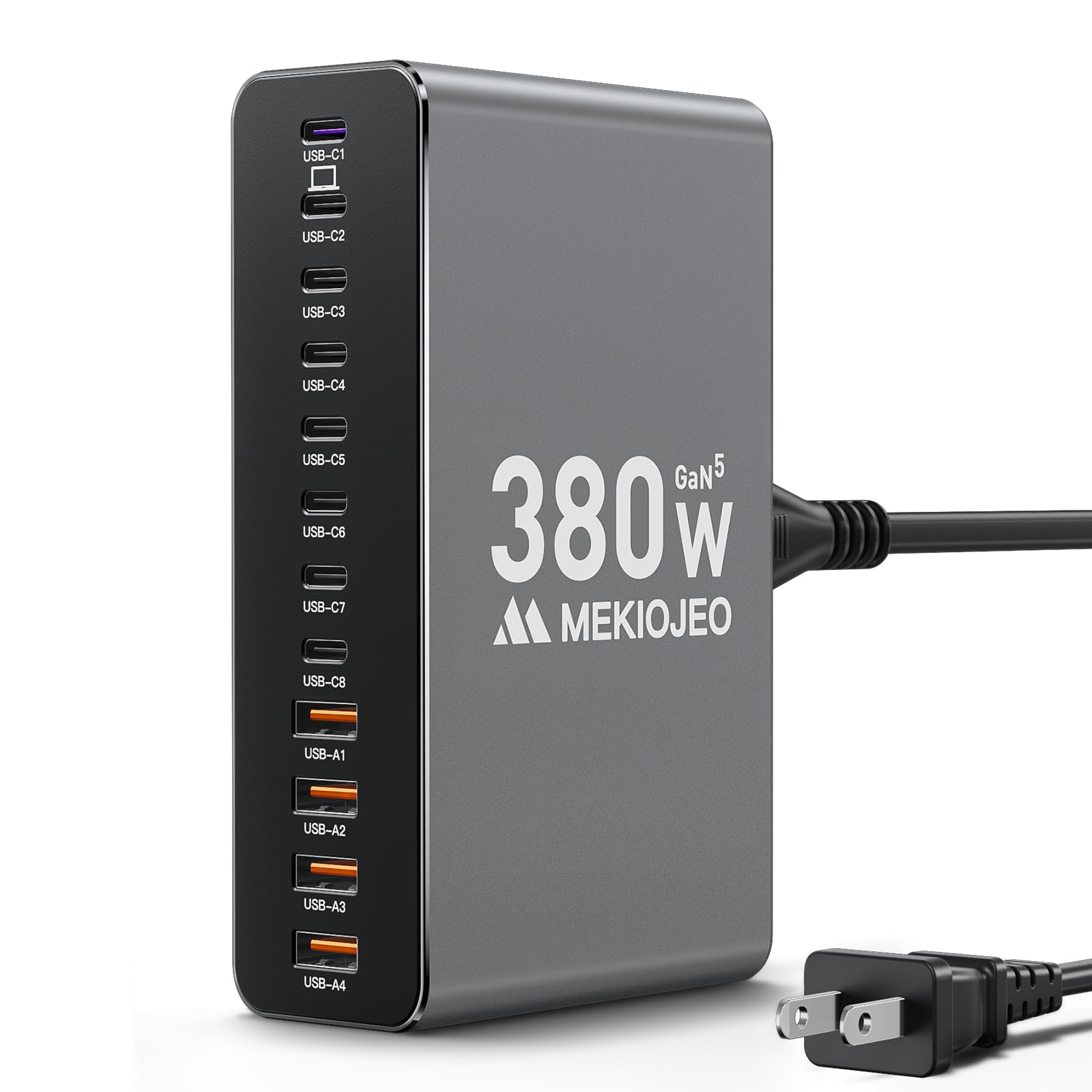
This charger is worth buying if someone needs many high-speed ports in one compact, metal unit for a MacBook Pro and other devices.
Pros
- Lots of ports to charge many devices at once.
- Aluminum body helps with heat and looks neat beside a MacBook.
- Includes a dedicated 65W PD port for laptops.
Cons
- Large power draw may limit use on weak hotel circuits.
- Metal case can get warm under heavy load.
- Fewer USB-A ports than some users might want.
The charger packs a lot of power into a single block, which makes it handy for desks or shared spaces. It aims to keep a 65W output for laptops while also feeding phones and tablets. Users who own multiple devices will like that it reduces clutter.
Its aluminum shell gives a cleaner look than plastic and should shed heat faster, but it will still warm up when multiple ports run hard. The GaN technology and safety checks sound reassuring for daily use, though heavy use could stress room outlets.
This unit trades small size for many ports, so it works best where outlets and circuit capacity are reliable. It may not suit someone who only needs one or two high-power chargers. For a multi-device setup, it offers a clear, consolidated option.
MEKIOJEO 12-Port 380W Charging Station
MEKIOJEO 260W 7-Port Charger

This charger is a strong option for someone who needs to power multiple laptops and phones at once because it packs high wattage into a stable, compact unit.
Pros
- Lots of ports for charging many devices at once.
- Sturdy aluminum shell stays put and helps with cooling.
- Smart power distribution avoids overcharging.
Cons
- Needs high-wattage USB-C cables to get full speed.
- Can feel heavy compared with smaller travel chargers.
- Full load may heat up under heavy use.
It offers five USB-C and two USB-A ports so several devices can charge together without hunting for outlets. The top two USB-C ports can deliver laptop-level power, which helps when a MacBook Pro needs higher wattage.
The aluminum case looks durable and resists slipping on a desk. Buyers should still use rated cables; slower or thin cables will limit charging speed and performance.
Safety features like multiple protections aim to guard devices from surges and overcurrent. People who want a minimalist travel charger might prefer a lighter option, but those who need many ports will find this useful.
Anker Prime 200W 6-Port Charger

It is a strong choice for someone who needs to power a MacBook Pro and several other devices at the same time because it offers high total output and multiple ports.
Pros
- Can run many devices at once without extra adapters.
- High power per USB-C port when two are used together.
- Solid, stable build that stays put on a desk.
Cons
- Bigger and heavier than travel chargers.
- One or two users reported a port failure over time.
- May be more than needed for light or single-device use.
The charger gives lots of power and can replace several smaller bricks. It fits a desk setup where multiple laptops, phones, and tablets need regular charging.
When two USB-C ports are used at once, each can deliver large wattage, so it can speed up charging for MacBook Pros and other power-hungry laptops. The unit also has safety monitoring to reduce overheating risks while charging many devices.
It is not designed to be a pocket or travel unit. Buyers who move between offices or travel often might prefer a smaller, lighter charger. Still, people who want one reliable desktop hub will find this useful.
See it on Amazon: Anker Prime 200W 6-Port Charger
GKUTW 200W 8-Port GaN Charger

It is a strong option for someone who needs to charge many devices at once and wants one compact hub for a MacBook Pro and other gear.
Pros
- Charges up to eight devices at the same time without obvious slowdowns.
- Uses newer GaN III tech to keep the unit small and cooler.
- Includes a longer power cord and a compact shape for travel and desks.
Cons
- Claims about full-speed charging across all ports may vary by device mix.
- Plastic housing can feel less premium than metal chargers.
- Some buyers may prefer a charger with a built-in cable or modular plugs.
The GKUTW unit aims at people who want one charger for a laptop, phone, tablet, and accessories. It pairs several USB-C and USB-A ports so a family or a small office can power many devices without extra bricks.
It advertises a 65W boost for laptops like the MacBook Pro and lists wide compatibility. Buyers should match their laptop’s power needs and cable type to ensure they get the fastest possible charge.
The charger fits well on a desk or in a bag and trades off a simple plastic shell for lighter weight and lower cost. It may suit users who value many ports and compact size over premium materials or a single-brand accessory ecosystem.
Anker Nano 100W

This charger is a strong buy for those who need high power in a small, multi-port pack.
Pros
- Very high power in a compact body
- Can charge three devices at once
- Includes a long 5 ft USB-C cable
Cons
- May feel heavy and pull on some wall outlets
- Can cut power occasionally when many devices draw at once
- Some units arrived damaged or failed early in rare cases
It delivers up to 100W from its USB-C ports, so a MacBook Pro can reach fast charging speeds while other devices charge too. The small size makes it easy to carry in a bag.
GaN II technology helps keep the charger compact without giving up power. That stacked design and faster switching lets it run cooler and fit more output in less space.
Users report fast charging for phones and tablets and praise the included five-foot cable for flexibility. A few reviewers mentioned the charger can wobble in older outlets or stop charging briefly under heavy load.
Warranty support comes with the unit and Anker includes customer service contact details. The unit has many positive ratings, but occasional damaged or faulty units were reported by some buyers.
UGREEN Nexode 100W GaN Charger

This charger is a solid choice for someone who needs high-power USB-C charging and several ports in a compact wall plug.
Pros
- Delivers up to 100W to a single device for fast laptop charging.
- Packs three USB-C and one USB-A port for charging multiple devices at once.
- Small GaN design with a foldable plug makes it travel friendly.
Cons
- To reach 100W, a 5A USB-C cable and single-port use are required.
- Some laptops may not charge at full speed due to their own charging limits.
- No charging cable included, so buyers must provide compatible cords.
The Nexode focuses on power and convenience in a small package. It aims to replace several chargers with one unit for a desk or travel bag.
It can feed a MacBook Pro quickly when used with the right cable and a single port. When multiple devices draw power, total output divides among ports and speed may drop.
Safety features like temperature sensing and power management help protect devices. Buyers should check their laptop’s charging protocol and use a proper 5A cable to get the maximum 100W.
Aione 165W 6-Port GaN Charger
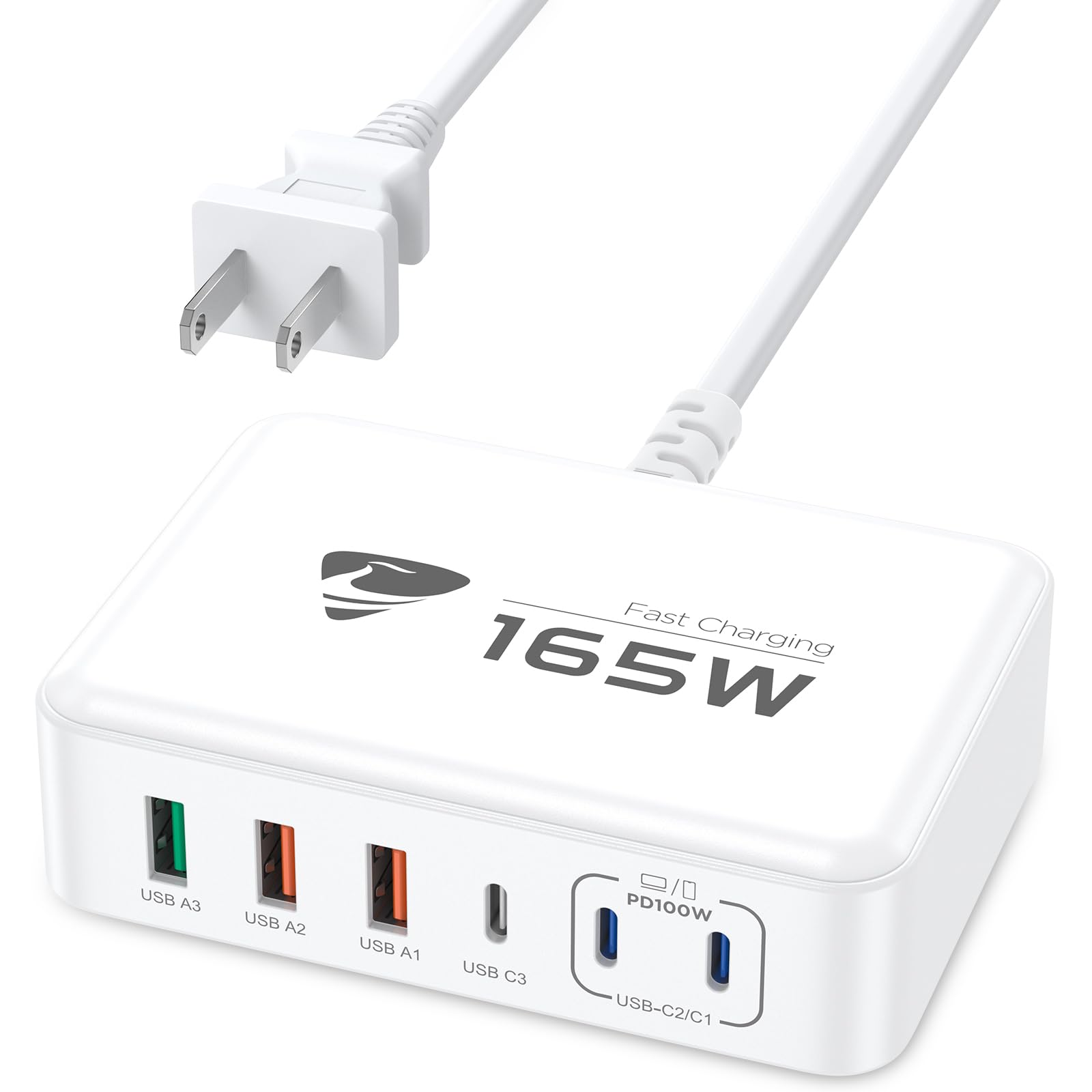
It is a strong choice for someone who wants to charge a MacBook Pro and several other devices at once because it offers a high-power USB-C port plus multiple extra ports.
Pros
- Charges a laptop and phones at the same time.
- Includes a 100W-capable USB-C port for fast MacBook charging.
- Small size and a detachable 5 ft cable make it travel-friendly.
Cons
- White plastic may show dirt or scratches over time.
- Multiple devices sharing power can reduce single-port speed.
- Lacks built-in cables for device-to-charger connections.
The charger packs six ports into one block, so a MacBook Pro can charge while phones, tablets, and accessories top up. The 100W USB-C port aims to give the laptop fast power while other ports handle smaller devices.
Safety features like short-circuit and overheat protection appear to be included, which may ease worry about leaving devices charging overnight. The use of GaN technology helps keep the unit compact compared with older chargers.
The 5-foot detachable AC cable adds placement flexibility on desks and in travel bags. Buyers should note the total 165W output splits across ports, so full-speed charging for every device at once is unlikely.
Buying Guide
They should check power output first. Look for a charger that can deliver at least the wattage needed by the MacBook Pro; higher total output helps when multiple devices charge at once.
They should note port types and counts. A mix of USB-C Power Delivery ports and USB-A or USB-C data ports gives flexibility. More ports let them charge a laptop and other devices without adapters.
They should consider charging speed and power distribution. Read the power-per-port specs to see how the charger shares wattage under load. Some chargers reduce laptop power when all ports are used.
They should inspect build quality and safety features. Look for over-current, over-voltage, and short-circuit protection. A durable case and good heat dissipation matter for long use.
They should weigh size and portability. A compact charger will suit travel, while a larger brick may offer more ports and higher power. Consider the weight and whether the plug folds.
They should check cable compatibility and included accessories. Some chargers include a high-quality USB-C cable or interchangeable plugs. Otherwise, they must buy a cable that supports full PD wattage.
They should look for certifications and warranty. Safety certifications (UL, CE, etc.) and a clear warranty give confidence. Good customer support helps if something fails.
| Feature | Why it matters |
|---|---|
| Total wattage | Ensures laptop gets enough power |
| Port mix | Provides flexibility for devices |
| Power distribution | Affects charging when multiple devices used |
| Safety features | Prevents damage and fire risk |
| Size/weight | Affects travel convenience |
| Cables/accessories | Ensures full-speed charging |
| Certifications/warranty | Confirms safety and support |
Editor’s Choice
The team picked the Anker 737 120W (GaNPrime) as the Editor’s Choice. It charges a 16-inch MacBook Pro at full speed and still powers other devices from the same unit.
| Feature | Why it stands out |
|---|---|
| Power | 120W total with a 100W USB-C port for fast MacBook charging |
| Ports | 2 USB-C and 2 USB-A for flexible device setup |
| Size | Compact GaN design saves desk space and travel weight |
| Safety | Built-in temperature and surge protection for long-term use |
It performs well under daily loads. The charger keeps cool and maintains steady output, which helps battery health over time.
They liked the mix of power and convenience. Compared with single-port chargers, it reduces the number of adapters needed for a work setup.
Pricing is mid to high but reasonable for the power it delivers. Warranty and brand support add extra value for users who travel or work remotely.
Where to Buy – Best Amazon Deals
They can find many multi-port chargers on Amazon, often with fast shipping and solid return policies. Amazon lists models from trusted brands and third-party sellers, so buyers should check seller ratings and reviews.
Look for deals labeled Prime Day, Lightning Deals, or Coupons for extra savings. Prices change often, so adding items to a watchlist helps track drops.
Buyers should compare product specs and verified reviews before choosing. Pay attention to total wattage, number of USB‑C ports, and PD (Power Delivery) support.
A quick checklist:
- Wattage: 65W+ for MacBook Pro.
- Ports: At least two USB‑C and one USB‑A if needed.
- Safety: Overcurrent and overheat protection.
- Warranty: Prefer 1 year or more.
Sample search tips:
- Search “multi-port USB‑C charger 100W” for higher-power options.
- Filter by Prime and 4+ stars for faster, reliable buys.
- Read top reviews for long-term performance notes.
When a deal looks good, confirm the seller and return terms. They should also verify cable quality; high-power charging needs good USB‑C cables.
Conclusion
The right multi-port charger saves time and reduces cable clutter. It gives reliable power for a MacBook Pro while charging phones, tablets, and accessories at once.
Choose chargers that match the MacBook Pro’s wattage needs and have strong safety features. USB-C PD ports matter most for fast laptop charging, while extra USB-A or USB-C ports add versatility.
Consider build quality, heat management, and brand support. A compact charger that fits travel and a full-power desktop option cover most needs.
Compare ports, total output, and price before buying. They should balance power, size, and cost to fit each use case.
A clear checklist helps pick the best model:
- Match laptop wattage
- Check number and type of ports
- Look for safety certifications
- Read real-user reliability notes
They provide flexible charging for work, travel, and home. Users should pick what suits their daily routines and device load.
FAQs
Which MacBook Pro models work with multi-port chargers?
Most modern MacBook Pro models with USB-C or Thunderbolt 3/4 ports will work with USB-C PD multi-port chargers. Older models with MagSafe require an adapter to use USB-C chargers.
How much wattage does a MacBook Pro need?
Wattage depends on the model. 13-inch models often need 61W, 14-inch may use 67–96W, and 16-inch can need 96–140W under heavy load. A charger that matches or exceeds the laptop’s required wattage charges fastest.
Can a multi-port charger charge multiple devices at full speed?
It can, but total output splits across ports. If one device draws full power, other ports may output less. Look for chargers with dynamic power delivery or per-port limits for predictable speeds.
Is it safe to use third-party multi-port chargers?
Yes, when they have proper safety certifications (UL, FCC, CE) and USB-C PD support. Certified chargers test for overcurrent, overvoltage, and short-circuit protection.
Will a 100W charger damage a lower-wattage device?
No. Devices draw only the power they need when using USB-C PD. A higher-wattage charger simply has more available capacity.
What cables should be used?
Use USB-C to USB-C cables rated for the needed wattage and PD version. For high-wattage charging (above 60W), choose cables rated for 100W or with e-marker chips.
How to choose the right multi-port charger?
Match total wattage and per-port output to the devices. Consider build quality, certifications, and size. Pick a charger with enough ports and intelligent power sharing.