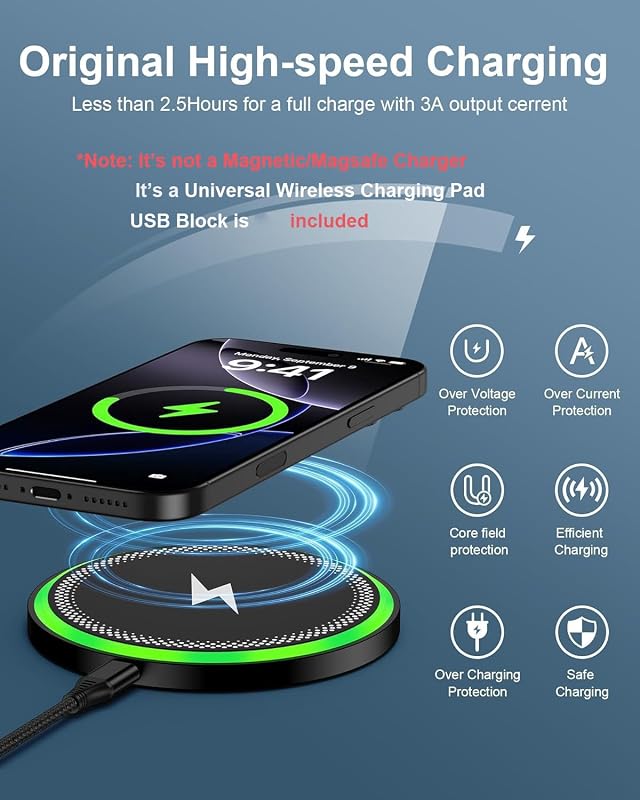
Does iPhone 7 Plus Have Wireless Charging or Not
The iPhone 7 Plus does not have wireless charging built in. If you want cable-free power, you will need a Qi receiver case or a later iPhone model. This guide explains the phone’s charging specs, what works, what does not, and the best upgrade or accessory choices for everyday use.
Does iPhone 7 Plus Have Wireless Charging or Not
If you still use an iPhone 7 Plus, you may have asked a very normal question: does iPhone 7 Plus have wireless charging? It is a fair question because wireless charging is now common on most phones. You see charging pads on desks, in cars, and on nightstands. It feels like every modern phone can just drop onto a pad and power up.
But the iPhone 7 Plus came from a time when Apple had not yet added that feature. So if you are hoping to place it on a MagSafe puck or a Qi pad and watch it charge, the answer is not as simple as you may want. In this guide, we will break it down in plain language. We will cover what the phone supports, what it does not, and what your best charging options are today.
We will also look at practical use cases. Maybe you want easier charging at work. Maybe you need a cleaner setup at home. Or maybe you are trying to decide if it is worth buying an accessory or just upgrading. Either way, this article will help you make the right call.
- Point 1: The iPhone 7 Plus does not support native wireless charging.
- Point 2: Apple added built-in wireless charging starting with the iPhone 8 series.
- Point 3: The iPhone 7 Plus charges through a Lightning cable only unless you use an add-on accessory.
- Point 4: Qi receiver cases can add wireless charging, but they are slower and less neat than built-in support.
- Point 5: A good Lightning cable and charger is still the best daily choice for this phone.
- Point 6: If you want true wireless charging, upgrading to a newer iPhone is the cleanest fix.
📑 Table of Contents
- Does iPhone 7 Plus Have Wireless Charging?
- Why the iPhone 7 Plus Does Not Support Wireless Charging
- How the iPhone 7 Plus Charges
- Can You Add Wireless Charging to iPhone 7 Plus?
- Is Wireless Charging Worth It for iPhone 7 Plus?
- iPhone 7 Plus vs Newer iPhones: Charging Differences
- Buying Tips for iPhone 7 Plus Owners
- Final Verdict: Does iPhone 7 Plus Have Wireless Charging?
Does iPhone 7 Plus Have Wireless Charging?
The short answer
No, the iPhone 7 Plus does not have wireless charging built in. It was released before Apple added native wireless charging to the iPhone line. That means the phone cannot charge on a standard Qi wireless pad by itself.
What that means in real life
To charge the iPhone 7 Plus, you need a Lightning cable connected to a power source. If you want wireless-style charging, you must use an add-on accessory such as a Qi receiver case or a wireless charging adapter. Even then, it is not the same as built-in support.
So if you are wondering, does iPhone 7 Plus have wireless charging in the same way newer iPhones do, the answer is no. It can be made to work with accessories, but it does not come with the feature from the factory.
Why the iPhone 7 Plus Does Not Support Wireless Charging
It was released before Apple added the feature
The iPhone 7 Plus launched in 2016. At that time, Apple had not yet moved to built-in wireless charging. The company introduced native Qi charging with the iPhone 8, iPhone 8 Plus, and iPhone X in 2017.
Apple’s design choices at the time
Apple focused on the Lightning port for charging and data. The iPhone 7 Plus was also known for other changes, like water resistance and the removal of the headphone jack. But wireless charging was not part of that generation.
If you compare it with newer models, the gap is clear. For example, if you are also looking at newer devices, this guide on what charger does iPhone 15 use shows how much charging support has changed over time.
Hardware matters
Wireless charging needs a charging coil inside the phone. The iPhone 7 Plus does not have the full built-in coil setup used in later models. That is why a wireless pad alone cannot charge it.
How the iPhone 7 Plus Charges
Lightning cable is the main method
The iPhone 7 Plus charges through the Lightning port. This is the most reliable and fastest normal method for this phone. You connect a Lightning cable to a wall adapter, power bank, or computer port, and the phone charges as expected.
Charging speed expectations
The iPhone 7 Plus does not support the fast charging speeds found on newer iPhones. Still, a quality charger and cable can give you stable performance for daily use. If your phone charges slowly, the issue may be the cable, adapter, battery health, or power source. You can read more in this guide on why is my iPhone charging slow.
Best everyday setup
For most people, the best setup is simple: use a certified Lightning cable and a dependable wall charger. That gives you the most stable charging and avoids the problems that cheap accessories can cause.
- Use a certified Lightning cable.
- Pick a charger from a trusted brand.
- Avoid very cheap cables that break fast.
- Keep the charging port clean.
Can You Add Wireless Charging to iPhone 7 Plus?
Qi receiver cases and adapters
Yes, you can add a form of wireless charging to the iPhone 7 Plus with third-party accessories. These usually work in one of two ways. Some are thin receiver pads that plug into the Lightning port. Others are cases with built-in wireless charging support.
How these accessories work
The accessory receives power from a wireless pad and sends it to the phone through the Lightning connection. This lets the iPhone 7 Plus act like it has wireless charging, even though the phone itself does not support it natively.
Pros and cons
This can be useful, but it is not perfect. The setup can be bulky, and charging is often slower than standard cable charging. It also adds another part that can wear out.
- Pro: Lets you use a wireless pad.
- Pro: Reduces cable plugging and unplugging.
- Con: Slower than native wireless charging.
- Con: May make the phone thicker.
- Con: Quality varies a lot by brand.
If you want to compare this with modern wireless accessories, our article on what MagSafe power banks work with iPhone is helpful for understanding how newer iPhones handle magnetic charging systems.
Is Wireless Charging Worth It for iPhone 7 Plus?
When it makes sense
Wireless charging can make sense if you really hate plugging in a cable. It can also help if your Lightning port is worn out or if you want a cleaner desk setup. In that case, a Qi receiver accessory may be worth trying.
When it does not make sense
If you care about speed, simplicity, and low cost, wireless charging is usually not the best choice for the iPhone 7 Plus. The phone is older, so it does not gain the same benefit newer models do. A good cable is often easier and cheaper.
Best use cases
Here are the situations where wireless charging add-ons can be useful:
- Charging on a nightstand with less cable clutter.
- Using a car mount that supports wireless power.
- Keeping the Lightning port from wearing out more.
- Making a backup phone feel more modern.
For people who travel often, a good power bank can still be the better solution. If that sounds like your setup, this guide on what fast charging power banks work with iPhone can help you choose a better portable charger.
iPhone 7 Plus vs Newer iPhones: Charging Differences
Built-in wireless charging started later
One of the biggest differences between the iPhone 7 Plus and later models is charging support. The iPhone 8 and newer models added built-in wireless charging. That means you can simply place them on a compatible pad and charge without extra accessories.
MagSafe is another big step
Newer iPhones also support MagSafe, which uses magnets to align the charger properly. That makes wireless charging easier and more stable. The iPhone 7 Plus has none of this built in.
What you lose by staying on the 7 Plus
Sticking with the iPhone 7 Plus means you lose the convenience of native wireless charging, MagSafe, and newer charging speeds. You also miss out on more efficient battery management and newer accessory support.
If you are thinking about an upgrade, it helps to compare the charging experience across models. The difference is more than just convenience. It changes how you use the phone every day.
Buying Tips for iPhone 7 Plus Owners
Choose the right cable first
If you are still happy with your iPhone 7 Plus, start with the basics. Buy a good Lightning cable and a reliable charger. That will solve most charging problems without adding clutter or cost.
Look for safe accessories
If you want wireless-style charging, buy only from trusted brands. Cheap receiver pads can overheat, fail early, or charge very slowly. Good build quality matters more here because the phone is older and more sensitive to weak accessories.
Think about battery health
Older phones often have weaker batteries. If your iPhone 7 Plus drains quickly, wireless charging will not fix that. A battery replacement or a new phone may be the better long-term move.
Upgrade if you want true convenience
If your goal is easy, modern charging, upgrading is the best option. Newer iPhones give you built-in wireless charging, better battery life, and better accessory support. That is a much cleaner solution than using an add-on receiver.
Also, if you are comparing budget-friendly charging gear for a newer device, our guide on what budget chargers work with iPhone can help you avoid bad purchases.
Final Verdict: Does iPhone 7 Plus Have Wireless Charging?
So, does iPhone 7 Plus have wireless charging? The clear answer is no, not natively. The phone does not include built-in Qi wireless charging, and it cannot use a wireless pad on its own. It still charges through the Lightning port, just like it always has.
You can add wireless charging with a third-party adapter or receiver case, but that is a workaround, not a true built-in feature. It can be useful in some cases, but it is usually slower and less convenient than native wireless charging on newer iPhones.
My recommendation is simple. If you already own an iPhone 7 Plus and like it, use a quality Lightning charger and cable. That is the best value and the most reliable setup. If wireless charging is a must-have for you, then upgrading to a newer iPhone is the better long-term choice.
In short, the iPhone 7 Plus is a solid older phone, but wireless charging is not one of its features. Knowing that helps you spend money in the right place, whether that means better accessories or a better phone.
Frequently Asked Questions
No, the iPhone 7 Plus does not have built-in wireless charging. It only charges through the Lightning port unless you add a third-party wireless charging accessory.
Not directly. A wireless charging pad will not charge the iPhone 7 Plus by itself because the phone lacks native Qi support. You would need a Qi receiver case or adapter.
The best way is with a good Lightning cable and a reliable wall charger. This gives you the most stable and practical charging experience for daily use.
No, MagSafe will not work natively with the iPhone 7 Plus. MagSafe is designed for newer iPhones that include the right internal hardware and magnetic alignment.
Usually yes. Add-on wireless charging solutions are often slower and less efficient than standard cable charging. They can also make the phone feel bulkier.
If wireless charging matters to you a lot, upgrading is the better choice. Newer iPhones include built-in wireless charging and give you a much smoother experience.

Tech & Gadget Reviewer
Ethan Walker is a tech enthusiast and gadget reviewer with over 8 years of hands-on experience testing consumer electronics, smart home devices, and cutting-edge accessories. He helps readers make smarter buying decisions through honest, in-depth reviews.