Why Is My Dyson Stick Vacuum Cutting In and Out Fixes
Why Is My Dyson Stick Vacuum Cutting In and Out?
Start with the filter, airflow path, and battery. Most cutouts have a simple cause. Repair or replace the vacuum only after these safe checks.
Best next step: Clean every airflow path and let the vacuum cool. If the problem stays after a full charge and safe checks, contact Dyson. Choose a new premium model only when repair no longer makes sense.
Clean and Test
Check the filter, bin, wand, brush bar, charger, and battery before buying anything.
Start TroubleshootingDyson Gen5detect
A balanced high-end replacement for most homes when repair is too costly.
Check Price on AmazonDyson Gen5outsize
An XL option for more floor space, longer sessions, and fewer bin stops.
Check Price on AmazonMost Dyson stick vacuum cutouts come from clogged airflow paths, a weak battery, or a loose connection. Clean the filters and blockages first, then check the charger and battery before assuming the motor has failed.
If your Dyson stick vacuum is cutting in and out, the most common causes are a blocked airflow path, a weak battery, a poor connection, or a safety shutdown from overheating. In many cases, the fix is simple cleaning and inspection before you consider replacement parts or service.
- Airflow first: Clogged filters, bins, wands, or brush bars are the most common cause.
- Battery matters: Aging batteries can cut out under load even when they still show charge.
- Heat is a clue: If it restarts after cooling, thermal protection may be kicking in.
- Check connections: Loose fits, dirty contacts, or charger faults can mimic a bigger failure.
Why Is My Dyson Stick Vacuum Cutting In and Out? Quick Answer and What It Usually Means
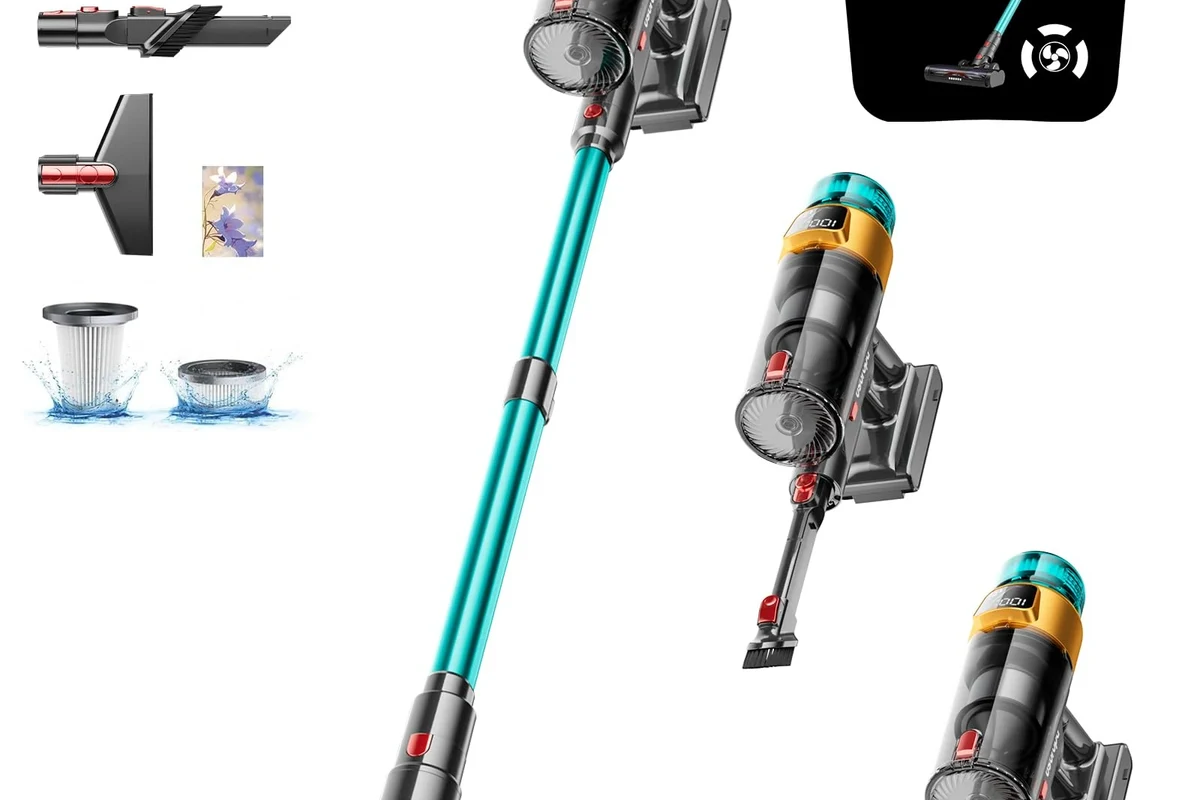
Intermittent power usually means the vacuum is losing stable airflow, electrical contact, or battery output. If it starts, stops, and then works again after a pause, that pattern often points to a filter restriction, a battery that is aging or overheating, or a trigger/contact issue rather than a full motor failure.
For homeowners and renters, that matters because the right fix depends on the symptom pattern. A vacuum that dies only on high power may need a battery check, while one that pulses or shuts off after a few seconds may need cleaning in the filter, bin, wand, or brush bar path.
How a Dyson Stick Vacuum’s Power System Works
Dyson stick vacuums are designed to move air through a sealed path while drawing power from a rechargeable battery. When any part of that system struggles, the vacuum may briefly run and then cut out to protect the motor or battery.
Battery, trigger, motor, and filter flow explained
The battery supplies power to the trigger-controlled motor. The motor then creates suction through the bin, cyclone area, filters, wand, and floor head. If the filter is clogged or a passage is blocked, the motor has to work harder, which can trigger a pause or shutdown.
The trigger and internal contacts also matter. If the trigger is worn or the connection is inconsistent, the vacuum may feel as if it is “flickering” on and off even when the battery is charged.
Why intermittent power usually points to airflow, battery, or connection issues
Most cordless vacuums are built to protect themselves when heat builds up or airflow drops too low. That is why a Dyson that cuts in and out is often signaling a maintenance issue rather than a random electronic failure.
If you want a broader comparison of cordless cleaning performance and battery behavior, our cordless vacuum guide for pet hair can help you think through runtime and suction trade-offs.
Most Common Causes of a Dyson Vacuum Cutting In and Out
Before buying parts, check the most common failure points in order: airflow, debris buildup, battery condition, charging reliability, and then the trigger or motor assembly. That sequence saves time because the simplest causes are also the most likely.
Clogged filters or restricted airflow
A dirty filter is one of the top reasons a cordless vacuum loses suction and then shuts down. If air cannot pass through efficiently, the motor can overheat or the machine can reduce output to protect itself.
Even a partially clogged filter can create a problem if the vacuum is used on fine dust, pet hair, or heavy debris. Dyson’s filter care instructions vary by model, so confirm the cleaning method in the official manual before washing or reinstalling anything.
Dirty bin, wand, or brush bar blockages
Debris can collect in the bin inlet, wand, floorhead, or brush bar housing and interrupt airflow. Hair wrapped around the brush bar can also make the motor strain, especially on thicker carpet or rugs.
If the vacuum runs better when the wand is removed or the floorhead is detached, that is a strong clue that the blockage is in the airflow path rather than the battery.
Weak, aging, or overheating battery
Rechargeable batteries naturally lose capacity over time. A battery can still show charge, yet sag under load when the motor asks for more power, which causes the vacuum to cut out during use.
Heat can make this worse. If the unit runs for a short time, stops, and then works again after cooling, the battery may be protecting itself or simply nearing the end of useful life.
Loose charger, damaged contacts, or charging faults
Charging problems do not always show up as a vacuum that will not power on. Sometimes the battery only charges partially, which leads to inconsistent runtime later.
If the charger, dock, or contacts are dirty or not seated properly, the battery may never fully recover between cleaning sessions. For readers dealing with similar power issues on other devices, our charger troubleshooting guide explains the general signs of a failing charging setup.
Trigger wear, motor fault, or thermal protection shutdown
Some cutouts are caused by a worn trigger or a main-body fault, especially if the vacuum stops when you move your hand or change grip. In other cases, the motor or control board may be shutting down because the unit is too hot or sensing an internal fault.
Stop using damaged electronics, swollen batteries, frayed cables, overheating chargers, or unstable appliances and follow the manufacturer’s guidance.
Step-by-Step Troubleshooting Guide
Work through these checks in order. They focus on safe external inspection and cleaning, which is the right first response for most cordless vacuum cutout problems.
Check charge level and battery health
Let the vacuum charge according to the official manual, then test it on a normal cleaning setting rather than max power first.
If the vacuum used to run much longer and now cuts out quickly, that suggests battery wear or a charging fault.
Inspect and clean filters, bin, wand, and brush bar
Empty the bin, remove visible debris, and check each section of the airflow path for clogs. Clean or replace the filter only in the way the manufacturer recommends, because some models use washable filters while others have different care steps.
If the vacuum works better after the filter is cleaned and fully dried, the issue was likely airflow restriction rather than a major electrical problem.
Look for cracks, debris, or poor-fit connections
Check where the wand meets the main body and where the floorhead locks in place. A loose fit, cracked plastic, or packed-in dust can interrupt power delivery or airflow enough to make the vacuum cut out.
If you hear the unit briefly pulse when you twist a connection, stop and inspect the fit instead of forcing the parts together. That can prevent further wear on the contacts or latch.
Test for overheating and allow proper cool-down time
If the vacuum stops after a few minutes on carpet, in a warm room, or during max suction mode, let it cool fully before trying again. Thermal protection is meant to protect the motor and battery, so repeated restart attempts can make troubleshooting harder.
If the battery area, charger, or main body feels unusually hot, unplug it, let it cool, and inspect for damage before using it again.
Confirm the charger, cable quality, and outlet are working safely
Try a known-working outlet and inspect the charger for damage, bent pins, or loose seating. If the charger is intermittent, the battery may never reach a stable state, which can look like vacuum failure later.
For general charging reliability questions, it can help to compare the symptoms with our article on why chargers draw power even in idle mode.
What to Clean, Replace, or Repair First
The smartest next step depends on whether the problem is airflow-related, battery-related, or electrical. Start with the cheapest and safest fix, then move to replacement only if the symptom pattern stays the same.
When a filter wash is enough
If the vacuum cuts out after heavy use, but runs normally after the filter is cleaned and dried, the filter was likely the main issue. This is especially common in homes with pet hair, dust, or frequent edge cleaning.
When battery replacement makes sense
Battery replacement is worth considering when runtime has clearly dropped, the vacuum shuts off under load, or it only works after a long charge and then dies quickly. That is more likely on older units or vacuums used heavily on boost mode.
If you are comparing battery-related repair value on similar cordless machines, our cordless vacuum battery replacement guide is a useful reference point for deciding when replacement is practical.
When to replace the charger or charging dock
If the charger is visibly damaged, gets unusually warm, or fails to charge consistently, replacement may be the safer choice. Always verify the exact model compatibility and follow the manufacturer’s charging guidance before buying a new adapter or dock.
When the issue suggests a motor or main-body repair
If cleaning, charging checks, and battery replacement do not change the symptom, the problem may be deeper in the trigger, motor, or control electronics. At that point, service support is usually more sensible than guessing with parts.

Dyson Gen5detect Cordless Vacuum
If safe checks do not stop the cutouts, this is the best premium upgrade for most Dyson users. It combines strong suction with smart cleaning tools. It also shows useful alerts on its LCD screen.
- Up to 70 minutes of listed runtime
- HEPA filtration for fine particles
- Illuminated head helps reveal dust
- Auto, Eco, and Boost modes
ASIN: B0C2JD5H7D · Price and stock may change.
How to Use a Dyson Stick Vacuum Safely and Avoid Recurring Cutouts
Most recurring cutouts can be reduced with better maintenance and usage habits. The goal is to keep airflow open, heat under control, and charging stable.
Runtime limits, heat buildup, and safe charging habits
Use the lower power setting when possible, especially for everyday debris. High suction is useful, but it also draws more power and can increase heat, which shortens runtime and may trigger protection shutdowns.
Charge the vacuum only with the approved charger and avoid covering the unit while it is charging. If you are unsure about charger behavior in general, see our guide on why chargers stop working for common warning signs that also apply to other electronics.
Proper storage, filter drying, and debris-emptying routine
Empty the bin before it gets packed full, and clean filters on the schedule listed in the manual. If a filter is washed, it must be fully dry before reinstalling, because trapped moisture can reduce airflow and create odor or performance issues.
- Check the wand and brush bar after vacuuming pet hair or fine dust.
- Store the vacuum in a dry place with enough airflow around the battery area.
- Use the proper charger and avoid extension cords if the manual discourages them.
Common user mistakes that trigger intermittent power
Common mistakes include running the vacuum with a dirty filter, ignoring hair wrapped around the brush bar, forcing a loose attachment, or using max power for every task. Any of these can make the unit overheat or behave as if the battery is failing sooner than expected.
Value, Limitations, and When a Dyson Stick Vacuum Is Still the Right Fit
Dyson stick vacuums remain a strong fit for people who want lightweight, cordless cleaning for quick pickups, stairs, apartments, and mixed flooring. They are especially convenient for busy households that want fast access without dragging out a corded machine.
Who benefits most from a stick vacuum in 2026
Stick vacuums suit students, remote workers, pet owners, and anyone who cleans in short sessions. They are also useful in homes where storage space is tight and a full-size upright would be inconvenient.
Trade-offs versus corded vacuums and newer cordless alternatives
The trade-off is runtime and battery wear. Corded vacuums usually offer steadier power for larger homes, while newer cordless alternatives may offer different battery designs, removable packs, or easier part replacement depending on the model.
Availability of replacement batteries, chargers, and service parts varies by model and region, so confirm support before assuming a repair will be easy or affordable.
Warranty, repairability, and what to verify before paying for parts
Before buying a battery or charger, confirm the exact model number, warranty status, and return policy. If the unit is still under warranty, official service may be the better path than self-purchasing parts that may not solve the problem.
Final Recommendation: Best Next Step Based on the Symptom Pattern
If the vacuum cuts in and out only when dirty or hot, start with a cleaning and cool-down fix. If runtime has clearly declined or the unit dies under load after a full charge, battery replacement is the next most likely step.
Fast fix, maintenance fix, or service-center fix
A fast fix is usually a filter, bin, wand, or brush bar cleanout. A maintenance fix is the routine that prevents the issue from returning. A service-center fix makes sense when the trigger, charger, or main body is still causing cutouts after all safe external checks.
When replacement is more cost-effective than repair
If the vacuum is older, the battery is weak, and the charger or main-body parts are also suspect, replacement may be the better value. The right choice depends on the age of the unit, the cost of verified parts, and whether the model still has support from Dyson.
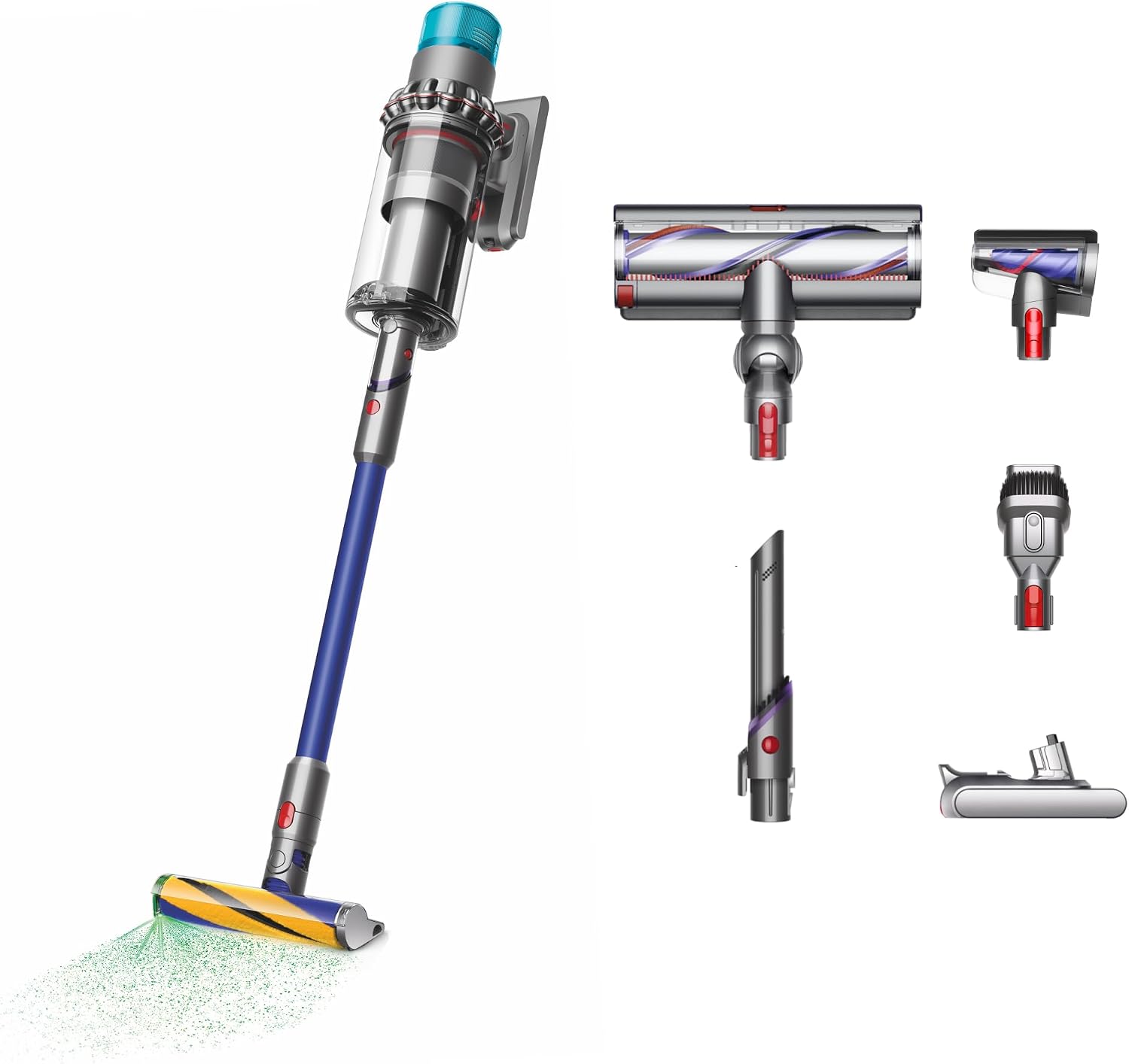
Dyson Gen5outsize Cordless Vacuum
This premium model suits larger homes and long cleaning sessions. Its wider head covers more floor per pass. The XL bin also means fewer stops to empty dirt.
- Up to 140 minutes of listed runtime
- XL bin for bigger cleaning jobs
- Wider cleaner head for faster coverage
- HEPA filtration and dust illumination
ASIN: B0C2JBDYKZ · Runtime changes by mode and tool.
Which Premium Dyson Is the Better Upgrade?
| Feature | Gen5detect | Gen5outsize |
|---|---|---|
| Best for | Most homes | Large homes |
| Listed runtime | Up to 70 minutes | Up to 140 minutes |
| Main benefit | Power and easier handling | More coverage and fewer stops |
| Bin and head | Standard premium size | XL bin and wider head |
| Best choice if | You want a balanced upgrade | You clean a lot of floor space |
As an Amazon Associate, GadgetMakersBlog may earn from qualifying purchases at no extra cost to you.
Frequently Asked Questions
It usually means the vacuum is losing stable airflow, battery output, or electrical contact. The most common causes are clogs, a weak battery, or overheating protection.
Yes. A restricted filter can reduce airflow enough to trigger unstable performance or a shutdown. Cleaning it according to the manual is one of the first things to try.
If runtime has dropped a lot or the vacuum dies quickly under load, the battery may be worn. Heat-related shutdowns can also point to battery stress.
Only if the charger is damaged, inconsistent, or clearly not charging properly. Otherwise, check airflow and battery health first because they are more common causes.
If it is overheating, has a swollen battery, or shows damaged cables or contacts, stop using it. For simple clog-related cutouts, clean and retest before continuing.
Contact support if cleaning and charging checks do not fix the issue or if the trigger, motor, or main body still causes cutouts. Confirm warranty status before buying repair parts.