Monster Smart LED Light Strip Manual Easy Setup Guide
The Monster Smart LED Light Strip manual explains setup, app pairing, power needs, and safe placement. Confirm the exact model’s compatibility and wattage before you install it.
The Monster Smart LED Light Strip manual is mainly a setup and safety guide: it explains how to power the strip, pair it with the app, and place it safely for the room you want to light. If you are shopping, installing, or troubleshooting, the most important step is to confirm the exact model’s specs and app requirements before you start.
- Setup first: Clean, dry surfaces and correct power are the biggest factors in a reliable install.
- Check compatibility: Verify the app, Wi-Fi or Bluetooth requirements, and voice assistant support before buying.
- Safety matters: Replace damaged adapters, frayed cables, or overheating parts right away.
- Best use: Accent lighting for bedrooms, desks, shelves, and TV areas is where strips shine most.
- Know the limits: Brightness, adhesive strength, and app behavior can vary by model and firmware.
Monster Smart LED Light Strip Manual: What You Need to Know Before Setup
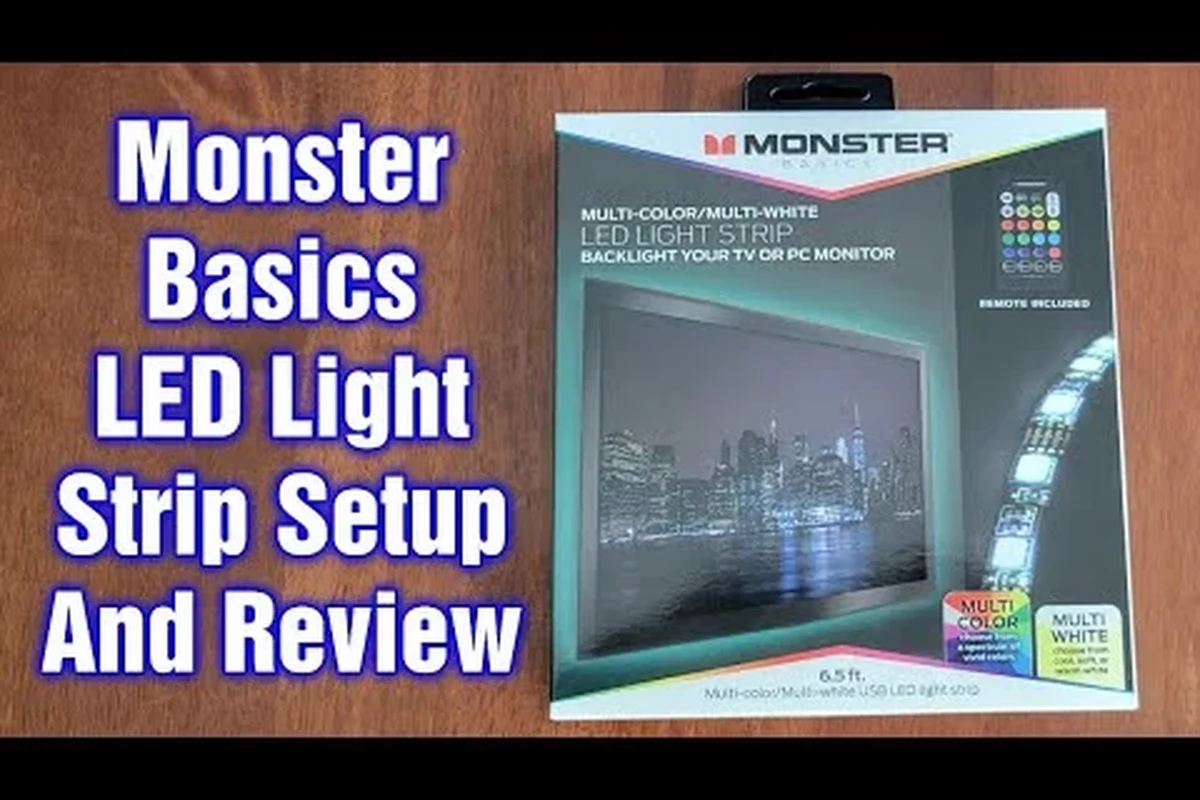
Most smart LED strip problems come from skipping the basics: the wrong surface, the wrong power adapter, or an app mismatch. The manual is there to help you avoid those issues, and it usually covers installation steps, control options, safety notes, and what to do if the strip does not pair correctly.
What the manual covers and who this guide is for
This guide is for homeowners, renters, students, gamers, remote workers, and anyone adding accent lighting to a bedroom, desk, TV area, shelf, or hallway. The official manual is the best place to verify the model number, included accessories, supported app, and any region-specific instructions that may differ by retailer or firmware version.
- Check the exact model number and strip length against your room layout
- Confirm app requirements, platform compatibility, and power adapter details
- Review the warranty, return policy, and safety guidance in the official manual
Quick answer: how the strip works in a smart home
The strip connects to power, then pairs with the manufacturer’s app or a supported smart-home platform if the model includes that feature. After setup, you can usually adjust brightness, colors, scenes, timers, and sometimes voice control through compatible assistants, but the exact features depend on the specific version you buy.
Key Specs to Check in the Monster Smart LED Light Strip Manual
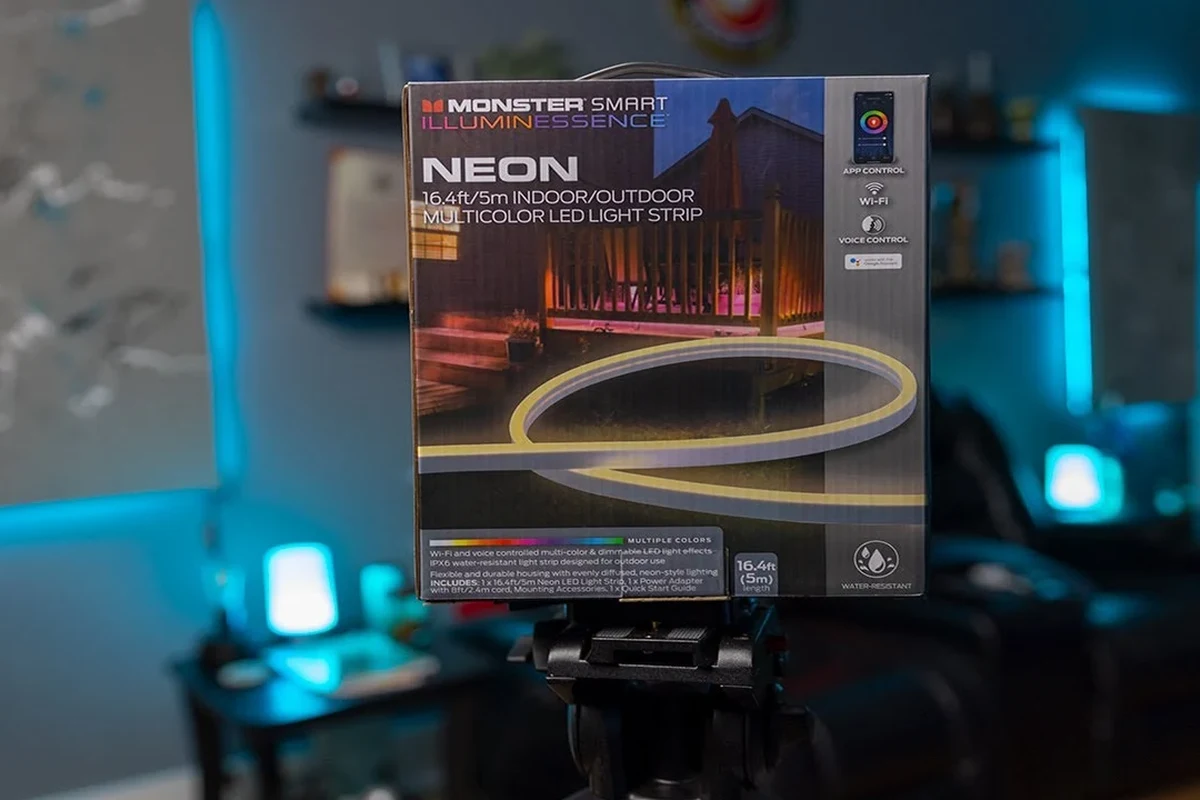
Before installation, focus on the specs that affect fit, power, and compatibility. A smart light strip can look simple, but the wrong length or a weak adhesive can make the whole setup frustrating.
Strip length, dimensions, and room fit
Check the total strip length, any cut points, and whether the kit is meant for a single run or multiple sections. Measure the area first, including corners and turns, because a strip that is too short leaves gaps and one that is too long may require careful trimming only at approved cut marks.
Dimensions and cut intervals can vary by model. If the product page and manual disagree, treat the manual and manufacturer specs as the final reference.
Power requirements, rated wattage, and cable quality
Look for the input voltage, rated wattage, and whether the included adapter is intended only for the supplied strip length. Do not substitute a random power brick or extension cable unless the manual explicitly allows it, because underpowered or poorly made accessories can cause flicker, resets, or excess heat.
Stop using any light strip, adapter, or cable that feels unusually hot, shows fraying, or has loose connectors. Always follow the manufacturer’s wattage and cable guidance instead of guessing.
Connectivity, app requirements, and compatibility
Confirm whether the strip uses Bluetooth, Wi-Fi, a hub, or a combination, because that changes setup and control range. If you want voice control or home automation, verify compatibility with your preferred platform before buying; articles like what smart lights work with Alexa and what smart lights work with Google Home can help you narrow down ecosystem fit.
How to Install and Set Up the Monster Smart LED Light Strip
Good setup is mostly about preparation. Clean surfaces, stable power, and correct app pairing matter more than fancy features, especially for long-term adhesion and reliable control.
Preparing the surface and planning placement
Plan the route before peeling any adhesive backing. The best surfaces are usually clean, dry, and smooth, while dusty paint, textured walls, and damp areas can reduce adhesion and shorten the life of the strip.
Dry-fit the strip first with painter’s tape or small temporary markers so you can confirm corners, cable paths, and power outlet placement before committing.
Connecting power and pairing with the app
After positioning the strip, connect the controller and adapter exactly as the manual shows, then plug into a safe wall outlet or approved power source. Open the official app, follow the pairing steps, and keep your phone close during setup; if pairing fails, check whether the strip needs a reset, a 2.4 GHz Wi-Fi network, or Bluetooth permission.
Wipe the mounting surface, let it dry fully, and map the strip route before sticking anything down.
Attach the controller and adapter, then complete app pairing using the official instructions for your exact model.
Check brightness, color changes, and segment behavior before hiding cables or pressing the strip firmly into place.
Using scenes, schedules, and voice control safely
Once connected, scenes and schedules can make the strip more useful for movie nights, bedtime routines, or desk lighting. If voice control is supported, enable only the integrations you actually need and review app permissions, account security, and firmware update prompts before linking to a broader smart-home system.
Many smart lighting issues are caused by router settings, app permissions, or network band mismatches rather than the strip itself.
Real-Use Benefits and Limitations for Home Gadgets Buyers
A smart LED strip is often less about raw brightness and more about atmosphere, flexibility, and easy control. The value depends on where you place it and how much you care about color effects, automation, and a tidy installation.
Where the light strip adds the most value
These strips are especially useful behind TVs, under shelves, along desks, around headboards, and in small rooms where indirect lighting makes a big visual difference. They can also help students and remote workers create separate lighting zones without installing new fixtures, which is why many buyers compare them with broader options like smart light options for the home or other smart light strips.
Buyers who want flexible accent lighting, app control, and a relatively simple upgrade for a bedroom, desk, or entertainment area.
Common trade-offs in brightness, adhesive, and control
Like most LED strips, the main trade-offs are adhesive longevity, cable management, and brightness that may be better for accent lighting than for room-wide illumination. Control quality can also vary by app version, router stability, and firmware updates, so a smooth setup on day one does not guarantee perfect performance forever.
- Easy way to add ambient lighting without replacing fixtures
- Flexible placement for desks, TVs, shelves, and bedrooms
- Can support scenes, timers, and app-based color control
- Adhesive performance may depend on wall finish and cleanliness
- Brightness may not suit full-room task lighting
- App and connectivity behavior can vary by model and firmware
Who it fits best and who should look elsewhere
This type of strip fits users who want convenience, color effects, and simple smart-home integration. If you need very bright task lighting, outdoor durability, or a system that is tightly standardized across platforms, you may be better off comparing dedicated fixtures or other smart lighting categories first.
Safety, Heat, and Electrical Use Guidelines
Smart light strips are low-risk compared with many appliances, but they still deserve the same basic electrical caution as any powered device. The manual should always be your first reference for placement, ventilation, and approved accessories.
Inspecting the strip, adapter, and cable before use
Before plugging anything in, inspect the strip for damaged LEDs, bent connectors, pinched cable sections, or adhesive that has already failed. Check the adapter label and cord for matching model information and make sure no part of the system is cracked, discolored, or loose.
Stop using damaged electronics, frayed cables, unstable connectors, or adapters that run unusually hot, and follow the manufacturer’s replacement guidance.
Limits of safe operation and overheating concerns
A strip should not be covered by heavy fabric, trapped against heat sources, or run in a way that blocks airflow around the adapter. If you notice flickering, shutdowns, or heat near the power brick, unplug the system and verify that the setup matches the manual’s load and placement limits.
Do not modify the adapter, splice the strip, or bypass any built-in controller limits. If the manual does not allow a change, treat it as off-limits.
Replacement guidance for damaged parts
If a section is damaged, replace the affected part only with parts approved for that model whenever possible. Do not assume a generic replacement will work safely, because voltage, connector shape, and controller compatibility can differ even between similar-looking strips.
Maintenance, Cleaning, and Storage Tips
Light strips last longer when they are kept clean, dry, and free from strain at the connectors. A few small habits can make the adhesive and electronics hold up much better over time.
Keeping the strip adhesive, LEDs, and connectors in good condition
Dust the strip gently with a dry microfiber cloth and avoid liquid cleaners unless the manual explicitly allows them. If an edge starts lifting, press it back only after cleaning the surface again; forcing it onto a dirty wall usually makes the bond worse.
Leave a little slack near corners and controller boxes so the strip is not pulled tight, which can reduce strain on the adhesive and connectors.
How to store unused sections without damage
If you remove the strip or store leftovers, coil it loosely and keep it in a cool, dry place away from sharp bends. Avoid folding the strip sharply, stacking heavy items on top of it, or leaving adhesive exposed to dust for long periods.
Warranty details to verify before buying
Warranty terms can vary by seller, region, and product bundle, so read the official policy before purchase. Confirm what is covered, whether accessories are included, and how replacement claims are handled if the controller, adapter, or strip fails.
Common Setup Mistakes and Troubleshooting Fixes
Most issues are fixable with careful checks, but the safest approach is to follow the official manual first and avoid risky workarounds. If the strip behaves inconsistently, start with power, app, and placement before assuming the hardware is defective.
Pairing problems, app issues, and connectivity drops
If pairing fails, verify that the app is current, Bluetooth or Wi-Fi permissions are enabled, and the strip is in pairing mode. Network drops often point to router band issues, weak signal, or account setup problems rather than a failed strip, so checking the app’s device status can save time.
Some smart light strips require a 2.4 GHz Wi-Fi network or a specific app version. That requirement is model-specific, so confirm it in the manual before troubleshooting too deeply.
Uneven lighting, dead zones, and power interruptions
Uneven brightness can happen when a strip is not fully seated, a connector is loose, or the power supply is not delivering what the model expects. Dead zones may also appear if the strip was cut incorrectly or installed beyond its supported length, so compare the actual setup against the manual’s layout guidance.
When to reset, reattach, or contact support
Reset the strip only using the manufacturer’s method if pairing or control fails after basic checks. Reattach the strip if the adhesive is lifting, and contact support if you see heat, repeated power loss, or physical damage that does not improve after safe inspection.
Final Verdict: Is the Monster Smart LED Light Strip Worth It in 2026?
The Monster Smart LED Light Strip is worth considering if you want affordable-style accent lighting, app control, and a straightforward way to upgrade a room’s look without replacing fixtures. The strongest buying case is for users who value atmosphere and convenience more than maximum brightness or advanced installation flexibility.
Best use cases, value, and buying recommendation
For desks, bedrooms, entertainment setups, and shelf lighting, this kind of strip can be a practical home-gadget upgrade if the manual confirms the right length, power input, and app compatibility. Before buying, verify the exact version, included accessories, and smart-home support so you know whether it fits your setup from day one.
Transparent limitations and alternatives to consider
It is not the best choice if you need heavy-duty adhesive, bright task lighting, or guaranteed compatibility across every platform. If you want broader ecosystem options, you may also want to compare dedicated smart lights, smart switches, or other lighting categories before deciding on a strip as your main solution.
Choose the Monster Smart LED Light Strip if you want flexible accent lighting and you are willing to verify the manual, app support, and power details first. Look elsewhere if your priority is maximum brightness, outdoor use, or a more standardized smart-home setup.
Frequently Asked Questions
It usually explains installation, power requirements, app pairing, safety notes, and basic troubleshooting. Exact details can vary by model and region, so the official manual should be the final reference.
Most smart strips require the manufacturer’s app, and some also support voice assistants or home platforms. Check the manual or product listing for the exact app and compatibility before buying.
Pairing problems often come from permissions, the wrong Wi-Fi band, router settings, or the strip not being in pairing mode. Start with the official reset and setup steps in the manual.
Only cut the strip at approved cut marks if the manual allows it. Do not extend or modify the strip unless the manufacturer specifically says it is safe for your model.
Use a dry microfiber cloth and avoid liquid cleaners unless the manual approves them. Keep the adhesive surface clean and protect the connectors from strain, moisture, and heat.
Confirm the strip length, power adapter details, app requirements, smart-home compatibility, warranty terms, and return policy. These details can vary by model, seller, and firmware version.