9 Best Smart Lights for Google Home: Top Picks for Seamless Voice Control and Automation
Affiliate disclosure: As an Amazon Associate, Gadget Makers Blog may earn from qualifying purchases. This does not change the price you pay.
Smart lights make rooms easier to control and help save energy. They let users change brightness, color, and schedules from a phone or with voice commands through Google Home. Many bulbs work with the Google Home app, letting people group lights, set routines, and control them hands-free.
Buyers should focus on compatibility with Google Home, the bulb’s connection type (Wi‑Fi or Zigbee), color range, brightness (lumens), and whether a hub is required. The most important thing is to pick smart lights that work natively with Google Home without extra hubs if ease of use is the priority. Reliable app control and good voice response matter most for daily use.
This guide tests bulbs for ease of setup, voice responsiveness, brightness, color accuracy, and value to find the best options for Google Home users.
9 Best Smart Lights for Google Home
They picked smart lights that work well with Google Home for easy voice control and routines. The list focuses on reliable brands, simple setup, and good app and voice features to help buyers choose the right smart bulbs and light strips.
Govee Smart Bulbs (4-Pack)

It is a strong choice for people who want bright, colorful smart bulbs that work with Google Home and offer lots of app features.
Pros
- Lots of color choices and preset scenes for mood lighting.
- Works with Google Assistant for voice control.
- Music sync and grouping make multi-room setups simple.
Cons
- Needs 2.4 GHz Wi-Fi and won’t work with 5 GHz networks.
- Not compatible with standard smart switches.
- Some users report occasional defective units.
The bulbs give many color and scene options so a user can set moods easily without extra hardware. They reach useful brightness and offer both warm and cool whites alongside RGB colors.
The Govee app adds features like music sync, DIY color creation, and schedules. Voice control works through Google Assistant, making basic commands quick and hands-free.
Buyers should check their Wi‑Fi band and avoid using smart switches with these A19 bulbs. The one-year warranty helps if a bulb arrives faulty, but a few buyers have noted mixed quality control.
Kasa Smart Dimmable Bulb (4-Pack)

It is a solid buy for people who want easy Google Home voice control, steady dimming, and no hub.
Pros
- Simple voice control with Google Assistant and Alexa.
- Wide dimming range for many rooms and moods.
- No hub needed — connects to 2.4 GHz Wi‑Fi.
Cons
- Works only on 2.4 GHz Wi‑Fi, not 5 GHz.
- White-only color temperature (soft white only).
- May add extra load if many Wi‑Fi devices are used.
The bulbs offer reliable dimming from nearly off to full brightness. They fit standard sockets and the Kasa app guides setup step by step.
They report good energy use and include scheduling and energy monitoring features. Users can check energy use and set timers from the app or with voice commands.
Some buyers note the app and connection are easy, while others caution about needing a 2.4 GHz network and potential network load. The soft white color works well for bedrooms and living spaces but won’t provide color-changing options.
Kasa Smart Bulbs (2-Pack)
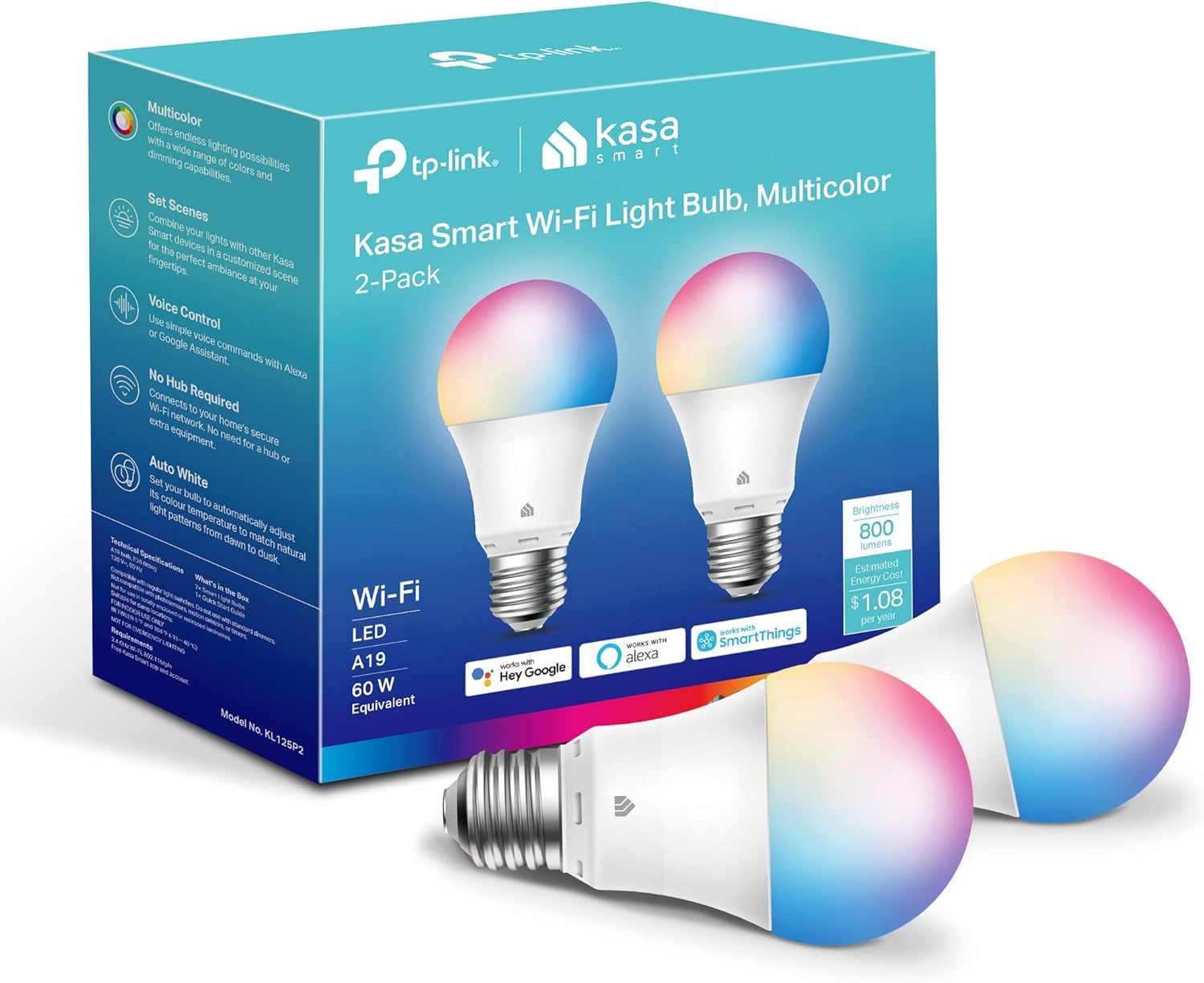
It is a solid pick for Google Home users who want bright, full-color bulbs that are easy to control and don’t need a hub.
Pros
- Wide color range and tunable whites for many moods.
- Works with Google Assistant and the Kasa app for remote control.
- No hub required; good brightness for typical rooms.
Cons
- Requires a 2.4 GHz Wi‑Fi network only.
- Setup may need bulbs added one at a time to avoid issues.
- Not rated for higher voltage regions without checking compatibility.
They offer a full RGB palette plus warm-to-cool whites, so scenes and routines feel flexible. The bulbs reach useful brightness for living rooms and bedrooms while staying energy efficient.
Integration with Google Home is straightforward once the Kasa app links accounts. Users can use voice commands, schedules, and remote control from the phone without extra hardware.
Some buyers report the 2.4 GHz-only requirement and occasional pairing quirks, so patience during setup helps. They include energy monitoring and scheduling if someone wants to track or automate usage.
Govee Smart A19 Bulbs (4-pack)
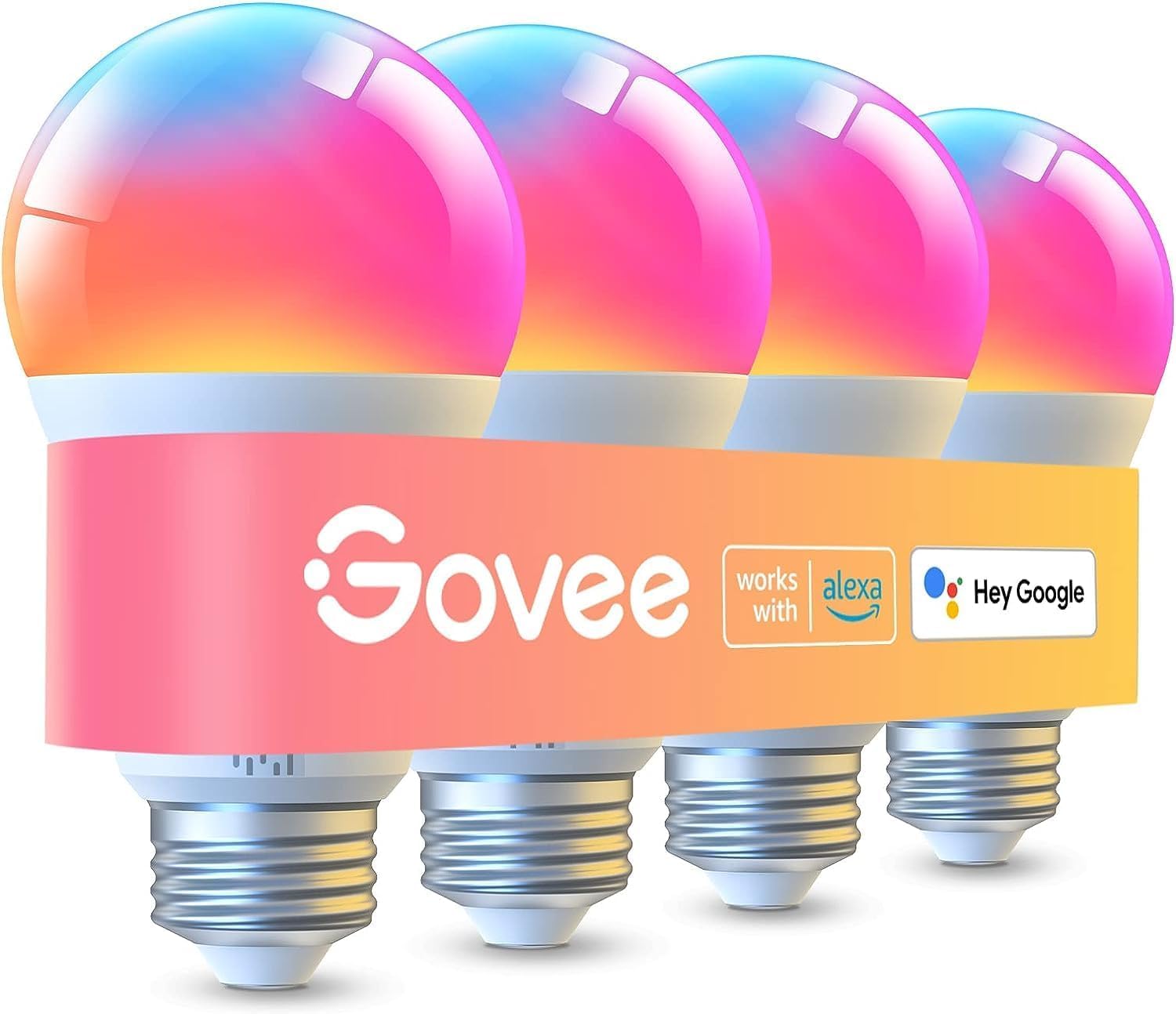
These bulbs are a solid budget choice for users who want bright, full-color smart lighting that works with Google Home.
Pros
- Very bright output for larger rooms.
- Wide color range and warm-to-cool whites.
- Works with Google Assistant and app scenes.
Cons
- Some users report occasional flicker or connection quirks.
- Preset saving needs Wi‑Fi and requires Bluetooth off.
- Not compatible with smart switches.
The bulbs deliver strong light and many color options, which helps when someone wants vivid accents or clear reading light. They use Wi‑Fi and Bluetooth so voice control via Google Home is possible once devices pair.
The Govee app adds many preset scenes and a music sync mode that can make a room feel lively. Group control makes it easy to control multiple bulbs at once, though advanced users may prefer ecosystems with more mature integrations.
Connectivity can be stable but some buyers noted early flicker or app setup problems. People who want simple plug-and-play with smart switches should choose a different setup.
Kasa Smart Bulbs (4-Pack)
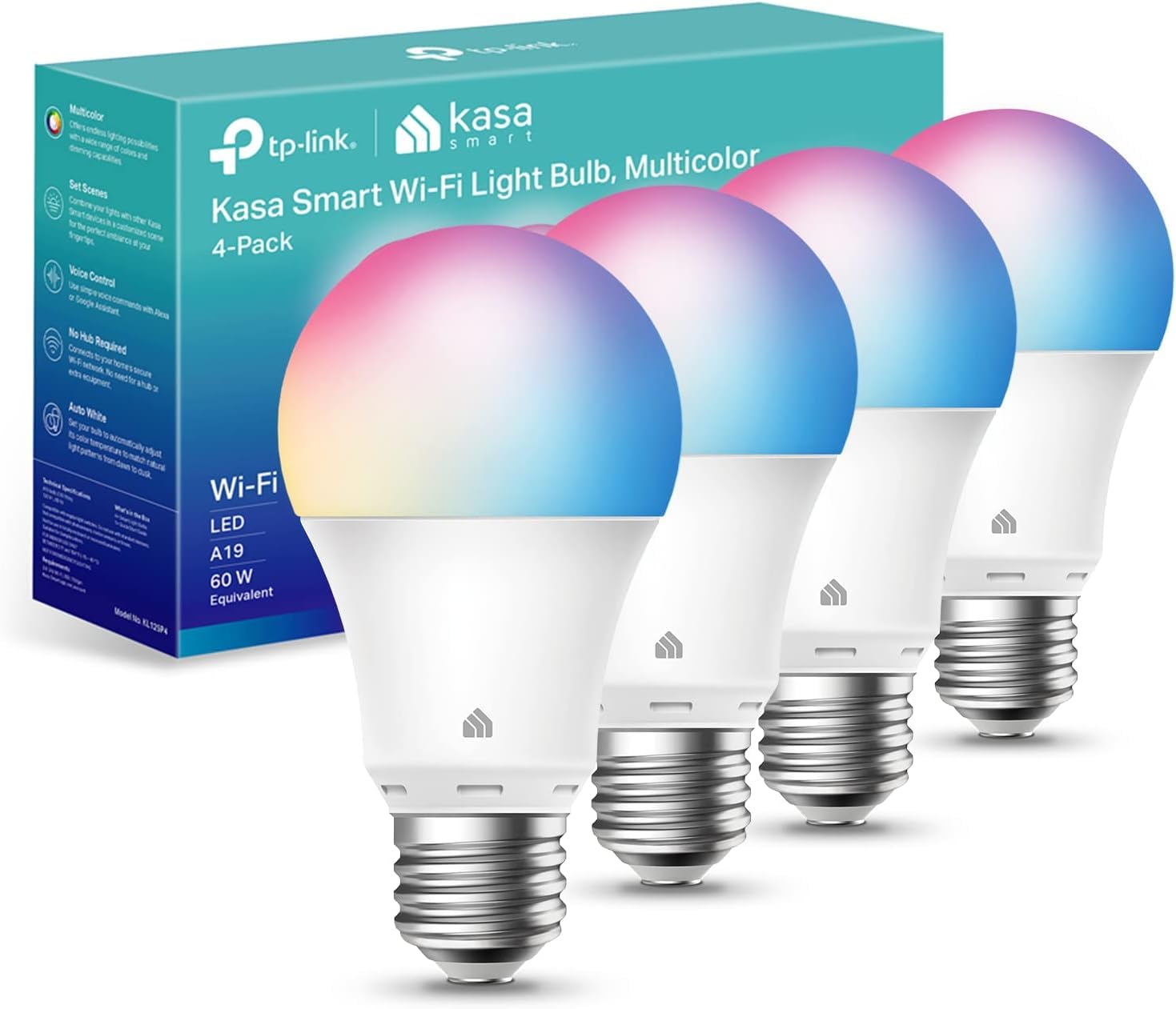
This pack is a solid buy for someone who wants reliable Google Home control, wide color options, and no extra hub.
Pros
- Wide color range and tunable whites for many moods.
- Works with Google Assistant and Alexa without a hub.
- Energy efficient and includes scheduling and remote control.
Cons
- Requires 2.4 GHz Wi‑Fi only, which may need router changes.
- Some users report occasional app or connectivity glitches.
- Not rated for heavy outdoor exposure.
The bulbs offer 16 million colors plus warm-to-cool whites, which helps match light to activities or time of day. They run on Wi‑Fi and use the Kasa app to set schedules, timers, and energy tracking.
They pair with Google Home for voice control and remote commands. Setup guidance appears in the app, and the product includes a two-year warranty and UL safety listing.
This option fits rooms where you want flexible lighting scenes and smart control without a hub, but check your home Wi‑Fi band before buying.
Philips Hue Essential BR30 4-Pack
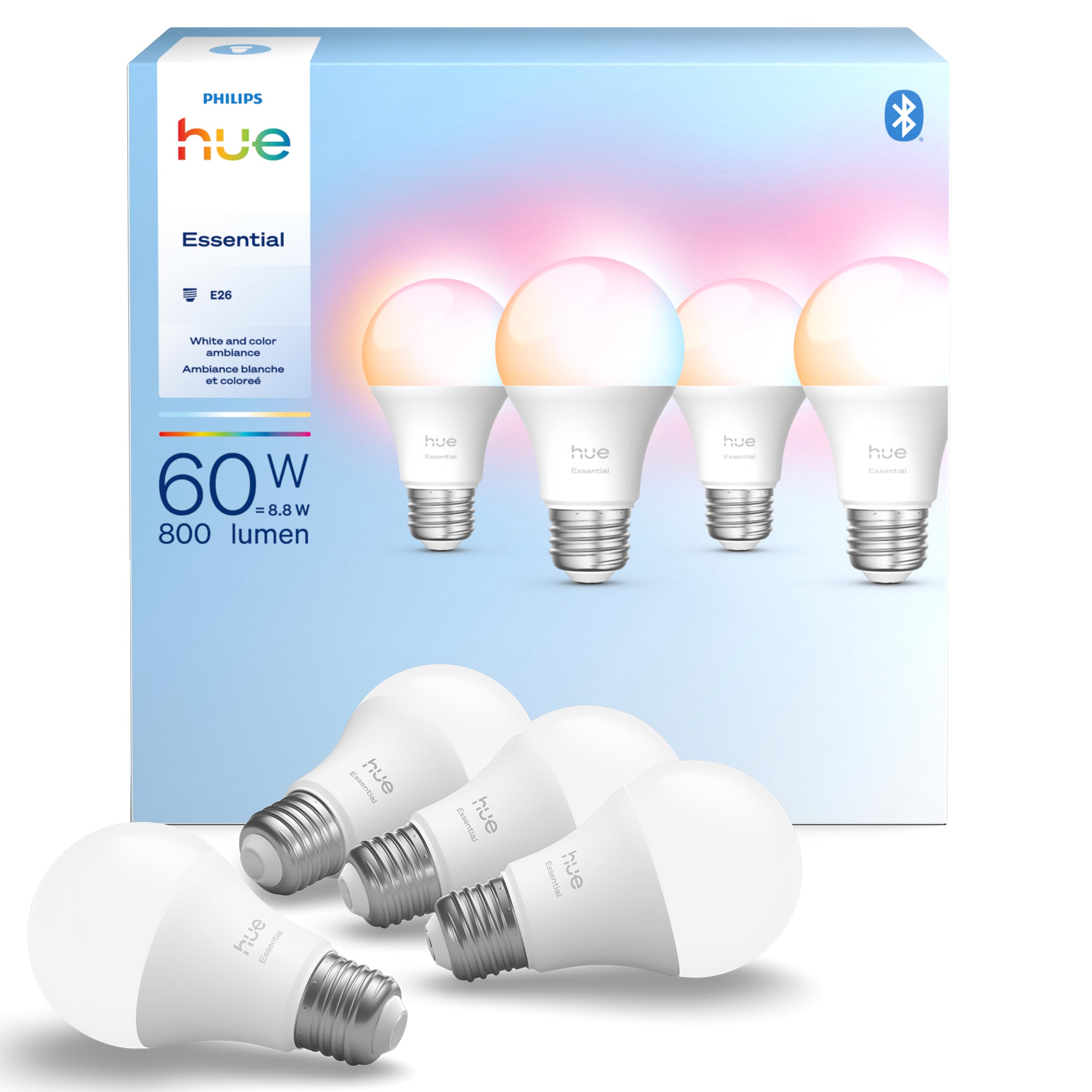
This is a solid pick for buyers who want full color smart bulbs that work well with Google Home and can grow into a larger Hue system.
Pros
- Wide color range and smooth dimming for mood lighting.
- Easy voice control with Google Assistant and major smart platforms.
- Works with existing Hue products for future expansion.
Cons
- Higher cost than basic smart bulbs.
- Some users report occasional early failures.
- Full feature set needs a Hue Bridge for best experience.
The bulbs offer millions of colors and tunable white light, so it’s simple to match warm or cool tones to a room. They dim smoothly down to low levels and can make scenes and schedules easy to set in the Hue app.
Voice control works reliably through Google Assistant once set up, and the bulbs fit common E26 fixtures. They can join a Hue Bridge to unlock advanced features like better grouping and integrations.
Price-conscious buyers might prefer cheaper options, but those who plan to build a Hue ecosystem will find the compatibility useful.
Tapo Smart Bulbs (L530E) 4-Pack

It is a solid choice for someone who wants full color control, good white light, and Google Home voice control at a low cost.
Pros
- Wide color range and true-white tones for flexible moods.
- Strong brightness and color rendering for vivid light.
- Works with Google Home and needs no hub.
Cons
- Wi‑Fi only on 2.4 GHz can be flaky on weak networks.
- Some users report occasional reconnection or flicker issues.
- Brightness may not match higher-end premium bulbs.
The bulbs give a large palette of colors plus warm-to-cool whites, so they suit parties, study time, or soft ambient lighting. The high CRI helps colors look more natural than many budget bulbs.
Setup and app control stay simple, and Google Home voice commands work without extra hardware. Energy saving and scheduling features help lower power use and automate lighting routines.
Network range matters: weak 2.4 GHz coverage can cause drops or the need to reconnect. Buyers should expect typical budget-bulb trade-offs in longevity and occasional quirks, not premium reliability.
Kasa Smart Light Strip (16.4 ft)

It is a strong pick for people who want bright, colorful Wi‑Fi strips that work with Google Home and other smart platforms.
Pros
- Very bright colors and many shades.
- Easy voice and app control with Google Assistant.
- Flexible length and simple stick‑on installation.
Cons
- Not water resistant, so only for indoor use.
- Controller direction and cuts must be followed exactly.
- Some users report occasional color or controller failures.
The Kasa Smart strip offers 16 million colors and high brightness, so scenes and moods look vivid. It links to Google Home for hands‑free control and lets users set schedules and groups.
Installation tends to be straightforward: peel, stick, plug in, and pair via the Kasa app. The strip can be trimmed and bent to fit TVs, shelves, or accent lighting, but follow the arrow on the controller for correct wiring.
This model is not rated for outdoor use and relies on Wi‑Fi, so placement near a reliable router matters. Warranty and customer support exist, though some buyers noted issues with replacements and color shifts over time.
Buyers who want bright, multicolor indoor lighting that works with Google Home will find this a flexible option. For damp locations or highly durable setups, a waterproof or addressable alternative may be better.
Philips Smart Color A19 4-Pack
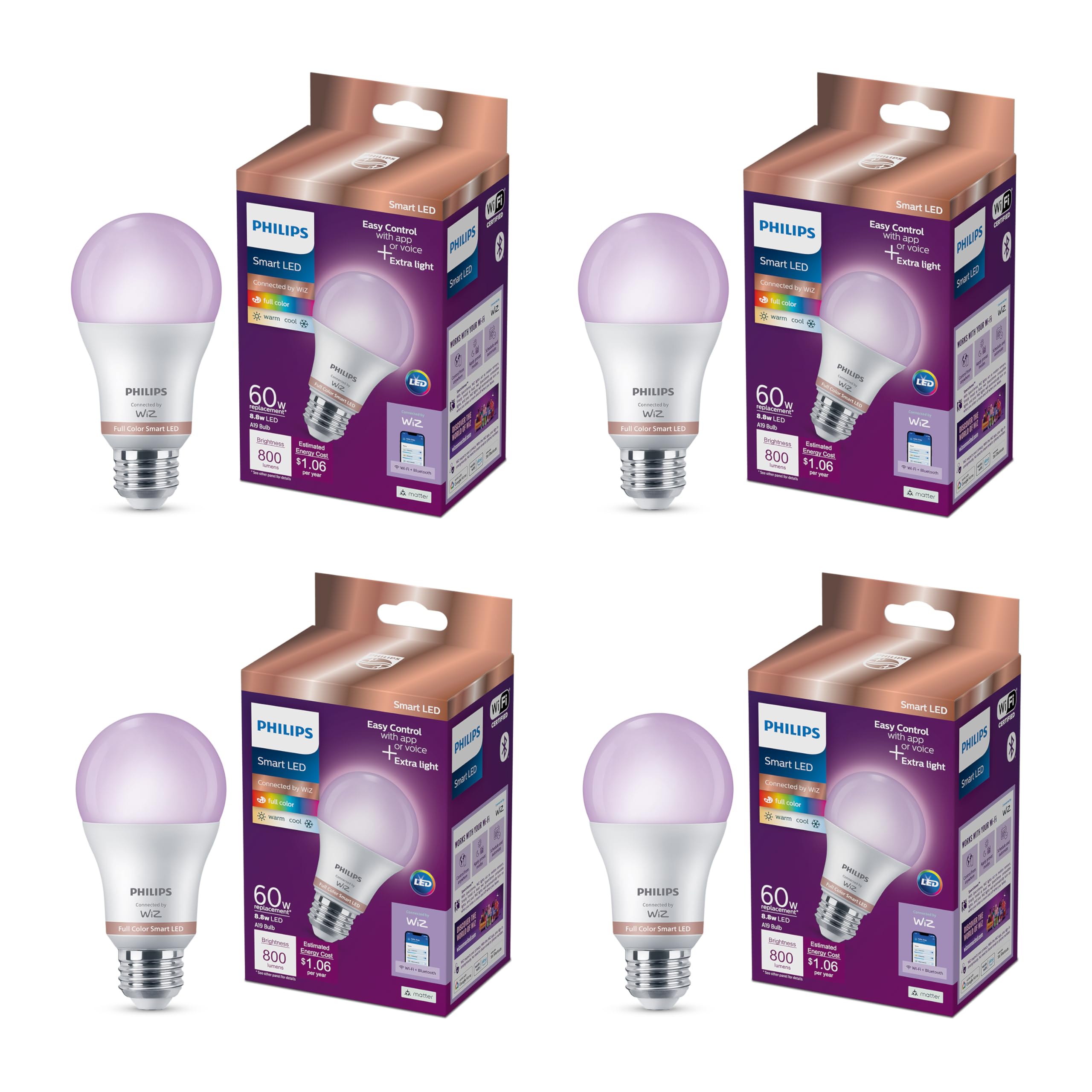
It is a solid choice for Google Home users who want easy app and voice control plus wide color options for mood lighting.
Pros
- Works with Google Home and Matter for simple voice control.
- Lots of color and white light options to match moods and tasks.
- No hub required, so setup is straightforward.
Cons
- Loses settings after a power outage, which can be annoying.
- Not compatible with Philips Hue ecosystem.
- Some users report occasional setup quirks with the app.
The bulb fits standard fixtures and brings a wide color range. It offers both warm-to-cool whites and millions of colors to shape room ambience.
They market motion-triggered features through the app when you have multiple bulbs, which can automate lights without extra sensors. That helps in hallways or rooms you want to light automatically.
Voice control works with Google Home via Matter, so lights respond to simple commands. Users who want group scenes and schedules will find the app options useful.
Find the product on Amazon: Philips Smart Color A19 4-Pack
Buying Guide
When choosing smart lights for Google Home, buyers should check compatibility first. It matters whether the light works with Google Home natively or needs a hub. Native support makes setup simpler and voice control faster.
Look at connectivity options next. Wi‑Fi bulbs connect directly to the router and avoid extra hardware. Zigbee or Z‑Wave bulbs often need a bridge but can handle larger setups more reliably.
Consider brightness and color features. Lumen ratings show how bright a bulb will be. If color control matters, verify true RGB color range and white temperature adjustment for warm to cool light.
Evaluate controls and automation. The app should be easy to use and let users make schedules, scenes, and routines. Check whether the light supports local control for faster response and better privacy.
Review energy use and lifespan. The package should list watts and estimated life hours. Longer life and lower power mean fewer replacements and lower running costs.
Check physical fit and light form factors. Bulb base, size, and shape must match existing fixtures. For strips and recessed lights, confirm adhesive quality and heat tolerance.
Finally, compare warranty and support options. A clear warranty and reachable customer service help when issues arise. Consider user reviews focused on long‑term reliability rather than initial setup alone.
Quick Feature Checklist
| Feature | Why It Matters |
|---|---|
| Compatibility with Google Home | Ensures voice control works smoothly |
| Connectivity (Wi‑Fi/Zigbee/etc.) | Affects reliability and need for a hub |
| Lumens & color temperature | Determines brightness and ambiance |
| App features & local control | Enables automation and faster response |
| Energy use & lifespan | Impacts running cost and replacements |
| Physical fit | Ensures the bulb fits fixtures |
| Warranty & support | Protects against defects and failures |
Editor’s Choice
The pick is the Philips Hue White and Color Ambiance starter kit. It offers reliable Google Home control, wide color range, and strong app support. It works with most smart home setups and supports routines and voice scenes.
A quick glance at strengths:
| Feature | Why it matters |
|---|---|
| Color range | Nice color accuracy for mood lighting |
| Google Home support | Fast voice response and easy setup |
| Ecosystem | Lots of compatible bulbs and accessories |
| Reliability | Stable connections with Hue Bridge |
The Hue Bridge is required for full features, but the kit still works well without it for simple control. The lights handle dimming smoothly and keep consistent colors across bulbs.
For users who want simpler gear, the Sengled Smart LED is a good runner-up. It is cheaper and works directly with Google Home, but it has fewer color options and fewer advanced integrations.
Price and expansion matter. Hue costs more upfront but scales well for many rooms. It gives more flexibility for future upgrades and smart scenes.
Where to Buy – Best Amazon Deals
They can find strong Amazon deals on smart lights year-round, especially during Prime Day, Black Friday, and seasonal sales. Amazon lists both big brands and budget options, so shoppers can compare prices and read many user reviews quickly.
Look for certified Google Assistant compatibility in the product title or description. Bundles and multi-packs often lower the per-bulb cost, and Amazon’s “Subscribe & Save” can cut repeat purchases for smart plugs or extra bulbs.
Use filters to sort by price, rating, and shipping speed. The “Buy Now” and “Add to Cart” buttons show current discounts, while the product page shows coupon checkboxes when available.
Bold sellers with Amazon’s Choice or high ratings usually offer reliable returns and fast shipping. Check the “Sold by” line to see if Amazon or a third-party seller ships the item, and review the return policy before buying.
Recommended quick checks:
- Compatibility: Google Assistant, Wi‑Fi or hub required
- Bundle savings: Multi-packs lower cost per bulb
- Warranty & returns: Check seller details
- User reviews: Filter for verified purchases
They should use the Amazon app for deal alerts and price tracking tools to spot short-term discounts. This helps secure a good price on a smart light that works well with Google Home.
Conclusion
Smart lights that work with Google Home give users easy voice control, routines, and energy savings. They fit many budgets and needs, from bright white bulbs for workspaces to color bulbs for mood lighting.
They should pick a light that matches their existing setup. Consider compatibility, brightness, color range, and whether a hub is needed.
For simple setups, choose Wi‑Fi bulbs that connect directly to Google Home. For larger homes or many bulbs, Zigbee or Thread systems often offer more stable performance and lower power use.
Look for reliable brands with regular firmware updates and clear warranty terms. Good apps and responsive customer support make setup and daily use smoother.
Using smart lights with Google Home can cut energy use and add convenience. They let users control lights with voice, schedule scenes, and sync lighting to daily routines.
FAQs
Do smart lights work with Google Home?
Most smart lights work with Google Home if they support the Google Assistant or link through a compatible hub. Users should check product labels or the app listing for “Works with Google Assistant.”
Is a hub required?
Some bulbs use Wi‑Fi and need no hub. Others use Zigbee or Z‑Wave and require a hub or bridge. The product page will state which connection type it uses.
How secure are smart lights?
Security depends on the brand and home network. Strong Wi‑Fi passwords, firmware updates, and buying from reputable makers reduce risk.
Can Google Home control color and brightness?
Yes. Google Home can change brightness and color for bulbs that support those features. Commands must match the bulb’s capabilities.
Will smart lights work if Wi‑Fi goes out?
Basic functions like on/off may work if bulbs use local connections or a physical switch. Cloud‑dependent features and voice control through Google Home usually stop without internet.
How many lights can one Google Home control?
Google Home can control many devices, but performance may vary by network and router. Grouping lights into rooms helps manage large setups.
Are smart lights energy efficient?
Most smart LED lights use less energy than incandescent bulbs and last longer. Check lumens per watt for exact efficiency.
How hard is installation?
Installation ranges from screwing in a bulb to setting up a hub and app pairing. Most users complete basic setups in under 15 minutes.