Does the iPhone 11 Have Wireless Charging A Full Guide
Yes, the iPhone 11 does have wireless charging, and it supports the Qi standard for easy cable-free charging. This guide explains how it works, how fast it charges, and what accessories give you the best results.
If you own an iPhone 11 or plan to buy one, knowing its wireless charging limits can save time and money. You will also learn how it compares to MagSafe, wired charging, and the best ways to keep your battery healthy.
Does the iPhone 11 Have Wireless Charging A Full Guide
If you have ever put your phone on a charging pad and hoped for the little lightning bolt to appear, you are not alone. Wireless charging feels simple, clean, and a little futuristic. That is why so many iPhone users ask the same thing: does the iPhone 11 have wireless charging?
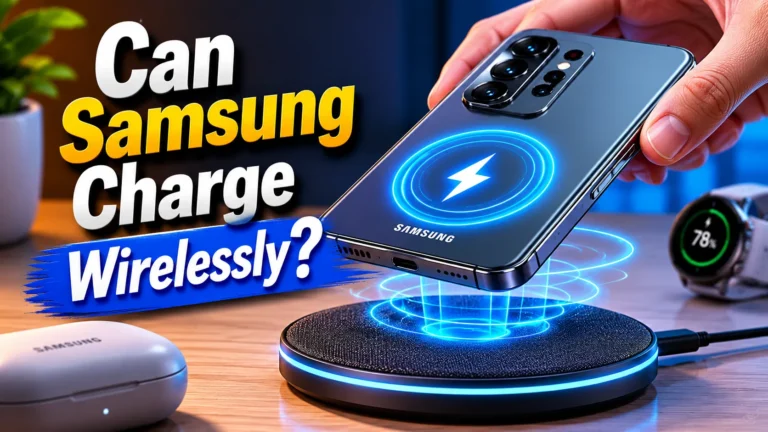
The short answer is yes. The iPhone 11 does support wireless charging, and it uses the Qi wireless charging standard. That means you can charge it on many pads, stands, and multi-device docks without plugging in a cable. But there are a few limits you should know before you buy a charger or expect fast results.
In this guide, I will break it all down in plain language. We will look at how the iPhone 11 wireless charging works, how fast it is, what accessories are worth buying, and when wired charging still makes more sense. If you want a simple answer plus real-world advice, you are in the right place.
- Point 1: The iPhone 11 supports wireless charging through the Qi standard.
- Point 2: Wireless charging is slower than wired charging, but it is more convenient for daily use.
- Point 3: You do not need a special Apple charger to use wireless charging on the iPhone 11.
- Point 4: Most Qi pads and stands work, but case thickness and metal parts can affect performance.
- Point 5: The iPhone 11 does not support MagSafe charging like newer iPhones.
- Point 6: A good wireless charger can help reduce cable wear and keep your desk or nightstand neat.
- Point 7: For the best speed, wired charging is still the better choice on the iPhone 11.
📑 Table of Contents
- Does the iPhone 11 Have Wireless Charging?
- How iPhone 11 Wireless Charging Works
- What You Need to Use Wireless Charging on iPhone 11
- iPhone 11 Wireless Charging vs Wired Charging
- Best Use Cases for iPhone 11 Wireless Charging
- What to Look for When Buying a Wireless Charger
- Common Problems and How to Fix Them
- Is Wireless Charging Worth It on iPhone 11?
- Conclusion: Does the iPhone 11 Have Wireless Charging?
Does the iPhone 11 Have Wireless Charging?
The simple answer
Yes, the iPhone 11 has wireless charging. Apple built Qi wireless charging support into the phone, so you can place it on a compatible charger and power it up without a cable. This feature works on the iPhone 11, iPhone 11 Pro, and iPhone 11 Pro Max.
What Qi charging means
Qi is the most common wireless charging standard. If a charger says it supports Qi, it should work with the iPhone 11. You do not need an Apple-only charger for basic wireless charging. Many brands make Qi pads, stands, and charging mats that work just fine.
Why people still ask this question
A lot of confusion comes from newer iPhones with MagSafe. Those phones use magnets to line up the charger and can charge more reliably. The iPhone 11 came before MagSafe, so it does not have that magnetic snap-on system. It still has wireless charging, but it is the older style.
How iPhone 11 Wireless Charging Works
What happens when you place it on a pad
When you set the iPhone 11 on a Qi charger, the charger creates a small magnetic field. The phone receives that energy through the glass back and turns it into battery power. It is a simple process, and it works best when the phone is centered on the charging spot.
Charging speed you can expect
The iPhone 11 supports wireless charging up to 7.5W with compatible Qi chargers. That is slower than wired charging, especially if you use a good Lightning cable and a strong power adapter. In real life, wireless charging is best for overnight use, desk use, or top-ups during the day.
If you want to compare charging habits and battery care, our guide on best charging habits for iPhone is a useful read. It explains how to charge smarter without stressing the battery too much.
What affects wireless charging speed
- The charger’s wattage and quality
- How well the phone is aligned on the pad
- Case thickness and material
- Heat from the room or the phone itself
- Whether the charger is connected to a strong power adapter
Even with a good charger, wireless charging is not the fastest option. But it is often the easiest. That is the trade-off.
What You Need to Use Wireless Charging on iPhone 11
A Qi-compatible charger
The main thing you need is a Qi wireless charger. This can be a flat pad, an angled stand, or a charging dock. The iPhone 11 does not need a special Apple charging brick to start wireless charging. It just needs a charger that supports the standard.
A proper power adapter
Some wireless chargers do not include a wall adapter, and that matters. A weak adapter can limit performance or make the charger unstable. For the best results, use the power adapter recommended by the charger maker.
A case that works well
Most thin cases are fine. Thick cases can slow charging or stop it from working well. Cases with metal plates, pop sockets, or magnetic accessories may also interfere. If your iPhone 11 is not charging on a pad, the case is one of the first things to check.
If you are also shopping for portable power, our guide on what fast charging power banks work with iPhone can help you find useful backup options for travel and busy days.
Where wireless charging fits in daily life
Wireless charging works best in places where you leave your phone for a while. A nightstand, office desk, kitchen counter, or car mount can all be good spots. It is less ideal if you need a very fast refill before leaving the house.
iPhone 11 Wireless Charging vs Wired Charging
Speed comparison
Wired charging is faster on the iPhone 11. If you plug in with a Lightning cable and a solid adapter, you will usually get a better charge rate than any Qi pad can offer. That makes wired charging the better choice when time matters.
Convenience comparison
Wireless charging wins on ease. You do not have to plug and unplug the cable every time. That is great if you charge at your desk while checking messages, or if you like dropping your phone on a pad before bed.
Battery comfort and heat
Wireless charging can create more heat than wired charging. Heat is normal, but too much heat is not great for long-term battery health. A good charger should stay cool enough for normal use. If it gets very hot, stop using it and switch to a better model.
For more on heat and charging safety, see our article on does a charger overheat while charging. It covers signs of trouble and what to do if your charger feels too warm.
Which one should you use?
If you want speed, use wired charging. If you want comfort and convenience, use wireless charging. Many iPhone 11 owners use both. They keep a cable for quick top-ups and a wireless pad for everyday charging.
Best Use Cases for iPhone 11 Wireless Charging
Nightstand charging
This is one of the best uses. You can set the phone down at night and pick it up in the morning. No cable mess, no wear on the port, and no fumbling in the dark.
Desk charging
If your phone sits near you while you work, a wireless stand is very handy. You can glance at alerts, use Face ID, and keep the phone topped up without interrupting your workflow.
Shared spaces
Wireless charging is great in homes with shared tables or charging spots. Everyone can drop in their Qi-compatible device without searching for the right cable.
Travel and backup use
Wireless charging is less portable than a cable in some cases, but it still helps in hotel rooms, offices, and cars. If you travel often, pairing it with a good battery pack can make life easier. You can also check are fast charging power banks worth it if you want to compare backup charging options.
What to Look for When Buying a Wireless Charger
Choose a stable design
A flat pad is simple. A stand is better if you want to see notifications or use the phone while it charges. Pick the style that fits your routine. The best charger is the one you will actually use every day.
Look for Qi certification
Qi-certified chargers are usually safer and more reliable. Certification does not guarantee perfection, but it is a good sign that the product meets basic standards.
Pay attention to power output
For the iPhone 11, a charger that supports 7.5W output is enough for wireless use. Higher wattage chargers can still work, but the phone will only take what it supports. Do not pay extra for speed you cannot use.
Think about extra features
- LED indicators
- Non-slip surfaces
- Dual-device charging
- Cooling fans
- Compact travel-friendly shape
Some of these features are useful. Some are just nice to have. Focus on build quality first.
Check reviews and real-world results
Before buying, look for reviews that mention alignment, heat, and case compatibility. A charger can look great on paper but still be annoying in daily use. If you want more options, our roundup of what fast charging power banks are the best can also help if you need a portable power solution alongside wireless charging.
Common Problems and How to Fix Them
The phone is not charging
First, make sure the charger is plugged in and powered on. Then center the iPhone 11 on the pad. Remove thick cases, metal rings, or magnetic add-ons. If it still fails, try another charger or cable for the pad itself.
Charging is slow
Slow charging can happen if the charger is low quality, the phone is not aligned, or the adapter is weak. Heat can also slow things down. Move the phone, cool it down, and test again.
The phone gets warm
Warmth is normal during wireless charging. But if the phone gets hot, stop and check the charger. A hot phone can charge more slowly and may not be ideal for battery health.
The case seems to block charging
Take the case off and test again. If wireless charging works without the case, you know the case is the issue. Thin, simple cases usually work better than rugged or metal ones.
Is Wireless Charging Worth It on iPhone 11?
When it is worth it
Wireless charging is worth it if you value convenience. It is great for people who charge in the same place every day and want a cleaner setup. It is also nice if you want to reduce wear on the Lightning port.
When it may not be worth it
If you need the fastest possible charge, wireless charging is not the best choice. If you move around a lot and need a quick boost, a cable is still more practical. That is especially true when you are in a hurry.
My honest take
For most iPhone 11 users, wireless charging is a useful feature, not a must-have replacement for cables. It is a comfort upgrade. It makes daily charging easier, but it does not beat wired charging for speed.
Conclusion: Does the iPhone 11 Have Wireless Charging?
Yes, the iPhone 11 does have wireless charging, and it works with Qi-compatible chargers. That makes it easy to charge without plugging in a cable every time. It is a very handy feature for home, office, and bedside use.
Still, it is important to keep expectations realistic. The iPhone 11 wireless charging speed is decent, but it is not fast. If you want the quickest charge, wired charging is better. If you want convenience, a good Qi charger is a smart buy.
My recommendation is simple: use wireless charging for everyday comfort, and keep a cable nearby for urgent top-ups. That gives you the best of both worlds and makes the iPhone 11 easier to live with every day.
Frequently Asked Questions
Yes, the iPhone 11 has wireless charging built in. You do not need a special case or adapter to use it, as long as you have a Qi-compatible charger.
Any Qi-certified charger should work with the iPhone 11. That includes pads, stands, and many multi-device chargers from trusted brands.
It is not very fast compared with wired charging. The iPhone 11 supports wireless charging up to 7.5W, which is fine for daily use but slower than a cable.
No, the iPhone 11 does not support MagSafe. It supports standard Qi wireless charging only, so it will not snap into place like newer iPhones.
Yes, a thick or metal case can interfere with wireless charging. If the phone does not charge, try removing the case and testing again.
Not usually, as long as you use a good charger and keep heat under control. Too much heat is the main thing to avoid, so choose a quality charger and do not cover the phone while it charges.

Tech & Gadget Reviewer
Ethan Walker is a tech enthusiast and gadget reviewer with over 8 years of hands-on experience testing consumer electronics, smart home devices, and cutting-edge accessories. He helps readers make smarter buying decisions through honest, in-depth reviews.