Does the iPhone 13 Pro Max Have Wireless Charging Explained
The iPhone 13 Pro Max does have wireless charging, and it supports both standard Qi charging and Apple’s faster MagSafe system. That makes it easy to charge without cables, while still giving you a solid, modern charging experience. In this guide, we explain how wireless charging works on the iPhone 13 Pro Max, what speeds to expect, and which accessories make the most sense for daily use.
Does the iPhone 13 Pro Max Have Wireless Charging Explained
If you are asking, does the iPhone 13 Pro Max have wireless charging, the short answer is yes. It does. In fact, it supports both standard Qi wireless charging and Apple’s MagSafe charging system. That means you can place it on a charging pad and top it up without plugging in a cable every time.
This matters more than people think. Wireless charging is one of those small features that can make daily phone use feel much easier. If you charge your phone at your desk, on your nightstand, or in your car, the iPhone 13 Pro Max gives you a clean and simple way to power up. But not all wireless charging is the same, and the speed you get depends on the charger you use.
In this guide, we will break down how wireless charging works on the iPhone 13 Pro Max, what speeds to expect, which accessories are worth buying, and when wired charging still makes more sense. If you have been wondering whether this phone is a good pick for wireless charging, you are in the right place.
- Point 1: The iPhone 13 Pro Max supports wireless charging out of the box.
- Point 2: It works with Qi wireless chargers and Apple MagSafe chargers.
- Point 3: MagSafe is faster and more secure than basic Qi charging.
- Point 4: Wireless charging is convenient for desks, nightstands, and travel.
- Point 5: A MagSafe case can improve alignment and charging stability.
- Point 6: Wireless charging is slower than wired charging, but it is easier to use every day.
- Point 7: Choosing the right charger matters if you want better speed and less heat.
📑 Table of Contents
- Does the iPhone 13 Pro Max Have Wireless Charging?
- How Wireless Charging Works on the iPhone 13 Pro Max
- What You Need for the Best Wireless Charging Experience
- Real-World Use Cases: When Wireless Charging Makes Sense
- Wireless Charging vs Wired Charging on iPhone 13 Pro Max
- Buying Tips for iPhone 13 Pro Max Wireless Chargers
- Should You Rely on Wireless Charging Every Day?
- Conclusion: Does the iPhone 13 Pro Max Have Wireless Charging?
Does the iPhone 13 Pro Max Have Wireless Charging?
Yes, it supports wireless charging
The iPhone 13 Pro Max does have wireless charging. Apple built in support for Qi wireless charging, which is the most common wireless charging standard used by many phones and accessories. So if you already own a Qi pad, there is a good chance it will work with this iPhone.
It also supports MagSafe, which is Apple’s magnetic wireless charging system. MagSafe uses magnets to line up the phone with the charger. That helps the phone sit in the best spot for charging. It also makes the connection feel more stable than a basic flat wireless pad.
Why this feature is useful
Wireless charging is not just about style. It is about ease. You do not need to wear out your Lightning cable every time you charge. You also do not need to fumble with ports in the dark. Just set the phone down and let it charge.
For many users, this is perfect for overnight charging or for charging in short bursts during the day. If you want to know more about how charging behaves when a phone reaches full power, see does charger stop charging when full the truth about overnight charging.
How Wireless Charging Works on the iPhone 13 Pro Max
Qi wireless charging basics
Qi charging works by sending power from the charging pad to the phone through electromagnetic induction. You do not plug anything into the phone itself. Instead, the charger and phone must be aligned closely. The phone then draws power from the pad and charges the battery.
This is simple and reliable, but it is not the fastest way to charge. Basic Qi charging is often slower than wired charging. It is best when comfort matters more than speed.
MagSafe adds better alignment
MagSafe improves the wireless charging experience by using a ring of magnets inside the iPhone 13 Pro Max. These magnets help the charger snap into the right place. That means less guessing and fewer charging failures caused by bad placement.
MagSafe also supports accessories like wallets, stands, and car mounts. But for charging, the main win is alignment. Better alignment usually means better charging consistency.
Wireless charging speed on the iPhone 13 Pro Max
The iPhone 13 Pro Max can charge wirelessly at up to 15W with MagSafe when paired with the right charger and power adapter. Standard Qi chargers usually charge at lower speeds. In real life, that means MagSafe is the better choice if you want a faster wireless charge.
Still, 15W is not as fast as a wired fast charger. If you need a quick top-up before heading out, a cable will usually win. If you want a neat charging setup at home, wireless charging is still a great option.
What You Need for the Best Wireless Charging Experience
A compatible charger
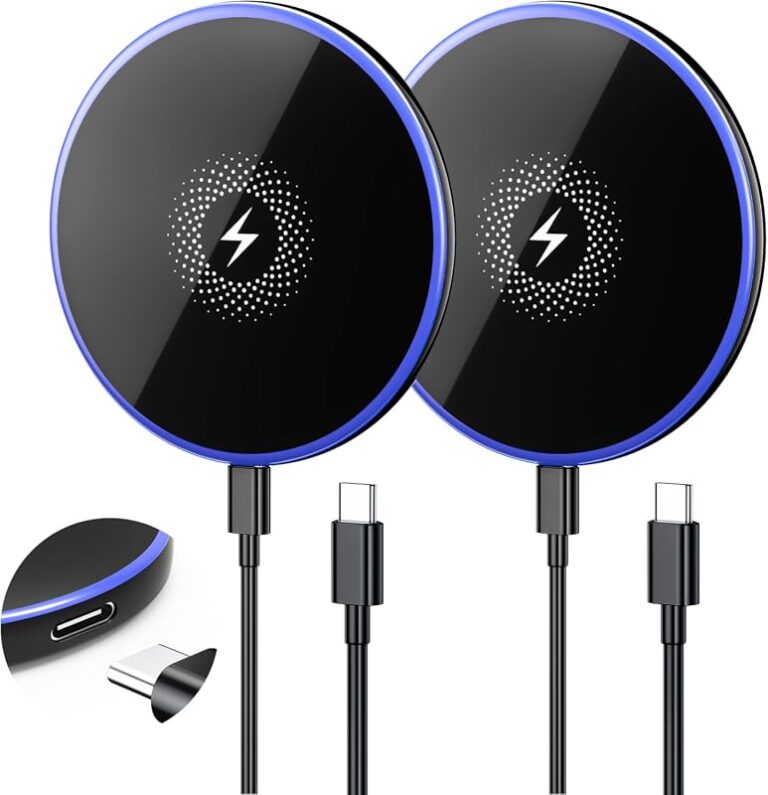
To use wireless charging, you need a Qi-certified charger or a MagSafe charger. A cheap no-name pad may work, but it may also charge slowly or get warm. That is why it is smart to buy a charger from a trusted brand.
If you want a better idea of which accessories are worth your money, our guide on what fast charging power banks work with iPhone can help if you also need portable charging on the go.
The right power adapter
Many people forget this part. A wireless charger still needs power from a wall adapter. If the adapter is weak, the wireless charger may not perform as well as it should. For MagSafe, Apple recommends using a USB-C power adapter with enough output to support proper charging.
So if your wireless charger feels slow, the problem may not be the phone. It may be the adapter behind it.
A MagSafe case can help
The iPhone 13 Pro Max can charge wirelessly with many cases on it. But for the best MagSafe experience, use a MagSafe-compatible case. These cases keep the magnetic connection strong and reduce the chance of misalignment.
Thick cases, metal plates, or poor-quality cases can weaken the connection. If your charger keeps dropping or charging slowly, the case may be the reason.
Real-World Use Cases: When Wireless Charging Makes Sense
At your desk
Wireless charging is great for desk setups. You can keep your phone upright on a stand or flat on a pad while you work. That makes it easy to glance at notifications, use FaceTime, or check the time without unplugging anything.
This is one of the best everyday uses for the iPhone 13 Pro Max wireless charging feature. It keeps your desk neat and removes cable clutter.
On your nightstand
Many people use wireless charging at night. You place the phone down before bed and wake up to a full battery. It is simple and stress-free. You do not have to handle a cable in the dark or worry about plugging the connector in the wrong way.
Just remember that overnight charging is not harmful when done properly. The phone manages charging on its own.
In the car
Wireless car chargers are useful if you use navigation often. The iPhone 13 Pro Max can charge while you drive, which helps offset battery drain from maps, music, and calls. MagSafe car mounts are especially nice because they hold the phone in place and charge at the same time.
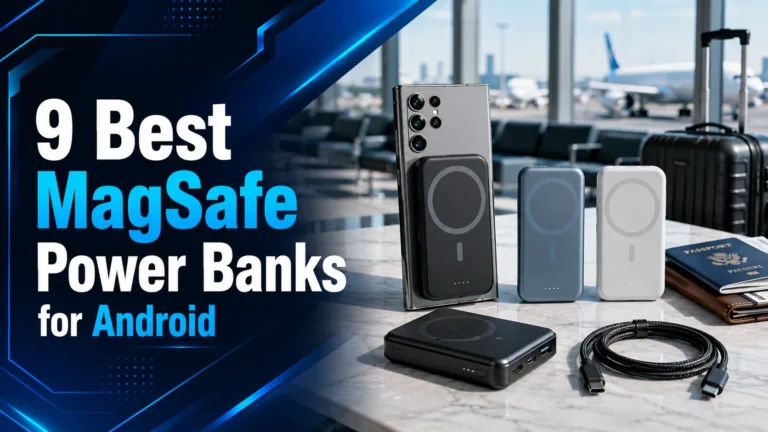
If you are looking for more portable options, our article on best MagSafe power banks for iPhone is also useful for travel and daily carry.
Travel and quick top-ups
Wireless charging is not always the fastest choice, but it can be very convenient during a short stop. If you sit at a coffee shop, hotel desk, or airport lounge, a wireless pad can keep your phone topped up without needing to dig through cables.
That said, if you are traveling and need the fastest refill possible, wired charging still tends to be the better option.
Wireless Charging vs Wired Charging on iPhone 13 Pro Max
Speed difference
Wired charging is faster. That is the main trade-off. If your battery is low and you need power now, a cable will usually charge the iPhone 13 Pro Max more quickly than a wireless pad.
Wireless charging is about convenience. Wired charging is about speed. The best choice depends on your routine.
Heat and efficiency
Wireless charging usually creates more heat than wired charging. That is normal. But more heat can mean less efficiency. In simple terms, some energy is lost in the charging process.
This does not mean wireless charging is bad. It just means it is best used when ease matters more than maximum efficiency. If you care about battery health and charging habits, our guide on best charging habits for iPhone is worth a look.
Which one should you use?
Use wireless charging when you want a clean setup and a simple routine. Use wired charging when you need speed. Many iPhone 13 Pro Max users do both. They wirelessly charge at night and use a cable during the day when they need a quick boost.
Buying Tips for iPhone 13 Pro Max Wireless Chargers
Choose Qi-certified or MagSafe-certified products
Do not buy random chargers with vague claims. Look for Qi certification or MagSafe support. That gives you a much better chance of safe, stable charging. It also lowers the risk of poor performance.
Look for the right wattage
If you want the best wireless charging speed, look for a charger that supports MagSafe and can deliver the right power level. A 15W MagSafe charger is the sweet spot for the iPhone 13 Pro Max. Lower-watt chargers still work, but they will charge more slowly.
Think about your setup
Ask where you will use the charger most. If it is for a desk, an angled stand is handy. If it is for bedtime, a flat pad is fine. If it is for travel, a compact foldable charger may be better.
Also think about cable length and adapter quality. A good charger is only as good as the power chain behind it.
Watch for heat and case issues
If a charger gets too warm, or if the phone stops charging often, the case may be too thick or the charger may be low quality. Wireless charging should feel smooth and steady. If it does not, change the accessory before blaming the phone.
Should You Rely on Wireless Charging Every Day?
It is a good daily option
Yes, wireless charging is a good daily option for the iPhone 13 Pro Max. It is convenient, simple, and easy to use. For many people, it becomes the main way they charge at home or at work.
But keep a cable nearby
Even if you love wireless charging, it is smart to keep a Lightning cable nearby. Wired charging is still useful for emergencies, faster top-ups, and times when the battery is very low.
The ideal setup is simple: wireless charging for comfort, wired charging for speed.
Conclusion: Does the iPhone 13 Pro Max Have Wireless Charging?
So, does the iPhone 13 Pro Max have wireless charging? Yes, it absolutely does. It supports Qi wireless charging and MagSafe, which makes it a flexible and practical phone for everyday use. If you want a cleaner desk, easier bedside charging, or a simple car setup, this feature is a real win.
My recommendation is clear: if you already own the iPhone 13 Pro Max, wireless charging is worth using. For the best experience, choose a quality MagSafe charger and a compatible case. You will get better alignment, more reliable charging, and a setup that feels much more polished than basic wireless pads.
If speed is your top goal, use a cable. If convenience matters more, wireless charging is one of the best features on the iPhone 13 Pro Max.
Frequently Asked Questions
Yes, the iPhone 13 Pro Max supports MagSafe charging. It uses built-in magnets to align with MagSafe chargers and accessories for a better wireless charging experience.
Yes, you can use any compatible Qi wireless charger. It will charge the phone, but usually at a slower speed than MagSafe.
With a MagSafe charger, the iPhone 13 Pro Max can charge wirelessly at up to 15W. Standard Qi chargers are often slower, so charging time depends on the charger you use.
Most cases will not stop wireless charging, but thick or metal cases can weaken it. A MagSafe-compatible case is the best choice if you want strong alignment and steady charging.
No, wireless charging is not bad when you use a quality charger. It may create a little more heat than wired charging, so it is best to use trusted accessories.
Use wireless charging for convenience and wired charging for speed. Many users do both, depending on whether they need a quick top-up or an easy overnight charge.

Tech & Gadget Reviewer
Ethan Walker is a tech enthusiast and gadget reviewer with over 8 years of hands-on experience testing consumer electronics, smart home devices, and cutting-edge accessories. He helps readers make smarter buying decisions through honest, in-depth reviews.