Will iPhone 17 Cases Fit iPhone 16 Find Out Now
No, an iPhone 17 case usually will not fit an iPhone 16 properly unless the maker lists both models as compatible. The safest choice is a case made for your exact iPhone 16 model.
If you’re asking will iPhone 17 cases fit iPhone 16, the safest answer is usually no unless the exact case maker says both models are compatible. Small changes in size, button placement, camera bump shape, and speaker or port cutouts can make a case feel close while still fitting poorly.
- Exact model matters: Screen size alone does not guarantee case compatibility.
- Check openings: Camera, buttons, speakers, and port cutouts must line up.
- Soft cases can mislead: A stretchy fit is not always a secure or protective fit.
- MagSafe alignment counts: Off-center rings can weaken accessory attachment and charging.
- Best choice: Buy a case labeled for your exact iPhone 16 variant.
Will iPhone 17 Cases Fit iPhone 16? The Short Answer
In most situations, an iPhone 17 case should not be assumed to fit an iPhone 16. Even when two phones look similar at a glance, case fit depends on precise dimensions and the placement of every opening and button.
The practical rule is simple: if the case is not explicitly listed for the iPhone 16 model you own, treat it as incompatible until the manufacturer confirms otherwise. That matters even more for slim cases, MagSafe cases, and camera-protective designs, where a small mismatch can affect protection and charging alignment.
Why Case Fit Changes Between iPhone Generations
Phone cases are built around exact hardware outlines, not broad family names. A case can look nearly identical across generations and still miss by a fraction of a millimeter in the places that matter most.
Expected differences in dimensions, button placement, and camera cutouts
Case fit usually changes because of three things: the phone’s overall body size, the location of the side buttons, and the camera module shape. If any of those shift, the case may press on the wrong spot, leave a gap, or block a feature.
Camera cutouts are especially important. A slightly taller camera island or a different lens arrangement can make a case sit unevenly, which may reduce impact protection and leave part of the camera area exposed.
How even small design changes affect case compatibility
Even minor changes can matter because cases are designed with tight tolerances. A case that is only a little too narrow may stretch at the corners, while one that is too loose can slide during everyday use.
That can affect more than appearance. Loose fit can reduce drop protection, weaken grip, and make buttons feel mushy or hard to press. For readers comparing across generations, our earlier guide on whether iPhone 16 cases fit iPhone 15 shows how often “close enough” still fails in real use.
What to Check Before Reusing an iPhone 17 Case on iPhone 16
If you already have an iPhone 17 case and want to try it on an iPhone 16, check the exact model first. “iPhone 16” can refer to different versions, and the compatibility answer may change depending on which one you own.
Exact model name, screen size, and camera layout
Confirm the full model name in Settings or on the box, then compare it with the case listing. Screen size alone is not enough, because two phones with similar displays may still have different body shapes or camera arrangements.
Look closely at the camera cutout, too. If the case opening does not fully clear the lenses and flash, or if it overlaps the raised camera area, the case is not a proper match.
MagSafe ring alignment, speaker openings, and port clearance
MagSafe alignment matters because the magnetic ring has to sit in the right place for stable attachment and wireless charging. If the ring is off-center, magnetic accessories may attach weakly or charge less reliably.
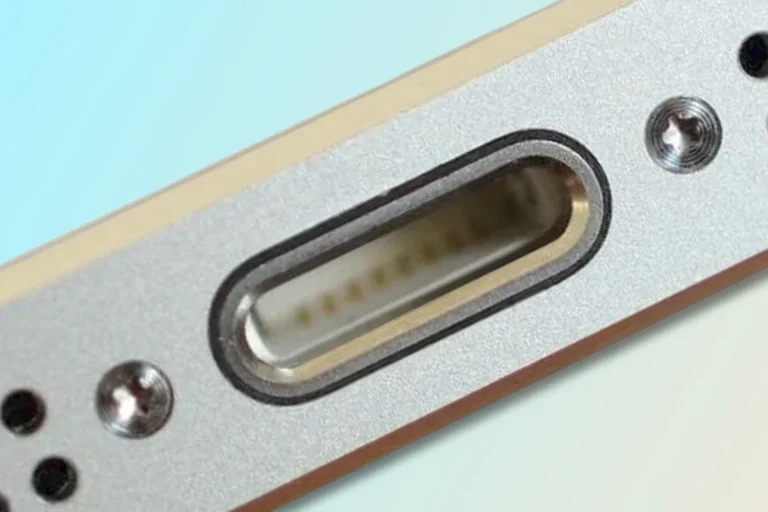
Also check speaker holes and the charging port opening. A case can appear to fit while still partially blocking the port, creating friction with cables or reducing plug-in convenience. If you are also shopping for charging accessories, our guides on what charger the iPhone 16 uses and what charger the iPhone 17 uses can help you verify the rest of the setup.
Material stretch, rigidity, and tolerance limits
Soft TPU or silicone cases may stretch enough to “fit” a slightly different phone, but that does not always mean they fit well. Stretch can create weak corners, loose edges, or a warped shape over time.
Hard polycarbonate cases are less forgiving. If the dimensions are off, they may not snap on at all or may place stress on the frame. A hybrid case can sit somewhere in between, but it still depends on the manufacturer’s tolerance and design.
Check the product page for exact model compatibility, not just “fits iPhone 16/17 series.” If the listing is vague, contact the seller before buying or reusing the case.
How to Tell If a Case Will Fit Properly
A true fit should feel secure without forcing the phone into place. If you need to bend, press, or stretch the case aggressively, that is a warning sign rather than a successful fit.
Signs of a true fit versus a loose or forced fit
A proper fit sits flush around the edges, corners, and camera area with no visible bowing. The case should not shift when you pick up the phone or slip around when placed on a table.
A forced fit often leaves clues: lifted corners, uneven seams, or a gap near the camera or buttons. A loose fit may show the opposite problem, with the phone rattling slightly or the case sliding when you squeeze it.
Button responsiveness, lip protection, and charging access
Button covers should feel clicky and responsive, not stiff or misaligned. If the side buttons are hard to press or trigger the wrong function, the case is not aligned correctly.
Also check the raised lip around the screen and camera. If the case sits too high on one side or too low on another, it may not protect the display or lenses evenly. Charging access should remain easy with both wired and wireless charging, if supported by the case design.
Common fit mistakes buyers make when shopping by name alone
One common mistake is assuming all “iPhone 16” or “iPhone 17” cases are interchangeable. Another is ignoring model suffixes such as Pro, Plus, or Pro Max, which often have different frame sizes and camera layouts.
Buyers also sometimes focus only on the front appearance and forget about the bottom edge, where speaker cutouts and port clearance matter. That is why a case can look compatible in a photo but still fail in daily use.
Manufacturer compatibility charts are the best reference when they are available. If a retailer listing conflicts with the brand’s own model list, trust the brand documentation first.
Real-World Benefits and Drawbacks of Using a Nearly Compatible Case
Sometimes a nearly compatible case may seem usable for a short period, especially if the phone is in a pinch or the case is soft enough to stretch. But “usable” is not the same as “ideal,” and the trade-offs can show up quickly.
Protection trade-offs, grip, and pocketability
A close-fit case can still improve grip and reduce scratches, which may be enough for temporary everyday use. It can also make a phone easier to hold and less slippery in a pocket or bag.
However, if the fit is not exact, the protection level becomes uncertain. A loose case may absorb less impact in a drop, and a stretched case can lose the snug edge support that helps keep the phone centered.
Risks of poor alignment, weak drop protection, and camera exposure
Poor alignment can leave corners vulnerable, especially if the phone lands on an edge. If the camera cutout is too large or too small, the lenses may be more exposed than intended.
There is also a practical risk with MagSafe accessories. A misaligned magnetic ring can hold a charger or wallet accessory weakly, which may be annoying at best and inconvenient during travel, commuting, or workdays.
When a temporary fit is acceptable and when it is not
A temporary fit may be acceptable if the case is soft, the phone sits securely, and all openings remain clear. That said, it should still be treated as a stopgap, not a long-term solution.
It is not a good idea to keep using a case that distorts the phone, blocks ports, interferes with buttons, or leaves the camera area exposed. In those cases, replacing the case is the smarter and safer choice.
Stop using any case that cracks, warps, loosens at the corners, or interferes with charging and button operation. If the fit changes after heat, drops, or repeated removal, replace it rather than forcing continued use.
Best Buying Criteria for iPhone 16 Owners in 2025
If you own an iPhone 16 and want the right case, focus on compatibility first and style second. A good case should match your exact model, support your charging habits, and fit how you actually use the phone every day.
Choosing by exact model compatibility instead of generation label
Always search by the exact phone name shown in the device settings or on the box. “iPhone 16,” “iPhone 16 Pro,” and “iPhone 16 Pro Max” are not interchangeable terms, and case makers often design separately for each one.
If you are comparing older cross-generation fit questions too, you may find our guide on whether an iPhone 13 case fits an iPhone 12 useful as a reference for why exact sizing matters.
Prioritizing drop rating, raised edges, and MagSafe strength
Drop protection claims should be read carefully, since real protection depends on design, materials, and how the case is used. Raised edges around the screen and camera are useful, but they only help if the case is actually aligned to the right phone.
If you use wireless charging or MagSafe accessories, check whether the case is designed for strong magnetic alignment. A weak magnet can be fine for light use, but it is less reassuring for commuters, creators, and travelers who rely on frequent attachment and removal.
Material choices: silicone, TPU, polycarbonate, leather, and hybrid cases
Silicone cases tend to offer a soft feel and decent grip, but they can attract lint and show wear. TPU is often more flexible and can be easier to install, while polycarbonate gives a firmer shell and cleaner shape retention.
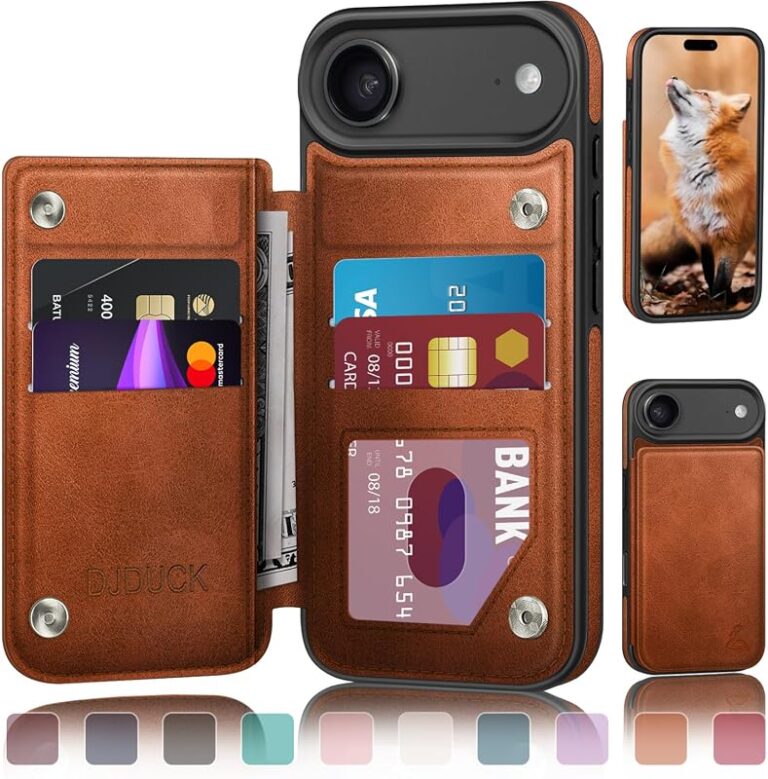
Leather cases can age well if cared for properly, though they may show marks and are not always the best choice for heavy drop protection. Hybrid cases combine materials to balance grip, structure, and impact resistance, but the final result still depends on design quality and model match.
- Check the exact model name before ordering or reusing a case.
- Confirm camera, button, and port cutouts before assuming compatibility.
- Choose a case with clear MagSafe alignment if you use magnetic chargers or accessories.
- Replace any case that warps, loosens, or interferes with charging.
Safe Use, Care, and Long-Term Maintenance
Even a well-fitting case needs basic care. Dirt, heat, UV exposure, and repeated removal can slowly affect how securely it fits and how well it protects the phone.
Cleaning methods, storage tips, and avoiding heat or UV damage
Use a soft cloth and mild cleaning methods recommended by the case maker. Avoid harsh solvents unless the manufacturer specifically says they are safe, since they can discolor or weaken some materials.
When the case is not on the phone, store it away from direct heat and prolonged sunlight. Excess heat and UV exposure can make materials brittle, sticky, or misshapen over time.
Inspecting for cracks, loosened corners, and worn button covers
Check the corners and edges regularly, especially if the phone is dropped often or carried in a crowded bag. Worn corners can reduce shock absorption, and loosened button covers can make the phone harder to use.
If the case begins to separate at the seams or the camera lip wears down, that is a sign to reconsider it. A case that no longer holds its shape cannot provide the same level of protection.
When to replace a case for safety or better fit
Replace a case when it no longer sits snugly, when it interferes with charging, or when it no longer protects the camera and screen edges properly. It is also worth replacing if you change to a different phone model and the old case only “almost” fits.
For readers shopping across model years, our charger guides for the iPhone 16 and iPhone 17 can help you confirm the rest of your accessory setup without guessing.
Final Verdict: Should You Buy an iPhone 17 Case for an iPhone 16?
In most cases, no, you should not buy an iPhone 17 case for an iPhone 16 unless the manufacturer explicitly says the case works with both models. Case compatibility is too dependent on exact dimensions and cutout placement to rely on naming alone.
Who might get away with it, who should avoid it, and the smartest recommendation
You might get away with a nearly compatible case if it is soft, the fit is snug, and all buttons, ports, and camera openings line up perfectly. But even then, it is better treated as a temporary workaround than a dependable long-term solution.
Anyone who wants reliable drop protection, better MagSafe alignment, and fewer fit issues should choose a case made specifically for the exact iPhone 16 model. That is the smartest recommendation for most buyers, especially if the phone is used for work, travel, gaming, or daily carry.
Buy the case made for your exact iPhone model whenever possible. A close match may look fine, but a precise fit is what protects your phone, preserves button feel, and keeps charging and camera access working as intended.
Frequently Asked Questions
Usually not unless the case maker says it supports both models. Exact fit depends on dimensions, button placement, camera cutouts, and MagSafe alignment.
Check the exact model name, screen size, camera layout, speaker openings, and charging port clearance. If any opening or button position is off, the case is not a proper fit.
Sometimes a soft TPU or silicone case can stretch enough to go on, but that does not mean it fits correctly. Stretching can weaken corners, loosen grip, and reduce protection.
A proper fit sits flush, does not shift, and keeps buttons responsive. The camera opening, screen lip, and charging port should all remain clear and usable.
A temporary fit may be acceptable if the case is secure and all openings line up. If it is loose, warped, or blocks charging or buttons, replace it.
Choose by exact model compatibility instead of generation label alone. Prioritize fit, raised edges, MagSafe alignment if needed, and a return policy in case the listing is inaccurate.