Eureka Flash Stick Vacuum Parts Guide for Easy Repairs
Most Eureka Flash stick vacuum parts are worth replacing when the model match is exact and the worn piece is easy to identify. Filters, brush rolls, and dust cups are the most common fixes, while chargers and battery parts deserve extra compatibility and safety checks.
If you need eureka flash stick vacuum parts, the smartest approach is to match the exact model, confirm the connector style, and replace only the worn item instead of guessing. Most owners end up looking for filters, brush rolls, dust cups, wand pieces, chargers, or battery-related parts when suction drops or a connection feels loose.
- Model match first: Exact compatibility matters more than how similar a part looks in photos.
- Most common wear items: Filters, brush rolls, and dust cups usually need replacement before major components.
- Check electrical safety: Chargers and battery-related parts should match manufacturer specs and show no damage.
- Repair vs. replace: If several major parts fail at once, a new vacuum may offer better value.
- Maintenance extends life: Regular cleaning and airflow checks help replacement parts last longer.
Eureka Flash Stick Vacuum Parts: What You Need to Know Before Buying
Before ordering anything, identify the vacuum’s model number and compare it with the part listing or manual. Eureka uses similar names across product lines, so a part that looks right in a photo may still fit differently at the latch, hose end, or electrical contact.
Quick answer: the most commonly replaced parts and when each one matters
The parts people replace most often are the filter, brush roll, dust cup, wand, and battery or charger-related components. Filters matter when suction drops, brush rolls matter when hair wraps around the head, and batteries or chargers matter when runtime or charging becomes inconsistent.
If you are comparing replacement options across brands, it can help to see how other cordless vacuums handle wear items and battery replacement, such as the Linx cordless vacuum battery replacement guide or broader cordless models like the best cordless vacuum for pet hair roundup. Those articles are useful for understanding what usually wears out first in a stick-vacuum setup.
How the Eureka Flash stick vacuum parts system supports easy repairs
Stick vacuums are designed around modular parts, which makes basic repairs simpler than replacing the whole machine. In practical terms, that means the dust cup, filter, wand, floor head, and attachments can often be swapped independently as long as the replacement matches the original design.
This modular approach is helpful for budget-conscious households, pet owners, and apartment dwellers who want to extend the life of a vacuum without a full replacement. It also reduces downtime when one consumable wears out, since a single part can restore normal cleaning performance.
How the Eureka Flash Stick Vacuum Is Built and How Its Parts Work Together

Understanding how the pieces interact makes it easier to diagnose problems. A suction issue, for example, may come from a clogged filter, a cracked seal, a blocked wand, or a worn brush roll rather than the motor itself.
Core components: motor, dust cup, filter, brush roll, wand, and attachments
The motor creates airflow, the dust cup collects debris, and the filter helps keep fine dust from returning into the room. The brush roll agitates carpet fibers and pulls debris toward the suction path, while the wand and attachments extend reach for floors, corners, furniture, and tight spaces.
When these parts are aligned and clean, the vacuum can move air efficiently. When one piece is damaged or clogged, the whole system may feel weaker even if the machine still powers on.
Exact construction can vary by Eureka Flash sub-model, retailer bundle, or regional version. Always confirm the part shape and connection style against the manual or product listing before ordering.
Which parts wear out fastest in everyday home cleaning
Filters and brush rolls usually wear fastest because they deal with dust, hair, and repeated cleaning cycles. Dust cups can also crack or lose sealing performance over time, especially if they are removed and reattached often.
Battery performance can become a concern in cordless models after repeated charging cycles, but the timing varies widely by usage habits and storage conditions. If the vacuum is used for long sessions on carpet or for pet hair, the wear on moving parts may show up sooner.
For readers comparing how cordless vacuums age in real homes, our cordless vacuum replaceable battery guide and the cordless vacuum cleaner battery article are useful references for the kinds of parts that tend to need attention first.
Key Replacement Parts to Check: Fit, Compatibility, and Sizing
Compatibility matters more than appearance. Two parts can look nearly identical in photos and still fail to latch, seal, or power correctly if the model family or connector design is different.
Model matching tips for Eureka Flash stick vacuum parts
Start with the model number printed on the vacuum body, battery, charger, or manual. Then compare that number with the replacement listing and look for wording such as “compatible with,” “fits,” or “for specific models,” rather than assuming universal fit.
If the listing does not name your exact model, treat it cautiously. Third-party sellers sometimes bundle parts under a broad product family name, but the safest choice is still an exact match.
Dimensions, connector style, and attachment fit considerations
For non-electrical parts, the most important checks are length, diameter, latch shape, and how the part locks into place. For powered parts, you also need to verify the contact layout, charging base style, and any polarity or voltage details shown by the manufacturer.
- Check the model number, connector shape, and attachment dimensions
- Confirm whether the part is original, compatible, or a universal-style accessory
- Review the return policy in case the fit is not exact
Consumables and wear items: filters, belts, brush rolls, and batteries
Filters, brush rolls, and some belts are consumables because they are expected to wear out with use. Batteries are different: they are not routine throwaway items, but they do age with charging cycles, heat, and storage conditions.
When buying consumables, consider how often you clean, whether you have pets, and whether your floors are mostly hard surface or carpet. More debris and more hair usually mean shorter replacement intervals.
How to Choose the Right Eureka Flash Replacement Part for Your Home
The right part depends on how you clean, what kind of flooring you have, and how much maintenance you are willing to do. A pet household with carpet needs different replacement priorities than a small apartment with mostly hard floors.
Decision criteria: cleaning needs, floor type, pet hair, and frequency of use
If you vacuum daily or deal with pet hair, prioritize brush rolls, filters, and easy-to-clean dust cups. If your home is mostly hard flooring, airflow and sealing matter more than aggressive brush agitation.
Frequent use also makes durability and easy maintenance more important than the lowest upfront cost. For occasional use, a simple compatible replacement may be enough, but for heavy use, the better-quality option often pays off in fewer repeat purchases.
- Can restore suction and cleaning performance without replacing the full vacuum
- Lets you target the exact worn component
- Usually cheaper than a new machine
- Wrong-fit parts are common if the model is not verified
- Low-quality compatibles may wear out quickly
- Underlying motor or battery problems can mimic part failure
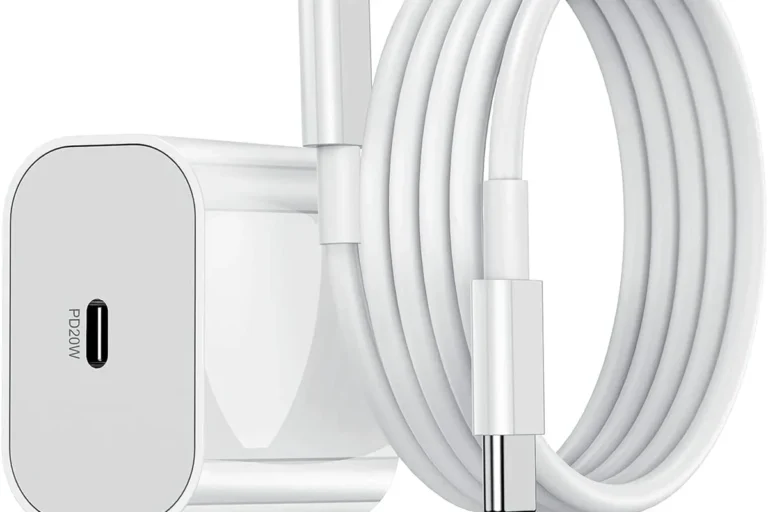
What to verify before ordering: voltage, wattage, cable quality, and power safety for chargers or battery-related parts
For chargers or battery-related parts, verify the rated voltage and any power details listed by the manufacturer. Do not assume a charger is safe just because the plug fits.
Use only chargers and battery parts that match the manufacturer’s guidance. Stop using any damaged cable, swollen battery, overheating charger, or loose electrical contact and follow the official safety instructions.
Cable quality matters too, especially if the vacuum is stored in a closet, laundry room, or garage where cords can be bent or pinched. If the listing does not clearly state electrical compatibility, choose a verified replacement from the brand or a reputable seller with clear model support.
Warranty, return policy, and brand-vs-third-party replacement trade-offs
Original parts usually offer the safest compatibility, while third-party parts can sometimes save money or improve availability. The trade-off is that compatibles may vary more in fit, finish, and long-term durability.
Before ordering, check the return window, restocking terms, and whether the seller requires unopened packaging for returns. If the vacuum is still under warranty, review the warranty terms first so a replacement part does not create an avoidable issue.
Setup and Installation Guide for Common Replacement Parts
Most basic part swaps are straightforward, but small installation mistakes can create suction loss or loose connections. Work slowly, compare the old part with the new one, and stop if anything seems forced.
Step-by-step overview for swapping filters, brush rolls, dust cups, and extension pieces
Turn the vacuum off and remove power or battery access as directed by the manual before opening any component.
Release latches gently and note how the original piece is seated so the new one can follow the same path.
Seat the replacement fully, check for a snug lock, and confirm that the airflow path is unobstructed.
For washable filters, let them dry fully before reinstalling unless the manual says otherwise. A damp filter can reduce airflow and may cause odor or internal moisture issues.
Common installation mistakes that cause poor suction or loose connections
The most common mistakes are an under-seated filter, a dirty seal, a hair-clogged brush roll, or a wand that is not fully clicked into place. Even a small gap can reduce suction enough to feel like the vacuum is underperforming.
Another common issue is mixing up a compatible-looking part with the exact match. If the latch, tab, or contact area does not line up naturally, do not force it.
When a part should be replaced instead of cleaned or repaired
Cleaning is enough when debris, hair, or dust is the main issue and the part still retains its shape. Replacement is the better choice when a piece is cracked, warped, stripped, frayed, or no longer sealing properly.
If a battery no longer holds a charge normally or a charger runs hot, replacement may be safer than repeated troubleshooting. For anything electrical, follow the manufacturer’s guidance and avoid improvised repairs.
Real-World Benefits, Limitations, and Value of Replacing Parts
Replacing the right part can make a vacuum feel noticeably fresher without buying a new appliance. The key is knowing whether the issue is a routine wear item or a larger system problem.
How new parts can restore suction, reduce noise, and improve cleaning performance
A new filter can improve airflow, a fresh brush roll can reduce drag and hair wrap, and a properly sealed dust cup can help restore normal suction. In some cases, replacing a worn attachment also makes the vacuum quieter because the head or wand is no longer rattling.
These improvements are most noticeable when the old part was dirty, damaged, or no longer fitting tightly. If the vacuum’s overall design is still in good condition, part replacement can be a very practical fix.
Limitations of replacement parts: when the motor or battery may be the real issue
If suction stays weak after cleaning the filter and checking the airflow path, the motor, battery, or internal seal may be the real problem. Likewise, if runtime is short even with a fresh charger and clean contacts, battery aging may be the main cause.
Stop using the vacuum if you notice overheating, burning smells, repeated shutoffs, swollen battery behavior, or damaged electrical contacts. Those symptoms need manufacturer guidance, not guesswork.
Cost vs. replacement vacuum: deciding what offers better long-term value
Part replacement makes the most sense when the vacuum body, motor, and battery system are still fundamentally sound. If multiple major components are failing at once, the cost of several parts may approach the cost of a new vacuum.
In that case, compare the total repair cost, parts availability, warranty status, and expected remaining life. If you also want to compare other cordless options before deciding, our Britech cordless vacuum and Vipsun cordless vacuum cleaner guides can help frame what a full replacement might offer.
Safe Use, Maintenance, and Storage Tips for Longer Part Life
Good maintenance extends the life of replacement parts and helps you avoid repeat purchases. Small habits like emptying the dust cup early and checking the brush roll for hair can make a noticeable difference.
Cleaning filters, brush rolls, and dust bins without damaging components
Use the cleaning method in the manual whenever possible. If a filter is washable, rinse it gently and let it dry completely; if it is not washable, shake or tap it only as directed.
Brush rolls should be cleared of hair and string carefully so the bristles or bearings are not damaged. Dust bins should be emptied regularly and wiped clean with a dry or lightly damp cloth, keeping moisture away from electrical contacts.
Set a simple maintenance routine: empty the bin after messy jobs, inspect the brush roll weekly, and check the filter whenever suction drops. Small checks prevent bigger failures.
Inspection routine for cracks, clogged airflow, overheating, and worn contacts
Look for cracks in the dust cup, loose latch points, flattened seals, and blocked intake paths. If the vacuum starts sounding different, getting hotter than usual, or shutting off early, inspect the airflow path and the battery contacts right away.
Worn contacts, bent pins, or frayed cords should be treated as safety issues, not cosmetic flaws. If you are unsure, compare the part to the official manual or contact the manufacturer for guidance.
Safe storage and handling guidance for powered parts, batteries, and chargers
Store batteries and chargers in a cool, dry place away from direct sunlight, water, and heavy pressure. Avoid wrapping cords tightly around the charger or leaving powered parts where pets or children can tug on them.
If a battery is removable, keep it partially charged only if the manufacturer recommends that approach for storage. For long-term storage or travel, review the official instructions so you do not shorten battery life or create a safety issue.
Final Recommendation: Who Should Buy Eureka Flash Stick Vacuum Parts in 2026
Replacement parts are a strong choice for anyone who wants to keep a working Eureka Flash vacuum in service without replacing the whole machine. They are especially useful when the issue is clearly tied to a worn filter, brush roll, dust cup, wand, or charger-related component.
Best fit for budget-conscious owners, pet households, and quick repair needs
Budget-conscious owners benefit most because a single replacement part can solve a problem at a much lower cost than a new vacuum. Pet households also benefit because hair-heavy cleaning tends to wear brush rolls and filters faster.
Quick repair needs are another good fit, especially when you want the vacuum back in service without a long downtime. If the part is easy to identify and the model match is clear, replacement is usually the most practical path.
When to choose original parts, when a compatible alternative makes sense, and what to avoid
Choose original parts when fit, safety, and warranty protection matter most, especially for electrical pieces or anything that affects charging. A compatible alternative can make sense for simple non-electrical parts if the seller clearly supports your model and offers a fair return policy.
Avoid vague “universal” claims, unclear battery or charger compatibility, and listings that do not name the exact model family. If you are still unsure, check the manual, compare the part photos carefully, and confirm support with the brand or seller before buying.
- Match the model number first, then verify the connector, size, and function.
- Filters, brush rolls, and dust cups are the most common wear items.
- Electrical parts should be replaced only with clearly compatible, safe options.
Frequently Asked Questions
Filters, brush rolls, dust cups, wands, and charger or battery-related parts are the most commonly replaced items. They wear out first because they handle airflow, debris, and repeated use.
Check the exact model number and compare it with the replacement listing, connector style, and dimensions. If the seller does not name your model clearly, treat the part as uncertain.
Original parts usually offer the safest fit and easiest compatibility, especially for electrical components. Third-party parts can be fine for simple wear items if the model match is clear and the seller has a solid return policy.
Yes, a clogged or poorly seated filter can reduce airflow and make the vacuum feel weak. Check the filter, dust cup seal, and airflow path before assuming the motor has failed.
Replace the part if it is cracked, warped, frayed, stripped, or no longer sealing properly. Cleaning is only enough when dirt or hair is the main issue and the part still holds its shape.
Confirm the rated voltage, connector style, and manufacturer compatibility before ordering. Stop using any charger or battery that is damaged, overheats, or shows swelling or loose contacts.