

What iPhone Charger Do I Need? Easy Guide for Every iPhone Model
Most iPhone owners need a 20W or higher USB-C power adapter plus the cable that matches the phone. Use USB-C to USB-C for iPhone 15 and later USB-C models. Use USB-C to Lightning for iPhone 14 and older Lightning models.

If you prefer one charging station for multiple Apple devices, the XIVORA 3-in-1 is a convenient option for a desk, nightstand, or travel setup. It can reduce the need for separate charging pads and cables.
- Multi-device Apple charging setups
- Desk and bedside charging
- Readers who want fewer separate chargers
- Verify current device compatibility
- Check included accessories and charging specifications
- Confirm available variations on Amazon before buying
A simple official Apple wall charger for supported iPhones and other compatible USB-C devices.
An MFi-certified cable for connecting a USB-C charger to iPhone 14 and older Lightning-equipped models.
Your existing cable may be all you need when it matches the iPhone port and has no damage.
The best iPhone charger depends on your iPhone model, charging speed needs, and cable type. Most modern iPhones now use USB-C fast charging with a USB-C to USB-C or USB-C to Lightning cable.
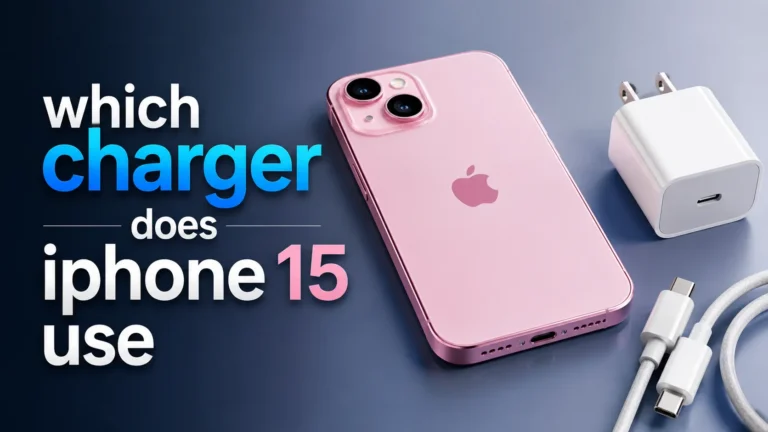
Most newer iPhones work best with a USB-C fast charger and a compatible charging cable. iPhone 15 and later USB-C models use USB-C, while older iPhones often use Lightning cables.
USB-C fast chargers are the most practical option for most users because they support modern charging standards and work with a wide range of devices.
Choosing an iPhone charger becomes simple once you identify the phone connector, the cable type, and the wattage you need.
One question I hear often is:
“What iPhone charger do I need?”
The answer depends on your iPhone model.
Apple changed charging systems over the years. Some iPhones use Lightning. Newer models use USB-C.
Which Charger Does Your iPhone Need?
The easiest way to choose a charger is to check the physical charging port on the phone.
| iPhone Group | Phone Port | Recommended Cable | Recommended Adapter |
|---|---|---|---|
| iPhone 15 and later USB-C models | USB-C | USB-C to USB-C | 20W or higher USB-C Power Delivery charger |
| iPhone 14, 13, 12, and 11 series | Lightning | USB-C to Lightning | 20W or higher USB-C charger |
| iPhone SE with Lightning port | Lightning | USB-C to Lightning | 20W USB-C charger is a practical choice |
| Older iPhone with an existing USB-A cable | Lightning | USB-A to Lightning | Existing USB-A adapter works, usually more slowly |

This compact Apple adapter provides one USB-C charging port. It is a straightforward choice for supported iPhones when paired with the correct USB-C or Lightning cable.
- Designed by Apple
- 20W USB-C output
- Supports fast charging on compatible iPhones
- Compact for home, office, and travel
- Charging cable is sold separately
- Only one USB-C port
- 20W is not necessarily the maximum speed for every newest iPhone
- Verify the seller and package contents before ordering
What Is the Best Charger Wattage for iPhone?
A 20W USB-C charger is a practical choice for most iPhone owners. Apple states that iPhone 12, iPhone SE (3rd generation), and later models require at least 20W for fast charging.
Older low-wattage chargers usually take much longer to recharge an iPhone.
| Charger Power | Charging Speed |
|---|---|
| 5W | Very slow |
| 12W | Basic charging |
| 20W | Fast charging |
| 30W+ | Fast charging with extra headroom |
A 20W USB-C charger offers a useful balance of speed, size, and cost for most users. Some newer models may accept additional power from a compatible higher-wattage adapter.
Do You Need USB-C or Lightning?
This depends on your iPhone model.
- iPhone 15 and later models use USB-C
- Older iPhones use Lightning
You also need the correct cable.
- Check your iPhone charging port
- Use certified charging cables
- Choose a 20W or stronger charger
- Use USB-C fast charging when possible
- Replace damaged cables quickly

This MFi-certified cable connects a USB-C power adapter to an iPhone with a Lightning port. It supports compatible Power Delivery fast charging and uses a 6-foot braided nylon design.
- Apple MFi-certified
- USB-C to Lightning connection
- Supports compatible fast charging
- 6-foot braided cable
- Not compatible with USB-C iPhones
- Wall adapter is sold separately
- Charging speed depends on the adapter and iPhone model
- A shorter cable may be easier for travel
Can You Use an iPad or MacBook Charger?
Yes. A compatible USB-C iPad or MacBook power adapter can charge an iPhone.
The adapter advertises available power, while the iPhone negotiates and draws only a supported amount. A higher-wattage MacBook charger does not force its full rating into the phone.
Cheap fake chargers can damage cables or overheat. Always use certified charging accessories.
Wireless Charging for iPhone
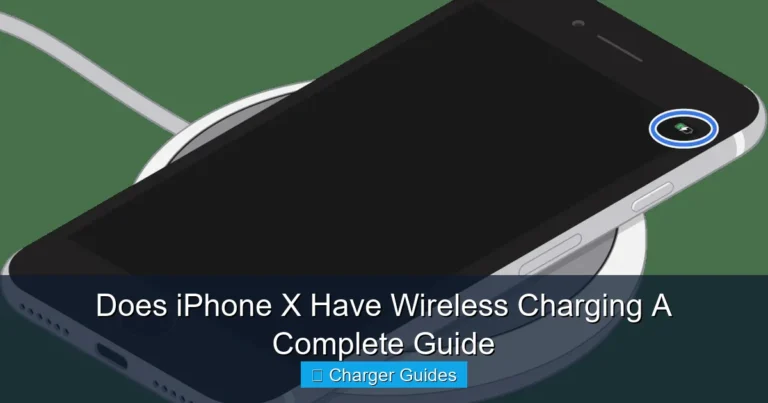
Many modern iPhones support wireless charging.
Some models also support MagSafe charging.
Wireless charging is convenient, but wired USB-C charging is usually faster.
Signs You Need a New iPhone Charger
Replace charging accessories when you notice:
- Slow charging
- Loose cables
- Frayed wires
- High heat
- Random disconnects
| Problem | Possible Cause |
|---|---|
| Slow charging | Weak charger |
| Phone disconnects | Damaged cable |
| High heat | Poor quality charger |
| No charging | Dirty charging port |
| Charging stops | Broken cable connector |
Benefits of Fast Charging
- Faster charging times
- Better travel convenience
- Works with modern devices
- USB-C supports multiple gadgets
- Less waiting during busy days
- Cheap chargers may overheat
- Older cables may limit speed
- Wireless charging can be slower
- Fake accessories are common online
How to Choose the Right iPhone Charger
Find out if your device uses USB-C or Lightning.
Use USB-C or Lightning cables based on your phone.
A 20W charger works well for most users.
Certified chargers are safer and more reliable.
Charging Safety Tips
Good charging habits help protect battery health.
- Do not use damaged cables
- Keep chargers cool
- Avoid fake accessories
- Use certified USB-C cables
- Clean charging ports carefully
You can learn more from Apple Support, USB-IF, and Battery University.
Charging speed problems often come from damaged or low-quality cables rather than the wall adapter alone.
Can One Charger Power Multiple Devices?
Yes. Many USB-C chargers now work with:
- iPhones
- iPads
- MacBooks
- AirPods
- Gaming handhelds
That makes USB-C charging more convenient for travel and daily use.
Did You Know? Many modern USB-C chargers can safely charge phones, tablets, and laptops from the same charger.
Related Guides
Conclusion
So, what iPhone charger do you need?
Most users should choose a 20W USB-C fast charger with the correct charging cable for their iPhone model.
If you use an iPhone 15 or later USB-C model, choose USB-C.
If you use an older iPhone, you likely still need Lightning.
For the best results:
- Use certified charging accessories
- Choose fast charging support
- Replace damaged cables
- Avoid fake chargers
That simple setup helps your iPhone charge faster, safer, and more reliably.
- iPhone 15 and later models use USB-C
- Older iPhones use Lightning
- 20W chargers are best for fast charging
- USB-C charging is faster and more flexible
- Certified cables improve safety
The best iPhone charger is a certified 20W USB-C charger with the correct cable for your iPhone model.
FAQs
What iPhone charger do I need for iPhone 15 and later?
iPhone 15 and later USB-C models use USB-C charging cables and work best with USB-C fast chargers.
Do older iPhones still use Lightning cables?
Yes. iPhone 14 and older models use Lightning connectors.
Is a 20W charger enough for iPhone fast charging?
Yes. A 20W USB-C charger is a practical fast-charging option for many modern iPhones, although maximum charging capability varies by model.
Can I use a MacBook charger with an iPhone?
Yes. Modern Apple chargers safely adjust power based on the connected device.
Does wireless charging work on iPhones?
Yes. Many modern iPhones support wireless charging and MagSafe charging.
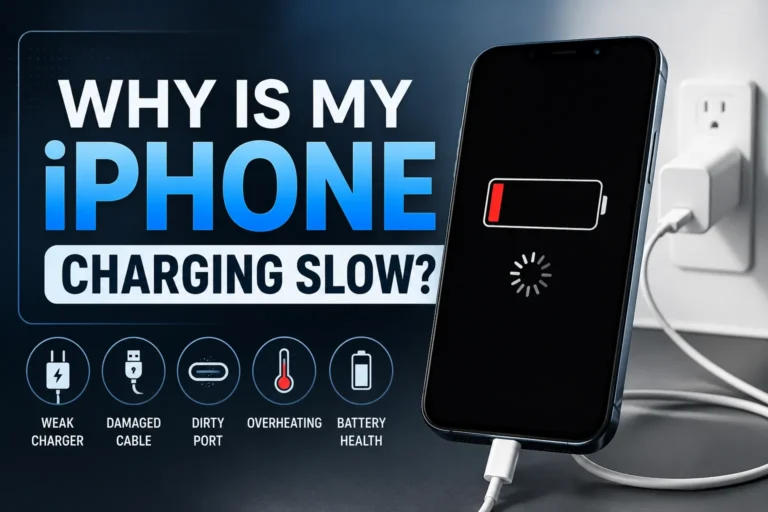
Why is my iPhone charging slowly?
Slow charging usually comes from weak chargers, damaged cables, or dirty charging ports.
Should I replace damaged charging cables?
Yes. Damaged charging cables can overheat or cause charging problems.
Apple Support: Power Adapters for iPhone
Apple Support: Fast Charge Your iPhone
Anker: USB-C to Lightning Cable
Use the Apple 20W adapter for a simple USB-C power source. Add the Anker Lightning cable only when the phone has a Lightning port.
Check Apple 20W Price
One Comment