
What Charger Does iPhone 14 Use?
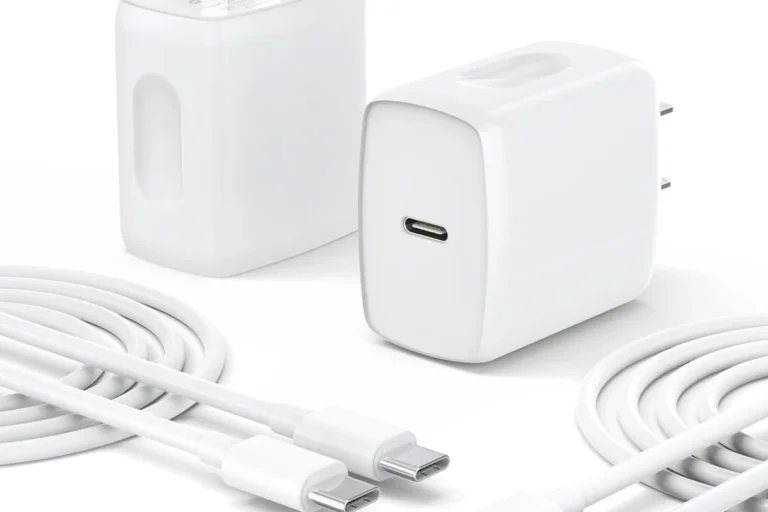
For wired fast charging, the iPhone 14 uses a USB-C to Lightning cable with a compatible USB-C Power Delivery wall adapter. An intact USB-A adapter with a USB-A to Lightning cable can also charge it more slowly. A quality 20W adapter is the practical sweet spot for fast charging. The phone has a Lightning port—not a USB-C port—so do not buy a USB-C to USB-C cable for the phone end.
As an Amazon Associate, we earn from qualifying purchases. We may also earn through Walmart links at no extra cost to you.
Apple pick: adapter only. Belkin pick: adapter + Lightning cable; confirm the selected bundle before checkout. Already have a reliable 20W USB-C PD adapter and USB-C to Lightning cable? You can keep using them.
Compare iPhone 14 Charger Prices: Amazon vs Walmart
Compare the same model and package before buying. An adapter-only price is not directly comparable with a charger-and-Lightning-cable kit.
| Charging setup | Amazon | Walmart |
|---|---|---|
| Apple 20W USB-C AdapterObserved new-adapter listing price; cable sold separately. | Check Price on AmazonSee current price, seller, and included parts. | $14.99Check Price on Walmart |
| Belkin 30W Charger and Lightning CableExact Walmart bundle not verified. Match WCH001dq1MWH-B5, 30W output and the included 1m Lightning cable. | Check Price on AmazonSee current price, seller, and included parts. | Check matching bundleSearch Walmart for Belkin Kit |
| Anker Nano 30W ChargerExact Walmart offer not verified. Match Nano 3 / A2147; cable sold separately. | Check Price on AmazonSee current price, seller, and included parts. | Check exact modelSearch Walmart for Anker Nano 3 |
Research date: October 21, 2026. The Apple Walmart figure is an observed product-page snapshot price, not a live feed. Amazon prices and exact Walmart matches for the Belkin and Anker options could not be verified. Those Walmart buttons open model searches. Prices, stock, coupons, sellers, delivery, and tax can change; confirm the final checkout total and the exact new U.S.-plug model.
Best value for your setup: If your USB-C to Lightning cable works, compare adapter-only totals. If you need both parts, add the cable cost before choosing a store. A 30W adapter does not guarantee a meaningful speed improvement over 20W on iPhone 14.
Apple 20W USB-C Adapter
The simplest official option when your original USB-C to Lightning cable still works.
Belkin 30W Charger + Cable
A convenient GaN wall adapter and Lightning cable bundle when your original cable is missing or damaged.
Anker Nano 30W Charger
A compact foldable GaN adapter with useful power for phones, tablets, and other USB-C accessories.
In This Guide
The Exact iPhone 14 Charger Setup
Check these three parts of your wired fast-charging setup:
- A USB-C to Lightning cable. The Lightning connector goes into the iPhone 14. The USB-C connector goes into the wall adapter. The cable included in the iPhone 14 box is suitable.
- A 20W or higher USB-C Power Delivery adapter. A 20W model is enough for the phone’s advertised fast-charge capability. A reputable 30W, 45W, 65W, or higher USB-C PD adapter can also work.
- A safe power source. Connect the adapter directly to a sound wall outlet or a reputable surge protector, and replace accessories that are loose, frayed, cracked, or unusually hot.
Does the iPhone 14 Come With a Charger?
The iPhone 14 box includes a USB-C to Lightning cable, but it does not include the wall power adapter. That is why the included cable may not fit an older Apple USB-A charging cube.
Before buying anything, check your home for a reputable USB-C PD adapter. A recent iPad charger, MacBook USB-C charger, quality Android USB-C PD adapter, or multi-port charger may already provide what you need. For a fuller explanation of Apple’s box contents, see does an iPhone come with a charger?
Best Charger for iPhone 14: Choose by Situation
| Your situation | Best choice | Why it makes sense |
|---|---|---|
| You have the original cable | Apple 20W USB-C adapter | Simple, official, and enough for the normal iPhone 14 fast-charge target. |
| Your cable is missing or damaged | Belkin charger + Lightning cable kit | Both required pieces arrive together, reducing compatibility guesswork. |
| You travel often | Anker Nano 30W | Compact, foldable, and useful for more than one device type. |
| You own a USB-C MacBook charger | Use what you have | The iPhone negotiates its power draw; a higher maximum rating does not force excess wattage into it. |
| You prefer wireless convenience | XIVORA 3-in-1 wireless charging station | A practical multi-device option for readers who want a cleaner charging setup; verify current compatibility and included accessories on the product page. |

Apple 20W USB-C Power Adapter
This is the straightforward choice for an iPhone 14 owner who already has a good USB-C to Lightning cable. Its single USB-C port keeps the setup simple, and 20W meets Apple’s stated requirement for the phone’s fast-charge capability.
Does iPhone 14 Support Fast Charging?
Yes. Apple lists the iPhone 14 as capable of charging up to 50% in around 30 minutes with a 20W or higher adapter under suitable test conditions. Actual speed can vary with battery temperature, battery age, cable condition, background activity, and whether you use the phone while it charges.
A larger wattage number does not automatically make the iPhone 14 charge dramatically faster. The phone controls the amount of power it accepts. Buying 30W or 65W makes sense when the same adapter will also charge an iPad, laptop, power bank, or another device—not because the iPhone 14 requires that much power.
| Charger setup | Expected experience | Recommendation |
|---|---|---|
| 5W USB-A adapter | Slow; best treated as an overnight backup. | Works with a USB-A to Lightning cable, but not ideal for quick top-ups. |
| 12W USB-A adapter | Faster than 5W but below modern USB-C PD performance. | Fine if you already own one and speed is not important. |
| 20W USB-C PD adapter | The practical iPhone 14 fast-charge target. | Best balance for most owners. |
| 30W USB-C GaN adapter | Fast iPhone charging plus power for tablets and accessories. | Good for travel and multi-device households. |
| 65W or higher USB-C PD adapter | The phone takes only the power it negotiates. | Useful if you already own it or want one charger for a phone and laptop. |

Belkin USB-C Charger + Lightning Cable
This bundle is the easiest choice when the original cable is missing, frayed, or unreliable. It includes the adapter and Lightning cable, so you do not have to buy each part separately. The adapter’s extra output can also be useful with compatible tablets and accessories.
Can You Use an Old iPhone, iPad, or MacBook Charger?
Old Apple USB-A charger
Yes, an old 5W or 12W Apple USB-A adapter can charge the iPhone 14 when used with a USB-A to Lightning cable. It will be slower. The USB-C to Lightning cable from the iPhone 14 box cannot plug into a USB-A adapter.
USB-C iPad charger
A reputable Apple or third-party USB-C PD iPad adapter can generally charge an iPhone 14 through a USB-C to Lightning cable. If it provides 20W or more, it can support the phone’s normal fast-charge capability.
USB-C MacBook charger
A compatible 30W, 35W, 61W, 67W, 96W, or higher USB-C Power Delivery adapter can also be used. Its printed wattage is the adapter’s maximum capacity. The iPhone and adapter negotiate a suitable power level, so the charger does not push its full rated wattage into the phone.

Anker Nano 30W USB-C GaN Charger
Match model A2147 (Nano 3 / 511): Anker lists one USB-C port with a maximum output of 30W. This is a single-device adapter, not a multi-port charger. The standard adapter package does not include a cable; keep or buy a USB-C to Lightning cable for iPhone 14. Check the selected retailer variation and U.S. plug before checkout. Official Anker A2147 specifications and manufacturer package and cable notes.
The Anker Nano is a sensible upgrade when portability matters or when the same adapter will charge several device types. It has enough output for the iPhone 14’s fast-charge needs and extra capacity for many tablets, power banks, and USB-C accessories.
Wireless Charging Options for iPhone 14

XIVORA 3-in-1 Wireless Charging Station
Want one charging station for multiple Apple devices? The XIVORA 3-in-1 is a convenient wireless option for a desk, nightstand, or travel setup, especially for readers who prefer fewer separate charging pads and cables.
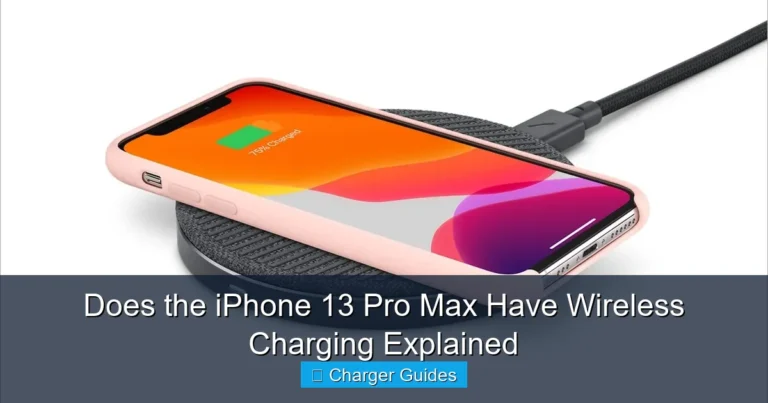
The iPhone 14 supports MagSafe wireless charging up to 15W and standard Qi wireless charging up to 7.5W. MagSafe uses magnetic alignment, helping the charger stay centered over the charging coil. A basic Qi pad can also work, but placement may require more care.
| Charging method | Listed maximum | Best use |
|---|---|---|
| USB-C PD wired | Fast charge with 20W or higher adapter | Quick top-ups, travel, and better energy efficiency. |
| MagSafe | Up to 15W | Easy magnetic alignment at a desk or bedside table. |
| Qi2-certified charger | Supported with iOS 17.2 or later; check exact charger compatibility | Magnetic wireless charging; verify certification, adapter requirements and model-specific output. |
| Standard Qi | Up to 7.5W | Convenient overnight or desk charging when speed is secondary. |
Choose wired charging when you need the quickest practical top-up or want less charging heat. Choose MagSafe when convenience, alignment, and a clean setup matter more than maximum efficiency.
How to Buy a Safe iPhone 14 Charger
- Confirm the phone connector. The iPhone 14 needs Lightning at the phone end.
- Check what the listing includes. “Charger” can mean an adapter only, a cable only, or a complete kit.
- Look for USB-C Power Delivery. This is the important charging protocol for modern wired fast charging.
- Choose at least 20W for fast charging. Higher wattage is optional and mainly benefits other devices.
- Use a reputable brand and seller. Avoid vague specifications, unrealistic power claims, damaged accessories, and listings that do not clearly identify the included parts.
Common iPhone 14 Charging Problems and Fixes
| Problem | Likely cause | What to try |
|---|---|---|
| Charging is very slow | 5W adapter, computer USB port, heat, or heavy phone use | Use a 20W USB-C PD adapter, lock the screen, and let the phone cool. |
| Included cable does not fit the old brick | The supplied cable is USB-C while the old adapter is USB-A | Use a USB-C wall adapter or an older USB-A to Lightning cable. |
| Charging starts and stops | Loose connector, damaged cable, debris, heat, or failing adapter | Test a known-good cable and adapter. Arrange service if the port appears damaged. |
| Phone becomes unusually hot | Heavy use, hot room, trapped heat, wireless charging, or poor accessory | Disconnect it, stop demanding tasks, remove a thick case, and move to a cooler location. |
| MagSafe charging is slow | Misalignment, thick case, heat, or inadequate adapter | Center the charger, use a compatible case, and connect a suitable USB-C adapter. |
If charging does not start at all, follow the charger-not-charging troubleshooting steps to check the cable, adapter and outlet one at a time. For slow charging, read why your iPhone is charging slowly. If the adapter or phone feels hotter than expected, use the safety checks in why a charger gets hot.
Battery Health Tips That Matter
- Keep Optimized Battery Charging enabled unless you have a specific reason to turn it off.
- Do not charge the phone under a pillow, blanket, or in direct sunlight where heat can build up.
- Remove a thick case temporarily if the phone becomes excessively warm while charging.
- Replace a cable when the jacket splits, a connector loosens, or charging cuts in and out.
- Do not worry simply because a safe USB-C PD adapter says 30W or 65W; the iPhone controls its negotiated power draw.
- Charging often slows as the battery approaches full capacity or when the device becomes warm. This is normal battery-management behavior.
Frequently Asked Questions
What charger does iPhone 14 use?
The iPhone 14 uses a USB-C to Lightning cable connected to a USB-C Power Delivery wall adapter. A quality 20W or higher adapter is recommended for fast charging.
Does the iPhone 14 use USB-C?
The cable’s adapter end is USB-C, but the connector that plugs into the iPhone 14 is Lightning. The iPhone 14 itself does not have a USB-C port.
Is a 20W charger enough for iPhone 14?
Yes. Apple lists the iPhone 14 as fast-charge capable with a 20W or higher adapter. A larger charger can be useful for other devices, but 20W is enough for most iPhone 14 owners.
Can I use a 30W or 65W charger with iPhone 14?
Yes, if it is a reputable USB-C Power Delivery adapter used with a suitable USB-C to Lightning cable. The iPhone negotiates the power it needs rather than taking the adapter’s full maximum output.
Can I use my old 5W Apple charger?
Yes, with a USB-A to Lightning cable, but charging will be much slower. The USB-C to Lightning cable included with the iPhone 14 will not plug into an old USB-A adapter.
Does iPhone 14 support MagSafe charging?
Yes. Apple lists MagSafe wireless charging up to 15W and standard Qi wireless charging up to 7.5W for the iPhone 14.
Does the iPhone 14 box include a wall charger?
No. The box includes a USB-C to Lightning cable, but the USB-C wall power adapter is sold separately.
Choose the Right Setup Without Overbuying
If your original cable still works, the Apple 20W adapter is the simplest choice. It provides the power level the iPhone 14 needs without paying for unnecessary capacity.
Check Apple 20W Price on AmazonCheck Price on WalmartSources: Apple iPhone 14 technical specifications and Apple fast-charge guidance. Product availability and listing details can change; check the current retailer page before buying.

One Comment