iPhone Says “Slow Charger”? What It Means and How to Fix It
iPhone charging troubleshooting
Your iPhone shows “Slow Charger,” but the battery percentage is still rising. Is the adapter broken, is the cable unsafe, or do you need a more powerful charger? The message has a narrower meaning than many people assume. This guide shows you where to find it, what to test first, and how to choose a charging setup that fits your exact iPhone.
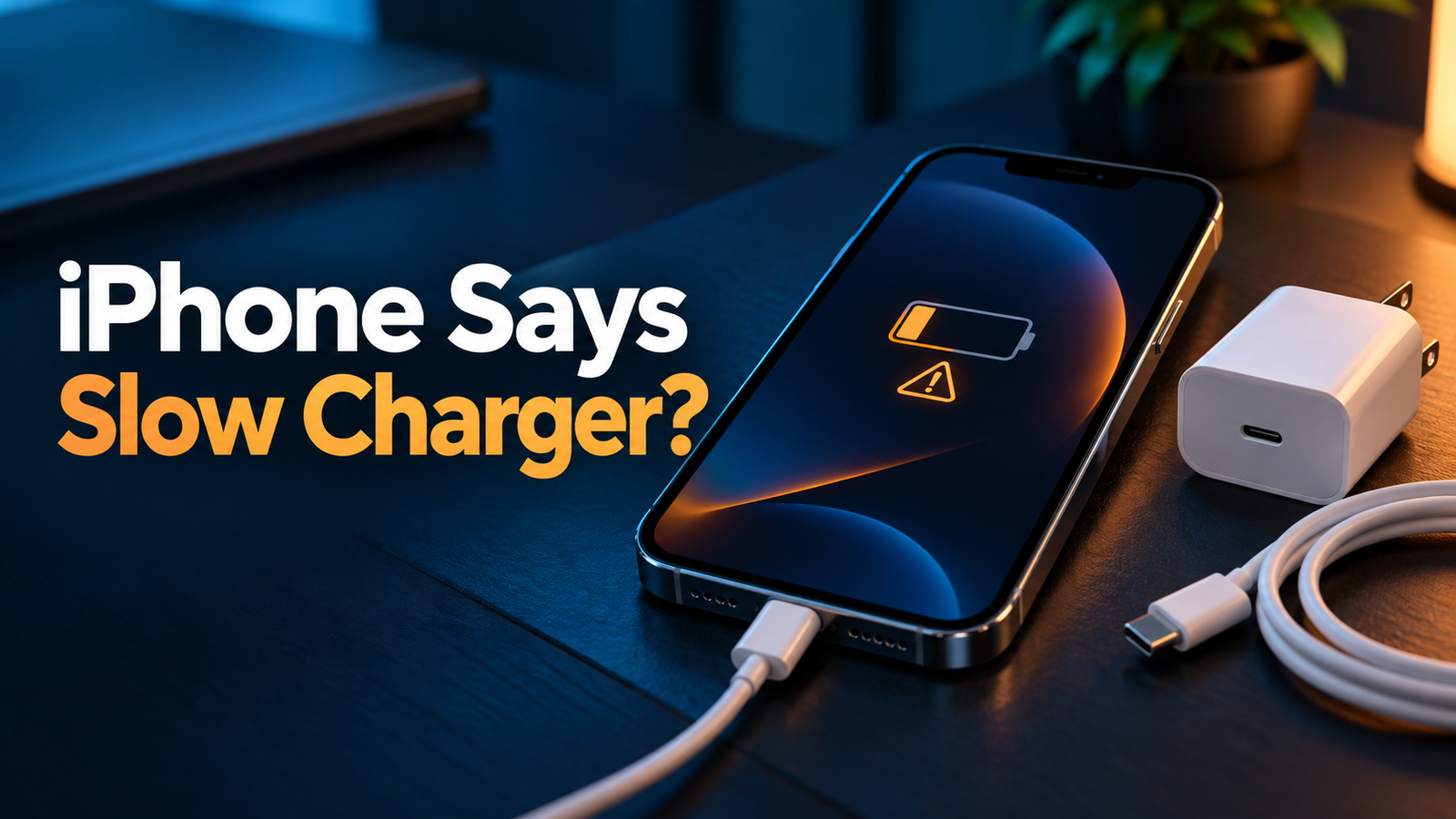
The iPhone Slow Charger message means iOS thinks a higher-wattage charger could improve the charging experience. Apple says the warning does not mean your phone or charger is faulty. If you want a faster top-up, try a suitable USB-C Power Delivery wall adapter and the correct cable for your iPhone model. Check the power source, shared ports, heat, and battery settings before buying anything.
Choosing an adapter? See our model-by-model iPhone charger guide before replacing one that already works.
Find Your iPhone Charger →What does the iPhone Slow Charger message mean?
Beginning with iOS 18, Apple can show a “Slow Charger” message on the Lock Screen and in Settings → Battery when a higher-wattage charger could improve your charging experience. Tap the information button beside the message for Apple’s explanation on your device. The message describes charging speed; it does not, by itself, diagnose a damaged battery, a dangerous adapter, or a defective cable.
Your iPhone may charge from a low-output USB-A adapter, a computer port, a car USB socket, a wireless pad, or a multi-port charger that is sharing power. It can display the warning because the current source provides less useful power than another compatible setup would. You may be perfectly happy with that speed overnight. If you need a quick charge before leaving, the warning tells you where to investigate.
Apple gives concrete examples: wired chargers delivering 7.5W or less, wireless chargers delivering less than 10W, shared multi-port output, and some computer, hub, or car ports can result in slower charging. Those are examples, not a promise that every adapter above a single wattage threshold will eliminate the label on every iPhone. The phone model and the entire charging setup still matter.
Where do you see Slow Charger on an iPhone?
Look on the Lock Screen while the phone is connected to power. You can also open Settings → Battery, where Apple shows charging information and the Slow Charger message when applicable. On iOS 26, the Battery screen may also estimate time to 80% or to full charge (or your selected limit). These estimates change as charging conditions change; they are not a fixed performance test.
If you do not see the exact wording, avoid assuming that the message is hidden. Your phone may have a different iOS version, be using an adequate charger at that moment, or be showing a different charging status. “Slow Charger,” “Incompatible Charger,” and “Charging On Hold” refer to different situations. Read the actual wording before replacing hardware.
Why does the message appear?
1. The wall adapter has too little available output
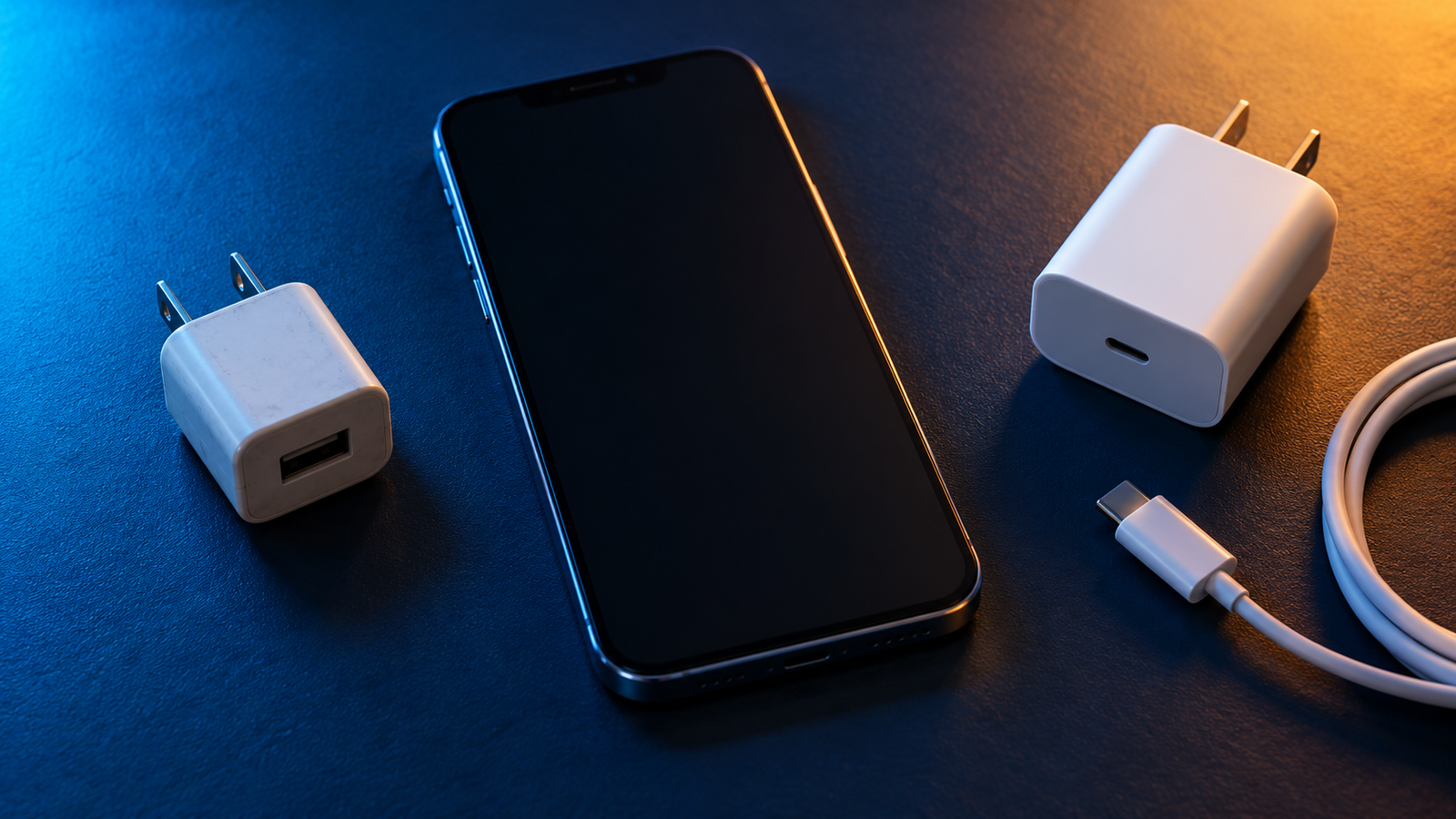
An old 5W USB-A cube is fine for a leisurely overnight charge but cannot deliver the same fast-charge experience as an appropriate USB-C Power Delivery adapter. The number printed on an adapter is its maximum available output under supported conditions; the iPhone determines the compatible power it draws. A 65W label does not mean the phone takes 65W.
2. The outlet is actually a computer, hub, or car USB port
A USB port on a laptop, keyboard, car, or inexpensive hub can supply much less power than a dedicated wall adapter. Even a hub with several ports may divide its power among connected accessories. Test the same iPhone and cable with a known-good USB-C PD wall adapter in a normal outlet. If the message disappears, the previous source was likely the limiting factor.
3. A multi-port adapter is sharing power
A charger advertised as “65W total” may not provide 65W from every USB-C port at once. Plugging in a laptop, tablet, or second phone can change the distribution. Read the maker’s single-port and simultaneous-output chart. Disconnect the other devices temporarily and test the iPhone on the recommended port. A charger that works quickly alone can be slower when its budget is shared.
4. Your wired charging cable or connection has a problem
Apple’s fast-wired setup is a USB-C PD adapter plus a USB-C cable for iPhone 15 models and later; iPhone 14 models and earlier use a USB-C to Lightning cable at the phone end. A frayed cable, loose plug, dirty connector, or damaged port can make charging unreliable. The Slow Charger warning alone does not prove the cable is bad, so first compare it with a known-good cable and compatible charger.
5. The wireless charging setup is slower by design
Some older Qi pads or weak adapters supply less power than a suitable MagSafe or Qi2 setup. The iPhone and charger also need to align properly. A thick case, attached accessory, or warm phone may reduce the charging experience. Apple notes that a MagSafe Battery Pack can show Slow Charger; that label does not automatically mean the pack is broken. For faster wireless charging, check the iPhone, charger, and adapter requirements together.
6. Heavy use and temperature make charging feel slower
A game, navigation session, camera recording, or bright video stream uses power while the phone charges. You may see a smaller net battery increase even if the adapter is functioning. Extreme heat or cold can cause iOS to slow or pause charging to protect the battery. Move the phone and charger to a cooler, ventilated place, stop demanding apps, and check the Battery screen for a separate temperature or hold message.
The charger’s maximum output is not the same as the power entering the battery. Battery level, device workload, temperature, and the iPhone’s internal controls affect the rate. A phone often charges more slowly as it approaches full capacity.
How to fix an iPhone Slow Charger message: 9 checks in order
- Read the exact message in Settings → Battery. Confirm that it says Slow Charger. If it says Incompatible Charger or Charging On Hold, use the separate diagnosis below.
- Decide whether you need faster charging. A slower but stable charge may be acceptable overnight. You do not need to replace a safe, working adapter solely to remove a label.
- Check your iPhone model and connector. iPhone 15 and later use USB-C at the phone; iPhone 14 and earlier use Lightning. Select the matching cable before comparing adapters.
- Try a dedicated USB-C PD wall adapter. Plug into a suitable wall outlet. Avoid a laptop, car socket, keyboard, or hub for this test. Use an adapter that meets Apple’s fast-charge guidance for your exact model.
- Test a known-good cable. Swap only the cable while keeping the phone and adapter the same. Do not continue using a frayed, discolored, loose, or unusually hot cable.
- Disconnect other devices. If your adapter has multiple ports, test the iPhone by itself. Then reconnect devices and check whether power sharing changes the result.
- Let the phone cool and stop intensive apps. Lock the screen, pause games or navigation, and move away from direct sunlight. Do not chill the phone abruptly or cover the charger.
- Check wireless alignment and the power brick. If using MagSafe or Qi2, center the phone on the pad, remove obstructive accessories, and confirm the pad’s required USB-C adapter and model compatibility.
- Compare and escalate only if needed. If charging repeatedly disconnects, barely increases, or still fails with a known-good adapter and cable, inspect the port without inserting metal tools and consult Apple support or a qualified service provider.
What wattage charger should you try?
There is no single best wattage for every iPhone. Apple’s current fast-charge guidance varies by generation and charging method. For the models most relevant to this site, use the following as a starting point, then verify the exact model and Apple’s current specifications. Listed times are Apple’s ideal-condition claims, not our test results.
| iPhone group | Wired fast-charge setup | What to remember |
|---|---|---|
| iPhone 14 family | USB-C to Lightning cable with a 20W or higher suitable adapter | The phone has a Lightning port. A USB-C-to-USB-C cable will not fit its phone end. |
| iPhone 15 and 16 families | USB-C cable and a suitable USB-C PD adapter; Apple’s tests used 20W for these families | Use a model-appropriate USB-C cable and check the exact device’s fast-charge specification. |
| iPhone 17, 17 Pro, 17 Pro Max | USB-C cable and 40W or higher adapter for Apple’s up-to-50%-in-around-20-minutes result | A 20W charger still works; it is below this fastest advertised wired setup. |
| iPhone 17e and iPhone Air | USB-C cable and 20W or higher adapter for Apple’s up-to-50%-in-around-30-minutes result | Do not apply the standard iPhone 17’s 40W figure to every model with “17” in its name. |
For older models, Apple also lists a compatible 18W-or-greater Apple USB-C adapter or comparable third-party USB-C PD adapter as a fast-charge option. A higher-rated charger can be useful for an iPad or laptop, but it will not force its full wattage into an iPhone. For a buying decision, see our iPhone 14 charger guide or the iPhone 17 charger comparison rather than buying only by the largest number on a box.
What if Slow Charger appears with MagSafe or Qi2?
First identify the exact wireless accessory. A basic Qi pad, a MagSafe Charger, a Qi2-certified pad, and a portable MagSafe battery pack do not have identical capabilities. The adapter feeding the pad also matters. Apple recommends a MagSafe Charger or Qi2-certified charger for faster wireless charging, but supported maximums and adapter requirements depend on the iPhone and accessory.
Try these checks: align the phone carefully; remove metal attachments, thick cases, or accessories that interrupt the connection; use a compatible USB-C PD adapter that meets the charging pad maker’s requirements; and let a warm phone cool. Apple says a connected wired accessory during wireless charging can limit charging to 7.5W under certain regulatory conditions. Disconnect it for a fair comparison. If your particular MagSafe battery pack shows Slow Charger, that may reflect its intended output rather than a defect.
Wireless charging is convenient, but a direct USB-C PD wall setup is the clearest way to diagnose whether the power source is the issue. If wired charging is normal and the warning appears only on a pad, focus on that pad, its adapter, placement, and compatibility.
Slow Charger vs Incompatible Charger vs Charging On Hold
| Message | Meaning | First action |
|---|---|---|
| Slow Charger | A higher-wattage charger could improve the experience; the current setup may still work. | Compare a compatible USB-C PD wall adapter and correct cable. |
| Incompatible Charger | On iOS 26, Apple says this can appear when a connected charger is detected but not charging. | Check the connection and try a known-good compatible adapter and cable. |
| Charging On Hold | Charging is temporarily paused, often because the battery is too hot or too cold. | Move to a moderate-temperature environment and allow the phone to return to normal. |
| Optimized Charging or Charge Limit | Battery-health settings can delay charging past a set point or stop near a chosen limit. | Inspect Settings → Battery → Charging (iPhone 15 and later), or Battery Health & Charging on earlier models. |
These distinctions matter because buying a larger adapter will not fix every charging complaint. If the phone is on a charge limit, the charger may be capable but iOS is intentionally managing the battery. If the device is hot, let it cool. If a connection is intermittent, a physical cable or port problem deserves attention.
Should you buy a new charger?
Consider an upgrade when you regularly need quicker top-ups and your current source is an old low-watt USB-A adapter, a slow car socket, or an underpowered wireless pad. A reputable USB-C Power Delivery adapter that meets Apple’s guidance for your specific iPhone and charging method is the practical starting point. Confirm that it has the needed port and that your existing cable fits both ends.
Keep what you have if it charges reliably at a speed that suits your routine. An iPhone plugged in overnight has a different need from one that must gain useful battery before a commute. A larger charger also makes more sense if it will serve an iPad, MacBook, or other USB-C devices. For multi-port models, inspect the simultaneous-output table, not merely the advertised total wattage.
Do not pay for a charger on the assumption that its maximum wattage equals measured iPhone charging speed. Nor should you treat an unverified “fast charger” marketplace claim as proof of USB-C PD support or a safe product. Check the adapter’s actual output profiles, the cable type, the maker’s support information, and the return or warranty terms.
Frequently asked questions
Does Slow Charger mean my iPhone battery is damaged?
No. Apple says the message indicates that a higher-wattage charger could improve charging and does not mean the iPhone or charger is faulty. Battery-health concerns require separate evidence and diagnosis.
Can I ignore the Slow Charger message?
Yes, if charging is stable, the equipment is in good condition, and the speed suits you. The message is useful guidance for faster charging, not a requirement to replace every working adapter.
Will a 65W charger damage my iPhone?
A compatible, properly functioning USB-C Power Delivery charger does not simply force its full 65W rating into the phone. Match the cable and port to your model; the iPhone uses supported power according to its design and conditions.
Why does my 40W charger still show Slow Charger?
Check whether the exact port supplies its advertised output with other devices connected, whether it supports the needed charging mode, and whether your cable and connection are sound. Temperature, wireless accessories, and device use also affect the experience. The printed total alone does not establish what the phone is receiving.
Does the warning appear only on the Lock Screen?
No. Apple says you can also find it in Settings → Battery on iOS 18 and later when applicable. Tap the information button for more detail.
Is an iPhone 14 USB-C or Lightning?
The iPhone 14 has a Lightning connector at the phone. For USB-C PD fast charging, use a USB-C-to-Lightning cable with the appropriate USB-C adapter. The iPhone 15 and later families use USB-C at the phone end.
Why does the message appear in a car but not at home?
Many car USB ports deliver less power than a dedicated USB-C PD wall adapter. Test with a known-good car charger that has a documented USB-C PD output and the correct cable, and avoid assuming the vehicle’s data port is designed for fast charging.
Is Slow Charger the same as Charging On Hold?
No. Slow Charger points to a potentially improvable power source. Charging On Hold can indicate a temporary pause from temperature or another battery-management condition. Read the exact Battery screen message before troubleshooting.
The bottom line
The iPhone Slow Charger message is a prompt to examine your charging setup, not a verdict that something is broken. Start with the exact message in Battery settings, then test a dedicated USB-C PD adapter and the correct cable for your model. Compare one change at a time, account for multi-port power sharing and wireless limitations, and let a warm phone cool. Buy a replacement only when a verified limitation affects how you use the phone.
For broader causes beyond this particular message, read why your iPhone is charging slowly. If you are deciding on a charger for a specific model, continue with iPhone 14 or iPhone 17.
Primary references: Apple: About iPhone charge speeds; Apple: Fast charge your iPhone; Apple: Charge Limit and Optimized Battery Charging. Product performance claims above reflect Apple’s stated conditions and were not independently tested for this article.