5 Best Apartment Smart Lock Picks for Smart Home Security
Affiliate disclosure: As an Amazon Associate, Gadget Makers Blog may earn from qualifying purchases. This does not change the price you pay.
Apartment security has a different set of priorities than a single-family home. You usually want a lock that installs cleanly, supports shared access, and fits a rental-friendly setup without creating extra hassle for you or your property manager.
This guide compares five apartment smart lock options for 2026, focusing on app control, keypad access, fingerprint entry, retrofit design, and smart home compatibility. If you’re weighing convenience against compatibility and value, this roundup is built to help you narrow the field.
If you want the most balanced apartment smart lock pick from this list, the Wyze Auto-Lock Bolt v2 is the strongest all-around option for fast fingerprint access, app control, and backup keys. For broader smart home compatibility, the ULTRALOQ Bolt SE is the most versatile alternative, while the DESLOC B200 is the strongest budget-minded value choice.
Quick Product Comparison
| Product | Image | Best For | Check Price |
|---|---|---|---|
| 1. Wyze Auto-Lock Bolt v2 | 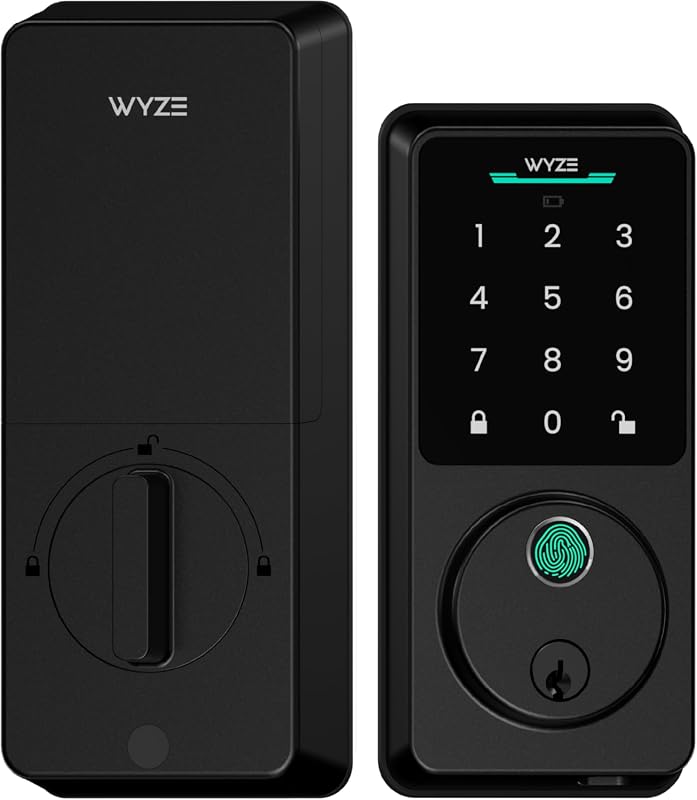 | Fast fingerprint entry for everyday apartment use | Check Price |
| 2. Anona Holo Wi-Fi Smart Lock | 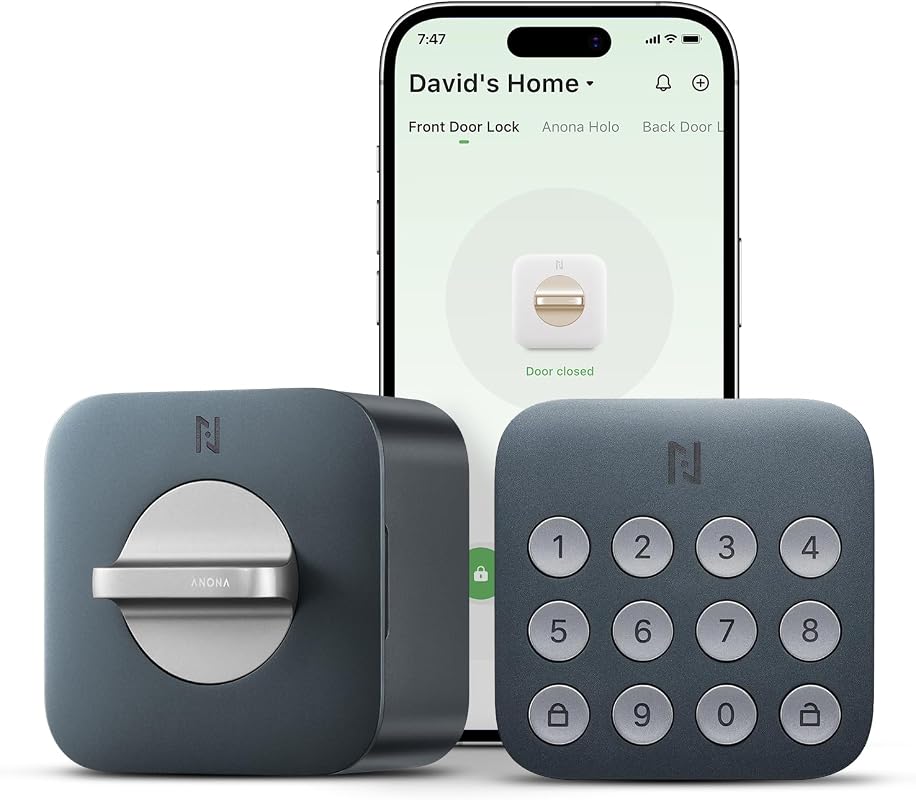 | HomeKit and Alexa users who want an affordable smart deadbolt | Check Price |
| 3. Yale Approach Smart Wi-Fi Deadbolt | 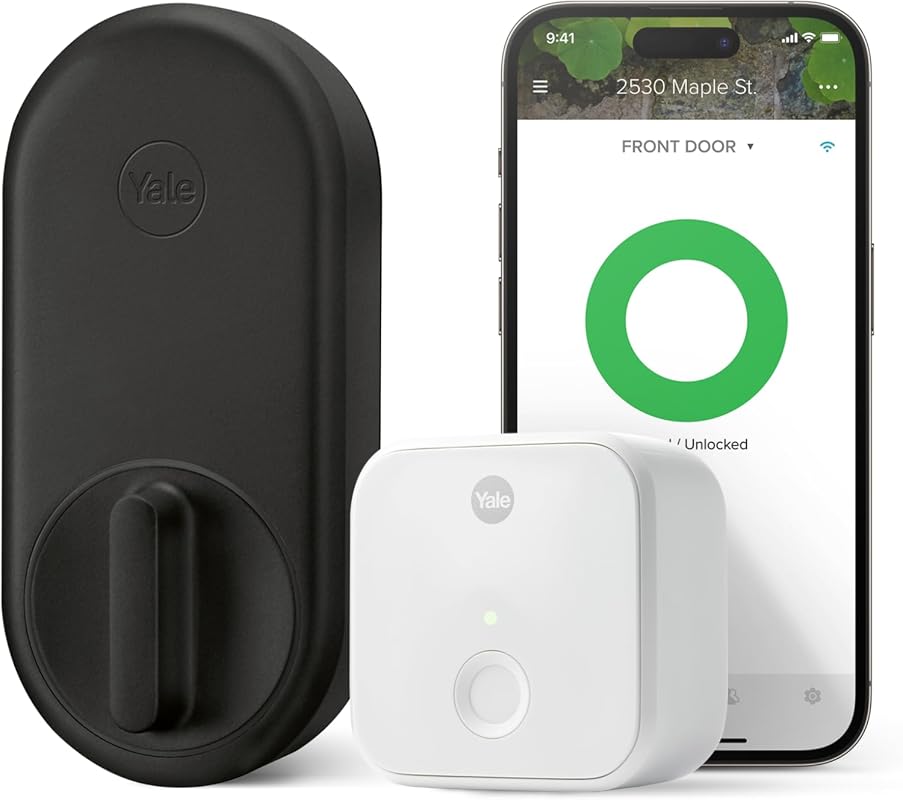 | Retrofit installs that keep your existing deadbolt | Check Price |
| 4. ULTRALOQ Bolt SE Smart Lock | 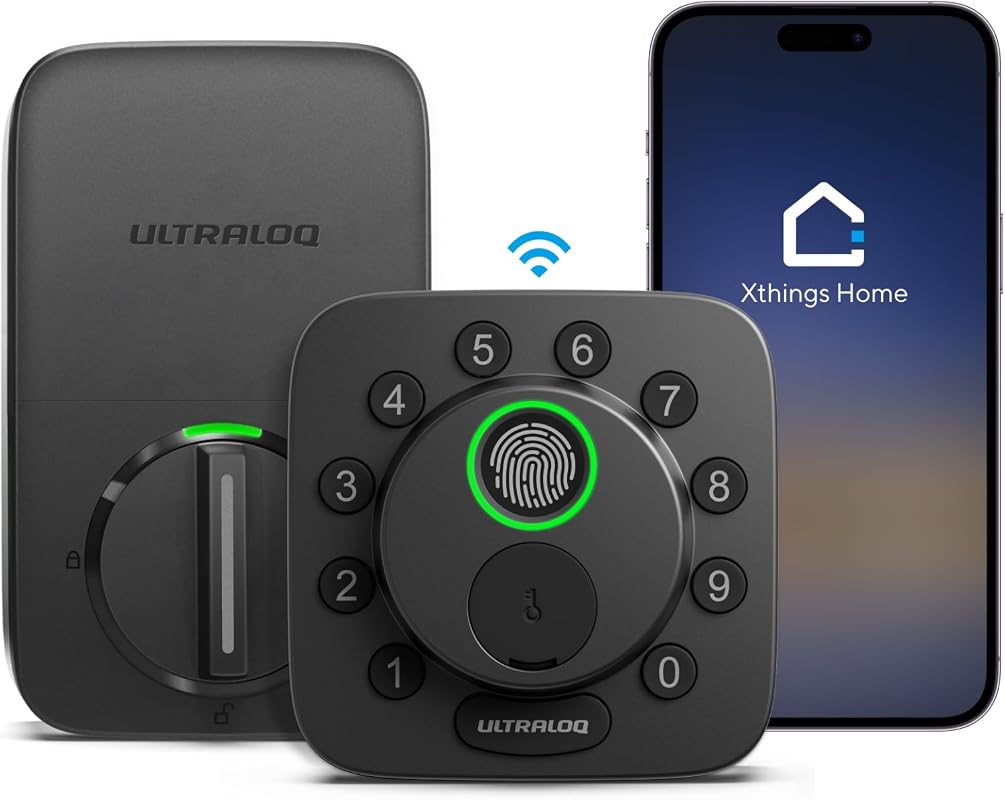 | Smart home users who want Matter and many unlock methods | Check Price |
| 5. DESLOC B200 Fingerprint Smart Door Lock | 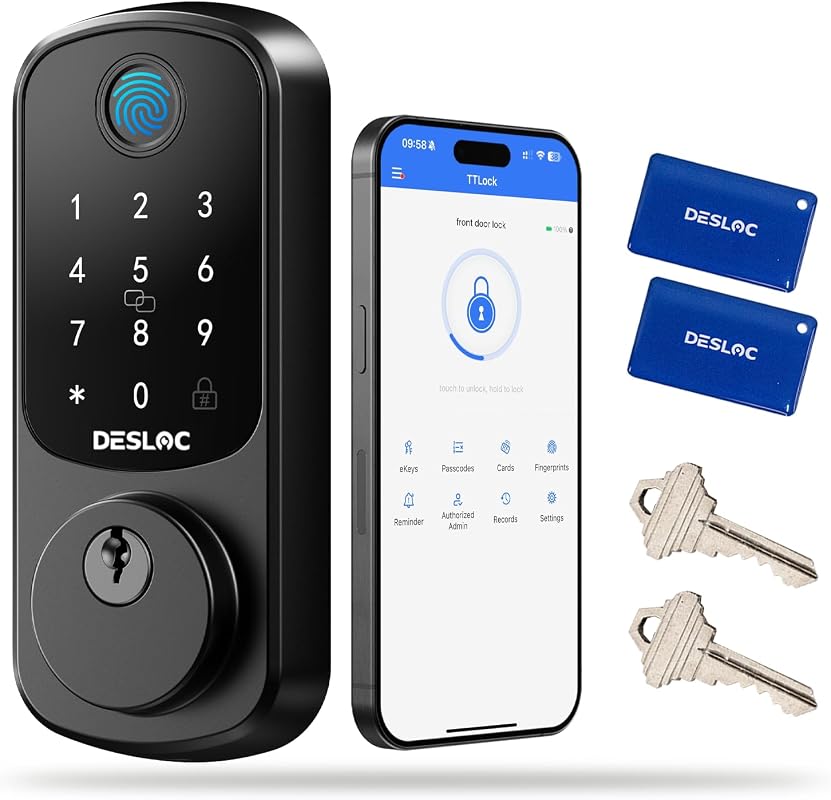 | Budget shoppers who want fingerprint access and backup power | Check Price |
What to Look for in an apartment smart lock
Installation style and rental fit
Apartment buyers should first check whether the lock is a full deadbolt replacement or a retrofit model that installs on the inside only. If you rent, that difference can matter a lot when you want to preserve the existing exterior hardware.
Access methods for daily convenience
Fingerprint, keypad, app access, virtual keys, and physical backup keys each solve a different problem. For a shared apartment, multiple unlock methods can make life easier for roommates, guests, and service visits.
Smart home compatibility
If your apartment already uses Alexa or Apple Home, compatibility can be a deciding factor. For more background on ecosystem matching, see our guides on what smart lights work with Apple Home and what smart lights work with Alexa, since the same ecosystem planning mindset applies here.
Remote access and sharing controls
Remote unlocking, temporary codes, and activity logs are useful when you need to manage access without handing out spare keys. For apartment living, that can reduce friction for guests, cleaners, or family members.
Battery life and backup options
Battery claims vary by model, so verify the current listing and manual before buying. It also helps to check whether the lock includes a backup key, emergency power option, or low-battery alert.
Door and lock compatibility
Even a strong smart lock is a poor fit if it does not match your door type, deadbolt style, or Wi-Fi setup. Always verify the current Amazon listing and product manual for door compatibility and any hub or router requirements.
- Measure your existing deadbolt area before ordering, then confirm whether the model is retrofit or full replacement.
- Check whether your apartment Wi-Fi reaches the door location if the lock uses built-in Wi-Fi.
- Keep at least one backup access method available, especially if multiple household members rely on the lock.
Our Top 5 Apartment Smart Lock Picks and Reviews
1. Wyze Auto-Lock Bolt v2 Fingerprint Smart Deadbolt with Wi-Fi, Keypad, Backup Keys
The Wyze Auto-Lock Bolt v2 combines fingerprint entry, app control, keypad access, and backup keys in a package that looks especially practical for everyday apartment use.
Key Features That Stand Out
- Unlocks in 0.5 seconds with a fingerprint scanner, which is useful when you want quick entry at the door.
- Built-in Wi-Fi supports remote management through the Wyze app.
- Includes 8 AA batteries for up to 8 months of use, plus a USB-C port for emergency power.
- Works with fingerprint, app, code, or physical keys for flexible access.
- Pairs with a Wyze Video Doorbell for unlocking from the live feed.
Why It Stands Out
This is the most balanced pick in the roundup because it combines fast entry, multiple backup options, and app-based control without leaning too hard on one access method. For apartment dwellers who want a smooth daily routine, that mix is hard to ignore.
Best For
Pros and Cons
- Fast fingerprint entry and multiple unlock options.
- Built-in Wi-Fi and app control add convenience.
- Backup keys and USB-C emergency power improve resilience.
- Wi-Fi and app features should be confirmed against your home network setup.
- Shoppers who prefer HomeKit or Matter support may want to compare alternatives.
2. Anona Holo Wi-Fi Smart Deadbolt with Keypad, App Control, Auto-Lock, Alexa and Apple Home
The Anona Holo is aimed at shoppers who want a lower-cost smart deadbolt with ecosystem support, auto-lock behavior, and straightforward installation.
Key Features That Stand Out
- Compatible with Alexa and Apple HomeKit according to the supplied feature set.
- Installs on most single-cylinder deadbolts using only a screwdriver.
- Auto-lock and anomaly detection help flag a jammed or left-open lock.
- Uses 4 AA batteries with a stated 4-6 month runtime in standard Wi-Fi mode.
- Supports temporary or one-time passcodes in the app.
Why It Stands Out
This model is notable for apartment users who want smart-home integration without moving to a higher price tier. It is also the most clearly rental-friendly in terms of simple inside installation, though buyers should still confirm deadbolt compatibility before ordering.
Best For
Pros and Cons
- Works with Alexa and Apple HomeKit.
- Simple screwdriver installation may suit renters.
- Auto-lock and alerts add peace of mind.
- Review volume is modest compared with the most established option here.
- Battery life is shorter than some higher-end alternatives.
3. Yale Approach Smart Wi-Fi Deadbolt Retrofit Lock with App Control and Virtual Keys
The Yale Approach is the best fit here if you want a retrofit smart lock that leaves your existing deadbolt in place while adding app control and virtual keys.
Key Features That Stand Out
- Retrofit design installs on the inside only, so the existing deadbolt stays in place.
- Yale Access app supports locking, unlocking, and sharing virtual keys.
- Activity Feed helps track who comes and goes.
- Includes Yale Connect for app-based control.
- Physical keys remain as a backup because the original deadbolt stays installed.
Why It Stands Out
For apartment residents who want the least disruptive installation path, this is the most clearly retrofit-focused pick. It also makes access sharing straightforward, which is useful if you host guests or need controlled entry without handing out copies of keys.
Best For
Pros and Cons
- Retrofit installation is apartment-friendly.
- Virtual keys and activity tracking improve access control.
- Existing keys remain usable as backup.
- Higher price than several other picks in this roundup.
- Compatibility depends on your current deadbolt setup.
4. ULTRALOQ Bolt SE Smart Lock with Wi-Fi, Matter, Fingerprint, Keypad, App Control
The ULTRALOQ Bolt SE is the most feature-rich smart home option in the group, especially if you want Matter support and a wide set of access methods.
Key Features That Stand Out
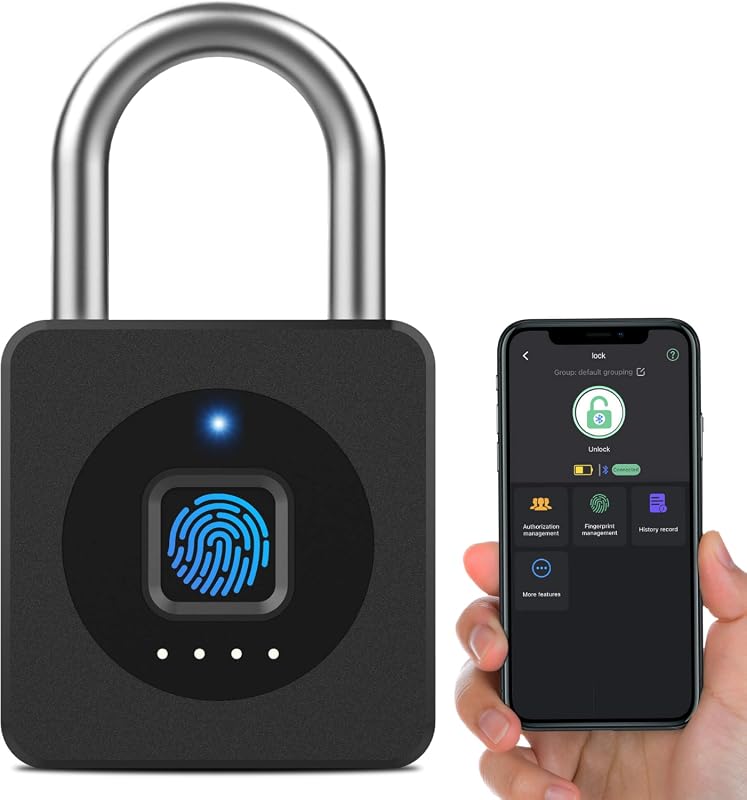
- 7-in-1 entry includes fingerprint, passcodes, smartphone app, web portal, eKey sharing, voice control, and mechanical keys.
- Supports remote control via 2.4 GHz Wi-Fi with no hub required.
- Matter support is included, with the note that Matter features require a compatible Thread hub or border router.
- Stores up to 50 fingerprints and 50 passcodes.
- Thread-based design is listed with up to 18 months of battery life.
Why It Stands Out
If your apartment leans heavily into smart home gear, this is the most flexible option in the list. The combination of Matter, Wi-Fi, and multiple access methods gives it a broad compatibility story, though the Thread and Matter requirements should be checked carefully before purchase.
Best For
Pros and Cons
- Wide access-method support suits shared apartments.
- Matter and Wi-Fi options help with ecosystem flexibility.
- High fingerprint and code capacity is useful for multiple users.
- Matter features require compatible Thread hardware.
- Connectivity setup may be more complex than simpler locks.
5. DESLOC B200 Fingerprint Smart Deadbolt with App Control, Keypad, Auto Lock, USB-C Backup
The DESLOC B200 is a strong budget-minded choice for apartment buyers who want fingerprint access, multiple unlock options, and emergency backup power.
Key Features That Stand Out
- 8-in-1 unlock options include fingerprint, PIN code, app control, eKeys, key fobs, physical keys, and voice control with a gateway requirement.
- AI fingerprint recognition unlocks in less than 0.3 seconds and supports up to 50 fingerprints.
- Uses 4 AA batteries with up to 12-month battery life and USB-C emergency power.
- Designed for easy DIY installation with screwdriver-only setup.
- Includes IP54 water resistance and a stated operating range from -22°F to 158°F.
Why It Stands Out
This lock offers a lot of practical features for the price, especially if you want strong entry flexibility and backup power without moving into a higher-cost tier. The supplied specs also make it appealing for apartments in varied climates, though buyers should still verify fit and gateway needs.
Best For
Pros and Cons
- Competitive price with many unlock methods.
- USB-C emergency power adds practical backup.
- DIY installation may suit apartment buyers.
- Voice control requires a G2 gateway.
- Compatibility and door fit should be verified before purchase.
Before buying any apartment smart lock, confirm your lease rules, deadbolt type, and whether your landlord requires the original hardware to stay intact. If the lock depends on Wi-Fi, also verify that your router signal reaches the door and that any hub, Thread border router, or gateway requirement is covered in the current listing.
Complete Roundup for Apartment Smart Lock
Budget shoppers should expect keypad access, app control, and basic smart features, with compatibility checks and backup power worth confirming first.
Mid-range buyers usually get stronger smart home integration, more unlock methods, and better access sharing for roommates or guests.
Premium locks tend to add retrofit design, Matter support, richer app controls, and more complete backup options for apartment security.
- Match the lock style to your door and lease rules before ordering.
- Use temporary codes or virtual keys for guests instead of sharing your main code.
- Check the current app listing for OS support and any hub or gateway needs.
- Don’t assume every smart lock fits every apartment deadbolt.
- Don’t rely on a single access method without a backup plan.
- Don’t skip battery and emergency-power checks if you want dependable everyday use.
- Choose retrofit models if you want to preserve the original deadbolt for move-out.
- Keep the app, physical key, or backup power option accessible before the battery runs low.
- For shared apartments, look for access logs and temporary code support.
Verify your door thickness, deadbolt style, Wi-Fi band support, and any required ecosystem hardware such as Apple Home, Matter, Thread, or a gateway before buying.
- Wyze Auto-Lock Bolt v2: best all-around mix of fingerprint speed, Wi-Fi control, and backup access.
- Anona Holo Wi-Fi Smart Lock: a lower-cost option with Apple HomeKit and Alexa support.
- Yale Approach Smart Wi-Fi Deadbolt: the retrofit pick for keeping your existing deadbolt.
- ULTRALOQ Bolt SE Smart Lock: the most flexible smart home choice with Matter support.
- DESLOC B200 Fingerprint Smart Door Lock: the value pick with many unlock methods and USB-C backup.
- Always verify fit, app compatibility, and any hub or gateway requirement before checkout.
Frequently Asked Questions About Apartment Smart Lock
The main difference is fit and flexibility. Apartment buyers often need easier installation, rental-friendly retrofit options, and backup access methods that work well for roommates or guests.
Often, yes, because retrofit models can install on the inside without replacing the existing deadbolt. That said, you should still confirm your lease rules and current deadbolt compatibility.
Not always, but Wi-Fi adds remote control, notifications, and access management. If your door is far from the router, check signal strength and any hub or gateway requirements first.
Fingerprint entry is usually the fastest for everyday coming and going. Keypads and app control are helpful too, especially when you need shared access or backup options.
Check deadbolt type, door compatibility, Wi-Fi or ecosystem support, and the lock’s backup method. It’s also smart to review the current Amazon listing and product manual for installation details.
They can be, as long as you manage access carefully. Use temporary codes or virtual keys, keep the app account secure, and review any permissions or activity logs regularly.
If you want the simplest buy, start with the Wyze Auto-Lock Bolt v2 and compare it against your door hardware and preferred access style. If your apartment is already built around Apple Home, Alexa, or Matter, one of the compatibility-focused alternatives may be the better long-term fit.
For renters, the safest approach is to match the lock to your lease, your deadbolt, and your daily routine before chasing feature lists. A smart lock should make apartment life easier, not create extra setup work.
This roundup is based on the supplied product titles, feature bullets, ratings, review counts, prices, images, and affiliate links only. Because no verified first-hand testing evidence is available, the recommendations use evidence-based editorial language and focus on visible feature sets, stated compatibility, installation style, access methods, and value for apartment shoppers. When a technical detail was not supplied, readers should verify it on the current Amazon listing, manufacturer page, app listing, or product manual.