Best iPhone Chargers That Last Longer and Charge Faster
The best iPhone chargers that last are usually a reputable USB-C wall charger and a reinforced cable that matches your phone’s port. Prioritize safety, heat control, and cable quality over the highest wattage number on the box.
If you want iphone chargers that last, focus on build quality, certified USB-C Power Delivery support, and the right wattage for your iPhone instead of chasing the biggest number on the box. The best long-term picks are usually a well-made wall charger, a braided USB-C cable, and a charger style that matches how you actually use your phone each day.
- Best balance: A compact USB-C Power Delivery wall charger plus a braided cable is the safest.
- Durability matters: Reinforced strain relief and solid connectors usually last longer than flashy high-watt claims.
- Heat is the enemy: Cooler charging setups tend to be easier on both accessories and battery health.
- Check compatibility: Confirm whether your iPhone uses USB-C or Lightning before buying.
- Replace damaged gear: Frayed cables, loose plugs, and overheating adapters should be retired quickly.
Best iPhone Chargers That Last Longer and Charge Faster: What to Buy in 2025
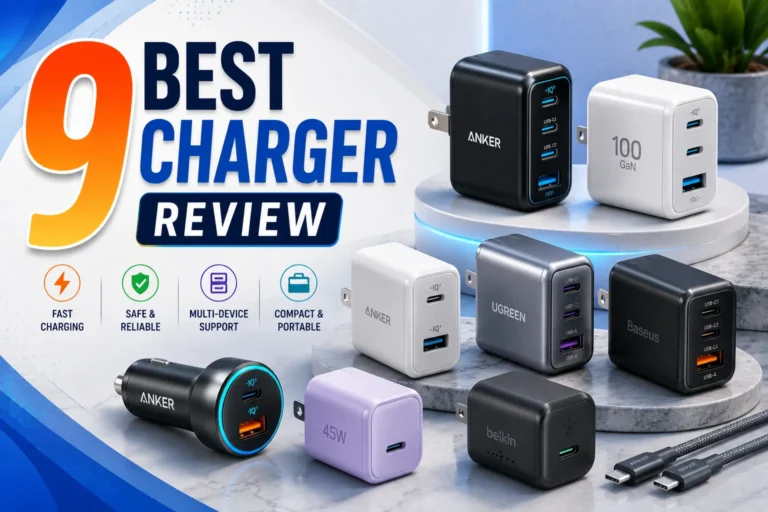
For most iPhone users, the most durable and practical choice is a reputable USB-C wall charger paired with a high-quality USB-C to USB-C cable or a certified USB-C to Lightning cable if your model still uses Lightning. If you want a simple starting point, a compact 20W to 30W wall charger from a known brand is often the sweet spot for everyday fast charging without unnecessary bulk or heat.
Quick answer: the most durable, fastest-charging options for most iPhone users
Look for a compact USB-C Power Delivery wall charger, a braided cable with reinforced ends, and MFi or other recognized certification where applicable. For convenience, MagSafe can be a good secondary option, but a wired charger is still usually the better mix of speed, efficiency, and long-term wear.
Why “last longer” matters more than just peak speed
A charger that advertises a high wattage is not automatically better for an iPhone. If the adapter runs hot, the cable frays quickly, or the plug fits loosely, you may end up replacing it sooner and charging less safely.
Durability matters because charging gear is handled every day: plugged in, unplugged, coiled, tossed in bags, and used in cars, offices, dorms, and travel setups. The best iPhone charging setup is the one that keeps working reliably without stressing the cable, the port, or the battery.
How iPhone Charging Works in 2025
USB-C, Power Delivery, and why wattage matters
Modern iPhones use USB-C charging, and fast charging depends on USB Power Delivery, often shortened to USB PD. Wattage matters because it tells you the adapter’s maximum output, but the iPhone only draws what it needs within its supported range.
That means a higher-watt charger can be useful for charging other devices too, but it does not necessarily make an iPhone charge dramatically faster than a well-matched lower-watt adapter. If you want a deeper model-by-model breakdown, see our guide on what iPhone charger you need.
How iPhone fast charging affects heat, cable wear, and battery health
Fast charging creates more heat than slow charging, especially when the phone is in a warm room, inside a case, or being used heavily while plugged in. Heat is one of the main reasons charging accessories and batteries age faster over time.
That does not mean fast charging is bad. It means the best charger is one that delivers power efficiently, with a cable and adapter that are designed to handle regular use without excess stress.
If a charger, cable, or phone becomes unusually hot, smells burnt, sparks, or charges inconsistently, stop using it and follow the manufacturer’s guidance. Do not keep using visibly damaged charging gear.
What “safe use” means for chargers, cables, and adapters
Safe use starts with the right combination of charger, cable, and device. For iPhone buyers, that usually means a USB-C adapter from a reputable brand, a cable rated for the job, and a close look at the device’s official compatibility notes.
It also means checking for recognized safety and compliance markings relevant to your region, reading the manual, and avoiding mystery adapters with vague specs. If you travel often, confirm plug compatibility and voltage behavior before you pack a charger for another country.
What Makes an iPhone Charger Last Longer
Build quality: reinforced strain relief, braided cable jackets, and solid connectors
The parts that fail first are usually the cable ends and the connector housing. Reinforced strain relief helps reduce bending damage, while braided jackets can resist everyday abrasion better than thin, glossy plastic coatings.
Solid connectors matter too. A loose USB-C plug or a weak Lightning connector can create intermittent charging, extra heat, and more wear on the phone’s port.
Choose a cable length that fits your space. A cable that is too short gets yanked often, while an overly long cable can tangle, snag, and wear out faster.
Rated wattage and why overbuying does not always mean better results
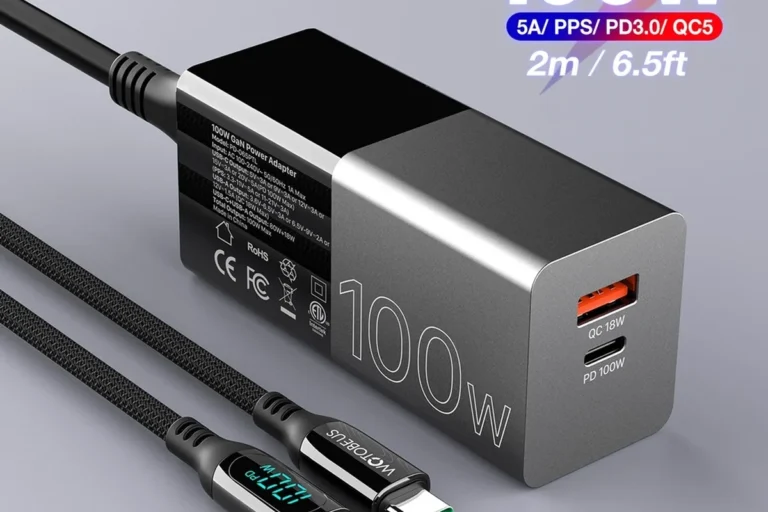
Buying a 65W or 100W charger for an iPhone can make sense if you want one adapter for a laptop, tablet, and phone. But if the charger is oversized, bulky, or poorly designed, the extra wattage may not improve your iPhone experience at all.
For many people, a 20W to 30W USB-C charger is enough for daily iPhone fast charging. If you also charge a tablet, handheld console, or earbuds, a multi-port model may be more useful than a single high-wattage brick. For more on that trade-off, our comparison of 30W vs 65W charger for iPhone is a helpful next read.
Heat management, certification, and inspection signs to check before buying
Good chargers are built to manage heat better, especially under sustained use. That usually comes down to internal design, quality control, and proper certification rather than flashy marketing.
Before buying, inspect product photos and listings for clear port labeling, honest wattage claims, and region-appropriate plug options. If the listing hides key details or uses vague language, that is a warning sign.
- Check compatibility, model number, cable type, wattage, and intended use
- Confirm safety guidance, warranty terms, return policy, and update or recall notices
- Verify whether the charger supports USB-C Power Delivery and whether your iPhone uses USB-C or Lightning
Replacement guidance: when a cable or adapter should be retired
Retire a cable if the jacket is cracked, the connector is bent, the plug feels loose, or charging cuts in and out when you move the phone. Retire an adapter if it runs abnormally hot, makes noise, or shows any physical damage.
Accessories do not need to be brand new to be safe, but they do need to be intact. A worn charging cable is often cheaper to replace than a damaged phone port.
Best Charger Types for iPhone Users
Wall chargers: best balance of speed, reliability, and value
Wall chargers are still the best all-around choice because they are efficient, simple, and usually less heat-prone than wireless setups. They are also easy to replace and easy to match with different cable lengths for home, office, and travel use.
If you want a budget-focused starting point, our guide to best budget chargers for iPhone can help you compare safer low-cost options without guessing.
A compact USB-C wall charger is the best overall pick for most iPhone users because it combines speed, durability, and broad compatibility. The main limitation is that you still need to choose a good cable separately.
MagSafe and wireless chargers: convenience vs heat and efficiency trade-offs
MagSafe and other wireless chargers are convenient for desks, nightstands, and quick top-ups. They are also more sensitive to placement and can waste more energy as heat compared with wired charging.
That extra heat can matter if you charge overnight, use your phone while it is charging, or keep it in a thick case. Wireless charging is best viewed as a convenience tool, not the most durable everyday charging method.
Car chargers and travel chargers: portability and multi-device use
Car chargers are useful if you commute, road-trip, or rely on your phone for navigation. Travel chargers make more sense when they are compact, dual-voltage compatible where relevant, and easy to pack without stressing the cable.
If you travel internationally, confirm plug shape and regional compatibility before you leave. Our regional guides on iPhone chargers in Europe and iPhone chargers in the UK explain what to verify before packing.
Power banks for iPhone: capacity, output, and cable quality to prioritize
A good power bank can save the day for students, travelers, creators, and anyone who spends long hours away from an outlet. The best ones for iPhone use have a stable USB-C output, clear capacity labeling, and enough build quality to survive bag use.
Do not overlook the cable. A weak cable can make a good power bank feel slow or unreliable, especially when you are charging and using the phone at the same time.
How to Choose the Right iPhone Charger for Your Needs
Compatibility by iPhone model, charging standard, and cable connection type
The first question is simple: does your iPhone use USB-C or Lightning? That determines the cable you need and affects which accessories make the most sense.
Also check whether the charger supports USB Power Delivery, because that is the standard most iPhones use for fast wired charging. For model-specific guidance, see our articles on what charger iPhone 15 uses and which charger iPhone 16 uses.
Compatibility can vary by iPhone model, region, and cable type. Always confirm the exact device generation and connector before buying.
Ideal wattage ranges for everyday charging, fast charging, and multi-device setups
For everyday iPhone charging, a charger in the 20W to 30W range is often enough. If you want one charger for a phone plus a tablet or laptop, a higher-watt multi-port model may be more practical.
Do not assume that more wattage always means faster charging for the iPhone itself. The phone sets the limit, not the charger alone.
Portability, storage, and travel-friendly design considerations
Small chargers are easier to carry, but tiny housings can sometimes run warmer or offer fewer ports. Larger chargers may be better for desks and shared charging, but they take up more bag space.
Think about how often you wrap the cable, whether you need a foldable plug, and whether the charger will live in a backpack, bedside drawer, or car console. Those small details affect how long the gear lasts.
Practical trade-offs: speed, cable length, durability, and price
The best charger is rarely the cheapest or the fastest on paper. It is the one that balances cable length, connector strength, safe output, and the way you actually charge your phone every day.
If you need a more detailed selection process, our roundup of best chargers for iPhone is a useful comparison point.
Common Mistakes That Shorten Charger Life or Slow Charging
Using low-quality cables or uncertified adapters
Cheap cables may work at first, but they often fail sooner because of weak strain relief, poor conductor quality, or inconsistent connector fit. Uncertified adapters can also create heat and stability problems that shorten the life of both the charger and the phone battery.
Ignoring frayed ends, bent pins, and overheating warnings
Frayed ends are not cosmetic problems. They are early signs that the cable is breaking down and should be replaced before it fails completely.
Bent pins, scorch marks, and repeated heat warnings are stronger signals that the accessory should come out of service. Do not keep “testing” damaged equipment.
Stop using damaged electronics, swollen batteries, frayed cables, overheating chargers, or unstable appliances and follow the manufacturer’s guidance.
Mixing the wrong cable type with the wrong power source
A good charger can still perform poorly if the cable is mismatched. For example, using the wrong connector type, a low-quality cable, or a cable that is not rated for the intended output can lead to slower charging or unreliable performance.
If you are unsure, verify the cable type in the manual or product listing before you buy. That is especially important when comparing USB-C, Lightning, and multi-port charging setups.
Charging habits that create unnecessary heat or wear
Using the phone heavily while charging, leaving it in direct sun, or charging it under pillows and blankets can increase heat. Heat speeds up wear on both accessories and battery components.
Whenever possible, keep the charger in an open, ventilated space and let the cable rest naturally instead of bending sharply at the plug.
Safe Use, Care, and Storage Tips for iPhone Chargers
How to inspect chargers and cables regularly
Every few weeks, take a quick look at the cable ends, the adapter body, and the plug blades. You are checking for cracks, looseness, discoloration, bent metal, or any sign of overheating.
Best practices for wrapping, storing, and transporting cables
Wrap cables loosely in a soft loop instead of folding them tightly. Tight bends near the connector are one of the fastest ways to shorten cable life.
If you travel with chargers, keep them separate from sharp objects and avoid stuffing them into pockets where the connectors can be crushed.
- Use a cable organizer or soft pouch to reduce tangles and connector stress.
- Keep spare chargers in a cool, dry drawer rather than in a hot car.
- Label travel chargers if you use several similar-looking adapters at home.
Avoiding moisture, sharp bends, and overloaded outlets
Moisture and charging gear do not mix. If a cable or adapter gets wet, follow the manufacturer’s drying and safety instructions before using it again.
Also avoid overloading power strips and wall outlets with too many high-draw devices. A cleaner, more stable setup is usually safer and easier on your gear.
When to replace accessories to reduce risk and protect battery health
Replace chargers that overheat, flicker, smell unusual, or fail to hold a steady connection. Replace cables that have visible damage or intermittent charging behavior.
If you are also seeing slow charging that cannot be explained by the phone’s settings, battery condition, or cable quality, it may be time to confirm compatibility and consider a replacement. Our troubleshooting article on why your iPhone is charging slow is a good next step.
Final Verdict: The Best iPhone Chargers That Last Longer and Charge Faster
Best overall pick for most users
The best overall choice is a compact USB-C wall charger with USB Power Delivery and a durable braided cable. That combination gives most iPhone users the best balance of speed, reliability, and everyday convenience.
Best durable option for heavy daily use
For heavy use, choose a charger with strong strain relief, a reputable warranty, and a cable that is easy to replace separately. This setup tends to age better than all-in-one solutions that rely on a single fragile cable.
Best budget choice without sacrificing safety
The best budget choice is a basic but reputable USB-C charger from a known brand, paired with a properly rated cable. Budget gear is fine when it is honest about wattage, clearly compatible, and not suspiciously underbuilt.
Transparent recommendation based on durability, speed, and long-term value
If your priority is iphone chargers that last, buy for build quality first and peak wattage second. A well-made 20W to 30W USB-C charger will satisfy most people, while heavier users can step up to a multi-port model if they truly need to charge more than one device at a time.
Choose a reputable USB-C wall charger and a reinforced cable if you want the most reliable long-term value. Skip oversized or uncertified accessories unless they clearly meet your device’s needs and safety requirements.
Frequently Asked Questions
For many users, a 20W to 30W USB-C charger is enough for everyday fast charging. Higher wattage can help with other devices, but it does not always make an iPhone charge much faster.
MagSafe is convenient, but wireless charging usually creates more heat and wastes more energy than wired charging. It is fine for many users, but wired charging is typically the better long-term choice for efficiency.
Look for a reputable brand, the correct USB-C Power Delivery support, and clear safety or compliance information for your region. Avoid damaged, overheating, or suspiciously vague chargers.
Use the cable type that matches your iPhone model and charger, such as USB-C to USB-C or USB-C to Lightning where applicable. Always confirm compatibility in the product listing or official manual.
Replace a cable if it is frayed, bent, loose, or charges inconsistently. Visible damage or repeated heat buildup is a sign to stop using it.
Not always, but better materials, stronger strain relief, and clearer certification often improve durability. The best value comes from a charger that fits your needs and is built well, not just one with the highest price.