Best Usb-c Cable for Laptop Charging
The best USB-C cable for laptop charging is a USB-C to USB-C cable that matches your laptop’s wattage and supports USB Power Delivery. For higher-power laptops, choose a clearly rated e-marked cable from a reputable brand.
The best USB-C cable for laptop charging is the one that matches your laptop’s wattage, supports USB Power Delivery, and is built for the power level you actually need. For most people, that means a USB-C to USB-C cable with the right rating, preferably e-marked for higher-wattage charging and made by a reputable brand with clear specs.
- Match wattage first: Your cable should meet or exceed your laptop’s charging requirement.
- Prefer USB-C to USB-C: It is the most reliable choice for modern laptop charging.
- Check e-marker support: It matters more for 100W and higher charging setups.
- Inspect regularly: Replace frayed, loose, hot, or discolored cables right away.
Best USB-C Cable for Laptop Charging: What to Buy in 2026
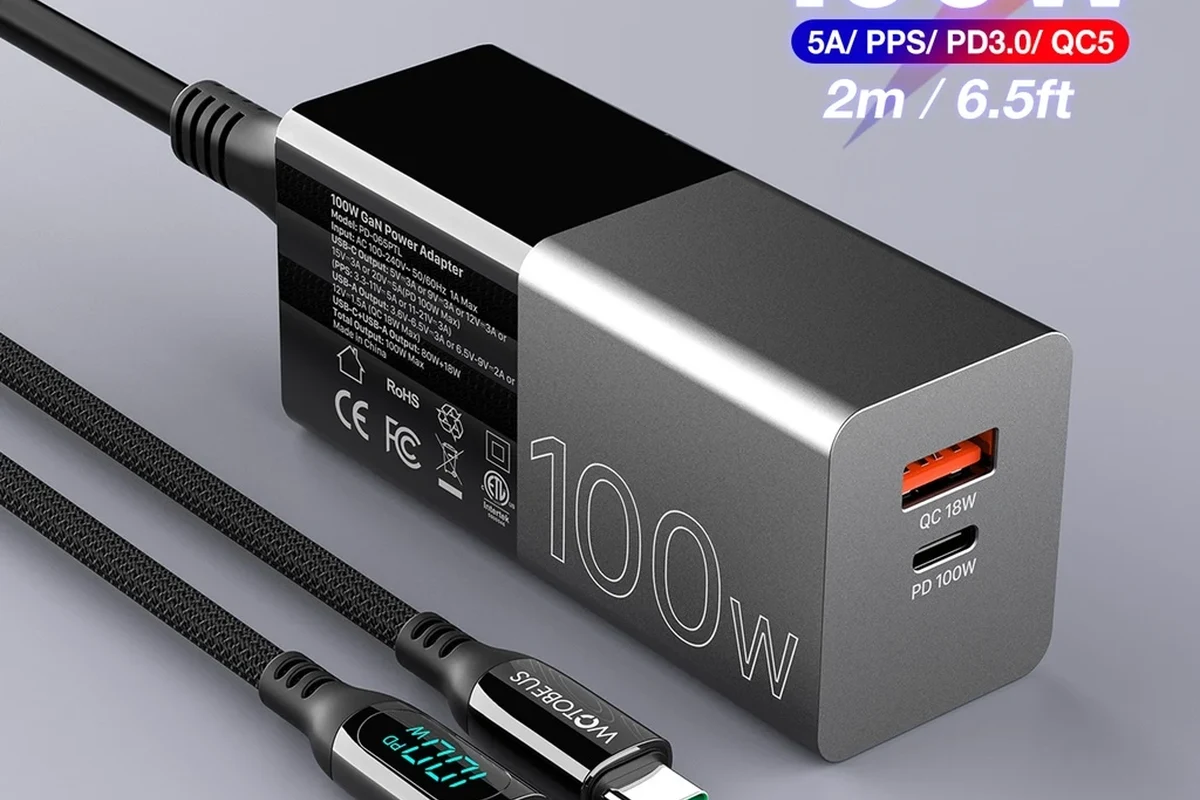
Choosing a charging cable is less about chasing the “fastest” option and more about matching your laptop’s power needs safely. The right cable can help your charger deliver stable power, reduce clutter on a desk or in a bag, and avoid the frustration of a cable that works for phones but underperforms with a laptop.
Quick answer: the safest choice for most laptops
For most modern laptops, the safest default is a USB-C to USB-C cable rated for your laptop’s charging wattage, with clear support for USB Power Delivery. If your laptop charges at 60W, 65W, 100W, or more, look for a cable that explicitly states that rating and use a charger that can supply the same level or higher.
How USB-C laptop charging works in practice
USB-C charging is a negotiation between the charger, cable, and laptop. The charger offers power, the laptop asks for what it can safely accept, and the cable has to support the current and power level involved.
That is why two cables with the same plug can behave very differently. A short, well-made cable may charge a laptop normally, while a cheap or under-specced cable may limit charging speed, trigger warnings, or fall back to slower power delivery.
USB-C Cable Basics: Power Delivery, Wattage, and Compatibility
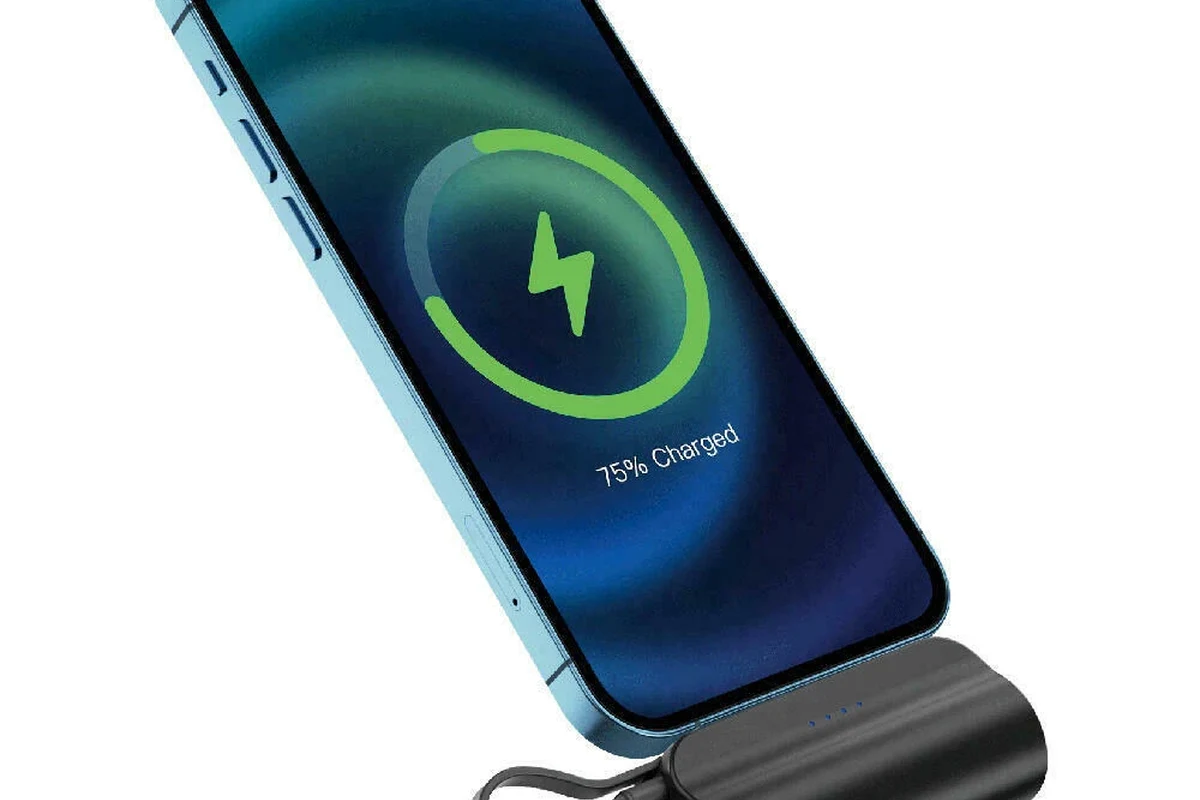
When people search for the best USB-C cable for laptop charging, they usually need help understanding the difference between “USB-C,” “fast charging,” and “actually enough power for a laptop.” The key is to read the cable’s power rating, the charger’s output, and the laptop’s input requirements together.
Why wattage ratings matter for 45W, 65W, 100W, and 240W laptops
Wattage is the practical number that tells you whether a cable can support the power your laptop expects. A 45W ultraportable may work with many USB-C cables, while 65W business laptops and 100W creator laptops need more careful matching.
For very high-power systems, including some newer laptops and docking setups, higher-rated cables matter even more. If the cable’s rating is below the needed power, charging may still happen, but it can be slower, unstable under load, or limited by the cable’s electrical design.
Charging behavior varies by laptop model, firmware, battery level, and whether the machine is sleeping, idle, or actively running demanding apps.
USB Power Delivery, e-marked cables, and charging negotiation
USB Power Delivery, often called USB PD, is the standard most laptop charging setups rely on. It lets devices and chargers negotiate safe charging levels instead of pushing a fixed amount of power all the time.
For higher-power charging, e-marked cables are important because they help identify the cable’s capabilities to the charger and laptop. In simple terms, an e-marked cable is more likely to be the right choice when you want dependable 100W-plus charging or want to avoid guesswork with premium laptops and docks.
USB-C is the connector shape; USB Power Delivery is the charging standard. A cable can have the right plug but still be the wrong power cable for a laptop.
USB-C vs USB-C, USB-C to USB-A, and when each makes sense
For laptop charging, USB-C to USB-C is usually the best choice because it is designed for modern USB PD charging and wider compatibility. USB-C to USB-A cables are more common for older accessories and lower-power devices, but they are usually not the right pick for charging a laptop.
If your laptop only has USB-C charging and your charger has a USB-A port, that setup may not provide the power level you need. Always verify the laptop’s charging input and the charger’s output instead of assuming any USB cable will work.
How to Choose the Right Cable for Your Laptop
The best cable is not the most expensive one; it is the one that matches your laptop, your charger, and your daily routine. Use the laptop’s manual or official specs page first, then choose the cable length and build that fit your workspace and travel habits.
- Check your laptop’s charging wattage and whether it supports USB-C charging
- Confirm the cable rating, connector type, and whether e-marker support is needed
- Verify charger output, cable length, return policy, and warranty terms
- Inspect the cable regularly for fraying, heat, looseness, or discoloration
Match the cable to your laptop’s charging wattage and port support
Start with the laptop’s rated charging input, then choose a cable that meets or exceeds that number. If your laptop expects 65W, a 60W cable is a poor match; if it expects 100W, a cable clearly rated for 100W or higher is the safer choice.
Also confirm that the laptop’s USB-C port actually supports charging. Some USB-C ports handle data or display output but do not accept power input, and some models support charging only from specific ports.
Check cable length, portability, and desk setup needs
Shorter cables are often tidier and can be easier to pack, but they may not reach an outlet comfortably in every room or hotel. Longer cables are more flexible, though they can be bulkier in a bag and may add a little more clutter at a desk.
If you work from a couch, café, classroom, or shared office, think about where the outlet usually is relative to your laptop. A cable that is “perfect” on paper can still be annoying if it is too short for your real setup.
For travel, many people prefer a compact cable plus a compact charger. For a permanent desk, a slightly longer cable can make routing behind furniture much easier.
Look for build quality, shielding, strain relief, and connector fit
Good cables usually have sturdy connector housings, flexible but durable jackets, and strain relief near the ends where bending happens most. These details matter because charging cables are repeatedly plugged, unplugged, coiled, and packed into bags.
Shielding and internal construction are harder to judge visually, so rely on clear product specs, a reputable manufacturer, and warranty support. A cable that feels flimsy, fits loosely, or bends sharply at the connector is usually not a great long-term choice.
Understand safety labels, certification marks, and heat limits
Look for honest labeling from the manufacturer and verify any claims against the product page or manual. If a cable claims support for high wattage, confirm whether that means 60W, 100W, 240W, or another specific level.
Safety also depends on heat. A cable should not become unusually hot during normal charging, and any visible damage, smell, melting, or repeated disconnecting is a reason to stop using it and replace it.
Stop using any charging cable that is frayed, discolored, loose at the connector, or gets unusually warm. If a charger, hub, or cable shows signs of heat damage, unplug it and follow the manufacturer’s guidance.
Best Use Cases: Who Each Type of USB-C Cable Fits
Different users need different cables. A student with a lightweight laptop, a video editor with a powerful workstation, and a traveler trying to pack light will not all benefit from the same setup.
Everyday ultrabooks and school laptops
For thinner laptops used for browsing, writing, classes, and video calls, a well-made USB-C cable rated for the laptop’s charging wattage is usually enough. These users often benefit most from a simple, reliable cable that is easy to store and does not take up much bag space.
In this category, comfort and convenience matter almost as much as raw charging power. A dependable mid-length cable from a known brand is usually a better buy than an oversized, overly thick cable with features you do not need.
High-performance laptops, creator machines, and gaming notebooks
Heavier laptops often need more power and may draw more energy while running demanding apps. For these systems, cable rating, charger output, and thermal behavior become more important, especially if you are charging while editing, rendering, or gaming.
Some performance laptops may still charge slowly over USB-C compared with their proprietary high-wattage adapters. That does not mean USB-C is useless; it just means you should set realistic expectations and verify whether the laptop supports full-speed charging over USB-C or only slower top-ups.
Travel users, remote workers, and multi-device setups
Travelers and remote workers usually want one cable that can handle a laptop, a tablet, and a phone when needed. The best option in that case is often a durable USB-C cable with a power rating that covers the laptop first, since that is the hardest device to satisfy.
Multi-device users should also think about cable management. A cable that coils neatly, resists tangling, and stores well can make a bigger difference than an extra feature you rarely use.
- Use the laptop’s official charging spec as your starting point
- Choose a cable that leaves some wattage headroom when possible
- Keep a second cable in your bag if you move between home and office often
- Replace any cable that feels loose, stiff, or damaged at the ends
Real-World Benefits and Trade-Offs
A good USB-C charging cable can simplify your setup, but it is not magic. The benefits are real when the cable is matched correctly, and the limitations are just as real when it is not.
Faster charging, less clutter, and better portability
When the cable and charger are properly matched, USB-C charging can reduce the number of adapters you carry and make it easier to share one charger across several devices. That is especially useful for desks, dorm rooms, and travel bags.
It also makes replacement easier in many cases because USB-C is widely used across laptops, tablets, monitors, and accessories. One well-chosen cable can support several parts of your setup, as long as the power ratings line up.
Limitations: slower charging, cable thickness, and power loss over distance
Not every laptop charges at full speed over USB-C, and not every cable performs equally at longer lengths. Thicker cables may support more power, but they can be less flexible and more annoying to pack.
Power loss and voltage drop can become more noticeable as cables get longer or lower quality. If your laptop is picky about charging, a shorter and better-built cable may work more reliably than a long bargain option.
When a premium cable is worth the extra cost
A premium cable makes the most sense when you rely on your laptop daily, charge at higher wattages, or travel often. It can also be worth paying more when you need better strain relief, tighter connector fit, or a more durable jacket for repeated use.
If you only charge occasionally and your laptop uses a modest wattage, a midrange cable from a reputable brand may be enough. The goal is reliability, not overbuying features that your laptop cannot use.
Common Mistakes to Avoid When Buying or Using a USB-C Charging Cable
Most charging problems come from simple mismatches, not from the laptop itself. Avoiding a few common mistakes can save you from slow charging, confusing warnings, and unnecessary wear on your gear.
Choosing a cable below your laptop’s wattage requirement
This is the most common mistake. A cable that works fine for a phone may not support the power your laptop needs, especially under load or during rapid charging.
Always compare the laptop’s charging requirement with the cable’s stated rating, and remember that the charger must also be capable of supplying enough power.
Ignoring e-marker support for 100W+ charging
If you are charging a laptop that needs higher power, e-marker support is worth paying attention to. Without it, some setups may not negotiate power correctly, and the cable may not behave as expected.
For high-wattage charging, clear product documentation matters more than vague marketing claims. If the listing is unclear, choose a better-specified cable.
Using worn, bent, or overheating cables
Wear and tear are not just cosmetic. Repeated bending, crushed connectors, or heat damage can make a cable unsafe or unreliable.
If a cable no longer fits snugly, disconnects when moved, or gets hotter than expected, retire it. That is especially important for expensive laptops and charging setups used every day.
Mixing up data cables and full-power charging cables
Some USB-C cables are built mainly for data or accessory use, not for laptop charging. Others support charging but may not support the power level or speed you expect.
Check the cable’s power rating and intended use instead of assuming all USB-C cables are interchangeable. The plug shape alone does not tell the whole story.
Safe Use, Inspection, and Maintenance Guide
Good cable care helps protect your laptop, charger, and workspace. A few simple habits can make a charging cable last longer and reduce the chance of heat or connector problems.
Do not keep using a cable that sparks, smells burnt, runs hot, or shows visible damage. If the charger or laptop port also looks damaged, stop and consult the manufacturer’s support resources.
How to spot fraying, loose connectors, discoloration, and heat damage
Look closely at the ends of the cable, where stress is highest. Fraying, exposed inner material, bent plugs, or discoloration near the connector are all signs that the cable may be failing.
Heat damage can appear as stiffness, softening, melting, or a darkened area near the plug. If you notice any of those signs, do not continue charging with that cable.
Replacement guidance: when to retire a cable
Retire a cable when it no longer holds a secure connection, shows visible wear, or causes intermittent charging. If you need to wiggle the cable to make it work, that is a strong sign it should be replaced.
For users who charge daily, it can be smart to keep an extra cable on hand so you are not forced to keep using a worn one while waiting for a replacement.
Storage, coiling, and travel care to extend cable life
Store cables loosely instead of wrapping them tightly around chargers or objects. Sharp bends near the connector can shorten cable life and make internal damage more likely.
In a travel bag, keep the cable away from sharp metal items, heavy adapters, and liquids. A small pouch or dedicated pocket can prevent unnecessary wear.
Best practices for safe charging with docks, hubs, and power banks
If you charge through a dock or hub, verify that it supports laptop charging pass-through at the wattage your device needs. Some hubs share power across several ports, which can reduce what reaches the laptop.
With power banks, check both the power bank’s output and the cable rating. A cable that is fine for a wall charger may still be a poor match if the power source cannot provide enough wattage in the first place.
Final Verdict: Best USB-C Cable for Laptop Charging in 2026
The best USB-C cable for laptop charging is the one that is correctly rated, clearly documented, and durable enough for your routine. For most buyers, that means a USB-C to USB-C cable with explicit USB PD support, the right wattage rating for the laptop, and enough build quality to handle daily use.
Best overall pick criteria
The best overall cable should match your laptop’s wattage, support USB Power Delivery, and have clear manufacturer specs. It should also feel sturdy, fit securely, and come from a brand that provides straightforward documentation and warranty support.
Most laptop owners who want a safe, simple, high-compatibility USB-C charging cable with clear wattage support and dependable build quality.
Best value, best for heavy-duty charging, and best for travel
Best value usually means a midpriced cable with the exact wattage you need and no unnecessary extras. Best for heavy-duty charging means a higher-rated, well-documented cable that can support demanding laptops and docks. Best for travel is a compact, durable cable that coils easily and survives frequent packing.
Transparent recommendation based on wattage, safety, and durability
If you want one cable to buy first, choose a USB-C to USB-C cable that clearly matches your laptop’s charging wattage and is rated for the power level you expect to use. Then confirm the charger output, inspect the cable regularly, and replace it at the first sign of wear or overheating.
Quick Recap
- Match the cable to your laptop’s wattage and USB-C charging support.
- Prefer USB-C to USB-C with clear USB PD and e-marker support for higher-power laptops.
- Choose length and build quality based on how and where you charge every day.
- Replace damaged or overheating cables immediately for safety.
Frequently Asked Questions
Choose a cable rated for at least your laptop’s charging wattage. If your laptop needs 65W, buy a cable that clearly supports 65W or more.
You usually want an e-marked cable for higher-wattage charging, especially at 100W and above. It helps the charger and laptop negotiate power more reliably.
No. Some USB-C cables are made for data or low-power devices and may not support laptop charging safely or at full speed.
Stop using it if you notice fraying, discoloration, looseness, melting, or unusual heat. A charging cable should not become hot enough to worry you during normal use.
Verify the stated USB Power Delivery support, wattage rating, and any manufacturer documentation that matches the cable’s intended use. If the listing is unclear, check the official product page or manual before buying.
Replace it when the connector feels loose, charging becomes intermittent, or you see visible wear or heat damage. If the cable is damaged, retire it instead of trying to keep using it.