Can a Ghost Trigger a Motion Sensor
No, a ghost cannot scientifically trigger a motion sensor. If it seems like one did, the cause is usually heat, airflow, reflections, pets, vibration, or a setup issue.
A ghost is not a verified physical cause of a motion sensor trigger. In most homes, what feels paranormal is usually a false alarm from heat, airflow, reflections, pets, vibration, or the way the sensor was installed.
- Motion sensors detect physics: They respond to heat, sound, or reflected waves, not paranormal activity.
- False alarms are common: Sunlight, vents, pets, and mirrors often explain “haunted” triggers.
- Sensor type matters: PIR, microwave, ultrasonic, and dual-tech models behave differently in real rooms.
- Placement solves many issues: Mounting height, angle, and sensitivity are often the real fix.
Can a Ghost Trigger a Motion Sensor? Short Answer and What Really Happens

Motion sensors do not detect “ghosts” in any scientific sense. They react to measurable changes such as infrared heat, sound waves, microwave reflections, or movement within a defined field of view.
If a sensor seems to activate on its own, the more likely explanation is that something in the environment changed in a way the sensor can detect. That can include a warm body passing nearby, sunlight hitting a wall, a fan moving air, or a poorly aimed sensor picking up activity outside the room.
How Motion Sensors Detect Movement: PIR, Microwave, Ultrasonic, and Dual-Tech Basics
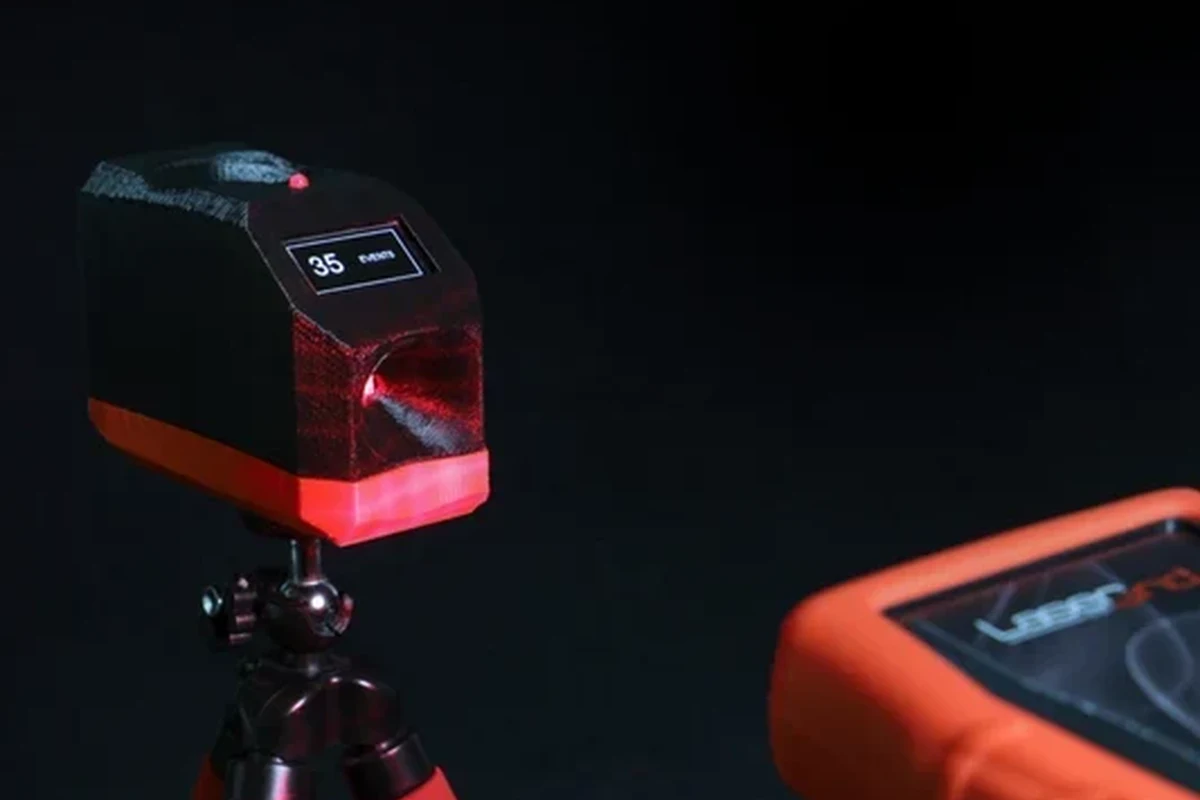
Different motion sensors use different methods, and that matters when you are trying to understand a trigger. Some look for heat changes, some bounce radio waves or sound waves around a space, and some combine methods to reduce false alarms.
Why infrared heat changes matter more than “presence”
PIR, or passive infrared, sensors are among the most common. They do not “see” a person the way a camera does; they detect changes in infrared energy, especially the heat signature of a body moving across zones in front of the sensor.
That means a person walking through the room is easy to detect, but a slow change in room temperature, a heater vent, or sunlight moving across a surface can sometimes cause an alert. The sensor is not sensing a spirit or presence; it is sensing a pattern that looks like movement or heat change.
Where false triggers usually come from in real homes
False triggers often happen because the sensor is too sensitive, mounted in the wrong place, or aimed at a problem area. Hallways with windows, rooms with HVAC vents, garages with temperature swings, and entryways with reflective surfaces are common trouble spots.
Many homeowners also misread “random” triggers that are actually delayed reactions to motion outside the room. A sensor with a wide field of view can pick up movement through glass, across a doorway, or from a nearby reflective surface.
Many motion sensors are designed to detect changes across zones, not to identify what caused the change. That is why placement matters so much.
What Could Seem Like a Ghost Trigger: Environmental Causes and Common Misreads
Before blaming a haunted room, it helps to look for ordinary triggers. In most cases, the sensor is behaving exactly as designed, but the room conditions are making it look mysterious.
Pets, airflow, sunlight shifts, reflections, and vibration
Pets are a common cause of motion alerts, especially with PIR sensors placed too low or aimed at furniture and walkways. Even a cat jumping onto a shelf or a dog moving near the edge of the detection zone can look like a human-sized event to the sensor.
Air conditioning vents, ceiling fans, open windows, and drafts can also create movement patterns that some sensors interpret as activity. Sunlight moving across a floor, headlights passing a window, or reflections from mirrors and glossy surfaces can add to the confusion.
Electrical noise, loose wiring, and sensor placement mistakes
Hardwired sensors can misbehave if the wiring is loose, the power supply is unstable, or the device is aging. Battery-powered models may also act inconsistently when the battery is low, even if they still appear to work.
Placement mistakes are just as common. A sensor pointed at a street-facing window, a heat source, or a high-traffic reflection point may seem “haunted” simply because it is watching the wrong part of the room.
If a sensor is wired into your home’s electrical system and you notice heat, burning smell, flickering, or damaged insulation, stop using it and follow the manufacturer’s safety guidance or contact a qualified professional.
Which Motion Sensor Types Are Most Sensitive to False Alarms
Some sensor types are more likely than others to create confusing triggers. The best choice depends on whether you want energy savings, security coverage, or fewer nuisance alerts.
PIR sensors: best for energy savings, but heat-sensitive
PIR sensors are popular because they are efficient and simple. They work well for lighting automation, closets, hallways, and rooms where you want a dependable yes-or-no response to human movement.
The trade-off is sensitivity to heat patterns. A PIR sensor may be reliable in a stable indoor room but more prone to false triggers near vents, sunny windows, fireplaces, or entryways with changing temperatures.
Microwave and ultrasonic sensors: wider detection, more interference risk
Microwave sensors send out radio waves and measure reflections, while ultrasonic sensors use sound waves. Both can cover larger areas and may detect motion through some thin materials or around corners, depending on the design.
That broader reach can be useful, but it also increases the chance of interference. Fans, moving curtains, nearby electronics, or room layout issues can make these sensors feel more “active” than expected.
Dual-tech sensors: when extra verification improves reliability
Dual-tech sensors combine two detection methods, often PIR plus microwave, so both signals must agree before a trigger is sent. This can reduce false alarms in security setups and busy environments.
The trade-off is that no sensor is perfect. Dual-tech models may cost more, require more careful setup, and still need proper placement to avoid nuisance alerts.
- Can reduce false triggers in difficult rooms
- Better for security-minded users who want confirmation
- More setup complexity than basic PIR models
- May still react to environmental interference
How to Choose the Right Sensor for Your Space in 2026
The best motion sensor is the one that matches your room, your automation platform, and your tolerance for false alerts. A hallway light, a garage security zone, and a pet-friendly living room do not need the same device.
Key decision criteria: range, field of view, mounting height, and adjustability
Start with range and field of view. A narrow hallway may need a focused sensor, while a garage or open-plan room may need broader coverage.
Mounting height matters because it changes what the sensor sees. Look for models with adjustable sensitivity, delay time, and angle if your space has pets, glass, vents, or frequent background movement.
Smart home compatibility: app requirements, Wi-Fi or hub connection, and automation support
If you want automations, verify whether the sensor needs Wi-Fi, a proprietary hub, Bluetooth, or a matter-compatible ecosystem. Compatibility can vary by model and firmware, so it is smart to check the official product page, app store listing, and support documents before buying.
Also confirm whether the app supports the routines you want, such as turning on lights, sending alerts, or integrating with a voice assistant. Some sensors are simple and local, while others depend heavily on cloud services.
Value factors to verify: warranty, replacement parts, and long-term maintenance
Price alone does not tell you much about a sensor’s value. Check warranty terms, whether replacement batteries or mounts are easy to find, and whether the manufacturer still provides firmware or app support.
Long-term maintenance also matters. Dust, cobwebs, dead batteries, and loose mounting hardware can all affect performance, so a sensor that is easy to clean and reset may be more practical than a cheaper one that is harder to maintain.
- Check compatibility, model number, app requirements, and intended use
- Confirm warranty, return policy, update support, and privacy settings
- Verify mounting height, field of view, and whether pets are in the detection zone
Best Use Cases: Security, Hallways, Garages, and Smart Lighting Automation
Motion sensors shine when they solve a repetitive problem without much effort. They are especially useful where you want automatic lighting, activity alerts, or hands-free convenience.
Who benefits most from motion sensors and who may need a different device
Homeowners often use them for entryways, garages, stairwells, and outdoor lighting. Remote workers and students may like them for energy-saving desk or room lighting, while travelers may use them for temporary monitoring in rental spaces if the system supports it.
On the other hand, people with pets, busy open-floor plans, or lots of sunlight changes may need a sensor with better filtering or a different detection method. In some spaces, a contact sensor, camera, or smart switch can be a better fit than motion detection alone.
Practical trade-offs between convenience, privacy, and false alerts
Motion sensors are convenient because they work automatically, but that convenience comes with trade-offs. Any connected sensor may collect activity data, so it is worth reviewing privacy settings, app permissions, and cloud storage behavior in the manufacturer’s documentation.
For privacy-sensitive homes, local processing or hub-based automation may be preferable to constant cloud dependence. For security use, fewer false alerts usually matter more than maximum sensitivity.
Choose a dual-tech or carefully placed PIR sensor if you want dependable automation in a room that has pets, windows, or heat changes. Choose a simpler PIR model if you mainly want low-cost lighting control in a stable indoor space.
Setup and Troubleshooting Guide: Reducing False Triggers Safely
Good setup solves more “ghost trigger” complaints than any other step. The goal is to make the sensor watch the right area and ignore the background noise in the room.
Placement, angle, sensitivity settings, and test procedure
Use the official installation guide for the exact mounting height, angle, and adjustment range for your model.
Avoid aiming at vents, direct sunlight, mirrors, windows, or moving decorations.
If the sensor is too jumpy, reduce sensitivity before moving it to a new location.
Adjust placement, wait time, or sensitivity separately so you can tell which change improved the result.
When troubleshooting, change only one setting at a time. That makes it much easier to identify whether the issue is placement, sensitivity, power, or environmental interference.
Common mistakes that make sensors seem “haunted”
One of the most common mistakes is installing a sensor where it sees a doorway, window, or hallway that gets regular motion from outside the intended area. Another is assuming a sensor should detect “presence” the same way a person does.
People also forget that some sensors have a delay before they reset, so a trigger may seem random when it is actually a normal cooldown period. Dirty lenses, loose mounts, and changing room layouts can also create confusing behavior.
When to inspect batteries, power supply, cable quality, or replace the unit
If the sensor is battery-powered, check the battery level and replace weak batteries with the type recommended by the manufacturer. If it is wired or USB-powered, inspect the cable, connector, and adapter for wear or looseness.
Stop using the unit if it overheats, behaves erratically after a power issue, or has visible damage. If troubleshooting does not help and the sensor is old or unsupported, replacement may be more reliable than repeated resets.
Stop using damaged electronics, swollen batteries, frayed cables, overheating chargers, or unstable appliances and follow the manufacturer’s guidance.
Final Verdict: Is a Ghost the Cause, or Is Your Sensor Just Misconfigured?
A ghost is not a credible explanation for a motion sensor trigger. If your sensor seems haunted, the strongest explanation is usually a mix of heat, movement, reflections, placement, or power issues that the device is designed to detect.
Transparent recommendation based on evidence, safety, and reliability
For most readers, the best next step is to verify the sensor type, review the manual, and troubleshoot the environment before replacing the device. If you need the most dependable performance, choose a sensor that matches the room and gives you control over sensitivity, field of view, and mounting position.
If the problem continues after careful setup, check the manufacturer’s support notes, firmware updates, warranty terms, and recall information before assuming the unit is faulty. In other words: the “ghost” is usually a configuration issue, and the fix is almost always practical rather than paranormal.
- Motion sensors respond to measurable changes, not ghosts.
- False triggers usually come from heat, airflow, reflections, pets, or poor placement.
- PIR is efficient, microwave and ultrasonic can be broader, and dual-tech can improve reliability.
- Careful setup and regular inspection solve most “haunted” sensor problems.
Frequently Asked Questions
No verified evidence shows that a ghost can trigger a motion sensor. Most triggers come from heat, movement, reflections, pets, airflow, or setup issues.
Common causes include sunlight changes, HVAC airflow, pets, vibration, loose wiring, or a sensor aimed at the wrong area. Checking placement and sensitivity usually helps.
Dual-tech sensors often reduce false alarms because they use two detection methods. A well-placed PIR sensor can also work very reliably in stable indoor spaces.
Yes, pets can trigger many motion sensors, especially if the sensor is mounted too low or aimed at furniture and walkways. Pet-friendly placement and lower sensitivity can help.
Start by moving it away from vents, windows, mirrors, and direct sunlight. Then lower sensitivity, check power or batteries, and test one change at a time.
Replace it if it is damaged, overheats, has unreliable power, or still misbehaves after proper setup and troubleshooting. Also confirm ongoing app, firmware, and warranty support.