Best Turret Cameras for Clear Security in 2026
Turret cameras are a smart choice when you want wide, discreet security coverage with flexible mounting and clear nighttime performance. The best model is the one that matches your space, storage plan, app needs, and wiring options.
Turret cameras are a strong choice if you want a discreet security camera with wide coverage, flexible mounting, and clearer nighttime detail than many budget alternatives. In this guide, Ethan Walker breaks down how to choose the right turret camera for homes, apartments, garages, and small businesses without overpaying for features you may never use.
- Best fit: Turret cameras work well for porches, garages, side yards, hallways, and small businesses.
- Key spec: Look beyond resolution and check sensor quality, night vision, and motion detection accuracy.
- Setup matters: Mounting height, cable routing, Wi-Fi strength, and angle can make or break coverage.
- Storage choice: Verify microSD, NVR, or cloud support before you buy, since costs and limits vary.
Best Turret Cameras for Clear Security in 2026: Quick Answer and Top Picks
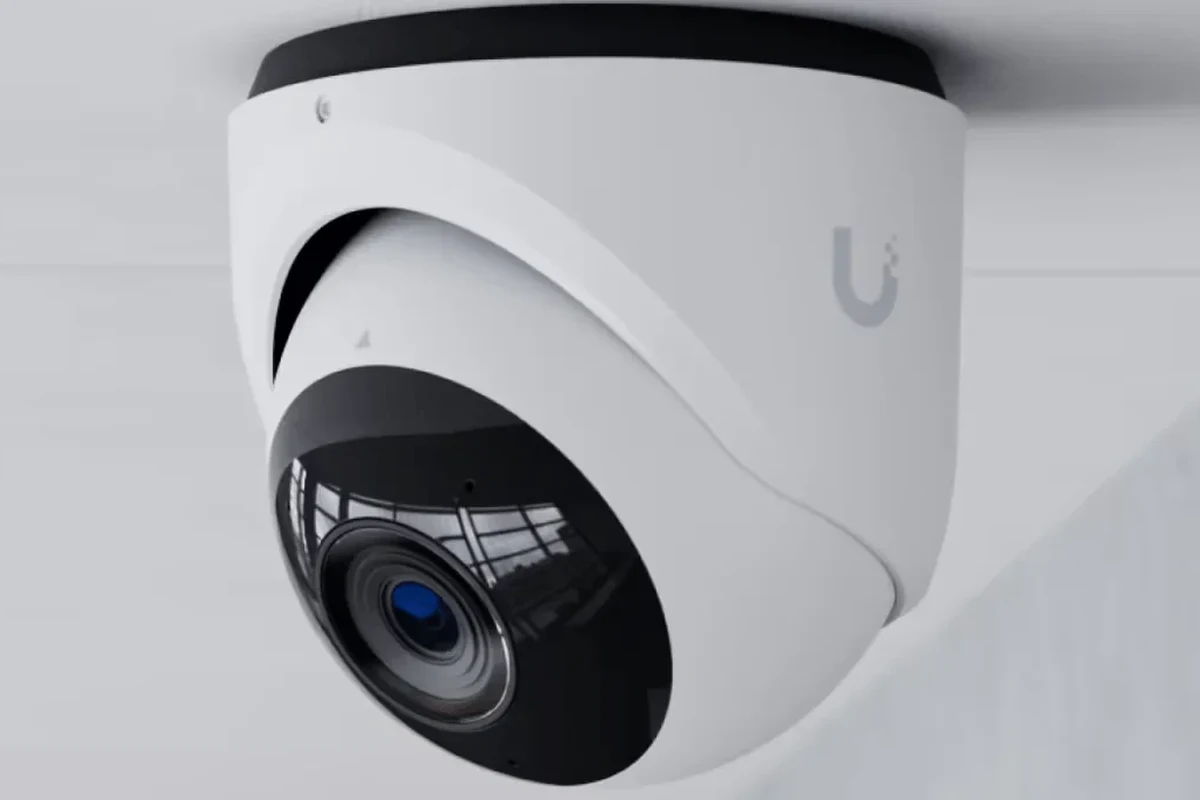
If you want the short version: choose a turret camera with at least 2K video, solid low-light performance, reliable motion alerts, and storage that fits your setup, whether that is microSD, NVR, or cloud. The best overall value is usually a model that balances image clarity, easy app control, and sensible weather protection rather than chasing the highest resolution on paper.
Why turret cameras are a strong choice for home and small-business security
Turret cameras sit in a practical middle ground between dome and bullet styles. They are usually less bulky than bullet cameras, easier to aim than many dome designs, and often better at reducing glare or reflection issues because of their open, ball-joint-style lens housing.
That makes them appealing for front doors, driveways, side yards, garages, storefronts, and shared hallways. For many buyers, the biggest advantage is simple: you get a wide, useful view without a camera that looks overly large or intrusive.
What this guide covers: image quality, night vision, app setup, durability, and value
This article focuses on the features that matter most in real use. That includes resolution, sensor quality, night vision, motion detection, mounting flexibility, app reliability, weather resistance, and total ownership cost.
- Check compatibility, model number, app requirements, dimensions, ports, wattage, and intended use
- Confirm safety guidance, warranty, return policy, privacy settings, and update support
How Turret Cameras Work and Why They’re Different from Dome or Bullet Cameras
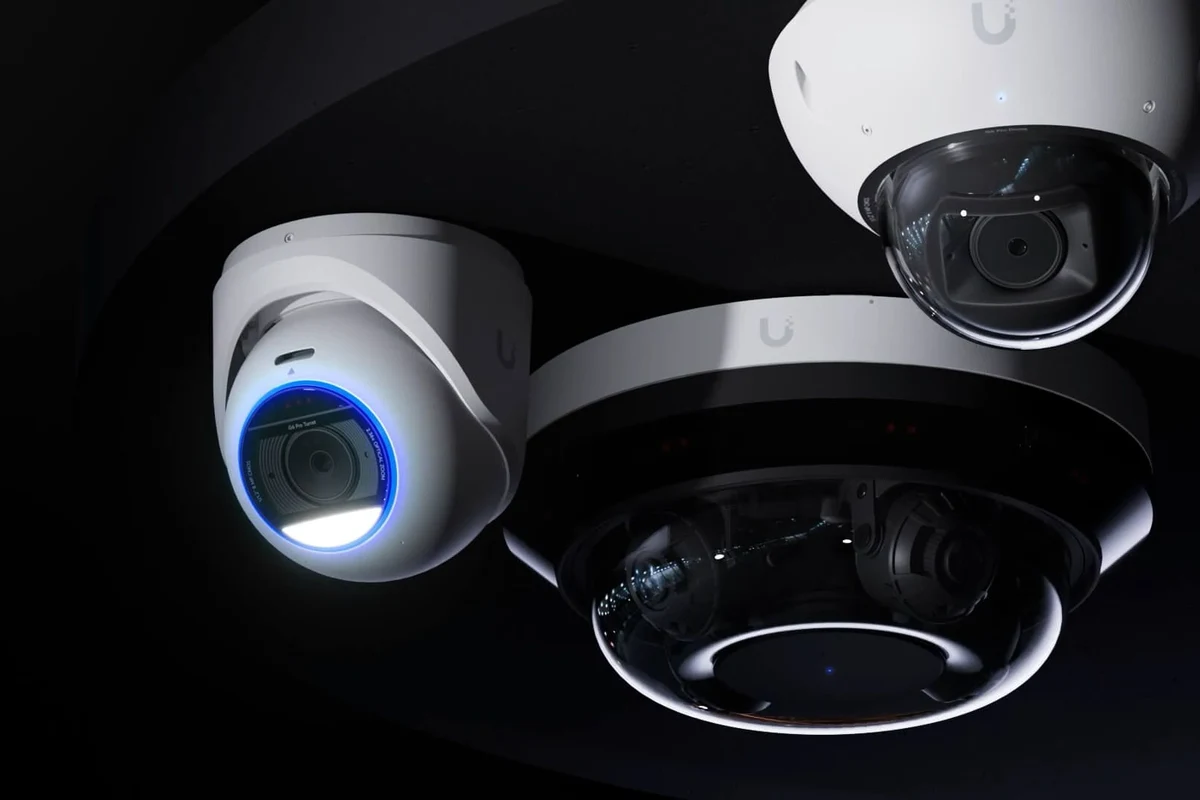
Turret cameras use a fixed lens mounted inside a compact, adjustable housing. The lens can usually be aimed during installation, but it does not pan and tilt on its own like a PTZ camera. That keeps the design simple while still offering a wide viewing angle for typical property monitoring.
Core design: fixed lens, wide viewing angles, and discreet mounting
The turret form factor is built for steady coverage. Once mounted, the camera points in the direction you choose, and the wide-angle lens captures a broad scene such as a porch, entry path, or parking area.
Compared with dome cameras, turret models often make it easier to fine-tune the angle because the lens housing is more exposed. Compared with bullet cameras, they generally look less directional and can blend into soffits, ceilings, and wall corners more naturally.
Typical features to expect in 2026 models: 2K/4K video, AI motion alerts, color night vision, and local/cloud storage
Many current models advertise 2K or 4K resolution, smarter motion detection, and color night vision. Those claims can be useful, but the actual result depends on the sensor, lens quality, scene lighting, firmware, and app settings.
Resolution alone does not guarantee clearer footage. A well-tuned 2K camera with a better sensor and night mode may outperform a poorly optimized 4K model in dark or high-contrast scenes.
Storage options also vary. Some cameras save clips to a microSD card, some work with an NVR, and others rely on a cloud subscription. Before buying, verify whether motion clips, continuous recording, or smart alerts require a paid plan.
Where turret cameras perform best and where they fall short
Turret cameras perform best when you want a fixed, wide view of a specific area. They are especially useful for doorways, garage entrances, patios, and small storefronts where the scene is fairly predictable.
Their main limitation is that they do not actively track motion unless the model includes a separate PTZ function, which is uncommon in standard turret designs. If you need to monitor a large open lot or follow moving subjects across a wide space, another camera style may be a better fit.
Who Turret Cameras Fit Best: Homes, Apartments, Garages, and Small Businesses
Turret cameras are versatile enough for many everyday security setups. The best fit depends on how much area you need to cover, whether you can run power or Ethernet, and how much control you want from the app.
Ideal use cases for indoor and outdoor coverage
Indoors, turret cameras work well in entryways, hallways, basements, utility rooms, and home offices where you want a broad view without a camera that sticks out too far. Outdoors, they are common under eaves, on porch ceilings, and near garage doors because the mounting angle is easy to adjust.
For renters, smaller apartments, and shared homes, a compact turret camera can be a good compromise if the landlord allows installation and the power or network setup is manageable. For small businesses, the format is useful for monitoring entrances, stock rooms, counters, and back doors.
When a turret camera is better than a doorbell cam, PTZ camera, or floodlight camera
Choose a turret camera over a doorbell camera when you need broader scene coverage than a front-door visitor view. Choose it over a PTZ camera when you want simple fixed monitoring instead of active tracking and more moving parts.
Choose it over a floodlight camera if you already have enough outdoor lighting or do not want a bright motion-activated light as part of your security setup. Turret cameras can be a cleaner option when you want video first and lighting second.
Common scenarios where another camera style may be a smarter buy
If you need to watch a driveway that changes frequently, a PTZ camera may be more flexible. If you only care about visitors at the front door, a doorbell camera may be simpler and more useful. If you want deterrence with lighting, a floodlight camera can make more sense.
Key Buying Criteria for 2026 Turret Cameras
The most useful buying decisions come from matching the camera to your space, your network, and your storage preference. A feature list is only helpful if it fits the way you actually plan to use the device.
Video resolution, sensor size, and low-light performance
Resolution matters, but so does the sensor and lens. A larger or better-tuned sensor can improve detail, reduce noise, and make nighttime footage easier to interpret.
For most homes, 2K is a practical sweet spot. It is detailed enough for faces, packages, and general identification in many scenes, while often requiring less bandwidth and storage than 4K. If you choose 4K, confirm that your network and storage can handle the larger files.
Field of view, pan/tilt limits, and whether you need a fixed or adjustable lens
Look at the field of view rather than only the resolution. A wider view can cover more of a yard or room, but extremely wide lenses may stretch faces and objects at the edges.
Most turret cameras are fixed-view devices with manual aiming during setup. If you need to move the camera remotely after installation, make sure the model actually supports pan and tilt rather than assuming the turret housing can do that on its own.
Weather resistance, operating temperature, and build quality for outdoor use
Outdoor cameras should be rated for the environment where they will live. Check the official weather-resistance rating, operating temperature range, and whether the camera is intended for covered or fully exposed mounting.
Do not install powered equipment in a way that exposes connectors, adapters, or extension cords to water. Follow the manufacturer’s installation guidance and local electrical safety rules.
App requirements, Wi-Fi band support, Ethernet/PoE options, and smart home compatibility
App quality matters as much as camera quality. Confirm whether the camera requires a specific mobile app, supports both iOS and Android, and offers features like motion zones, shared access, and clip export.
Also verify Wi-Fi band support, especially if your router has a crowded 2.4 GHz network or if the camera supports 5 GHz. For more stable setups, Ethernet or PoE can be a major advantage, but only if your home or business is already wired for it.
Storage choices: microSD, NVR, and cloud plans, plus what to verify before buying
Storage choice affects both convenience and long-term cost. MicroSD is simple, NVRs are useful for multi-camera systems, and cloud plans can make remote access easier but may add recurring fees.
Before buying, verify the maximum supported card size, whether recording is continuous or event-based, and whether storage features change after a firmware update or subscription trial ends.
Warranty length, firmware update policy, and long-term support value
A camera can look excellent on day one and still become frustrating if the app is neglected or updates stop arriving. Check the warranty terms, the manufacturer’s update history, and whether the company documents security or firmware fixes clearly.
Long-term support matters especially for security gear. If a brand does not explain how it handles app changes, firmware updates, or account security, that is a meaningful risk even if the hardware itself seems attractive.
Best Turret Camera Features That Matter Most in Real Use
Marketing pages often highlight the biggest number or the flashiest feature. In practice, a few everyday details have more impact on whether a camera feels helpful or annoying.
Motion detection accuracy, person/vehicle/package alerts, and false-alarm reduction
Good motion detection saves time. Better systems let you define activity zones, filter out irrelevant movement, and separate person, vehicle, and package alerts where the model supports that feature.
False alerts can come from trees, shadows, pets, headlights, or heavy traffic. The best cameras let you tune sensitivity and notification rules so you are not constantly checking harmless clips.
Two-way audio, sirens, privacy zones, and activity scheduling
Two-way audio is useful for talking to delivery drivers, family members, or visitors, but the sound quality varies widely by model and mounting height. A built-in siren can also help, though it should be treated as a convenience feature rather than a guarantee of deterrence.
Use privacy zones and schedules to reduce unnecessary recording in places like sidewalks, neighboring windows, or private indoor areas. This can also make alerts more useful by limiting noise from routine movement.
Night vision modes: infrared versus color night vision and trade-offs in clarity
Infrared night vision is common and reliable for black-and-white detail in darkness. Color night vision can be clearer for identifying clothing, vehicles, and scene context, but it usually depends on some ambient light or stronger sensor performance.
Color mode is not automatically better. In very dark areas, infrared may produce cleaner and more consistent footage, while color mode can introduce noise or blur if the lighting is too low.
Audio quality, app responsiveness, and multi-camera viewing for everyday convenience
Small usability details matter after installation. If the app loads slowly, clips buffer badly, or multi-camera views are clumsy, the camera will feel harder to trust even if the image quality is strong.
For homes with several cameras, check whether the app supports a useful grid view, quick switching, and easy clip export. Those features are often what make a security system feel manageable instead of overwhelming.
Setup Guide: What to Check Before Installation
Good placement and setup are just as important as the camera itself. A well-chosen spot can improve image quality, reduce blind spots, and make alerts more accurate.
Mounting location, viewing height, cable routing, and power source planning
Pick a mounting point that gives the camera a clear view of the area you care about most. Avoid placing it so high that faces become hard to identify or so low that it is easy to tamper with.
Plan the cable route before drilling or fastening anything. If the camera needs power, make sure the outlet, PoE run, or adapter location is practical and protected from weather where applicable.
Dimensions, clearance, and angle considerations for walls, eaves, and ceilings
Turret cameras need enough clearance to angle properly. On walls, make sure the lens can point down far enough to cover the intended area. Under eaves or on ceilings, confirm that the mounting surface will not block part of the field of view.
Small changes in angle can make a big difference. A camera aimed too high may miss packages and close-up activity, while one aimed too low may overfocus on the ground and lose context.
Wi-Fi signal strength, Ethernet run length, and PoE readiness
Wireless cameras are easiest to place, but they still need a strong signal. Check signal strength at the exact mounting spot before final installation, not just near the router.
If you are using Ethernet or PoE, confirm the cable length, switch capacity, and whether the camera is actually PoE-ready. Not all wired-looking cameras support the same power standard.
App setup requirements, account creation, firmware updates, and permissions
Most modern cameras require account creation and app permissions for notifications, local network discovery, and remote access. Review those permissions carefully and enable only what you need.
Stop using damaged electronics, swollen batteries, frayed cables, overheating chargers, or unstable appliances and follow the manufacturer’s guidance.
After setup, check for firmware updates in the official app or manufacturer portal. Updates can improve stability and security, but they should be installed only through the vendor’s normal process.
Common setup mistakes that reduce coverage or create blind spots
Common errors include mounting too high, pointing the camera at reflective glass, ignoring night reflections from nearby walls, and placing the unit where trees or branches constantly trigger alerts. Another frequent mistake is assuming Wi-Fi will be strong everywhere without testing the exact location first.
Safety, Maintenance, and Long-Term Care for Turret Cameras
Security cameras are low-maintenance compared with many gadgets, but they still need occasional checks. A little upkeep helps preserve image quality, mounting stability, and storage reliability.
Weather sealing, cleaning the lens, checking mounts, and inspecting cables
Dust, pollen, spider webs, and moisture can all affect image clarity. Clean the lens gently with a soft cloth and inspect the housing and mount periodically, especially after storms or seasonal temperature swings.
Power safety, surge protection, and heat considerations for powered models
For powered cameras, keep cables and adapters in good condition and use surge protection where appropriate. Avoid covering power components or placing them where they can overheat, particularly in enclosed outdoor spaces or hot attics.
Storage upkeep: microSD card wear, NVR health checks, and cloud subscription renewal
MicroSD cards can wear out over time if they are used for frequent recording. If your camera relies on local storage, check the card status occasionally and replace it according to the manufacturer’s guidance.
For NVR systems, confirm that recordings are still saving correctly and that the drive is healthy. For cloud users, review renewal dates so important features do not disappear unexpectedly after a trial ends.
How often to review footage settings, firmware, and alert rules
Review settings whenever your routine changes, such as after moving furniture, changing router equipment, adding pets, or adjusting outdoor lighting. Alert rules that made sense in one season may be too sensitive or too narrow in another.
- Test alerts after installation by walking through the scene at different times of day
- Recheck the camera angle after strong weather or mounting shifts
- Keep the app updated and review shared-user permissions periodically
Final Verdict: Which Turret Camera Type Offers the Best Value in 2026
The best turret camera is usually the one that matches your space and storage preferences, not the one with the biggest headline resolution. For most homeowners, a well-supported 2K or 4K model with solid night vision, dependable app controls, and flexible local storage offers the strongest balance of clarity and ease of use.
Best overall value for most homeowners
Choose a turret camera with strong motion filtering, a useful field of view, and clear app controls. That combination tends to deliver the best everyday experience for porches, driveways, and side entrances.
Best choice for renters, DIY users, and budget shoppers
A simpler Wi-Fi model with easy setup and microSD support is often the smartest buy if you want minimal installation hassle. Just confirm that the mounting method fits your space and that the app does not lock core features behind a subscription.
Best choice for larger properties or business-grade monitoring
For larger homes or small businesses, PoE-capable turret cameras or models that work cleanly with an NVR are usually the most dependable. Wired power and network connections can reduce dropouts and simplify multi-camera management.
Transparent recommendation based on clarity, ease of use, reliability, and total cost of ownership
If you want a clear, practical recommendation, prioritize image quality you can trust at night, a stable app, and storage that fits your budget over time. Before buying, verify the manufacturer’s current specs, firmware support, warranty terms, and compatibility details so the camera matches your setup now and later.
Turret cameras are one of the most balanced security camera styles for everyday use because they combine wide coverage, discreet design, and flexible mounting. The best option is the one that fits your wiring, storage, and app preferences, with a clear understanding of the trade-offs in night vision, alerts, and long-term support.
Frequently Asked Questions
Turret cameras are a good fit for homes, apartments, garages, and small businesses that need wide, fixed coverage with a discreet look. They are often easier to aim than dome cameras and less bulky than bullet cameras.
For most buyers, 2K is a practical balance of detail, storage use, and bandwidth. 4K can be useful if you need more detail, but you should confirm your network and storage can handle the larger files.
Not always. Color night vision can show more scene detail when there is enough ambient light, while infrared often looks cleaner and more consistent in very dark areas.
Check the weather-resistance rating, operating temperature range, cable routing, power source, and whether the mounting location is protected from direct water exposure. Also confirm the camera can maintain a clear view without being blocked by eaves or walls.
It depends on the model. Some turret cameras use Wi-Fi, while others support Ethernet or PoE for a more stable connection, so you should verify the exact networking options before buying.
Clean the lens, inspect the mount and cables, review alert settings, and install firmware updates through the official app or manufacturer tools. If the camera uses microSD or an NVR, check storage health periodically so recordings keep saving properly.