Smart Locker Platform API Access for Facility Management
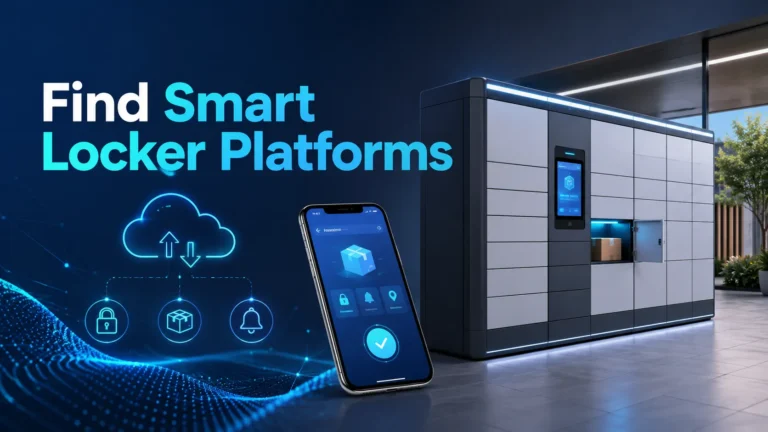
Smart locker platform API access turns a locker bank into a managed facility system: teams can automate user access, track every opening, sync deliveries, and connect locker activity to the tools they already use. For property managers, workplace ops teams, campus staff, and multifamily operators, the real value is not the metal cabinet itself but the software layer that controls it.
- Automation: APIs can create, update, and revoke locker access without manual staff work.
- Integration: The best systems connect with helpdesk, visitor, identity, and delivery workflows.
- Verification: Confirm endpoints, webhooks, permissions, offline behavior, and support terms in writing.
- Risk: Limited API coverage, weak permissions, and poor network planning can reduce value fast.
- Fit: API-enabled lockers help most in busy facilities with changing access needs and audit requirements.
Smart Locker Platform API Access for Facility Management: What It Does and Why It Matters
Direct answer: how API access turns smart lockers into a facility management tool
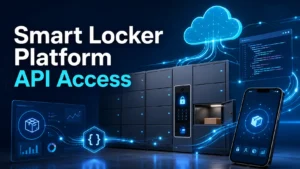
An API lets your locker platform exchange data with other systems, so access can be created, updated, revoked, and audited without manual entry. That means a facility can assign lockers automatically, log every event, and connect locker use to helpdesk tickets, visitor flows, or delivery notifications.
In practice, this reduces front-desk bottlenecks and makes locker activity easier to govern across multiple buildings or departments. It also gives operations teams a clearer record of who had access, when it happened, and which workflow triggered it.
Who this guide is for in 2026: property teams, workplace ops, multifamily, and campus managers
This guide is for teams evaluating whether smart lockers should be managed as a standalone amenity or as part of a broader facility stack. It is especially relevant if you need centralized control across offices, apartment communities, schools, hospitals, coworking spaces, or mixed-use properties.
If you are comparing vendors, focus on how the API fits your current systems rather than on marketing language alone. A locker platform that looks polished in a demo may still be difficult to integrate with access control, IT, or tenant services.
How Smart Locker Platform APIs Work in a Facility Environment
Core workflow: user provisioning, locker assignment, access events, and audit logs
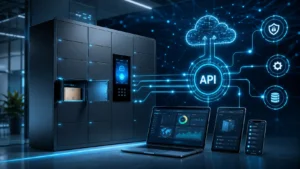
Most facility workflows start with provisioning, where a person, tenant, employee, contractor, or guest is created in the locker system. From there, the platform assigns a locker, grants time-bound access, and records each action as an event that can be reviewed later.
That event trail matters because it supports accountability. If a parcel is delivered, a maintenance kit is issued, or a shared device is checked out, the audit log helps staff confirm what happened without relying on memory or paper sign-outs.
Common integration points: access control systems, helpdesk software, visitor management, and delivery workflows
The most useful locker APIs connect to systems facilities already run. Common examples include badge or identity platforms, service desk tools, visitor registration software, package management systems, and internal delivery workflows.
For example, a helpdesk ticket can trigger temporary access to a maintenance locker, or a visitor system can create a short-lived pickup code for a contractor. If your building also uses smart lighting or other automation, it can help to compare how those ecosystems handle platform compatibility; our guides to smart lights that work with Google Home and smart lights that work with Alexa show the same kind of integration-first thinking in a home context.
Cloud vs local control, uptime expectations, and what happens during outages
Many locker platforms are cloud-managed, which makes remote administration easier but also increases dependence on internet connectivity and vendor uptime. Some deployments include local control paths or offline fallback modes, but the behavior during an outage is highly model-specific and should be confirmed in writing.
Before buying, ask what happens if the network drops, the cloud service is unavailable, or the admin portal cannot be reached. Facilities should know whether users can still retrieve approved items, whether staff can override access locally, and how events sync once service returns.
Key Specifications and Decision Criteria to Verify Before Buying
API capabilities: REST endpoints, webhooks, authentication, rate limits, and role-based permissions
Do not stop at “API available.” Verify which endpoints are included, whether the platform supports REST, whether it can send webhooks for real-time events, and how authentication is handled. Role-based permissions are especially important for facilities that need different access levels for front desk, IT, security, and regional managers.
Also confirm rate limits, token expiration, sandbox access, and whether the vendor documents versioning and deprecation policies. If those details are unclear, integration work can become fragile and expensive later.
Hardware and deployment specs: locker dimensions, module capacity, power requirements, network connectivity, and environmental ratings
Facility teams should verify physical size, module count, door configuration, power needs, and how the locker connects to the network. These details affect where the system can be placed, how many users it can support, and whether installation needs electrical or network work.
Environmental ratings matter too, especially in semi-public, high-traffic, or lightly conditioned spaces. If the locker will sit near an entryway, loading zone, or garage, confirm the operating range and any guidance on humidity, dust, or exposure limits in the official documentation.
App and admin requirements: browser support, mobile app availability, SSO, and IT/admin setup needs
Ask which browsers are supported, whether there is a mobile app for staff or end users, and whether single sign-on is available. These details influence adoption because facilities often need simple access for front-line staff and secure admin controls for IT.
It is also worth checking how much setup is required before first use. Some systems are straightforward, while others need identity mapping, workflow configuration, and API setup that may require vendor or internal developer support.
Warranty, service terms, and vendor support details to confirm in writing
Warranty and support terms should be reviewed as carefully as the API sheet. Confirm what is covered, how long firmware and software updates are supported, whether replacement parts are available, and whether service is remote, on-site, or partner-led.
If the vendor mentions uptime guarantees or response times, ask for the exact service terms rather than relying on sales language. Facilities with multiple buildings or time-sensitive workflows need support commitments that match their operating hours.
Real-World Benefits for Facility Management Teams
Operational gains: fewer front-desk handoffs, faster parcel handling, and cleaner access records
API-connected lockers can reduce repetitive handoffs at reception or security desks. Instead of staff manually checking items in and out, the system can create access automatically and send notifications when a locker is used.
That speeds up parcel handling, equipment pickup, and temporary storage workflows. It also makes reporting easier because the locker platform can produce a cleaner activity trail than paper logs or ad hoc spreadsheets.
Security and accountability benefits: traceability, time-stamped events, and controlled access
One of the strongest reasons to use API access is traceability. Every event can be time-stamped and tied to a user, a role, or a workflow trigger, which helps facilities investigate disputes or verify compliance with internal procedures.
Controlled access also reduces the number of people who need master keys or manual overrides. That can improve accountability, but only if permissions are configured carefully and reviewed on a regular basis.
Space and staffing efficiencies in offices, apartments, schools, hospitals, and mixed-use buildings
Smart lockers can save space by consolidating storage, temporary handoff points, and package pickup into one managed system. That is useful in buildings where lobby space is limited or where a shared service desk handles many different requests.
Staffing efficiency is another benefit, but it depends on workflow design. If the locker system is not integrated well, staff may simply shift the same work into a different interface instead of reducing it.
Limitations, Trade-Offs, and Common Mistakes
Integration gaps, vendor lock-in, and hidden costs to watch for
The biggest risk is assuming the API will do more than it actually does. Some vendors expose only a narrow set of actions, which can limit automation or force you to build workaround scripts that are hard to maintain.
Vendor lock-in is another concern because locker hardware, cloud software, and proprietary workflows may be tightly linked. Ask about export options, data portability, and what happens if you switch platforms later.
- Automates access and reduces manual work
- Improves auditability and accountability
- Can scale across multiple sites and teams
- Integration quality varies widely by vendor
- Ongoing software and support costs may add up
- Outage behavior and offline access are not always clear
Setup mistakes: weak permissions, poor network planning, and incomplete user workflows
Common setup errors include giving too many people admin access, placing the locker where connectivity is unreliable, or skipping exception handling for failed deliveries and missed pickups. These mistakes can create security gaps or frustrate users.
Facilities should also map the full user journey, including onboarding, access revocation, notifications, and escalation steps. A good system should work on ordinary days and still have a clear process when something goes wrong.
Evidence limits: why product claims and case studies should be evaluated carefully
Because no first-hand testing is being claimed here, product marketing should be treated as a starting point, not proof. Case studies can be useful, but they often highlight ideal deployments and may not reflect your building layout, staffing model, or IT environment.
Ask for the official manual, API documentation, compatibility list, app listing, support policy, and any current software update notes before you commit. If a vendor cannot explain how its system behaves in your exact use case, that is a warning sign.
Setup, Connectivity, and Safe Use Guide
Initial deployment checklist: mounting, dimensions, power, cable quality, and network readiness
- Check locker dimensions, module count, and the space needed for door swing and staff access
- Confirm power requirements, cable routing, and whether a dedicated outlet or network drop is needed
- Verify browser, app, and identity-system compatibility before rollout
- Review the vendor’s installation guide, update policy, and service terms
Before deployment, confirm the physical footprint, mounting requirements, and cable quality needed for a stable installation. Network readiness matters just as much as power because poor connectivity can cause delayed sync, failed notifications, or access problems.
Security setup: credential policies, access rules, emergency overrides, and audit retention
Use strong passwords, multi-factor authentication where available, and role-based permissions for every admin account. Keep emergency override procedures documented so staff know who can intervene, when they can do it, and how the action is recorded.
Also confirm how long audit logs are retained and whether they can be exported for compliance or internal review. Retention periods vary by vendor and may depend on plan level or region.
Safe use limits: tamper response, outage procedures, and when manual intervention is required
Facilities should know how the system responds to tampering, forced entry, power loss, and repeated failed access attempts. The safest approach is to follow the vendor’s documented response steps rather than improvising a workaround.
Maintenance, Inspection, and Troubleshooting
Routine care: cleaning, lock inspection, firmware updates, and log review
Routine maintenance should include cleaning surfaces with approved materials, checking locks and hinges for smooth operation, and reviewing logs for unusual patterns. Firmware and software updates should be applied according to the vendor’s guidance, especially when they include security fixes or reliability improvements.
For facility teams, log review is not just an IT task. It can help identify repeated access failures, overused lockers, or workflow bottlenecks that may need process changes.
Wear items and replacement guidance: locks, hinges, batteries, power supplies, and damaged cables
Wear items vary by model, but common replacement candidates include electronic locks, hinges, batteries in backup modules, power supplies, and damaged cables. Keep spare parts planning aligned with the vendor’s service model so downtime stays predictable.
Do not ignore small issues like sticky doors or intermittent power, because they often become larger reliability problems later. If a component is failing repeatedly, it is better to replace it through the approved service path than to keep resetting it.
Common issues: connectivity failures, access denials, syncing delays, and notification problems
Connectivity failures often come from weak Wi-Fi, misconfigured network access, or a blocked service endpoint. Access denials may be caused by expired permissions, bad identity mapping, or workflow rules that never completed provisioning.
Notification issues usually trace back to app settings, email routing, or delayed cloud sync. Start with the official troubleshooting guide, then confirm whether the problem is local to one locker, one user, or the whole platform.
Value, Alternatives, and Final Recommendation
Cost vs value: subscription fees, implementation effort, support quality, and long-term scalability
The value of an API-enabled locker platform is not just the initial purchase. Facilities should weigh subscription fees, onboarding effort, integration work, support quality, and how easily the system can grow across new buildings or teams.
A slightly more expensive platform can be the better choice if it reduces manual work and supports the systems you already use. On the other hand, a lower-cost platform may be enough if your workflow is simple and you do not need deep integrations.
Best-fit scenarios and when a simpler locker system may be the smarter choice
API-enabled smart lockers make the most sense when access changes frequently, multiple teams need visibility, or audit trails matter. That includes workplaces with shared equipment, multifamily buildings with package workflows, campuses with temporary access, and hospitals or clinics with controlled handoff needs.
A simpler locker system may be smarter if you only need basic storage, if staff can manage access manually without much friction, or if your IT team does not want another connected platform to maintain. In those cases, fewer features can mean fewer problems.
Transparent verdict: what type of facility gains the most from API-enabled smart lockers
The facilities that benefit most are the ones that treat lockers as part of a broader operations stack, not as a standalone convenience feature. If you need automation, accountability, and cross-system visibility, API access is a meaningful upgrade.
If your use case is occasional and low-volume, the extra software complexity may not be worth it. For everyone else, the right locker platform is the one with clear documentation, dependable support, and integration options that match your real workflow.
Choose an API-enabled smart locker platform when your facility needs automated provisioning, audit logs, and integration with access control or helpdesk tools. If the vendor cannot clearly document permissions, outage behavior, and support terms, a simpler locker setup is usually the safer choice.
Frequently Asked Questions
It is the software connection that lets a locker system exchange data with other facility tools. That can automate access, logging, and notifications instead of handling everything manually.
Property teams, workplace operations, multifamily managers, and campus staff usually benefit the most. These groups often need shared access, audit logs, and workflows that change throughout the day.
Check for REST endpoints, webhooks, authentication methods, role-based permissions, rate limits, and versioning support. Also confirm whether the vendor provides documentation and a sandbox for testing.
That depends on the model and vendor design. Ask whether the locker has offline access, local fallback controls, and how events sync after service returns.
The main risks are limited API coverage, vendor lock-in, and hidden support or implementation costs. Poor permission planning and weak network setup can also cause problems after deployment.
A simpler system is often better when your access needs are basic and you do not need automation or cross-system reporting. It can also be the safer choice if your IT team wants minimal maintenance.