

9 Best Laptop Chargers Under $50: Reliable, Compact Picks for Everyday Use
Affiliate disclosure: As an Amazon Associate, Gadget Makers Blog may earn from qualifying purchases. This does not change the price you pay.
Laptop chargers keep devices running through long days of work, school, and travel. Many chargers under $50 now offer fast charging, compact designs, and safety features that used to cost more. Buyers can pick from brand-made power bricks, third-party USB-C chargers, and multiport adapters that top up phones and laptops without needing a bulky model.
The key thing to check is compatibility: voltage, wattage, and plug type must match the laptop to avoid slow charging or damage. Also watch for certified fast-charge standards (like USB Power Delivery), heat protection, and the cable type and length. This guide tests and compares affordable chargers so readers can find one that charges safely, fits their laptop, and stays under budget.
9 Best Laptop Chargers Under $50
Below is a curated list of reliable laptop chargers that cost under $50. It highlights models that balance safety, compatibility, and value to help readers find a solid replacement or spare charger.
VJYUIJAY 65W USB-C Charger
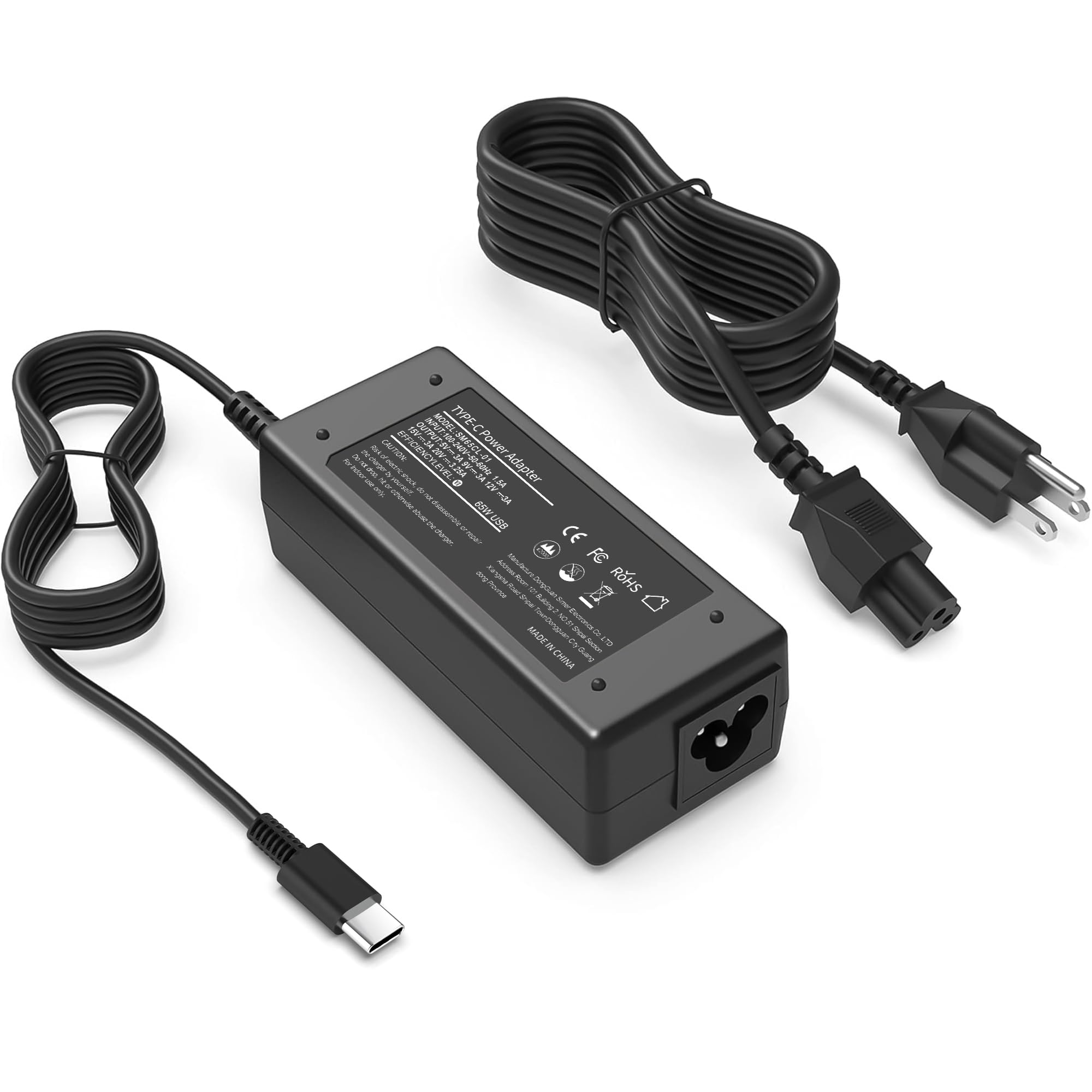
It is a budget-friendly USB-C charger that works for many laptops and offers fast charging, but durability and negotiation with some devices can be hit or miss.
Pros
- Wide device compatibility
- Fast charging for compatible laptops and phones
- Compact and travel-friendly
Cons
- Some users report durability issues
- May not always negotiate power correctly with every device
- Mixed long-term reliability
This charger supports up to 65W and aims to power many USB-C laptops and Chromebooks. It includes a USB-C cable and a plug suitable for North American outlets.
Many buyers like the compact size and the fast-charge performance on phones and laptops that accept USB-C PD. It can be handy as a spare wall charger for home, work, or travel.
Reports of intermittent cutouts and shorter lifespan show this unit may not match OEM durability. Users should keep cables certified and avoid enclosed hot spaces to reduce risk.
Overall, it fits shoppers who want broad compatibility and low cost, but those needing long-term reliability may prefer a higher-priced or brand-name adapter.
SZGUDULO 90W Universal Charger

It is a budget-friendly universal charger that fits many older laptops and comes with 16 tips, making it a practical choice for casual users with different devices.
Pros
- Wide tip selection covers many laptop brands
- Affordable price for a universal kit
- Compact unit with extra USB ports
Cons
- Not compatible with USB-C or laptops needing over 90W
- Some tips may fit loosely on certain models
- Requires careful matching of voltage and tip to your laptop
This charger offers a lot of options for the price. Buyers with older or varied laptops will value the 16-tip kit and the lower cost compared with brand-name adapters.
They should check their laptop’s power need and plug type before buying. The unit does not support USB-C power delivery and can’t replace adapters rated higher than 90W.
Owners who need a cheap, flexible spare or travel adapter will find this useful. Those with newer USB-C laptops or strict fit needs may want a different option.
heesky 100W USB-C Charger
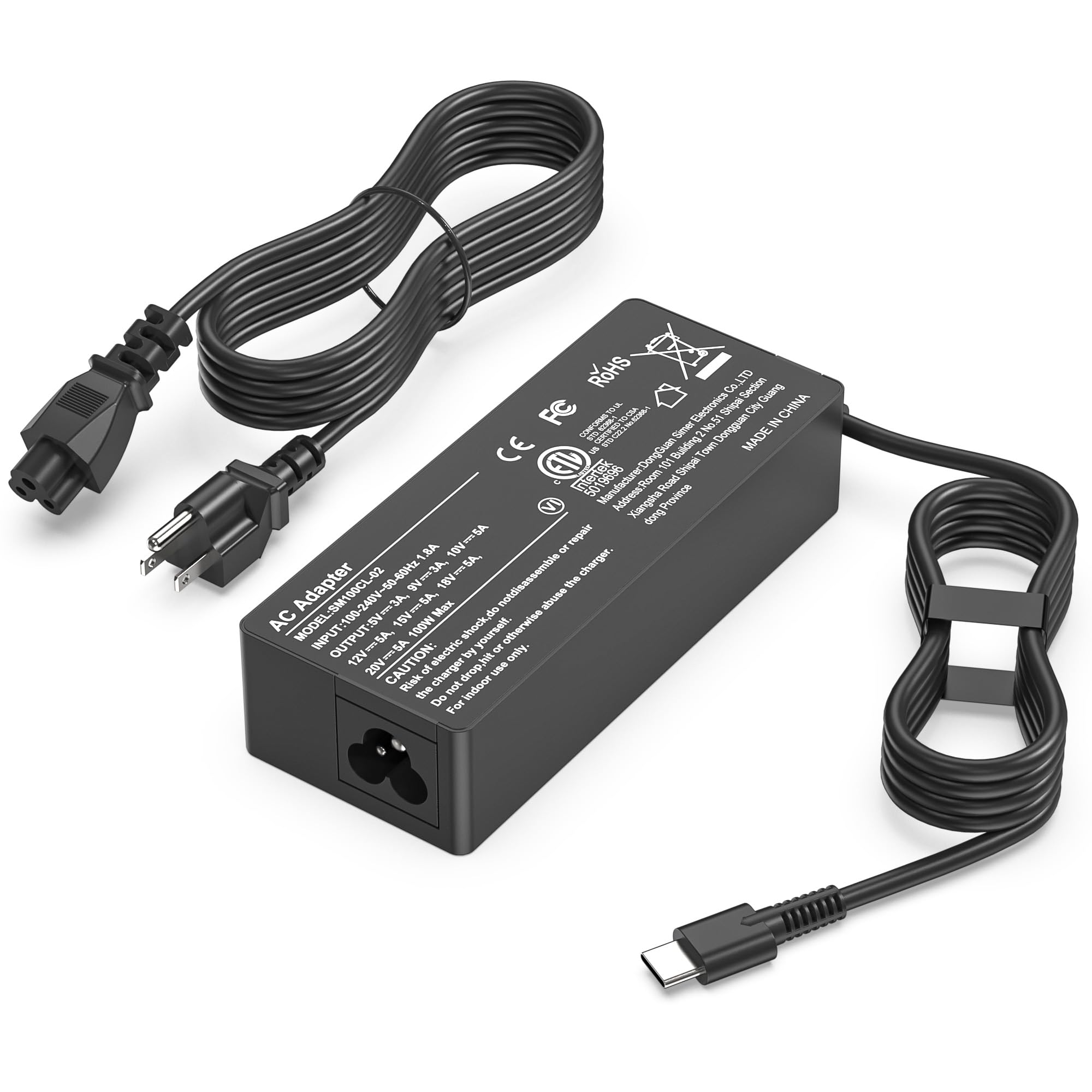
It is a solid budget option for fast USB-C laptop charging that works with many brands and supports up to 100W output.
Pros
- Wide device compatibility across major laptop brands.
- High power output for quicker charging under load.
- Long power cord for easier setup.
Cons
- Some users report a faint buzzing noise during use.
- Can feel warm under heavy load.
- Single USB-C port limits charging multiple devices at once.
This charger targets people who need a powerful USB-C adapter without spending much money. It lists broad compatibility with laptops from Lenovo, Dell, HP, Apple, Asus, Acer, Samsung, and others.
The 100W rating helps keep laptops running during heavy tasks and shortens top-up times compared with lower-watt adapters. It also includes safety protections like over-current and short-circuit safeguards.
A one-year warranty and factory testing back the product claims, and buyers get a fairly long cord that avoids tight setups. Some user feedback notes a low buzzing sound and warmth, so expect minor noise and heat under load.
Find it here: heesky 100W USB-C Charger
GreBed 90W Universal Laptop Charger

It deserves consideration for buyers who need a budget-friendly, versatile charger that supports many laptop models.
Pros
- Wide range of tips for broad device compatibility
- Affordable option for replacing lost or damaged chargers
- Includes a USB port for added charging flexibility
Cons
- Not guaranteed to fit every model despite many tips
- Limited to 90W, may not suit high-power laptops
- Some users report wear or tip-switching issues
It offers 15 interchangeable tips and a smart chip that adjusts voltage, so it can work with many brands like Dell, HP, Acer, Asus, and more. The USB port adds a backup way to charge phones or small devices.
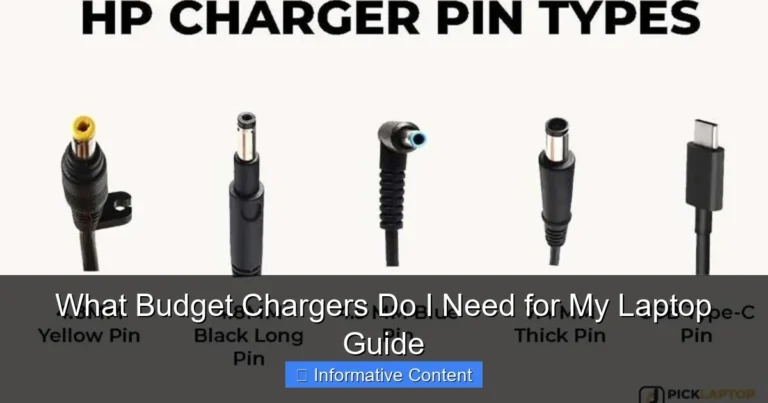
They should check the tip diagram and confirm their laptop’s barrel type before buying to avoid a mismatch. The adapter handles global input voltages, which helps travelers, but it uses a Type B plug for North America in the included package.
Buyers looking for a cheap, all-in-one spare charger will find value here, especially if their laptop needs under 90W. Some reviews note durability concerns when swapping tips, so handle the connectors gently.
HIBBO HP Blue Tip Charger (65W)

This charger is a budget-friendly replacement for many HP laptops that use the blue tip and offers solid safety features for the price.
Pros
- Affordable option that matches common HP blue-tip models
- Compact and light for travel
- Built-in safety protections like overcurrent and overheating guards
Cons
- Not an official HP part, so brand warranties may not apply
- Blue-tip size limits compatibility to specific models
- Some buyers may prefer a longer or thicker cable
It fits many HP models that use the 4.5 x 3.0mm blue tip, so users with those laptops can swap it in quickly. The adapter claims ETL safety standards and lists protections against shorts and overheating, which helps reduce basic risks.
The unit is small and light, making it easy to pack for travel or to keep as a spare in a bag. Ratings are high from thousands of buyers, suggesting it performs as expected for typical charging needs.
Buyers should confirm the blue-tip plug and voltage match their laptop before ordering. This works best for people who need a low-cost replacement or a travel spare rather than an OEM charger.
Fepprry 65W USB-C Charger

It is a budget-friendly 65W USB-C charger that suits many Lenovo and compatible laptops for basic fast charging needs.
Pros
- Affordable option for a 65W USB-C charger
- Works with many ThinkPad, Yoga, and Chromebook models
- Lightweight and easy to pack for travel
Cons
- Some reports of loose fit or intermittent connection
- Build feels less sturdy than OEM chargers
- Mixed feedback on long-term battery impact
This charger offers 65W output in a compact, low-cost package. It may handle everyday charging and short trips well for users who need a spare or replacement under $50.
Some customers note it supports Lenovo fast-charge rates, while others say the plug can be sensitive and stop charging if not seated perfectly. That means it can be convenient but may require careful handling.
There are a few reviews raising concerns about possible long-term effects on battery life. Buyers who want maximum peace of mind might prefer an OEM charger, but this unit can work for budget-conscious buyers who accept some trade-offs.
GKLSPL 65W USB-C Charger
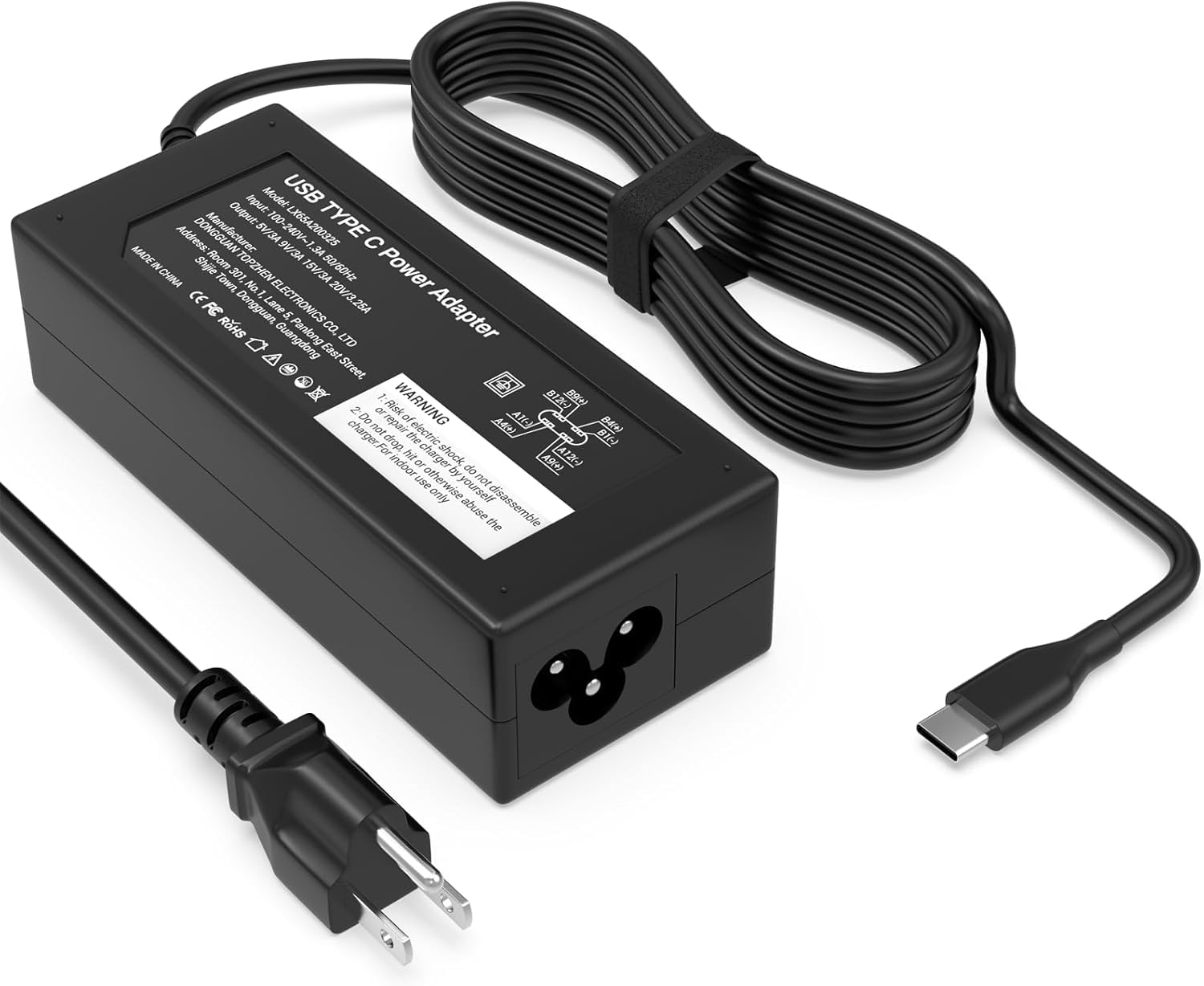
It is a budget-friendly 65W USB-C charger that suits many laptops and travel needs but can run warm on heavy use.
Pros
- Good value for the wattage.
- Wide device compatibility.
- Compact and travel-ready.
Cons
- Can get hot during use.
- Longevity concerns from some buyers.
- Only one USB-C port.
The charger offers 65W output and claims broad support for many Dell, HP, Lenovo, and Chromebook models. It comes with a power cord and fits North American outlets. Buyers who need a simple, portable replacement will find the price appealing.
People reported fast charging for laptops and smaller devices, and the adapter appears to negotiate power properly over USB-C. Some users noted it replaced factory bricks without extra setup, which makes it handy as a spare.
A few reviewers said their unit failed after months, while others praised durability. The device may become warm under load, so users should avoid blocking airflow and unplug if it overheats.
Find it on Amazon: GKLSPL 65W USB C Laptop Charger Compatible with Dell Laptop and More USB Type C Power Adapter
Buying Guide
How to pick the right charger
They should first check compatibility with their laptop’s voltage and connector type. Using the wrong voltage can damage the laptop or charger. Look for chargers that list output voltage and amperage clearly.
Power and charging speed
Higher wattage usually means faster charging, but the laptop must support it. Match or slightly exceed the laptop’s original wattage for best results. If the charger supports USB-C Power Delivery, verify the laptop accepts PD input.
Connector and cable quality
A firm, well-fitting connector reduces loose connections and sparks. Inspect cable thickness and strain relief points. Replaceable cables add convenience and lower long-term cost.
Safety and certifications
Prioritize chargers with safety features like over-voltage, over-current, and short-circuit protection. Check for recognized safety marks or certification numbers. These reduce fire and device damage risk.
Portability and build
They should weigh the charger’s size against travel needs. Foldable plugs and compact bricks ease packing. Metal or hard plastic housings last longer than thin plastics.
Extra features to consider
- Multiple outputs for charging accessories
- LED indicators for power status
- Tip kits for universal fit
| Feature | Why it matters |
|---|---|
| Output (V/A/W) | Ensures correct power delivery |
| Connector type | Determines physical fit |
| Safety protections | Prevents damage and hazards |
| Cable quality | Affects longevity and stability |
Editor’s Choice
The pick balances price, safety, and compatibility. It charges most common laptops under $50 and keeps temperatures in check.
| Feature | Details |
|---|---|
| Model | Compact Universal 65W (USB-C PD) |
| Price | $39–$49 |
| Compatibility | Windows and MacBooks with USB-C; some older laptops via adapter |
| Power | Up to 65W with PD; steps down for smaller devices |
| Safety | Over-voltage, over-current, short-circuit protection |
| Portability | Lightweight, foldable plug, 1.2–1.5 m cable options |
It offers stable power delivery for everyday use. It handles web browsing, streaming, and office tasks without hiccups.
The charger uses certified chips for protection, which reduces risk of damage. It also fits in a backpack easily; travelers will like the small size.
They should check watt needs for high-power laptops like gaming or workstation models. For older barrel-plug laptops, a specific model or adapter may be required.
Where to Buy – Best Amazon Deals
Amazon offers many budget laptop chargers with fast shipping and easy returns. Shoppers can filter by price, brand, and customer rating to find options under $50 quickly.
Look for listings with high ratings (4+ stars) and many reviews. Verified purchase reviews often show real-world fit and durability.
Check product pages for compatibility details and included tips like voltage and connector size. Many sellers list laptop models that match each charger.
Use Amazon Prime or fast-shipping filters to get chargers quickly. Prime often includes free returns, which helps if the charger does not fit.
Consider buying from Amazon’s Choice or Top Brand badges for added trust. Third-party sellers with long histories and high seller ratings are a safe bet.
Compare prices and watch for limited-time deals like Lightning Deals or Coupons. Adding items to a watchlist or cart can trigger price-drop alerts.
Read the Q&A section on each listing for fit questions and user tips. Customers often post photos showing how the charger fits specific laptop models.
Use the product comparison table on the listing page to view specs side-by-side. This helps check wattage, connector type, and warranty before buying.
Conclusion
The list helps readers find reliable laptop chargers under $50 that balance price, safety, and convenience. It highlights models with good build quality, correct wattage, and useful features like USB-C Power Delivery.
Buyers should check wattage, connector type, and safety certifications before choosing. Matching the charger to the laptop’s power needs prevents slow charging or damage.
If portability matters, lightweight USB-C chargers offer compact size and broad device support. For older laptops, a compatible barrel-tip charger may be the better, cheaper choice.
Warranty and customer reviews add extra protection when buying on a budget. They show real-world reliability and help spot sellers who honor returns or replacements.
A quick checklist:
- Confirm wattage and voltage.
- Match the connector or use a certified adapter.
- Look for overcurrent, overvoltage, and short-circuit protection.
- Prefer chargers with at least a 1-year warranty.
Choosing a tested, certified charger reduces risk and gives steady power without overspending. The right pick depends on device needs, travel habits, and whether a universal USB-C option is acceptable.
FAQs
What should they check for compatibility?
They should match the charger’s voltage and connector type to the laptop’s specifications. Check the laptop manual or the original charger label for exact numbers.
Are third-party chargers safe?
Many third-party chargers are safe if they have over-voltage, over-current, and short-circuit protection. Choose chargers from reputable brands and read user reviews.
Will a lower-wattage charger harm the laptop?
A lower-wattage charger may charge slowly or not charge under heavy use. It usually won’t damage the laptop but can cause the battery to drain while plugged in if it can’t deliver enough power.
Can a cheaper charger support fast charging?
Some under-$50 chargers offer fast charging with USB-C Power Delivery. Verify the charger’s wattage (e.g., 45W or 65W) and the laptop’s fast-charge support before buying.
How long should a budget charger last?
A quality budget charger can last 1–3 years under normal use. Lifespan depends on build quality, cable strain, and heat exposure.
Is warranty important?
Yes. A warranty shows the maker stands behind the product. Look for at least a one-year warranty when possible.
What safety marks should they look for?
Look for certifications like UL, CE, FCC, or RoHS. These marks indicate the charger met basic safety and emissions tests.
How to avoid fake or low-quality units?
Buy from official retailers or trusted marketplaces. Avoid extremely low prices and check seller ratings and verified reviews.


One Comment