Are Motion Sensor Lights Worth It
Yes, motion sensor lights are worth it for many homes because they add convenience, safety, and automatic lighting where it matters most. They are less worth it if you need constant light, want minimal maintenance, or have a space that causes frequent false triggers.
Motion sensor lights are usually worth it if you want automatic lighting for safety, convenience, or lower energy use. They are less worth it when you need constant illumination, have a tricky installation area, or want a simple light that never misses a trigger.
- Best use cases: Porches, garages, hallways, closets, driveways, and side entrances.
- Most important check: Match sensor type, power source, and mounting location to the space.
- Main trade-off: Convenience and savings can be offset by false triggers and battery upkeep.
- Buy smart: Verify weather resistance, brightness, and official compatibility details before purchase.
Are Motion Sensor Lights Worth It? Quick Verdict for 2026
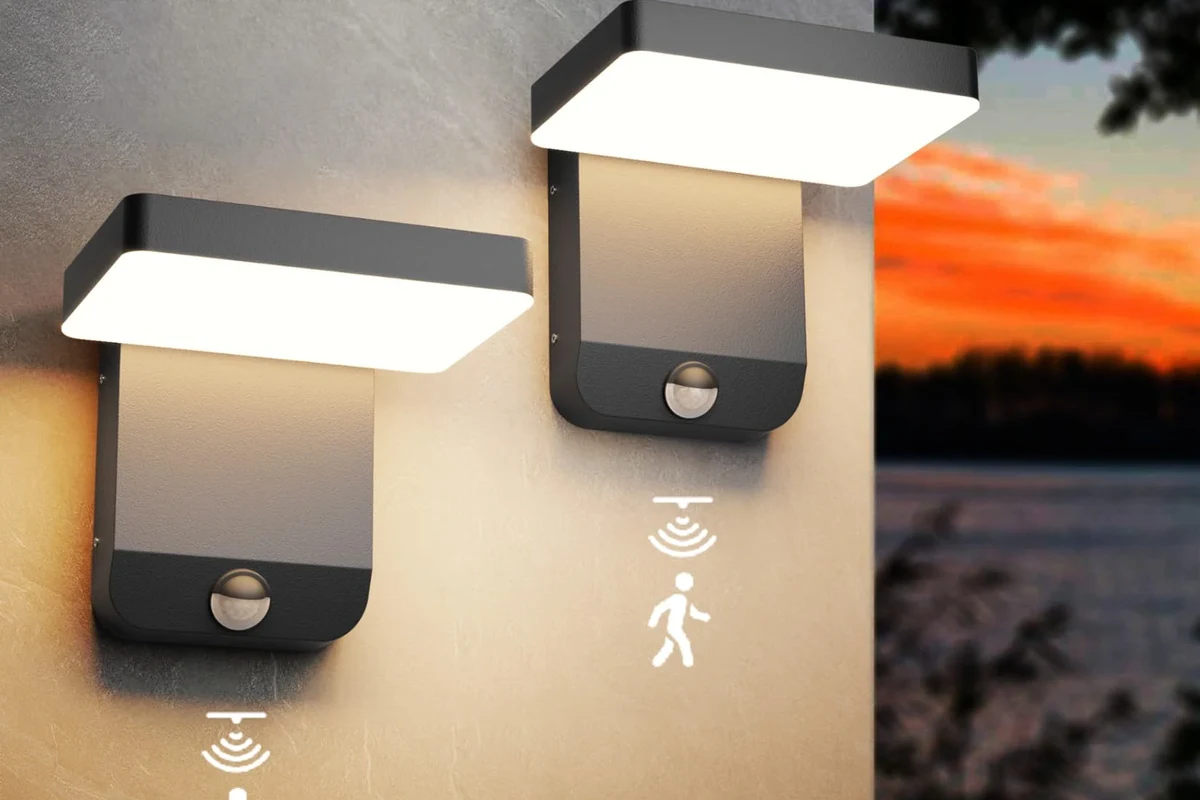
For many homes and small spaces, motion sensor lights are a practical upgrade because they turn on only when needed. That makes them a strong fit for entryways, garages, closets, hallways, and outdoor areas where hands-free lighting is useful.
Best for security, convenience, and energy savings
These lights make the most sense when you want light to appear automatically as you walk in, carry groceries, or step outside at night. They can also help reduce wasted runtime compared with lights that stay on by habit.
When they are not worth the cost or hassle
They may not be the best choice if your space has frequent false triggers, unusual layouts, or a need for continuous lighting. They can also feel annoying if the delay is too short, the sensor misses movement, or battery-powered models need frequent attention.
How Motion Sensor Lights Work
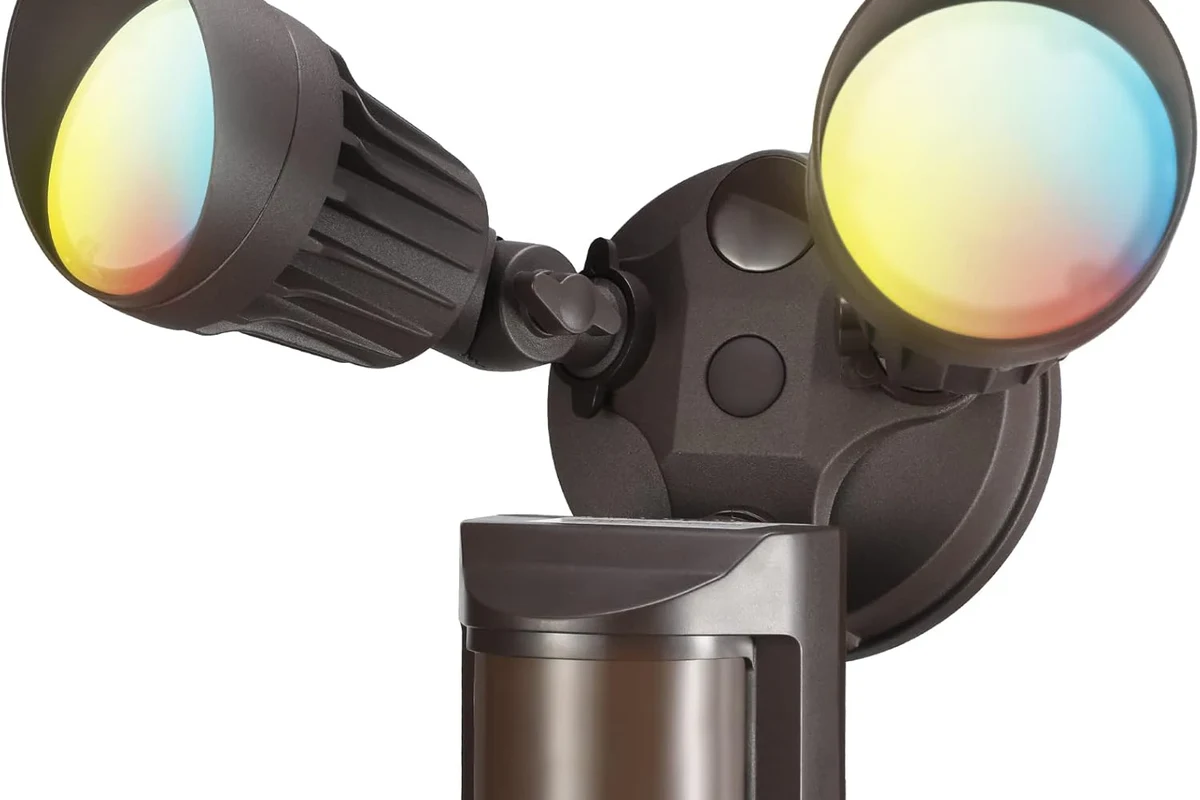
Motion sensor lights combine a light source with a detector that responds to movement, heat, or both. The sensor tells the fixture when to switch on, then a timer keeps it on for a set period before it shuts off again.
PIR vs microwave vs dual-tech sensors
PIR, or passive infrared, sensors detect changes in heat patterns. Microwave sensors emit and read reflected signals, while dual-tech models use two sensing methods to reduce false triggers in some situations.
Sensor type matters, but performance still depends on the model, mounting position, room layout, and firmware or control settings when the light is smart-enabled.
Detection range, angle, delay time, and sensitivity
Range tells you how far away motion can be detected. Angle shows how wide the sensor’s field of view is, while delay time controls how long the light stays on after motion stops.
Sensitivity settings can help reduce nuisance activations from pets, traffic, fans, or moving trees outdoors. The right balance depends on the location, so a garage may need different settings than a porch or hallway.
Power options: hardwired, battery-powered, and solar
Hardwired models are common for permanent indoor or outdoor fixtures. Battery-powered lights are easier to place but need replacement or recharging, and solar versions depend on sunlight, panel placement, and seasonal weather.
For powered fixtures, follow the manufacturer’s wiring instructions and local electrical rules. Stop using any light with damaged cords, cracked housings, loose battery compartments, or signs of overheating.
Who Motion Sensor Lights Fit Best
The best buyers are usually people who want lighting to happen automatically without flipping switches. They are especially useful in areas where hands are often full, visibility is poor, or the light is needed only briefly.
Homeowners, renters, and apartment users
Homeowners often choose hardwired or outdoor models for entrances and yards. Renters and apartment users usually benefit from battery-powered or plug-in options that do not require permanent modification.
Garages, hallways, porches, driveways, and closets
These are the spaces where motion activation feels most natural. In garages and driveways, it improves nighttime visibility; in closets and hallways, it adds convenience without leaving lights on all day.
Security-focused buyers vs convenience-focused buyers
Security-focused buyers usually want broader coverage, stronger brightness, and reliable outdoor triggering. Convenience-focused buyers may care more about quick activation, gentle brightness, and simple setup than about perimeter coverage.
Key Specs and Buying Criteria to Check Before You Buy
Motion sensor lights vary widely, so the best option depends on where you plan to install it and how often it will be used. Before buying, check the fixture style, sensor type, power source, and whether the product fits your space and maintenance tolerance.
- Check model number, sensor type, power source, and intended placement
- Confirm app requirements, update support, warranty terms, and return policy
- Verify weather resistance, brightness, and installation needs for your space
Brightness, color temperature, and coverage area
Brightness affects how useful the light is for walking, working, or identifying movement. Color temperature changes the feel of the light, with cooler tones often appearing brighter and warmer tones feeling softer.
Coverage area matters just as much as brightness. A powerful bulb with poor sensor placement may still leave blind spots, while a moderate light with good spread can work better in a narrow entry or closet.
Rated wattage, battery life, and solar charging limits
For powered models, make sure the rated wattage matches the fixture and any compatible bulb requirements. For battery and solar models, real runtime depends on trigger frequency, brightness setting, weather, and how often the light is activated.
Build quality, weather resistance, and cable quality for powered models
Outdoor lights need durable housings, sealed seams, and weather resistance appropriate for the environment. For plug-in or wired models, cable quality and connector condition matter because cracked insulation or loose connections can create safety risks.
Smart features, app requirements, and connectivity options
Some motion sensor lights connect to an app, voice assistant, or smart home platform. That can add scheduling, notifications, and custom sensitivity settings, but it also creates extra setup steps and possible compatibility limits.
If you want fewer headaches, prioritize a model that works well in its basic mode even if the app is unavailable. Smart features should be a bonus, not a requirement for basic lighting.
Real-World Benefits and Practical Trade-Offs
Motion sensor lights are popular because they solve simple problems well: dark entries, wasted energy, and awkward switch locations. Still, the trade-offs are real, especially if the sensor is poorly placed or the power source is inconvenient to maintain.
Energy savings and automatic operation
Because the light is not on all the time, it can reduce unnecessary runtime. That is most helpful in spaces where the light would otherwise be forgotten, such as closets, utility rooms, or exterior fixtures used only at night.
Improved visibility and safety at night
Automatic illumination can help prevent trips, missed steps, and fumbling for switches. This is especially useful for stairs, driveways, side yards, and other areas where you want instant visibility.
Added deterrence for intruders
A light that suddenly turns on can make a person feel more visible, which may discourage casual trespassing. It is not a full security system, but it can be a useful layer alongside locks, cameras, and good outdoor lighting design.
Many nuisance-trigger issues are caused less by the sensor itself and more by poor placement, reflective surfaces, or movement in the sensor’s path.
Common limitations: false triggers, blind spots, and dead batteries
False triggers can come from pets, passing cars, heat sources, wind-blown objects, or nearby reflective surfaces. Blind spots happen when the sensor cannot “see” the area you expect it to cover, and battery-powered models can fail quietly if maintenance is delayed.
- Hands-free lighting in useful places
- Potential energy savings from shorter runtime
- Better nighttime visibility and convenience
- Can trigger too often or miss movement
- Battery and solar models need upkeep
- Installation quality strongly affects performance
Setup, Placement, and Safe Use Tips
Good placement is often more important than a higher price tag. A well-positioned midrange light can outperform a stronger model installed at the wrong height or angle.
Ideal mounting height and sensor angle
Mounting height should match the product’s guidance, because too high or too low can shrink the useful detection area. Angle the sensor so it faces the most likely path of movement rather than open space or a busy street.
Place the sensor where people naturally walk, not where they only pass occasionally.
Keep it away from vents, heaters, reflective glass, and moving foliage when possible.
After installation, adjust sensitivity and delay time based on real use, following the manual.
Indoor vs outdoor placement considerations
Indoor lights usually need less weather protection but may need better sensitivity tuning to avoid unnecessary activations. Outdoor lights should be chosen with the environment in mind, including rain, dust, temperature swings, and exposure to direct sun.
Electrical safety, heat limits, and inspection of cords, seals, and fixtures
Check cords, seals, battery doors, and mounting hardware before use and during routine cleaning. If a fixture becomes hot in a way that seems unusual for the model, shows discoloration, or has a loose connection, stop using it and consult the manufacturer’s guidance.
Do not ignore cracked housings, frayed cables, corroded contacts, or moisture inside the fixture. For powered lights, use the correct adapter, bulb type, and installation method listed in the official manual.
Battery replacement, solar panel positioning, and safe storage guidance
Battery-powered lights work best when you replace or recharge them before performance drops too far. For solar models, place the panel where it gets the most consistent daylight and keep it clean so charging is not reduced by dust or debris.
Maintenance and Troubleshooting Guide
Motion sensor lights are usually low-maintenance, but they are not maintenance-free. Small issues like dust on the lens or a weak battery can create the impression that the whole unit is failing.
Cleaning lenses, checking sensors, and replacing consumables
Wipe lenses and sensor windows gently with a soft, dry or slightly damp cloth, following the manual. Replace batteries, bulbs, or other consumables on schedule rather than waiting for a complete failure.
Fixing weak detection, flickering, or short runtimes
Weak detection often points to placement, sensitivity, or line-of-sight issues. Flickering can come from incompatible bulbs, low batteries, loose connections, or a fixture that needs inspection according to the manufacturer’s troubleshooting steps.
If the light works inconsistently, check the simplest causes first: dirty sensor lens, low battery, wrong mode, or a timer setting that is too short.
Weather damage, corrosion, and warranty details to verify
Outdoor units should be checked periodically for corrosion, water intrusion, and seal wear. Before buying, verify the warranty length, what it covers, and whether replacement parts or batteries are available for your exact model.
Final Recommendation: Are Motion Sensor Lights Worth It for Most Buyers?
For most people, yes—motion sensor lights are worth it when the goal is automatic lighting in a specific area that benefits from brief, reliable illumination. They offer a good mix of convenience and practicality, but the value depends heavily on choosing the right power source, sensor type, and placement.
Best-value use cases
The strongest value cases are porches, garages, hallways, closets, driveways, and side entrances. In those spaces, the light usually solves a real daily annoyance and can improve safety without much effort once installed correctly.
When to choose an alternative lighting solution
Choose a standard switch-controlled light, dimmable fixture, or always-on security light if you need continuous illumination or want fewer maintenance tasks. Alternatives can also be better in spaces where motion triggering would be distracting or unreliable.
Transparent verdict with key drawbacks and value summary
Motion sensor lights are a smart buy for buyers who want convenience first, with energy savings and security benefits as a bonus. They are less compelling if you dislike tuning settings, replacing batteries, or dealing with placement-sensitive performance.
Motion sensor lights are worth it for most homes when used in the right place and chosen with the right power source and sensor type. If you need dependable all-day lighting or want the simplest possible setup, a traditional fixture may be the better choice.
Frequently Asked Questions
Yes, they are often worth it for entryways, garages, closets, hallways, and outdoor paths. They are most useful when you want automatic lighting without leaving a light on all the time.
The best type depends on the location and power source. PIR models are common, while dual-tech models may reduce false triggers in some spaces, and battery or solar options work best where wiring is difficult.
They can save energy because they only turn on when motion is detected. Actual savings depend on how often the light is triggered, how bright it is, and how long the timer keeps it on.
False triggers can happen from pets, cars, wind, heat sources, reflective surfaces, or poor placement. Adjusting sensitivity, angle, and delay time often helps.
Check weather resistance, brightness, detection range, mounting height, and power source before buying. Also verify the official manual and warranty terms for your exact model.
Choose a standard or always-on light if you need constant illumination or want the least maintenance. Motion sensor lights are less ideal in areas where triggers are unreliable or where battery upkeep would be inconvenient.