Are Motion Sensors Worth It
Yes, motion sensors are worth it when they automate a task you do often, like lighting a hallway or monitoring an entry point. They are less worth it if your space is simple, your setup is incompatible, or you expect perfect detection in every room.
Motion sensors are worth it for many homes and smart setups, but not for every room or every buyer. They make the most sense when you want automatic lighting, basic presence detection, or an added layer of security without having to think about a switch or app every time.
- Best fit: Busy rooms, entryways, stairs, garages, and outdoor paths usually benefit the most.
- Biggest value: Convenience and safety often matter more than energy savings alone.
- Key risk: False triggers often come from poor placement, pets, vents, or sunlight.
- Buy carefully: Check power source, connectivity, hub support, and fixture compatibility first.
Are Motion Sensors Worth It? Quick Verdict for 2026
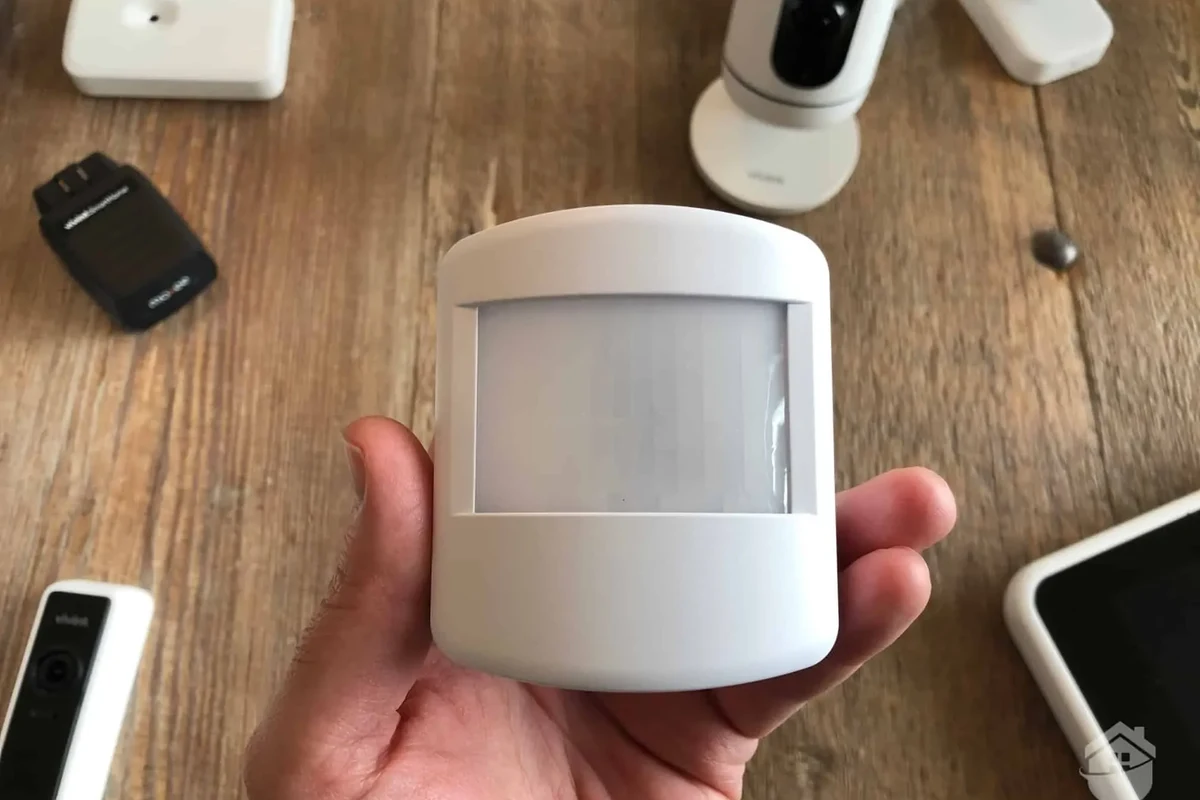
If you want convenience in hallways, entryways, garages, stairs, or outdoor paths, motion sensors usually deliver real value. If you only need one or two lights controlled manually in a low-traffic space, the extra hardware, setup, and occasional false triggers may not be worth the trouble.
In other words, motion sensors are best treated as a problem-solving device, not a must-have gadget. The right choice depends on placement, compatibility, and how much friction you want to remove from daily routines.
How Motion Sensors Work and Why They Matter
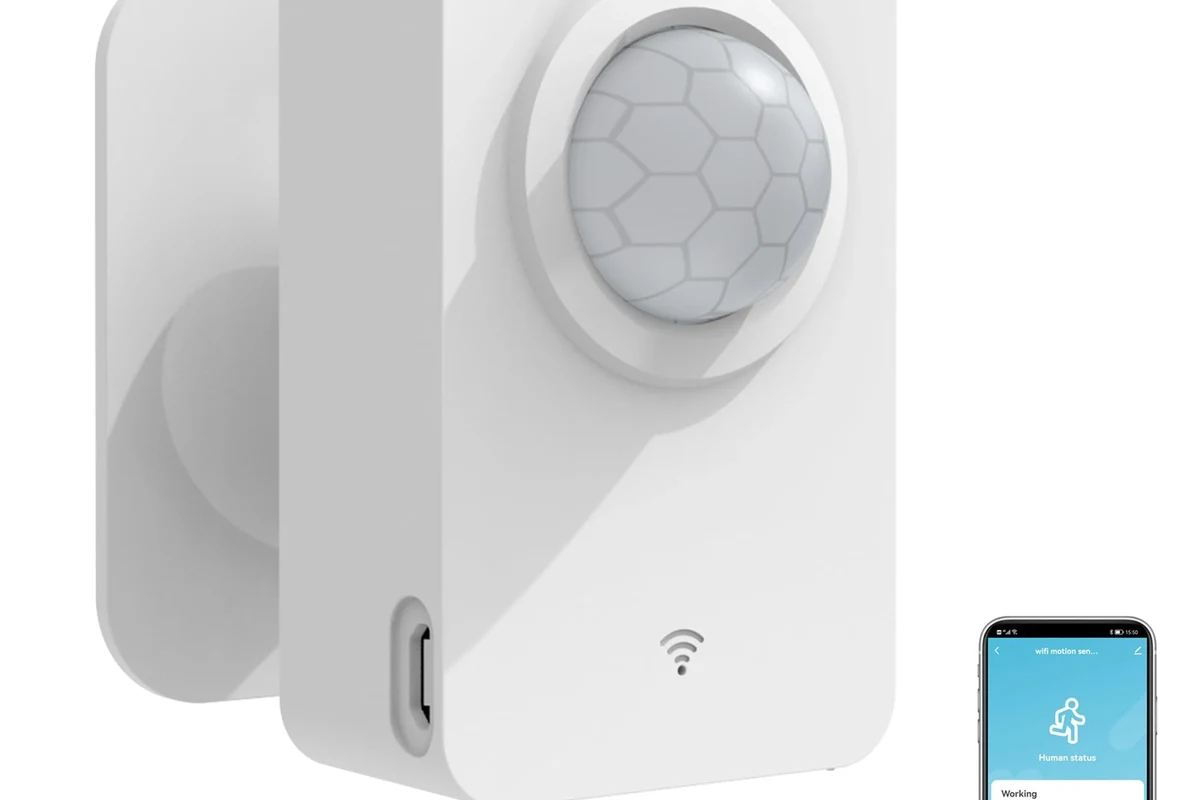
Motion sensors detect movement or changes in their environment and then trigger an action, such as turning on a light, sending an alert, or waking a smart-home routine. They matter because they reduce the need for manual control, which can improve convenience, accessibility, and security in the right setup.
Core detection methods: PIR, microwave, ultrasonic, and dual-tech
Most consumer motion sensors use passive infrared, or PIR, which senses changes in heat patterns from people and pets. PIR is common for lighting and security because it is simple, low power, and widely supported, though it can miss motion when placement is poor or the room layout is unusual.
Microwave sensors send out radio waves and look for reflected changes, which can make them more sensitive through some materials and around corners. Ultrasonic sensors emit sound waves and detect movement from changes in those reflections, while dual-tech sensors combine two methods to reduce false triggers in demanding spaces.
Exact sensor behavior varies by model, firmware, and mounting location. Manufacturer detection ranges and angles are usually measured under ideal conditions, not in every real room.
Where motion sensors fit in a modern smart home or security setup
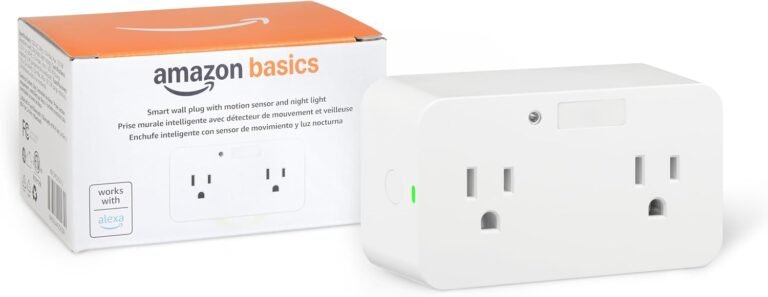
Motion sensors often act as triggers inside a larger system. They can turn on lights through a smart switch, start a camera recording, send a phone notification, or activate a routine with a hub, assistant, or automation platform.
That makes them especially useful when paired with other devices instead of standing alone. A sensor by itself can detect movement, but the real value usually comes from what happens next: lighting, alerts, timers, or scene changes.
Who Should Buy Motion Sensors and Who Can Skip Them
The best buyers are people who regularly walk through dark or busy spaces, want a more hands-free home, or need a little extra help with visibility and safety. The least likely to benefit are people with simple layouts, few automation goals, or rooms where a basic switch already feels easier and more reliable.
Best use cases: security, lighting automation, energy savings, accessibility
Motion sensors are often worth it for security because they can alert you to movement near doors, garages, driveways, or yards. They are also useful for lighting automation in kitchens, laundry rooms, pantries, bathrooms, hallways, and closets where people frequently enter with full hands.
For energy savings, the value depends on habits and usage patterns. Sensors may help reduce wasted lighting time in spaces that are often left on, but the savings are usually strongest when they replace forgetfulness, not when they replace already disciplined switching habits.
They can also improve accessibility. For older adults, children, or anyone with limited mobility, motion-triggered lighting can reduce fumbling in the dark and make transitions between rooms feel safer and easier.
Many motion sensors are better described as presence tools for automation, but not all can reliably tell the difference between a person sitting still and an empty room.
When motion sensors may be unnecessary or frustrating
They may be a poor fit in rooms with lots of small pet movement, strong sunlight, moving air from HVAC vents, or reflective surfaces that confuse detection. They can also be frustrating if you want lights to stay on for long periods while you are stationary, such as at a desk, in a reading nook, or during gaming sessions.
If you dislike app setup, already have smart switches that meet your needs, or live in a layout where sensor placement is awkward, the added complexity may outweigh the benefit. In those cases, simpler controls can be the better long-term choice.
Key Buying Criteria to Compare Before You Spend
Before buying, compare the sensor’s detection behavior, power source, connectivity, and compatibility with your existing setup. Those factors matter more than marketing claims because a sensor that looks impressive on paper can still underperform in the wrong room.
- Check compatibility, model number, app requirements, dimensions, ports, wattage, and intended use
- Confirm safety guidance, warranty, return policy, privacy settings, and update support
Detection range, field of view, and mounting height
Detection range tells you how far a sensor can see movement, while field of view describes the width of the area it covers. Both are highly placement-dependent, and mounting height can change how well the sensor sees a hallway, stair landing, or open room.
Do not assume a larger range automatically means better performance. A sensor with a wide field of view may be too sensitive in an open-plan space, while a narrower one may be perfect for a doorway or corridor.
Power source, battery life, and wired vs. wireless trade-offs
Battery-powered sensors are easier to place and usually simpler to install, but they need periodic battery replacement or charging. Wired sensors may be more dependable for permanent locations, though they can require more installation effort and may be less flexible if you later rearrange the room.
Battery life varies widely by model, trigger frequency, temperature, and connection type. For buyers, the practical question is not just how long the battery lasts, but how annoying it will be to maintain over time.
Connectivity and app requirements: Wi-Fi, Zigbee, Z-Wave, Bluetooth
Wi-Fi sensors can be convenient if you want direct phone access, but they may depend more heavily on your router and home network. Zigbee and Z-Wave sensors often work best through a compatible hub, while Bluetooth models can be limited by range and phone proximity unless they are part of a larger ecosystem.
Check whether the sensor needs a separate app, a specific hub, or cloud features to function. Some models have useful local automation, while others are much more dependent on vendor software, which can affect privacy, reliability, and long-term usefulness.
Compatibility with smart hubs, assistants, and existing fixtures
Compatibility is one of the biggest reasons motion sensors disappoint buyers. A sensor may technically work, but only with certain hubs, assistants, smart bulbs, switches, or fixtures.
Before buying, confirm the exact model support list, not just the brand name. If you want the sensor to control hardwired lights, make sure it is designed for that use and that the fixture or switch type is supported.
Real-World Benefits: Convenience, Safety, and Energy Savings
Motion sensors earn their keep when they remove a repeated annoyance or reduce a small risk that matters every day. The strongest value usually comes from places where you move often, carry things, or want lights and alerts to happen automatically.
Hands-free lighting and automation in high-traffic areas
Hallways, mudrooms, closets, laundry rooms, and garages are classic motion-sensor zones because people pass through them quickly and often with occupied hands. In these spaces, automatic lighting can feel more natural than reaching for a switch every time.
- Use shorter timeout settings in hallways and closets to avoid lights staying on too long.
- Place sensors where they can “see” entry paths, not hidden corners.
- Test nighttime behavior before relying on it for regular use.
Security alerts and presence detection for doors, garages, and yards
For security, motion sensors are often most useful as part of a layered setup with lights, cameras, and notifications. They can help you notice movement where it should not be, especially around side yards, driveways, garages, or entry points.
Keep expectations realistic, though. Motion detection is not the same as identity verification, and outdoor activity from animals, wind-blown objects, or passing traffic can create alerts depending on the sensor and placement.
Cost savings potential and where the value is strongest
Motion sensors can reduce wasted electricity when they automate lights that otherwise stay on too long. The savings are usually most meaningful in rooms with frequent short visits, forgotten lights, or shared spaces where no one wants to manage switches all day.
That said, cost savings alone are not always the best reason to buy them. Convenience and safety often justify the purchase more clearly than trying to calculate a quick payback.
Limitations, False Triggers, and Common Buying Mistakes
Motion sensors are useful, but they are not magic. Many of the complaints buyers have come from placement mistakes, unrealistic expectations, or choosing the wrong sensor type for the room.
Pets, HVAC vents, sunlight, and reflective surfaces
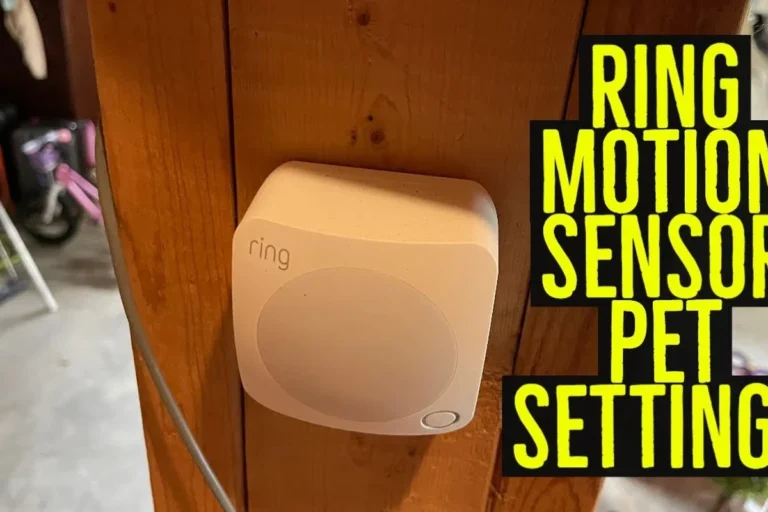
Pets can trigger some sensors, especially if the detection zone is low or the sensor is too sensitive. HVAC vents, warm sunlight, heaters, ceiling fans, mirrors, windows, and shiny floors can also interfere with detection in ways that vary by sensor technology.
Do not place sensors where heat, moisture, or direct weather exposure exceed the manufacturer’s rating. For outdoor or hardwired installs, follow the official manual and local electrical safety rules.
Overestimating range, ignoring placement, or buying incompatible gear
One of the most common mistakes is assuming a sensor’s advertised range will work exactly the same in a cluttered real room. Furniture, wall materials, mounting angle, and door placement can all change performance.
Another common issue is buying a sensor before confirming hub, switch, bulb, or app compatibility. If the sensor cannot talk to the rest of your setup, it may become a standalone device you rarely use.
Evidence limits: why specs and reviews don’t always match real homes
Manufacturer specifications are usually measured under controlled conditions, and user reviews reflect different homes, routines, and expectations. That is why one person may call a sensor perfect while another finds it unreliable.
For that reason, compare specs, read the official manual, and look for compatibility notes rather than relying on one review metric. Real-world performance depends heavily on room layout, firmware version, and how the sensor is configured.
Setup, Placement, and Safe Use Best Practices
Good placement matters as much as the sensor itself. Even a well-made motion sensor can feel disappointing if it is mounted too high, aimed at the wrong area, or configured with overly aggressive settings.
Ideal installation spots for hallways, entryways, stairs, and outdoor areas
Hallways and entryways usually work best when the sensor can detect the natural path people take through the space. Stairs benefit from coverage that catches movement before someone reaches the landing, while outdoor areas need careful positioning to avoid traffic, trees, and other common false-trigger sources.
For outdoor use, check weather resistance, operating temperature, and mounting recommendations in the manual. Outdoor placement is often less forgiving than indoor placement, so a little planning can save a lot of frustration.
Basic setup steps, calibration, and app configuration
Make sure the sensor works with your hub, app, assistant, or fixture before pairing.
Aim the sensor toward the area where movement naturally begins, such as a doorway or stair approach.
Start with moderate settings, then fine-tune based on missed triggers or nuisance alerts.
App setup often includes naming the sensor, assigning rooms, setting schedules, and choosing what action should happen after motion is detected. If the app offers firmware updates, review the notes and apply them through the official process when appropriate.
Safety considerations for outdoor, ceiling, and hardwired installs
Ceiling and hardwired installations can be more complex than plug-in or battery models. If the device connects to household wiring, follow the manufacturer instructions and consider a qualified professional if you are not comfortable with electrical work.
Stop using damaged electronics, swollen batteries, frayed cables, overheating chargers, or unstable appliances and follow the manufacturer’s guidance.
Maintenance, Troubleshooting, and Long-Term Value
Motion sensors usually do not need much upkeep, but small maintenance habits can make them far more reliable over time. Cleaning, battery checks, and occasional recalibration are often enough to keep them working well.
Cleaning lenses, checking batteries, inspecting mounts, and replacing parts
Dust and grime can interfere with sensor performance, especially on PIR units with a lens or cover. Wipe the exterior gently according to the manual, check that mounts remain secure, and replace batteries before they fail if the model gives low-power warnings.
If a sensor has a removable cover, lens, or bracket, keep the original parts and packaging in case you need to service or relocate it later. For long-term value, simple devices with replaceable parts often age better than tightly sealed ones.
Fixing delayed triggers, dead zones, nuisance alerts, and connectivity drops
Delayed triggers can come from weak batteries, poor placement, or overly conservative settings. Dead zones often mean the sensor is aimed too narrowly or blocked by furniture, while nuisance alerts usually point to sensitivity that is too high for the room.
Connectivity drops are more common with network-dependent sensors, especially if the router, hub, or app is unstable. Before replacing hardware, check the manual, verify the signal path, and confirm whether firmware or app updates are available from the official vendor.
Warranty details to verify, expected lifespan, and final recommendation
Warranty terms vary by brand and region, so it is worth checking the official documentation before buying. Also confirm support for firmware updates, replacement parts, and app availability, since those details can affect how useful the sensor remains over time.
Motion sensors are worth it if you want practical automation in busy areas, better nighttime convenience, or a simple security layer that works with your existing setup. Skip them if your rooms are low-traffic, your smart-home platform is limited, or you do not want to manage placement, compatibility, and occasional false triggers.
Frequently Asked Questions
Hallways, entryways, closets, garages, stairs, and outdoor paths are common good fits. These spaces benefit most from hands-free lighting or movement alerts.
Sometimes, but it depends on the sensor type, mounting height, and sensitivity settings. Pet movement can cause false triggers, so check the model’s guidance before buying.
Confirm detection range, field of view, power source, connectivity type, and compatibility with your hub or fixtures. Also review the official manual and app requirements.
Neither is always better. Wireless models are easier to place, while wired models may be better for permanent installations if you want less battery maintenance.
Improve placement first, then adjust sensitivity and timeout settings. Keep sensors away from HVAC vents, direct sunlight, mirrors, and other common interference sources.
Skip them if your space is low-traffic, your current lighting control is already simple, or you do not want app setup and compatibility checks. They are most useful when automation solves a frequent problem.