Battery-Free Smart Lock for Secure Hassle-Free Entry
A battery-free smart lock is worth considering if you want less maintenance and can confirm the model fits your door and smart home setup. If you need always-on features or maximum platform flexibility, a traditional battery-powered smart lock may be the better choice.
A battery-free smart lock is a smart door lock that generates power when you interact with it, instead of relying on a replaceable battery pack. It can be a smart choice for buyers who want fewer maintenance chores, but it is not automatically the best option for every door or every feature set.
- Power method: Battery-free locks generate energy on demand, so features can vary more than with standard.
- Fit first: Door thickness, backset, bore size, and door alignment matter before you buy.
- Compatibility: Verify app support, platform integration, and access methods for the exact model.
- Maintenance: Expect less battery upkeep, but still plan for cleaning, inspection, and occasional firmware updates.
- Best use case: Ideal for low-maintenance homes, rentals, and offices that can accept some feature trade-offs.
Battery-Free Smart Lock: What It Is and Whether It’s Worth It in 2026
Battery-free smart locks are designed to reduce one of the most annoying parts of smart home security: remembering to replace batteries before the lock dies. In practice, they appeal most to people who value low upkeep, predictable access, and a cleaner maintenance routine over maximum feature depth.
Quick answer: how a battery-free smart lock works and who should buy one
These locks harvest small amounts of energy from your motion, tap, wireless signal, or a hybrid system to power the unlock action and related electronics. They are best for homeowners, landlords, offices, and busy households that want fewer battery swaps and can verify that the lock’s access methods and platform support match their needs.
How Battery-Free Smart Locks Work Without Traditional Batteries
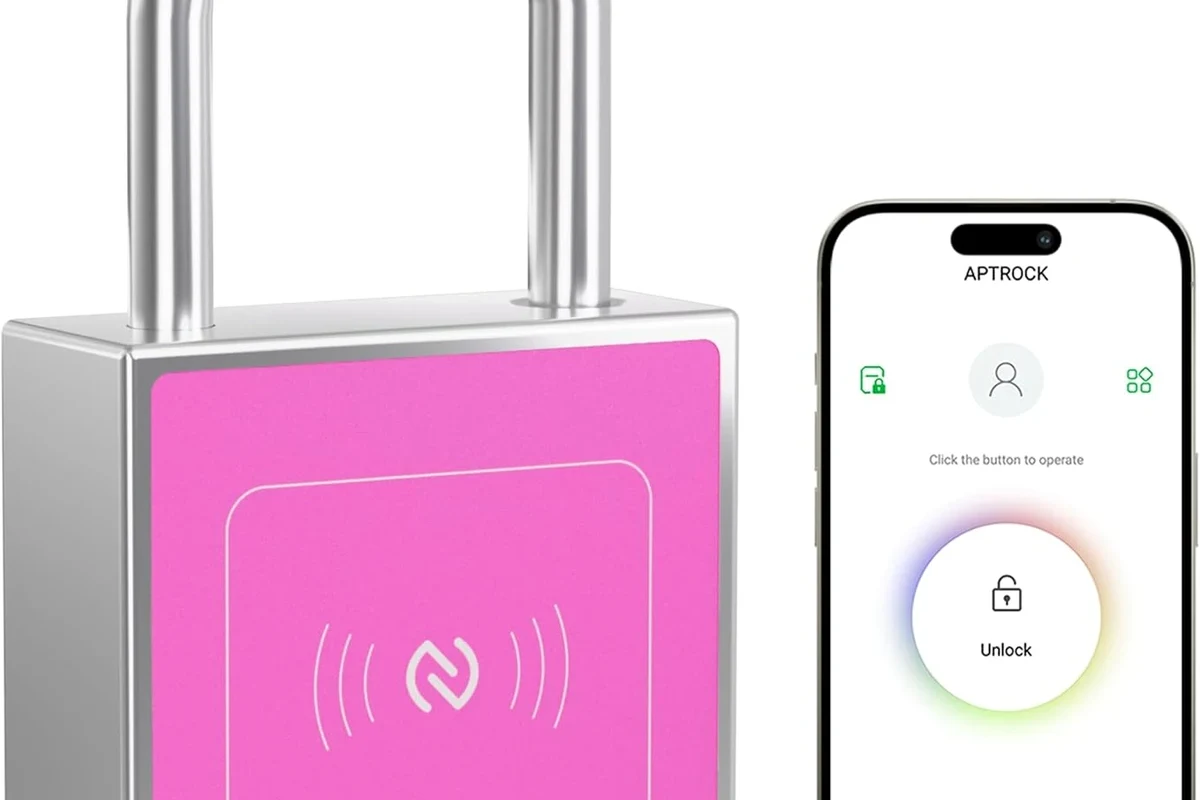
Instead of storing power in a standard battery pack, these locks generate or capture enough energy for a specific action, such as unlocking the door, waking the electronics, or sending a signal to a paired app or hub. The exact design varies by brand, and that variation matters because the available features, response speed, and compatibility often depend on how the lock is powered.
Energy harvesting methods: kinetic, NFC, RF, or hybrid power
Kinetic designs convert the motion of pressing a button, turning a handle, or using a mechanical action into usable power. NFC-based models may draw energy from a nearby phone or key card during a tap, while RF-based designs can harvest energy from a compatible wireless signal in limited scenarios.
Hybrid models combine more than one method, which can improve reliability or support more features. If you are comparing options, check the manufacturer’s specifications and manual to see whether the lock needs a dedicated hub, phone tap, proprietary card, or a specific entry routine to work properly.
“Battery-free” does not always mean “no power source at all.” Some models still rely on a backup battery, a supercapacitor, a hub, or a specific access action to generate enough power for operation.
What the lock can and cannot do when power is generated on demand
On-demand power is usually enough for core access tasks, but it can limit always-on features. Depending on the model, you may get instant unlocking, keypad access, app-based control, audit logs, or smart home integration, but not every battery-free lock will support all of those features at the same time.
Features that need continuous connectivity, frequent status updates, or constant sensor polling may be reduced or omitted. That is why it is important to separate marketing language from verified specifications and to confirm exactly how the lock behaves when idle, when offline, and when the app is not nearby.
Key Specs to Check Before You Buy
Compatibility matters more with a battery-free smart lock than many shoppers expect. A lock can look modern and still fail to fit your door, miss your platform requirements, or underperform if the door alignment is poor.
- Check the door type, thickness, backset, and handing before ordering
- Confirm app support, platform compatibility, and whether a hub, bridge, or phone tap is required
- Review warranty terms, return policy, firmware update support, and privacy settings in the official app
Door compatibility, dimensions, backset, and thickness requirements
Start with the basics: your door’s thickness, backset, bore hole size, and whether the lock is meant for a left- or right-handed door. These measurements are usually listed in the manufacturer’s compatibility guide, and they can differ between interior, exterior, apartment, and commercial-style doors.
If your door sticks, sags, or needs force to close, even a well-matched lock may feel unreliable. A smart lock works best when the deadbolt moves smoothly by hand before any electronics are involved.
Connectivity, app support, smart home platform compatibility, and access methods
Check whether the lock works with the official app alone or also supports Apple Home, Google Home, Alexa, Matter, or another ecosystem. If platform support is important to you, verify it on the current product page, app store listing, and compatibility chart rather than assuming every model in a product family behaves the same way.
Also confirm the access methods: phone tap, NFC card, keypad code, fingerprint, mechanical key, hub-based remote access, or a combination. If you want guest codes, temporary access, or remote unlock, make sure those features are explicitly listed for your exact model and firmware version.
Build quality, weather resistance, warranty, and maintenance expectations
For exterior doors, look for weather resistance details in the official specs, not just marketing copy. Exposure to rain, dust, heat, and freezing temperatures can affect both the electronics and the mechanical action, so outdoor suitability should be clearly documented by the manufacturer.
Warranty terms matter too, because battery-free designs can use more specialized parts than ordinary locks. Before you buy, check what the warranty covers, whether replacement parts are available, and whether the manufacturer documents cleaning or lubrication recommendations for the latch and deadbolt.
Real-World Benefits for Smart Home Users
The main appeal of a battery-free smart lock is convenience with less routine maintenance. For many households, that is more valuable than having the most feature-packed lock on the market.
No battery swaps, fewer lockouts, and lower long-term upkeep
With no standard batteries to monitor, you avoid the usual low-battery warnings and the scramble for replacements at inconvenient times. That can reduce the chance of a lockout caused by a dead battery, especially when several people in the home depend on the same door every day.
Lower upkeep also means fewer recurring costs and less waste over time. If you compare it with other smart home gear, the value case is similar to choosing a low-maintenance device over one that needs frequent consumables, much like some buyers prefer cordless vacuum models with replaceable batteries because they can plan maintenance more predictably.
Why battery-free designs can be appealing for rentals, offices, and busy households
Rental properties and office spaces often benefit from simpler maintenance schedules. A battery-free lock can reduce the number of service calls for battery replacement, while still making it easier to issue codes, manage access, or limit physical key sharing.
Busy families may also appreciate the reduced upkeep, especially when multiple people enter through the same door every day. If you are building a broader smart home setup, it helps to think about the lock as part of a larger access and lighting routine, similar to how people compare options in guides like smart light switch recommendations and Alexa-compatible smart lights.
Limitations and Trade-Offs to Understand
Battery-free smart locks solve one problem, but they do not eliminate every smart lock drawback. The trade-off is usually between convenience and flexibility.
Power generation limits, feature restrictions, and dependence on user action
Because the lock generates power on demand, it may need a specific action to wake up or unlock. That can make the experience feel less seamless than a battery-powered model that stays ready in the background.
Some battery-free designs may also offer fewer always-on features, shorter event histories, or more limited remote control. If the lock depends on a tap, a hub, or close-range interaction, that dependency should be acceptable before you buy.
- No routine battery replacement
- Lower long-term upkeep
- Good fit for simple, repeatable access
- May require a specific action to power the unlock
- Feature set can be narrower than battery-powered locks
- Compatibility and app support vary by model
When a traditional battery-powered smart lock may still be the better choice
If you want always-on Wi-Fi, broader ecosystem support, richer activity logs, or the most flexible remote access options, a traditional battery-powered smart lock may be easier to live with. It can also be a better fit if your door is hard to align, your entry routine is irregular, or you want a model with more mature accessory support.
For buyers who prioritize feature depth over maintenance simplicity, a conventional smart lock may be the safer choice. The best option is the one that matches your door, your app ecosystem, and your daily habits—not just the one with the most appealing headline.
Installation and Setup Guide for First-Time Buyers
Installation is often straightforward, but only if the door and lock are a true match. Rushing this stage is one of the most common reasons smart locks feel unreliable after setup.
Pre-install checks: tools, door alignment, and compatibility verification
Before opening the box, confirm the required tools in the manual and compare the lock’s dimensions with your existing hardware. Check the strike plate, latch alignment, and door swing so you know whether you need a simple replacement or a separate door adjustment from a qualified professional.
- Lock body, exterior and interior components, and mounting hardware
- Manual, templates, screws, batteries if the model includes a backup, and any required NFC card or hub
App setup, pairing steps, permissions, and connectivity requirements
Install the official app from the manufacturer’s recommended source, then create or sign into the account required for setup. During pairing, follow the app’s instructions carefully and grant only the permissions the lock actually needs, such as Bluetooth, local network access, or notifications.
If the lock uses a hub, bridge, or home platform integration, set up that component first. Also confirm your phone’s operating system version, router settings, and wireless range requirements, since app behavior can vary by device, firmware, and network layout.
Measure the bore, backset, thickness, and clearance before mounting anything.
Align the lock carefully so the bolt moves smoothly without binding.
Confirm local unlock, remote features, guest codes, and notifications before regular use.
Common setup mistakes that cause poor performance or failed installs
One common mistake is assuming the lock can compensate for a misaligned door. Another is skipping firmware updates or ignoring app prompts that enable required features, which can leave the lock partially configured.
Users also sometimes overlook network issues, such as weak Wi-Fi near the door or a hub placed too far away. If the manufacturer provides a setup checklist, follow it in order rather than improvising.
Safe Use, Care, and Long-Term Maintenance
Smart locks are low-maintenance, not no-maintenance. A little care goes a long way in keeping the mechanism responsive and the electronics reliable.
Cleaning, inspection, lubrication, and storage considerations
Use the cleaning method listed in the manual, especially on exterior-facing parts. In general, avoid harsh liquids, excess moisture, or abrasive cleaners that can damage finishes, seals, or sensors.
Inspect the deadbolt, strike plate, and mounting screws periodically to make sure nothing has loosened. If the manufacturer recommends lubrication, use only the approved product and amount, since the wrong lubricant can attract dirt or interfere with the mechanism.
Stop using any lock that binds, overheats, has broken parts, or shows signs of water intrusion, and follow the manufacturer’s guidance or a qualified locksmith’s advice.
How to keep the mechanism responsive and avoid wear over time
Keep the door aligned so the bolt does not scrape the frame, and avoid forcing the lock if it resists. If the model depends on a tap, keypad, or phone action, practice the normal unlock routine so guests and household members know how to use it correctly.
It is also smart to keep firmware current when the manufacturer publishes updates, since app and security improvements can affect reliability. For long-term confidence, review the warranty terms and support documentation before the return window closes.
- Save the manual and setup template after installation
- Test every access method, including guest codes and mechanical backup keys if included
- Check the lock after seasonal temperature swings, especially on exterior doors
Final Verdict: Best Use Cases and Buying Recommendation
A battery-free smart lock is a strong choice if you want a lower-maintenance entry system and your door is a good fit for the model you are considering. It is especially appealing for people who value simplicity, want fewer battery-related lockouts, and are comfortable verifying compatibility before purchase.
Ideal buyer profile, value assessment, and alternatives to consider
This type of lock makes the most sense for homeowners, landlords, office managers, and busy households that want dependable access without battery replacement chores. If you need a richer smart home feature set, always-on connectivity, or more flexible remote control, a traditional battery-powered smart lock may still be the better buy.
Before choosing, compare the exact model’s door requirements, access methods, platform support, and warranty details against your daily routine. That final compatibility check matters more than the “battery-free” label itself.
Buyers who want a low-maintenance smart lock and can verify door fit, app support, and access-method requirements before installation.
Battery-free smart locks are best for practical smart home users who value fewer battery swaps and a simpler upkeep routine. Choose a traditional smart lock instead if your priority is maximum feature depth, constant connectivity, or broader platform flexibility.
Frequently Asked Questions
It generates small amounts of power from motion, NFC tapping, RF energy, or a hybrid system. The exact method varies by model, so check the manufacturer’s manual and specs.
It is a good fit for homeowners, renters, offices, and busy households that want less maintenance. It works best when you can confirm the door fit and app compatibility first.
Check door thickness, backset, bore size, platform support, access methods, weather resistance, and warranty terms. Also confirm whether a hub, phone tap, or backup key is required.
Not necessarily, but they may rely on a specific action to generate power and can offer fewer always-on features. Reliability depends on the model, door alignment, and your daily usage pattern.
Some do, but platform support varies widely by model and firmware. Verify compatibility with Apple Home, Google Home, Alexa, Matter, or another platform before you buy.
Keep the door aligned, clean the hardware gently, inspect screws and the latch, and follow the manufacturer’s lubrication guidance. Install firmware updates when available and stop using the lock if it binds or shows damage.