Best Camper Bunk Fan Picks for Cool Comfortable Sleep
The best camper bunk fan is usually a compact clamp-on or clip-on model with quiet airflow, safe guarding, and a power source that matches your RV setup. For off-grid travel, prioritize low wattage and reliable mounting over maximum speed.
A good camper bunk fan can make a cramped sleeping space feel much more livable by moving air directly where you need it. For most RV bunks, the best choice is a compact, quiet, clamp-on or clip-on fan with safe blade guarding, flexible positioning, and a power option that matches your setup.
- Fit first: Measure bunk clearance and choose a mount that stays secure in motion.
- Power matters: Match 12V, USB, or rechargeable operation to your camping style.
- Quiet comfort: A low-speed setting is often more useful than a loud high-speed mode.
- Safety counts: Look for blade guards, stable clips, and clean cable routing.
- Value depends on use: Families, kids, and boondockers often need different fan types.
Best Camper Bunk Fan Picks for Cool Comfortable Sleep: What to Buy in 2026
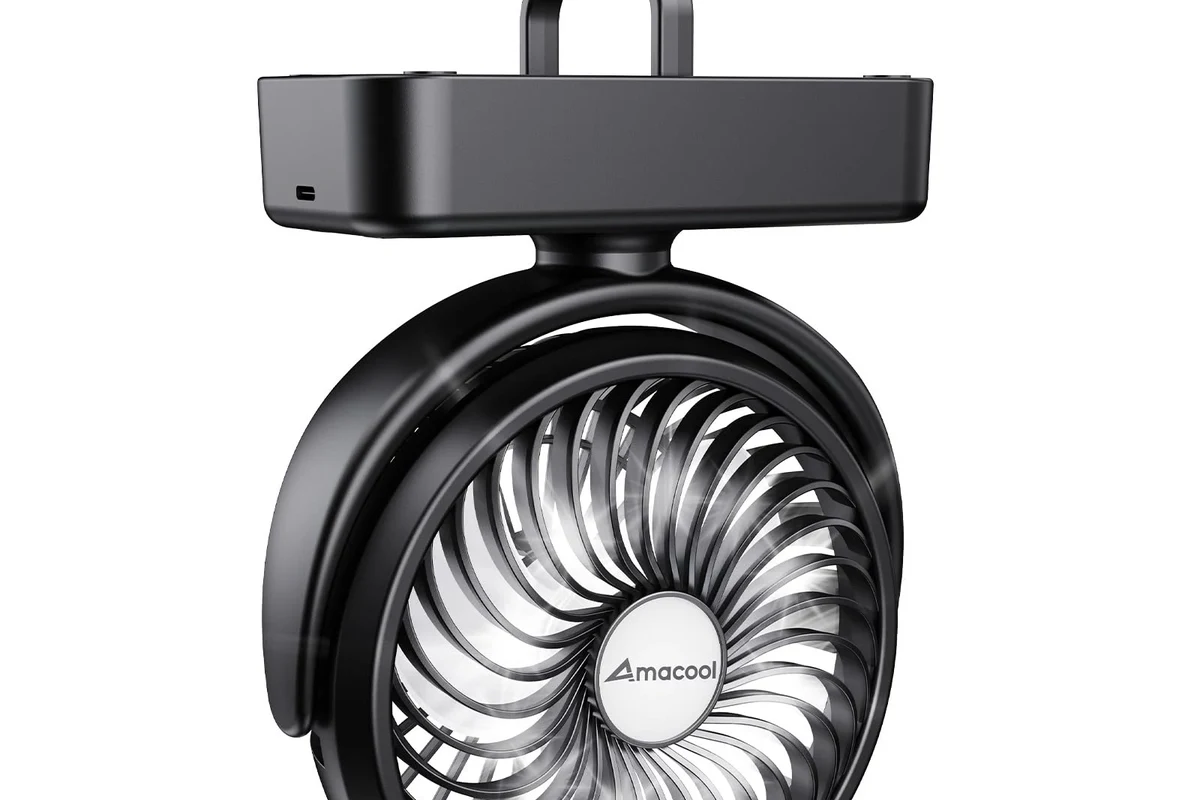
Quick answer: the best camper bunk fan is usually a compact, quiet, clamp-on or clip-on 12V/USB model with adjustable airflow, safe blade guarding, and flexible positioning for tight RV bunks
If you are shopping for a camper bunk fan, start with fit and noise before chasing maximum airflow. In a small sleeping area, a fan that points exactly where you want it often feels better than a larger fan that moves more air but is harder to mount or too loud for sleep.
How a Camper Bunk Fan Works and Why It Matters in Tight Sleeping Spaces
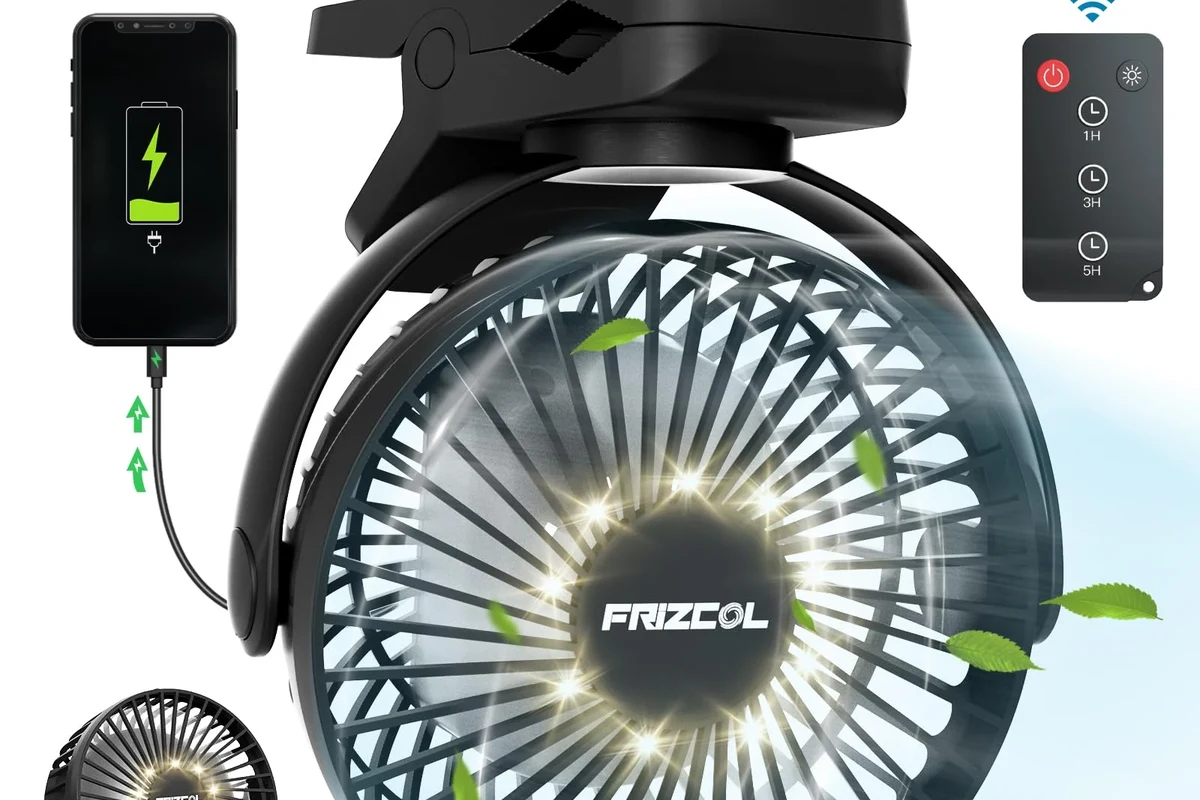
Airflow basics: circulation, evaporative comfort, and reducing hot spots in a bunk area
A camper bunk fan does not usually cool the air itself. Instead, it moves air across your skin, which helps sweat evaporate and makes the space feel cooler, especially in still, enclosed bunks where heat can collect near walls, curtains, and bedding.
That matters because bunk areas often trap warm air more easily than the main cabin. A small fan aimed at the head or torso can reduce the “stuffy pocket” effect that makes sleeping uncomfortable even when the RV’s main air system is on.
Why bunk fans outperform larger ceiling fans for direct, personal cooling
Ceiling fans are good for general circulation, but bunk sleepers usually need targeted airflow. A bunk fan can be positioned close to the body, which gives more noticeable comfort without needing to cool the entire RV.
That personal approach also helps when you are sharing a space. One sleeper may want airflow while another prefers less draft, and a directional bunk fan makes that easier to manage.
What to Look For Before You Buy: Size, Power, Noise, and Mounting Fit
Mounting style: clip-on, clamp-on, magnetic, or freestanding for bunk rails and shelves
The best mounting style depends on where the fan will live. Clip-on and clamp-on models are common for bunk rails, shelves, and bed frames, while magnetic fans can work well only if you have a suitable metal surface and a secure contact point.
Freestanding fans are easier to move, but they can take up precious space on a narrow bunk. In a moving RV, a stable mount is often more important than portability.
Power options: 12V DC, USB, rechargeable battery, or dual-power setups
Power choice affects both convenience and off-grid use. 12V DC fans are often a natural fit for RV electrical systems, USB fans are flexible with power banks and ports, rechargeable battery fans are useful for short runtime needs, and dual-power models can be the most adaptable if the manufacturer supports both modes safely.
Battery life, charging time, and fan speed vary widely by model, battery size, and the speed setting you choose. Check the official product page and manual before assuming a fan will last through the night.
Key specs to compare: fan diameter, rated wattage, airflow levels, noise rating, cord length, and build quality
For a bunk fan, the most useful specs are not always the biggest numbers. A smaller fan with good angle control and a low-speed setting may be more comfortable than a larger model that sounds fine on paper but feels too harsh in a sleeping space.
Best Camper Bunk Fan Types for Different Sleep Setups
Best for kids’ bunks: ultra-quiet, low-speed, enclosed-blade designs
For children’s bunks, the safest practical direction is a fan with a protective grill, stable mounting, and a gentle low setting. The goal is comfortable airflow without a strong draft or easy access to moving parts.
For kids’ sleeping spaces, prioritize enclosed blades, secure mounting, and cords that cannot hang within reach. Never place a fan where bedding, curtains, or loose clothing can touch the moving parts.
Best for adults: stronger airflow with tilt control and wider oscillation
Adults often want more direct cooling and more flexibility. A bunk fan with tilt control can aim air across the face or upper body, while oscillation may help spread airflow if the bunk is shared or the sleeper changes position during the night.
Best for boondocking: low-watt, battery-friendly, or USB-powered models
When you are camping without hookups, power use matters more. Low-watt fans, efficient USB fans, or rechargeable units can be better choices than high-output models that drain batteries faster or require more careful charging planning.
If you boondock often, compare the fan’s lowest speed and charging method as carefully as the top speed. The best off-grid fan is usually the one that stays useful all night without stressing your power setup.
Best for small RVs and vans: slim-profile fans that do not block walking space
In narrow interiors, profile matters as much as cooling. A slim fan that tucks close to the bunk edge can reduce bumps, preserve aisle space, and make the layout feel less cluttered.
Comparison Guide: Which Camper Bunk Fan Offers the Best Value?
Evaluation criteria: cooling performance, noise, safety features, portability, ease of setup, and energy use
Value depends on the kind of camping you do. A family traveler may value quiet operation and safety more than raw airflow, while a boondocker may care most about power efficiency and charging flexibility.
| Option | Best For | Key Consideration |
|---|---|---|
| Clip-on / clamp-on fan | Most bunk setups | Usually the easiest fit if the rail is sturdy |
| USB fan | Travelers with power banks or USB ports | Check cable length and power output |
| Rechargeable fan | Short-term off-grid use | Battery runtime can drop at higher speeds |
| 12V DC fan | RV electrical systems | Confirm connector type and safe adapter use |
Trade-offs to expect: stronger airflow versus battery drain, compact size versus coverage, and quiet operation versus maximum speed
Most bunk fans force a compromise. The strongest fans can be louder and use more power, while the smallest and quietest fans may only feel effective when positioned very close to the sleeper.
That is why the “best” model is usually the one that matches your sleep style. Light sleepers often prefer lower noise and smooth airflow, while hot sleepers may accept more sound in exchange for better cooling.
Transparent verdict: which type is best for budget buyers, families, and off-grid travelers
Budget buyers: a basic clip-on USB fan with a safe guard and simple controls is often the most sensible starting point. Families: a quiet, enclosed-blade clamp-on fan with stable mounting is usually the safest balance. Off-grid travelers: a low-watt 12V or rechargeable model is often the most practical choice, as long as runtime and charging fit your routine.
Setup Guide: How to Install and Position a Camper Bunk Fan Safely
Best placement for direct cooling without blowing dust or causing drafts
Place the fan where it moves air across the body rather than directly into the eyes for hours at a time. A slight angle toward the chest or shoulder often feels more comfortable than pointing it straight at the face.
If the bunk collects dust, avoid aiming the fan in a way that stirs debris from storage pockets, vents, or fabric seams. Gentle circulation is usually enough to improve comfort.
How to secure clips, clamps, cords, and power connections in a moving RV
Use the manufacturer’s mounting method exactly as intended. A clip or clamp should grip a solid surface, and any cord should be routed so it cannot get pinched when the bunk folds, slides, or shifts during travel.
Choose a rail, shelf, or frame section that can support the fan without flexing.
Keep slack controlled and away from hinges, edges, and sleeping areas.
Make sure the bunk can still close, fold, or shift without stressing the fan or cable.
Ventilation and cable-routing tips to avoid pinch points, heat buildup, and trip hazards
Keep the fan away from heat sources, and do not bury the power adapter or battery pack under blankets. If the cord crosses a walkway, secure it so it cannot snag feet or get pulled loose during nighttime movement.
Safety Guide: Limits, Inspection, and Safe Use for Powered Camper Fans
Check rated wattage, adapter compatibility, and power-bank output before use
Before connecting any camper bunk fan, confirm that the power source matches the fan’s requirements. A USB fan depends on the output of the charger or power bank, while a 12V fan may need the correct plug, polarity, or adapter specified by the manufacturer.
Inspect cable quality, plug wear, blade guards, and mounting hardware regularly
Small fans still need routine inspection. Look for loose grills, cracked housings, worn connectors, and clips that no longer hold firmly, especially if the fan is moved often between trips.
Stop using damaged electronics, swollen batteries, frayed cables, overheating chargers, or unstable appliances and follow the manufacturer’s guidance.
Replacement guidance: when to replace frayed cords, weak clips, noisy motors, or damaged guards
If a cord is frayed, a clip no longer grips securely, or the motor starts rattling in a way that was not normal before, replacement is usually the safer choice. A damaged guard is especially important to address because it affects both protection and airflow consistency.
Common mistakes to avoid: overloading outlets, blocking airflow, and leaving rechargeable units on unsafe surfaces
Do not overload a power strip or adapter just because the fan seems small. Also avoid placing a rechargeable fan on soft bedding while charging unless the manufacturer explicitly allows it, since heat buildup and blocked ventilation can become a problem.
Care, Storage, and Troubleshooting for Long-Term Reliability
Cleaning dust from blades, grills, and vents without damaging the motor
Unplug or power off the fan before cleaning. Use a dry or lightly damp cloth for the exterior and follow the manual for grill removal, since some fans are not designed to be opened by the user.
Storage tips for off-season camping: battery care, cord wrapping, and moisture protection
Store the fan in a dry place and wrap the cord loosely to avoid stress near the plug. For rechargeable models, follow the battery storage guidance in the manual, because long-term storage rules can vary by battery type and manufacturer.
Before storing the fan, clean off dust and note any mounting parts or adapters in a small labeled bag. That makes setup easier the next time you travel.
Troubleshooting weak airflow, rattling noise, charging problems, and unstable mounting
Weak airflow can come from a clogged grill, a low battery, a low-power adapter, or a speed setting that is simply too conservative for the room. Rattling often points to a loose guard, worn mount, or debris in the fan housing.
If charging fails, check the cable, power source, and port for wear before assuming the battery is bad. For unstable mounting, move the fan to a sturdier surface rather than trying to force a weak clip to hold more weight than it was designed for.
Final Recommendation: Who Should Buy a Camper Bunk Fan in 2026
Best overall fit for most campers, best budget pick, and best off-grid option based on real-world use needs
For most campers, the best overall camper bunk fan is a compact clamp-on or clip-on model with quiet operation, adjustable tilt, and a guard that feels secure in a tight sleeping area. Budget buyers should look for a simple USB fan that fits the bunk and power setup without adding complexity, while off-grid travelers usually benefit most from a low-watt 12V or rechargeable option that matches their battery plan.
Value check: when a camper bunk fan is worth it and when a larger RV cooling upgrade makes more sense
A bunk fan is worth it when the problem is localized heat, poor air movement, or a cramped sleeping zone that needs personal cooling. If the whole RV stays hot, humidity is high, or your current power setup cannot support even a modest fan comfortably, a larger ventilation or cooling upgrade may solve the problem more effectively.
- Choose fit, noise, and power source before chasing maximum airflow.
- Clamp-on and clip-on fans are usually the most practical for RV bunks.
- Off-grid travelers should verify wattage, runtime, and charging compatibility.
- Safety depends on secure mounting, good cable routing, and regular inspection.
Frequently Asked Questions
A compact clamp-on or clip-on fan is usually the best fit because it is easy to position in a tight bunk area. Look for quiet operation, adjustable airflow, and a secure blade guard.
Choose the power source that matches your RV setup and camping style. 12V works well for many RVs, USB is flexible with power banks and ports, and rechargeable models are useful when you want cordless convenience.
Lower noise is usually better for sleep, but the most comfortable setting depends on the person and the bunk layout. A fan with a quiet low-speed mode is often more useful than one that is only impressive at maximum speed.
A secure mount, protective blade guard, stable housing, and safe cable routing matter most. For kids’ bunks, enclosed blades and cords kept out of reach are especially important.
Check the fan’s size, clamp width, mounting style, and cord length before buying. Also confirm that the bunk can still fold, slide, or close without the fan getting pinched or knocked loose.
Replace it if the cord is frayed, the clip no longer holds, the motor becomes unusually noisy, or the guard is damaged. If the battery swells or overheats, stop using the fan and follow the manufacturer’s safety guidance.