BN Link Smart Plug Setup Guide for Easy Home Automation
If you want a simple way to add app control and scheduling to everyday lamps or small appliances, the bn link smart plug setup process is usually straightforward: plug it in, connect the app, pair it to a 2.4 GHz Wi-Fi network, and name it for easy automation. The main things to verify before you start are device compatibility, outlet clearance, and the power limits of whatever you plan to control.
- Setup basics: Plug it in, use the official app, and connect on 2.4 GHz Wi-Fi.
- Best use cases: Lamps, holiday lights, and other low-risk devices are the safest fit.
- Buy carefully: Check wattage, amperage, outlet clearance, and app requirements first.
- Troubleshoot smartly: Pairing issues often come from router distance or the wrong Wi-Fi band.
- Safety first: Stop using any plug that shows heat, cracks, looseness, or damage.
BN Link Smart Plug Setup: What It Does and Whether It Fits Your Home
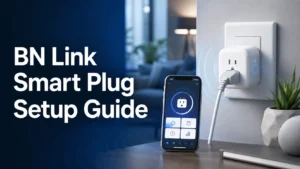
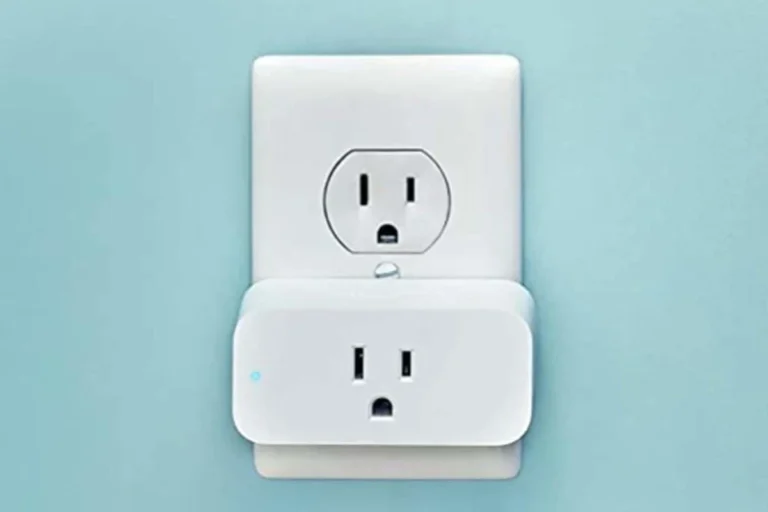
BN Link smart plugs are designed to turn a regular wall outlet into a controllable smart-home device. That means you can often switch devices on or off from a phone, create timers, and tie the plug into a broader automation routine without replacing the appliance itself.
Quick answer: how to set up a BN Link smart plug in minutes
In most cases, setup starts with plugging the device into a wall outlet, installing the manufacturer’s app, and following the pairing prompts while your phone stays on the same 2.4 GHz Wi-Fi network. After pairing, you can rename the plug, assign it to a room, and build schedules or voice-control routines if your model supports them.
Who this guide is for in 2026: renters, beginners, and budget smart-home users
This guide is for people who want a low-cost entry point into home automation without rewiring anything. It is especially useful for renters, students, remote workers, and homeowners who want to automate lamps, fans, or seasonal décor with minimal setup complexity.
If you are building a larger lighting setup, you may also want to compare plug-based control with smart bulbs or smart switches. For broader lighting ideas, see our guides to smart light switches and smart lights for home automation.
How the BN Link Smart Plug Works with Your Home Automation Setup
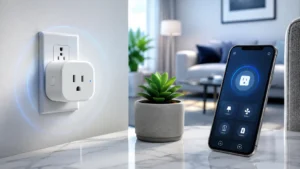
A smart plug sits between the wall outlet and the device you want to control. Once connected, it acts like a remote on/off switch and, depending on the model and app support, may also allow scheduling, countdown timers, and voice assistant integration.
Wi-Fi, app control, voice assistant compatibility, and scheduling basics
Most BN Link-style smart plugs rely on your home Wi-Fi rather than a separate hub. That makes them convenient for beginners, but it also means the plug’s reliability depends on your router, signal strength, and the app version on your phone.
Scheduling is one of the most useful features because it lets you automate repeat tasks, such as turning on a lamp at sunset or powering down a small appliance at bedtime. Voice assistant compatibility can be helpful too, but platform support varies by exact model, app ecosystem, and region, so confirm the current compatibility list before buying.
What to verify before setup: 2.4 GHz network support, app requirements, and outlet placement
Many smart plugs only connect to 2.4 GHz Wi-Fi, not 5 GHz. That matters because a phone may be on a different band than the plug, and some dual-band routers can make pairing confusing if both bands share the same network name.
Also check whether the app requires a specific operating system version, a cloud account, or location permissions for setup. Finally, look at the outlet itself: if the plug is bulky, it may block a second socket or not fit well behind furniture, baseboards, or wall-mounted equipment.
- Confirm the exact model number and the app required for pairing.
- Verify 2.4 GHz Wi-Fi support and any voice assistant compatibility claims.
- Check outlet spacing, plug dimensions, and whether adjacent sockets stay usable.
- Review the rated wattage and amperage for the device you plan to control.
- Read the warranty, return policy, and current safety guidance before installation.
BN Link Smart Plug Setup Step by Step
The setup process is usually simple, but a careful first pass prevents most pairing problems. It also helps to label the plug correctly from the start so you do not confuse it later with other smart devices in the app.
Unboxing and checking the plug, app, and label details
Start by confirming what is included in the box and matching the plug to the manual or quick-start guide. If the product uses a QR code, model number, or region-specific app, make sure those details match the packaging and the retailer listing.
- Smart plug unit
- Quick-start guide or manual
- Any app setup card, QR code, or model label
Before powering it on, inspect the plug for cracks, bent prongs, loose parts, or shipping damage. If anything looks damaged, stop there and follow the seller’s return process or the manufacturer’s support instructions.
Connecting to the app and pairing to Wi-Fi
After plugging in the device, open the official app and follow the pairing prompt for a new device. In many setups, the plug must be in pairing mode before the phone can discover it, which usually means watching for a blinking indicator light or using the reset button sequence described in the manual.
If pairing stalls, move the plug closer to the router for the first connection attempt. Once it is online, you can usually relocate it to its final spot, as long as the Wi-Fi signal remains strong enough.
Naming devices, creating schedules, and grouping plugs for routines
Once the plug is online, give it a clear name such as “Desk Lamp” or “Coffee Station.” Good naming matters because it reduces mistakes when you use voice commands or create multiple automations.
Scheduling is most useful when it matches a real routine, such as waking up, leaving home, or turning lights off at night. If you own more than one smart plug, grouping them by room or activity makes the app easier to manage and can simplify routines later.
Key Specifications and Buying Criteria to Check Before You Buy
Not every smart plug is appropriate for every device. The most important buying criteria are electrical rating, physical size, and software support, because those factors determine whether the plug is safe and practical in your home.
Rated wattage, amperage limits, and what they mean for lamps, fans, and appliances
Always check the plug’s rated wattage and amperage before connecting anything. Those numbers tell you how much electrical load the plug can handle, but the safe choice also depends on the device’s startup surge, duty cycle, and the manufacturer’s own instructions.
Low-power items such as lamps or decorative lights are usually easier fits than high-draw appliances. For anything with a heating element, motor, compressor, or pump, verify the exact compatibility first and avoid assuming that “smart plug compatible” means universally safe.
Dimensions, outlet clearance, and whether the plug blocks adjacent sockets
Physical size matters more than many buyers expect. A plug that is too wide or too deep can block a second outlet, interfere with furniture placement, or press awkwardly against a power strip or wall plate.
If you plan to use the plug in a crowded outlet area, compare the product dimensions with the layout of your room before ordering. This is especially important in bedrooms, behind desks, and near kitchen counters where multiple devices share the same outlet space.
Connectivity, app stability, and warranty details to confirm before purchase
Connectivity quality depends on the router, home layout, and app support as much as the plug itself. Before buying, check whether the manufacturer offers current firmware updates, whether the app is actively maintained, and whether the device supports the platforms you actually use.
Warranty terms also matter because budget smart-home gear can vary widely in support quality. Read the current warranty and return policy carefully, since coverage length and service options may differ by retailer or region.
Real-World Benefits and Best Use Cases for BN Link Smart Plug Owners
A smart plug is most valuable when it removes a small daily annoyance. Instead of making you replace an entire device, it gives existing gear a smarter control layer that can save time and make routines more consistent.
Energy-saving routines, remote control, and convenience for everyday devices
Remote control is one of the biggest conveniences because you can switch devices on or off without walking across the room. That is useful for forgotten lamps, hard-to-reach outlets, or devices you want to shut down after leaving home.
Scheduling can also support energy-conscious habits, though actual savings depend on what you connect and how you use it. A plug cannot make an inefficient device efficient, but it can reduce waste from lights or electronics left on longer than needed.
Best-fit scenarios: lighting, coffee makers, holiday décor, and small home appliances
Smart plugs are often a good fit for table lamps, string lights, seasonal decorations, and other devices that simply need power on or off. They can also be useful for some small appliances if the manufacturer allows external switching and the electrical rating is appropriate.
For lighting-focused setups, you may want to compare plug control with full smart-light ecosystems. Our guides to smart lights and smart lights with remote control can help if you are deciding between bulbs, switches, and plugs.
Limitations, Common Setup Mistakes, and Troubleshooting Tips
Most smart plug problems come from setup assumptions rather than hardware failure. The good news is that many issues can be fixed with a Wi-Fi check, a reset, or a careful review of the app permissions and device settings.
Typical issues: pairing failures, 2.4 GHz network confusion, and router distance
Pairing failures often happen when the phone is on the wrong Wi-Fi band or when the router signal is weak where the plug is located. Some routers also have security settings, guest networks, or band steering features that can complicate first-time setup.
If discovery fails, try moving closer to the router, restarting the app, and confirming that the phone and plug are on a supported network. If the manufacturer’s instructions recommend a specific reset sequence, use that exact method rather than guessing.
Common user mistakes: overloading the plug, using unsupported appliances, and poor placement
One of the most serious mistakes is plugging in a device that draws more power than the smart plug is rated for. Another common issue is using the plug with appliances that are not meant to be remotely switched, such as certain heating devices or equipment with special safety requirements.
Poor placement can also create problems if the plug is tucked behind furniture, pressed against another adapter, or installed where Wi-Fi is unreliable. A smart plug is only useful if it can stay connected and remain accessible for inspection.
How to recover: reset steps, app re-pairing, and checking firmware or permissions
If the plug stops responding, start with the basics: confirm power, check the app, and verify that your router is online. If needed, remove the device from the app, perform the manufacturer’s reset procedure, and pair it again from scratch.
It is also worth checking firmware updates, phone permissions, and account login status. Some devices fail to appear properly when app permissions are restricted or when the app has not been updated in a while.
- Use one plug at a time during first setup so you can identify which device is causing a pairing issue.
- Label the plug in the app immediately after pairing to avoid confusion later.
- Keep the router and plug away from thick walls, metal furniture, or crowded power strips when possible.
Safe Use, Maintenance, and Long-Term Care
Smart plugs are low-maintenance, but they still need periodic inspection. A few simple habits can help keep them reliable and reduce avoidable safety risks over time.
Heat, inspection, and replacement guidance for safe operation over time
Check the plug occasionally for warmth, discoloration, loose fit, or unusual behavior in the app. Mild warmth can be normal depending on the load, but excessive heat, buzzing, or intermittent operation should be treated as a warning sign.
If a plug becomes unreliable or shows visible wear, replace it rather than trying to keep using it indefinitely. For electrical devices, long-term safety is usually more important than squeezing out extra months of use.
Cleaning, storage, and when to retire a smart plug
Cleaning should be limited to dry or slightly damp wiping on the exterior only, with the plug unplugged first. Never allow moisture to enter the outlet pins, button openings, or casing seams.
If you store the plug seasonally, keep it in a dry place with the manual and any setup details. Retire the device if the casing is damaged, the prongs are loose, or the app support is no longer reliable enough for your needs.
How to avoid moisture, extension-cord misuse, and other safety risks
Keep smart plugs away from sinks, bathrooms, outdoor exposure, and other damp environments unless the product is specifically rated for that use. Also avoid stacking adapters or using the plug in ways the manufacturer does not allow, especially with extension cords or power strips that already carry multiple loads.
When a device’s instructions conflict with a clever workaround, follow the instructions. That is the safest approach for any electrical accessory, especially one that sits in continuous use behind furniture or appliances.
Final Verdict: Is the BN Link Smart Plug Setup Worth It in 2026?
For most buyers, the BN Link smart plug setup is worth considering if you want a simple, low-cost way to add automation to lamps, décor, and other compatible devices. It is a practical choice for beginners because the setup is usually approachable, but the real value depends on whether your Wi-Fi, outlet layout, and connected devices fit the plug’s limits.
Ideal user, value for money, and transparent recommendation with alternatives to consider
The ideal user is someone who wants basic smart-home convenience without a hub or major installation work. If you need deeper lighting control, a broader ecosystem, or better support for room-wide automation, it may be smarter to compare plug-based control with dedicated smart lighting or switch solutions before buying.
BN Link smart plugs are a sensible entry-level automation tool for low-risk devices, provided you confirm the electrical rating, 2.4 GHz Wi-Fi support, and outlet fit before setup. If your needs are more advanced or your appliances are high-draw, consider a different smart-home option instead.
Frequently Asked Questions
You usually need the official app, a 2.4 GHz Wi-Fi network, and a compatible outlet. It also helps to confirm the plug’s wattage and amperage limits before connecting a device.
The most common causes are using a 5 GHz network, weak router signal, or incorrect app permissions. Try moving closer to the router and following the reset steps in the manual.
Low-risk devices like lamps, holiday lights, and some small appliances are usually the best fit. Always check the manufacturer’s instructions and the plug’s power rating before use.
It can, depending on the plug’s size and the outlet layout. Check the product dimensions and compare them with your wall socket spacing before buying.
Reset steps vary by model, but they usually involve holding the button or using a specific power-cycle pattern. Use the exact procedure in the manual before trying to pair it again.
It can be safe when used within its rating, kept dry, and inspected regularly for heat or damage. Stop using it if you notice cracks, looseness, overheating, or unstable behavior.