Can You Plug a Smart Plug Into a Power Strip Safely
Affiliate disclosure: As an Amazon Associate, Gadget Makers Blog may earn from qualifying purchases. This does not change the price you pay.
Yes, you usually can plug a smart plug into a power strip, but only if the strip is properly rated and the total load stays within safe limits. The safest setups are low-power devices on a quality strip with enough space, while heaters, air conditioners, and other heavy appliances should stay out of the equation.
- Low-power devices: Lamps, chargers, fans, and routers are usually the safest use cases.
- Check all ratings: Match the smart plug, strip, and device wattage/amperage limits before use.
- Fit matters: Bulky plugs can block outlets or create loose, stressed connections.
- Avoid heavy appliances: Heaters, microwaves, and air conditioners should not go through this setup.
- Replace damaged gear: Heat, fraying, discoloration, or buzzing are reasons to stop using it.
Can You Plug a Smart Plug Into a Power Strip Safely? The Short Answer
In many homes, this setup works fine for lamps, chargers, fans, and other light-duty electronics. The main risk is not the smart plug itself, but overloading the strip, creating heat at the connection point, or placing a high-draw device on a chain of adapters.

Kasa Smart Plug (Energy Monitoring)
Featuring a compact design that won’t block adjacent outlets on your power strip. Includes built-in energy monitoring to keep tabs on your real-time power draw.
How Smart Plugs and Power Strips Work Together
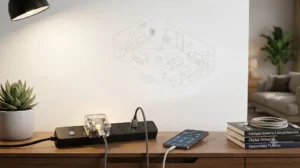
A smart plug is basically a controllable on/off switch for one outlet. A power strip is a multi-outlet extension that may or may not include surge protection, a breaker, or a master switch, so the strip changes both the physical fit and the electrical load your smart plug has to manage.
What a smart plug actually controls
Most smart plugs control power to whatever is plugged into them, either through an app, a voice assistant, or an automation routine. Some models also track energy use, support schedules, or work with platforms like Google Home or Alexa, but those features depend on the exact model and firmware.
Why power strips change the safety equation
When you place a smart plug on a strip, you add another layer of hardware, another set of contacts, and another place where heat or looseness can build up. That does not automatically make the setup unsafe, but it does mean the strip’s rating, the smart plug’s size, and the connected device’s wattage all matter together.
When It Is Usually Safe vs. When It Is Not
The rule of thumb is simple: low-power electronics are usually fine, while high-heat or motor-heavy appliances are not. If you are unsure, check the manual for both the smart plug and the power strip, then compare the device’s power draw against the plug’s and strip’s ratings.
Safe scenarios for low-power devices
Smart plugs on power strips are commonly used for desk lamps, phone chargers, routers, modems, tabletop fans, and small home office accessories. These devices typically draw far less power than appliances, and they are easier to manage with timers or automation.
High-risk setups to avoid
Avoid using this setup with space heaters, portable air conditioners, microwaves, toaster ovens, coffee makers, power tools, or any appliance that already runs near the limit of a circuit. These devices can pull a lot of current, create heat, and increase the chance of overload or nuisance tripping.
Key Safety Specs to Check Before You Plug In
Before you connect anything, read the label on the smart plug, the label on the power strip, and the power rating on the appliance. If any of those numbers are unclear, missing, or conflicting, choose a different setup instead of guessing.
Wattage, amperage, and surge protection ratings
Look for the smart plug’s maximum current rating, often listed in amps, and the maximum wattage it can handle. Then compare that with the strip’s rating and the device’s power draw; the safest setup stays comfortably below the lowest rated component.
Surge protection is useful, but it does not make an overloaded strip safe. A surge-protected strip can help with spikes, yet it still has a finite load limit and should not be treated like extra capacity.
- Check the smart plug’s amperage and wattage rating.
- Confirm the power strip’s total load limit and whether it is surge-protected.
- Verify the connected device’s power draw from its label or manual.
- Leave room for ventilation and avoid covering the strip with rugs, furniture, or cable bundles.
Plug size, outlet spacing, and physical fit
Some smart plugs are bulky and can block adjacent outlets on a narrow strip. If the plug body crowds other sockets, bends the cord sharply, or forces a loose connection, it is a poor fit even if the electrical ratings seem fine.
- Choose a slim smart plug if the strip has closely spaced outlets.
- Keep the smart plug fully seated so the prongs are not under tension.
- Do not stack adapters or use a second strip to “make room.”
App requirements, Wi-Fi compatibility, and smart home ecosystem support
For smart home use, the plug should also match your router band, app requirements, and platform preferences. If you want routines with voice assistants or Google Home, confirm support in the official compatibility list before you buy.
Some plugs require a 2.4 GHz Wi-Fi network, while others support newer standards or hub-based systems. Compatibility can also depend on your phone OS, router settings, regional app availability, and whether the manufacturer still supports the model with updates.
Real-World Uses: Who This Setup Fits Best
This setup is most useful when you want to automate a small cluster of low-power devices without replacing the whole strip. It is less useful when you need one switch to manage a high-draw appliance or when outlet spacing is too tight for the plug body.
Good fits: lamps, fans, chargers, and small home office gear
Desk lamps, LED lighting, small fans, chargers, printers in standby, and networking gear are common candidates. These are the kinds of devices that benefit from schedules, remote control, and energy-saving routines without pushing the electrical limits of the strip.
If your setup is part of a larger lighting plan, it may also help to review whether you want smart control at the bulb level or the outlet level. For a broader home setup, see smart lights for home use and smart lights for home automation to decide which approach fits your room layout better.
Poor fits: heaters, air conditioners, microwaves, and heavy appliances
Anything that produces heat or needs a strong startup surge is usually a bad match. Even if the smart plug technically powers on, the added connection points can create a weak link, and the repeated load may shorten the life of the strip or the plug.
Common Mistakes People Make With Smart Plugs on Power Strips
Most problems come from assuming that “it powers on” means “it is safe.” In reality, safety depends on ratings, fit, heat, and how much total power the strip is already carrying.
Daisy-chaining strips and overloading circuits
Connecting one power strip to another, then adding a smart plug on top, increases the chance of overload and messy cable routing. It also makes it harder to tell what is drawing power, which can delay troubleshooting if a breaker trips.
Using cheap or damaged power strips
Low-quality strips may have loose outlets, weak switches, poor internal protection, or worn cords. If a strip is cracked, discolored, warped, or intermittently cuts power, replace it rather than trying to “fix” the problem with a smart plug.
Ignoring heat, loose connections, and cable strain
Heat is one of the easiest warning signs to miss. If the smart plug, strip, or cable feels warm during normal operation, or if the plug is hanging sideways and pulling on the socket, the connection deserves attention before continued use.

Kasa Smart Plug Power Strip (HS300)
Skip stacking entirely. This certified surge protector features 6 independently controllable smart outlets and 3 USB ports, managing multiple devices cleanly and safely.
How to Set It Up Safely
A careful setup takes only a few minutes, but it should start with ratings and fit rather than app setup. Once the hardware is correct, you can add automations, schedules, and smart-home routines with much less risk.
Step-by-step placement and connection checklist
Monitoring heat, app controls, and automation settings
After installation, watch the setup during the first few uses, especially if the device runs for long periods. In the app, keep automations simple at first, then add schedules or voice control only after you know the plug stays stable on your network.
If your smart home setup includes other connected devices, a stable app and ecosystem matter as much as the hardware. For example, readers building out a room-by-room system may also want to compare outlet control with smart lighting options such as smart lights or smart light switches depending on whether they want to control the bulb, the fixture, or the outlet.
Maintenance, inspection, and replacement guidance
Check the strip and smart plug periodically for dust, discoloration, loose fit, or damaged insulation. Replace any component that shows wear, and review firmware or app updates only through the manufacturer’s official app or support page.
Best Value, Limitations, and Final Recommendation
For most people, a smart plug on a power strip is a practical, low-cost way to automate a few small devices. The value comes from convenience and scheduling, but only when the setup is rated correctly and the physical fit is clean.
When a smart plug is worth it
It is worth it when you want to control one or two low-power items on a desk, shelf, or entertainment area without replacing everything with a full smart strip. It is also a good fit if you already have a reliable strip and only need remote on/off control for a single load.
When a smart power strip is the better choice
A smart power strip is usually better if you need multiple controllable outlets, USB charging, or better cable management in one place. It can also reduce clutter when a single smart plug would block neighboring sockets or force awkward adapter stacking.