Smart Locker Systems for Reverse Logistics Returns Management
Smart locker systems help reverse logistics by automating return drop-offs, improving tracking, and reducing staff bottlenecks. They are most useful when return volume is steady and the locker fits your package sizes, software needs, and service plan.
Smart locker systems can make reverse logistics and returns management faster, cleaner, and easier to track by giving shoppers and staff a secure place to drop off items without waiting in line. They are most useful when a business wants better return control, fewer missed pickups, and more predictable handoffs across retail, property, or carrier networks.
- Best fit: Sites with steady return traffic, clear user groups, and frequent staffed-handling bottlenecks.
- Main value: Faster check-ins, better chain of custody, and fewer failed pickup attempts.
- Buy carefully: Verify compartment sizes, access methods, network support, and service terms before signing.
- Common limits: Oversized returns, low-traffic locations, and complex exception handling can reduce value.
Smart Locker Systems for Reverse Logistics Returns Management: What They Are and Why They Matter

In simple terms, a smart locker return system replaces a messy handoff with a controlled one. A customer gets a code, QR label, or app prompt, places the return in an assigned compartment, and the system records the event so the item can be routed to the right next stop.
Direct answer: how smart lockers streamline returns, reduce friction, and improve reverse logistics
Smart lockers streamline returns by automating check-in, reducing staff handling, and creating a cleaner chain of custody from drop-off to pickup. They also help reverse logistics teams sort items sooner, since each return can be authenticated, logged, and routed without relying on a counter agent or a missed doorstep pickup.
Who benefits most in 2026: retailers, carriers, property managers, and shoppers
Retailers benefit when they need fewer in-store return bottlenecks and better visibility into returned inventory. Carriers benefit when they can consolidate pickups and reduce failed collection attempts, while property managers and campus operators gain a secure amenity that can serve residents, students, or tenants with minimal front-desk involvement.
Shoppers usually benefit from longer drop-off windows, less waiting, and fewer back-and-forth trips. For many users, the biggest advantage is convenience: a return that fits into a commute, lunch break, or evening routine instead of a narrow staffed window.
How Smart Locker Returns Management Works in Practice
The exact workflow varies by platform, but most systems follow the same basic sequence: create the return, verify the user, accept the parcel, record the handoff, and move the item to the next processing point. The locker becomes the physical checkpoint, while the software handles identity, routing, and status updates.
End-to-end flow: label generation, drop-off, authentication, scan, routing, and pickup
A typical return starts when the customer initiates a return through a retailer portal or carrier app and receives a label, QR code, or access token. At the locker, the user authenticates, opens the assigned compartment, deposits the item, and the system scans or logs the event before notifying the next operator in the chain.
From there, the item may be collected by a carrier, transferred to a backroom, or sent to a sorting hub for inspection, restocking, repair, or disposal. The more tightly the software connects those steps, the less manual reconciliation is needed later.
The retailer or carrier issues a return ID, label, or QR code tied to the order.
The user scans, taps, or enters a code so the system can open the correct compartment.
The software records time, location, compartment ID, and return status for audit purposes.
Core components: locker hardware, cloud software, mobile app, QR/barcode access, and carrier integration
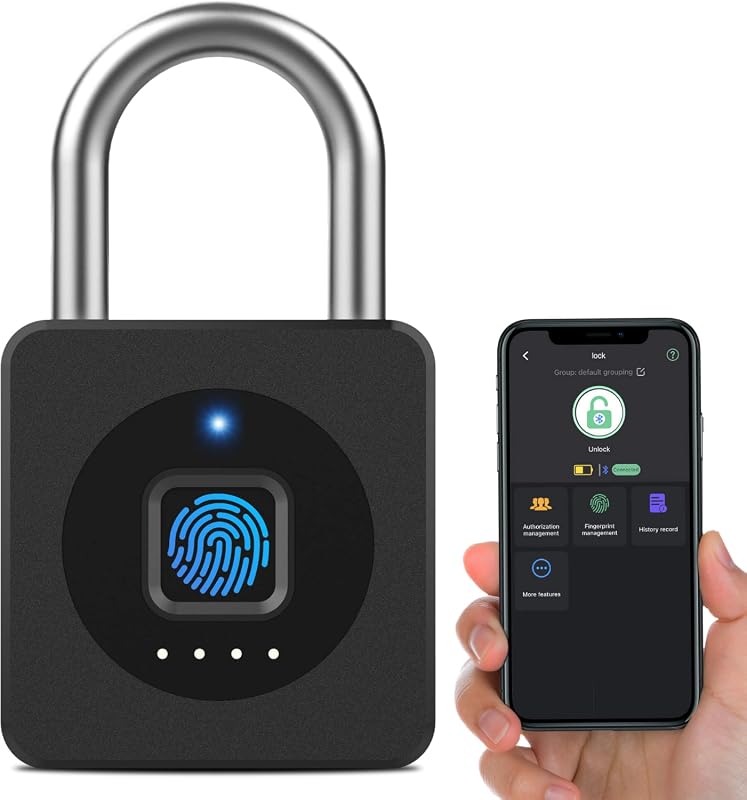
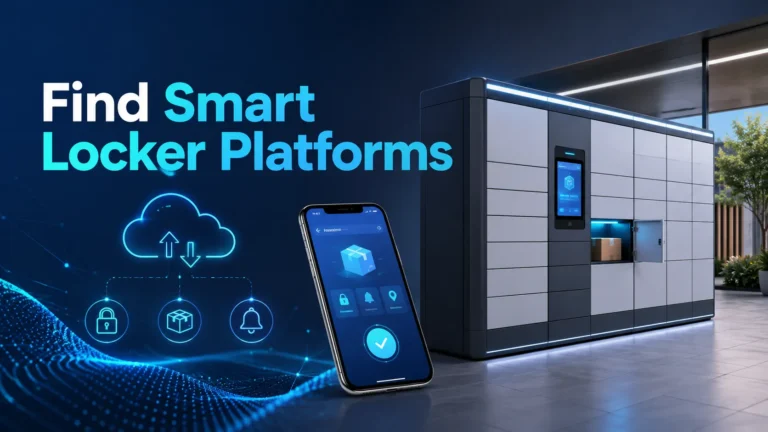
The hardware includes the locker cabinet, doors, locks, sensors, and power system. The software usually lives in the cloud and manages user accounts, access rules, analytics, and alerts, while the mobile app or web portal gives shoppers and staff a simple way to interact with the system.
Barcode and QR access are common because they are easy to issue and scan, but some systems also support PINs, NFC taps, or staff credentials. Carrier integration matters because it lets the locker talk to shipping, routing, and tracking systems instead of acting like a standalone mailbox.
Feature names vary by vendor. Before buying, confirm whether the platform supports your retailer software, courier API, identity workflow, and any required return labels or authentication method.
Connectivity requirements: Wi‑Fi, cellular backup, NFC, and API compatibility
Most smart locker systems need reliable internet access for authentication, status updates, and remote administration. Wi‑Fi is common indoors, but cellular backup is valuable when uptime matters or the locker sits in a place where local network reliability is inconsistent.
NFC can simplify tap-based access in some deployments, though it is not universal. API compatibility is just as important as the radio hardware because reverse logistics often depends on how well the locker can exchange data with a retailer, carrier, or property management platform.
Key Specifications and Decision Criteria to Compare Before Buying
Buying a smart locker for returns is less about one flashy feature and more about fit: physical size, security, durability, software control, and long-term service. The wrong model can create bottlenecks, while the right one can quietly reduce labor and improve throughput.
Locker dimensions, compartment sizes, modular expansion, and installation footprint
Start with the packages you expect most often. A locker that is too small creates rejected returns and frustrated users, while one that is too large wastes space and can increase cost without improving throughput.
Modular expansion is helpful if return volume may grow over time, especially in multifamily housing, campuses, or retail chains. Also check the installation footprint, including clearance for doors, service access, power, and any required wall or floor mounting.
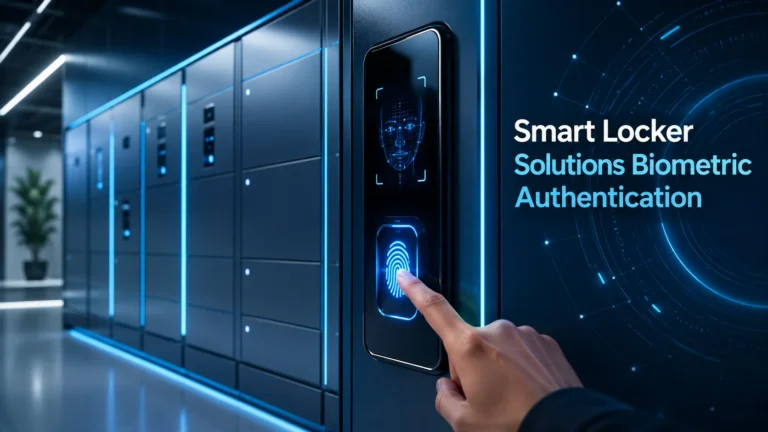
Security features: tamper detection, access logs, surveillance compatibility, and audit trails
Security is not just about keeping items from being stolen. It is also about knowing who opened what, when it happened, and whether the compartment was accessed correctly.
Look for tamper detection, event logging, and audit trails that can be reviewed later if a package goes missing or a return is disputed. Surveillance compatibility can be useful in public areas, but it should complement, not replace, strong access control and software logging.
Durability and environment: indoor vs. outdoor use, weather rating, materials, and temperature limits
Indoor lockers are easier to place and maintain, but outdoor models need stronger weather protection, better corrosion resistance, and more attention to temperature limits. Manufacturer claims about weather rating or environmental tolerance should be checked carefully because performance can vary by model and installation site.
Materials matter too. Powder-coated steel, sealed electronics, and protected cable routing can improve longevity, but only if the system is installed in a location that matches the product’s intended use.
Do not install or operate a locker in a way that blocks exits, creates a trip hazard, or exposes electronics to water beyond the unit’s rated environment. If a unit shows physical damage, repeated lock failures, overheating, or electrical issues, stop using it and follow the manufacturer’s service guidance.
Software requirements: app support, admin dashboard, user permissions, analytics, and update policy
The software should do more than open doors. A good platform gives admins control over permissions, pickup windows, alert thresholds, and reporting, while also making the user experience simple enough that people do not need help at the locker.
Analytics are especially useful in reverse logistics because they show peak return times, compartment utilization, and failed access attempts. Also verify the update policy: if the vendor pushes firmware or app changes, you want a clear support path and a reasonable maintenance schedule.
Warranty, service contract, and replacement-part availability to verify
Before you buy, confirm what the warranty covers, how long it lasts, and whether onsite service is included or billed separately. Replacement-part availability matters more than many buyers expect, because a single failed lock, sensor, or controller board can affect throughput if parts are slow to arrive.
For commercial deployments, the service contract can matter as much as the hardware itself. Ask whether support includes remote diagnostics, software updates, spare parts, and response-time commitments.
Real-World Benefits for Reverse Logistics Returns Management
The strongest case for smart lockers is operational consistency. When a return process is standardized, staff spend less time improvising, and customers are less likely to abandon the process because it feels confusing or slow.
Faster returns processing and fewer failed pickup attempts
Because returns are deposited at a controlled point, they can be processed sooner than items left at a desk, in a bin, or at a missed doorstep pickup. That reduces the lag between return initiation and actual inventory movement.
It also lowers the chance of failed pickup attempts, especially in buildings or campuses where access timing is hard to coordinate. A locker gives carriers and staff a more predictable handoff window.
Lower labor costs, reduced counter congestion, and better customer convenience
Smart lockers can reduce the number of employees needed to handle routine returns, especially during peak periods. That can free staff for higher-value tasks such as exception handling, restocking, or customer support.
For shoppers, the benefit is often a shorter wait and less friction. If you want to see how similar automation affects the home, our guide to smart light switches shows how simple control layers can reduce routine effort in everyday spaces.
Improved chain of custody, fewer lost packages, and cleaner return data
Every scan, code entry, and compartment event creates a data point. That makes it easier to trace where a return went, who handled it, and when it changed status.
Cleaner data also helps finance, inventory, and customer service teams reconcile returns faster. In practice, that can mean fewer disputes and fewer “where is my return?” follow-ups.
Potential sustainability gains through route consolidation and fewer redelivery miles
Smart lockers can support route consolidation by clustering returns into one pickup point instead of many scattered handoffs. When carriers can collect multiple returns in a single stop, they may reduce repeated miles and unnecessary redelivery attempts.
The sustainability upside depends on route design, site density, and how often the locker is actually used. A well-placed locker with steady utilization has a better chance of helping than a rarely used one.
Many smart locker platforms are designed to handle both deliveries and returns, but the software rules for each workflow can be different, so return settings should be verified separately.
Limitations, Trade-Offs, and Evidence Gaps
Smart lockers are useful, but they are not a universal fix. Their value depends on volume, package mix, staffing model, and how well the system integrates with the rest of the return workflow.
Where smart lockers can underperform: low-volume sites, oversized items, and complex returns
Low-volume locations may not generate enough return activity to justify the hardware, software, and maintenance overhead. Oversized or awkward items can also be a problem if the locker compartments do not fit the most common return sizes.
Complex returns are another weak spot. Items that need inspection, special labeling, hazardous handling, or manual exception processing may still require a staffed desk or backroom workflow.
Operational constraints: peak-hour bottlenecks, maintenance needs, and network dependency
Even good lockers can bottleneck during peak periods if too many people try to use them at once. That is why capacity planning matters as much as software features.
Maintenance is easy to ignore until a lock jams or a sensor misreads a compartment state. Because these systems depend on connectivity, network outages can also interrupt access, logging, or remote support unless there is a backup plan in place.
Evidence limitations: why performance varies by retailer, carrier mix, and location
Results are not identical across every deployment. A locker that works well in a dense apartment complex may perform very differently in a suburban retail lot or a transit hub with unpredictable traffic.
Carrier mix also matters because not every logistics partner uses the same labels, scan events, or handoff rules. That is why vendors’ claims should be checked against your own return volume, location layout, and software stack before you commit.
Who Smart Locker Systems Fit Best and Who Should Skip Them
The best buyers are the ones with enough volume and coordination needs to benefit from automation, but not so much complexity that a locker becomes one more exception to manage. Fit is mostly about workflow, not just hardware.
Best-fit use cases: multifamily housing, campuses, retail chains, transit hubs, and mixed-use properties
Multifamily housing and campuses often have steady traffic and clear user groups, which makes locker access easier to manage. Retail chains and mixed-use properties can also benefit because they tend to have repeat return patterns and enough volume to keep utilization healthy.
Transit hubs can be a strong fit when they already serve as natural pickup and drop-off points. For related smart-home planning ideas, see our guide to smart lights for home automation and how centralized control can simplify shared spaces.
Less suitable scenarios: highly irregular returns, bulky goods, or low-traffic locations
If returns are rare, wildly inconsistent, or often too large for standard compartments, a locker may be more trouble than it is worth. In those cases, a staffed desk or scheduled pickup can be simpler and cheaper to operate.
Sites with very low foot traffic also struggle to justify the investment because utilization stays low. A locker that sits empty most of the day is not doing much to improve reverse logistics.
Buyer profiles: enterprise operations teams, facilities managers, and omnichannel retailers
Enterprise operations teams usually care about throughput, reporting, and integration. Facilities managers focus more on placement, maintenance, and day-to-day reliability, while omnichannel retailers need a system that fits both customer convenience and inventory control.
If you are comparing smart lockers with other connected-home infrastructure, it can help to review how your existing systems handle access, automation, and app management. Our overview of Google Home-compatible smart lights is a good example of how ecosystem fit can matter as much as hardware specs.
Setup, Safe Use, and Maintenance Guide for Long-Term Reliability
Long-term success depends on installation quality and routine upkeep. Even a strong locker platform can become frustrating if it is placed poorly, configured badly, or left without regular checks.
Installation basics: power source, mounting, network setup, and environmental placement
Start by confirming power, mounting, and network needs before the unit arrives. The locker should be placed where users can reach it easily, service staff can access it safely, and cables or enclosures are protected from damage.
Environmental placement matters too. Avoid locations with standing water, direct exposure beyond the unit’s rating, or heavy obstruction that makes scanning and door access awkward.
Safe use and access control: user authentication, privacy practices, and tamper response
Use strong authentication rules and limit access to the people who need it. For shared properties, that usually means role-based permissions for residents, staff, carriers, and administrators.
Privacy practices matter because locker logs can reveal usage patterns. Review the vendor’s data handling, retention, and admin access settings, and use official app and account security tools such as strong passwords and two-factor authentication where available.
Maintenance checklist: cleaning, inspection, latch checks, firmware updates, and sensor calibration
- Clean touch points, screens, and compartment edges regularly so scans and access prompts stay reliable.
- Inspect doors, latches, hinges, and seals on a schedule instead of waiting for a failure.
- Apply firmware and app updates through the official vendor process only, and review release notes before rollout.
- Recheck sensors and access logs after maintenance so the system still reports compartment status correctly.
Common mistakes to avoid: poor sizing, weak connectivity, ignored alerts, and delayed servicing
Poor sizing is the most common planning mistake because it creates a mismatch between locker capacity and real return volume. Weak connectivity can be just as damaging because it interrupts authentication, notifications, and remote diagnostics.
Ignored alerts and delayed servicing turn small issues into downtime. If the system reports repeated lock faults, scan failures, or communication errors, treat them as maintenance tasks rather than nuisance messages.
Value, Alternatives, and Final Recommendation
The right way to judge a smart locker is by total workflow value, not just the cabinet itself. If it reduces labor, improves customer experience, and keeps returns moving, it can be a strong operational upgrade.
How to judge ROI: throughput, labor savings, customer satisfaction, and utilization rate
ROI usually comes from four places: faster processing, fewer staffed interactions, better customer convenience, and better use of space. Utilization rate is especially important because a locker that is frequently used spreads its cost across more returns.
Before buying, ask how many returns per day the site handles, how often pickups fail, and how much staff time is spent on routine handoffs. Those numbers will tell you more than a polished feature list.
Alternatives to consider: staffed return desks, parcel lockers, scheduled pickups, and hybrid models
Staffed return desks still make sense when items are complex, high-value, or frequently oversized. Parcel lockers can work well for simpler drop-offs, while scheduled pickups may be better for low-volume or bulky returns.
Hybrid models are often the most practical option. A locker can handle standard returns while a staffed desk handles exceptions, damaged goods, or special cases.
Smart locker systems are worth serious consideration for reverse logistics returns management when you need secure handoffs, better tracking, and less front-desk congestion. They are less compelling for low-volume sites or highly irregular returns, so the best choice is the one that matches your package mix, connectivity, and service capacity.
Frequently Asked Questions
It is a secure locker setup that automates return drop-off, access control, and tracking. The system logs each handoff so retailers and carriers can route items more efficiently.
Retailers, carriers, property managers, and shoppers all benefit in different ways. The biggest gains usually come where return volume is steady and staffed handoffs are a bottleneck.
Check compartment sizes, access methods, network support, software features, warranty terms, and service availability. You should also confirm compatibility with your return labels, carrier systems, and site layout.
Some models are designed for outdoor use, but you should verify the weather rating, temperature limits, materials, and installation requirements. Indoor units should not be treated as outdoor-ready unless the manufacturer says so.
They can be expensive, require maintenance, and depend on reliable connectivity. They also work less well for oversized, irregular, or highly complex returns.
Look at throughput, labor savings, customer convenience, and utilization rate. If the locker reduces bottlenecks and fits your return mix, it is more likely to deliver value.