Find Smart Locker Platforms Compatible with SAP or Workday Integration
If you need a smart locker platform that can connect with SAP or Workday, the best choice is usually the one that supports clean identity syncing, reliable audit trails, and simple admin workflows. In practice, that means checking whether the locker vendor offers native connectors, API access, or middleware support before you compare hardware.
- Integration first: Confirm whether the platform uses a native connector, API, or middleware before comparing hardware.
- Workflow fit: Match the locker system to your HR or enterprise source of truth for onboarding.
- Hardware matters: Verify dimensions, compartment mix, connectivity, and power requirements so the unit fits your site.
- Security and logging: Prioritize role-based access, detailed audit trails, and clear admin permissions.
- Budget realistically: Include software subscriptions, implementation, maintenance, and scaling costs in the total cost of ownership.
Find Smart Locker Platforms Compatible with SAP or Workday Integration: What to Look For First
Start with the integration path, not the cabinet design. A platform can look modern and still fail your rollout if it cannot sync employee records, permissions, or asset checkouts in a way your HR or IT team can maintain.
The most important question is whether the locker system can fit into your existing identity and HR processes without manual re-entry. If your organization already uses SAP for enterprise workflows or Workday for HR operations, the locker software should map to those systems cleanly instead of forcing a separate user database.
- Check compatibility with your SAP or Workday environment, including version, module, and integration method.
- Confirm locker dimensions, compartment mix, app requirements, power needs, and network access.
- Review security controls, audit logs, warranty terms, support SLAs, and update policy.
Choose a platform that fits your HR or IT workflow first, then confirm the cabinet size, access method, and deployment requirements.
How Smart Locker Platforms Integrate with SAP and Workday
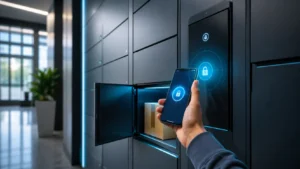
Smart locker integrations usually sit between the locker software and your business systems. The locker platform may receive user data from HR, identity, or asset systems, then use that data to grant access, track usage, and record events.
Common integration methods: API, middleware, SSO, and HRIS workflows
Many platforms connect through APIs, which let software systems exchange data directly. This is often the cleanest option when your IT team wants more control over field mapping and event handling.
Middleware is common when the locker vendor does not offer a direct connector for your exact SAP or Workday setup. In that case, an integration layer can translate employee, department, and asset data between systems. Single sign-on can also help users access locker portals with the same credentials they already use for workplace apps.
HRIS workflows matter when the locker system should react to employee lifecycle events. For example, when someone joins, changes departments, or leaves, the system may automatically assign, remove, or update locker access based on approved rules.
What data usually syncs: user access, provisioning, audit logs, and asset records
The most useful sync points are usually user access and provisioning. That means the platform can create or remove locker permissions automatically instead of relying on manual admin work.
Audit logs are just as important. A useful system should record who opened which locker, when it happened, and whether the transaction was successful. Asset records may also sync if the locker is used for laptops, tools, uniforms, or shared devices.
For many teams, the real value is not just opening a door. It is having a reliable record that connects a person, a locker event, and an item or department in a way that supports reporting and accountability.
Who These Platforms Fit Best in 2026
These platforms are best for organizations that need shared access control at scale. If you only need a simple package locker for a home entryway, SAP or Workday integration is usually unnecessary.
Best use cases: hybrid offices, hospitals, universities, warehouses, and coworking spaces
Hybrid offices use smart lockers to manage laptops, monitors, badges, and personal items for people who are not in the office every day. Hospitals and clinics may use them for controlled handoff of supplies, devices, or uniforms, where traceability matters.
Universities and coworking spaces often need flexible access for rotating users. Warehouses and distribution sites may care more about tool checkout, shift-based access, and durable hardware that can handle frequent use.
If your site has multiple user groups, a platform that supports role-based access and automated provisioning can reduce front-desk work and cut down on manual errors.
When SAP integration matters more than Workday, and vice versa
SAP integration tends to matter more when the locker system must connect to broader enterprise operations, asset management, or procurement workflows. This is common in larger organizations with existing SAP-based processes.
Workday integration often matters more when the locker system is tied to employee onboarding, offboarding, transfers, or location-based access. If your main goal is to keep locker permissions aligned with HR status, Workday may be the better anchor system.
The right choice depends on which platform is your source of truth. If HR owns access decisions, Workday may lead. If operations or IT owns asset control, SAP may be the more important integration point.
Key Specifications and Decision Criteria to Compare
Once compatibility is confirmed, compare the physical and operational details that affect daily use. This is where many buyers discover that a “compatible” platform still does not fit their space, user flow, or security requirements.
Locker size, compartment mix, and physical dimensions to verify
Check the exact external footprint, internal compartment sizes, and door swing or clearance needs. Some systems offer mixed compartment sizes for phones, laptops, bags, or equipment, while others are built around one standard module.
Also verify whether the locker can be expanded later. A system that supports modular growth may be easier to scale than a fixed cabinet that forces a full replacement when demand increases.
Connectivity and app requirements: Wi‑Fi, Ethernet, Bluetooth, RFID, and mobile access
Connectivity can determine whether the platform is stable in your building. Ethernet is often preferred for fixed installations, while Wi‑Fi may be easier to deploy but more dependent on local signal quality.
Some systems also support Bluetooth, RFID badges, or mobile access through a vendor app. These options can improve convenience, but they also add compatibility questions around phone operating systems, badge systems, and network policies.
Native connector, API, middleware, or custom workflow
Mobile app, badge, RFID, PIN, SSO, or mixed access
Power, network, mounting, and admin setup requirements
Security features, compliance support, and audit trail depth
Look for role-based permissions, encrypted communication where offered, and detailed event logs. The depth of the audit trail matters because some systems only show basic open/close history, while others track user identity, item assignment, failed attempts, and admin actions.
Compliance support varies by vendor and region, so do not assume a locker platform is compliant just because it integrates with enterprise software. If your workplace has privacy, healthcare, education, or records-retention requirements, confirm the vendor’s documentation and legal terms directly.
Deployment needs: power, mounting, network access, and administrator setup
Smart lockers are not just software purchases. You need to plan for power, cable routing, wall or floor mounting, network access, and the administrator roles that will maintain the system after launch.
Some installations are straightforward, while others need IT involvement for VLANs, firewall rules, badge integration, or identity mapping. If your building has weak wireless coverage or limited cabling options, that should affect your platform choice early.
Top Benefits, Limitations, and Real-World Trade-Offs
The biggest benefit of a well-integrated locker platform is reduced manual work. The biggest risk is overestimating what the software can do without enough setup, testing, or process ownership.
Operational gains: faster provisioning, fewer lost items, and better asset visibility
When integration works well, new users can be provisioned faster and access can be removed promptly when roles change. That reduces delays for onboarding and lowers the chance that former employees keep access longer than intended.
For shared devices and tools, better visibility can reduce lost-item problems and make it easier to see where assets were last checked out. That can be especially useful in offices with hybrid schedules or in facilities with multiple shifts.
Common limitations: integration complexity, licensing costs, and vendor lock-in
Integration can get complicated when your HR data, identity provider, and locker software all use different field names or approval rules. A platform may technically connect, but still require custom mapping and ongoing support to keep it reliable.
Licensing and implementation costs can also rise once you add connectors, analytics, or premium support. Vendor lock-in is another concern if your locker hardware depends on one software ecosystem for access control and reporting.
- Automates access and reduces manual admin work
- Improves traceability for shared items and assets
- Can support hybrid, multi-site, or role-based workflows
- Integration setup may require IT or middleware support
- Ongoing software fees can add up over time
- Some systems are harder to migrate later
Practical evidence limits: what vendor claims to verify before buying
Do not rely only on marketing phrases like “seamless integration” or “enterprise ready.” Ask for the compatibility list, current documentation, and any supported workflows that match your exact use case.
It also helps to verify update cadence, support channels, and whether the connector is maintained by the vendor or a third party. If the platform depends on a partner app, confirm what happens if that partner changes or discontinues support.
How to Evaluate Value, Pricing, and Total Cost of Ownership
Value is not only the cabinet price. For smart locker systems, software, installation, support, and future scaling often matter as much as the hardware itself.
Upfront hardware costs versus software subscriptions and implementation fees
Compare the full package, not just the locker unit. Hardware may be only one part of the spend, while software subscriptions, onboarding, integration work, and admin training can change the real budget substantially.
If a vendor offers tiered software plans, check which features are essential for SAP or Workday workflows. Sometimes the integration you need sits behind a higher tier or a separate implementation quote.
Maintenance, replacement parts, warranty terms, and support SLAs to check
Ask how warranty coverage works for locks, controllers, readers, screens, and power components. Support response time can matter more than the warranty length if the locker is used daily in a busy workplace.
Replacement parts availability is worth checking too. A platform with long lead times for a failed reader or door component can cause more disruption than a slightly more expensive system with better service coverage.
Hidden costs: installation, network upgrades, training, and future scaling
Hidden costs often show up in installation labor, network improvements, or extra work for IT and facilities teams. Training also matters because admins, front-desk staff, and end users may all need different instructions.
Think ahead about growth. If the first deployment works well, can you add more lockers, more users, or more sites without replacing the software stack?
Varies by vendor, scale, and integration scope
Setup, Safe Use, and Ongoing Maintenance
A successful rollout depends on planning, permissions, and routine upkeep. Even a strong platform can become frustrating if it is installed without proper testing or maintenance ownership.
Implementation checklist: pilot rollout, user roles, permissions, and testing
Start with a pilot if possible. Test a small group of users, a few locker types, and the exact SAP or Workday workflow you plan to use before expanding sitewide.
Define user roles clearly. Admins, supervisors, IT, and end users should each have only the access they need. Then test onboarding, offboarding, resets, failed access, and exception handling so the process is clear before launch.
Safe operation and storage: access control, emergency override, and physical placement
Place lockers where they are visible, accessible, and protected from damage. Avoid locations with water exposure, extreme heat, or constant impact from carts and doors.
Emergency override procedures should be documented and limited to authorized staff. If the platform includes battery-powered or electronically controlled components, follow the manufacturer’s instructions for power loss and backup access.
Routine care: cleaning, inspection, lock testing, firmware updates, and damage reporting
Routine care should include cleaning touchpoints, checking hinges and doors, and confirming that locks and readers still respond properly. Firmware and software updates should be applied through official vendor channels, with change logs reviewed before deployment when possible.
Set a simple damage-reporting process so users can flag stuck doors, broken readers, or unusual behavior quickly. Small issues are easier to fix before they become downtime.
Common Mistakes and Troubleshooting Tips
Most locker integration problems come from mismatched data, weak permissions, or poor network planning rather than the cabinet itself. The good news is that many of these issues can be prevented with better setup and documentation.
Integration mistakes: mismatched fields, weak permissions, and incomplete workflows
A common mistake is failing to align fields between systems. For example, employee IDs, department names, or location codes may not match exactly between SAP, Workday, and the locker platform.
Another issue is giving too many users admin rights. If permissions are too broad, you can create security gaps and make troubleshooting harder. Incomplete workflows are also a problem when onboarding works but offboarding or transfers do not.
Hardware issues: connectivity drops, jammed doors, power problems, and sensor failures
If lockers disconnect often, check network stability, signal strength, cabling, and power first. For jammed doors or inconsistent reads, inspect the door alignment, reader placement, and whether the unit needs service under the manufacturer’s support process.
Sensor failures may show up as false occupancy readings or missed open/close events. In those cases, verify whether the issue is hardware, firmware, or a configuration problem before assuming the whole system is defective.
How to choose the right platform and final recommendation for 2026
The best platform is the one that matches your source of truth, your site layout, and your admin capacity. If HR drives access decisions, prioritize Workday-friendly workflows; if operations or enterprise systems drive the process, look harder at SAP-oriented integration and reporting.
For most buyers, the safest choice is a platform with a documented integration method, clear audit logs, modular hardware, and support that can explain exactly how the connector works. If a vendor cannot show how it handles provisioning, revocation, and logging in your environment, keep looking.
Frequently Asked Questions
Check the exact integration method, supported data fields, access methods, and audit logging. Also confirm hardware dimensions, power, network needs, warranty, and support terms.
Some do, but others rely on API connections, middleware, or partner-built connectors. Always verify whether the integration is native, custom, or limited to specific modules or workflows.
It depends on which system is your source of truth. Workday often fits HR-driven onboarding and offboarding, while SAP may matter more for broader enterprise or asset workflows.
Verify compartment sizes, external footprint, access methods, connectivity, and installation requirements. Those details determine whether the platform fits your space and daily workflow.
Run a small pilot first and test onboarding, transfers, deactivation, and exception handling. Make sure field names, permissions, and approval steps match across your systems.
Clean touchpoints, inspect doors and readers, test locks, and apply official firmware updates. Report damage quickly and stop using any component that overheats, jams, or shows visible wear.