Best Diving Mask with Camera for Underwater Adventures
A diving mask with camera is best for casual snorkelers, travelers, and creators who want simple hands-free underwater recording. Choose based on fit, waterproof reliability, battery life, and storage support rather than resolution alone.
A diving mask with camera is a smart pick for snorkelers, casual divers, and travel creators who want simple hands-free underwater recording. The best choice balances fit, waterproof reliability, battery life, and video quality rather than chasing the highest resolution on the box.
- Fit first: A secure seal matters more than extra camera features.
- Check the limits: Verify depth rating, battery life, and storage support before buying.
- Best use case: Hands-free clips for snorkeling, travel, and casual content.
- Know the trade-offs: Bulk, fogging, and battery drain are common.
Best Diving Mask with Camera: Quick Answer and What to Expect
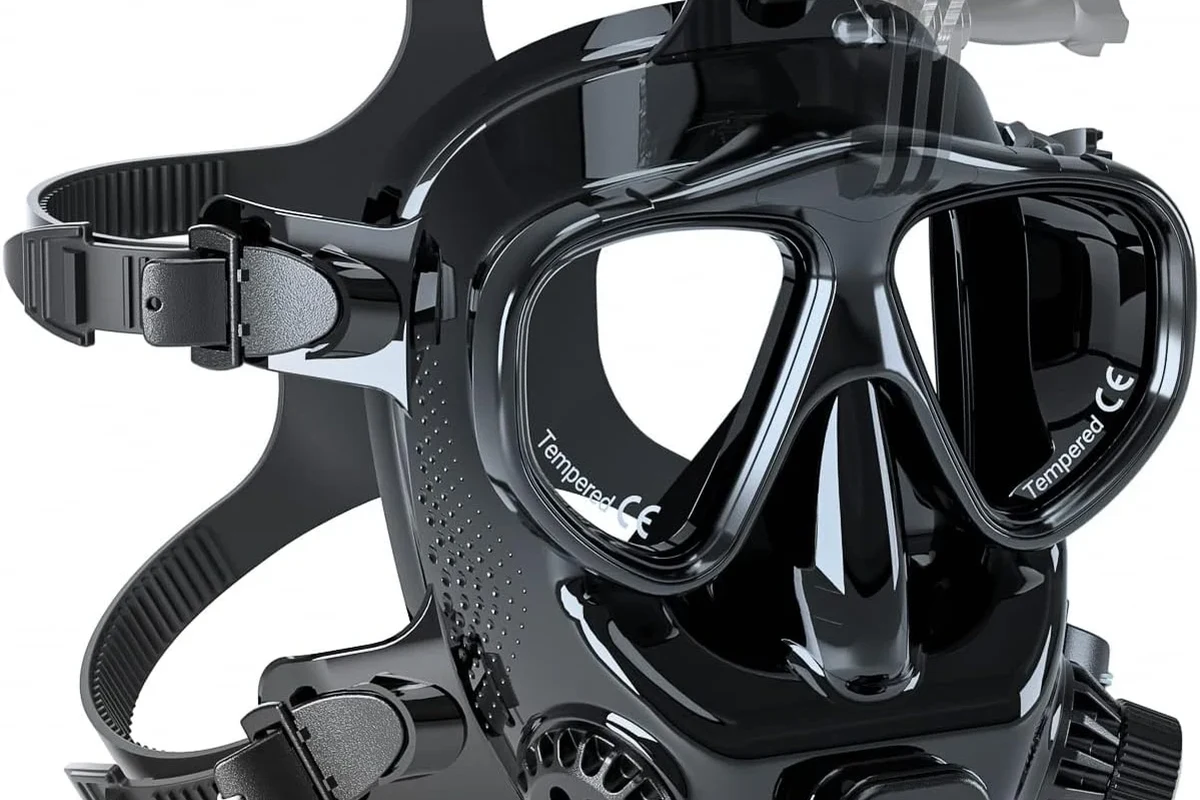
If you want an all-in-one way to capture underwater moments, a diving mask with camera is usually best for easy, spontaneous filming. Expect a trade-off: the setup is more convenient than carrying a separate action camera, but image quality, battery life, and comfort can vary a lot by model.
For many buyers, the right model is the one that stays comfortable, seals reliably, and records long enough for the kind of outing you actually take. If you need a broader waterproof ecosystem for travel and charging accessories, it can also help to read related guides like whether wall chargers work with all devices and whether wireless chargers work with cases when planning gear for the trip.
How a Diving Mask with Camera Works Underwater
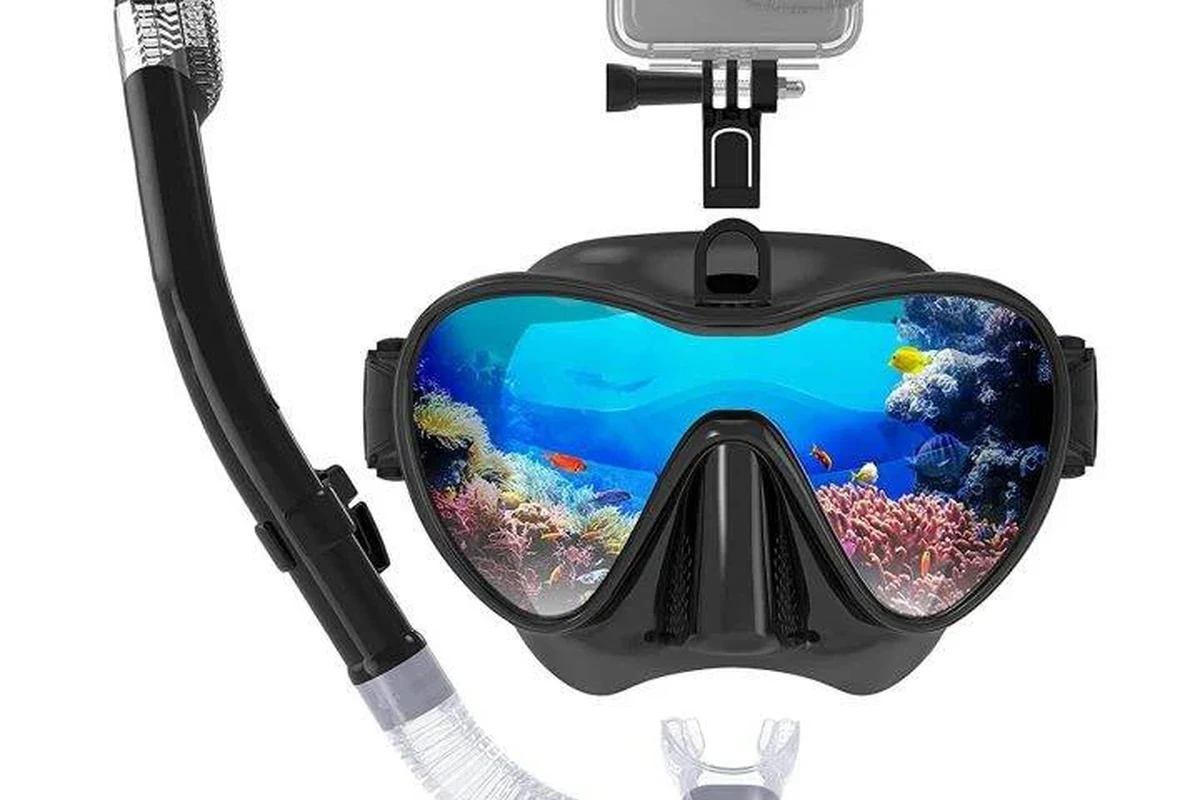
Most diving masks with cameras combine a standard mask frame with a built-in or mountable recording system. The lens is usually positioned near the forehead or above the eyes so it captures what you look at, while the controls are placed where you can reach them before entering the water.
Camera placement, lens view, and recording controls
Camera placement matters because it affects what the viewer sees and how natural the footage feels. A centered lens tends to create a more straightforward point-of-view video, while some models use a slightly higher angle that can reduce the chance of the mask frame blocking the shot.
Look for controls that are easy to find with gloves or wet hands, but still protected from accidental presses. Simple one-button recording is often better than a complicated menu system for water use.
Recording controls may be built into the mask body, handled through a removable camera module, or managed through a companion app before the dive. App control can be useful for settings changes, but underwater use usually depends on physical buttons or preset modes, since phone connectivity does not travel well through water.
Waterproofing, sealing, and depth limits to verify
Do not assume every diving mask with camera is suitable for the same depth or water conditions. The official depth rating, gasket design, lens sealing, and any removable-door closures should be verified in the manufacturer manual before you buy or descend.
Never rely on a camera feature to judge a mask’s safety. If the seal is damaged, the housing is cracked, or the depth rating is unclear, stop using the product and follow the manufacturer’s instructions.
Water resistance claims can also vary by region, firmware version, or included accessory. If a model depends on a removable camera unit, check whether the camera itself, the mask shell, and any charging port covers all have separate protection requirements.
Who a Diving Mask with Camera Is Best For in 2026
This category is best for buyers who value convenience and easy recording more than pro-level underwater cinematography. It is especially appealing when you want to pack light, keep your hands free, and avoid juggling a separate camera rig.
Snorkelers, casual divers, travelers, and content creators
Snorkelers often get the most immediate value because they can capture reefs, fish, and family moments without setting up a separate camera. Travelers and casual creators also benefit from the lower friction of an all-in-one device, especially when they want quick clips for social media or personal memories.
It can also be a sensible choice for households that already prefer simple smart gear over complex setups. If you like products that reduce carry-on clutter and setup time, the same mindset often applies to travel accessories such as an iPhone case with kickstand for easy viewing on the go.
Who should skip it: advanced divers, low-light users, and budget buyers
Advanced divers may want a separate camera system because it offers better lens choices, more control, and stronger accessory support. Low-light users should also be cautious, since many integrated mask cameras struggle once the water gets darker or murkier.
Budget buyers should compare total value carefully. A cheaper mask may look attractive upfront, but weak seals, poor battery performance, or limited replacement parts can make it less economical over time.
Key Buying Criteria: Specs That Matter Most
When comparing models, focus on the features that affect actual underwater use rather than marketing language. The most useful specs are the ones that influence clarity, comfort, endurance, and how easy the system is to maintain.
Video resolution, stabilization, field of view, and frame rate
Resolution tells you how much detail the camera can capture, but it is not the only factor that affects quality. Stabilization can help reduce shake from swimming or head movement, while field of view determines whether the footage feels tight and personal or wide and immersive.
Frame rate matters too, especially if you want smoother motion or plan to slow clips down later. Always check whether the listed resolution and frame rate are available at the same time, because some models reduce one setting when you select another.
Battery life, storage capacity, charging cable quality, and heat limits
Battery life is one of the biggest real-world limits because underwater recording drains power faster than casual use. Storage support also matters, since some models rely on removable memory cards while others use internal storage or app-based transfers.
Charging cable quality deserves attention because saltwater trips and frequent packing can be rough on accessories. Use the cable and charger recommended by the manufacturer, and check whether the battery system has temperature limits or charging restrictions after use.
Do not charge a wet device or use a damaged cable, swollen battery, or loose charging port cover. If the unit feels unusually hot while charging or transferring files, disconnect it and consult the manual.
Fit, comfort, anti-fog design, and mask size options
Fit is the first thing to get right because even a strong camera cannot compensate for a mask that leaks or pinches. Look for size options, adjustable straps, and soft seals that match your face shape, because comfort affects how long you can wear the mask without distraction.
Anti-fog features are helpful, but they are not magic. Rinse the lens as directed, avoid touching the inside of the mask, and confirm whether the model supports anti-fog inserts, coatings, or user-applied solutions.
Top Benefits and Real-World Trade-Offs
This category solves a real problem: underwater moments are easier to capture when the camera is already attached to your face. The trade-off is that convenience often comes with a bulkier build and fewer upgrade paths than a separate camera setup.
Hands-free filming, easier travel content, and better memory capture
Hands-free filming is the biggest advantage because it lets you focus on swimming, safety, and the experience itself. For travelers, that can mean fewer missed shots and less time spent assembling gear between stops.
Underwater footage often looks darker than expected because water absorbs light quickly, especially red wavelengths, so lighting and clarity become more important than raw resolution alone.
It is also a practical memory-capture tool for families and casual creators who want a simple way to document a beach trip, reef visit, or vacation excursion. The footage may not be cinema-grade, but it can be more than enough for sharing and personal archives.
Common limitations: bulk, battery drain, image quality, and maintenance
The biggest downside is that integrated camera masks can feel bulkier than a regular mask. Extra weight may affect comfort, and battery drain can limit how much footage you get from a single outing.
Image quality may also drop in challenging conditions, especially in low light, moving water, or cloudy conditions. Maintenance is another factor: seals, ports, lenses, and straps all need regular care if you want the product to last.
Comparison Guide: What to Compare Before You Buy
Before choosing a model, compare how the camera is built into the mask and how much flexibility you want long term. The best option for you depends on whether you value simplicity, repairability, or upgrade potential.
Standalone camera masks vs. action-camera-compatible masks
Standalone camera masks are the easiest to use because everything is designed to work together. They are often the better pick for casual users who want fewer parts and less setup.
Action-camera-compatible masks can make more sense if you already own a compatible camera and want to reuse it. That route may offer better image quality or more mounting flexibility, but it can also create more points of failure and may require extra accessories.
| Option | Best For | Key Consideration |
|---|---|---|
| Standalone camera mask | Casual snorkelers and travelers | Simple, but usually less upgradeable |
| Action-camera-compatible mask | Creators and gear owners | More flexible, but check fit and mounting |
Premium models vs. budget models: value, durability, and warranty details
Premium models may justify their cost with better sealing, stronger materials, clearer optics, and more dependable support. They may also include better app support or longer software update attention, though this varies by brand.
Budget models can still be worthwhile if you only need occasional use, but the warranty terms, replacement parts, and return policy matter more at lower price points. Confirm what is covered, because water-related damage exclusions and accessory limitations are common.
- Check mask size, seal shape, and strap adjustability
- Verify depth rating, waterproof claims, and charging method
- Confirm memory card support, app requirements, and firmware update options
- Review warranty terms, return window, and replacement part availability
Setup, Safe Use, and Common Mistakes to Avoid
Good setup is what turns a promising product into a reliable one. The main goal is to verify power, storage, sealing, and fit before the mask ever reaches the water.
Initial charging, app pairing, memory card setup, and seal inspection
Start by charging the device exactly as the manual recommends, then install any required app and update the firmware if the manufacturer supports it. If the model uses removable storage, insert the memory card correctly and format it only if the manual says that is safe to do.
Check the lens cover, port covers, and gasket for cracks, sand, or debris before first use.
Confirm the record button, app connection, and storage recognition before entering the water.
Safe depth use, overheating checks, and underwater handling tips
Stay within the depth and temperature limits listed by the manufacturer. Even if the mask seems fine on the surface, pressure and water conditions can reveal weaknesses that are not obvious during dry setup.
Handle the mask gently underwater and avoid opening charging ports or removable compartments until the device is fully dry. If the unit becomes unusually warm during charging, file transfer, or storage, stop using it and review the official guidance.
Frequent mistakes: poor strap adjustment, forgotten battery checks, and lens fogging
Poor strap adjustment is one of the most common reasons a mask feels uncomfortable or leaks. Another frequent issue is forgetting to check battery level before the trip, which can leave you with no recording time when the best moment arrives.
Lens fogging is also easy to underestimate. A quick pre-dive inspection, proper anti-fog preparation, and a clean interior surface can make a noticeable difference in how usable the footage turns out.
Care, Storage, and Troubleshooting for Longer Life
A diving mask with camera lasts longer when it is treated like sensitive electronics, not just swim gear. Rinsing, drying, and safe storage matter almost as much as the initial purchase.
Rinsing, drying, battery storage, and proper case protection
After use, rinse the mask with fresh water as directed by the manufacturer, especially after saltwater exposure. Let it dry fully before storing it, and keep the battery at the charge level recommended in the manual if the product will sit unused for a while.
A protective case is worth considering if the mask will travel often. It helps reduce pressure on the lens, straps, and charging parts, which can be vulnerable in a packed bag.
Stop using damaged electronics, swollen batteries, frayed cables, overheating chargers, or unstable accessories and follow the manufacturer’s guidance.
Fixing fogging, leaks, syncing issues, and recording failures
Fogging usually points to moisture, residue, or preparation issues rather than a serious defect. If leaks appear, check the seal, strap tension, and any removable covers before assuming the camera is the problem.
Syncing issues often come from app permissions, outdated firmware, or a weak connection between the phone and the device. Recording failures may be caused by a full card, incompatible storage, a low battery, or a setting mismatch, so verify those basics before seeking support.
- Keep the lens and seal clean before every use
- Verify storage and battery before leaving for the water
- Use the official app and manual for pairing and updates
- Store the mask in a dry case away from heat and pressure
Final Recommendation: Which Diving Mask with Camera Is Worth It
The best diving mask with camera is usually the one that fits securely, records reliably, and is simple enough that you will actually use it. For most casual users, that means prioritizing comfort, sealing, battery life, and easy controls over headline-grabbing specs.
Best choice by user type and when a separate camera may be better
Choose a standalone camera mask if you want the simplest path to hands-free underwater video and do not need advanced controls. Choose an action-camera-compatible mask if you already own a compatible camera and want more flexibility, but be prepared to verify mounting, sealing, and fit carefully.
Casual snorkelers, travelers, and beginner creators who want easy underwater recording with minimal setup. If you need better low-light performance, interchangeable lenses, or more control, a separate waterproof camera is usually the better long-term choice.
Frequently Asked Questions
It is best for snorkelers, casual divers, travelers, and creators who want simple hands-free recording. If you need advanced low-light performance or more control, a separate camera may be a better fit.
Check the mask size, seal shape, and strap adjustability before buying. A good fit should feel secure without pinching and should match the manufacturer’s sizing guidance.
Focus on resolution, stabilization, field of view, and frame rate because they affect how usable the footage is. Also verify battery life and storage support, since those limit real recording time.
Rinse it with fresh water after use, dry it fully, and store it in a protective case when possible. Follow the manual for battery storage and avoid charging a wet device.
They can be worthwhile for occasional use, but warranty terms, sealing quality, and replacement parts matter more at lower prices. Confirm the depth rating and return policy before buying.
Check the seal, battery level, storage card, app pairing, and depth rating before entering the water. If any part is damaged, overheating, or unclear in the manual, stop and verify with the manufacturer.