Best Birds Eye Camera Guide for Stunning Aerial Views
A birds eye camera is best for monitoring larger spaces like driveways, yards, and entry paths from a broader overhead angle. The right choice depends on mounting height, power type, app quality, storage options, and how much coverage you actually need.
A birds eye camera gives you an overhead view of a space so you can see movement, vehicles, people, or pets with fewer blind spots than a standard wall-mounted camera. For smart home buyers, it can be a practical way to monitor driveways, front yards, garages, and entry areas without needing a full multi-camera system.
- Best fit: Great for driveways, yards, garages, and other spaces where broad context matters.
- Setup matters: Mounting height, Wi-Fi strength, and motion-zone tuning strongly affect results.
- Check before buying: Verify app compatibility, weather rating, storage terms, and warranty support.
- Know the trade-off: Overhead coverage can reduce blind spots, but installation may be more involved.
Birds Eye Camera Explained: What It Is and Whether It’s Worth Buying
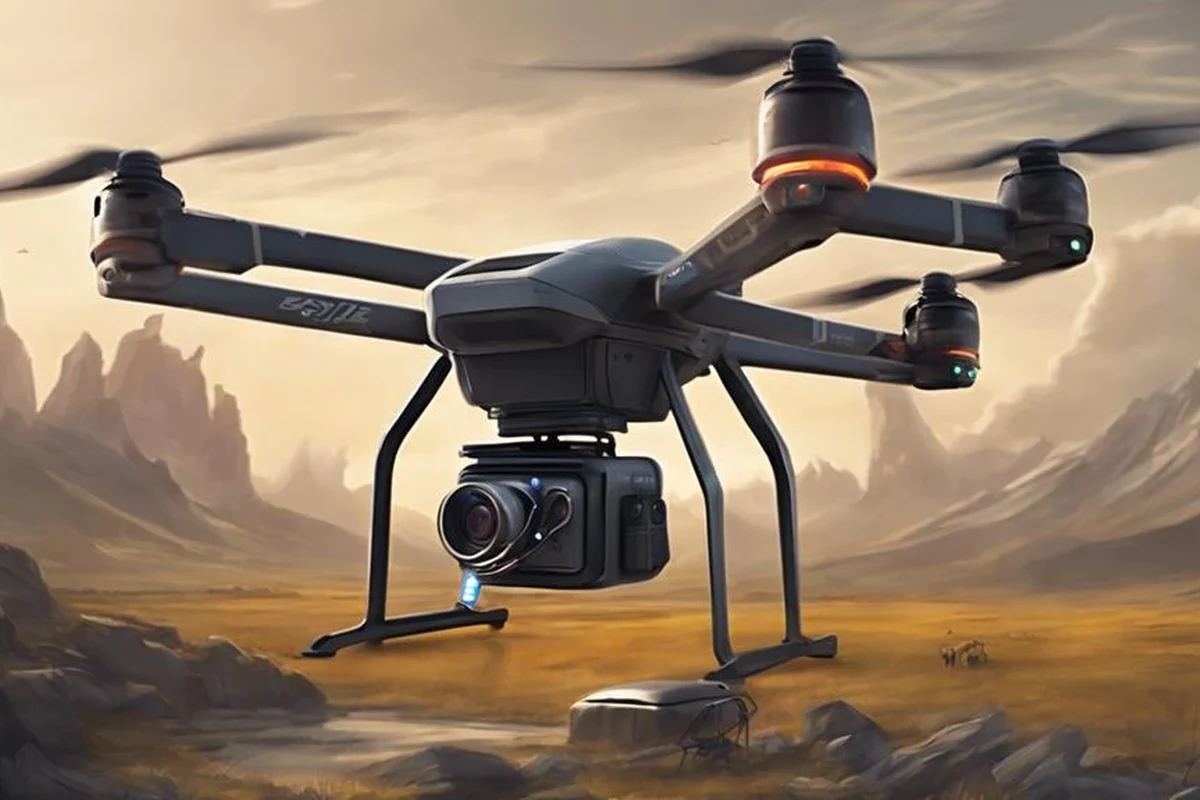
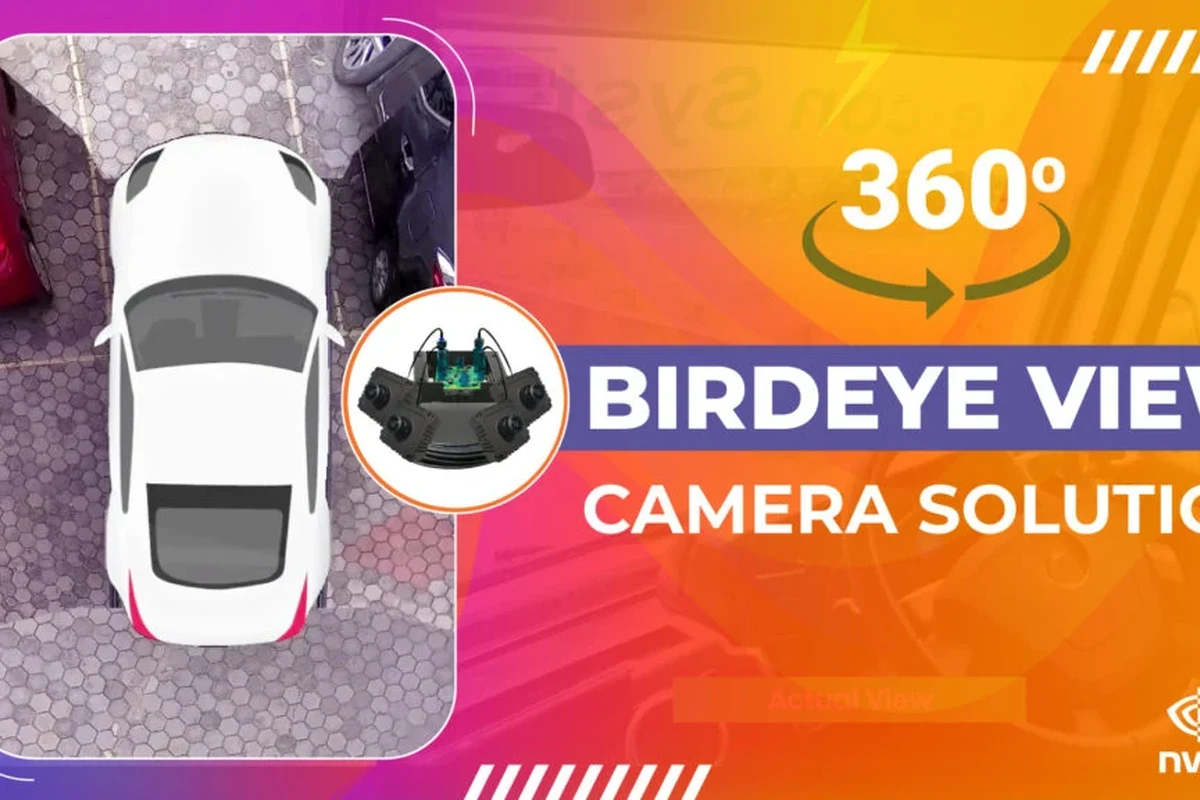
A birds eye camera is a camera system designed to capture a top-down or elevated perspective. Depending on the model, it may use a high mounting position, a wide-angle lens, or software that stitches multiple views into a broader overhead-style image.
How a birds eye camera creates overhead views for smarter monitoring
In plain terms, the camera is positioned or processed to look down on an area instead of straight across it. That perspective helps you understand where activity started, where it moved, and whether something happened near a doorway, car, package drop zone, or garage entrance.
Some systems rely on a single wide lens, while others combine multiple camera feeds into one mapped view. The exact result varies by model, app design, and installation height, so it is important to check the manufacturer’s description rather than assume every birds eye camera works the same way.
Quick answer: the best birds eye camera for most smart home users in 2026
For most smart home users, the best choice is a birds eye camera that combines a wide overhead view, reliable motion alerts, and easy app access without requiring complicated wiring. If you want the simplest path, look for a model with clear outdoor support, local or cloud storage options, and good compatibility with your phone and home network.
The “best” option still depends on where you plan to mount it, whether you want wired or wireless power, and how much app control you expect. In practice, the right pick is the one that fits your space and setup constraints, not just the one with the longest feature list.
How Birds Eye Camera Systems Work in Real Homes
These cameras are less about cinematic aerial footage and more about giving you a useful top-down security or monitoring angle. That makes them especially helpful in places where a normal camera may only show part of the scene.
Top-down perspective, stitching, and motion tracking basics
A birds eye camera may use a fixed overhead position, a very wide field of view, or software that merges multiple images into one layout. Motion tracking can then follow a person, pet, or vehicle across the frame, which helps you review events without scrubbing through hours of footage.
That said, motion tracking quality varies. Strong sunlight, shadows, reflective surfaces, and busy street traffic can all affect how accurately the camera identifies movement. Manufacturer claims are useful, but real performance depends on the scene and firmware version.
Camera placement often matters more than raw resolution for getting a useful security view, especially in wide outdoor areas.
Wired vs. wireless setups, power needs, and connectivity requirements
Wired birds eye camera systems usually offer steadier power and may be better for long-term outdoor use, but they can require more planning for cable routing and installation. Wireless models are easier to place in some homes, but they depend on battery life, charging habits, and a stable Wi-Fi signal.
Before buying, check whether the camera needs continuous power, a rechargeable battery, a solar accessory, or an outlet nearby. Also confirm whether the app requires 2.4 GHz Wi-Fi, supports 5 GHz, or works with both, since connectivity requirements vary by model.
Use only the manufacturer-recommended power adapter, cable, and mounting method. If a cable is damaged, a battery swells, or the device overheats, stop using it and follow the maker’s safety guidance.
App features to verify: live view, alerts, zones, and cloud storage
The app matters as much as the camera hardware. At minimum, verify live view quality, motion alerts, activity zones, event history, and whether storage is local, cloud-based, or both.
Some apps also let you adjust detection sensitivity, set privacy masks, and review clips by timeline. These features can be the difference between a useful smart home device and one that sends too many false alerts to be practical.
- Confirm app support for your phone or tablet
- Check whether cloud recording requires a subscription
- Review motion zone controls and alert customization
- Verify whether local storage is supported and how clips are accessed
Best Use Cases: Who a Birds Eye Camera Fits Best
These cameras are best when you want broader situational awareness rather than a tight close-up. They shine in spaces where movement happens across a larger area.
Front yards, driveways, garages, and entry monitoring
Front yards and driveways are natural fits because the overhead angle can show cars, package deliveries, visitors, and unusual movement near the house. Garages and side entries also benefit because the camera can capture the approach path, not just the door itself.
If you need to monitor whether a vehicle entered, where a person walked, or whether a package was dropped near a threshold, a birds eye camera can be more informative than a narrow doorway camera.
Families, renters, pet owners, and small business use cases
Families often use these cameras to keep an eye on kids playing outside or to monitor shared entry areas. Pet owners may like the broader view for tracking movement in a yard or around a patio.
Renters may prefer wireless models because they can be easier to install and remove, though building rules and landlord approval still matter. Small businesses can also benefit from overhead coverage in parking areas, loading zones, or building entrances, provided the camera placement respects local privacy and workplace policies.
Privacy rules can vary by location and property type. Before installing a camera that overlooks shared or neighboring areas, check local laws, building rules, and any workplace policies that apply.
When a standard security camera may be the better choice
A standard security camera may be better if you only need a close-up of one doorway, a porch, or one indoor room. It can also be the simpler choice when you want lower installation effort, fewer app settings, or a more focused field of view.
If your space is small, a birds eye camera may add complexity without adding much value. In that case, a basic fixed camera with good night vision and dependable alerts may be all you need.
Key Specs and Buying Criteria to Compare Before You Choose
Because birds eye camera systems vary widely, the most useful comparison is not brand hype but practical fit. Focus on the specs that affect coverage, reliability, and day-to-day use.
Resolution, field of view, night vision, and detection accuracy
Resolution affects how much detail you can see, but it is only one piece of the puzzle. A camera with a strong field of view and good night vision may be more useful than a sharper camera with poor placement or weak low-light performance.
Detection accuracy is equally important. Look for adjustable sensitivity, person or vehicle detection if available, and clear explanations of what the camera can and cannot identify. Some features may require a subscription, so check the current app and plan details before buying.
Mounting height, coverage area, weather rating, and dimensions to check
Mounting height can dramatically change what the camera sees. Too low, and you may miss the broader overhead perspective; too high, and faces or details may become harder to identify.
For outdoor use, check the weather rating and confirm whether the camera is meant for rain, dust, heat, or cold exposure in your region. Also review dimensions so you know whether the device will fit under eaves, on a garage wall, or in another planned location.
- Measure the mounting area before ordering
- Check for obstructions like gutters, beams, or light fixtures
- Verify the ideal mounting height in the manual
- Leave room for cable bends and maintenance access
Storage options, subscription costs, warranty terms, and app compatibility
Storage can be local, cloud-based, or a mix of both. Local storage may reduce ongoing costs, while cloud storage can make remote access easier, but the best choice depends on the model and the app’s current plan structure.
Also review warranty terms, return policy, and app compatibility with your phone, smart home platform, or existing security ecosystem. These details often matter more over time than a small difference in camera resolution.
Real-World Benefits and Practical Trade-Offs
The biggest advantage of a birds eye camera is context. Instead of seeing only part of an event, you can often see the full movement path and understand what happened more clearly.
Better situational awareness, fewer blind spots, and easier event review
Overhead-style coverage can reduce blind spots around driveways, entry paths, and yard edges. That makes it easier to review packages, visitors, deliveries, or unusual movement without relying on several separate cameras.
It can also simplify event review. When one camera captures more of the scene, you may spend less time jumping between clips to understand what happened.
Limitations: installation complexity, Wi-Fi dependence, and privacy concerns
These cameras are not always the easiest to install. Some require careful mounting, cable routing, or a strong Wi-Fi signal to deliver the experience the manufacturer promises.
Privacy is another consideration. Because an overhead view can cover more area, it is worth checking where the camera points and whether it captures neighboring property or shared spaces. Use the app’s privacy controls where available and review local rules before installation.
Before buying, confirm the camera’s exact use case, mounting method, and update support. If the device depends on a subscription for core features, make sure you are comfortable with that long-term cost.
Common mistakes buyers make with placement, angle, and app setup
One common mistake is mounting the camera without testing the viewing angle first. Another is aiming for maximum area coverage but losing the detail needed to identify faces, package labels, or license plates.
App setup mistakes are just as common. Users sometimes skip motion-zone calibration, leave alerts too sensitive, or fail to review permissions and update settings. A few minutes of setup can prevent weeks of frustration later.
Setup Guide: Installing and Configuring a Birds Eye Camera Safely
Good installation is what turns a promising camera into a useful one. Take the time to plan the mount, power, and app settings before drilling or attaching anything permanently.
Mounting location, cable management, and safe power handling
Choose a location with a clear view of the area you want to monitor and enough protection from weather if the model is rated for outdoor use. Keep cables neat, secure, and away from walking paths or pinch points.
If the camera uses wired power, follow the manufacturer’s instructions for voltage, adapter type, and cable routing. Do not improvise with unverified adapters or modified power setups.
Indoor vs. outdoor installation steps and weatherproofing checks
Indoor installation is usually simpler because you do not have to worry as much about rain, dust, or temperature swings. Outdoor installation requires more attention to mounting surface, sealing, and whether connectors are properly protected.
Check the manual for weatherproofing guidance, including whether the camera needs a covered mount, gasket, or special accessory. If the device is not rated for outdoor exposure, do not place it where moisture or direct weather can reach it.
Network setup, app pairing, and motion-zone calibration
After mounting, connect the camera to the official app and follow the pairing steps exactly as written. If the camera supports motion zones, draw them carefully so it watches the important areas and ignores sidewalks, roads, or other high-traffic zones that can trigger unnecessary alerts.
Then review notification settings, video quality options, and storage preferences. These settings often need small adjustments after a few days of normal use.
Start with moderate motion sensitivity, then fine-tune it after you see how the camera reacts to cars, shadows, pets, and passing people.
Maintenance, Care, and Troubleshooting for Long-Term Reliability
Like any smart home device, a birds eye camera works best when it is kept clean, updated, and checked periodically. Small maintenance habits can prevent bigger reliability problems later.
Cleaning lenses, checking mounts, and inspecting cables or adapters
Use the cleaning method recommended by the manufacturer, usually a soft microfiber cloth and gentle handling. Avoid harsh cleaners unless the manual explicitly allows them.
Also check the mount from time to time to make sure it has not loosened. Inspect cables, plugs, and adapters for wear, bending, or damage, especially if the camera is installed outdoors or in a busy area.
Heat, power interruption, storage, and replacement guidance
Heat can affect electronics, batteries, and adhesive mounts, so avoid placing the camera where it will bake in direct sun unless it is designed for that environment. Power interruptions can also disrupt recordings or notifications, depending on the system and storage method.
If the camera uses a battery, follow the charging guidance in the manual and replace the battery or device when performance drops significantly. For any device showing swelling, corrosion, or repeated overheating, stop using it and contact the manufacturer.
Fixing common issues like weak signal, false alerts, and poor night footage
Weak signal is often caused by distance from the router, thick walls, or interference from other devices. Moving the router, improving placement, or using a stronger network setup may help, but results vary by home layout.
False alerts can usually be improved by refining motion zones and sensitivity. Poor night footage may point to placement issues, reflective surfaces, dirty lenses, or a camera whose low-light performance is not suited to the space.
- Gives broader scene awareness than a narrow camera
- Helps review movement across driveways, yards, and entries
- Can reduce blind spots when placed correctly
- May require more careful mounting and setup
- Can depend heavily on Wi-Fi, app quality, and subscription terms
- Not always the best choice for a single close-up monitoring need
Final Verdict: Best Birds Eye Camera Recommendation for 2026
If you want the best birds eye camera for most smart home users, choose a model that balances wide overhead coverage, dependable alerts, clear app controls, and straightforward installation. The strongest option is usually not the one with the most marketing claims, but the one that fits your mounting location, power setup, and storage preferences with the fewest compromises.
Best overall choice, best value pick, and best option for specific needs
Best overall: a wired or hybrid birds eye camera with strong app controls, reliable outdoor support, and flexible motion zones. Best value: a simpler model that offers the overhead view you need without locking essential features behind a costly subscription. Best for specific needs: a wireless model if you rent or need easier placement, or a more robust outdoor system if you want long-term driveway and entry coverage.
Transparent recommendation based on features, safety, and long-term value
My recommendation is to prioritize safety, compatibility, and long-term usability over flashy extras. Confirm the manual, app requirements, weather rating, and storage terms before you buy, and choose the camera that solves your actual monitoring problem rather than the one with the longest spec sheet.
A birds eye camera is a smart buy when you want better awareness of larger spaces such as driveways, yards, and entry paths. If your need is narrow and close-range, a standard security camera may be the simpler and more practical choice.
Frequently Asked Questions
A birds eye camera is used to monitor larger areas from an overhead or elevated perspective. It is especially helpful for driveways, yards, garages, and entry paths where you want more context than a narrow camera can provide.
It depends on the space and the goal. A birds eye camera is better for broader situational awareness, while a standard security camera may be better for a single doorway or close-up view.
Many smart birds eye cameras rely on Wi-Fi for live view, alerts, and app access. Some features may still work differently depending on the model, storage method, and network quality.
Check resolution, field of view, night vision, mounting height, weather rating, storage options, app compatibility, and whether any core features require a subscription. Also confirm the official manual and warranty terms.
Yes, if the model is rated for outdoor use and installed according to the manufacturer’s instructions. Always confirm weather protection, power requirements, and cable handling before placing it outside.
Use motion zones, adjust sensitivity, and avoid aiming the camera at busy streets, reflective surfaces, or moving trees if possible. App settings and placement usually make the biggest difference.