What Video Doorbell Has the Best Picture Quality in 2026
The best picture quality usually comes from a premium wired video doorbell with strong HDR, good low-light performance, and a balanced lens. In real homes, Wi‑Fi stability and lens quality matter almost as much as resolution.
If you want the best picture quality in a video doorbell, the safest answer is usually a top-tier wired model with a high-resolution sensor, strong HDR, and good low-light processing. In real homes, the “best” choice is the one that stays sharp at your porch distance, handles backlight well, and keeps detail intact after compression.
- Best overall picture quality: A wired doorbell with HDR and strong night vision is usually the safest pick.
- Resolution alone is not enough: Lens quality, compression, and Wi‑Fi can make or break clarity.
- 2K can be the sweet spot: It often looks better in real homes than a poorly tuned 4K model.
- Match the camera to the porch: Entry height, distance, and lighting affect how useful the image is.
What Video Doorbell Has the Best Picture Quality in 2026? Quick Answer and Top Pick Criteria
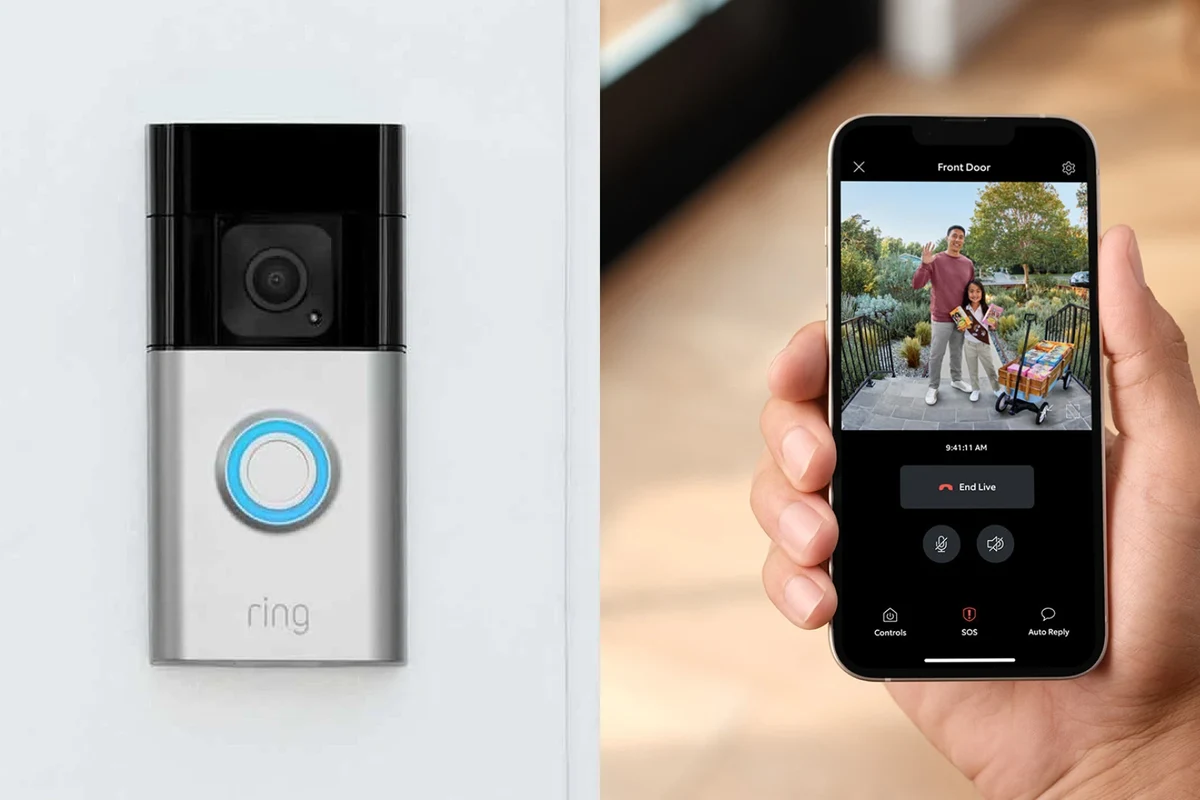
For most buyers, the best picture quality comes from a premium wired video doorbell that offers 2K or 4K-class capture, HDR, a wide but not distorted field of view, and dependable night vision. The exact winner depends on your entryway, Wi‑Fi quality, and whether you care more about face detail, package visibility, or motion clarity.
A premium wired doorbell with strong HDR and a balanced lens is usually the best picture-quality choice for homeowners who want the clearest everyday view. Battery models can still look very good, but they often trade away some consistency, especially in busy or low-light conditions.
Picture quality is not just about resolution. A doorbell with a high megapixel count can still look soft if the lens is weak, the app compresses video heavily, or the signal drops during motion events.
How Picture Quality Is Measured in a Video Doorbell
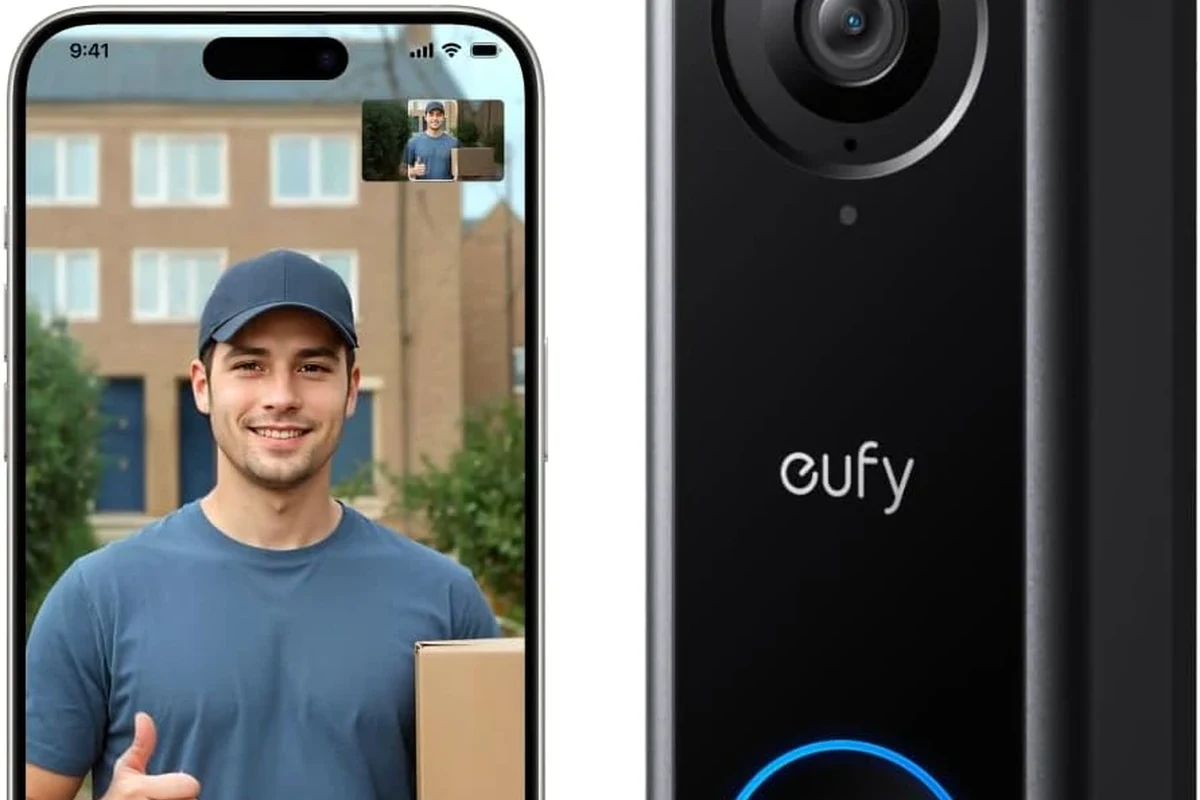
When shoppers ask what video doorbell has the best picture quality, they usually mean the most useful image in real conditions, not the largest number on the box. The most important factors are resolution, dynamic range, lens quality, motion handling, and how well the camera keeps detail at different times of day.
Resolution, HDR, and Frame Rate
Resolution tells you how many pixels the camera can capture, but it does not guarantee a clearer image by itself. HDR helps the camera preserve details in bright and dark areas at the same time, which matters a lot when your porch is shaded but the street behind it is bright.
Frame rate also matters because smoother motion can make it easier to identify people walking up to the door. A doorbell with a higher frame rate may show cleaner motion, but the final result still depends on the camera sensor, app processing, and network conditions.
A doorbell camera can have excellent resolution and still miss usable detail if the lens is too wide, because faces near the edge of the frame may stretch or soften.
Field of View, Aspect Ratio, and Night Vision
Field of view determines how much of the porch and walkway you can see, while aspect ratio affects whether the frame is better for tall visitors or wide package views. A taller view can be great for seeing someone’s face and a package on the ground in the same frame, but only if the camera is mounted at the right height.
Night vision is another major part of picture quality. Some doorbells use infrared LEDs for black-and-white night video, while others offer color night modes that depend on ambient light; both can be useful, but the best option depends on your porch lighting and how close the camera is to the subject.
Why Compression and Wi‑Fi Strength Matter
Even a high-end camera can look worse once the live feed or recorded clip is compressed for streaming. If your Wi‑Fi is weak at the front door, the app may lower image quality, delay motion alerts, or buffer video at the exact moment you need detail.
Before upgrading the camera, check your front-door Wi‑Fi signal and router placement. A stronger connection can improve the real-world image more than moving from a decent 2K model to a poorly connected higher-resolution one.
Best Video Doorbells for Picture Quality: What to Compare
To compare options fairly, focus on the features that affect clarity in your own entryway. The best picture quality is often the one that balances sharpness, exposure control, and reliable streaming instead of chasing the biggest spec sheet.
Top Specs That Usually Signal Better Clarity
Look for these indicators when comparing models: higher resolution, HDR support, a quality sensor, strong low-light performance, and a lens designed to reduce distortion. If the manufacturer provides sample footage, compatibility notes, and app details, those are often more useful than marketing language alone.
When 2K Beats 4K in Real Homes
More pixels do not always produce a better-looking doorbell video. In many homes, a well-tuned 2K model can look clearer than a 4K model if it has better HDR, better motion processing, and less aggressive compression.
This is especially true for narrow porches, short viewing distances, and average home Wi‑Fi. If your goal is to recognize visitors, see package placement, and review motion clips quickly, a polished 2K camera can be the smarter choice.
Where Lens Quality Matters More Than Megapixels
Lens design affects sharpness, edge distortion, and how well the camera handles light. A camera with a good sensor and lens can preserve facial detail more naturally than a higher-resolution model with a weaker optical setup.
If you want a deeper look at why some cameras look soft even with decent specs, see our guide on bad quality cameras and what to avoid. The same principles often explain why one doorbell looks crisp in daily use while another looks washed out or overprocessed.
Who Each Type of Doorbell Fits Best
The best picture-quality doorbell is not identical for every household. Apartment residents, large-family homes, and smart-home enthusiasts all care about different details, so the right model depends on your space and priorities.
Best for Apartments, Rentals, and Small Entryways
Smaller entryways usually benefit from a compact doorbell with a balanced field of view and easy installation. Battery-powered models can be appealing in rentals because they may avoid wiring changes, but you should confirm mounting rules, charging access, and landlord approval before buying.
If your doorway is tight, avoid ultra-wide framing that makes visitors look too small. A cleaner, more focused image is often better than a dramatic wide-angle view that sacrifices facial detail.
Best for Family Homes and Wide Front Porches
Large porches and deeper setbacks usually need stronger image processing, better HDR, and a wider scene view. A wired model often makes sense here because it can support more consistent recording and reduce the hassle of frequent charging.
For homes with packages left near the door, a taller aspect ratio can help capture both faces and the ground area. Placement matters too, because mounting height can change whether the camera sees a person’s face or only the top of their head.
Best for Smart Home Users Who Want Advanced Detection
If you rely on smart-home automations, look beyond raw image quality and check app support, alert accuracy, and integration with your platform. Some systems offer better person, package, or motion detection, but those features may depend on subscriptions, firmware, and region-specific support.
For buyers who want broader smart-home planning, our smart lights buying guide shows how app ecosystems and device compatibility can matter as much as hardware specs. The same idea applies to doorbells: the best image is only useful if the app and alerts fit your setup.
Setup, Power, and Connectivity Considerations
Power and connectivity affect picture quality more than many shoppers expect. A camera that looks excellent on paper may still deliver choppy footage, delayed alerts, or lower streaming quality if the installation or network is not a good match.
Wired vs. Battery-Powered Models
Wired doorbells generally offer more consistent performance because they can stay powered continuously. That consistency may help with faster wake times, steadier recording, and fewer interruptions during motion events.
Battery-powered models are easier to place in some homes, but they may use power-saving modes that affect responsiveness or clip length. If you want the most dependable picture quality, wired is usually the safer default when your home already supports it.
Wiring compatibility, transformer requirements, and chime support vary by model and region. Always confirm the manufacturer’s installation guide before assuming an existing doorbell setup will work.
App Requirements, Wi‑Fi Band Support, and Installation Space
Before buying, check which app is required, whether the camera supports 2.4 GHz, 5 GHz, or both, and how much mounting space you have around the door frame. Some doorbells need a specific angle, wedge kit, or clearance to avoid blind spots and improve image framing.
- Check the official app store listing for current OS support and update history.
- Review the manufacturer’s mount options if your door faces a wall, corner, or narrow porch.
- Place the router or a mesh node where the front door gets a strong, stable signal.
Battery Life, Charging, and Safe Use Limits
If you choose a battery model, follow the manufacturer’s charging guidance and use only the recommended charger or cable type. Avoid charging damaged batteries, and stop using the device if the battery swells, overheats, or the enclosure becomes unusually hot.
Do not modify batteries, use damaged charging accessories, or expose the doorbell to water during charging unless the manufacturer explicitly allows it. If a battery or charger shows heat, odor, swelling, or visible damage, stop using it and follow official support instructions.
Real-World Benefits and Trade-Offs of Higher Picture Quality
Higher picture quality can make a doorbell more useful, but it also creates trade-offs. More detail can improve identification and review, yet it may increase storage demand, subscription dependence, and Wi‑Fi usage.
Better Face Recognition, Package Visibility, and Motion Review
Clearer video can make it easier to identify visitors, read package labels, and review motion events after the fact. This matters for remote workers, parents, pet owners, and anyone who wants a quick look at who came by while they were away.
Higher-quality footage also helps when you need to zoom in on a clip later. If the original image is too soft, zooming often just reveals compression artifacts instead of useful detail.
Drawbacks: Storage Costs, Subscription Features, and Bandwidth Use
Better video often means larger files, which can affect cloud storage plans or local storage needs. Some advanced features, such as extended event history or enhanced detection, may depend on a subscription that varies by brand and region.
Bandwidth is another factor. If multiple cameras share the same network, a very high-resolution doorbell may compete with other devices and reduce overall reliability, especially on busy home networks.
Common Mistakes Buyers Make When Chasing “Best” Video Quality
One common mistake is choosing the highest resolution without checking the porch layout. Another is overlooking mounting height, which can make the camera point too high or too low and reduce the usefulness of the image.
Buyers also sometimes ignore app quality, which can be just as important as the camera itself. If the app is slow, confusing, or limited by outdated firmware support, the footage may be harder to use even if the camera hardware is strong.
Maintenance, Durability, and Long-Term Value
Picture quality can decline over time if the lens gets dirty, the mount loosens, or the camera is exposed to harsh weather without proper care. A good doorbell should stay clear and stable, not just look good on day one.
Cleaning the Lens, Checking Mounting Hardware, and Weather Protection
Clean the lens gently with a soft microfiber cloth and follow the manufacturer’s guidance for any approved cleaning solution. Avoid abrasive materials, and check the mounting hardware occasionally so vibration, wind, or repeated door use does not shift the angle.
Recheck the camera angle after seasonal weather changes or after any battery swap. Even a small shift can change whether the doorbell captures a face, a package, or just the top of a head.
Weather protection matters too. Confirm the model’s outdoor rating and installation instructions, and make sure any exposed wiring, chime accessories, or mounting hardware are protected according to the manual.
Warranty Details, Replacement Parts, and When to Upgrade
Before you buy, review the warranty terms, replacement part availability, and software update policy. A great camera is only a good long-term value if it still receives app support, security updates, and compatible accessories.
Consider upgrading when your current doorbell struggles in low light, loses Wi‑Fi often, or can no longer maintain the image quality you need. If you are comparing categories, our guide to gate cameras for home security can help if your main viewing need is farther from the front door.
Stop using damaged electronics, frayed cables, swollen batteries, overheating chargers, or unstable mounts and follow the manufacturer’s guidance or a qualified installer’s advice.
Final Recommendation: The Best Picture Quality Choice for Most Buyers in 2026
For most people, the best picture quality comes from a premium wired video doorbell with strong HDR, reliable night vision, and a lens that keeps faces sharp at typical porch distance. If your home has strong Wi‑Fi and you want the most consistent everyday image, that category is usually the best place to start.
If you need easier installation or live in a rental, a good battery-powered model can still be a strong choice, but verify the app, power behavior, and mounting fit before you commit. The smartest purchase is the one that matches your entryway, network, and viewing needs—not just the highest number on the spec sheet.
- Best picture quality usually comes from a wired model with HDR and strong low-light handling.
- Resolution matters, but lens quality, compression, and Wi‑Fi stability matter just as much.
- Choose the camera that fits your porch layout, app needs, and power setup.
Frequently Asked Questions
Not always. A well-tuned 2K doorbell can look clearer than a poorly optimized 4K model if it has better HDR, lens quality, and Wi‑Fi stability.
Wired models usually offer more consistent performance because they stay powered continuously. Battery models can still look very good, but power-saving behavior may affect responsiveness or recording consistency.
Night vision quality depends on the sensor, infrared performance, porch lighting, and how the app processes low-light footage. Color night mode can help in some setups, but it is not always better than infrared.
Weak Wi‑Fi can reduce streaming quality, slow alerts, and cause buffering or dropped clips. A strong front-door signal often improves real-world image quality more than a spec upgrade alone.
Renters should check mounting rules, battery access, app requirements, and whether the camera fits a smaller entryway. A compact model with a balanced field of view is often easier to live with.
Clean the lens gently, check the mount for shifting, and confirm the camera still has a strong signal. Also review warranty terms and software updates so the device stays supported over time.