Wosoda Trail Camera Not Recording at Night Fix Guide
Start by checking night mode, batteries, and the SD card, because those are the most common reasons a Wosoda trail camera stops recording after dark. If those basics fail, reset the camera, test it in a dim room, and inspect for moisture or mounting issues.
If your wosoda trail camera not recording at night is the problem, the fastest fixes are usually simple: confirm night mode is enabled, check that the camera is armed, swap in fresh batteries, and make sure the SD card is supported and not corrupted. If those basics do not solve it, the issue is often tied to placement, low battery performance in the dark, or a storage problem that shows up only after a few motion-triggered clips.
- Night mode first: Confirm the camera is armed and set to the correct recording mode.
- Power matters: Weak or cold batteries can fail when infrared recording starts.
- Storage is critical: Unsupported, full, or corrupted SD cards often block night clips.
- Test in low light: A dim-room test can help confirm whether infrared is firing.
- Fix the basics before replacing: Reset, clean, and reconfigure before deciding the camera is faulty.
Wosoda Trail Camera Not Recording at Night: Quick Fixes to Try First
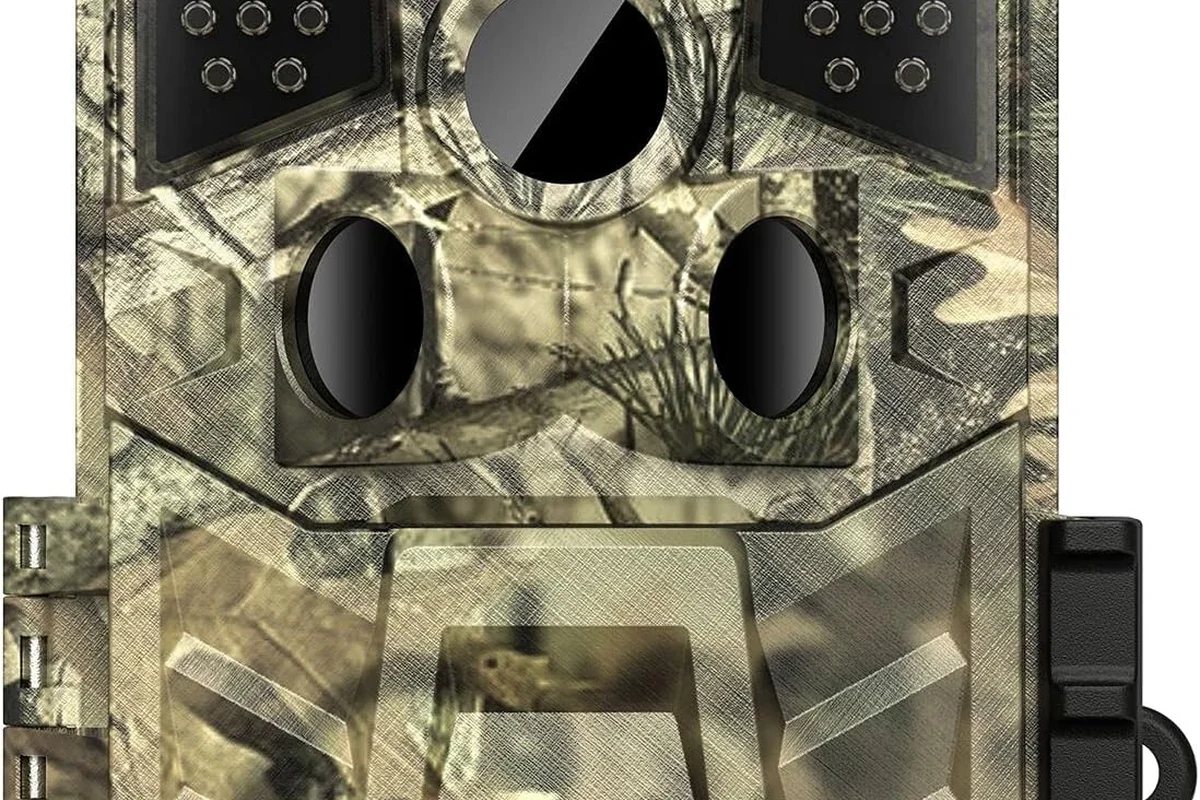
Night recording failures are frustrating because the camera may appear to work during the day and then miss everything after sunset. Start with the settings and power source before assuming the camera is defective.
Check the IR/night mode settings and confirm the camera is actually armed
Many trail cameras will not record at night unless the correct capture mode is selected and the unit is fully armed. Look for settings related to photo, video, photo-plus-video, PIR motion detection, night mode, or infrared flash, and confirm the camera is not left in a setup or preview state.
If the camera has a test or manual shutter function, use it only as a quick check that the camera responds. For actual night recording, the motion sensor and recording mode both need to be active.
Replace or recharge batteries and verify the power level is sufficient for night operation
Low battery power can cause a trail camera to stop recording, shorten clips, or fail to fire infrared LEDs after dark. Weak cells may still power the screen or daytime functions, but not the higher demand of night capture.
Use only the battery type recommended by the manufacturer, do not mix old and new cells, and stop using any battery that leaks, swells, or overheats.
If you are using rechargeable batteries, make sure they are fully charged and compatible with the camera’s voltage requirements. If you are using disposables, try a fresh matched set from the same brand and batch.
Format the memory card and confirm it is supported, unlocked, and not full
Storage issues are a common reason a trail camera stops saving clips at night. A card that is full, write-protected, damaged, or formatted in an unsupported file system can prevent new recordings.
Before reformatting, save any files you want to keep. Then format the card in the camera itself if the manual recommends it, and confirm the card capacity and speed class match the model’s requirements.
How the Wosoda Trail Camera Records at Night
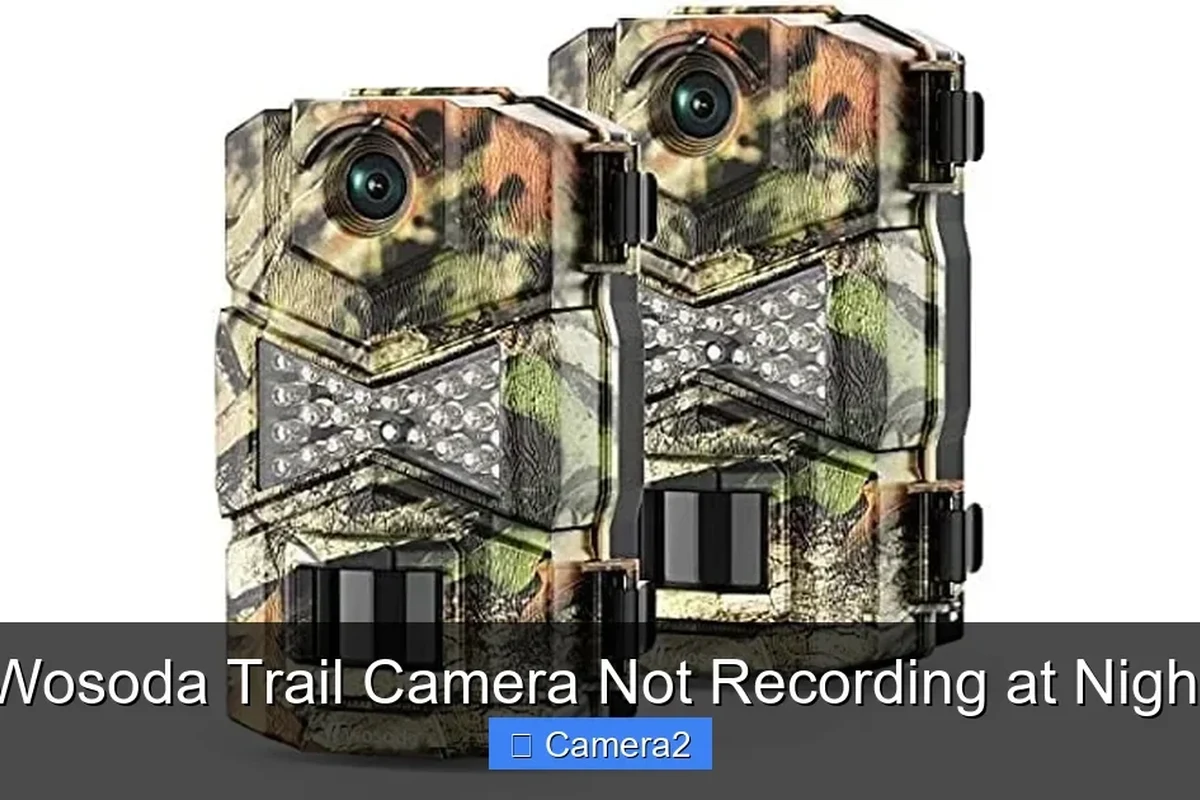
Trail cameras usually rely on a passive infrared motion sensor to detect movement and infrared LEDs to illuminate the scene when visible light is low. The camera then captures still images or video using the sensor and settings you selected.
IR LEDs, motion sensing, and low-light image capture explained simply
At night, the camera cannot depend on regular ambient light, so it uses infrared illumination or a low-light sensor strategy to see the subject. The PIR sensor detects heat-related movement, then tells the camera to wake up and record.
If the camera detects motion but the IR system does not fire, you may get no usable night footage. If the IR fires but the camera is underpowered or the card cannot write fast enough, the clip may fail to save properly.
Why night recording depends on power, card speed, and placement
Night recording is more demanding than daytime capture. The camera must wake quickly, power the sensor, activate infrared LEDs, and write the file to storage without interruption.
Placement matters too. If the camera faces reflective surfaces, thick brush, or moving branches, the sensor may trigger too often or at the wrong time. If it is mounted too high or too low, the motion zone may miss the animal or person you want to capture.
Common Reasons a Wosoda Trail Camera Stops Recording After Dark
When a trail camera only fails at night, the cause is often one of a few repeat offenders. The good news is that most of them can be checked without tools or risky repairs.
Incorrect sensitivity, timer, or mode settings
Some cameras are set to low PIR sensitivity, a long trigger delay, or a time window that does not actually cover the hours you expect. Other times, the camera is in photo-only mode when you expected video, or the delay between triggers is too long to catch repeated motion.
Review the manual for the exact menu names, since settings vary by model and firmware. If you are unsure, return to a minimal setup with motion detection on, a short video length, and no time restrictions.
Poor battery performance in cold weather or with weak cells
Battery output drops in cold conditions, and that can be enough to stop night recording even when the camera still powers on. Weak batteries may not supply enough current for infrared LEDs or video encoding.
This is especially common with mixed cells or batteries that have been sitting for a long time. If the camera works for a few shots and then quits, power delivery is one of the first things to suspect.
Memory card errors, file corruption, or incompatible storage
Trail cameras can be picky about SD card size, speed, and formatting. A card that works in one device may still cause problems in another if the file system or write speed is not supported.
File corruption can also happen if the card is removed while the camera is writing data or if the battery dies mid-recording. If this keeps happening, try a known-good card that matches the manufacturer’s guidance and keep a backup card on hand.
Lens obstruction, dirty sensors, or misaligned mounting angle
Night footage can fail or look blank if the lens is covered by dirt, condensation, spider webs, leaves, or a poorly seated housing door. Even a small obstruction can interfere with infrared light or motion sensing.
Mounting angle matters as well. A camera pointed directly at the rising moon, a bright porch light, or a reflective fence may behave unpredictably. A slight repositioning can make the difference between missed clips and reliable capture.
Step-by-Step Troubleshooting Guide for Night Recording Issues
If the quick fixes did not solve the problem, use a more structured process. The goal is to isolate whether the issue is settings, power, storage, or hardware.
Reset the camera to factory defaults and reconfigure only the essentials
A factory reset can clear odd settings left over from earlier use. After resetting, set only the essentials first: date and time, recording mode, motion detection, and night operation options.
Rebuild the setup one setting at a time so you can tell which change fixes the problem. That makes it easier to spot a setting that quietly disables night recording.
Test the camera indoors or in a dim room to confirm infrared firing
A dim room is a useful safe test environment because it helps you see whether the infrared system activates when motion is detected. Follow the manual and avoid shining bright lights directly into the lens during the test.
If the camera records indoors but not outside, the issue may be placement, temperature, or environmental interference rather than a complete camera failure.
Inspect the SD card, battery contacts, and door seal for damage or moisture
Open the battery compartment and card slot only when the camera is powered off. Look for corrosion, bent contacts, moisture, or a door seal that is not closing cleanly.
Stop using the camera if you see moisture inside the housing, damaged battery contacts, or a swollen battery. Let the unit dry fully and follow the manufacturer’s guidance before powering it again.
Review photo/video settings, trigger delay, and overwrite options
Some recording failures are really configuration conflicts. For example, a long trigger delay can make it seem like the camera is not recording, when it is simply waiting too long between events.
Also check whether overwrite is enabled and whether the camera is set to save photos, video, or both. If the card fills quickly at night, the camera may stop saving new clips unless overwrite is turned on and supported by the model.
What Settings Usually Work Best for Night Recording
The best setup depends on whether you are watching wildlife, monitoring property, or using the camera for general outdoor security. A simple, stable configuration usually works better than aggressive settings that drain batteries or overload storage.
Recommended mode choices for wildlife, property monitoring, and security use
For wildlife, a motion-triggered photo or short video mode is often the easiest way to conserve battery and capture useful activity. For property monitoring, short clips with a moderate trigger delay can help reduce duplicate recordings from the same movement.
For security use, confirm that the camera can actually store enough clips for your intended watch period and that the night scene is within the infrared range described in the manual. If the target area is too far away, the camera may capture motion but not detail.
How resolution, video length, trigger speed, and interval affect night capture
Higher resolution and longer clips usually look better, but they also consume more battery and card space. Faster trigger speed can improve capture of quick movement, but it may also create more false triggers if the area is busy.
Shorter intervals and shorter clips are often a better starting point for night use. If you need longer recordings, confirm that the power source and SD card can handle the extra load.
When to lower expectations for battery life versus image quality
Night recording always asks more from the camera than daytime use. If you want the best possible image quality and longer clips, expect battery life to drop and plan for more frequent maintenance.
This is a tradeoff, not necessarily a defect. Many budget trail cameras are best used with conservative settings rather than maximum-quality recording.
Who the Wosoda Trail Camera Is Best For in 2026
Wosoda trail cameras are generally most appealing to people who want a straightforward, budget-conscious outdoor camera for basic monitoring. The value comes from simple operation and flexible use, not from premium low-light performance.
Ideal users: beginners, casual wildlife watchers, and budget-minded homeowners
Beginners often appreciate a camera that does not require a complex app or a complicated setup. Casual wildlife watchers and homeowners usually want dependable motion capture, easy card swapping, and a low learning curve.
If your main goal is to check a yard, garden, feeder, or driveway area without spending much, this type of camera can make sense. Just be ready to spend a little time tuning the settings for night use.
When a different trail camera may be a better fit for low-light reliability
If you need dependable night footage in harsh weather, very cold conditions, or a high-traffic area, a higher-end model may be a better fit. Better low-light sensors, stronger sealing, and more consistent firmware support can matter more than the lowest sticker price.
That is especially true if you need clear identification detail rather than just motion confirmation. In those cases, compare the official specs, warranty terms, and card compatibility before buying.
Maintenance, Storage, and Safe Use Tips
Good maintenance helps prevent the same night-recording issue from coming back. It also extends the life of the camera and reduces the chance of card or battery problems.
Keep the housing dry, clean the lens gently, and inspect seals regularly
Use a soft, dry cloth to clean the lens and exterior. Avoid harsh cleaners, and do not press hard against the lens or sensor area.
Check the door seal and latch points regularly, especially after heavy rain, freezing temperatures, or rough handling. A seal that looks fine from the outside can still let in moisture if it is misaligned.
Remove batteries for long storage and keep spare cards labeled and protected
If you plan to store the camera for a long time, remove the batteries first. This helps reduce the risk of leakage and corrosion inside the compartment.
Keep spare SD cards in a small case and label them clearly so you know which ones are formatted and ready to use. That small habit can save time when you are troubleshooting in the field.
Use only the recommended battery type and avoid unsafe charging or mixed cells
Battery recommendations vary by model, so check the manual before buying replacements. Mixed battery types or mismatched charge levels can cause inconsistent performance and may shorten the life of the camera.
If you use rechargeable cells, follow the charger manufacturer’s instructions and inspect the batteries regularly. For broader charging safety guidance, our guide to a device that stops charging covers the same core idea: power problems often start with the battery, the contacts, or the charger rather than the device itself.
Final Verdict: Is the Wosoda Trail Camera Worth Fixing or Replacing?
In many cases, a Wosoda trail camera that is not recording at night can be fixed with a reset, fresh batteries, and a properly formatted SD card. Those are the first things worth trying because they solve a surprising number of field issues.
When a simple settings reset is enough
If the camera records during the day, responds to motion, and only misses night clips, a settings problem is the most likely explanation. Restoring defaults and reconfiguring only the essentials is often enough to get it back on track.
When recurring night failures suggest a hardware or quality limitation
If the camera keeps failing after fresh batteries, a known-good card, and a clean reset, the limitation may be in the hardware or in how the model handles low-light capture. Repeated moisture, weak seals, or unreliable infrared firing are signs that the unit may not be the best long-term fit for your location.
Practical recommendation based on value, reliability, and expected use case
For casual use, the Wosoda trail camera can still be a reasonable value if you accept that night performance may require a little tuning. If reliable after-dark recording is mission-critical, it is smarter to compare alternatives with stronger low-light behavior, better weather resistance, and clearer manufacturer support before replacing it with the same type of budget model.
- Check night mode, armed status, batteries, and SD card health first.
- Use a reset and a dim-room test to separate settings issues from hardware issues.
- For long-term reliability, prioritize dry storage, clean contacts, and the right battery type.
Frequently Asked Questions
The most common causes are night mode being off, weak batteries, or an SD card problem. Placement, moisture, and motion settings can also stop after-dark recording.
Use the battery type recommended in the manual and replace all cells as a matched set. Weak, mixed, or cold batteries can fail when the infrared LEDs need extra power.
If the manual recommends it, formatting in the camera is usually the safest choice after backing up files. It can clear file-system issues that prevent new night clips from saving.
Test the camera in a dim room and watch for a night recording response when motion is detected. Avoid bright light blasts into the lens and follow the manual for test mode instructions.
Short video length, moderate trigger delay, and motion detection are usually a good starting point. Lower settings can help battery life while still capturing useful activity.
If night failures continue after fresh batteries, a known-good SD card, a reset, and a moisture check, the camera may have a hardware or quality limitation. At that point, a better low-light model may be the smarter choice.