Does Arlo Video Doorbell Require a Subscription Guide
No, Arlo Video Doorbell does not require a subscription to work, but the free version is limited. A paid Arlo Secure plan usually adds recorded history and smarter detection.
If you’re asking whether the Arlo Video Doorbell needs a subscription, the short answer is no: it can still work without one for live viewing, motion alerts, and two-way talk, but the paid plan unlocks the features most people buy a video doorbell for—especially recorded history and smarter detection. In other words, it is usable for free, but the experience is much more limited without Arlo Secure.
That makes Arlo a good fit for shoppers who want flexibility, but it also means you should understand exactly what you keep for free and what disappears without the subscription. If you are comparing options, it can also help to read our guides on whether video doorbells are worth it for home security and how to choose the best video doorbell before deciding.
- Free use works: Live view, alerts, and two-way talk are generally available without paying.
- Subscription matters: Cloud video history and advanced alerts are the biggest paid upgrades.
- Model checks are essential: Power, chime, and smart-home compatibility vary by model.
- Wi‑Fi quality affects results: Weak signal can cause slow alerts and poor live-view reliability.
Does Arlo Video Doorbell Require a Subscription? Quick Answer and What You Get Without One
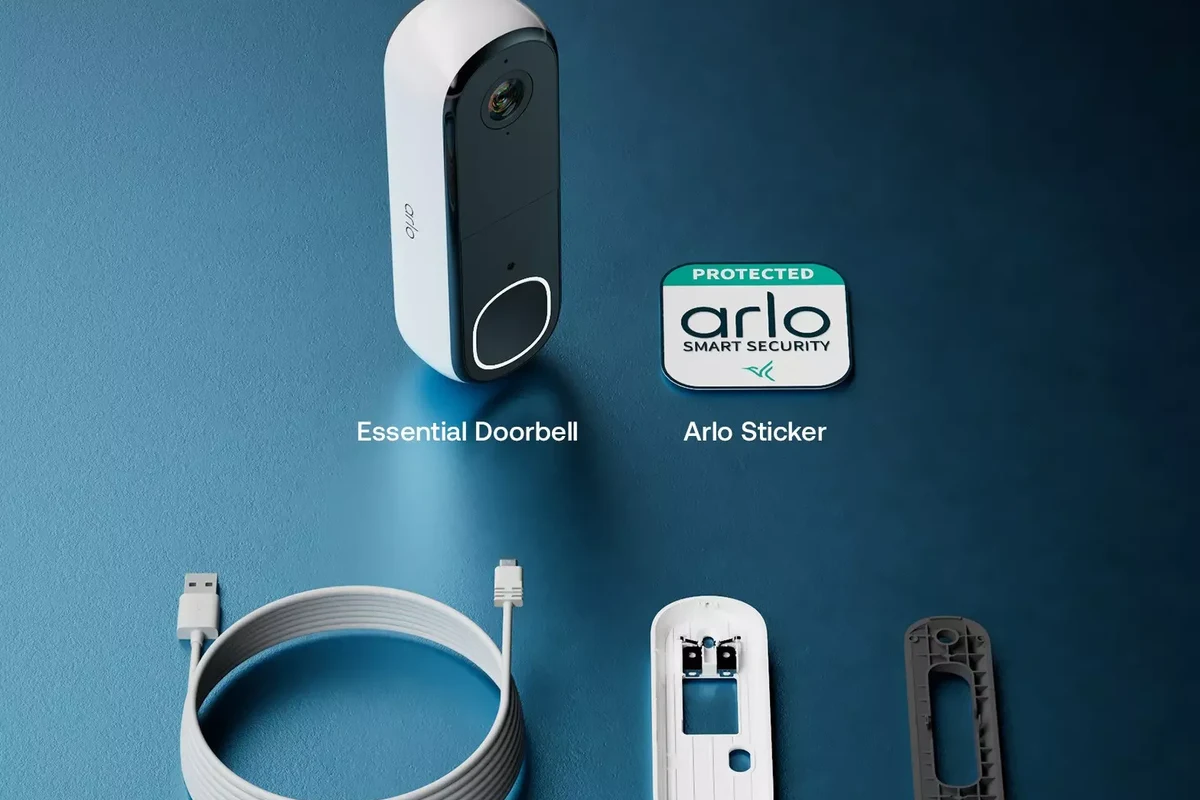
No, the Arlo Video Doorbell does not strictly require a subscription to function. You can generally use the app, receive motion notifications, view a live feed, and talk through the doorbell without paying for Arlo Secure.
What changes is the depth of the security experience. Without a plan, you usually lose cloud video history and the richer alert features that help you review events after they happen. For many buyers, that is the difference between a basic smart doorbell and a true security tool.
Because Arlo’s features can vary by model, firmware, and region, it is smart to confirm the exact feature list on the product page, app listing, and current support documentation before buying. If you want a broader price context, our article on how much a video doorbell costs can help you compare the device price against the long-term subscription cost.
How Arlo Video Doorbell Works in 2026: App Setup, Connectivity, and Core Features
Arlo doorbells are designed around the Arlo mobile app and an internet connection. That means the doorbell is not a standalone gadget; it depends on your home network, your phone, and the app permissions you grant during setup.
Wi‑Fi, power source, and app requirements
Most Arlo doorbells require a stable Wi‑Fi connection and a compatible smartphone app for setup and day-to-day use. Exact power options vary by model, so verify whether your version is wired, battery-powered, or intended for a particular transformer setup before ordering.
App permissions matter more than many buyers expect. If you disable notifications, background activity, microphone access, or camera permissions, the doorbell may still be installed but feel unreliable in daily use.
Compatibility can change by model, app version, and phone operating system. Always check the current Arlo support page and app store listing for the exact device you plan to buy.
Motion alerts, live view, two-way audio, and smart-home integration
Without a subscription, the core experience usually centers on real-time features: motion alerts, live view, and two-way audio. That makes the doorbell useful for answering visitors, checking deliveries, and seeing what is happening at the front door in the moment.
Smart-home integration can also matter. Depending on the model and ecosystem, Arlo may work with voice assistants or smart displays, but those connections should be verified before purchase. If Apple support matters to you, our guide to video doorbells that work best with Apple may help narrow the field.
Many smart doorbells can notify you instantly without storing video, which is why a “free” doorbell can still feel useful even when it lacks cloud recording.
Arlo Secure Subscription: What It Unlocks vs. What Free Users Still Keep
Arlo Secure is where the product becomes more than a live-intercom device. The subscription is typically what enables event recording, smarter alerts, and a more complete review of what happened at your door after the fact.
Cloud video history, smart alerts, and advanced detection features
The biggest value of Arlo Secure is video history. Instead of only knowing that motion happened, you can usually review clips later, which is essential if you want evidence of package theft, suspicious activity, or repeated visitor attempts.
Paid plans may also unlock advanced detection features such as person, vehicle, or package recognition, depending on the model and plan tier. These tools can reduce alert noise, but they are not guaranteed to be identical across all Arlo products.
- Check whether the plan stores event clips in the cloud and for how long.
- Confirm whether advanced detection is included on your exact model or only on higher tiers.
- Review how many cameras or doorbells the plan covers if you plan to expand later.
Local limitations, storage trade-offs, and why the subscription changes the experience
Without a subscription, the main trade-off is that you may not have a convenient way to review past events. That means if you miss a notification, the moment may be gone unless your specific model supports another local storage option that is actually enabled and compatible.
For many households, the subscription changes the doorbell from “helpful in real time” to “useful for evidence and follow-up.” That difference matters most for homeowners who care about security logs, renters who want package monitoring, and families who may not always answer alerts immediately.
- Free use is possible, but it is mostly live-view focused.
- Paid plans usually add recorded history and smarter detection.
- Exact features depend on the model and current Arlo plan terms.
Who the Arlo Video Doorbell Fits Best: Homeowners, Renters, and Budget-Conscious Buyers
Arlo is best for people who want a polished smart-doorbell experience and are willing to decide later whether cloud recording is worth paying for. It is less ideal for anyone who wants the most complete experience without an ongoing fee.
Best use cases for security-focused households
Homeowners who receive frequent deliveries, live in busy neighborhoods, or want easy front-door monitoring are the strongest fit. The doorbell is also appealing for households that already use a smart-home ecosystem and want a camera-first security setup.
For users who care about alert quality, app convenience, and the option to upgrade into a fuller security service, Arlo can make sense even if the subscription is not purchased on day one. The hardware is only part of the value; the software experience is the other half.
When a no-subscription or lower-cost alternative may be a better fit
If you know you will never pay for cloud storage, a different brand may fit better. Some buyers prefer models with more generous local storage options or a lower total cost of ownership over time.
That is especially true for budget-conscious shoppers, students, or renters who want a simple front-door camera without committing to another monthly bill. If that sounds like you, it may be worth comparing Arlo against other options in our best value video doorbell roundup.
Key Specs and Buying Criteria to Verify Before You Decide
Because doorbell features vary across Arlo models, the most important buying step is not guessing—it is checking the exact product listing and support page. That is especially true for power, size, and compatibility details.
- Confirm the exact Arlo model and whether it is wired, battery-powered, or both.
- Verify app support, smart-home compatibility, and any subscription-free limitations.
- Check the mounting requirements, chime compatibility, and weather rating in the manual.
Power requirements, dimensions, field of view, and video quality
Power requirements are one of the most important details to verify because they affect installation difficulty and long-term convenience. A wired model may be simpler for continuous power, while a battery model may be easier to place but require charging or battery management.
Video quality and field of view also matter, but these are model-specific and should be checked directly on the current spec sheet. A wider view can help capture visitors and packages, while better resolution can improve identification at the cost of larger video files and potentially heavier network use.
Compatibility with existing chimes, smart displays, and home ecosystems
Doorbell compatibility is often where buyers run into frustration. Check whether the Arlo model works with your existing mechanical or digital chime, whether it supports your smart display, and whether it integrates with the voice assistant or platform you already use.
If compatibility is a priority, do not rely on old forum posts or outdated videos. Use the current Arlo compatibility list, the app store listing, and the installation manual for the exact model you are considering.
Real-World Benefits and Practical Trade-Offs of Using Arlo Without a Subscription
Using Arlo without a subscription can still be practical, especially if your main goal is to see who is at the door and answer in real time. The trade-off is that the system becomes less useful as a record-keeping tool.
Convenience, deterrence, and day-to-day usability
Even without cloud recording, a visible video doorbell can deter casual porch theft and help you decide whether to answer the door. For many households, that convenience is enough to justify the hardware.
It is also useful for quick checks when you are away from home, working remotely, or expecting deliveries. The value is strongest when the app is reliable and your Wi‑Fi signal reaches the doorbell well.
Before mounting the doorbell permanently, confirm that your Wi‑Fi signal is strong at the front door and that the app sends notifications promptly on your phone.
Limitations around recording history, notifications, and long-term value
The biggest limitation without a plan is the lack of convenient event history. If you miss an alert, you may have little to review later, which reduces the doorbell’s usefulness for disputes, package issues, or repeated incidents.
Notifications can also feel less valuable if they are too frequent or not properly tuned. Motion zones, sensitivity settings, and notification permissions matter, but some of the best filtering tools may be part of the paid experience depending on the model.
Common Mistakes, Setup Issues, and Safe Use Tips for Arlo Doorbell Owners
Most problems with smart doorbells come from setup, placement, or network issues rather than broken hardware. That is why it helps to plan the install carefully and keep the app, firmware, and permissions in good shape.
Installation placement, Wi‑Fi strength, and app permission errors
Mounting height and angle affect motion detection, face capture, and package visibility. If the doorbell points too high, too low, or at a busy sidewalk, you may get poor results even when the hardware is fine.
Wi‑Fi strength is equally important. A weak signal can cause delayed notifications, dropped live views, or unreliable uploads. On the app side, review notification, microphone, camera, and background refresh permissions so the system can function as intended.
Place the doorbell where it can see visitors and packages without being blocked by trim, railings, or glare.
Check signal strength and notification speed at the intended location before securing the mount.
Allow the permissions needed for alerts, audio, and camera access, then confirm they remain enabled after updates.
Maintenance, cleaning, weather exposure, and warranty details to check
Like any outdoor electronics, the doorbell should be kept clean and protected from obvious abuse. Use only manufacturer-recommended cleaning methods, and avoid spraying water directly at the device unless the manual clearly allows it.
Weather exposure, temperature limits, and warranty coverage can vary by model and region, so verify those details before installation. If the device shows damage, overheating, or abnormal behavior, stop using it and follow the manufacturer’s guidance.
Stop using any damaged doorbell, frayed cable, loose mount, or overheated power accessory and consult the manufacturer’s support instructions before continuing.
Final Verdict: Is the Arlo Video Doorbell Worth It Without a Subscription?
Arlo can still be worth buying without a subscription if you mainly want live viewing, instant alerts, and two-way talk from a recognizable smart-home brand. It is less compelling if your goal is to review past events, reduce alert noise, or build a more complete security record.
Transparent recommendation based on feature needs, budget, and security priorities
If you want the strongest value from an Arlo Video Doorbell, assume the subscription is part of the long-term cost unless you have confirmed that the free feature set is enough for your household. That is the safest way to avoid disappointment after installation.
Choose Arlo if you value flexible setup, polished app features, and the option to upgrade into cloud recording later. Skip it or compare alternatives if you want the best possible no-subscription experience or a lower total cost over time.
Frequently Asked Questions
Yes, in many cases you can still use live view, motion alerts, and two-way audio without a subscription. The main limitation is that recording and review features may be reduced or unavailable.
Arlo Secure typically adds cloud video history and smarter detection features. Exact benefits can vary by model and plan tier, so check the current plan details before buying.
That depends on the exact model and setup. Some models may support limited local options, but you should confirm the current specifications rather than assume local storage is included.
It can be, especially if you want a recognizable smart doorbell without a complex install. Renters should verify mounting options, power needs, and whether the subscription-free feature set is enough.
Verify power type, chime compatibility, Wi‑Fi strength, app requirements, and whether the model works with your smart-home ecosystem. Also confirm what features are free versus locked behind Arlo Secure.
Choose another brand if you want the most complete experience without a monthly fee. A lower-cost or more local-storage-friendly option may fit better if long-term subscription value matters to you.