Does Ring Video Doorbell Require a Subscription Guide
No, a Ring Video Doorbell does not require a subscription to work. You can still use live view, motion alerts, and two-way talk, but recorded video history usually needs Ring Protect.
If you’re asking does Ring video doorbell require a subscription, the short answer is no: Ring doorbells still work without Ring Protect, but the experience is more limited. You can usually see live video, get motion alerts, and use two-way talk through the app, while recorded video storage and some advanced features depend on a paid plan.
- Free use: Core doorbell functions still work without Ring Protect.
- Paid value: Subscription plans mainly add recording and cloud storage.
- Best fit: No-plan use suits casual and budget-conscious buyers.
- Check first: Confirm model compatibility, Wi-Fi strength, and current plan terms.
Does Ring Video Doorbell Require a Subscription? Quick Answer and What You Get Without One
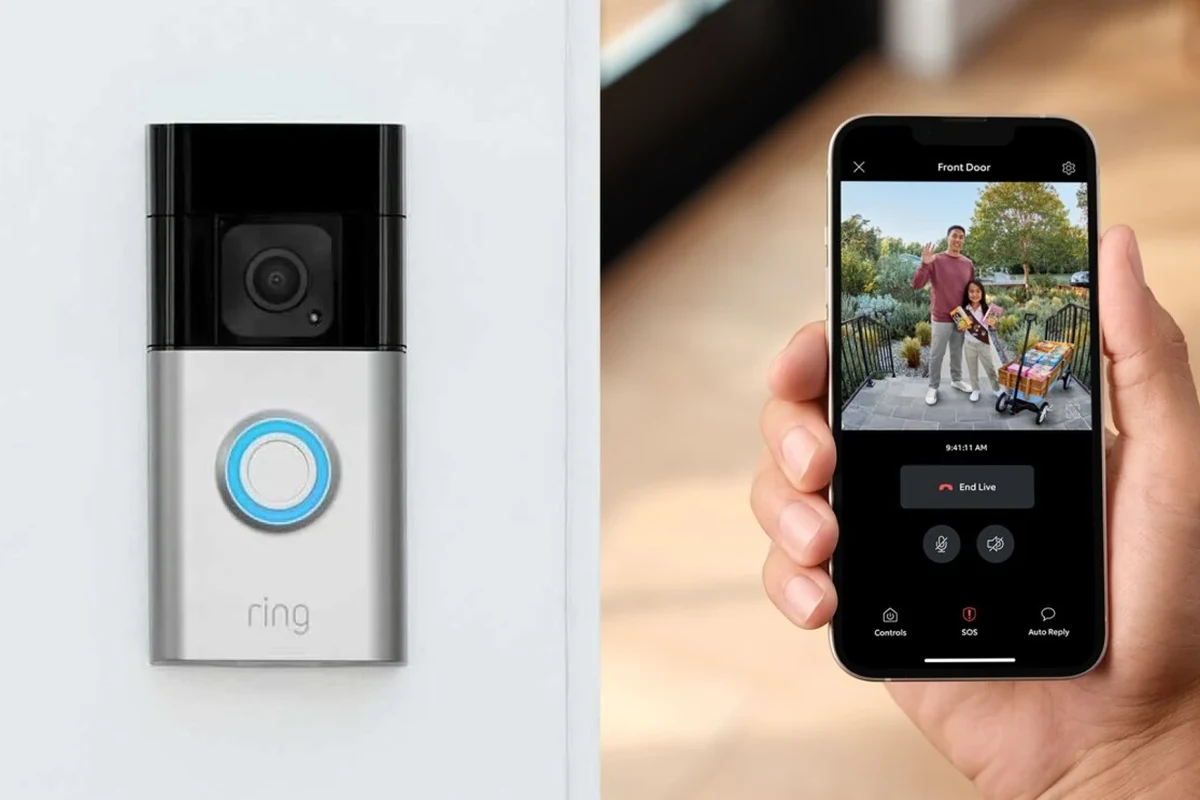
A Ring Video Doorbell does not require a subscription to function as a smart doorbell. Without Ring Protect, you can still use core features such as motion notifications, Live View, and app-based communication, but you generally lose cloud video history and some event-based conveniences.
That makes Ring usable as a basic connected doorbell, especially if your main goal is seeing who is at the door in real time. If you want to review past motion clips, save events longer term, or manage several devices more flexibly, a subscription becomes much more valuable. For readers comparing total ownership cost, it also helps to review Ring Video Doorbell cost factors alongside the plan details.
How Ring Video Doorbells Work in 2026: Hardware, App, and Cloud Storage Basics
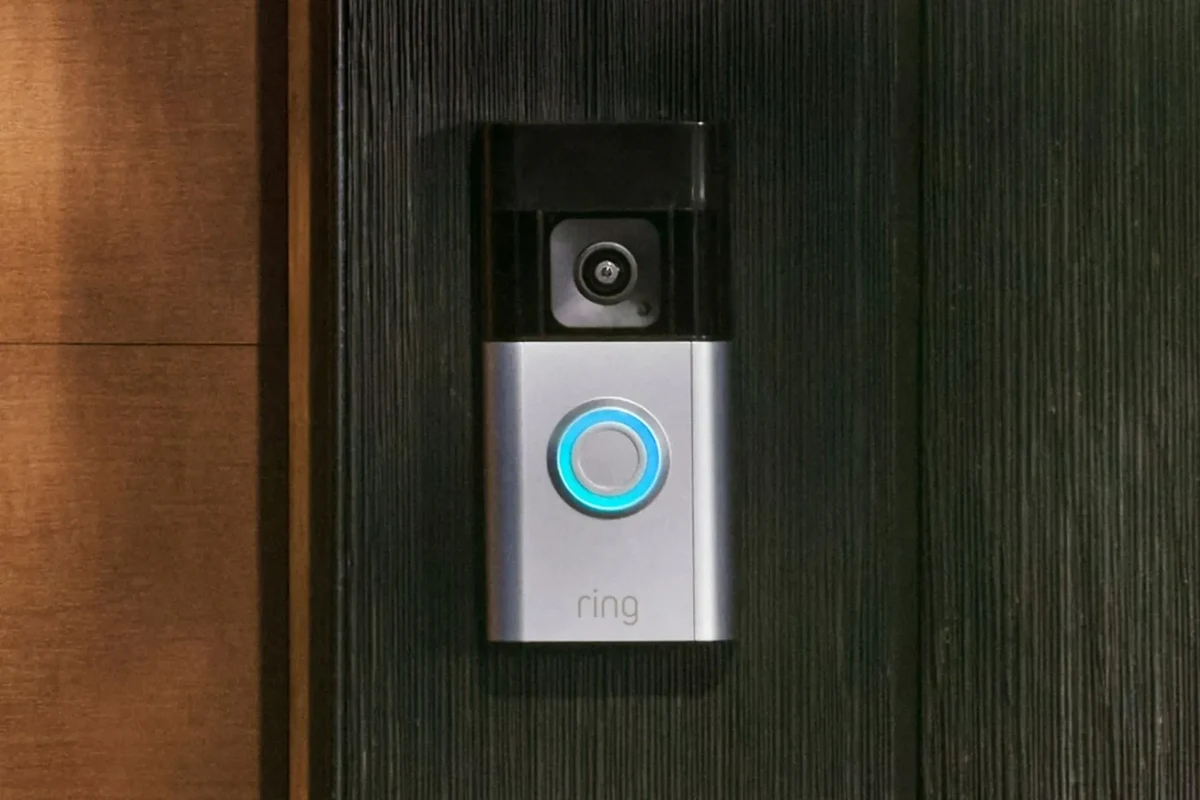
Ring doorbells are built around three pieces: the physical doorbell, the Ring app, and Ring’s cloud services. The device detects motion, sends alerts to your phone, and lets you open the app to see a live video feed or talk with a visitor.
What changes with subscription access is mostly storage and history. The hardware can still detect activity, but without cloud recording you are relying on real-time viewing and notifications rather than a searchable event timeline. That distinction matters if you are away from home often, work shifts, or want to check whether a package was delivered earlier in the day.
Live View, Motion Alerts, and Two-Way Talk Explained
Live View lets you open the Ring app and watch the camera feed in real time. Motion alerts notify you when the doorbell senses activity, and two-way talk lets you speak to a visitor from the app.
These features are useful even without a subscription, but they depend on your phone, app permissions, Wi-Fi quality, and the specific doorbell model. In practice, the experience can vary if your router is far from the front door, your phone is on battery-saving mode, or app notifications are restricted.
Many smart doorbells can still alert you in real time without storing clips, which is why live viewing and recording are often treated as separate features.
What Changes When You Skip Ring Protect
Without Ring Protect, the biggest difference is that you typically do not get the same cloud video review tools. That means if you miss a notification, you may not be able to go back and watch the event later.
You may also lose features that are tied to paid recording, extended history, or multi-device management. The exact feature set can vary by model, region, and firmware, so it is smart to verify the current Ring app and official support pages before buying.
Subscription availability and included features can vary by country, device generation, and Ring software updates. Always confirm the current plan terms in the Ring app or official support documentation.
Ring Subscription Plans: Features, Pricing, and What’s Actually Included
Ring’s paid plans are designed to add recording, storage, and in some cases broader device coverage. Because pricing and bundles can change, the safest approach is to treat any published price as a snapshot and confirm the latest details on Ring’s official site or in the app store listing.
For shoppers who are still deciding whether Ring is the right platform at all, it may also help to compare the broader question of whether Ring is worth it against your home’s security needs and budget.
Ring Protect Basic vs. Ring Protect Plus vs. Ring Protect Pro
Ring Protect Basic is generally aimed at a single device, while higher-tier plans are built for homes with multiple Ring devices. Protect Plus is usually the better fit for households that want broader coverage across several cameras or doorbells, and Protect Pro is intended for users who want more advanced security features where available.
Because plan names and feature bundles can change, do not assume every tier includes the same tools in every region. Confirm whether the plan covers video history, device count, professional monitoring options, or any extra security services before you subscribe.
Which Features Depend on a Subscription
The features most commonly tied to a subscription are recorded video history, event review, and broader device management. Some advanced alerting or security functions may also be reserved for higher tiers.
What you can usually keep without a plan includes live viewing, motion alerts, and real-time communication. If your main use case is answering the door from your phone, a subscription is optional. If your use case includes evidence, package monitoring, or checking missed events, a subscription is much more useful.
- No subscription is required for basic doorbell operation.
- Paid plans mainly add recording, storage, and expanded features.
- Feature availability depends on the exact Ring model and region.
Who Should Buy a Ring Doorbell With No Subscription and Who Shouldn’t
A Ring doorbell without a plan can still be a sensible buy, but only for certain households. The best choice depends on how often you want to review footage, how many devices you plan to install, and whether you are comfortable relying on live alerts instead of saved clips.
Best Fit for Casual Users, Renters, and Budget-Conscious Homes
If you only want a smart doorbell for live alerts and occasional visitor checks, going without a subscription can make sense. Renters, students, and budget-conscious homeowners often prefer this approach because it keeps ongoing costs lower.
This can also work well if you are testing whether a video doorbell fits your routine before committing to monthly fees. In that case, a subscription can always be added later if you decide video history is worth paying for.
Best Fit for Multi-Device Homes and Security-Focused Buyers
Households with multiple entrances, frequent deliveries, or a strong need for incident review usually get more value from a paid plan. If you want to check past events, compare motion clips, or manage several Ring devices in one place, the subscription becomes part of the product’s real value.
Security-focused buyers should also compare alternatives if they want local storage, different privacy trade-offs, or a platform that does not rely as heavily on cloud services. For a broader market view, see what video doorbells can be better than Ring for some households.
Buy Ring without a subscription if you mainly want live alerts and two-way talk. Choose a paid plan if you need reliable event history, multiple-device coverage, or stronger security workflow support.
Key Buying Criteria: Compatibility, Power Options, and Setup Requirements
Before you buy, check whether the Ring model matches your home’s wiring, Wi-Fi, and app ecosystem. The subscription question matters, but compatibility often decides whether the doorbell is easy to live with day to day.
Wired vs. Battery Models, Voltage Needs, and Installation Considerations
Ring offers both wired and battery-powered models, and the right choice depends on your existing doorbell wiring and how much maintenance you want. Wired models can be a good fit if your home already has compatible doorbell power, while battery models are often easier for renters or homes without existing wiring.
Voltage and installation requirements vary by model, so confirm the official compatibility guide before purchasing. If you are not comfortable working with household wiring, use a qualified installer and follow the manufacturer’s safety instructions rather than improvising.
Do not install or power a doorbell outside the manufacturer’s electrical guidance. If wiring is damaged, exposed, or unstable, stop and have it checked by a qualified professional.
Wi-Fi Strength, App Requirements, and Smart Home Compatibility
Because Ring relies on app alerts and cloud access, a stable Wi-Fi connection matters as much as the doorbell itself. Weak signal strength at the front door can cause delayed alerts, choppy Live View, or missed events.
You should also verify phone compatibility, app store support, and any smart home integrations you care about, such as voice assistants or broader security platforms. These details can change with app updates, device generation, and regional support, so confirm them before you buy. If you are comparing where to purchase, our guide to where to buy Ring Video Doorbells can help you narrow down reputable options.
- Check the exact Ring model and whether it supports your wiring or battery setup.
- Confirm Wi-Fi coverage at the front door and app compatibility on your phone.
- Review current subscription terms, privacy settings, warranty coverage, and return policy.
Real-World Value: Benefits, Limitations, and Common Mistakes to Avoid
The value of a Ring doorbell without a subscription depends on what you expect from it. If you only need a live front-door camera with alerts, it can be useful on its own. If you expect it to function like a full security recorder, the free experience will likely feel incomplete.
What You Still Get for Free and Where the Free Experience Falls Short
Without paying, you still get the basics that make a video doorbell worthwhile: motion alerts, Live View, and two-way communication. That can be enough for greeting visitors, screening deliveries, or checking who is outside before opening the door.
The limitation is that you may not have a convenient way to review missed motion events later. That matters in real life when you are in a meeting, asleep, or away from your phone. In those cases, a subscription often changes the doorbell from a live-intercom tool into a more complete security record.
- Place the doorbell where motion detection covers the approach path, not just the doorstep.
- Turn on only the alerts you actually need so notifications stay useful.
- Check your app permissions and battery-saving settings if alerts seem delayed.
Common Setup and Privacy Mistakes That Reduce Value
One common mistake is mounting the doorbell too high, too low, or at an angle that misses faces and packages. Another is leaving app notifications disabled or buried under phone settings, which makes the device feel unreliable even when the hardware is working normally.
Privacy settings are worth reviewing as well. Use a strong account password, enable two-factor authentication if available, and check shared-user permissions so only trusted people can access your camera feed. Also review firmware updates and official privacy controls regularly, because smart-home features can change over time.
Safety, Maintenance, and Long-Term Use: Keeping the Doorbell Reliable
Like any outdoor electronics, a Ring doorbell needs basic care to stay dependable. Weather exposure, battery habits, dust, and app upkeep can all affect how well it performs after installation.
Battery Care, Charging Limits, and Heat or Weather Checks
If you choose a battery model, follow the manufacturer’s charging guidance and avoid using damaged cables or adapters. Battery performance can vary with temperature, motion frequency, and how often Live View is used.
Outdoor electronics also need occasional weather checks. If the device is exposed to unusual heat, moisture intrusion, or visible damage, stop using it and review the manufacturer’s support guidance. For households comparing battery performance across models, our roundup of video doorbells with the best battery life may be useful.
Stop using a doorbell with cracked housing, damaged wiring, swelling battery signs, or overheating accessories and follow the manufacturer’s instructions for support or replacement.
Cleaning, Firmware Updates, and When to Replace Parts
Keep the camera lens and surrounding housing clean with the gentle method recommended by the manufacturer. Dust, pollen, spider webs, and weather residue can reduce image quality or motion accuracy over time.
Firmware updates are also important because they may improve stability, security, or compatibility. If the device starts dropping offline often, failing to charge properly, or missing events even after basic troubleshooting, it may be time to check for accessory wear, router issues, or replacement options.
Final Recommendation: Is a Ring Video Doorbell Worth It Without a Subscription?
Yes, a Ring Video Doorbell can be worth buying without a subscription if you want a simple live-monitoring doorbell and do not need recorded video history. The hardware still provides useful front-door awareness, especially for renters, casual users, and households trying to keep ongoing costs down.
But if you want the doorbell to act like a true security archive, the free version will feel limited. In that case, the subscription is not just an add-on; it is a major part of the experience. If you are still undecided, compare the device itself with your budget and priorities using this broader video doorbell value guide.
Transparent Verdict for 2026 Buyers
For 2026 buyers, the best way to think about Ring is this: the doorbell works without a subscription, but the paid plan unlocks the parts most people expect from a security camera. Choose the no-subscription route if you want basic convenience and live visibility, and choose Ring Protect if saved footage and event review are important to your home.
Frequently Asked Questions
Yes. A Ring Video Doorbell can still provide live viewing, motion alerts, and two-way talk without Ring Protect. The main trade-off is that you usually lose easy access to recorded event history.
Core features like motion notifications, Live View, and app-based communication are usually available without a paid plan. Exact availability can vary by model, region, and software version.
Ring Protect plans typically add cloud video recording, storage, and broader device management. Higher tiers may include more advanced security features depending on the region and current plan terms.
It can be worth it if you mainly want a smart doorbell for live alerts and visitor communication. If you need to review missed events later, a subscription is usually the better fit.
Yes. Ring doorbells depend on Wi-Fi for alerts, Live View, and cloud services, so weak signal at the front door can affect performance.
Check model compatibility, power type, Wi-Fi strength, app support, current subscription terms, warranty coverage, and return policy. Those details can change the real-world value of the doorbell more than the subscription question alone.