Does Blink Video Doorbell Need a Subscription Explained
Blink Video Doorbell does not require a subscription to work, but the paid plan adds storage and more useful event review. If you mainly want alerts and live view, the free setup may be enough; if you want saved clips, the subscription is more valuable.
If you’re asking does Blink video doorbell need a subscription, the short answer is no: it can work without one for basic live view and app-based alerts, depending on your setup. A Blink subscription mainly adds cloud storage and a few convenience features, so the right choice comes down to how much history, smart detection, and multi-device control you want.
- No subscription required: Blink can still provide alerts and live viewing.
- Paid plan value: Subscription mainly adds storage, event history, and convenience.
- Best for casual use: Good for budget buyers who only need basic front-door awareness.
- Check before buying: Verify power type, Wi‑Fi strength, app compatibility, and current plan terms.
Does Blink Video Doorbell Need a Subscription? Quick Answer Up Front
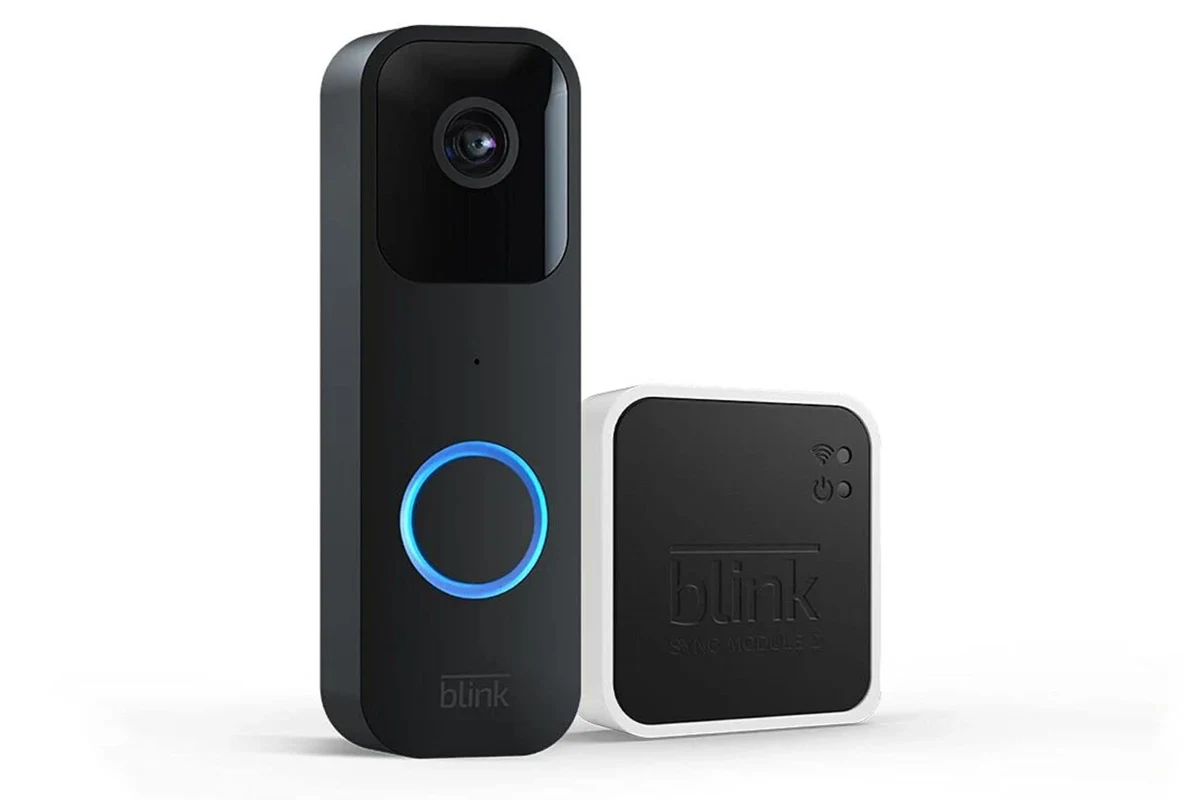
Blink Video Doorbell does not require a subscription to function as a doorbell camera. You can still use core features such as motion alerts and live viewing through the Blink app, but the experience is more limited without paid storage and certain smart features.
The most important question is not whether it works at all, but whether the free version gives you enough history and convenience for your household. If you want local or cloud video access, richer alerts, and easier review of events, the subscription can matter a lot more than the sticker price of the doorbell itself.
How Blink Video Doorbell Works Without a Subscription
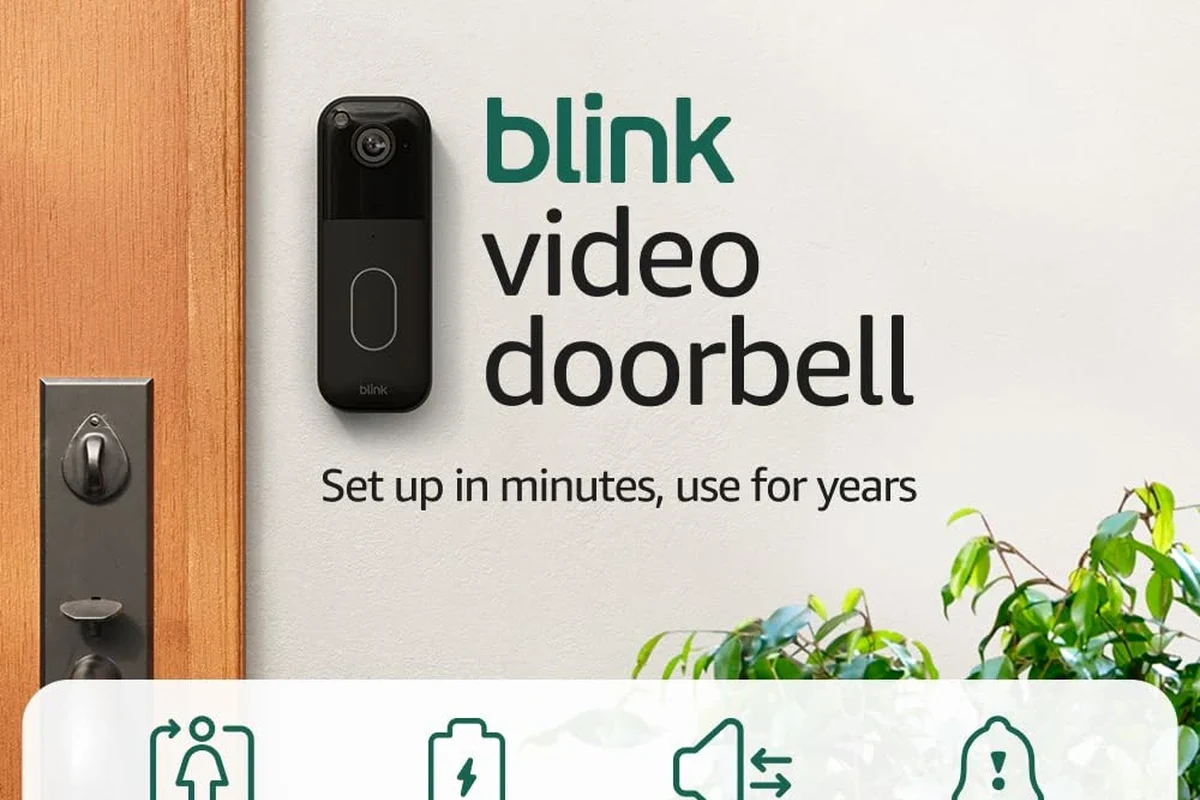
Without a subscription, Blink’s doorbell still serves its main purpose: it lets you see who is at the door and receive app alerts when motion or button presses occur. The exact feature set can vary by model, firmware, and whether your doorbell is wired or battery-powered, so it is worth checking the current Blink support pages before buying.
What you can do with the free setup
At minimum, a Blink Video Doorbell can notify you when someone presses the button or triggers motion detection, and you can open the app to view a live feed when available. That makes it useful for renters, students, small households, and anyone who mainly wants a basic front-door alert system.
In many homes, the free setup is enough for simple use cases like greeting guests, confirming deliveries, or checking whether a package was dropped off. If you only need occasional live viewing and do not care about saving clips for later, the no-subscription route may be perfectly reasonable.
- Decide first whether you need recorded history or only live alerts.
- Check if your Wi‑Fi signal is strong at the front door before assuming the camera will be reliable.
- Review Blink’s current app and storage rules, since feature details can change by firmware or plan.
One practical limitation is that free use can make it harder to review activity after the fact. If you miss a notification, you may not have a clip to go back and watch, which matters for package deliveries, porch activity, or repeated visitors.
What changes when you add Blink Subscription Plans
Subscription plans are where Blink becomes more of a full security system than a simple live-view doorbell. Paid plans usually add cloud video storage, event history, and extra smart features, though the exact bundle depends on the plan and region.
For many households, the biggest benefit is not a single feature but the convenience of being able to review motion events later. That can be especially useful if multiple people use the app, if you travel often, or if you want to compare several doorbell events in one place.
Subscription names, included features, and storage rules can change over time. Confirm the current Blink plan details in the official app or support documentation before relying on any feature for security or evidence.
Key Features to Check Before You Buy
Before deciding whether the subscription is worth it, check the hardware fit and app requirements. A doorbell camera can look affordable on paper but still be a poor match if your home wiring, Wi‑Fi, or device ecosystem does not line up.
Power options, dimensions, and installation fit
Blink Video Doorbell models may support battery power, wired power, or both, depending on the version. That matters because your installation path affects not just convenience but also maintenance, battery changes, and whether you can use certain features continuously.
Physical fit matters too. Check the doorbell’s dimensions, mounting style, and whether it matches your existing chime setup or requires a different installation approach. If you are replacing an older doorbell, verify that the included mounting hardware and any required accessories are in the box before purchase.
- Confirm the exact Blink model and whether it is battery-powered, wired, or dual-power.
- Check the mounting footprint, doorframe clearance, and whether your current wiring supports the installation.
- Verify what is included in the package, especially mounts, screws, and any sync module or required hub.
App requirements, Wi‑Fi connectivity, and device compatibility
Blink relies on its app for setup, notifications, and live viewing, so your phone or tablet compatibility matters. If your device is older, if your operating system is not supported, or if the app store listing has recent compatibility notes, that can affect how smoothly the system works.
Wi‑Fi quality is another major factor. Doorbell cameras sit at the edge of your network, where weak signal, thick walls, or crowded wireless channels can cause delays, dropped live views, or slow notifications. For a better buying decision, compare your home network layout with the camera’s placement before you assume the subscription will solve reliability issues.
If you are still comparing brands, it can help to read broader guides like are video doorbells worth it for home security and what kind of video doorbell should I buy so you can separate feature needs from marketing claims.
What You Get With Blink Subscription in 2026
In 2026, subscription value is mostly about convenience, storage, and smarter review of events rather than making the doorbell usable in the first place. The free version gets you started, but the paid plan is what turns event alerts into a more complete record of front-door activity.
Cloud video storage, person alerts, and smart features
The most obvious benefit is cloud storage for motion clips and event history. That lets you review what happened without needing to catch a live notification in real time, which is especially helpful for busy households and anyone who is away from home frequently.
Depending on the current plan, Blink may also offer person detection or other smarter alerts. These features can reduce unnecessary notifications, though their usefulness depends on placement, lighting, and the amount of foot traffic near the door.
For most video doorbells, the biggest value gap between free and paid use is not live viewing; it is clip storage and event review after the fact.
How subscription value compares for different households
If you live alone, receive few deliveries, and mostly want to know when someone is at the door, the free setup may be enough. In that case, paying for storage can feel unnecessary unless you want the peace of mind of being able to review missed events.
If your household is busy, you travel often, or you frequently miss notifications, the subscription tends to make more sense. Families, remote workers, and people who rely on front-door deliveries usually get more practical value from saved clips than casual users do.
For a broader cost picture, you may also want to compare the doorbell against the overall market in how much a video doorbell costs in 2026. That can help you decide whether a lower upfront price is offset by ongoing subscription fees.
Who the Blink Video Doorbell Is Best For
Blink is not trying to be the most advanced doorbell camera on the market. It is usually a better fit for people who want a simple, budget-conscious way to add front-door visibility without a complicated setup or a premium monitoring ecosystem.
Best fit for budget-focused and casual users
Budget-focused buyers often like Blink because they can start with the hardware and add a subscription only if they need more history later. That flexibility is useful for first-time smart-home buyers who do not want to commit to a high monthly cost before they know how they will actually use the camera.
It can also suit casual users who mainly want motion alerts, occasional live checks, and a straightforward app experience. If your main goal is to know that someone approached the door, rather than to build a detailed security archive, Blink’s lighter approach may be enough.
Households that want an affordable entry into video doorbells and can live with limited free storage, especially if they do not need a complex smart-home setup.
Who may want a different doorbell camera instead
You may want a different option if you strongly prefer subscription-free recording, more advanced smart-home integration, or a system with richer local storage options. Buyers who want to avoid recurring fees entirely should compare models carefully before assuming Blink will stay inexpensive over time.
People who need highly reliable event history, more robust automation, or tighter ecosystem support may also prefer other brands. If Apple compatibility matters, for example, it is worth reviewing a dedicated guide like what video doorbell works best with Apple in 2026 before making a final choice.
Limitations, Common Mistakes, and Safety Considerations
The biggest mistake shoppers make is assuming a low-cost doorbell camera will behave like a fully featured security system without any recurring cost. In practice, the no-subscription experience is often enough for basic awareness, but it is less useful when you need a record of what happened.
Where the no-subscription experience falls short
Without paid storage, you may find that missed alerts are hard to recover from. If someone rings the bell while your phone is on silent, or if motion detection fires when you are away from the app, you may not have an easy way to review the event later.
That limitation matters more for some homes than others. A quiet suburban entryway is a very different use case from a busy apartment corridor, a shared house, or a porch that sees frequent package drop-offs.
- Lower ongoing cost if you only need basic alerts
- Useful live view for checking the front door
- Flexible entry point for first-time buyers
- Limited event history without a plan
- Reliability depends heavily on Wi‑Fi and placement
- Some smart features may require subscription access
Installation, battery, heat, and maintenance checks to verify
Before installation, confirm whether your doorbell location has the right power source, mounting surface, and Wi‑Fi coverage. If the camera is battery-powered, remember that battery life depends on motion frequency, temperature, live-view use, signal strength, and how often the doorbell is triggered.
Also pay attention to heat, weather exposure, and maintenance. Outdoor electronics should be installed according to the manufacturer’s instructions, and any sign of damage, swelling, corrosion, or unstable mounting should be treated seriously.
Stop using damaged electronics, swollen batteries, frayed cables, overheating chargers, or unstable mounts and follow the manufacturer’s guidance. For wired installations, use the correct electrical precautions and qualified help if you are unsure.
For buyers who want a broader side-by-side view of alternatives, a comparison like best value video doorbell can help separate upfront cost from long-term ownership cost.
Blink Video Doorbell vs. Subscription-Free Alternatives
Blink’s main appeal is that it gives you a lower-friction way to get started. But if your top priority is avoiding recurring fees, it is smart to compare it with brands that emphasize local storage or more generous free recording options.
How it compares on storage, alerts, and total cost
Compared with subscription-free alternatives, Blink is often competitive on entry price but less competitive on long-term ownership if you want clip storage. A camera that costs a little more upfront but includes local storage may be cheaper over time for a household that records frequently.
Alerts are usually similar in concept across brands, but the difference shows up in what happens after the alert. If you can review a clip, save it, or share it easily, the system becomes much more useful for deliveries, visitors, and security checks.
| Option | Best For | Key Consideration |
|---|---|---|
| Blink with subscription | Users who want saved clips and easier event review | Monthly cost adds up over time |
| Blink without subscription | Casual users who only need alerts and live view | Limited history can be frustrating |
| Subscription-free alternative | Buyers who want to avoid recurring fees | Verify local storage, app support, and compatibility |
Trade-offs to consider before committing
The right choice depends on whether you value simplicity or storage more. If you want a low-cost way to get started now and decide later, Blink is easy to understand.
If you already know you want dependable recorded history without a monthly plan, keep shopping. The best option is the one that matches your actual usage pattern, not just the one with the lowest upfront price.
Final Verdict: Is a Blink Subscription Worth It?
For many users, the Blink Video Doorbell works fine without a subscription, especially if they only want live alerts and occasional checks at the door. The subscription becomes worthwhile when saved clips, event history, and smarter alerts are important enough to justify an ongoing fee.
Clear recommendation based on user needs and budget
Choose Blink without a subscription if you are cost-sensitive, use the doorbell casually, or mainly want a simple front-door notification system. Choose the subscription if you expect to review events regularly, miss notifications often, or want the camera to function more like a complete security record.
Before buying, verify the current Blink app requirements, storage rules, and installation details, because those can change by model and plan. If you want a broader buying perspective, pairing this guide with a subscription-free alternative comparison can help you avoid paying for features you will not use.
Blink does not need a subscription to work, but the paid plan is what makes it much more useful for recording and reviewing events. It is a good fit for budget-conscious buyers who can accept limited free storage, while frequent users may be happier with a doorbell that includes more recording value out of the box.
Frequently Asked Questions
Yes, Blink Video Doorbell can work without a subscription for basic alerts and live viewing. The paid plan mainly adds storage and extra convenience features.
You usually lose saved video history and some advanced features. That makes it harder to review missed events after the fact.
Yes, it can be a good entry-level option if you want a lower upfront cost and only basic doorbell alerts. It is less ideal if you want recording without recurring fees.
Check the power type, mounting fit, Wi‑Fi strength, app compatibility, and what is included in the box. Also confirm the current storage and subscription rules before you buy.
Blink is often competitive on upfront price, but some alternatives may offer better local storage or no monthly fees. Compare total cost, recording options, and app support.
Skip it if you only need simple alerts and do not care about clip history. If you want reliable recorded events, a different doorbell may be a better fit.