Are Motion Sensor Lights Always On
No, motion sensor lights are not always on by default. Some models can stay on continuously with an override or special mode, so the exact behavior depends on the fixture and settings.
Motion sensor lights are not always on. In most cases, they stay off or dim until motion, low light, or a manual override mode tells them to turn on, but the exact behavior depends on the model and settings.
- Default behavior: Most motion sensor lights turn on only when motion or darkness triggers them.
- Mode matters: Always-on, auto, dusk-to-dawn, and manual override settings can change how the light behaves.
- Best use cases: Entryways, garages, hallways, yards, and security lighting are common fits.
- Buying focus: Check brightness, detection range, delay time, power source, and weather rating before you buy.
- Troubleshooting: Random triggers and missed detections are often caused by placement or sensitivity settings, not.
Are Motion Sensor Lights Always On? The Short Answer and What It Means
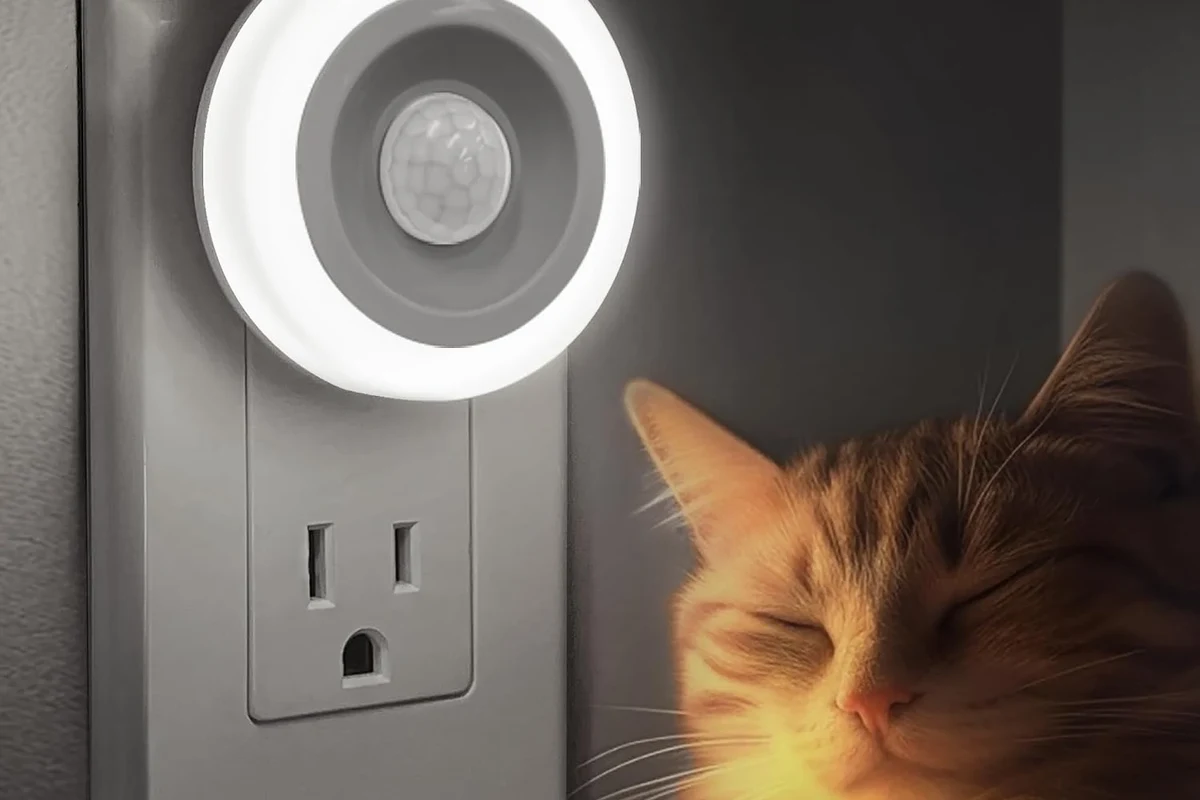
The short answer is no: motion sensor lights are usually designed to save energy by lighting up only when something triggers them. That trigger can be movement, darkness, or a user-selected mode, so “motion sensor light” does not mean one fixed behavior across every product.
Some lights act like a standard fixture with a motion feature added, while others are built mainly for security, pathway lighting, or convenience. If you are shopping, the important question is not just whether a light has a motion sensor, but whether it includes an always-on mode, dusk-to-dawn operation, or manual override.
How Motion Sensor Lights Work: Sensors, Modes, and Power Use
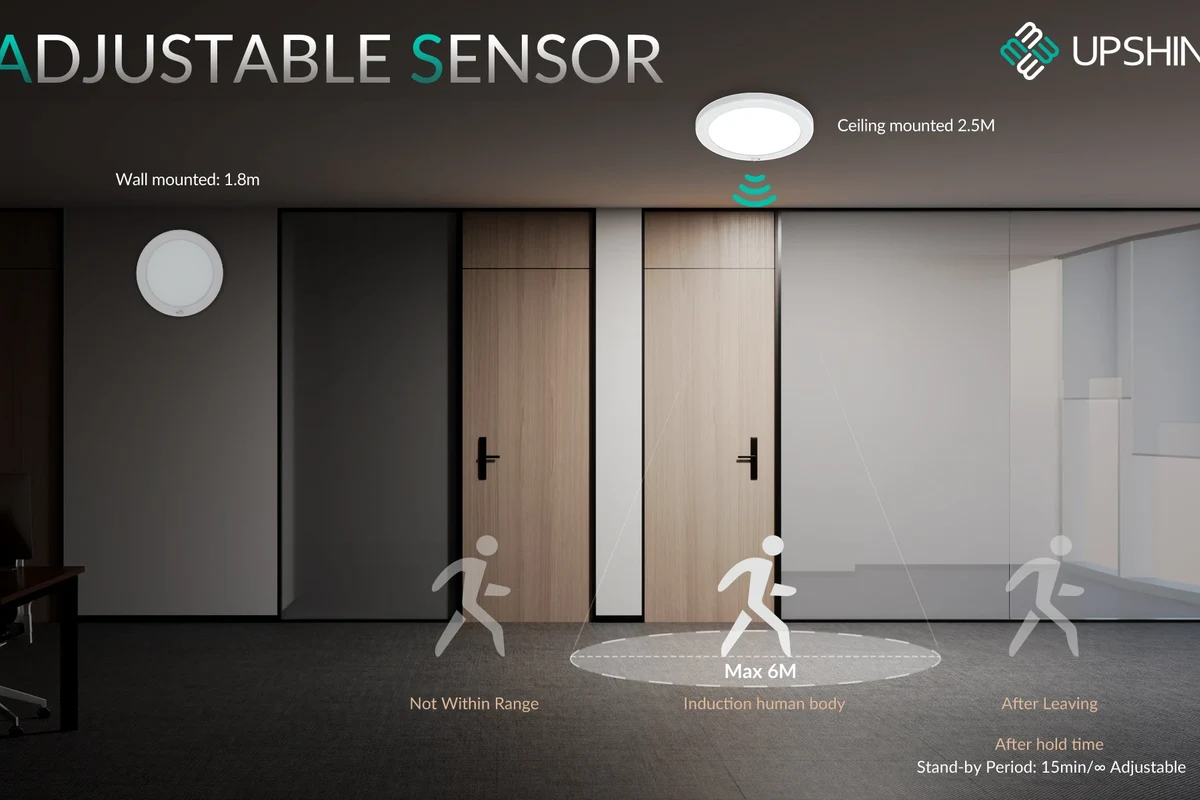
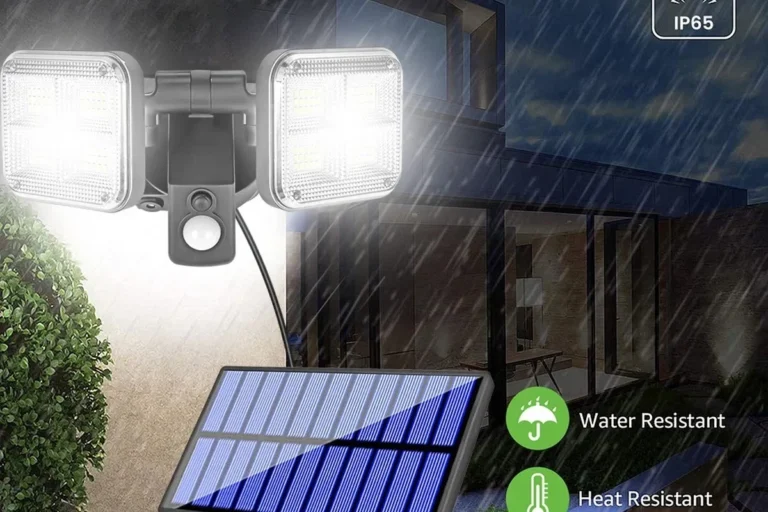
Motion sensor lights combine a detector, a control circuit, and the light source itself. The sensor watches for a change—such as body heat, movement, or reflected energy—and the controller decides whether to switch the light on, keep it on, or delay turning it off.
Power use varies by model. A hardwired fixture may draw a small standby load while the sensor is waiting, while battery and solar models usually prioritize low-power operation to preserve runtime. The exact consumption depends on the electronics, the bulb or LED module, and how often the light activates.
Passive Infrared vs. Microwave vs. Dual-Technology Sensors
Passive infrared, or PIR, sensors detect changes in heat patterns. They are common in home lights because they are relatively simple, efficient, and dependable for people, pets, and vehicles moving through a zone.
Microwave sensors send out radio waves and look for reflected changes. They can detect motion through some thin materials and sometimes cover a larger area, but they may also be more prone to unwanted triggers in certain layouts.
Dual-technology sensors combine two methods, often PIR plus microwave, to reduce false alarms. That can be useful in busy driveways, workshops, or shared hallways, though performance still depends on placement and firmware behavior.
Many motion lights are not “always on” in the everyday sense, but they may still consume a small amount of standby power while waiting for a trigger.
Always-On, Auto, Dusk-to-Dawn, and Manual Override Modes
Always-on mode means the light stays illuminated continuously, just like a regular fixture. Some motion sensor lights offer this for parties, repairs, or times when you want constant light without changing the wiring.
Auto mode usually means the fixture turns on when motion is detected and off after a set delay. Dusk-to-dawn mode uses a light sensor so the fixture only operates at night, while manual override lets you force a different behavior for a period of time.
Mode names vary by manufacturer. One brand’s “smart mode” may behave differently from another brand’s “auto” or “test” setting, so always check the manual before installation or troubleshooting.
Who Motion Sensor Lights Fit Best in 2026
Motion sensor lights fit best when you want automatic lighting without leaving fixtures on all day. They are especially useful in places where people pass through briefly, where security visibility matters, or where you want to reduce wasted energy.
Best Use Cases for Home, Garage, Yard, Hallway, and Security Lighting
At home, these lights work well in entryways, porches, garages, side yards, stairwells, and long hallways. They are also practical for renters, students, and remote workers who want quick lighting without reaching for a switch in the dark.
For security, motion activation can help deter unwanted activity and make a property easier to navigate at night. In garages and utility spaces, automatic light is handy when your hands are full or you only need illumination for a short task.
Homeowners and renters who want hands-free lighting in short-use areas like entries, garages, hallways, and yards. The main limitation is that placement and settings must be tuned to avoid false triggers or missed motion.
When Motion Sensor Lights Are the Wrong Choice
They are not ideal when you need uninterrupted light for reading, video calls, detailed work, or long gatherings. In those cases, a standard switch-controlled fixture or a motion light with a reliable always-on override is usually a better fit.
They can also be frustrating in spaces with constant movement from fans, pets, road traffic, tree branches, or heat sources. If the area is busy enough that the light would be on most of the time anyway, you may lose the energy-saving advantage.
Key Buying Criteria: Brightness, Detection Range, Power Source, and Build Quality
To choose the right motion sensor light, focus on how it will behave in your space rather than on the sensor label alone. The best model is the one that matches your mounting height, trigger distance, weather exposure, and power needs.
Lumens, Beam Angle, Detection Distance, and Delay Time
Lumens tell you how bright the light can be, but beam angle matters just as much because a narrow beam can feel brighter in one spot while leaving the rest of the area dark. Detection distance and coverage angle determine how early the light turns on and how much space it watches.
Delay time is the period the light stays on after motion stops. Short delays can save power, but they may turn the light off too quickly in a hallway or workshop. Longer delays are often more comfortable for entrances and security lighting.
Wired vs. Battery vs. Solar: Trade-Offs in Reliability and Maintenance
Wired lights are usually the most dependable for frequent use because they do not rely on charging or sun exposure. They may also support stronger brightness and more consistent performance, though installation can be more involved.
Battery-powered lights are flexible and easier to place, but they need periodic battery replacement or recharging. Solar models can be convenient for outdoor areas, but their performance depends on sunlight, panel placement, weather, and seasonal changes.
- Wired lights are usually the most consistent for daily use
- Battery and solar models are easier to place where wiring is difficult
- Solar options can reduce routine charging in sunny locations
- Wired installation may require more effort or an electrician
- Battery models need maintenance and replacement planning
- Solar performance can drop in shade, winter, or poor panel placement
Weather Rating, Sensor Placement, and Warranty Details to Verify
For outdoor use, confirm the weather rating and make sure the fixture is positioned for the climate and exposure level in your area. A sheltered porch has different needs than an open driveway or fence line.
Also verify the warranty terms, because coverage can vary by model, retailer, region, and whether the product is intended for indoor or outdoor use. If a manufacturer provides a compatibility list or installation guide, read it before mounting the light.
- Check the operating modes, sensor type, and mounting requirements
- Confirm power source, weather rating, and delay settings
- Review the manual, warranty, and any app or firmware requirements
Real-World Benefits and Limitations of Motion Sensor Lights
Motion sensor lights solve a very practical problem: they make light available only when you need it. That can improve convenience, lower energy waste, and make dark areas feel safer to cross at night.
Energy Savings, Convenience, and Security Advantages
Because the light is not left on constantly, it can reduce unnecessary runtime compared with a standard fixture. That is especially helpful in spaces that are used in short bursts, such as closets, garages, basements, and exterior walkways.
They also improve convenience for people carrying groceries, tools, packages, or luggage. In security-oriented setups, sudden illumination can make movement more visible and easier to notice from inside the home or from a camera system.
False Triggers, Missed Detections, and Privacy or Safety Concerns
The biggest limitation is imperfect detection. Wind-blown branches, pets, HVAC exhaust, nearby traffic, or reflective surfaces can trigger the light when nothing important is happening, while poor placement can cause the sensor to miss motion entirely.
There are also privacy and safety considerations. A light that activates too often can be annoying to neighbors, and a light that fails to activate can create trip hazards on stairs or paths. For that reason, placement and sensitivity settings matter as much as the product itself.
Common Setup Mistakes and How to Avoid Them
Many complaints about motion lights come from setup issues rather than defective hardware. If the light behaves oddly, the first place to look is usually mounting position, sensor angle, and the chosen mode.
Poor Mounting Height, Wrong Angle, and Obstructed Sensor View
Mounting too high can reduce sensitivity, while mounting too low can narrow the detection zone or make the light easier to trigger accidentally. If the sensor is pointed at the wrong area, it may ignore the path you actually want to cover.
Keep the sensor’s view clear of railings, eaves, plants, and decorative covers that block movement or heat patterns. Even a small obstruction can change how the detector responds.
Incorrect Sensitivity Settings, Timer Settings, and Light Placement
If sensitivity is set too high, the light may turn on too often. If it is too low, you may have to wave your arms before it responds.
Timer settings can also create frustration. A short delay may feel useful on paper but annoying in practice, while a long delay can make the light seem like it is stuck on. Test settings gradually and adjust one variable at a time.
- Start with the manufacturer’s recommended mounting height before fine-tuning settings
- Adjust sensitivity and delay in small steps so you can tell what changed
- Keep motion sensors away from heat vents, moving foliage, and reflective surfaces when possible
Safe Use, Maintenance, and Troubleshooting
Motion sensor lights are generally simple to maintain, but they still need regular checks. Dust, moisture, aging batteries, and loose wiring can all affect performance over time.
Cleaning Lenses, Checking Batteries, Replacing Bulbs, and Inspecting Wiring
Clean the sensor lens and light cover with the method recommended by the manufacturer. A dirty or cloudy lens can reduce detection accuracy and brightness.
For battery-powered models, check battery condition periodically and replace or recharge them before they fail. For bulb-based fixtures, confirm that replacement bulbs match the fixture’s rated type and wattage guidance. If the light is wired, inspect visible wiring only as directed by the manual and stop if you see damage.
Stop using damaged electronics, swollen batteries, frayed cables, overheating components, or fixtures with signs of water intrusion, and follow the manufacturer’s safety instructions.
Heat, Moisture, and Electrical Safety Limits
Outdoor fixtures should be used within their stated temperature and weather limits. Extreme heat, freezing conditions, or repeated moisture exposure can shorten lifespan or cause erratic behavior.
If a light is intended for damp locations, wet locations, or indoor use only, do not substitute it outside those conditions. Safety ratings and installation instructions matter more than convenience.
Do not modify wiring, bypass built-in safety features, or install a fixture outside its rated environment. If electrical damage, burning smell, or repeated overheating appears, stop using the light and consult a qualified professional or the manufacturer.
Quick Fixes for Lights That Stay On, Won’t Turn On, or Trigger Randomly
If the light stays on, check whether it is in manual override, test mode, or a dusk-to-dawn setting that is reacting to darkness. If it will not turn on, confirm power, battery charge, bulb condition, and whether the ambient light level is too bright for the sensor to activate.
For random triggering, reduce sensitivity if possible, move the sensor away from heat sources, and remove obstructions or nearby motion sources. If the issue continues after basic checks, consult the official manual or support resources for that exact model.
Final Verdict: Are Motion Sensor Lights Always On, and Which Type Should You Buy?
Motion sensor lights are not always on by default, but many models can be configured to stay on, run automatically, or switch between modes. The best choice depends on where you plan to use the light, how much maintenance you want, and whether you need security-style activation or everyday convenience.
If you want dependable outdoor or high-traffic lighting, look for a fixture with clear mode controls, a suitable weather rating, and a sensor that matches your space. If you need simple, hands-free light for short-use areas, a motion sensor model is usually a smart fit—as long as you verify the manual, placement guidance, and power source before buying.
Frequently Asked Questions
No. Most motion sensor lights stay off until motion, darkness, or a manual override mode activates them.
Some models include an always-on or manual override setting. Check the manual because mode names and behavior vary by brand.
PIR sensors are common for homes because they are efficient and reliable for typical entryways and hallways. Dual-technology models can help reduce false triggers in busier areas.
Common causes include poor placement, high sensitivity, moving branches, heat sources, or reflective surfaces. Try adjusting the sensor settings and checking the surrounding area.
Wired models are usually the most consistent for frequent use. Battery and solar models are easier to place but need more attention to maintenance and environmental conditions.
Check brightness, detection range, delay time, weather rating, power source, and available modes. Also review the manual, warranty terms, and installation requirements.