What Is the iPhone 18 Charger Port and How It Works
The iPhone 18 charger port is expected to be USB-C, so most modern USB-C chargers and cables should physically fit. Charging speed and safety still depend on the charger, cable quality, and the phone’s supported power limits.
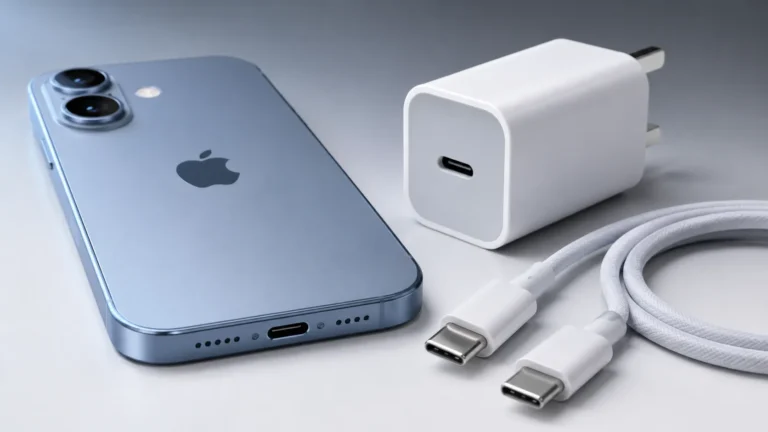
The iPhone 18 charger port is expected to be a USB-C port, which means it uses the same connector style now common across many phones, tablets, laptops, and accessories. In practical terms, that gives most buyers simpler cable compatibility, easier charging from modern power adapters, and better support for data transfer and accessory use than older Apple Lightning setups.
- Port type: USB-C is the expected connector, but confirm official specs before buying accessories.
- Charging speed: Fast charging depends on USB Power Delivery support, cable rating, and heat conditions.
- Compatibility: USB-C improves cross-device use, but not every cable or adapter supports every feature.
- Safety: Replace frayed, hot, or loose cables and avoid charging gear that seems unstable.
- Maintenance: Keep the port clean and dry, and check for debris if charging becomes inconsistent.
What Is the iPhone 18 Charger Port? Quick Answer and What It Means in 2026
For most readers, the main question is simple: what port does the iPhone 18 use for charging? The answer is USB-C, assuming Apple continues the connector direction already established on recent iPhone models and does not make a region-specific change. Because final port details can vary by model or market, it is still smart to confirm the official iPhone 18 specifications before buying a new charger, cable, or dock.
USB-C matters because it is not just a charging plug. It is a standard connector used for power, data, and some accessories, so the port choice affects how quickly the phone charges, which cables fit, and whether your existing gear will still work.
How the iPhone 18 Charging Port Works: Connector Type, Power Delivery, and Data Transfer
USB-C is the physical connector. What happens after you plug in depends on the charger, cable, phone firmware, and the power negotiation standard in use. In everyday use, the iPhone 18 should request only the power it can safely accept, rather than taking the maximum output of the adapter.
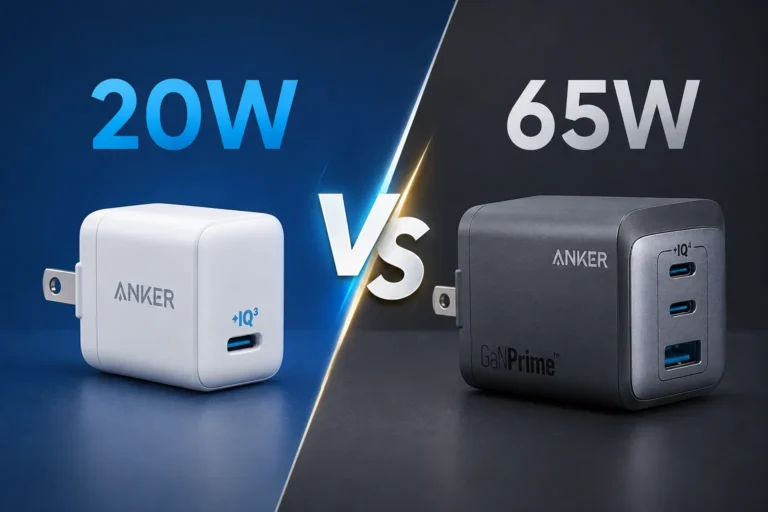
That negotiation is one reason a higher-watt charger does not automatically mean faster charging. The phone, cable, and power brick all need to support the same charging behavior, and the result can change based on battery level, temperature, and background activity.
Why the port matters for charging speed and accessory compatibility
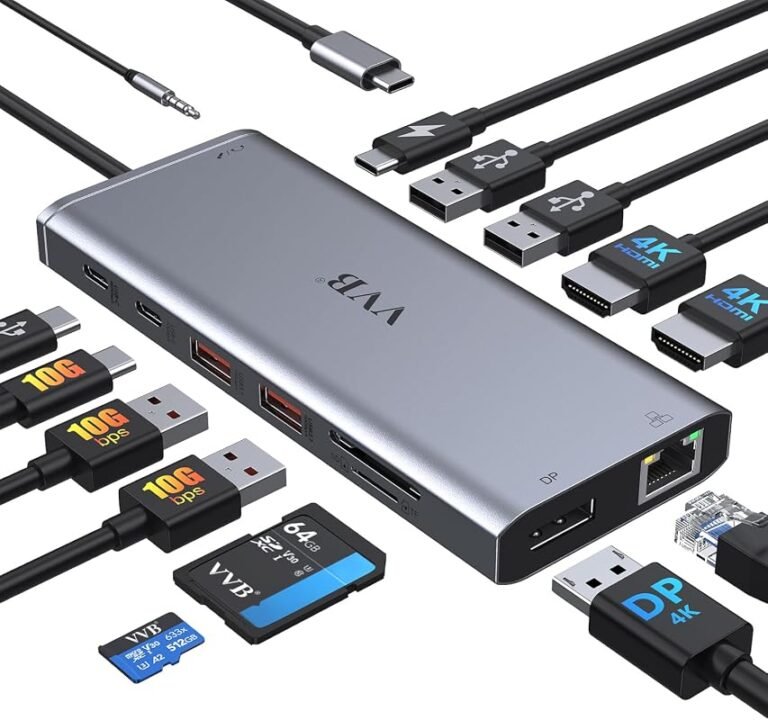
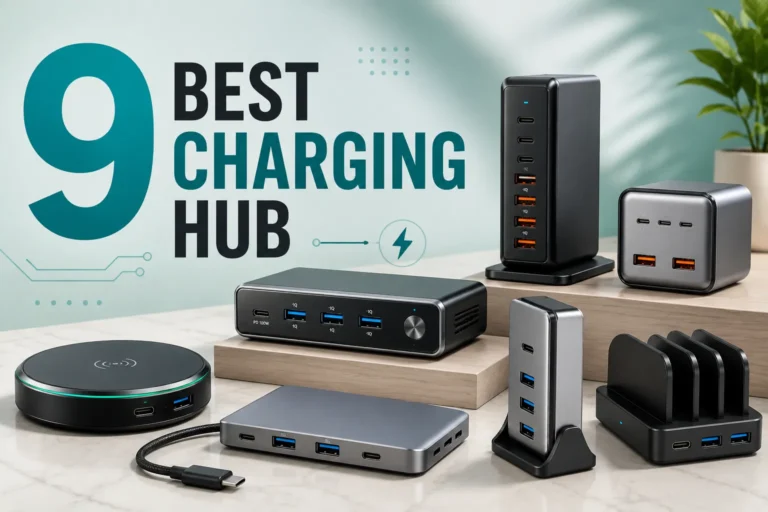
The port determines what can physically connect, but it also influences the broader ecosystem around the phone. A USB-C iPhone can usually pair with a wider range of chargers, power banks, car adapters, hubs, and wired accessories than a phone tied to a proprietary connector.
For buyers, that means less cable clutter and fewer one-off accessories. It can also make it easier to borrow a charger at work, in a hotel, or from another family member, as long as the charger is reputable and the cable is in good condition.
USB-C is a connector shape, not a guarantee of fast charging by itself. Speed depends on the charger, cable, and the phone’s own charging limits.
How cable quality and rated wattage affect real-world performance
Two USB-C cables can look similar and perform very differently. A well-made cable with the right power rating and proper internal wiring is more likely to support stable charging, while a low-quality cable may charge slowly, disconnect intermittently, or run warmer than expected.
Wattage also matters, but only within the phone’s supported range. If the iPhone 18 is connected to a charger that exceeds its needs, the phone should still draw only what it is designed to use. The bigger practical issue is whether the charger and cable can deliver stable power without excess heat.
Stop using cables or adapters that are frayed, unusually hot, loose, cracked, or visibly damaged. Heat, sparks, or repeated disconnects are signs to replace the accessory and follow the manufacturer’s guidance.
iPhone 18 Charger Port Compatibility: Cables, Chargers, and Accessories That Fit
Compatibility is usually straightforward with USB-C, but “fits” does not always mean “works well.” A cable may physically connect while still lacking the right power support, data speed, or accessory features you need.
That is especially important if you plan to use the phone for travel, car charging, external storage, wired audio, or a dock that also connects to a monitor or keyboard.
What to check before buying a charger or cable
Before you buy, confirm the connector type, cable rating, charger output, and whether the accessory is meant for phones, laptops, or both. If you want the safest buying path, check the official iPhone 18 specifications, the charger maker’s compatibility notes, and any cable certification information the seller provides.
- Confirm the iPhone 18 port type from the official product page or manual
- Match the cable end, charger output, and intended use
- Check for certification, warranty coverage, and return policy
- Make sure the cable length and build suit your desk, car, or travel setup
USB-C, adapters, and legacy accessory trade-offs
USB-C makes life easier for most users, but legacy accessories can still create friction. Older Lightning-only cables will not plug in natively, and some older docks or adapters may need a separate converter to work.
Adapters can be helpful in a pinch, but they also add bulk and another point of failure. If you rely on legacy accessories, it is worth checking whether the accessory maker offers a USB-C version or a clearly documented adapter path.
Key Specs to Verify Before You Choose a Charger for iPhone 18
Choosing a charger is less about chasing the biggest number and more about matching the phone’s needs with safe, consistent power delivery. The most useful specs are the ones that affect charging stability, heat, and long-term reliability.
Wattage, USB Power Delivery support, and safe charging limits
Look for a charger that supports USB Power Delivery if you want broad compatibility and predictable charging behavior. The charger’s wattage should be sufficient for the phone and any other device you may charge with it, but it does not need to be extreme for a phone-only setup.
Because the iPhone controls how much power it accepts, the real goal is a charger that can deliver clean, stable power within the phone’s supported range. If a charger claims unusually high speed without clear standards support, treat that claim carefully and verify it before buying.
Heat management, certification, and build quality indicators
Heat is one of the clearest signs of charging quality. Some warmth is normal during fast charging, but a charger or cable that becomes excessively hot may be poorly designed, overloaded, or damaged.
Build quality indicators include a secure connector fit, strain relief at the cable ends, clear labeling, and a warranty that is easy to understand. Certification claims should be checked carefully and ideally backed by the manufacturer’s documentation, not just a marketplace listing.
If you charge overnight, place the phone on a hard, ventilated surface and avoid stacking it under pillows, blankets, or other heat-trapping materials.
Real-World Benefits and Limitations of the iPhone 18 Charging Port
In daily life, a USB-C charging port is mainly about convenience. It reduces the number of cable types most people need to keep around and makes it easier to share chargers across devices.
But the port is still only one part of the charging experience. The cable, charger, case thickness, dust buildup, and even how you store the phone can affect reliability over time.
Faster charging, easier cross-device use, and better portability
One of the biggest benefits is portability. A single USB-C cable can often serve multiple devices, which is useful for commuters, students, remote workers, and travelers who want fewer accessories in a bag.
Cross-device use is also a major plus. If your laptop, tablet, earbuds, power bank, and phone all use USB-C, the iPhone 18 becomes easier to support with one charging kit instead of several separate ones.
Common limitations: cable wear, port debris, and accessory mismatch
USB-C is convenient, but it is not immune to wear. Repeated plugging, bending, and travel use can loosen cables or damage the connector over time.
Dust and pocket lint can also collect inside the port and interfere with charging. Accessory mismatch is another common issue, especially when a cable is designed for charging only and not for data, display output, or higher power delivery.
- One cable type works across many modern devices
- Better compatibility with chargers, power banks, and docks
- Cleaner travel and desk setups
- Cables and ports still wear out with heavy use
- Not every USB-C accessory supports the same features
- Debris or poor-quality cables can cause charging problems
How to Use the iPhone 18 Charger Port Safely
Safe charging is mostly about avoiding heat, damage, and low-quality accessories. The port itself is simple, but the surrounding setup matters more than many buyers realize.
Common mistakes to avoid with charging, storage, and heat exposure
Avoid charging the phone on soft surfaces that trap heat, using bent or crushed cables, or leaving the device in hot cars or direct sun for long periods. Also avoid forcing a connector into the port if it does not seat smoothly.
If you store the phone in a bag with keys, coins, or dust, the port and cable ends may collect debris faster. A small protective pouch or a dedicated pocket can help reduce wear during travel.
Inspection, replacement guidance, and when to stop using a damaged cable
Inspect charging gear regularly for fraying, discoloration, bent pins, loose ends, or intermittent connection. If a cable only works when held at an angle, replace it rather than trying to “work around” the problem.
Stop using damaged cables, unstable chargers, or ports that spark, overheat, or repeatedly disconnect. Follow the phone maker’s safety guidance and replace questionable accessories promptly.
Maintenance and Troubleshooting for the iPhone 18 Charger Port
Most charging problems come from dirty ports, bad cables, or mismatched accessories rather than a serious hardware fault. Starting with safe, simple checks usually saves time and avoids unnecessary repairs.
Cleaning the port safely and preventing dust buildup
Before cleaning, disconnect the phone from power. Use only gentle, dry cleaning methods recommended by the manufacturer, and avoid metal tools, liquid cleaners, or anything that could damage the port contacts.
To slow future buildup, keep the phone in cleaner pockets or cases, avoid storing it loose in dusty bags, and check the port periodically if you work in a lint-heavy or outdoor environment.
- Test a different cable before assuming the port is defective
- Try a different charger and wall outlet if charging is inconsistent
- Keep the port dry and let it fully dry if it has been exposed to moisture
- Use official support or a qualified repair provider if the port feels loose or damaged
What to do if charging is slow, intermittent, or not working
If charging is slow, first check whether the cable and charger support the needed power standard. Then look for dirt in the port, background activity that may be drawing power, or a case that prevents the connector from seating fully.
If the phone charges only sometimes, the most likely causes are cable wear, debris, or a loose port connection. If basic checks do not help, consult the official support resources, warranty terms, or a qualified repair center rather than forcing the connector or opening the device yourself.
Is the iPhone 18 Charger Port Worth It? Final Recommendation for Buyers
For most buyers, a USB-C iPhone 18 charger port is worth having because it simplifies charging and makes the phone easier to integrate into a modern USB-C setup. The main value is convenience, but that convenience only pays off if you pair it with a good cable and a reputable charger.
Best user types, practical trade-offs, and value verdict
This setup is best for people who want one charging standard across multiple devices: commuters, students, travelers, parents managing family gear, and anyone replacing older Lightning accessories. The trade-off is that you may need to refresh some older cables and docks, and you should still verify charger specs instead of assuming all USB-C gear performs the same.
Bottom line: if the official iPhone 18 specs confirm USB-C, it is the most practical charger port choice for everyday use. Just focus on certified or well-documented accessories, watch for heat and wear, and replace damaged cables before they become a safety or reliability problem.
Frequently Asked Questions
The iPhone 18 is expected to use USB-C, which is the most common modern charging connector. Confirm the official specifications before buying accessories because final details can vary by model or region.
Most USB-C chargers should physically connect, but not all will charge at the same speed or with the same stability. Check for USB Power Delivery support, the charger’s output, and a cable rated for the intended use.
Choose a USB-C cable that matches the power and data needs of your setup. For best results, look for clear rating information, sturdy build quality, and any certification or compatibility notes from the manufacturer.
Slow charging can come from a weak charger, an under-rated cable, background phone activity, heat, or debris in the port. Try another cable and charger first, then check the port for dirt or damage.
Disconnect the phone from power and use only gentle, dry cleaning methods recommended by the manufacturer. Avoid metal tools, liquids, and anything that could damage the port contacts.
Replace the cable if it is frayed, loose, discolored, or only works at certain angles. Stop using it immediately if it overheats, sparks, or causes repeated disconnects.